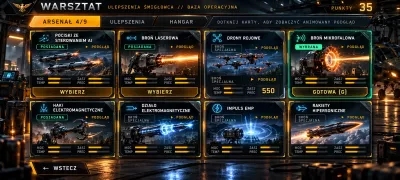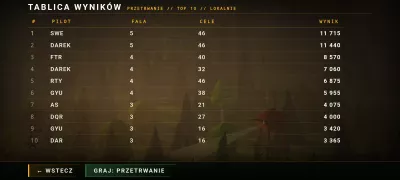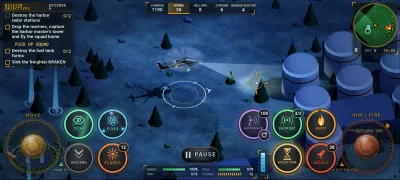

Project Overview
Acclaimed Games is a video game ranking and aggregation website built with:
- Django - Backend framework with server-side rendering
- HTMX - Dynamic interactions without full page reloads
- Alpine.js - Client-side reactivity for UI components
- Tailwind CSS v4 - Utility-first CSS framework
- DaisyUI v5 - Component library for Tailwind
For detailed documentation, see CLAUDE.md.
Setup Local Development Environment
Prerequisites
- Python 3
- Node.js (for Tailwind CSS)
- Git
- Heroku CLI
Clone Repository
git clone https://github.com/chibanaryan/acclaimed_video_games.git
cd acclaimed_video_games
heroku login
heroku git:remote -a acclaimedgames
Install Dependencies
# Homebrew's Python, at the release in .python-version (see AGENTS.md)
V="$(cat .python-version)"; "$(brew --prefix python@$V)/bin/python$V" -m venv venv

# macOS/Linux:
source venv/bin/activate

# Windows:
venv\Scripts\activate

pip install -r requirements.txt -r requirements-dev.txt
pre-commit install

# Install Tailwind CSS dependencies
python3 manage.py tailwind install
Get Data
Option A: Sync from Production (Recommended)
python3 manage.py sync_from_prod
python3 manage.py createsuperuser
Option B: Start Fresh
python3 manage.py migrate
python3 manage.py createsuperuser
Then import data via /import/ (see Import New Data below).
Run Development Server
python3 manage.py runserver
Note: The Tailwind CSS watcher (python3 manage.py tailwind start) is only needed if you're actively editing styles. The compiled CSS is committed to git, so for most dev work you just need the Django server.
Deploy to Production
python3 manage.py tailwind build
python3 manage.py collectstatic --noinput
git add -A
git commit -m "Your commit message"
git push origin main
git push heroku main
CSS Workflow (Tailwind CSS)
The site uses django-tailwind with Tailwind CSS v4 and DaisyUI v5.
Development:
- Run
python3 manage.py tailwind startto watch for changes - Edit styles in
theme/static_src/src/styles.css - CSS automatically rebuilds on save
Key Files:
theme/static_src/src/styles.css- Main Tailwind source with custom componentstheme/static/css/dist/styles.css- Compiled output (auto-generated)games/static/games/css/mdi-subset.css- Material Design Icons subset
Theme Configuration:
Themes are configured in styles.css:
@plugin "daisyui" {
  themes: forest --default, night, sunset, nord, lofi;
}
Pre-commit Hooks
This repo uses pre-commit to enforce code quality:
- Black - Auto-formats Python code
- Flake8 - Lints for style violations
- Tests - Runs full test suite
- Coverage - Enforces 100% coverage
Commits are blocked if any check fails. Run tests manually:
python3 manage.py test games.tests
Import New Data
The /import/ page is for adding new source lists to the database (not for initial setup - use sync_from_prod for that).
Quick Actions
- Load Test Data - Load bundled test files (development only)
- Delete All Data - Destructive maintenance reset for ranking data
- Fetch IGDB Data - Pull cover art, descriptions, and genres
Batch Import
Upload tab-separated files in order:
- PlatformDB.txt -
CODE<tab>Name - SourceLists.txt -
Publisher<tab>Year<tab>Type<tab>Name<tab>URL - Games file (for example
Top1400.txt) -Rank<tab>Name<tab>Year<tab>Platforms<tab>IGDB_ID<tab>Wikidata_ID - GamePositions.txt -
ListID:Position<tab>ListID:Position...
Regular batch import replaces the existing ranking dataset in place. You do not need to run the delete action first.
IGDB Import on Heroku
heroku run python3 manage.py get_igdb
Contributing
Bug reports and data corrections are welcome as issues. Please open an issue before writing a pull request. See CONTRIBUTING.md and the Code of Conduct. Report security problems privately, as SECURITY.md describes.
License
The code is released under the MIT License. The license does not
cover the ranking data, such as the files in acclaimedgames/test_input_files/,
or the metadata the site fetches from IGDB, Wikidata, Discogs, MusicBrainz, the
Cover Art Archive and HowLongToBeat. Those stay under their owners' terms.