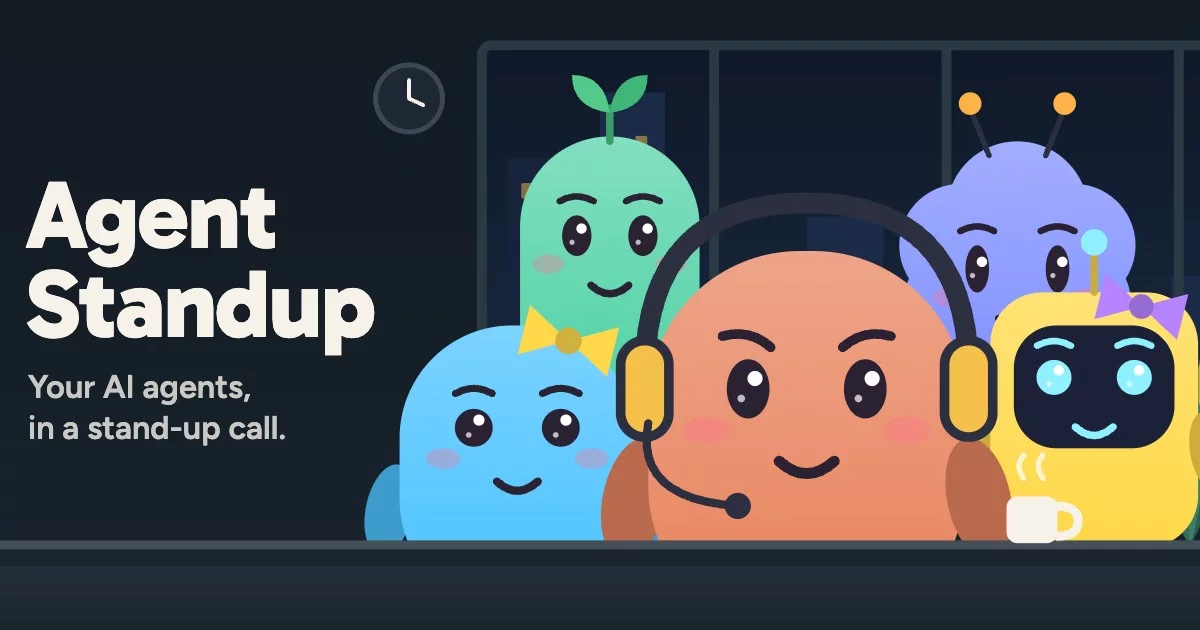

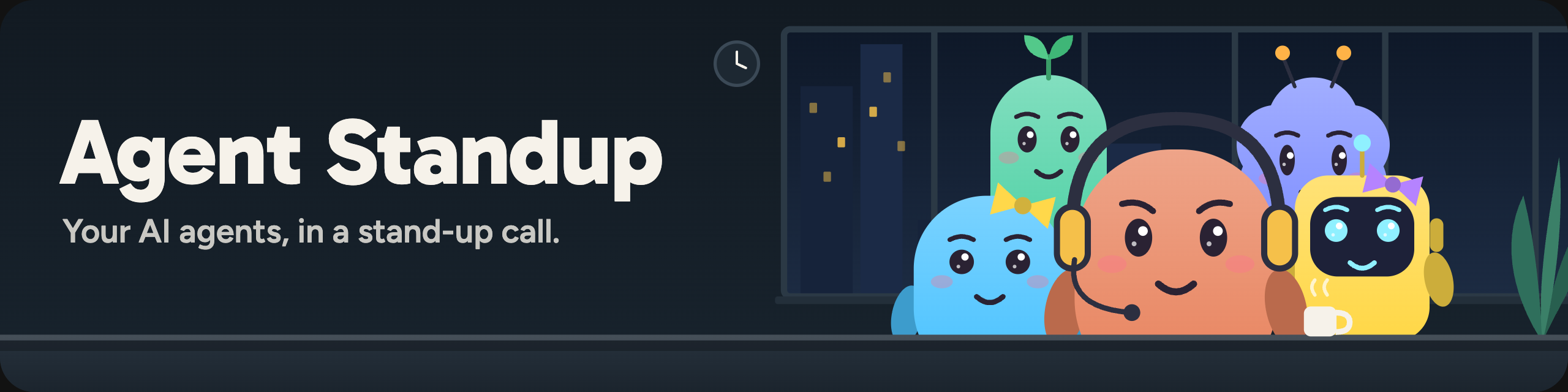
Agent Standup
See which of your agents is working, stuck, waiting on another one, or burning tokens — across all your Claude Code, Codex, Mistral Vibe and Cowork sessions, at zero token cost. Agent Standup turns the session files Claude Code, Codex and Mistral Vibe already write into a live team call (and a board of every session): it only reads local files and never calls Claude unless the call is held in French, Spanish or Brazilian Portuguese, or you turn on the jokes.



No editor? Try it in 30 seconds from any terminal (Node 18+), then ⚙ → Source → Demo if you have no session yet:
npx @double_geste/agent-standup@latest --open
Your Claude Code, Codex or Mistral Vibe session as a live team call. The lead gives orders, sub-agents join the call, work at their desks, share their screen and report back — with voices, expressions and a view of the real work as it happens.
Works with: Claude Code · Codex · Mistral Vibe · Cowork — in VS Code, Cursor, Windsurf, any terminal, or as a desktop app.
Just installed the extension? Click the Agent Standup icon in the Activity Bar (or run Agent Standup: Open live call): the call starts at once, silent, and your first click in it turns the sound on. No session yet: press ▶ Watch the demo.
→ Website & download: https://agent-standup.com
🌐 Français · 繁體中文 · 简体中文 · Español · Deutsch · Dansk · Português · 日本語 · 한국어
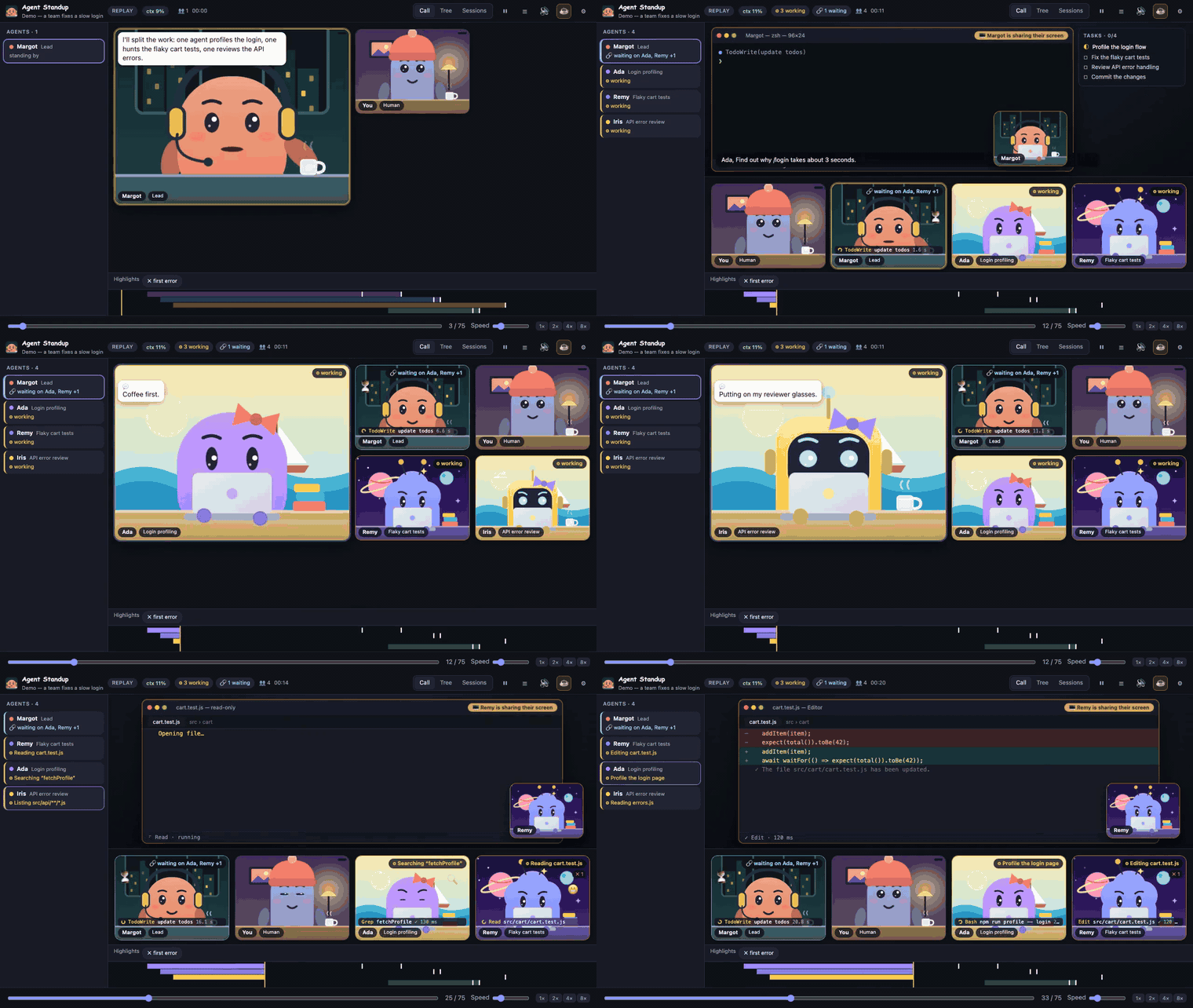
A fictional team fixing a slow login page — the built-in demo (⚙ → Source → Demo). Watch the full 1-minute video.
New: Agent Standup is on YouTube. The first video is the very session that made it, replayed in the app with its own voices (2 min 51). Subscribe to the channel.
Halloween pack (optional)

Eight characters drawn by hand by Fabien Coupas, each in its own room: a pumpkin leads the call, you are a vampire, and a ghost, a cat, a bat, a wolf, a witch and a crowd of skeletons do the work.
It is entirely optional. Agent Standup is and stays free and MIT licensed, and nothing in it is locked behind the pack: every feature and the default characters stay as they are, and the vampire is free for everyone. Buying the pack (2 €, or more if you like) is simply a way to support the artist who drew it and the developer who makes the app; the money is shared between them.
See the pack, or in the app: ⚙ → Characters → Halloween pack. The pack's pictures are not part of the open-source code: they remain the artist's work.

Unofficial community project, not affiliated with or endorsed by Anthropic, OpenAI or Mistral AI. "Claude" is a trademark of Anthropic; "Codex" is a trademark of OpenAI; "Mistral" is a trademark of Mistral AI.
What you get
- Token usage per agent — a ⚡ counter in the header, on each tile, on each line of the agents list and in the camera of the agent who shares its screen shows how many tokens each agent used (input + output + cache writes; cache reads shown separately in the tooltip), counted once per message as recorded by Claude Code. Handy to see which sub-agent is the expensive one. When a session mixes models, each count says which model spent it (“⚡ 391 · Haiku”). It is read from the session files, not an estimate of your bill.
- Stuck or quiet agents — in the live call, a tile pulses amber with ⏳ when a command has been running for over a minute, shows 💤 when a working agent has gone quiet for 3 minutes, a red ✗ counter for failed tool calls, and a ♻ count of repeated work (a file read again with no change, the same search twice, a failing command run again). Hover any of these badges (or tap it) to see the calls behind it. The browser tab title shows how many agents are working.
- Built-in demo — no session yet? ⚙ → Source → Demo plays a fictional team (no data of yours).
- Live call — follows your newest session (Claude Code, Codex or Mistral Vibe) in real time. Each agent is a small character at its desk; the one who speaks gets the spotlight and keeps it until someone else talks. Agents never talk over each other: when several have something to say at once, they take turns, so every line is heard.
- Real voices, lip-sync — lines are spoken aloud by a small speech model on your machine (a one-time install); mouths follow the actual volume of the voice. Until then, and if you prefer it, the agents babble (see Voices).
- Live screen sharing with the real output — when an agent works, its screen fills the stage (presenter's camera in the corner, "sharing" badge): a terminal with the command history and the actual output of each command, search results and tool calls; or an editor with the file it reads (real content and line numbers) or the exact diff it applies. See What you see for each agent below.
- Agents come and go — a sub-agent joins when it is given a task and leaves the call 2 minutes (playback time) after its report, with a dissolve animation. It comes back if it gets a new task.
- Sub-agent tree — the full hierarchy (you → the lead → sub-agents → their sub-agents) with status, tool counts and the current action.
- Click any agent — its prompt, tool usage and reports.
- Replay — pick any past session, scrub through it, see a timeline of who worked when, and get a recap (agents, tool calls, commands, files changed, busiest agents).
- Video export — ⚙ → Tools → 🎞 Export video records the call at 1280×720 with voices and subtitles, as an MP4 (H.264 + AAC) when the browser can record it, and as a
.webmwhen it cannot. X, phones and most chat apps refuse.webm. - Clip to share — ⚙ → Tools → 🎬 Clip to share (25 s) records about 25 seconds, saved as
agent-standup-clip.mp4(.webmwhen the browser cannot record MP4). In the middle of a replay it starts at the current position; otherwise one spoken line before the first error or loop of the session, and failing that at the moment the lead first hands out work. The line being said when time is up is finished rather than cut, so the length varies by a few seconds. The clip carries the site address (atoll92.github.io/agent-standup) in the top right corner and ends with a short end card; the full export has neither. - Hide code & file names in videos — ⚙ → Tools, off by default, for the full export and the clip. Commands, their output, file contents, diffs and search results on the shared screen are drawn as grey bars of the same length; file names are removed from the window title and from the activity tags on tiles (the tool's name, e.g.
BashorRead, stays); the session title is replaced by "Agent Standup"; pictures (screenshots, images) become an empty frame. What the agents say is not masked: speech bubbles, subtitles and voices are kept as they are, so check the clip before posting if agents quote code or names aloud. - In French, Spanish or Portuguese too — the call can be held in French, Spanish or Brazilian Portuguese: agent text is translated on the fly and read by voices of that language (see below).
- Office music — optional live web radio (FIP and its themed stations) that fades down smoothly while an agent talks and fades back up when the room goes quiet.
- Office ambience, optional (off by default) and fully synthesised: keyboards that type when agents run commands, clicks when they read, a coffee machine, a phone buzzing, a far-away door… (⚙ → All settings → Office ambience). Plus small reactions and jokes between agents ("episode mode").
Claude Code plugin
You can also open the call from inside Claude Code. The plugin adds two skills: /agent-standup:open starts the app and opens the call in your browser, and /agent-standup:status says in one line who is working and who needs you.
/plugin install agent-standup --marketplace Atoll92/agent-standup
On Claude Code before 2.1.275: /plugin marketplace add Atoll92/agent-standup, then /plugin install agent-standup@double-geste. The plugin runs the same npm package as the command line, pinned to an exact version.
A line above your prompt. A second plugin, agent-standup-band, shows above the Claude Code prompt which other session waits on a question or an approval, and a short toast when one starts waiting or finishes its turn, in the terminal and in the Claude desktop app's Code tab (Claude Code 2.1.294 or later). It reads only ~/.claude/sessions, needs no Node.js and sends nothing:
/plugin install agent-standup-band --marketplace Atoll92/agent-standup
Codex sessions too
Sessions of OpenAI’s Codex (the desktop app and the codex command) appear next to your Claude Code sessions: in the session list (project “Codex”), on the board, and in the live call when one of them is the session you last typed in. Nothing to set up: the app reads the files Codex already writes in ~/.codex/sessions (or $CODEX_HOME), and never writes there.
- What is shown: what you typed, what the agent says, each command with its real output and whether it failed, files it created or changed, web searches, MCP calls, the questions it asks you, its reasoning summaries as inner thoughts, token counts, and the end of each turn.
- Compressed sessions too. Recent versions of Codex compress the sessions you are no longer in (
rollout-….jsonl.zst). They are listed and replayed like the others, but reading them needs Node 22.15 or later: from the command line that is your ownnode; the desktop app has it; in VS Code, Cursor or Windsurf it is the editor's own runtime, so an older editor lists only the sessions Codex has not compressed. - Codex sub-agents join their lead's call, with their own names, commands, results, token counts and final reports, and their own sub-agents too. They are not listed as sessions of their own. The short reviews Codex runs on its own before a command are not shown as sessions.
- In VS Code the call follows the Codex sessions started in the folder you have open, like it does for Claude Code.
- Turn it off or point it elsewhere: in VS Code, the setting
agentStandup.codex; anywhere elseAGENT_STANDUP_CODEX=off, orAGENT_STANDUP_CODEX=/path/to/codex-home(command line:--codex offor--codex DIR). With--projects DIR, Codex sessions are only read if you also pass--codex.
Mistral Vibe sessions too
Sessions of Mistral Vibe (Mistral's coding agent, the vibe command) appear next to your Claude Code sessions: in the session list (project “Mistral Vibe”), on the board, and in the live call when one of them is the session you last typed in. Nothing to set up: the app reads the folders Vibe already writes in ~/.vibe/logs/session (or $VIBE_HOME), and never writes there.
- What is shown: what you typed, what the agent says, each command and tool call with its real output and whether it failed, files it created or changed, its todo list, its reasoning as inner thoughts, token totals, the end of each turn, and its sub-agents: each one joins the call under the name the lead gave it, with its orders and its answers.
- Two engines, both read. Vibe 2.26 starts a new engine by default, which keeps the time of every event: the call is exact. With it a sub-agent leaves no record of its own, so you see what the lead asked it and what it answered, not each of its commands. The earlier engine (
vibe --legacy-harness, and older versions) does record a sub-agent's own commands, but writes no times and saves at the end of each step: followed live the times are right to within a step, and a session opened afterwards is spread between its start and its end. - On the board a session of Vibe's current engine that waits for your approval or your answer shows as “needs you”, because Vibe says so itself, for as long as the Vibe that has it open still runs (up to four hours). Once that Vibe is closed it no longer needs you, and where the app cannot tell (a Vibe that keeps no lock on the sessions it has open) “needs you” lasts half an hour. The earlier engine (
vibe --legacy-harness) does not write that it waits, so its sessions never show “needs you”. - Not shown: pictures, and sessions kept somewhere else through
session_logging.save_dirin Vibe's own settings (pointAGENT_STANDUP_VIBEat a home folder that haslogs/sessionin it). - Turn it off or point it elsewhere: in VS Code, the setting
agentStandup.vibe; anywhere elseAGENT_STANDUP_VIBE=off, orAGENT_STANDUP_VIBE=/path/to/vibe-home(command line:--vibe offor--vibe DIR). With--projects DIR, Vibe sessions are only read if you also pass--vibe.
Checked against real sessions of Vibe 2.26.1, in both formats. Watch the 45-second video (en français).
Cowork sessions too
Sessions of Cowork (a tab of the Claude desktop app) appear next to your Claude Code sessions: in the session list (project “Cowork”), on the board, and in the live call when one of them is the most recent. Nothing to set up: Cowork records its sessions in the format of Claude Code, in the desktop app's own folder (local-agent-mode-sessions). Agent Standup reads them there and never writes there.
- What is shown: all that a Claude Code session shows, sub-agents included. A session has the name the desktop app gave it, its tab has a small “Cowork” mark, and in its call the lead reads “Lead · Cowork”.
- Scheduled tasks are sessions too. A task Cowork runs on a schedule appears when it runs. Nobody typed it, so it does not take the call from a session you are working in: the live call goes to it when nothing you typed in is still at work.
- Not the Chat tab. A conversation in the Chat tab of the desktop app is kept on Anthropic's servers, not on your computer: there is nothing for Agent Standup to read. The Code tab is Claude Code, and has always been shown.
- A window that follows one folder (VS Code open on a project) leaves Cowork sessions out of its call: a Cowork session is in no folder of yours. The Sessions view lists them everywhere.
- Where it looks:
~/Library/Application Support/Claudeon macOS,%APPDATA%\Claudeon Windows (and the app's own folder under%LOCALAPPDATA%\Packageswhen it is installed as a Windows package),~/.config/Claudeon Linux. Checked against real sessions on macOS; the Windows and Linux places are not tested yet. - Turn it off or point it elsewhere:
AGENT_STANDUP_COWORK=off, orAGENT_STANDUP_COWORK=/path/to/local-agent-mode-sessions(command line:--cowork offor--cowork DIR). With--projects DIR, Cowork sessions are only read if you also pass--cowork. There is no VS Code setting for it yet.
What you see for each agent
On its tile
- Activity tag (top right) — what the agent is doing right now:
Reading App.jsx,Editing foo.ts,Writing …,Running npm test(or the command's own description),Searching “pattern”,Listing **/*.js,Fetching host,Updating todo list; then✓ donewhen it reports. - Ticker (bottom) — the current tool call and target, with a spinner and a running counter while it executes, then
✓/✗and its real duration. - Status border: orange while working, spotlight while speaking, the tile fades and dissolves 2 minutes after its report.
On the shared screen (appears when an agent uses a tool, stays while a command is still running, then ~4 s after the last action)
- Terminal —
❯ command(with its description), then its real output (first lines, errors in red, “… +N lines”),● Grep(…)/● Glob(…)with matches, a spinner for what is still running. Footer:✓ Bash · 1.2 sor⠋ Bash · running 3.4 s. The command is typed and its output scrolls in, in under a second (not while catching up, above 2× or with reduced motion).git diffandgit showare in colour. - Live output of a background command — a command an agent runs in the background (or a Monitor) streams its lines as Claude Code writes them, with a red ● LIVE, until “exited with code N”. Read from the file Claude Code writes in its temporary folder, on this computer, while the command is on screen; a command still writing when you open the call, or after the turn ended, is shared once.
- Test runs — a test command (node, vitest, jest, pytest, mocha, go, cargo) shows its passed / failed / skipped counts in large, a green or red bar and the names of the tests that failed.
- Editor — for
Read: the file with its real content and line numbers (read-only); forEditandWrite: the diff Claude Code recorded, with real line numbers and context; a Bash command that edited files (sed -i, a script) shows its diff too. - Pictures — when a tool gives the agent a picture (a screenshot it takes, an image file it reads: PNG, JPEG, GIF, WebP), the picture is shown on the shared screen, in a taller window, and stays up for several seconds (8 in a live call) whatever the agent does next. It is also in the agent's Recent activity and in exported videos. Pictures are read from the session file itself, never from your disk.
- The browser an agent drives — when an agent drives Chrome (Claude in Chrome) or the Claude desktop app's own browser, the shared screen becomes a browser window: the page's title and address, its last screenshot, a pointer that glides to each click, what it types, and the agent's own words for each step. All of it is read from the session file.
- Artifacts — when a Claude Code session publishes an artifact (a page on claude.ai), its author shares it in a browser window on the shared screen: the real page, shown whole. When the turn ends it is in the line of files (🌐); click it there, or click the window