
A turn-based grand strategy game on a real-Earth hex map, where your opponent is a large language model you choose. Coding agents wrote the code and most of the documentation. I set the direction, wrote the prompts and coding rules, and reviewed the results.
Agent Wars is a WEGO game ("we go"), where neither player can see what the other is planning. For each turn, both sides create combat, movement, and production orders at the same time, based on partial, subjective views of the battlefield. Once players are ready, the game executes their orders and determines the outcomes (think: "Axis & Allies" meets "Diplomacy", with a software referee).
The game is intended to be simple to learn and quick to play, but with enough depth to make things interesting and believable.
Play It · Why This Exists · Why I'm Sharing This · What's Inside · How It Was Built · Architecture · Build from Source · Status · License
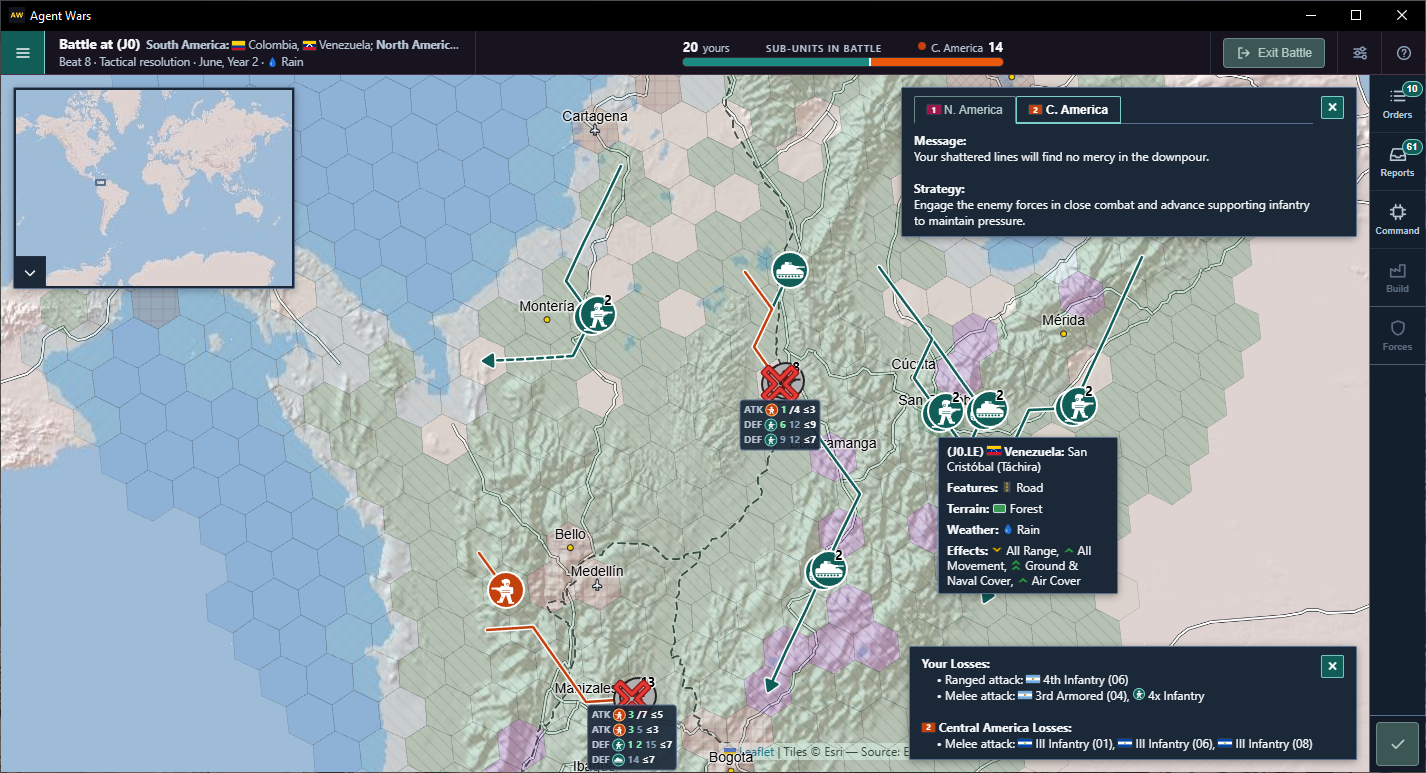
Tactical battle in Colombia and Venezuela during combat resolution, showing hits, movement, and dice rolls. Human/teal units face an LLM/orange opponent (in this case, Gemini Flash Lite), with losses displayed in the corner.
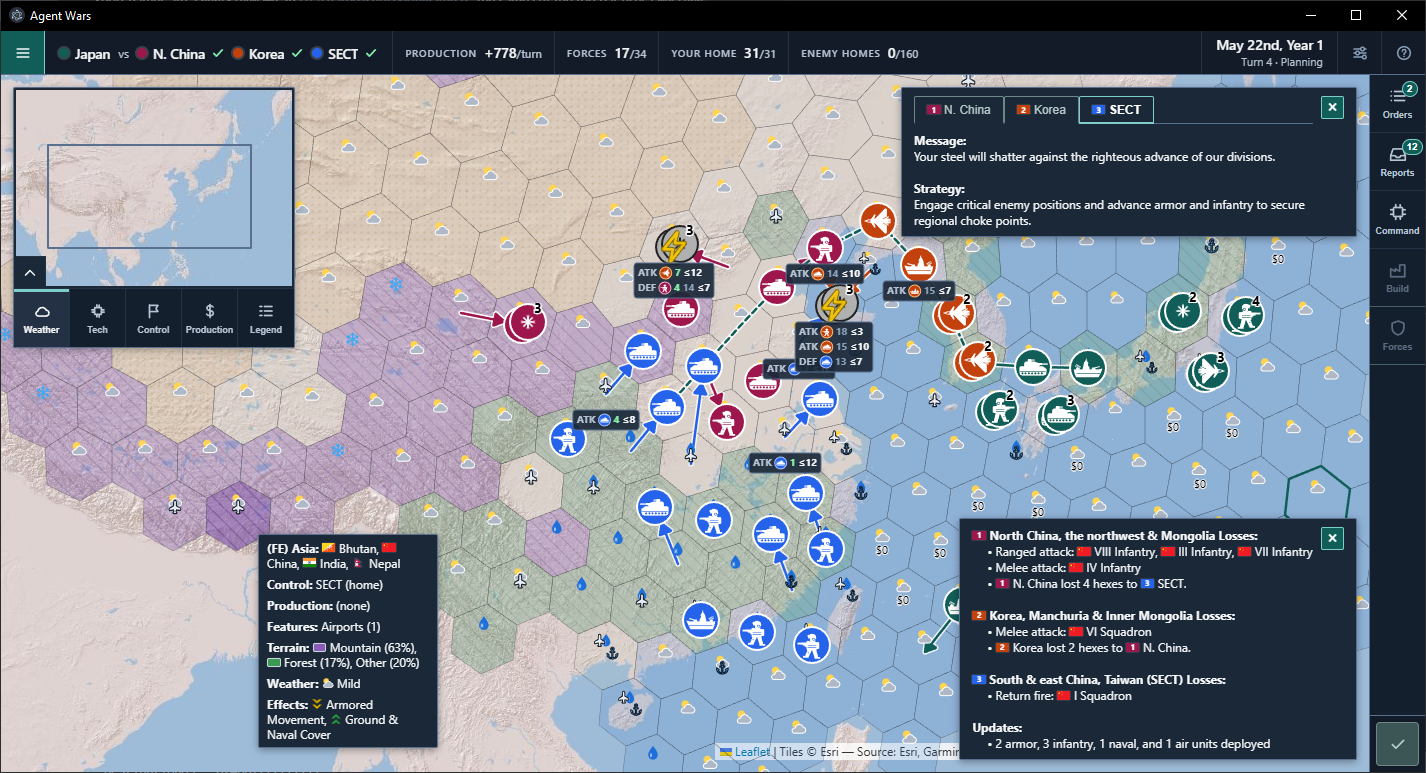
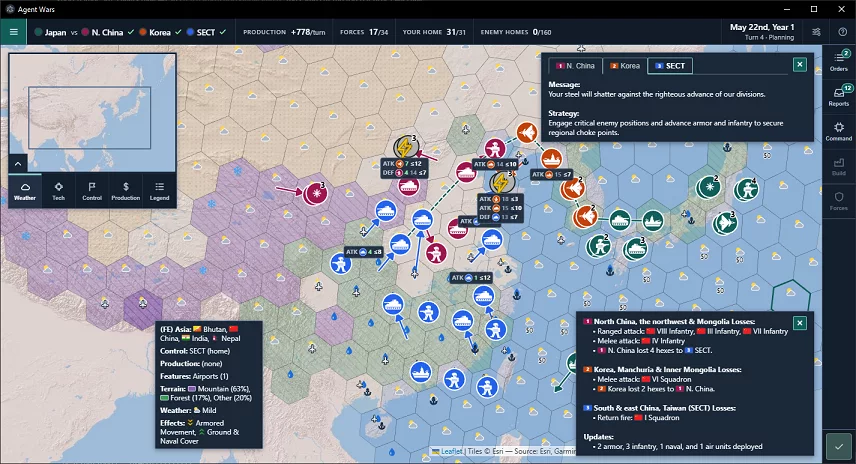
4-way regional "deathmatch" in east Asia (1 human, 3 AIs). "Fog of war" has been turned off, revealing every unit on the map.
Why This Exists
Before I started Agent Wars I'd been writing software by hand for a long time, but I knew very little about agentic development. This project was how I started learning about it.
I chose this approach because:
- I wanted a crash course in agentic development, on work I could afford to screw up. I especially wanted to learn what to expect as a codebase grows, from greenfield through features, bug fixes, and (eventual) replacement.
- It feels good to blow up commercial LLMs on imaginary battlefields, even if I'm paying their vendors for the privilege.
- For something new, I wanted LLMs to navigate real-world geography, planning combat, movement, and logistics on a hex map across many turns.
- Example: ever played Rogue or NetHack? Turns out LLMs have too, and they can use ASCII maps for spatial reasoning (see doc/ai-commander-prompts/strategic-prompt.md for more on this).
- For calibration, I built it on familiar ground (Electron and TypeScript, database development, and geospatial data), so I could catch bad agent output sooner.
I'm telling the story of how I built Agent Wars (and am still adding to it) in Standing Orders.
You can learn more about me on LinkedIn.
Why I'm Sharing This
To offer what I've learned, and to give others a chance to blow up their (not) favorite LLMs, too.
Also: I don't intend to charge money for Agent Wars, now or ever.
Where We Go From Here
I currently plan to:
- Throw features at this project (multiple human/LLM players, a diplomacy system, local LLM support, game save/load, etc.) until I've learned what I need to from this codebase.
- Then regenerate Agent Wars in a different language, framework, etc. (thinking of C#/Godot) and figure out what's next from there.
Play It
Download a build for Windows (x64), macOS (Apple silicon), or Linux (x64) from Releases. The builds are unsigned side-load builds, so Windows and macOS warn before the first launch. Each release lists SHA-256 checksums in SHA256SUMS.txt.
- Windows: unzip, then run
Agent Wars v2.9.0.exe. If SmartScreen stops it, choose More info, then Run anyway. - macOS: unzip, then open
Agent Wars v2.9.0.app. If macOS blocks it, open System Settings > Privacy & Security and choose Open Anyway. - Linux: extract the archive, then run
./agent-wars. That launcher handles Chromium's sandbox when the archive can't keepchrome-sandboxowned by root. On Ubuntu 23.10 and later, where AppArmor blocks unprivileged user namespaces, it starts without the sandbox and says so.
Getting started
- When you first run Agent Wars, you'll see the New game screen. Explore the options and add AI opponents (up to 3).
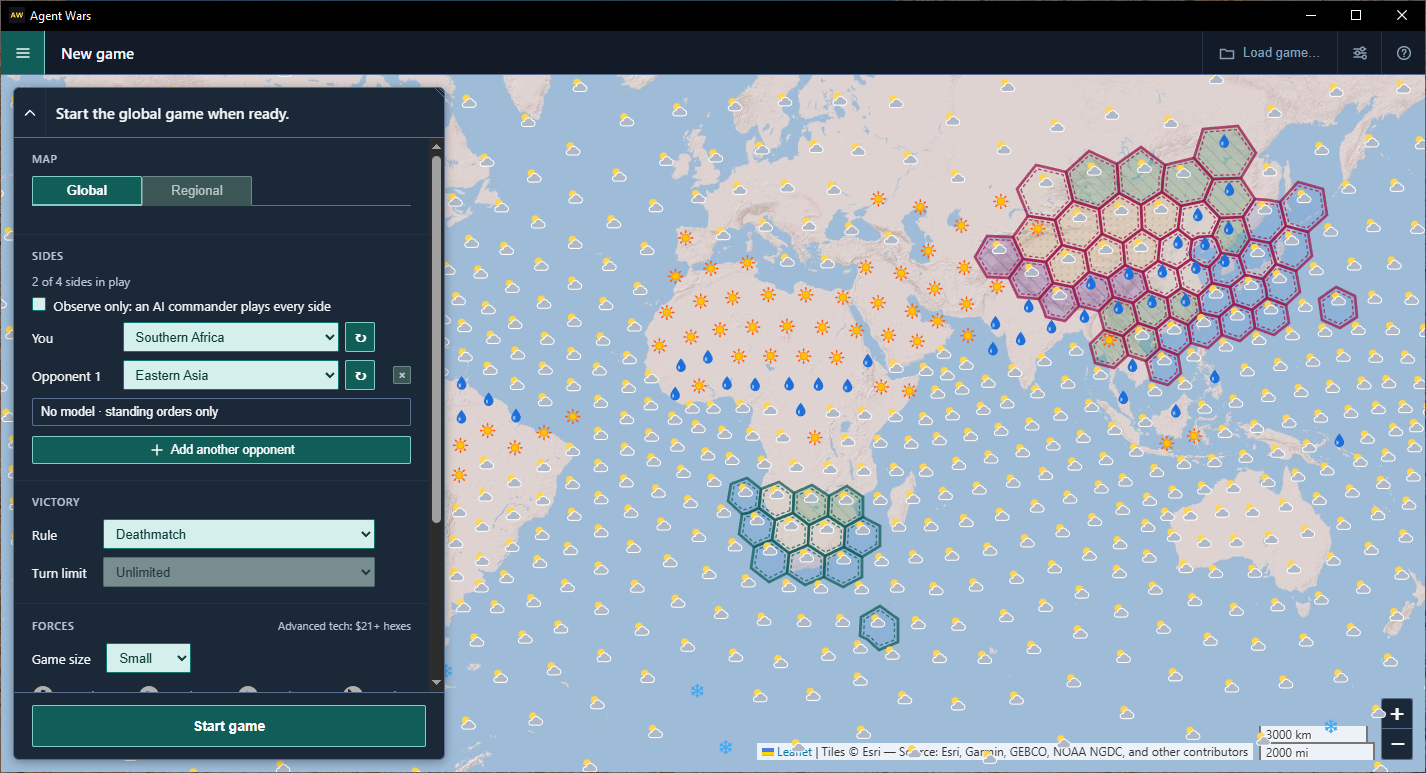
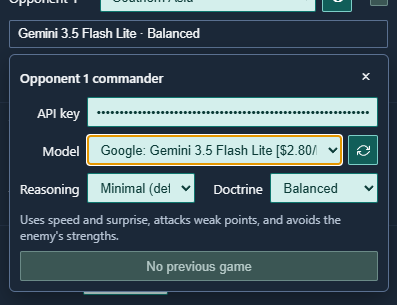
- For each AI opponent, click on No model - standing orders only to enter your OpenRouter API key, reasoning, doctrine, and a model from Anthropic, Google, OpenAI, SpaceX/xAI, etc.
- My go-to playtesting model is Google Gemini Flash Lite (version 3.5, currently). A fast, inexpensive, tool-using model that fights reasonably well. It can also finish a typical game for <$1.
- Ollama/other local model support is on my radar (pun intended, I guess).

- Click Start game and play. See doc/how-to-play.md for the rest.
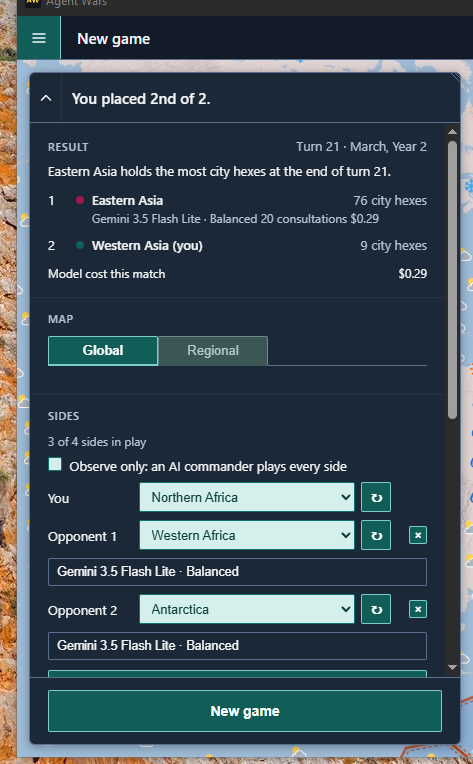
- When the game is over, the New game will include a summary of the results.
Notes
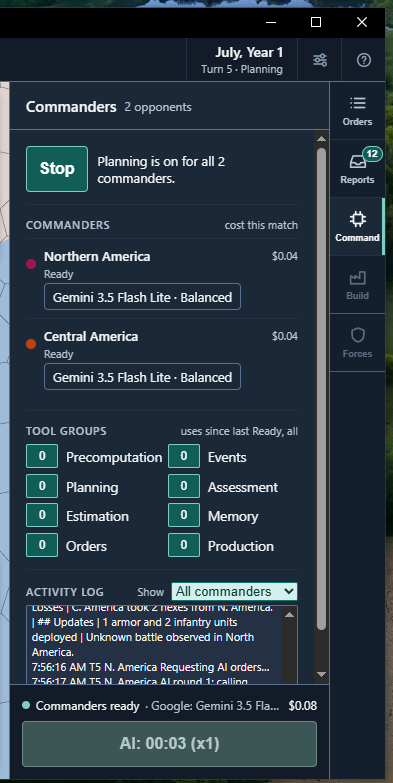
- At any time you can change models, stop and restart AI reasoning, or check on spend by opening the Command tab.
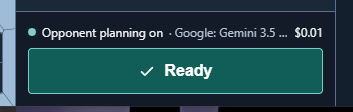
- When the AIs are done planning, the Ready button turns green. Click it to execute planned orders and start the next turn. You can play all you want with the AI disabled. This is a great way to get used to the controls, without burning tokens.
- Each opponent's OpenRouter key is stored locally in the Electron user-data directory. The screen receives a key only to fill that opponent's password field, and the key is not written to the activity log. Without a key and a model on at least one commander the app still runs, Start stays disabled, and that opponent makes no model calls.
See doc/how-to-play.md for more on how to play the game.
See the Prompts (and Everything Else)
Formatted examples of one consultation are in the repo: doc/ai-commander-prompts/example-strategic-prompt.md and doc/ai-commander-prompts/example-tactical-prompt.md. One captured strategic reply is in doc/ai-commander-prompts/example-strategic-response.md.
To see how Agent Wars prompts the LLM, create a text file called .env in the game's working directory with the following:
AGENT_WARS_LOG_FULL_PROMPTS=1
AGENT_WARS_LOG_FULL_RESPONSES=1
AGENT_WARS_LOG_LEVEL=debug
AGENT_WARS_LOG_FULL_PROMPTScontrols prompt logging. Set to1,true,yes, oronto enable, anything else to disable.AGENT_WARS_LOG_FULL_RESPONSEScontrols OpenRouter response logging. Follows the same rules asAGENT_WARS_LOG_FULL_PROMPTS.AGENT_WARS_LOG_LEVELturns file-based logging on, at a specific level of detail. In addition todebug, there's alsotrace,info, anderror. Logging may impact game performance, particularly at thetraceordebuglevels.
The game's "working directory" is:
- Windows:
- When the game is started by double-clicking on the executable or a shortcut: wherever the executable is located.
- When the game is started from PowerShell or the Command Line: wherever the executable is invoked from.
- macOS: Not verified, but opening the app from Finder probably won't pick up
.env. I'll provide an update when I can. - Linux: Wherever the executable is invoked from.
When the .env file is present at runtime, the game will create one set of these files per opponent in the same directory. The number is aiIndexForSeatId of the seat being consulted. Opponent 1 writes debug-last-strategic-prompt-1.txt.
debug-last-openrouter-response-body-1.txt
debug-last-strategic-prompt-1.txt
debug-last-tactical-prompt-1.txt
debug-last-user-prompt-1.txt
debug.log
- debug-last-openrouter-response-body-N.txt: That opponent's last response from OpenRouter, including tool calls. A formatted example of one strategic reply is doc/ai-commander-prompts/example-strategic-response.md.
- debug-last-strategic-prompt-N.txt: That opponent's last system prompt sent during a strategic game. This doesn't include tool calls or results. A formatted example is doc/ai-commander-prompts/example-strategic-prompt.md.
- debug-last-tactical-prompt-N.txt: That opponent's last system prompt sent during a tactical battle. This also doesn't include tool calls or results. A formatted example is doc/ai-commander-prompts/example-tactical-prompt.md.
- debug-last-user-prompt-N.txt: That opponent's stock prompt suffix, sent after the strategic/tactical prompts.
- debug.log: Complete log output at the specified level of detail, including truncated tool calls. This file is appended to with every run, so it should be deleted when no longer needed.
See doc/hybrid-ai.md and doc/ai-tools.md for what goes into these prompts and how they're assembled and used.
What's Inside
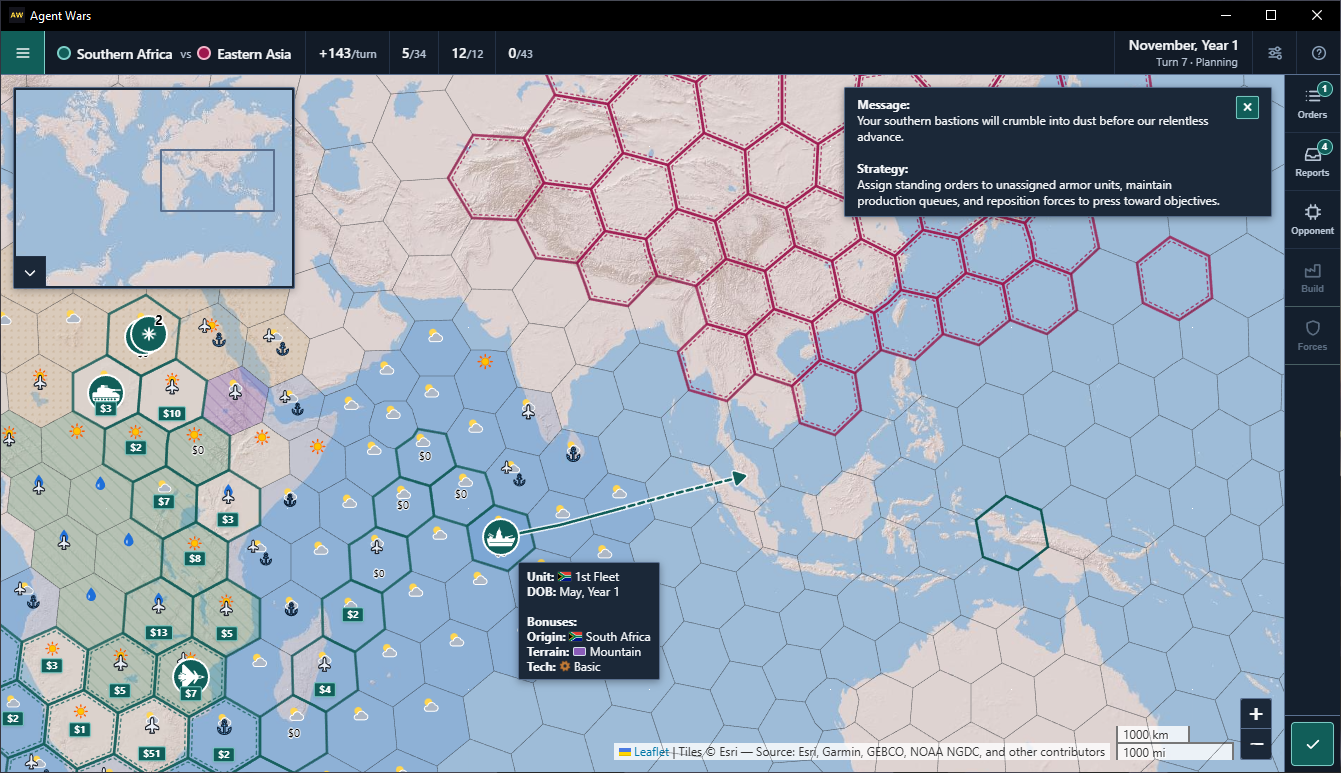
Invading east Asia from southern Africa at the start of a game, with "fog of war" enabled (can't see enemy units, until they're close to your own). What could go wrong?
- A hybrid AI opponent. The engine pre-computes a briefing (an ASCII hex map, Markdown tables of units and threats, and attention flags) before it consults the model. Standing orders carry the plan forward on turns the model isn't consulted, and event callbacks decide when it is. Any OpenRouter model can play; one without tool calls plays without the planning tools. See doc/hybrid-ai.md and doc/ai-tools.md.
- Prompts as code. The prompts are assembled by builders in src/main/openRouter/promptSpec/, documented in doc/ai-commander-prompts/, and held to that contract by tests such as
consultationContract.test.ts,envelopeJsonSchema.test.ts, andvariantConformance.test.ts. - A real-Earth hex grid at two scales. Strategic play uses H3 resolution 1 on the global map, or 2 or 3 on one of the regional maps. Tactical battles sit three resolutions finer. Terrain, roads, place names, and climate come from public datasets through an offline Python pipeline (
scripts/terrain_pipeline/). The cell sizes and sources are under Hex Scales and Where the Data Comes From. - Simultaneous turns. Both sides plan, then the engine resolves air strikes, ranged fire, movement, ferry, and melee in a fixed phase order, with optional zoomed-in tactical battles. The rules are in doc/combat-rules-v3.md.
- Guardrails.
npm testbuilds the main process, then runs ESLint (with custom rules in eslint-rules/), a naming-convention check, a renderer type check, the main-process and tool tests (1126 tests), and a third-party-notices check. The renderer runs with context isolation, without Node integration, and under a Content-Security-Policy.
Hex Scales
Every map is a grid of H3 cells, Uber's hierarchical hexagon index. A battle zooms in three resolutions, so one strategic hex contains 343 tactical cells (286 under one of H3's twelve pentagons), plus three rings of neighboring cells.
| H3 resolution | Used for | Average hex | Edge | About the size of |
|---|---|---|---|---|
| 1 | Global strategic map (842 hexes) | 609,800 km² | 483 km | Ukraine |
| 2 | Strategic map for 6 regions | 86,800 km² | 183 km | Austria |
| 3 | Strategic map for 17 regions | 12,400 km² | 69 km | Montenegro |
| 4 | Global battles | 1,770 km² | 26 km | Greater London |
| 5 | Battles on resolution 2 maps | 253 km² | 9.9 km | Malta |
| 6 | Battles on resolution 3 maps | 36 km² | 3.7 km | Macau |
Each of the 23 regional maps holds 257 to 352 strategic hexes. Those are the footprint totals in doc/region-summary-1.md: "South-Eastern Asia" is the smallest and "Southern Asia East" is the largest.
Cell areas and edge lengths are averages from the H3 library. The other counts come from the engine and the generated packs.
Where the Data Comes From
The offline pipeline samples rasters with rasterio and vector layers with Shapely, indexes the cells with H3, and ships the results as zipped JSON. PostGIS is part of that pipeline.
| Layer | What it drives | Source |
|---|---|---|
| Land cover | Forest, desert, arctic, and plains | EarthEnv 1 km consensus land cover, 12 classes |
| Topography | Mountain cells. The 50 km grids where a hex edge is at least 100 km, and the 5 km grids otherwise. | EarthEnv ruggedness, slope, and elevation from GMTED2010 |
| Climate | Each hex's weather in each month | WorldClim 2.1 monthly temperature and precipitation, 1970–2000, 10 arc-minutes |
| Water | Water, coast, and shoreline wetlands | Natural Earth 1:10m ocean and lakes |
| Cities | Urban cells, and so the economy | Natural Earth urban areas, from 2002–2003 MODIS satellite data at 1 km |
| Ports and airfields | Where naval and air units are built and based | Natural Earth airports and ports |
| Roads and railroads | Infantry and armor enter a battle cell for half a point on a road and a third on a rail. | Natural Earth roads and railroads |
| Names and borders | Hex names, unit origins and flags, regional origin areas | Natural Earth countries, states and provinces, populated places, and marine areas |
| Landmasses | Which land is connected, so land units march within a landmass. | Natural Earth geography regions: continents, isthmuses, and islands of 2,000 km² or more |
Strategic hexes are assigned a per-month weather from that hex's mean temperature and its monthly precipitation, checked in this order (classifyWeatherMonth in weatherBonusRules.ts): "snow" at 0 °C or below, "rain" at 120 mm or more, "heat" at 23 °C or more, and mild when none of those match. Rain at 23 °C or above still counts as heat.
Credits and license terms are in THIRD-PARTY-NOTICES.md.
How the Economy Works
Production is based on real-world urban land cover: the Natural Earth urban areas in the table above, mapped from MODIS. Each strategic hex earns one point per turn for every intact urban cell inside it. The global map has 4,643 of those cells, on 283 hexes, counting cells that meet an urban area of scalerank 5 or lower (urbanOverlay in activeGameMap.ts). A queued unit spawns once its hex has saved enough points. On the global map each air-strike hit destroys 9 urban cells for good (strategicUrbanCellsDestroyedPerHit), so bombing a city cuts its output for the rest of the match.
| Unit | Cost | The hex also needs |
|---|---|---|
| Infantry | 20 | 1 urban cell |
| Armor | 40 | 2 urban cells |
| Air | 60 | 5 urban cells and an airport |
| Naval | 100 | 10 urban cells and a seaport |
Each regional map rescales costs, minimums, and strike size from its own urban counts, keeping the price ratio of 1:2:5:3 for infantry, armor, naval, and air, and the global share of hexes that can build each type. Infantry costs 60 in Western Europe and 10 in South America (doc/region-summary-1.md).
The Opponent's Tools
The opponent plans and manages its forces through six groups of MCP-style tools: engine services wit