
AI agents you can leave running overnight
AgentPlaza gives each agent its own sealed machine, checks every tool call against laws you write, and holds the spend to a budget. In the morning you read a signed record of what happened, and nothing you did not allow.
Website · Guide · See it run · Install · Quick start · Releases
You describe the work: the hub plans it as a project, runs each task as sessions in their own microVMs, has every
change reviewed on a second model, and lands it through Weft, the plaza's own version control. One hub holds the
plaza, nodes and workstations do the work, and the web console, the desktop app and the agentplaza command all show
the same plaza. One button, STOP ALL, holds everything at once.
 |
 |
|
 |
 |
 |
See it run
The console, recorded on sample data. Every flow below is the real web console against sample data. Each image opens its recording in the gallery.
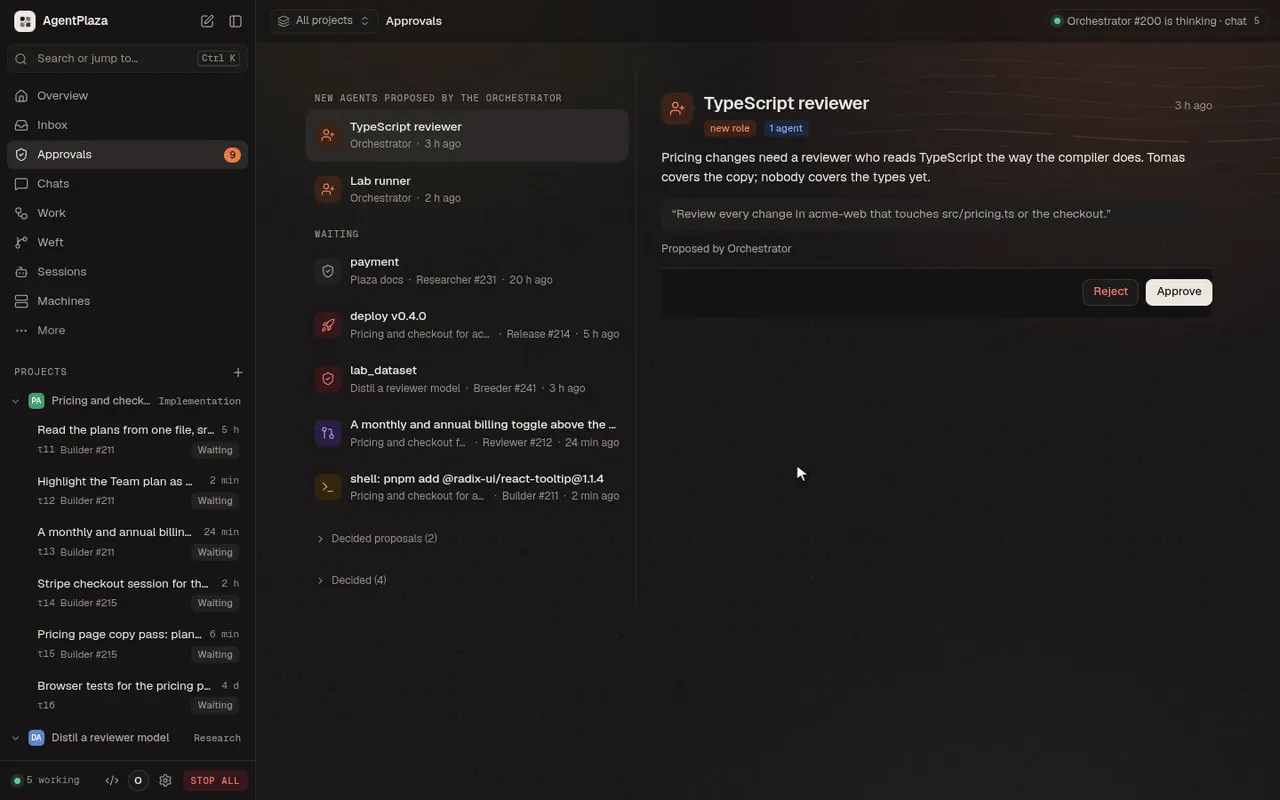 Approve a held deploy. A release agent asked to deploy. The call waits on you; one click lets it run. |
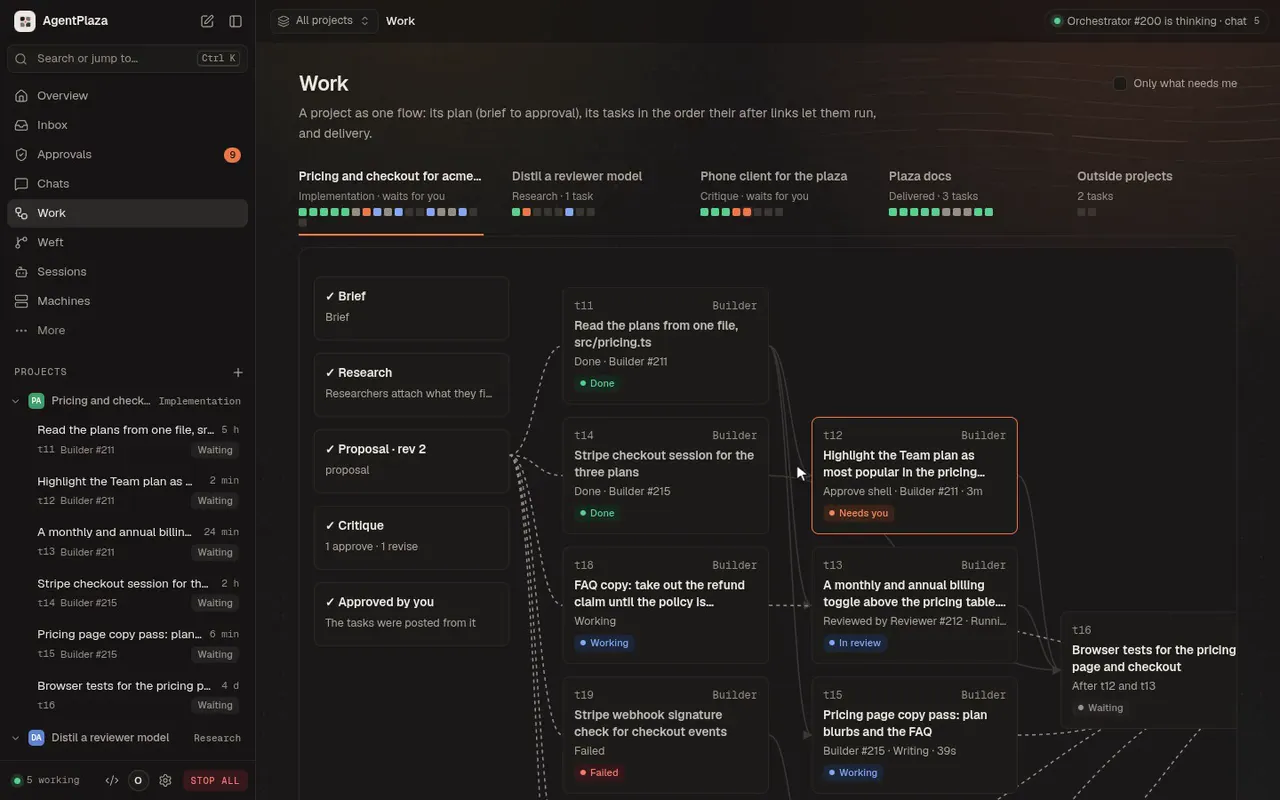 Follow the work. Each project's graph: the brief, the research, the proposal, the critique and the tasks. |

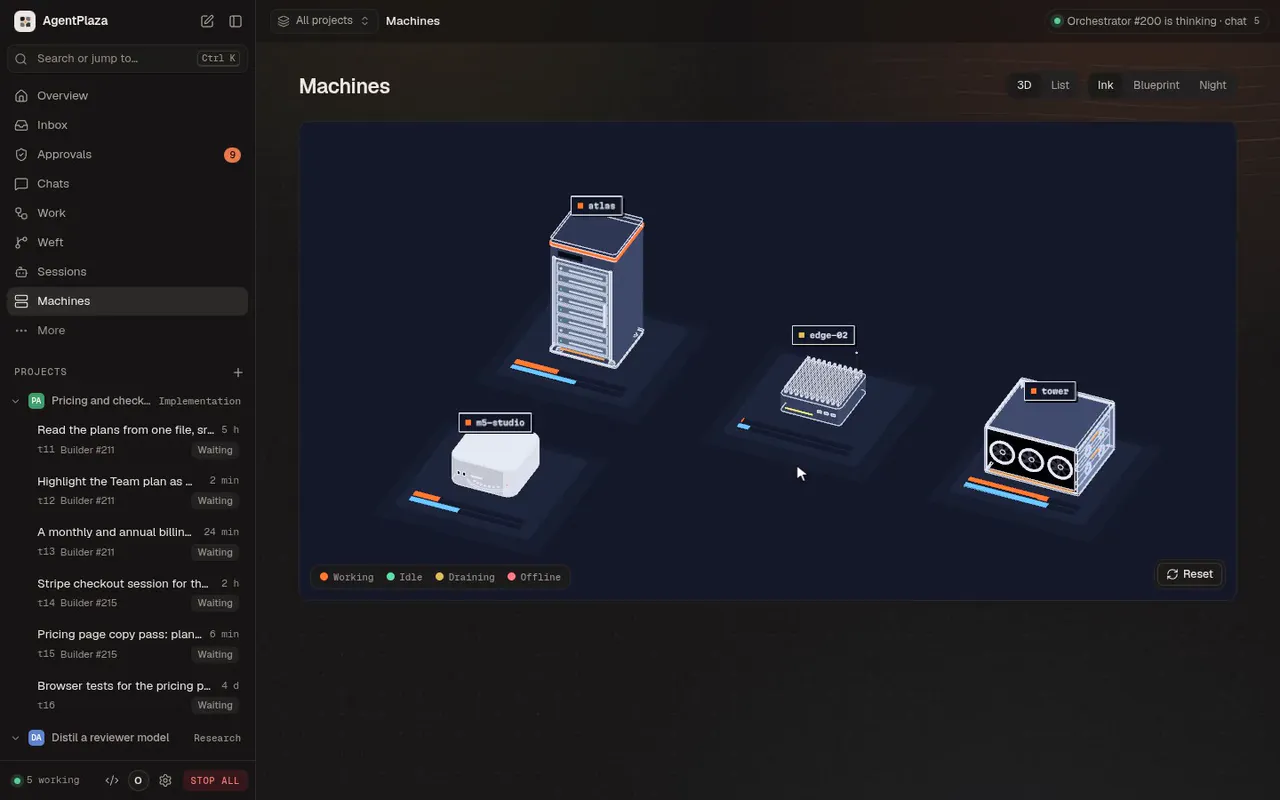 Every machine, in 3D. The fleet on its plinths, one machine opened, its model turning. |
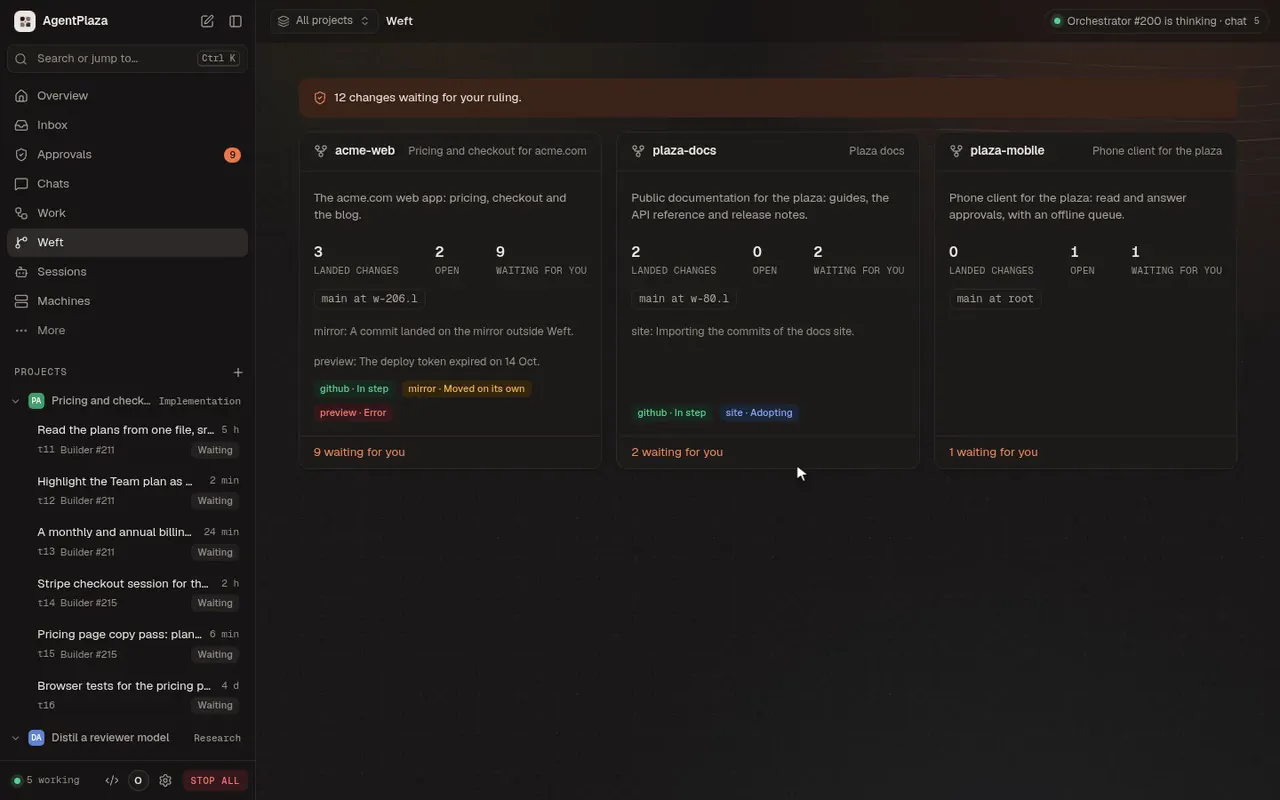 The plaza's own version control. Weft: repositories, lanes and changes, each with its intent and review. |
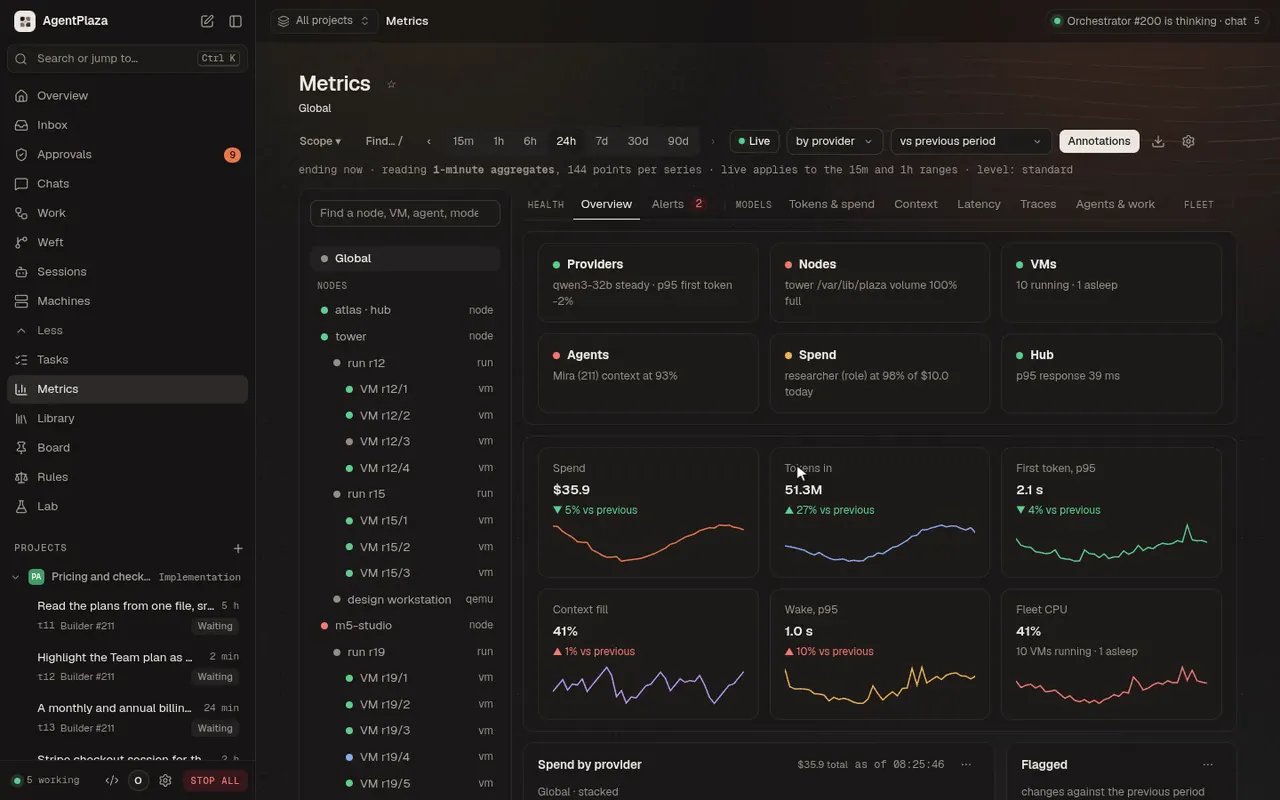 Spend and load, live. Seven days of spend, then one VM's own numbers, then the whole plaza again. |
 STOP ALL, then RESUME. One press holds every agent and refuses model calls; RESUME lets them carry on. |
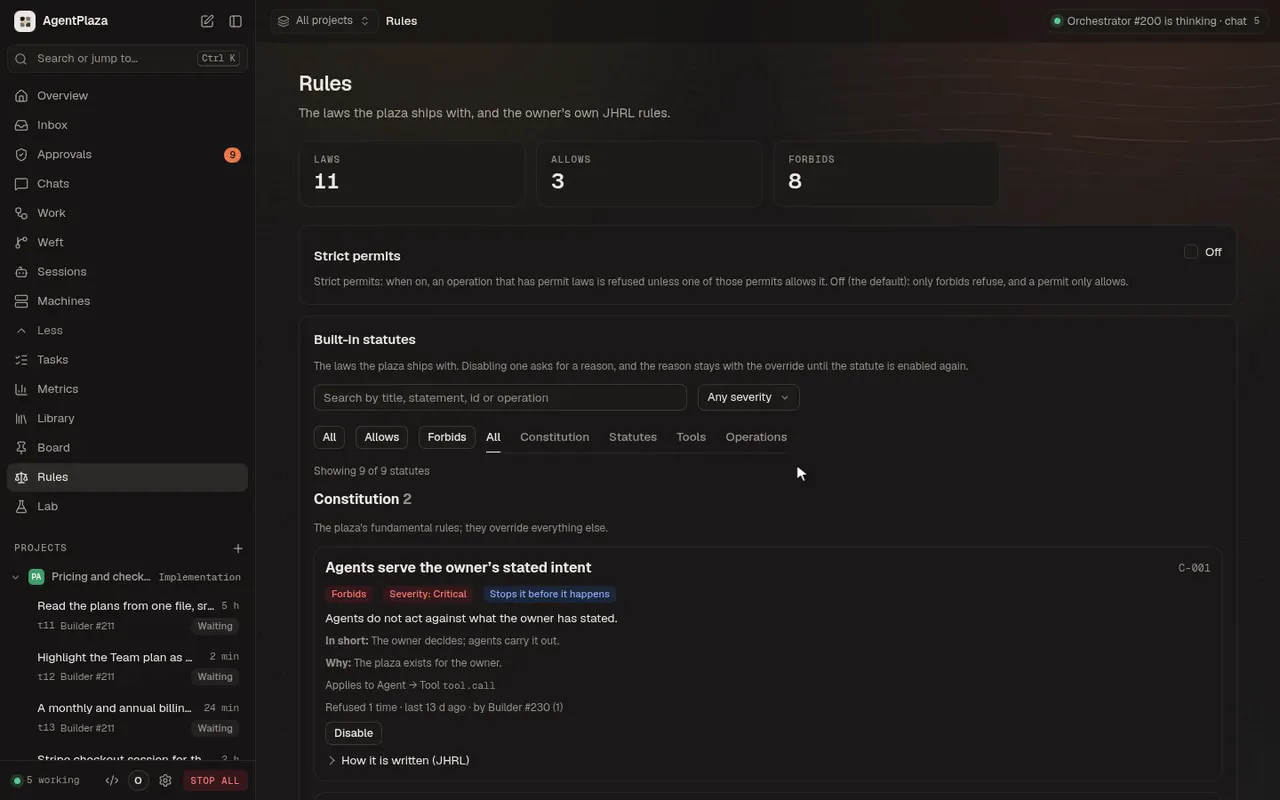 Read the laws. The plaza's laws by kind: forbids, the constitution, statutes, tools and operations. |
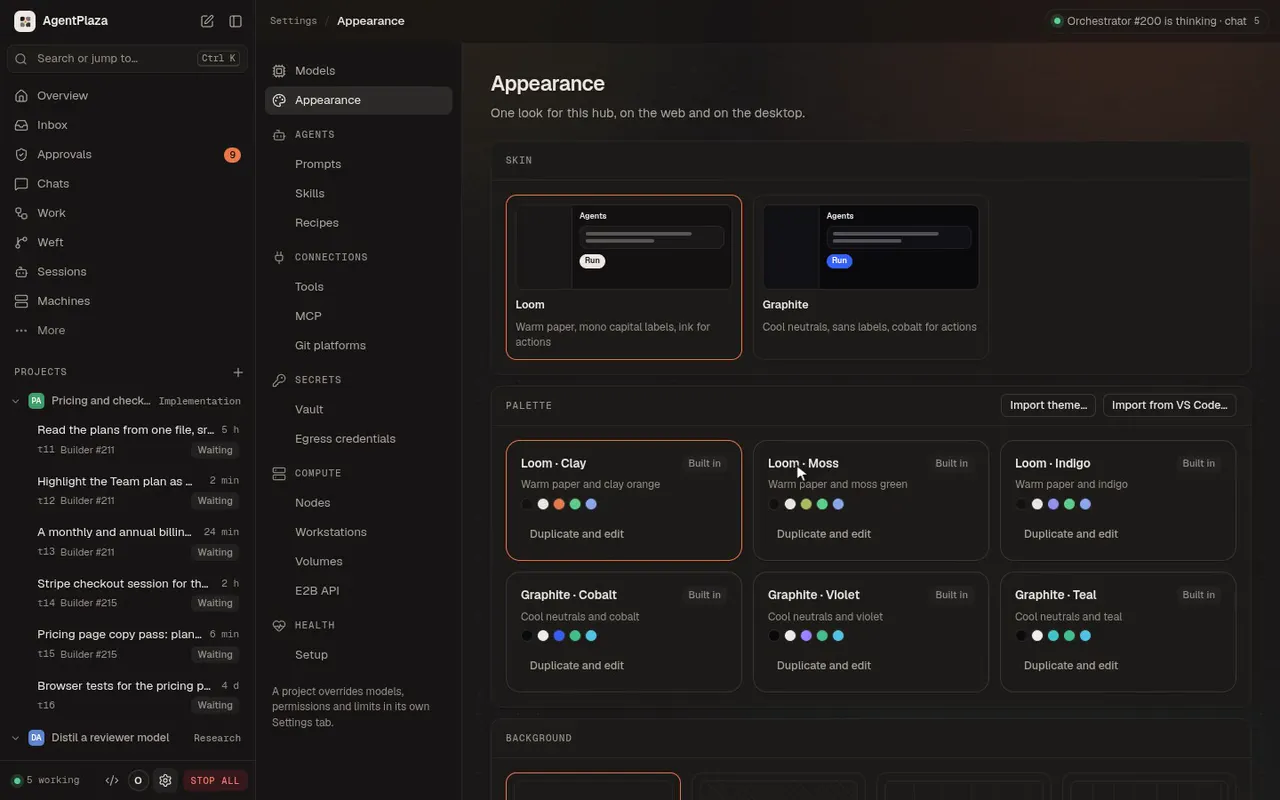 Change the whole look. Graphite cobalt, violet, teal, then Loom moss and clay, live on every screen. |
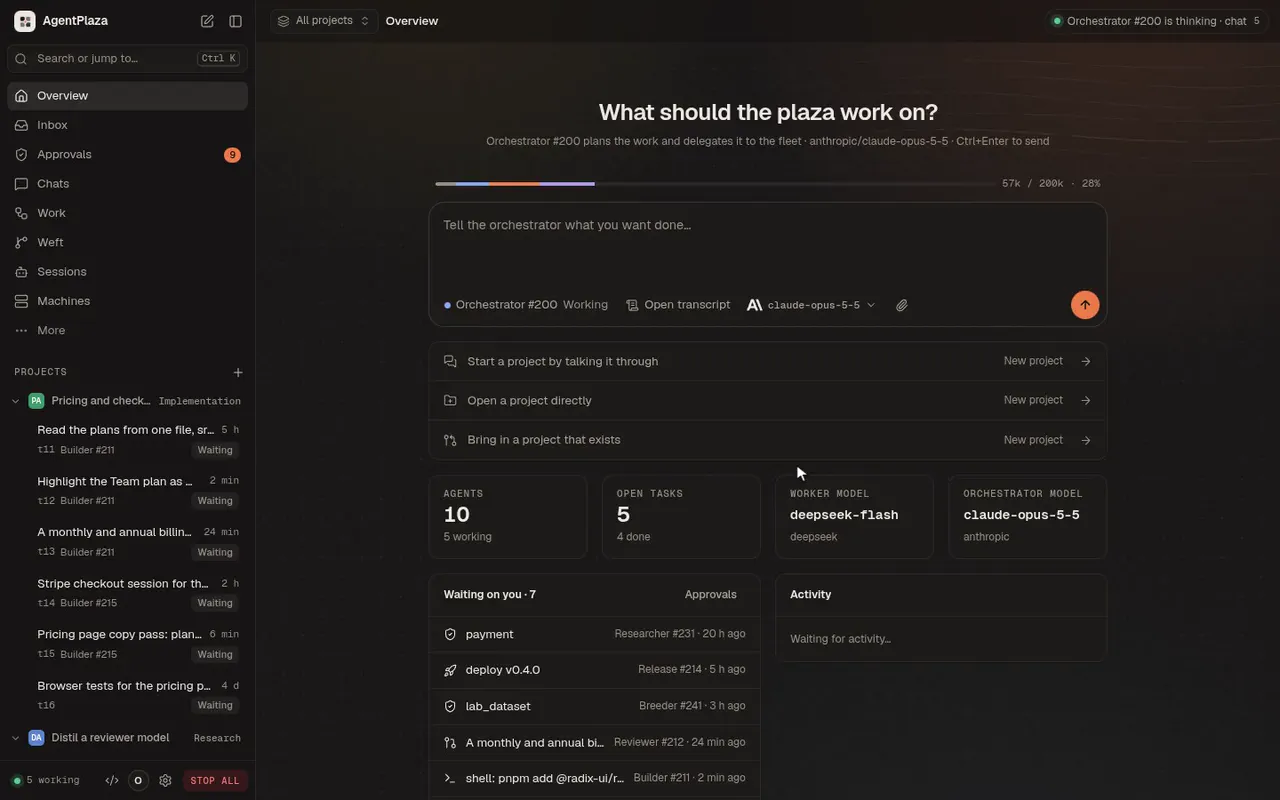

The desktop app. A goal goes to the orchestrator with its effort, and the context bar breaks down what the conversation holds; then the agents that took the work.
 |
 |
| Machines. Every machine as a 3D model on its plinth, in three styles. | Models. Providers and coding engines side by side, health-checked and pinned. |
The terminal. agentplaza tui shows the same plaza in a terminal: the floor, the agents, the board, the
conversations, the machines and the models, with live events, and you talk to the orchestrator as it answers.
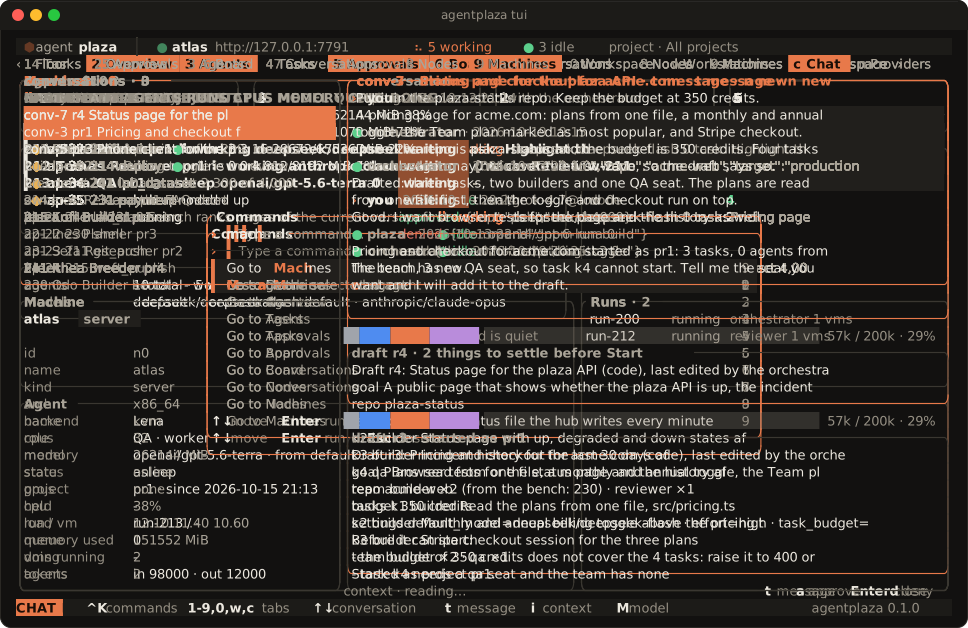
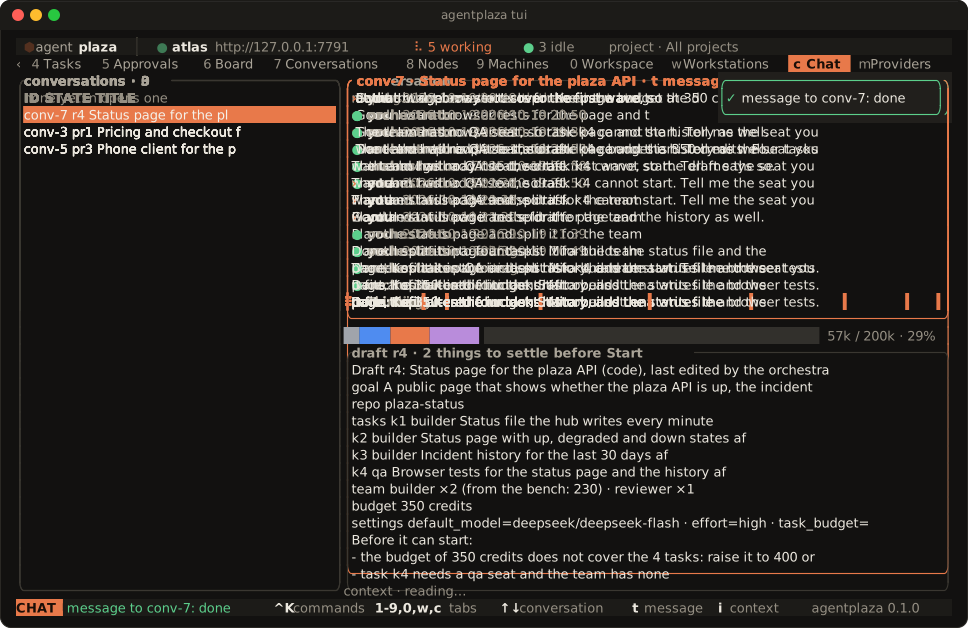
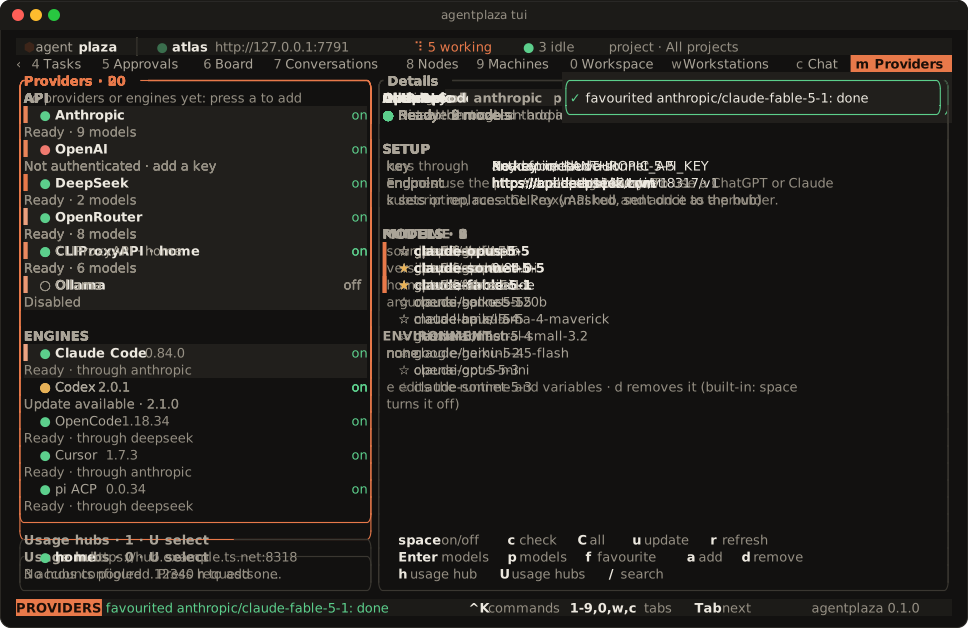
Recorded from the desktop app and agentplaza tui against a hub with sample data. The recordings and the art
are made by the scripts in scripts/readme/.
Why AgentPlaza
- Your machines. The hub, the nodes and the workstations run on the machines you choose. The daemons bind to loopback by default.
- One microVM per agent, with no network interface. Each agent runs in its own microVM. Its commands run only inside that VM, and its traffic goes only to the hub, over vsock.
- Laws on every tool call. The laws are written in JHRL and checked before each tool call runs. A call is allowed, refused, or sent to you to decide. A call that no law permits is refused.
- Budgets you set. Each project and task has a budget in dollars or tokens. Every model call is held against it before it is sent and settled after, and a task that reaches its cap pauses and asks you.
- Every change reviewed, then landed. A task's builder works in its own VM, a reviewer on a different model checks the change, and it lands through Weft's queue with its intent, its review and a signature.
- STOP ALL. One button holds the whole plaza. It cancels the running work, refuses model calls until you resume, and records who pressed it.
- Any model provider, through one gateway. Agents reach models only through the hub's gateway, which covers Anthropic, OpenAI, Azure OpenAI, Gemini, Bedrock, Vertex AI and OpenAI-compatible providers. Provider keys stay in the encrypted vault and never enter a microVM.
- One plaza, three consoles. The web console, the desktop app and the
agentplazacommand use the hub's one API and show the same plaza. - Workstations that agents use like a person. An agent works a machine through the hub: the screen, the pointer, the keyboard and the shell, in a work folder. You can take over the mouse and keyboard and give them back.
Install
Linux, macOS and Raspberry Pi OS:
curl -fsSL https://agentplaza.io/install.sh | sh
This installs the macOS DMG or the Linux package for your distribution, after checking every file against the
release's SHA256SUMS.
Windows x64 and arm64:
irm https://agentplaza.io/install.ps1 | iex
This installs the MSI for your architecture.
The installer takes options as environment variables, or as flags after sh -s --. APZ_VERSION pins a release,
--dry-run shows the plan, --uninstall removes what the installer put in place, and APZ_FORMAT forces a Linux
format. For example: curl -fsSL https://agentplaza.io/install.sh | sh -s -- --dry-run.
The hub, the console and the desktop app run on every system below. Agents need a hypervisor, so they run only on the systems marked yes:
| System | Hub and console | Agents |
|---|---|---|
| Linux x86_64, arm64 | yes | yes, with KVM (/dev/kvm) |
| Raspberry Pi 4/5, 64-bit Raspberry Pi OS | yes | yes, with KVM |
| macOS, Apple silicon | yes | yes, with Hypervisor.framework |
| macOS, Intel | yes | no: run them on a node elsewhere |
| Windows 11 (or 10 2004+), x64 | yes | yes, with the Windows Hypervisor Platform feature |
| Windows, arm64 | yes (the node link) | not yet: run them on a node elsewhere |
The desktop app is self-contained: "Start locally" and "Host a hub" start the hub and the node services themselves,
with no Docker, database server or object store to provision. The hub keeps its state in three SQLite files
(plaza.db, transcripts.db and metrics.db) and an object store in one state folder. They use the ports 7700
(hub), 8899 (noded) and 19080 (vsockd). The macOS builds are not notarized yet, and the MSI is not code-signed
yet.
Quick start
- Set up a plaza. Open the desktop app and choose Start locally. It checks what this machine needs (a
hypervisor for the agents and free ports;
agentplaza setupruns the same checks), then starts the hub and the node services. It installs nothing: a requirement that is not met says what to do. On Linux you can instead start the services withsystemctl --user enable --now agentplaza-hub agentplaza-node, or runapidin a terminal on any system. - Open the console at http://127.0.0.1:7700. The owner token is written once to the state folder
(
owner-token), and the console on this machine signs in without a password. - Add a model key. On the Models screen, add a key to a provider card. From the command line:
printf '%s' '<key>' | agentplaza models key anthropic --value - - Join a node. On the hub:
agentplaza nodes code --label atlas --ttl 15. On the other machine:agentplaza node join <code>. The node shows as online inagentplaza nodes list. - Start a project. Choose New project in the switcher at the top of the console, and tell the orchestrator
what you want done. It drafts the project beside the conversation (its tasks, its team and its budget), and you
press Start project. From the command line, post to the orchestrator's chat with
agentplaza chats post main "Fix the flaky scheduler tests and ship 0.9"; the draft's start card then waits inagentplaza inbox, andagentplaza inbox answer <card> startstarts it. A fresh plaza runs the orchestrator alone. Each task then runs as sessions that fill its seats: by default a builder, then a reviewer on a different model. What needs you (a draft to start, a budget cap, an approval) waits in the inbox and in Approvals. - Add a workstation. On the hub:
agentplaza stations codes create --label workstation --ttl 15. On the machine:agentplaza workstation join <code> --hub https://<hub>. Agents act on it as a separateagentplazaOS account by default.--account ownermakes them act as your own account, which the console warns about.
STOP ALL holds the plaza at any time. Press it in the top bar of the console, or run
agentplaza plaza stop --reason "...". It cancels the running work, refuses model calls and records who pressed it.
It does not stop the microVMs. RESUME releases it, or run agentplaza plaza resume.
The full walkthrough, with the troubleshooting questions, is in the guide.
Usage
agentplaza setup                                    # what a local plaza needs on this machine, and what is missing
agentplaza overview                                 # the plaza at a glance: hub, nodes, agents, work
agentplaza chats post main "Fix the flaky scheduler tests and ship 0.9"   # the orchestrator drafts a project
agentplaza inbox                                    # the cards waiting for you, each with its choices
agentplaza inbox answer <card> start                # start the drafted project
agentplaza projects list                            # the projects, with their stage and state
agentplaza tasks list --project pr1                 # a project's tasks
agentplaza tasks graph pr1                          # a project's tasks in the order their links let them run
agentplaza tasks create "Survey the open issues" --project pr1 --role researcher --details "List them, with the blockers"
agentplaza seats <task>                             # a task's seats: each one's session, model, attempts and round
agentplaza sessions --live                          # the sessions running now
agentplaza sessions transcript <session> --follow   # what a session does and says, as it happens
agentplaza budget project pr1                       # a project's budget: cap, spent, reserved, left
agentplaza roles                                    # the seat templates a task's seats are filled from
agentplaza nodes code --label atlas --ttl 15        # hub: a one-time join code, valid for 15 minutes
agentplaza node join <code>                         # the machine: join it to the hub as a node
agentplaza nodes list                               # the nodes, with their state, agents and last seen
agentplaza stations codes create --label workstation --ttl 15   # hub: a join code for a workstation
agentplaza workstation join <code> --hub https://<hub>          # the machine: add it as a workstation
agentplaza plaza stop --reason "..."                # STOP ALL, with a reason; asks first unless --yes
agentplaza plaza resume                             # resume the plaza after STOP ALL
agentplaza mcp server enable                        # turn on the hub's MCP server, on loopback (off until you do)
agentplaza mcp token create --name claude-code --scope observe   # an MCP token, printed once
claude mcp add --transport http agentplaza http://127.0.0.1:7700/mcp --header "Authorization: Bearer <token>"
agentplaza tui                                      # the terminal UI, with the plaza drawn live
The claude mcp add line connects Claude Code to the hub's /mcp with that token.
The desktop app and the web console at http://127.0.0.1:7700 do the same work. Every screen of the web console is in the desktop app.
Features
- Machines. Every machine of the plaza as a 3D model on its plinth, in zones (hub, compute, GPU, desktops,
workstations), with its load and status, or as a list. Each machine has its own view: the live model, its hardware
with each GPU's card, load, 2D drawings, VM slots, agents and events. Three styles (Ink, Blueprint, Night). Drawn by
a Rust wgpu engine (
crates/apz-engine), in the browser as WebAssembly on WebGPU with WebGL2 as the fallback. - Projects. A project is talked into being with the orchestrator: it drafts the tasks and the budget beside the conversation, and Start opens and plans it at once. A project overrides the plaza's settings for its agents (models, effort, limits, permissions, budget), and the consoles switch between projects.
- The work engine. Each task runs as sessions that fill its seats, fr