
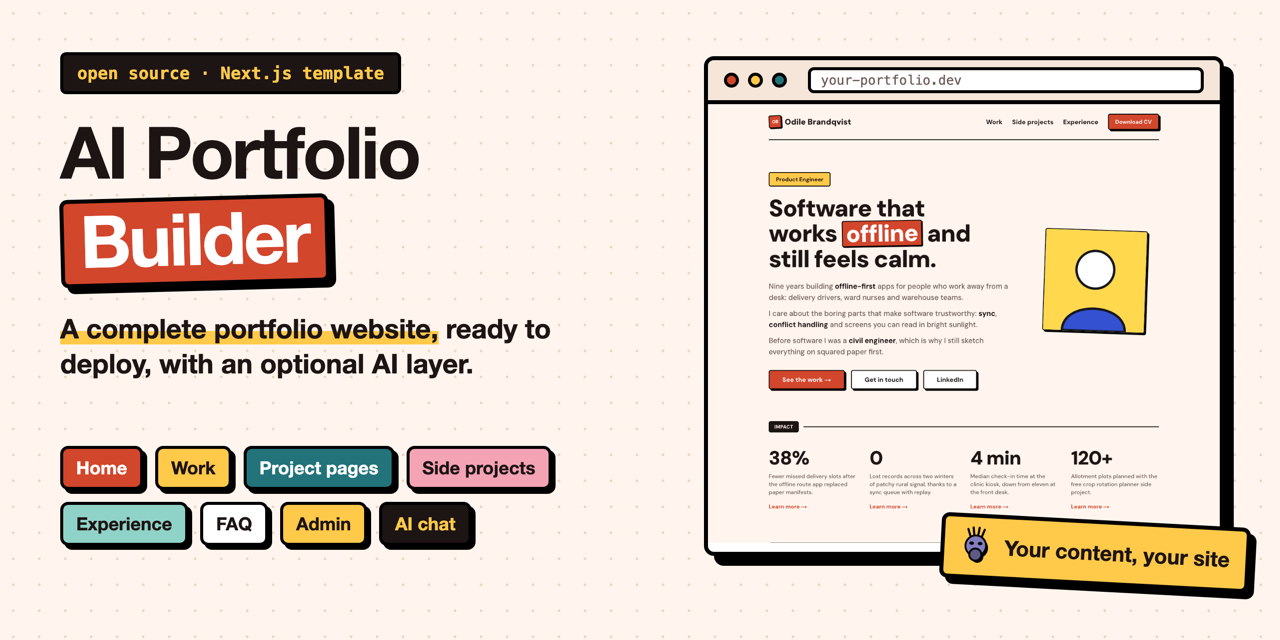
A complete portfolio website for developers and designers, plus an optional AI layer that answers questions about your work from your own content.
See it live opens the portfolio this template was extracted from: same structure, AI chat and job-fit check, with its own content and colours.
Built with AI Portfolio Builder
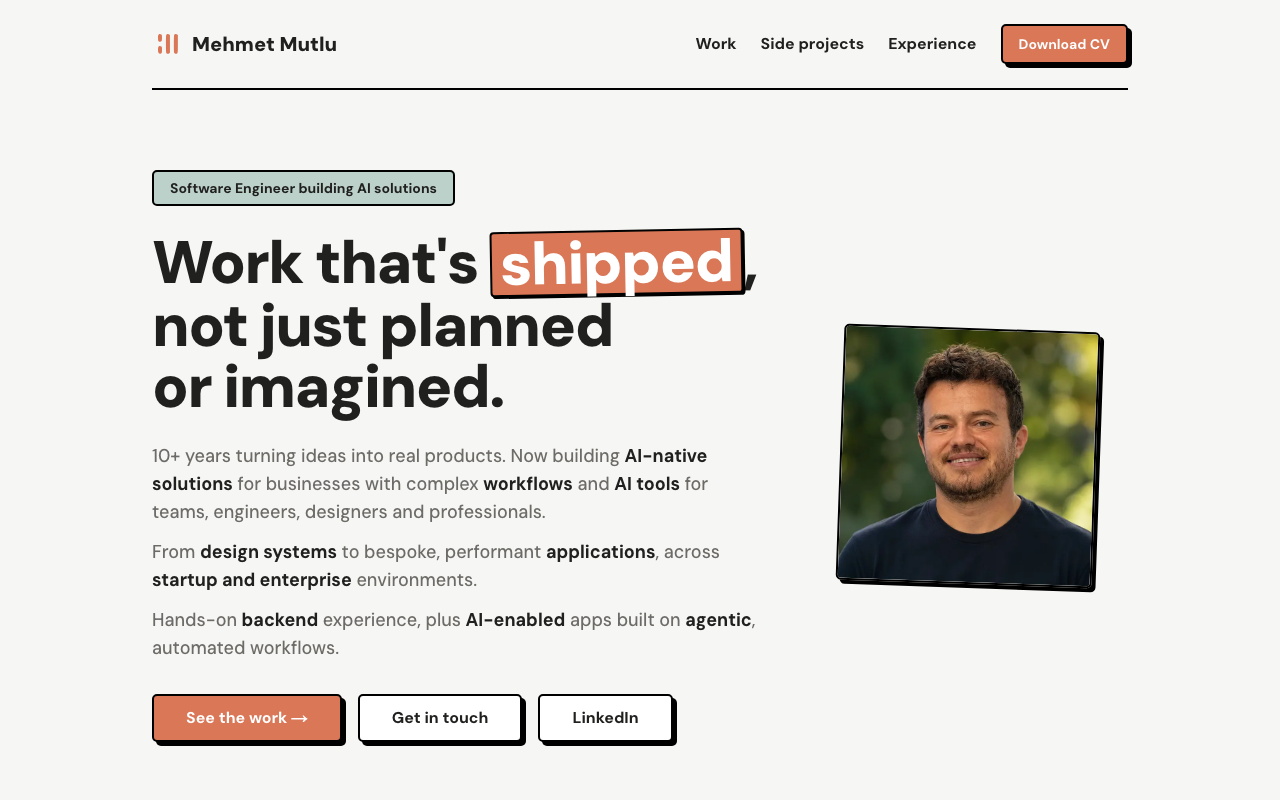 mehmetmutlu.dev: Software engineer. The site this template came from, in the default neo-brutalist look. |
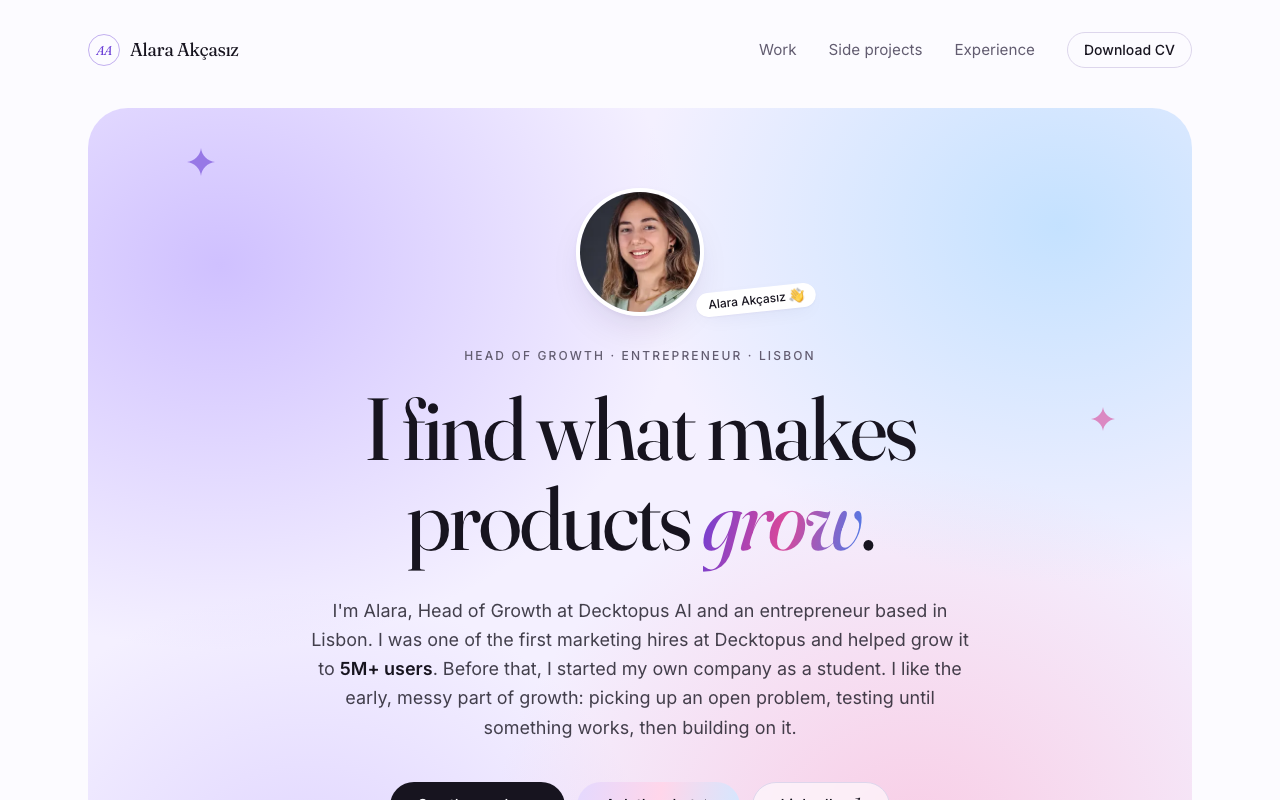 portfolio.alaraakcasiz.com: Head of Growth. Same template, restyled into a completely different look. |
Built yours? Open a pull request that adds a card here, with a 1280x800 screenshot in docs/images/showcase/.
Three ways to set it up
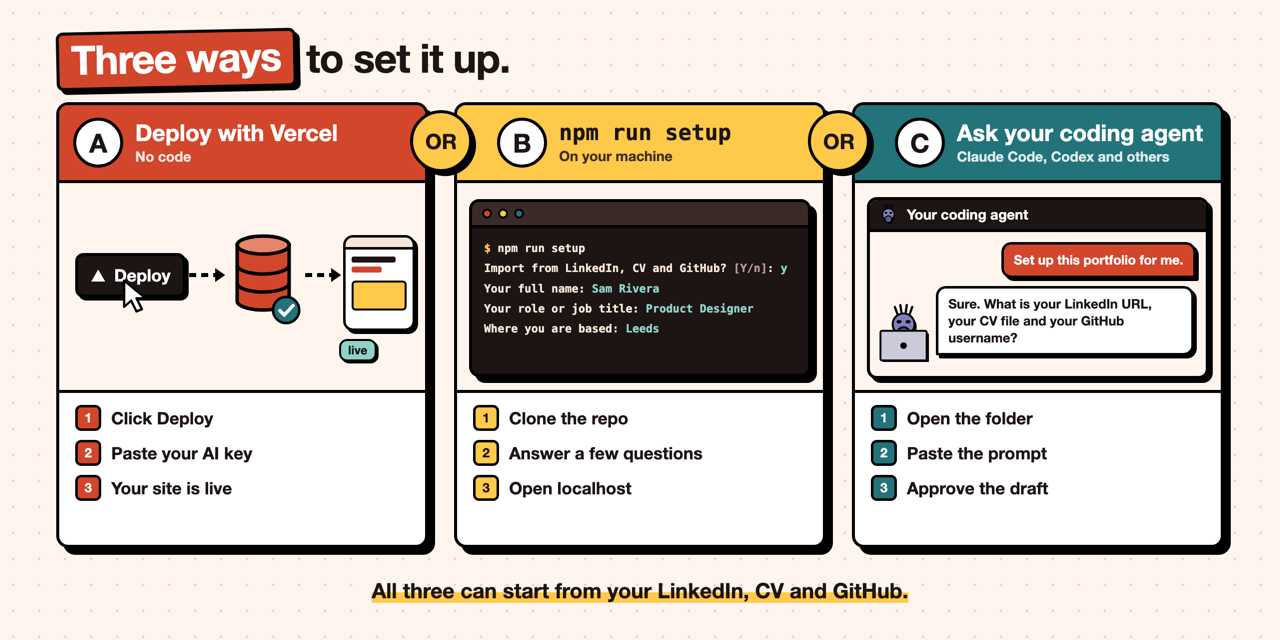
All three can start from your LinkedIn profile, CV and GitHub: the draft is made by your own AI provider and key (OpenAI, Claude, Gemini and others) or your own coding agent, and you review it before anything is written (see Import from LinkedIn, CV and GitHub).
A. Deploy with Vercel, no code

Copies the repo to your GitHub, creates a free Neon database, asks for three values and deploys; the first build sets up the tables, sample content and search index. Then open /admin/import on your new site to draft your content from LinkedIn, a CV and GitHub. Details in Deploy in one click.
or
B. One command on your machine
git clone https://github.com/mutlumehmet/ai-portfolio-builder.git my-portfolio
cd my-portfolio && npm install && npm run setup
Offers to import from your LinkedIn, CV and GitHub first, then asks for your name, links, colour theme, database and AI provider (OpenAI, Anthropic, Gemini, OpenRouter, Ollama or another OpenAI-compatible one), writes your config and .env, sets up the database and starts the site at http://localhost:3000.
or
C. Ask your coding agent
Open the cloned folder in Claude Code, Codex or another coding agent and paste:
Set up this AI Portfolio Builder for me. Read README.md and AGENTS.md first, then follow
"Setting the site up for a new owner" in AGENTS.md. Start by asking me for my LinkedIn URL,
CV file and GitHub username, draft my content from them without inventing anything, and
show me the summary before you write. Then ask me what is missing a few questions at a
time, fill everything in, load it, and start the site so I can check it.
The agent reads your LinkedIn, CV and GitHub, shows you a draft, asks for anything missing, fills in the config, replaces the sample content with yours and loads it with the project scripts.
Take the tour
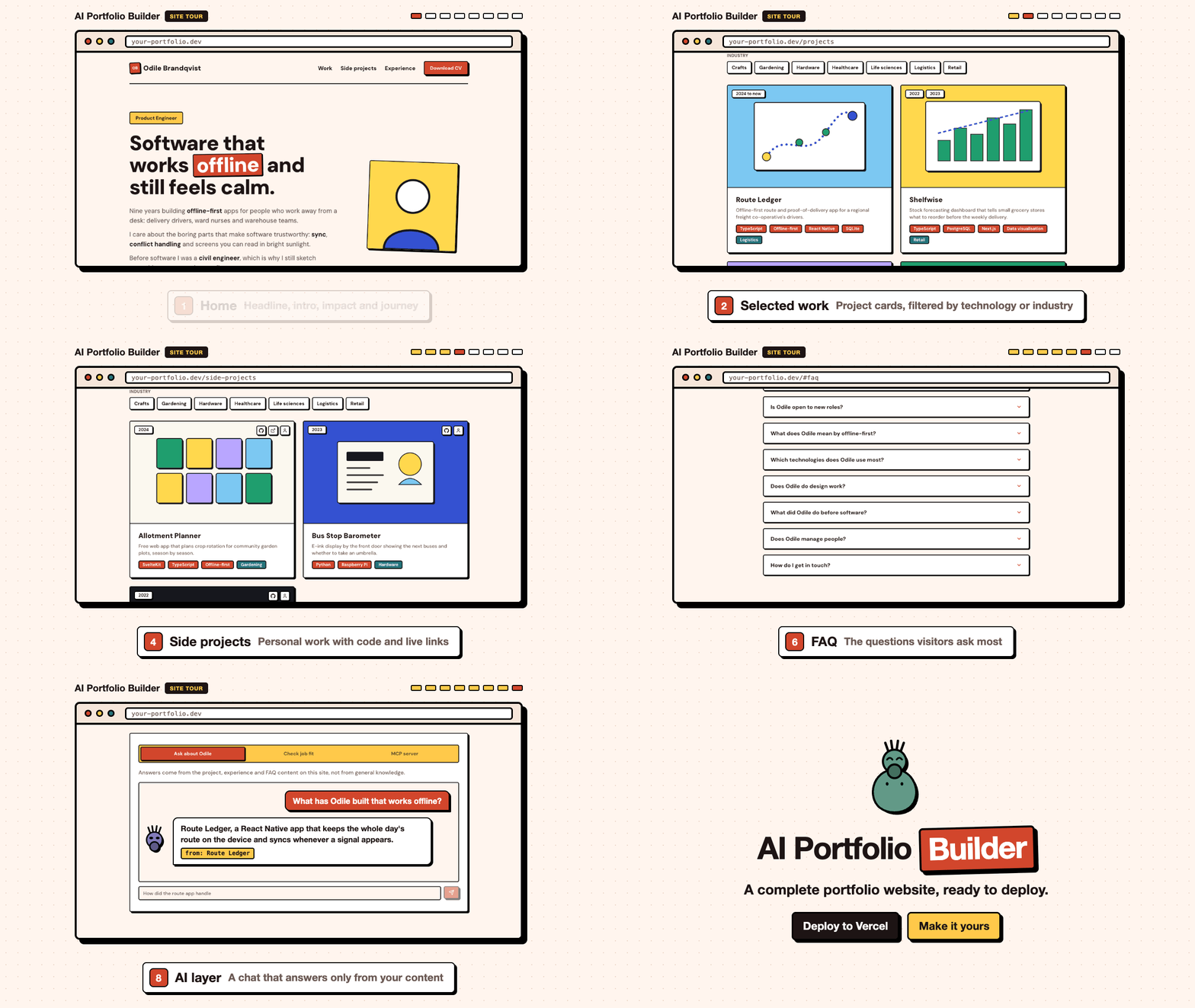
Every page of the site, shown with the sample content: home, selected work, project pages, side projects, experience, FAQ, the admin panel and the AI layer.
How the AI layer answers
The chat, the fit check and the MCP server answer only from your own content, through the same search. Details in The AI layer.
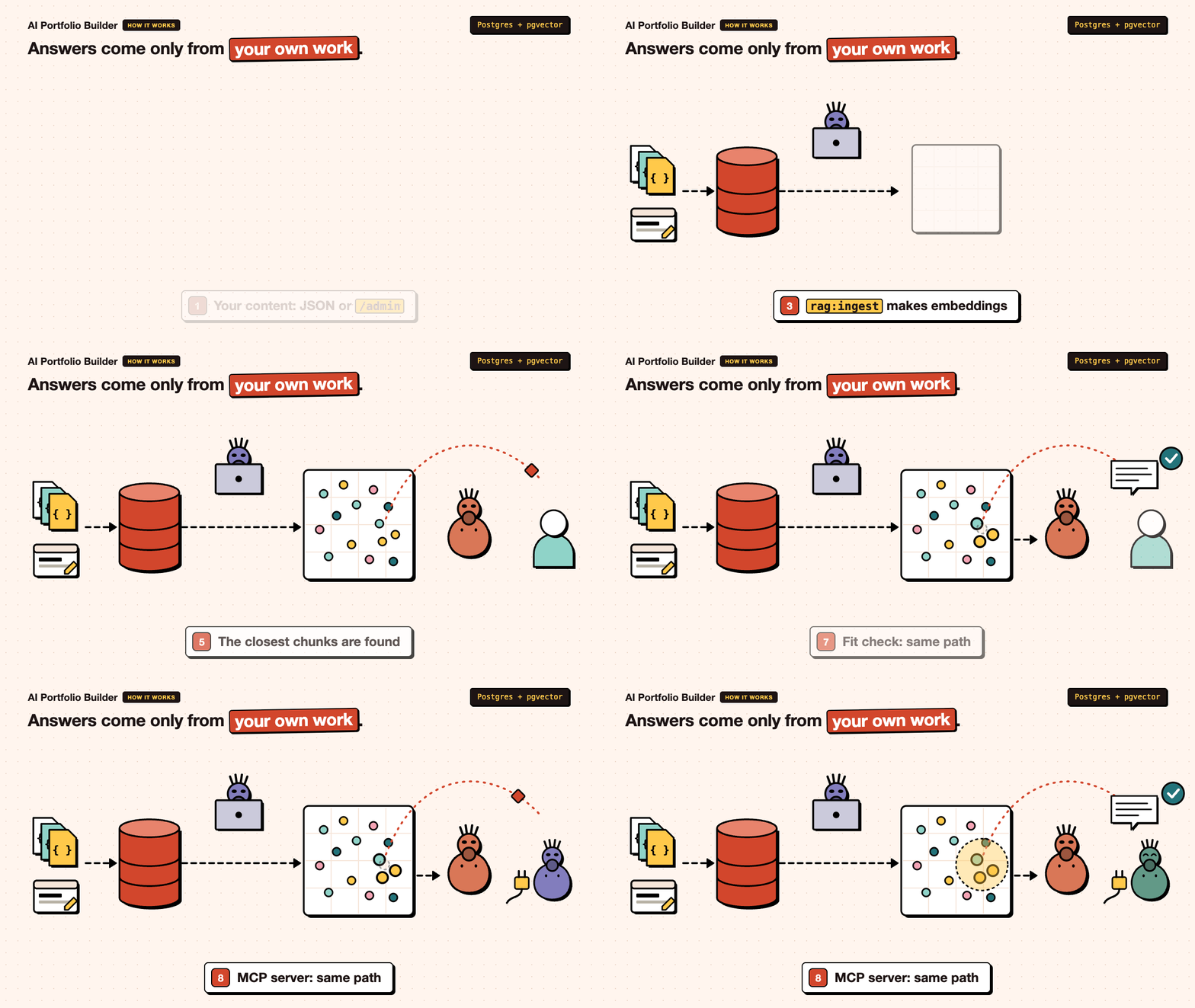
Manage it with your agent
Edit content in /admin, or let any coding agent add and remove projects with a JSON file. The search index re-syncs after every write. See Make it yours.
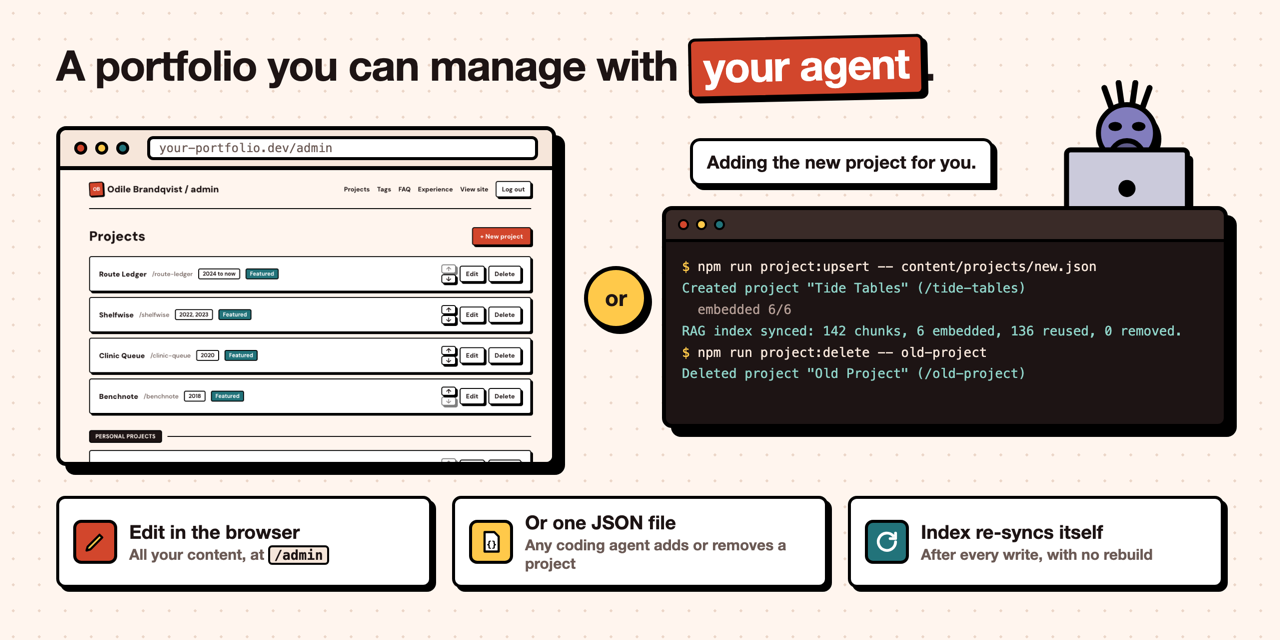
Looks right on every screen
Every page has a phone, tablet and desktop layout, with a menu on phones, and the admin panel works on a phone too.
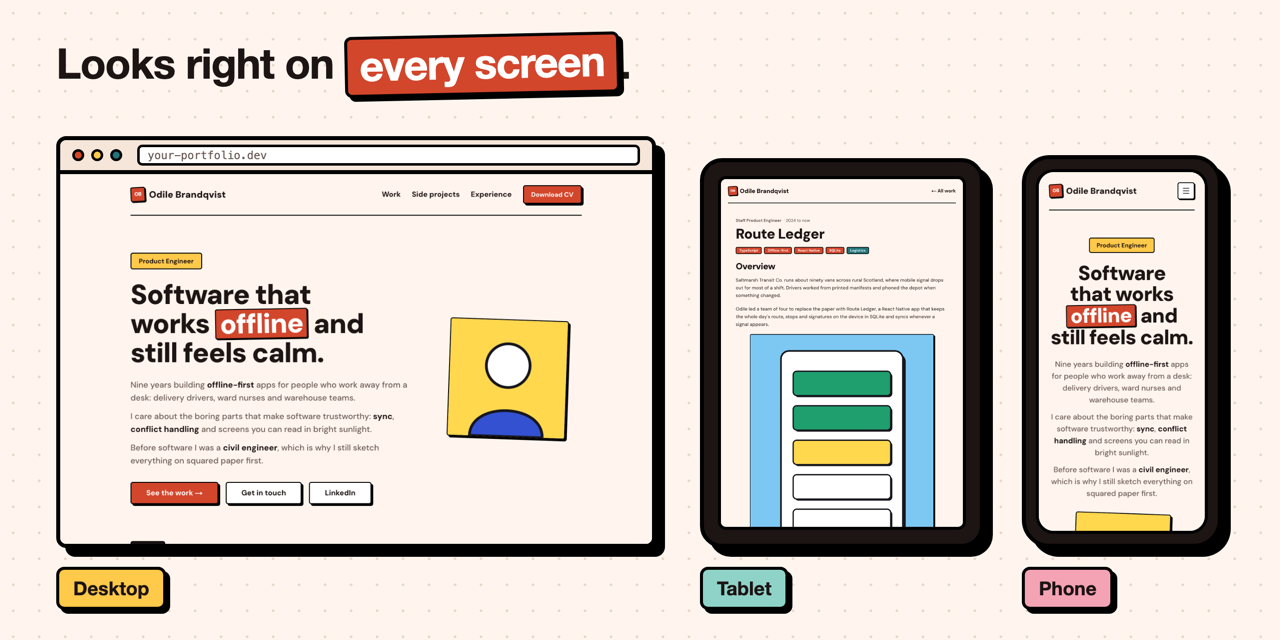
Everything is ready
The parts you would otherwise build yourself are already in place. Details in Ready to deploy.
Ready to deploy
Built with Next.js 16, Prisma 7, Postgres with pgvector and OpenAI (or any OpenAI-compatible AI provider). Deploys to Vercel with a free Neon database. Ships with a fictional sample persona (Odile Brandqvist, a product engineer) so you can see every page working before you add your own content.
Everything below is already done for you.
| Built in | What you get |
|---|---|
| One-click deploy | The Vercel button copies the repo and creates a free Neon database for you. |
| Self-setup database | The first deploy runs the migrations, loads the sample content and builds the search index. |
| Postgres with pgvector | The first migration creates the vector extension, so there is nothing to enable by hand. |
| Admin panel | Edit projects, tags, FAQs and experience in the browser at /admin. |
| Responsive | Phone, tablet and desktop layouts for every page, a mobile menu, and an admin panel that works on a phone. |
| Security | Every admin action checks the session, login attempts are limited, and AI inputs have length caps. |
| Rate limits | Per-IP limits on every AI endpoint. |
| SEO and share images | Page titles and descriptions, Open Graph tags, a generated share image for the site, and each project's cover as its share image. |
| Colour themes | Ready-made colour themes, including pastels and neutrals, switched with one line. |
| Feature flags | Switch any part off in site.config.ts or with an environment variable. |
| Optional AI layer | Switch the chat, the fit check and the MCP server off and you have a plain portfolio. |
What's inside
The portfolio is a full site on its own. These are its pages, shown with the sample content.
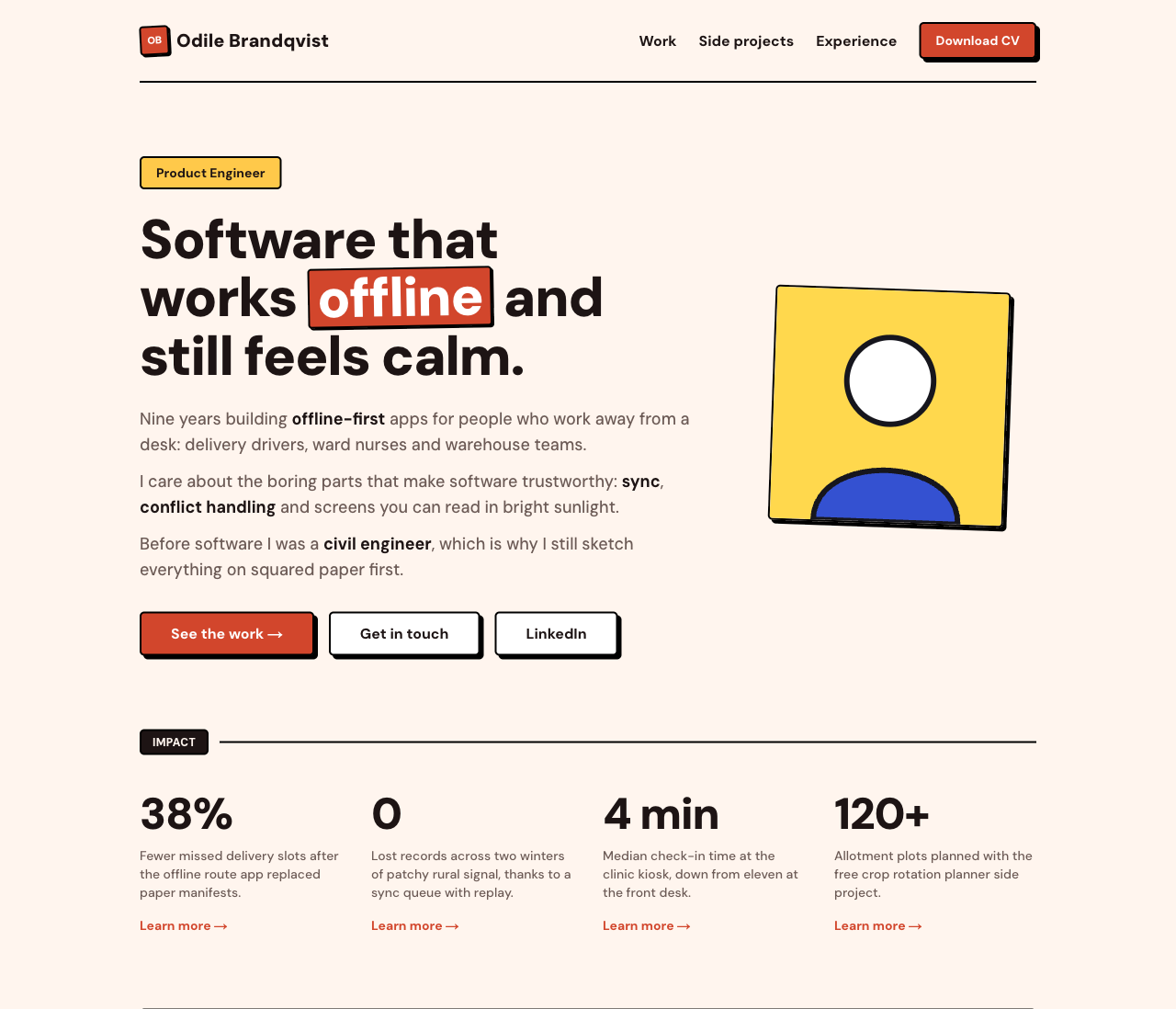 Home: your headline, intro, photo, impact numbers and career journey, then featured work, side projects and the FAQ. The text comes from site.config.ts; the projects and FAQs come from the database.
|
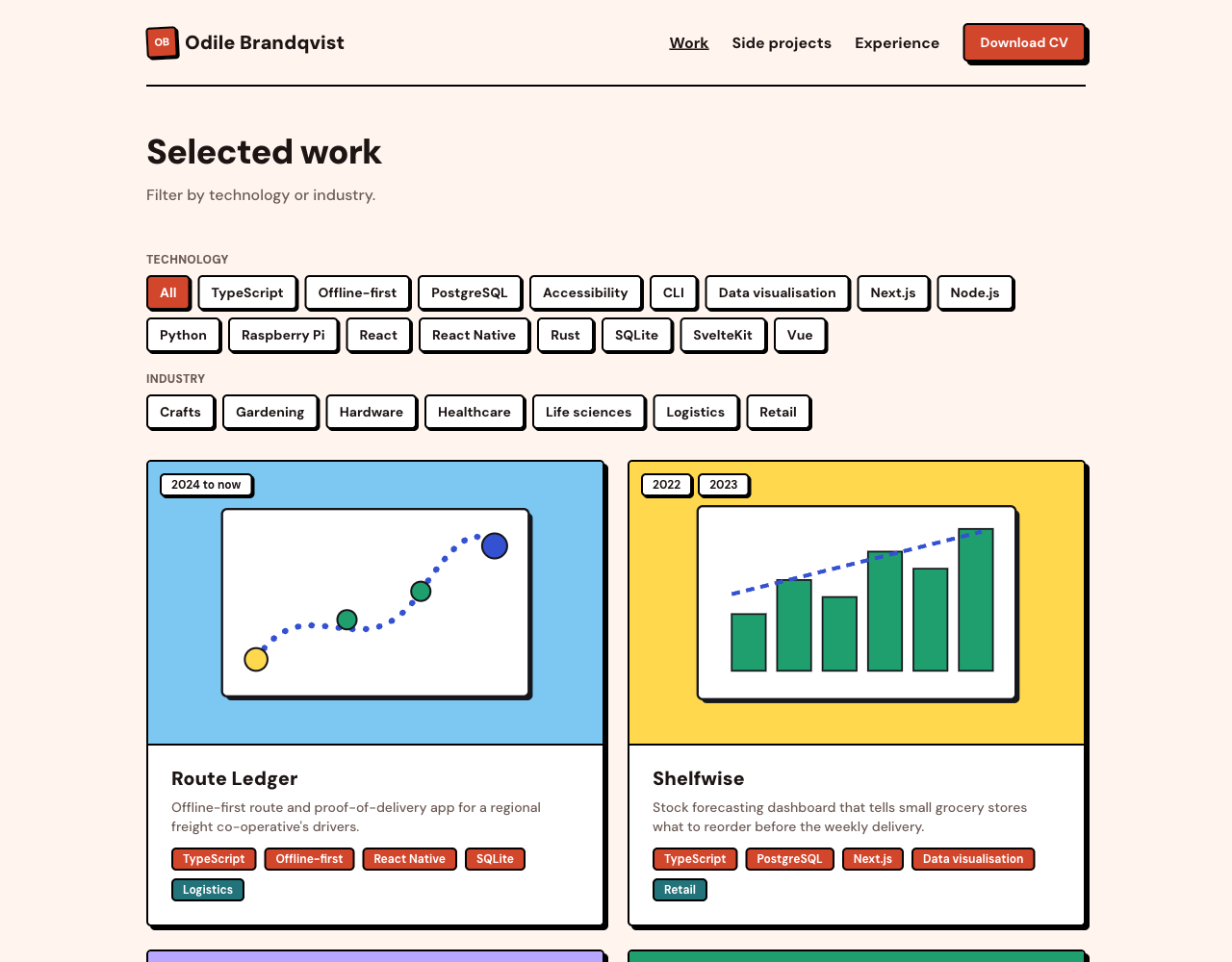 Selected work ( /projects): every project as a card with its cover and tags, paid work first. Visitors filter by technology or industry.
|
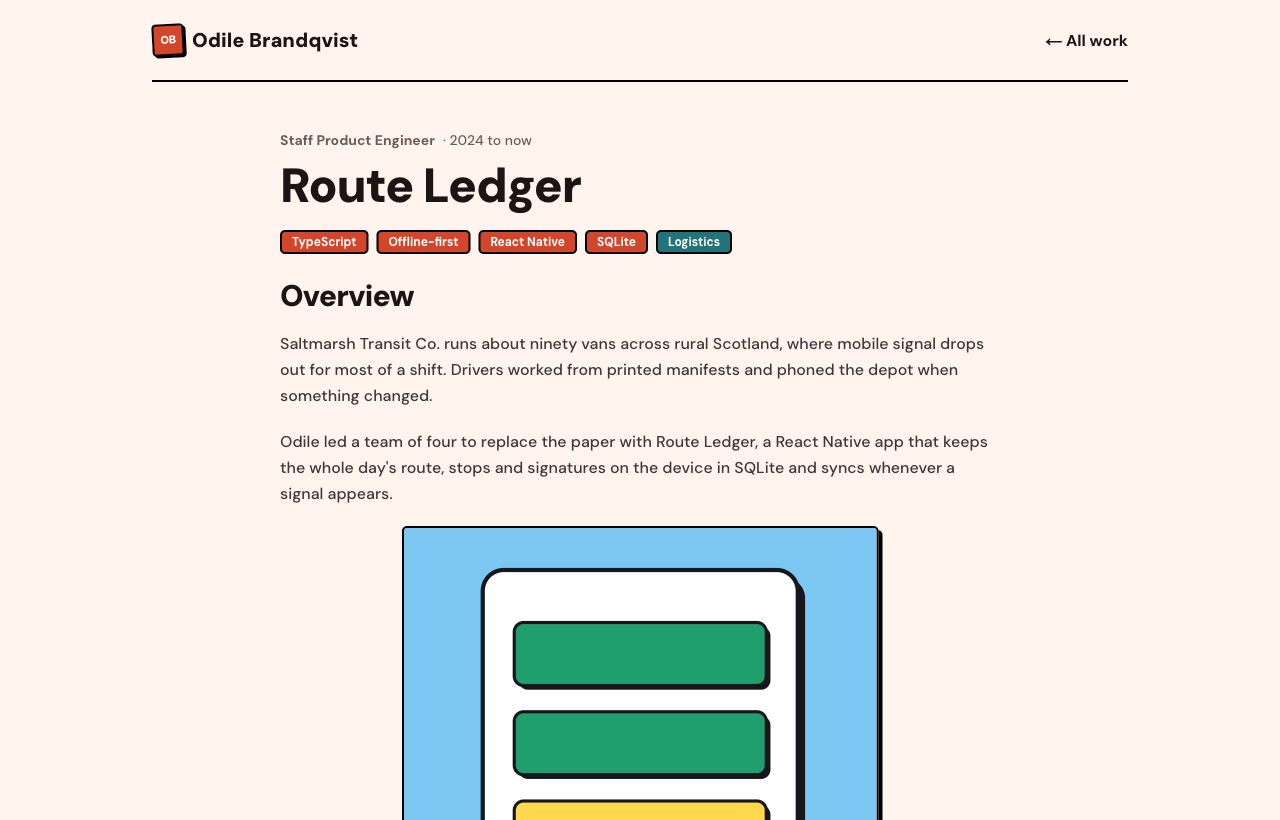 Project page ( /projects/<slug>): a case study built from content blocks (text, images, code, video and embeds). Each project is one JSON file in content/projects/ or one entry in /admin.
|
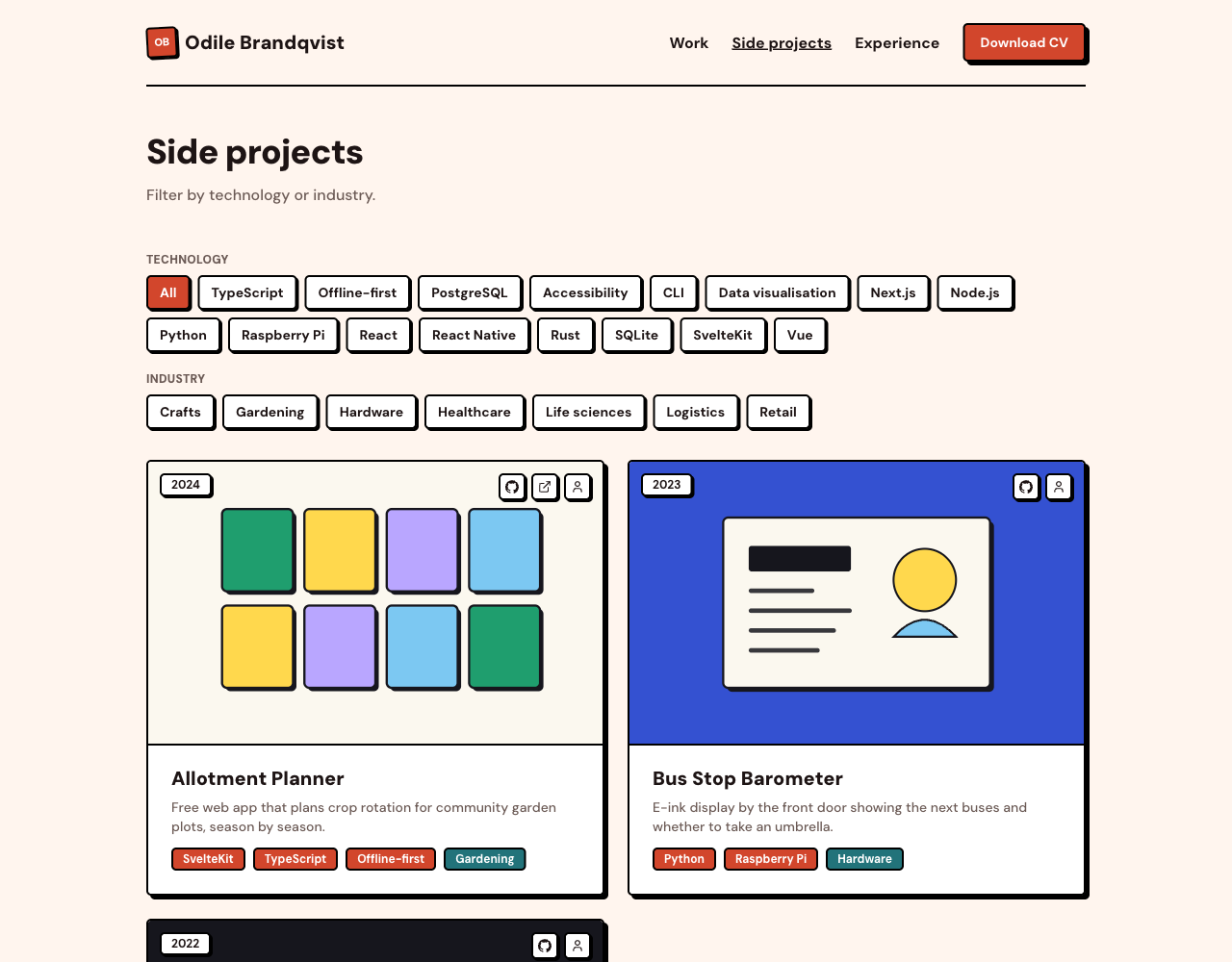 Side projects ( /side-projects): the same list with personal projects first, each with links to its code and live site.
|
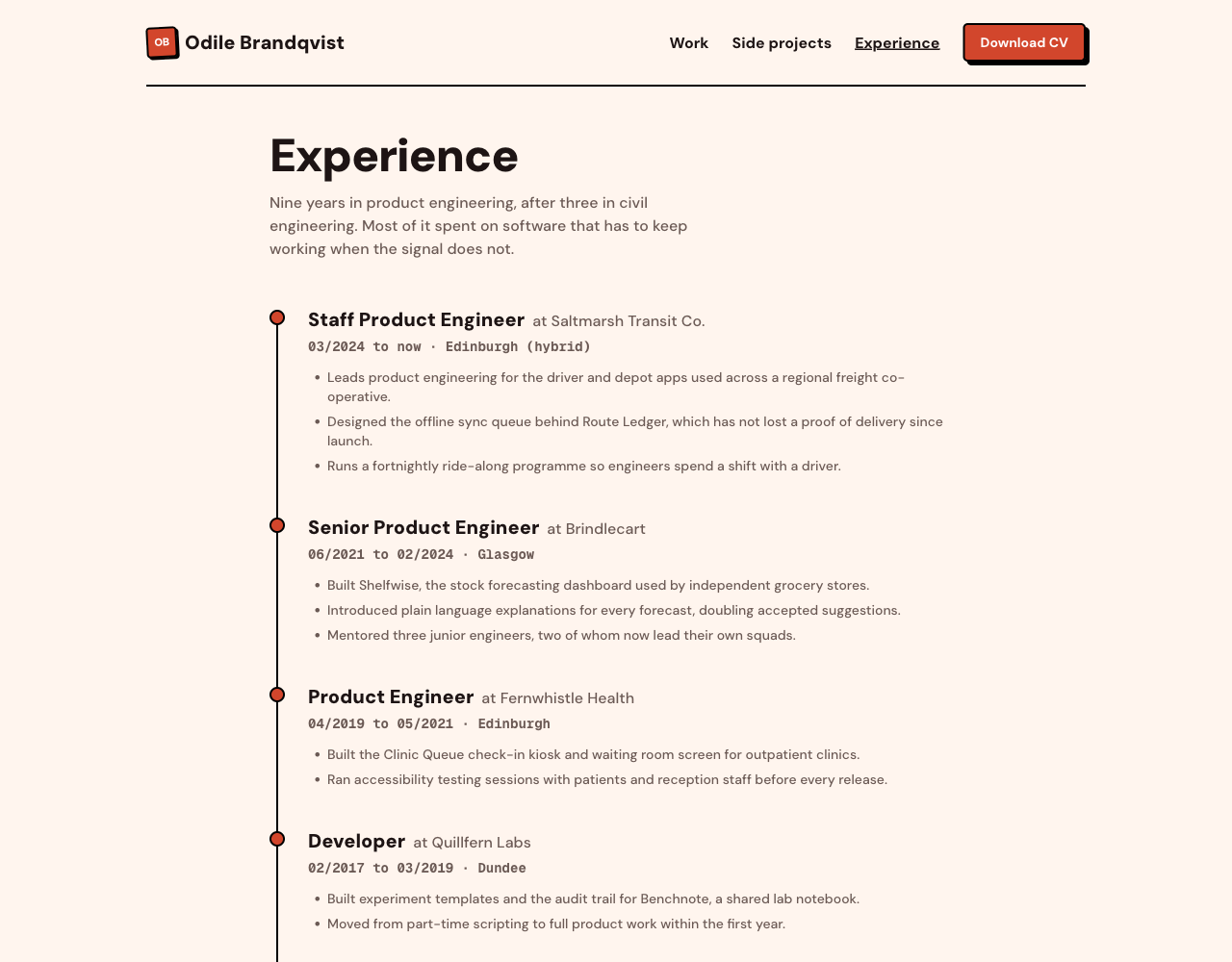 Experience ( /experience): a timeline of your roles with dates, places and highlights, from content/experience.json or /admin.
|
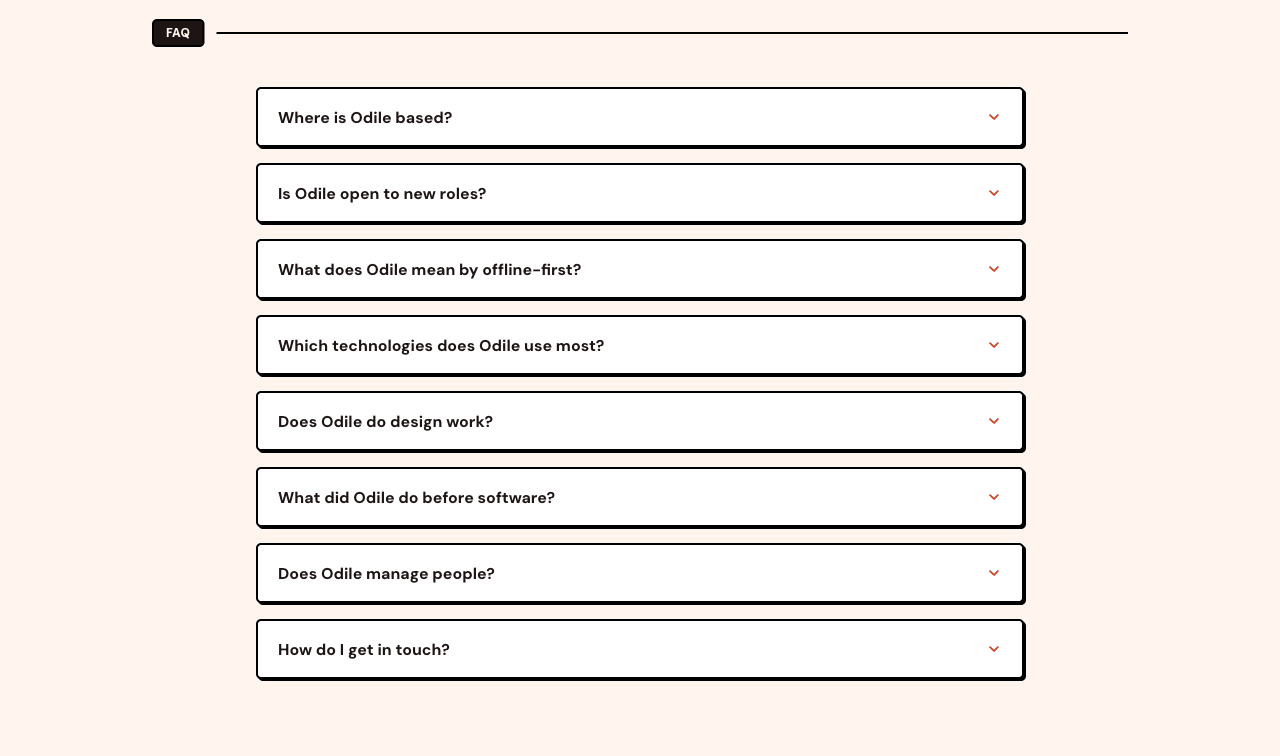 FAQ: questions visitors ask most, as an accordion on the home page. They come from content/faqs.json or /admin.
|
 CV download: buttons in the header and on the home page. /cv serves public/cv.pdf with a dated file name.
|
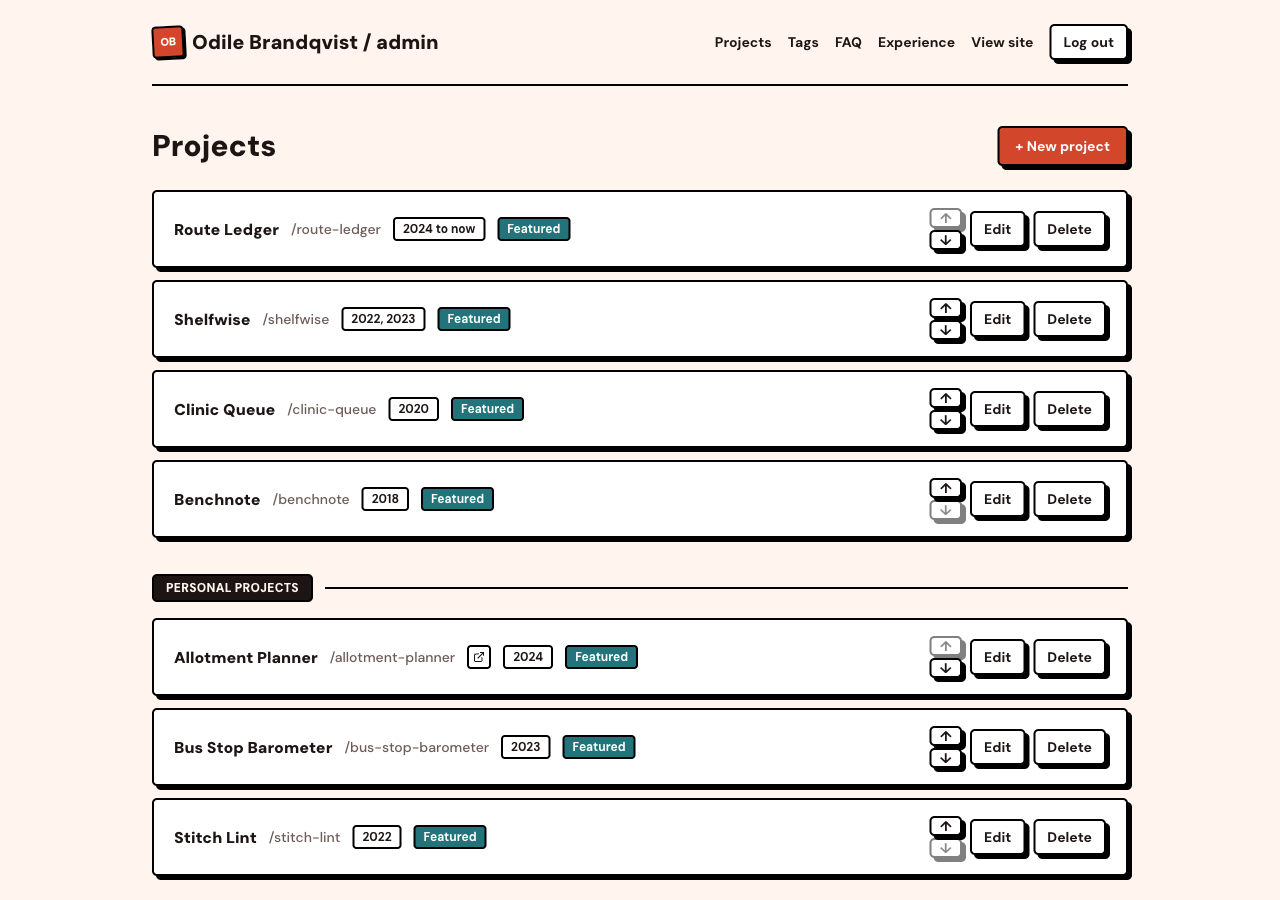 Admin panel ( /admin): a password protected editor for projects, tags, FAQs and experience. Add, edit, reorder and delete without touching code.
|
Every page also has a phone layout, with a menu in place of the header links:


How the portfolio works
| Part | Where it lives |
|---|---|
| Projects, experience, FAQs, tags | Postgres. Loaded from the JSON files in content/ with npm run db:seed, or edited in /admin. |
| Name, hero text, stats, journey, colour theme, contact links | site.config.ts, one file for everything person-specific. |
| Images | public/, with project images in public/projects/<slug>/. |
| CV | public/cv.pdf. |
Pages render on request, so an edit in /admin or a content script shows up on the next page load, with no rebuild. Details are in Make it yours.
The AI layer (optional)
The AI layer is optional. Each part has its own feature flag; switch all three off and you have a plain portfolio.
On the home page, visitors and recruiters get one panel with three tabs:
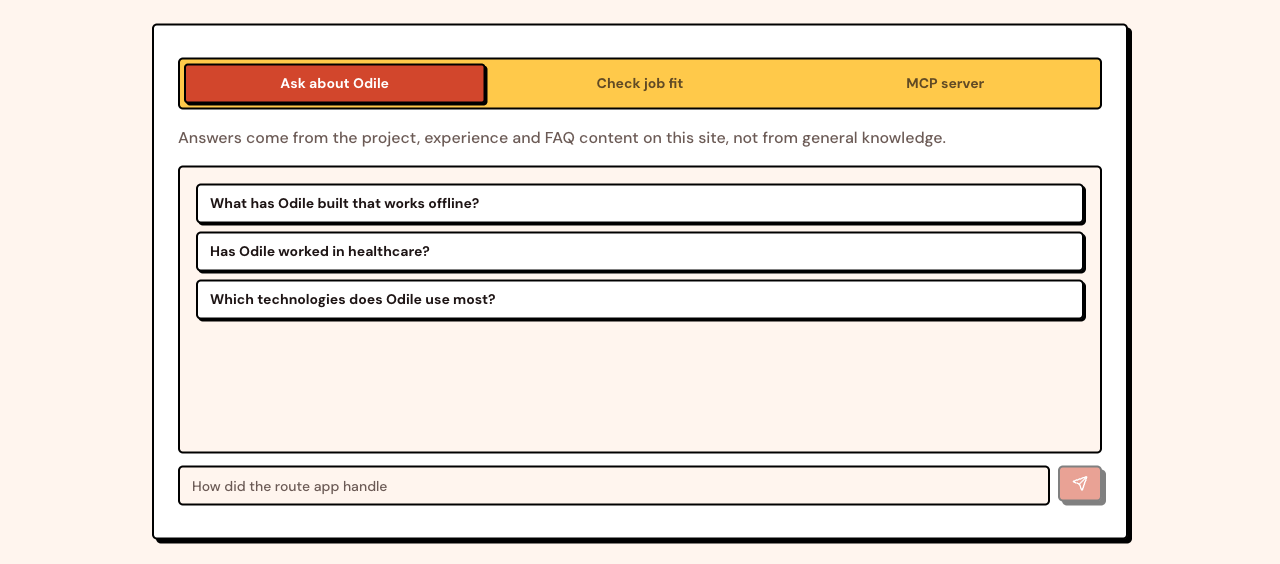 Chat: visitors ask about your work and get answers taken only from your projects, experience and FAQs. Suggested questions come from site.config.ts.
|
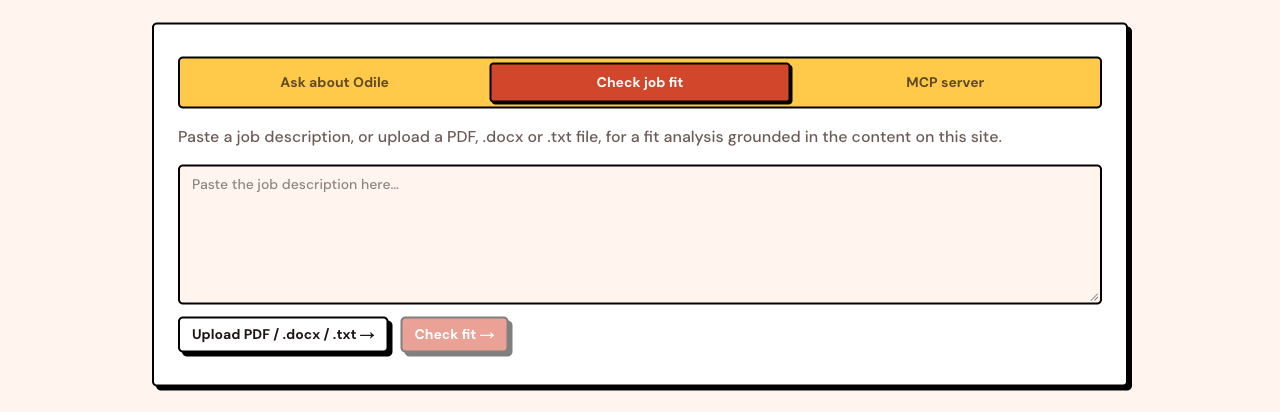 Fit check: a recruiter pastes a job description (or uploads a PDF, .docx or .txt) and gets a verdict, strengths and gaps based on your content. |
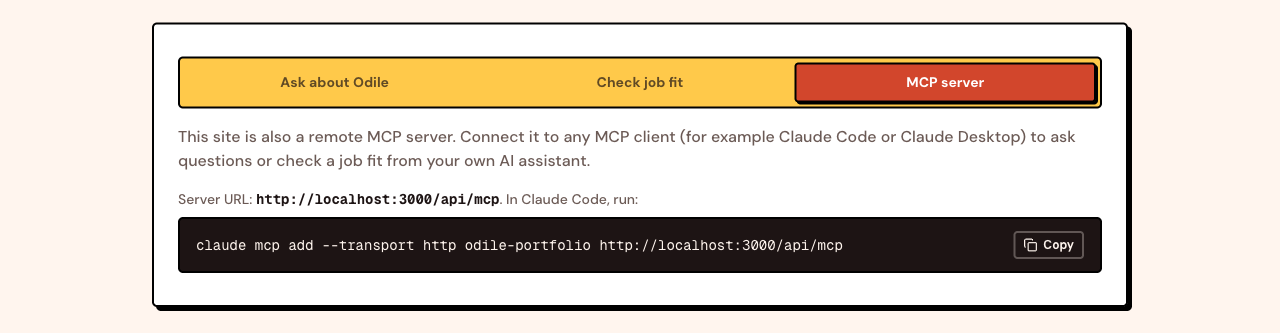 MCP server: the site is also a remote MCP server, so an AI assistant such as Claude Code can ask about you, check a job fit and fetch your CV. See MCP usage. |
How the AI layer works
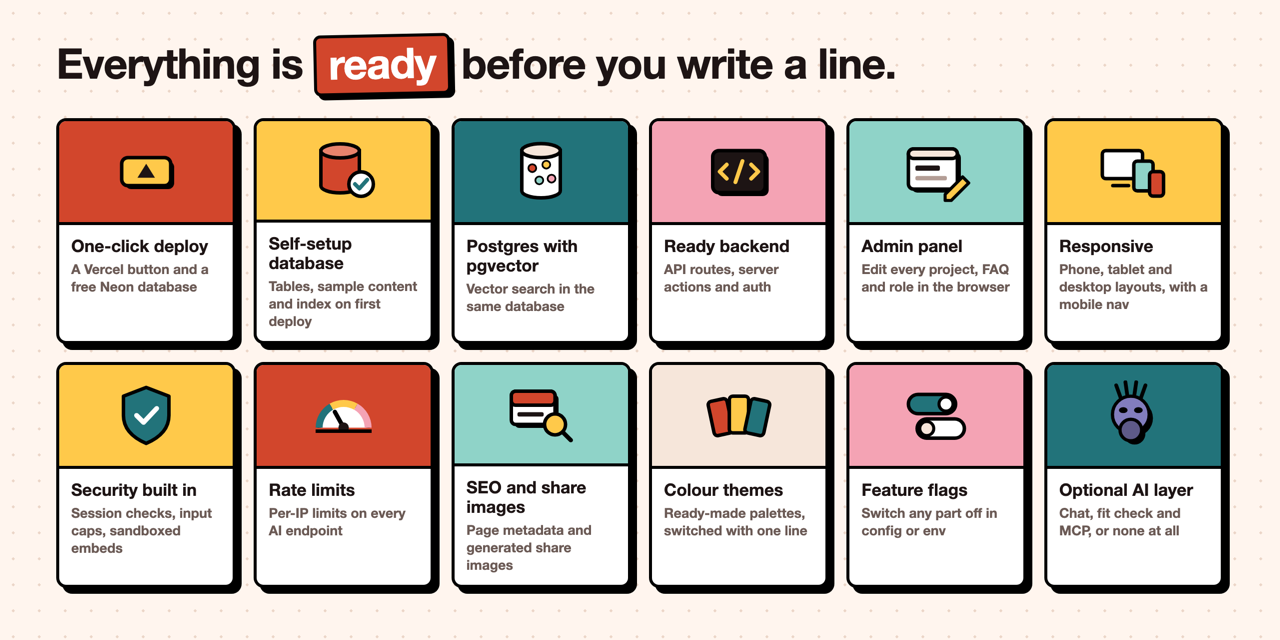
The animation above shows these steps.
- Your content (projects, experience, FAQs) lives in Postgres. You load it from the JSON files in
content/or edit it in/admin. npm run rag:ingestsplits that content into short chunks, turns each into an embedding (a list of 1536 numbers that captures its meaning) with your embedding provider (OpenAI by default), and stores them in a pgvector column.- When a visitor asks a question, the question is embedded the same way, the closest chunks are found by cosine distance, and only those chunks are given to the chat model as context.
- The fit check does the same with a job description, and the model's JSON answer is validated before it is shown.
- The MCP server wraps the same two functions as tools, so an AI assistant can query your portfolio directly.
Admin edits and the content scripts re-sync the index automatically. Only changed text is embedded again, so edits cost almost nothing.
Deploy in one click
The Deploy with Vercel button at the top copies this repo to your GitHub account, creates a free Neon database for it, and asks for three values: your AI API key (AI_API_KEY, an OpenAI key by default; see Choosing an AI provider for others), a password for /admin, and a long random string for SESSION_SECRET (openssl rand -base64 32). The first deploy then sets the database up by itself: it creates the tables, loads the sample content and builds the chat's search index (see What happens on deploy). You get a working site with the sample persona; then make it yours and follow the cost steps before you share the link.
Quick start
You need Node.js 20 or newer and, for the AI layer, an API key from an AI provider (OpenAI by default, see Choosing an AI provider). Pick Neon (hosted) or Docker (local) for the database.
# Use "Use this template" on GitHub, or clone your fork:
git clone https://github.com/<your-username>/ai-portfolio-builder.git
cd ai-portfolio-builder
npm install
cp .env.example .env
Option A: Neon (recommended, works with Vercel)
- Create a free project at neon.tech.
- Copy its connection string into
DATABASE_URLin.env. You do not need to enable anything by hand: the first migration creates thevectorextension.
Option B: Docker for local development
npm run db:up # Postgres 17 with pgvector on localhost:5432
The default DATABASE_URL in .env.example already points at it. npm run db:down stops it.
Then, for either option
- Set
ADMIN_PASSWORD,SESSION_SECRET(openssl rand -base64 32) andAI_API_KEYin.env(plusAI_BASE_URLandCHAT_MODELfor a provider other than OpenAI). - Create the tables, load the sample content and build the search index:
npm run db:migrate   # prisma migrate deploy
npm run db:seed      # loads content/ into the database
npm run rag:ingest   # embeds the content for the chat
npm run dev
Open http://localhost:3000.
Deploy to Vercel by hand
- Push your copy to GitHub and import it in Vercel.
- Add the environment variables from
.env(at leastDATABASE_URL,ADMIN_PASSWORD,SESSION_SECRETandAI_API_KEY, plus any otherAI_*andEMBEDDING_*values you use).NEXT_PUBLIC_SITE_URLis only needed for a custom domain; otherwise the Vercel production URL is used. - Deploy. The first build prepares the database, as below.
- Before you share the link, follow the cost steps in Cost and security.
What happens on deploy
Vercel runs npm run vercel-build (scripts/vercel-build.ts), which runs these steps before the normal build:
prisma migrate deploy: creates or updates the tables and thevectorextension. It usesDATABASE_URL_UNPOOLEDwhen set (the Neon integration sets it), because migrati