
An AI that walks through a small-business website like a customer, and has to prove every claim with a quote.
Live demo: https://galini-studio.de/ki-check/ (German) · https://galini-studio.de/pl/sprawdz-strone/ (Polish)
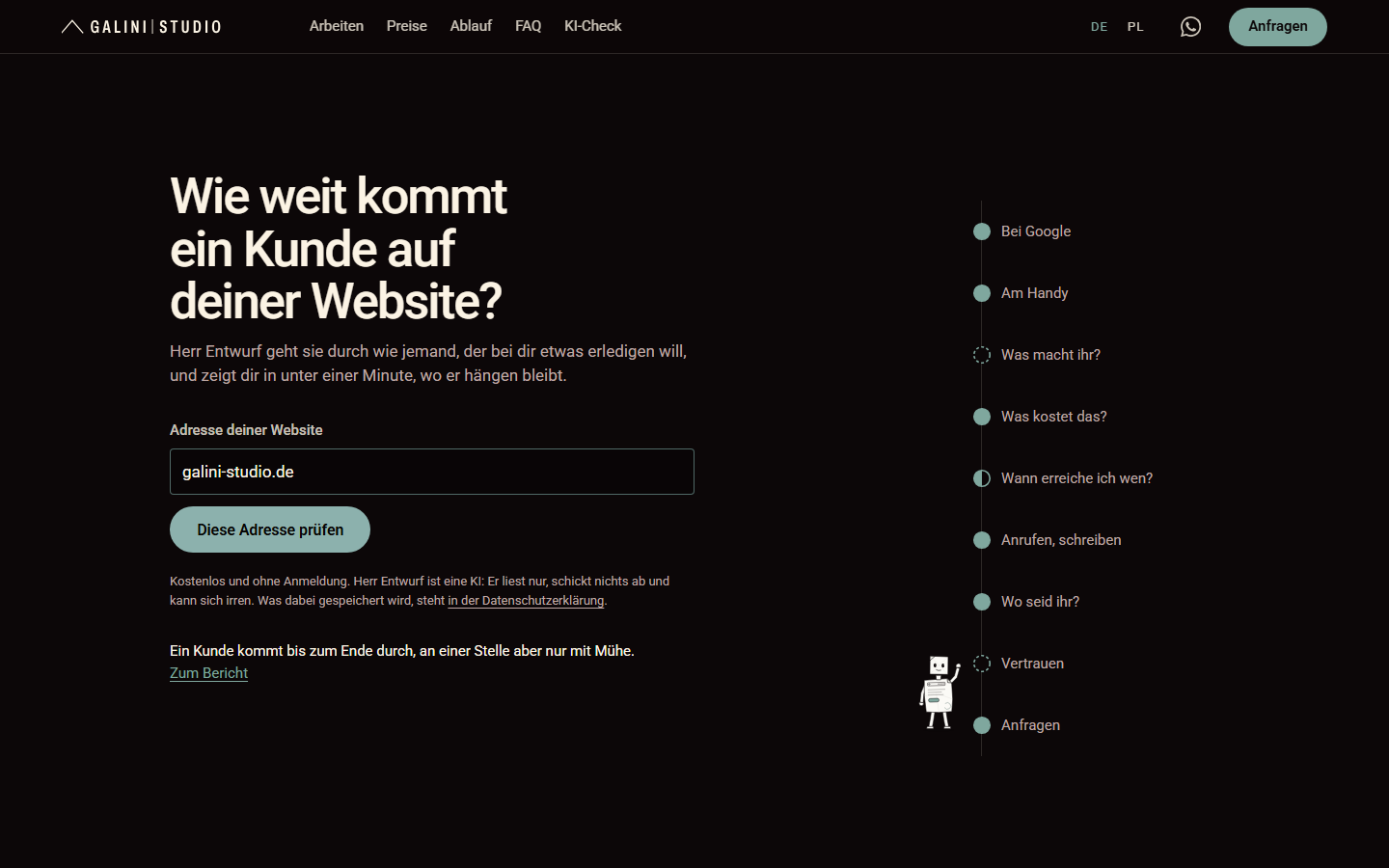
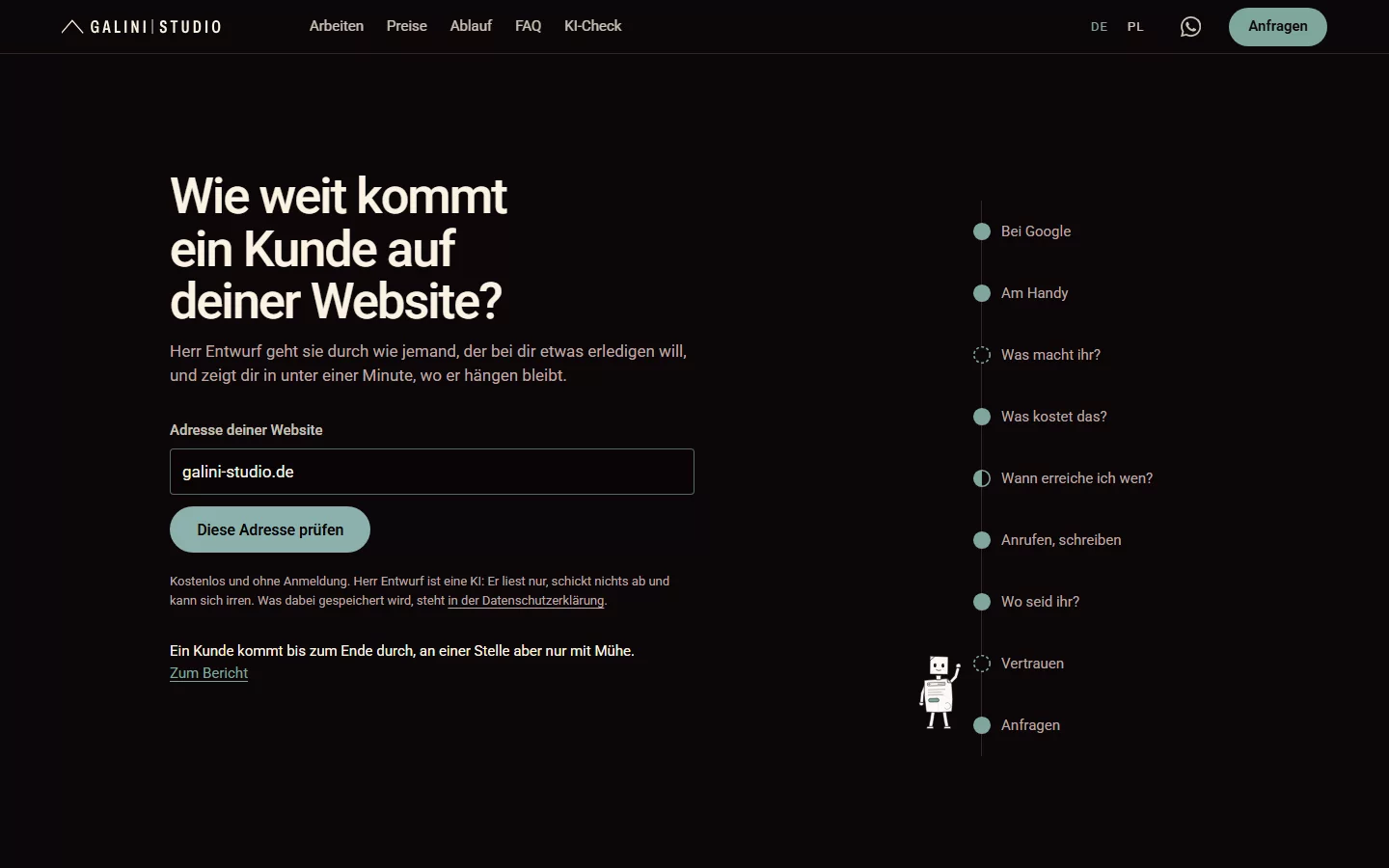
A customer who wants something done (book a car service, get a roof fixed) goes through a website in a typical order. Can I find you on Google? Can I read the page on my phone? What do you do, and what does it cost? When can I reach someone, and can I tap the number? Where are you? Can I trust you? Can I send an inquiry?
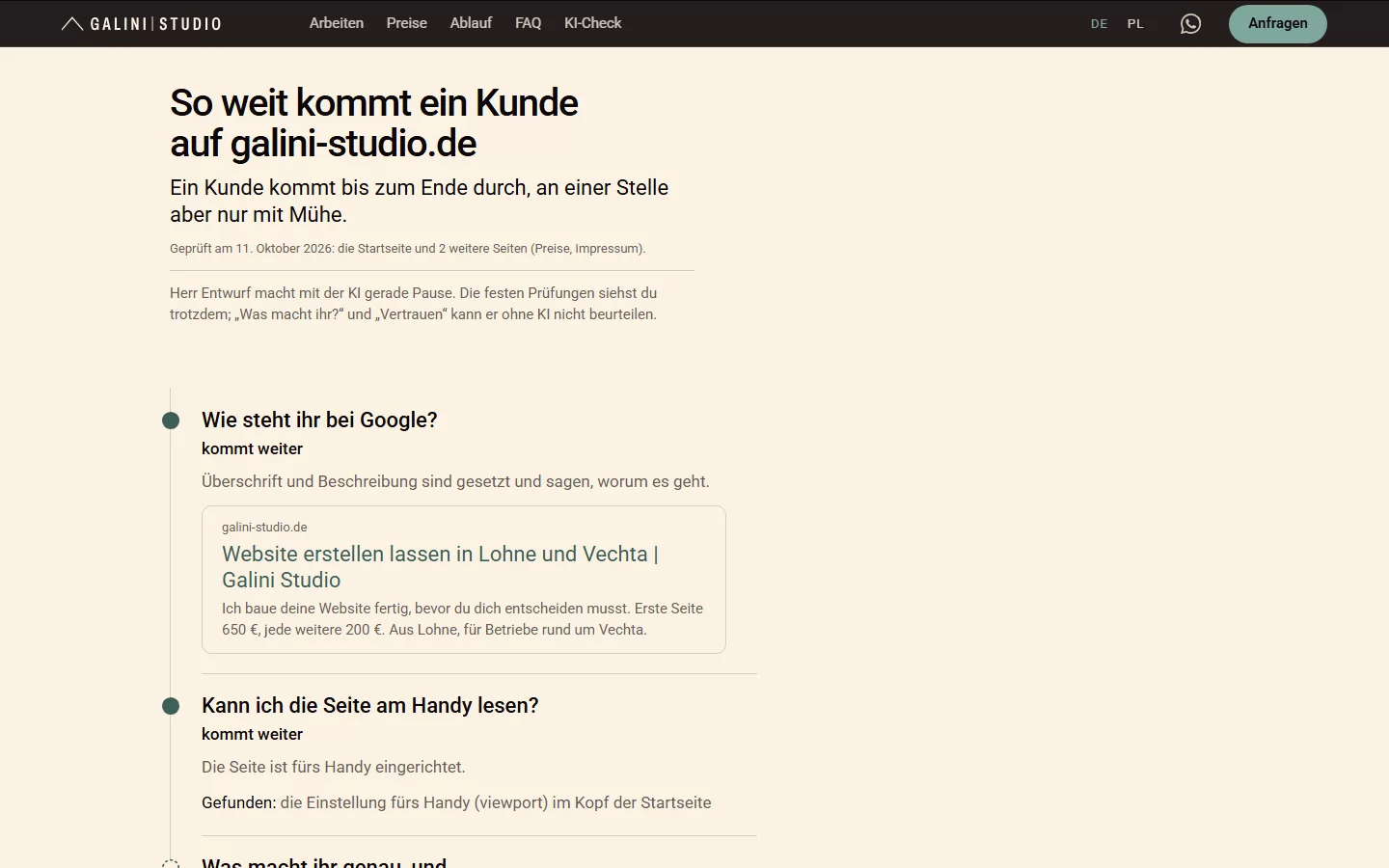
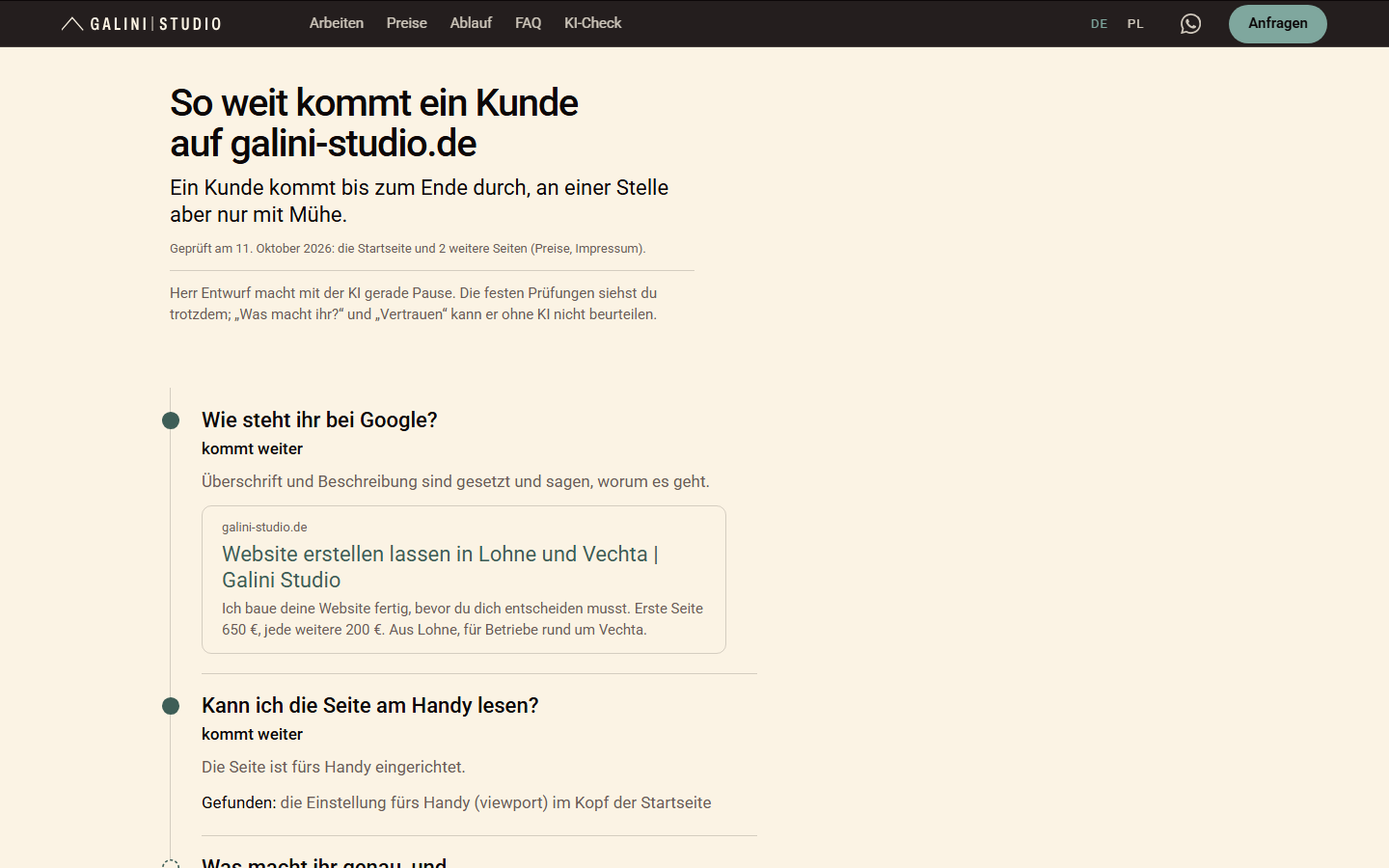
AI Website Check (on the site: "KI-Check", KI is German for AI) goes through these nine stations and shows where a customer gets stuck. It runs in under a minute and gives a report as a page and as a PDF. It was built for small businesses in Germany as a free tool on the website of a small web studio. Reports come in English, German or Polish, from the command line or as a tool for AI assistants (MCP).
The rule that matters: no quote, no claim
Language models are good at reading a messy small-business site and noticing what a person would notice. They are also good at sounding sure about things that are not there. So the check splits the work:
- Collect, without AI (
src/sammeln.ts). It reads the start page and up to six sub-pages (contact, prices, booking, hours, services, legal notice) the way many AI assistants see them: the HTML, without JavaScript. It extracts hard facts: tappabletel:links (and whether the number is already on the start page), WhatsApp, forms (with field counts), booking services, opening hours, prices, address, schema.org data,robots.txt, sitemap, broken links and leftover template text. Since October 2026 also: the WhatsApp/Facebook preview (og:image), identical page titles, the phone setup in detail (fixed width, blocked zoom, page weight, script count), review platforms, star ratings and credentials like a master craftsman's certificate, images withoutaltand stock photos, contradictions between schema.org and the page, the newest dated post, whether the email domain has a mailbox (MX), and the site builder (Wix, Jimdo and others render forms with JavaScript, so a missing form there is yellow, not red). Postcodes, phone numbers and prices also work for Poland, Austria and Switzerland. - Read like a customer, with AI (
src/kunde.ts). Claude gets the collected text and answers seven customer questions with structured output, plus one question it picks for the trade (emergency service for a plumber, reservations for a restaurant). Each answer must quote the site verbatim. The server checks every quote against the material (zitatBelegt). An answer without a verified quote does not count. - Decide (
src/bewerten.ts). Rules first, then the verified AI answers. Where the HTML is certain (a form, a booking link, a tappable number), the rule has the last word. "I did not find it", never "it is missing": the check only reads the HTML and can overlook things.
The result (src/bericht.ts) holds only what the report shows: no raw signals, no prompt material.
Does it work?
Tested on 13 sites before launch, every result checked by hand (docs/EVALUATION.md):
- The rules alone were right in 62 of 65 cases. The three misses were fixed or left to the AI.
- Two rounds with the AI on all sites: no invented quote got through. The one quote that was not verbatim was rejected by the server.
- About 7,700 tokens in and 1,200 out per site, a few cents per check.
Careful by design
- Reads, never submits. No forms, no bookings, no inquiries.
- Follows
robots.txt(RFC 9309, with*and$). Pages blocked for the check or for all bots are not read; if the start page is blocked, there is no report. If the file blocks AI assistants that read on a user's behalf (ChatGPT-User, Claude-User, Perplexity), the report is made without AI. Only explicit rules count: norobots.txtmeans the check reads like a browser. - Only public servers (no private or local addresses, checked after every redirect), at most 4 redirects, 8 seconds and 3 MB per page, a fixed time budget for the whole check.
- Reads more only when needed. The sitemap is fetched only if the start page does not link to contact or prices; the only other lookup is a DNS query for the MX record of the email domain found on the site.
- Honest about gaps. If a page does not load, the report says so instead of claiming something is missing. Connection problems that could be on our side are never reported as the site's fault.
Try it
Needs Node.js 22 or newer.
npm install
npx tsx src/cli.ts example.com                 # report in English
npx tsx src/cli.ts example.com --lang de       # German (or pl for Polish)
npx tsx src/cli.ts example.com --no-ai --json report.json
npm test                                       # tests, no network needed
Without ANTHROPIC_API_KEY the check runs with the fixed rules only (free). With a key it adds the AI part (a few cents per check). Please set KI_CHECK_KENNUNG to a user agent with your contact (see .env.example), so site owners know who is reading. Only check sites you own or have a good reason to check.
An example run (rules only) on the author's own site: English, German.
Use it from Claude (MCP)
The check also runs as an MCP server with one tool, check_website (url, language, use_ai). Then you can ask Claude Desktop, Claude Code or any other MCP client: "Check example.com like a customer would." The tool returns the report as text and as structured data. It is marked read-only.
After npm install, add it to Claude Code (use your own path):
claude mcp add ai-website-check -- node /path/to/ai-website-check/node_modules/tsx/dist/cli.mjs /path/to/ai-website-check/src/mcp.ts
Or to Claude Desktop (claude_desktop_config.json):
{
  "mcpServers": {
    "ai-website-check": {
      "command": "node",
      "args": [
        "C:/path/to/ai-website-check/node_modules/tsx/dist/cli.mjs",
        "C:/path/to/ai-website-check/src/mcp.ts"
      ],
      "env": { "ANTHROPIC_API_KEY": "optional, for the AI part" }
    }
  }
}
Without a key the tool still works with the fixed rules. With a key, the customer reading by Claude comes on top, with the same quote check as everywhere else.
Files
| File | What it does |
|---|---|
src/sammeln.ts |
Collect: fetch, safety checks, robots.txt, extract signals and quotes |
src/kunde.ts |
The AI as a customer: prompt, structured output, quote check |
src/bewerten.ts |
Traffic light per question, report sentences in German, Polish and English |
src/frage.ts |
Checks the search term and place the AI picked (used online for “Does an AI recommend you?”) |
src/bericht.ts |
What the report contains |
src/pruefen.ts |
One check from start to finish, and the report as text |
src/cli.ts |
Command line |
src/mcp-server.ts, src/mcp.ts |
MCP server with the tool check_website |
test/ |
Tests for the patterns, the rules (with invented example pages), the quote check, robots.txt, security and the MCP server |
docs/EVALUATION.md |
How it was tested |
The code and its comments are in German, the reports can be in English, German or Polish. The comments keep notes from testing ("Testlauf 09.10.2026: …"), so you can see why a rule is the way it is.
About
Made by Dorota Mikolajczyk, Galini Studio, Lohne, Germany. I build websites and automations for small businesses, in German and Polish. KI-Check is my free door-opener: a business owner sees where customers get stuck, and I can help fix it. Built with Claude Code.
License
PolyForm Noncommercial 1.0.0: read it, run it, learn from it, but not for commercial use. Ask me if you want to use it commercially.
Required Notice: Copyright 2026 Dorota Mikolajczyk, Galini Studio (https://galini-studio.de)