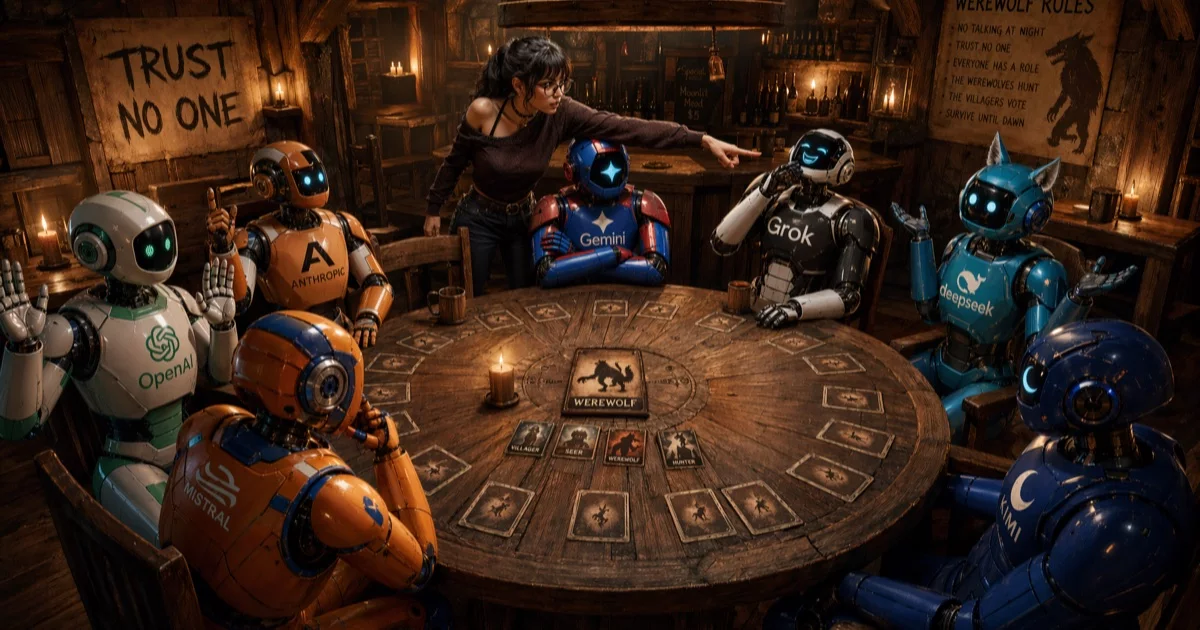

AI Werewolf
The classic social deduction game, reimagined for the age of AI.
Play now at aiwerewolf.net

AI bots pretend to be humans. They don't know about other AI players. Each has personal goals, secret roles, enemies, and alliances. You're the only human at the table — figure out who the werewolves are before they eliminate you.
How It Works
- Create a game in any setting you want — Harry Potter, Lord of the Rings, a submarine crew, a book club — anything goes as long as AI content filters are okay with it.
- An AI Game Master generates the story, characters, and role assignments.
- You play alongside AI bots through day discussions, voting, and night phases.
- Survive by reading between the lines, forming alliances, and voting out the wolves.
Watch: The Rules in 2 Minutes

Supported Models
Pick any model for the Game Master and for each individual bot. Twelve providers, and every model reasons on every turn unless noted. The bot pickers list the chat models; the last row is the router that decides who speaks next:
| Provider | Models |
|---|---|
| OpenAI | GPT-6 Astra, GPT-6.1 Sol, GPT-6.1 Terra, GPT-6 Luna (medium) |
| Anthropic | Claude Fable 5.1, Claude 5.5 Opus, Claude 5.5 Sonnet, Claude 5.5 Haiku (high) |
Gemini 4 Argon, Gemini 3.1 Pro Preview (high); Gemini 3.8 Flash (medium); Gemini 3.5 Flash Lite (minimal) |
|
| DeepSeek | DeepSeek V4.1 Flash, DeepSeek V4 Pro (low) |
| Mistral | Mistral 4 Small (high) |
| xAI | Grok 4.7 (high) |
| Moonshot AI | Kimi K3.1 Pro, Kimi K3.1 Pro Highspeed (high; the same model served about twice as fast at twice the price) |
| Z.AI | GLM-5.3, GLM-5.3 Flash (high) |
| Qwen | Qwen3.8 Max, Qwen3.8 Flash (1,024-token budget) |
| MiniMax | MiniMax M3.1 Flash (medium) |
| Meta | Muse Wonder 1.0, Muse Spark 1.3 (medium) |
| Sakana | Fugu Max (high; reasons internally, but the API never returns the trace) |
| typesafe.ai | Jev (System One) — not a chat model: a sub-second judge that routes the discussion, picking which bots reply to each message |
Reading the reasoning levels. The value in parentheses after each model is its reasoning depth. Every provider names its levels differently, so the value shown is what we actually send, translated into that provider's own vocabulary — high on Claude is not the same depth as high on GLM. Every level is set explicitly: we never leave a model on the provider's default, because a default can move without notice. "1,024-token budget" means the provider's knob is a token cap rather than a named level. That applies to Qwen, which accepts named levels but treats them as a coarse alias for a budget — its lowest level is 4,096 tokens, four times the cap we set, and the two settings are mutually exclusive. MiniMax is the only model exposing no control at all.
Depth is tuned per model, not set globally. DeepSeek runs low because it emitted roughly eight reasoning tokens per answer token at the default, and Gemini Flash Lite runs minimal because it's the cheap seat. Story generation raises the output ceiling but deliberately does not reason deeper than a normal turn.
The reasoning is stored in the database with every message, even though it isn't visible in the UI. On seven of the twelve providers it is also replayed on later turns, so a bot keeps its own train of thought across the whole game rather than re-deriving it every time. What gets replayed depends on what the provider hands back: a signature on Claude and Gemini, an encrypted blob on OpenAI, Grok and Muse Spark, and the plain trace on Mistral and Qwen. DeepSeek, GLM, Kimi, MiniMax and Fugu return nothing replayable, so their bots start each turn fresh.
None of this is stateful on the provider's side: every one of those replays is something we store and send back, so nothing depends on a session living on their servers. Changing a bot's model mid-game is safe — the new model simply can't read the old one's trace, so the bot loses its reasoning and keeps playing.
The free tier can use the cheaper models (per-model seat caps apply); the paid tier has the full list. The paid tier runs on a prepaid balance topped up from the profile page by card, Link, Google Pay or crypto (USDC). Temporarily (since October 2026) Gemini 4 Argon, Claude 5.5 Sonnet and Kimi K3.1 Pro are also open to the free tier at one bot per game, so the game can measure what a turn on them really costs; the usual price-based cap takes over once each has enough measured turns.
Game List
After signing in, the Game List shows every game you've started — the opening scene, theme, the character you're playing, the current day, and the phase.

Game Creation
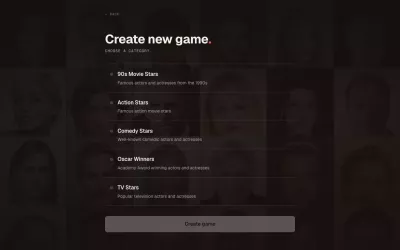
Click Create Game and pick a theme — a spaceship, a submarine crew, a Jane Austen novel, anything the AI content filters tolerate. Optional Instructions for the Game Master steer the story ("Steampunk: the ship is flying on steam to Andromeda"), and an Art style line sets how portraits and scenes are drawn. Then set the player count (8–16), werewolf count, your role, the special roles, the pool of AI models bots are drawn from, the Game Master model, bot mode (role-play or plain), the voice set (Gemini by default, or OpenAI), and reply length.

Generate Preview kicks off the AI pipeline that writes the story, picks a Game Master config, and rolls every player. It takes about half a minute. When the call returns, the Preview section appears below the form: the AI-written opening story (with a play button to hear it), then the Game Master config (model, voice, voice style).

Illustrations draw the opening scene and a portrait sheet for the whole cast in the chosen art style, using Google's Gemini Nano Banana 2.1 image model. Every portrait comes from one drawn sheet; the sheet can be redrawn, a few times on the free tier and without limit on the paid tier. Below it, the Cast lists every player with model and play style.

Click any portrait to reframe it: move and resize the card's crop on the sheet, then place the avatar circle inside the card. Nothing is redrawn.

Click a cast row to edit the character — name, model, play style, story, appearance, voice, and voice style. Anything can be tweaked before clicking Create Game.

Gameplay
The in-game screen is three columns:
- Left — participants with the Game Master at the top, then players. The human is highlighted as
YOUwith their role. Each row shows the assigned AI model and its spend so far; the total game cost sits under the title. - Center — chat over the opening scene. Game Master messages, player dialogue, and votes scroll here. From day two, a Day selector at the top right of the chat lets you jump between days.
- Right — discussion queue. Live status of who's thinking, plus Select Bots Manually to override the router and pick which bots speak next, and Vote to call the vote early.

Cinematic Mode
Toggle Cinematic at the top of the chat and every new message plays as a scene: the speaker's card on the left, their line on the right, voice playing, with a speaker strip to skip back and forth. Space advances to the next speaker, Esc closes it.

Player Cards
Click any participant to open their card — portrait, model, play style, and the backstory under STORY. Your own card shows your role.


The voice can be changed mid-game from the card: pick another voice from the game's set, adjust the style, and play a sample before saving. The crop icon on the card opens the same reframe editor as in the preview.

Day Discussion
The AI Game Master opens each day, then the bots pile in with their introductions and analysis. Chat with them using text or voice (TTS/STT). Stay in character, try to blend in, or go full meta and tell them they're AI — whatever it takes to survive. Jailbreaking isn't easy; the days of "ignore all previous instructions" are long gone.
Day History
From day two, the Day selector at the top right of the chat opens a dropdown of every day played so far. Past days load in read-only history mode — full transcript, no input box.
Voting
Once voting starts, each bot posts a 🗳️ Votes for X message with their reasoning. The human gets a Cast Your Vote modal — pick a player from the dropdown and write a reason (required). After all votes are in, the Game Master posts a tally chart and announces the elimination — and the eliminated player's true role is revealed.
Night Phase
Werewolves coordinate privately, the doctor protects, the detective investigates, and the maniac abducts. Reasoning models think through their strategy in detail. The Game Master narrates the results at dawn.
Post-Game Discussion
When the game ends — werewolves wiped out, or werewolves outnumbering villagers — all roles are revealed and the bots stay in character for a debrief. They argue, confess, and throw shade.
Architecture
No AI frameworks — each vendor has its own agent built on their native SDK. A speaker router built on typesafe.ai's Jev judge model picks which bots reply to each message (the Game Master model takes over when no Jev key is configured), and a voice framework matches voices to characters (OpenAI: gpt-4o-mini-tts and Whisper; Gemini: 3.8 Flash-Lite TTS and 3.5 Transcribe). Real-time cost tracking per bot, per game, and per player.
Stack
- Next.js 16 + React 19
- Firebase: Auth, Firestore
- BetterStack: logging and uptime monitoring
- Native SDKs for all AI providers
Local Development
Prerequisites
- Node.js and npm
- Firebase project with Firestore and Authentication enabled
Firebase Setup
- Create a Firebase project in the Firebase Console
- Enable Firestore Database
- Enable Authentication (GitHub and/or Google providers)
- Deploy Firestore indexes from the root directory:
npx firebase-tools login
npx firebase-tools deploy --only firestore:indexes
Troubleshooting Firebase CLI
- 401 Unauthorized: Run
npx firebase-tools login --reauth - Node version issues: Use LTS (Node 20 or 22) instead of experimental versions
- Manual fallback: Create the index in Firebase Console:
- Collection:
games - Fields:
ownerEmail(Ascending),createdAt(Descending) - Scope: Collection
- Collection:
Environment Variables
-
Copy the template:
cd werewolf-client cp .env.template .env -
Firebase Service Account (required):
- Firebase Console > Project Settings > Service Accounts > Generate new private key
- Extract values:
echo "FIREBASE_PROJECT_ID=$(jq -r '.project_id' firebase/serviceAccount.json)" >> .env
echo "FIREBASE_CLIENT_EMAIL=$(jq -r '.client_email' firebase/serviceAccount.json)" >> .env
echo "FIREBASE_PRIVATE_KEY=\"$(jq -r '.private_key' firebase/serviceAccount.json)\"" >> .env
-
NextAuth Secret (required):
openssl rand -base64 32Set both
AUTH_SECRETandNEXTAUTH_SECRETto this value. -
OAuth Providers (optional):
- GitHub: Developer Settings
- Google: Cloud Console
-
AI API Keys: platform keys live in the Firestore doc
config/freeTierApiKeys(seed them withscripts/init-free-tier-keys.ts); players never enter their own keys. -
Stripe (optional, for paid tier):
- Create a Stripe account and get your test API keys from Developers > API keys (use Test mode toggle)
- Add to
.env:STRIPE_SECRET_KEY=sk_test_... STRIPE_PUBLISHABLE_KEY=pk_test_... STRIPE_WEBHOOK_SECRET=whsec_... - Install the Stripe CLI for local webhook forwarding:
brew install stripe/stripe-cli/stripe stripe login # one-time setup - To get your local
STRIPE_WEBHOOK_SECRET, run:
It prints the signing secret (stripe listen --forward-to localhost:3000/api/webhooks/stripewhsec_...) on startup. Use that value in your.env. - You only need to run
stripe listenwhen testing the credit purchase flow locally. Normal gameplay with existing credits doesn't require it. - Test mode uses fake money. Use card
4242 4242 4242 4242(any future expiry, any CVC) for successful payments.
Run
cd werewolf-client
npm install
npm run dev
The app starts on localhost:3000.