
Auto-apply for Claude Code — an agentic, fully configurable job search that finds roles and applies for you, in your own browser, with your own data.

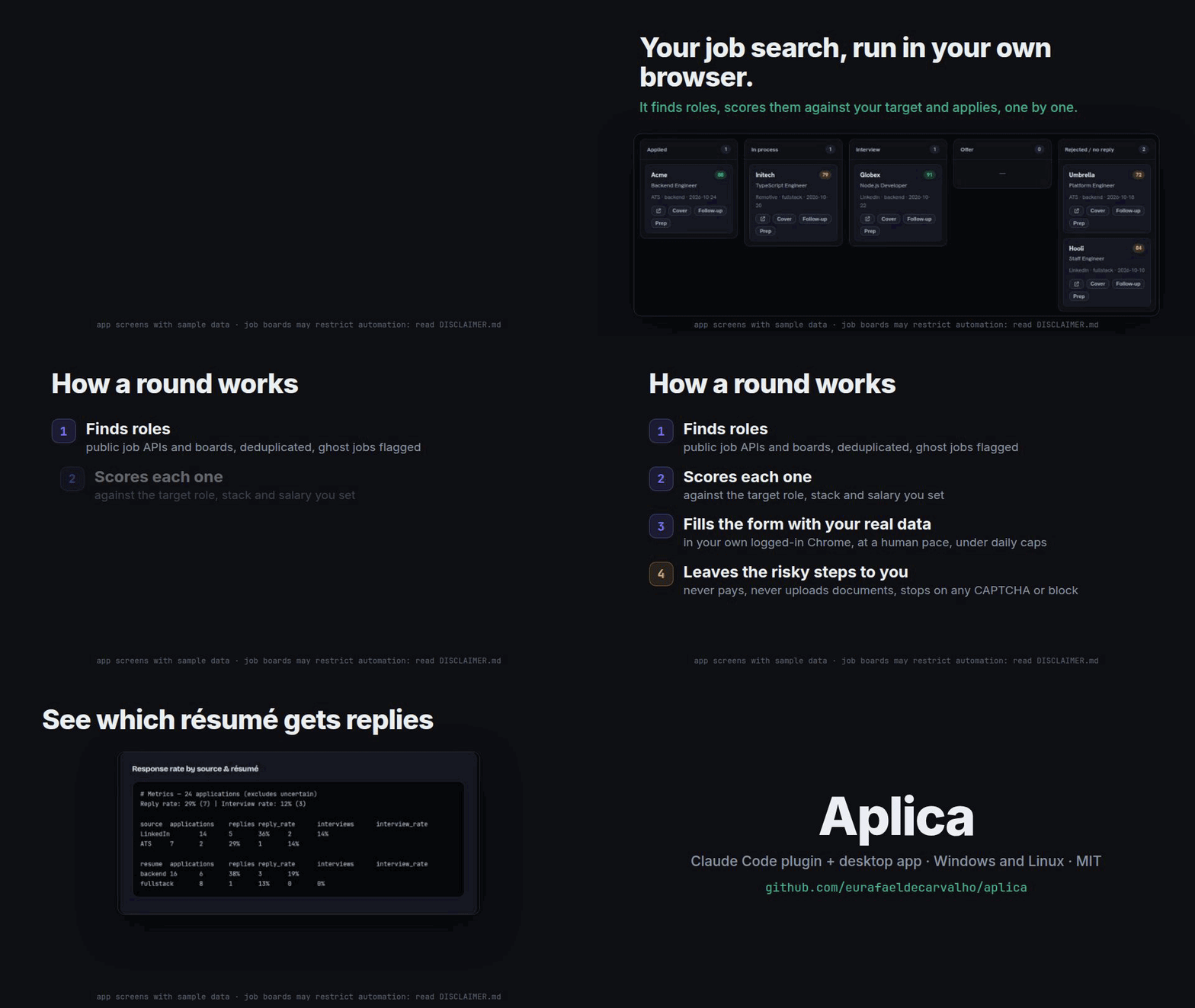
Aplica is a Claude Code plugin that runs your job hunt the way you would: it scans public job APIs, scores each role against your target profile, opens the good ones in your own logged-in Chrome, fills the forms with your real data, and applies — one application per role, deduplicated, at a human pace. Everything is customizable, and nothing about any other person is baked in: you provide the profile, the target, and the toggles.
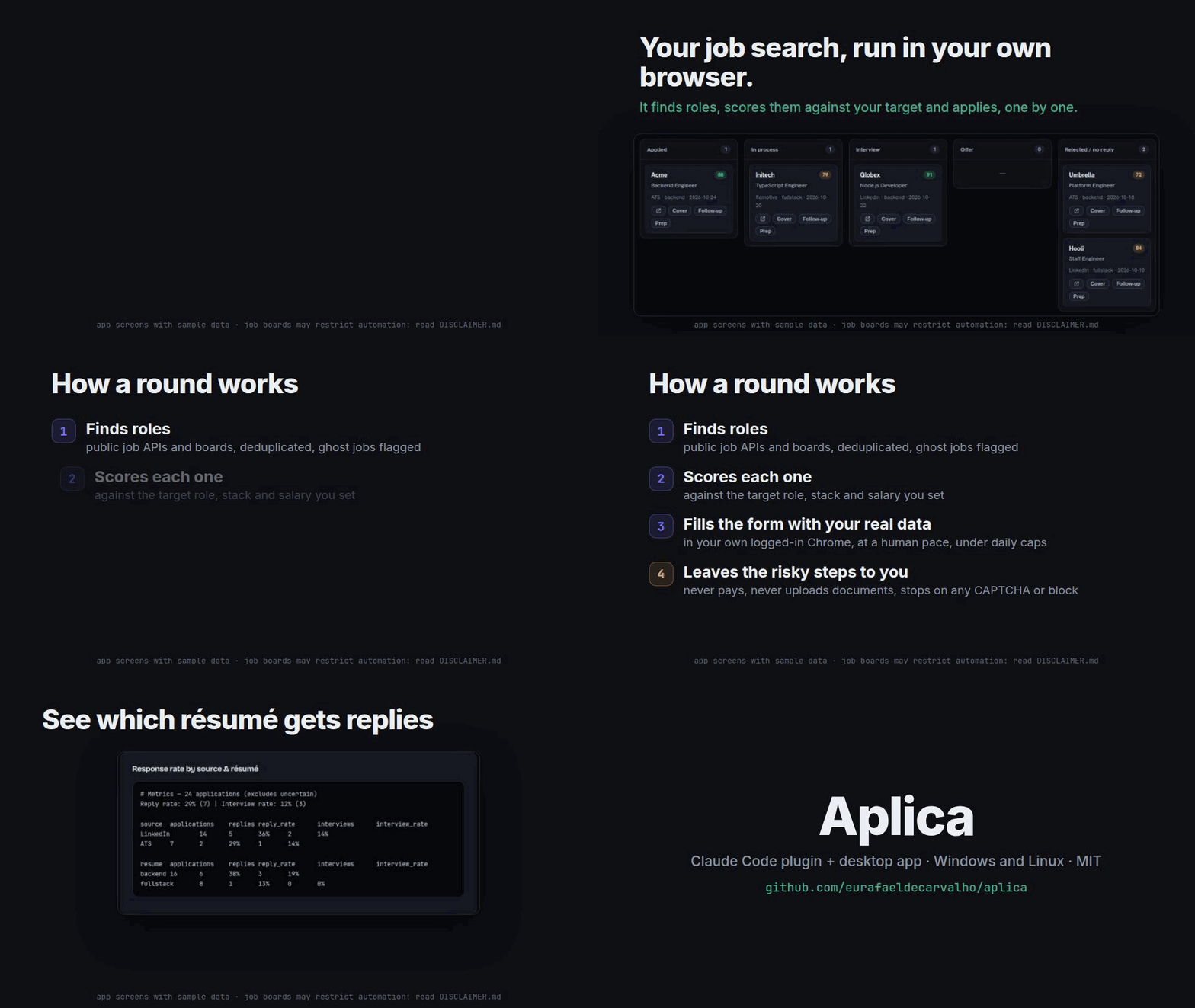
App screens with sample data. More clips on the project page.
Prefer point-and-click? The desktop app (Windows + Linux) in this same repo gives you onboarding, a data form, every toggle, a dashboard and a pipeline board. The app is the cockpit; the plugin is the engine; they share one config directory.
⚠️ Read
DISCLAIMER.mdfirst. Job boards restrict automation in their Terms of Service and your account can be limited or banned. Social actions and high volume are the biggest triggers, so they are off by default and the daily caps are conservative. You run this on your own account, at your own risk.
Why this one
- Config-driven, zero personal data in the repo. Your identity, your target role, your answers, your résumé — all live in a config directory outside the repo (
~/.config/aplica/%APPDATA%\aplica), never versioned. The engine ships with neutral defaults and example templates only. - Honest by design. It never invents or inflates facts, never submits anything untrue — including the cover letters and follow-ups it drafts, which are grounded only in your real profile and the job's recorded facts. A false fact burns you in the interview; the rules forbid it.
- Skips the dead ends. A ghost-job score flags evergreen talent pools and stale re-posts before you spend a daily slot on them, and dedup never lets the same role through twice.
- Picks the right résumé. Keep several résumé variants and it attaches the best match per job, then reports the reply rate per variant so you can see which one lands.
- Anti-ban posture built in. One account, your own IP, human cadence, per-script daily caps that beat the model's own counting, and an immediate full stop on any LinkedIn CAPTCHA or block.
- You keep the risky steps. It never pays, never enters card/bank details, never uploads personal documents, never changes passwords, never accepts offers. Anything like that is logged for you to finish by hand ("travadas").
- Everything is a toggle. Comment or not, DM or not, connect or not, "I'm interested" or not, send résumé by email or not, SSO or manual signup, which sources, which schedule, which caps.
Requirements
- A paid Claude plan (Pro, Max, Team or Enterprise) — Claude in Chrome does not run on Free.
- The Claude in Chrome extension installed, with your accounts (LinkedIn, Google/Gmail, boards) logged in.
- Python 3.11+ on your PATH.
Install
# in Claude Code (2.1.275 or later), one step:
/plugin install aplica --marketplace eurafaeldecarvalho/aplica

# or, on older versions:
/plugin marketplace add eurafaeldecarvalho/aplica
/plugin install aplica
Then configure your instance:
/aplica-setup
This creates your config directory, walks you through config.json (your target role and toggles) and profile.json (your real data), and initializes the local database.
Use
/aplica-run            # run one round now (all sources)
/aplica-run linkedin   # just LinkedIn Jobs
/aplica-status         # today's applications, metrics (per source + résumé), stuck jobs, to-dos
/aplica-draft cover 42 # grounded cover letter / follow-up / interview prep for an application
/aplica-schedule       # turn config.schedule times into real scheduled tasks
Or schedule the routines (ATS/boards, LinkedIn Jobs, recruiters, feed, daily summary): set the times (in the app, or by editing config.json → schedule), then run /aplica-schedule — it reads them and creates the scheduled tasks from the templates in scheduled-tasks/.
Desktop app
A point-and-click cockpit for the same engine (Windows + Linux): onboarding with prerequisite checks, one settings
modal for your data and every toggle, a dashboard (response/interview rate by source and résumé variant), a
drag-and-drop pipeline, a recruiter CRM and a Run button with live output. Details: app/README.md.
Download the installer from Releases:
Windows Aplica-Setup-<version>.exe · Linux Aplica-<version>.AppImage or .deb. The app installs this
plugin for you on first run.
How it works
config dir (yours)          plugin (this repo)
  config.json   ─────────▶  skills/ apply-engine · common-rules · setup-wizard · drafts
  profile.json  ─────────▶  commands/ /aplica-run /aplica-status /aplica-setup /aplica-draft
  answers.md                scheduled-tasks/ (5 routine templates)
  resume.pdf (+variants)    engine/ (Python)
  photo.jpg                   config.py   resolve config dir + load config
  state.db   ◀───────────     jobdb.py    SQLite state (the only writer) — auto-migrates old DBs
  backups/                    caps.py     per-script daily caps
  drafts/                     filters.py  config-driven knockouts + fit score + ghost score
  views/                      ats-scan / linkedin-scan / freehire-scan
                              humanizer/  strips AI tells from any text
An orchestrator routine never touches the browser: it scans public APIs to build a fit-ranked queue, takes a single browser lock, and dispatches one subagent at a time that works in an isolated Chrome tab group, applies, records to the DB, and cleans up. Caps and dedup prevent over-applying and duplicates.
Configuration
Copy templates/config.example.json → <config dir>/config.json and templates/profile.example.json → <config dir>/profile.json, then edit. Schemas: config.schema.json, profile.schema.json. Key blocks:
target— titles to search, title OK/bad regex, stack target/out, geo allow/block, work language, home city, work modes,ghost_max(ghost-job cutoff).resume_variants—{name, file, keywords}list; the best keyword match is attached per job and tracked for the per-variant reply rate.behavior—feed_mode(full/apply_only/off),social.{comment,connect,dm,like},im_interested,email_resume,sso_google,create_account. All social defaults to off.caps— applications/day, batches, batch size, social/day, interest/day, cadence seconds.sources— which boards are on.schedule— routine times.paths— résumé/photo.
Alternatives
| Tool | Runs on | Your data stays local | Honest-by-design | Fully open-source | Customizable toggles |
|---|---|---|---|---|---|
| Aplica | Your Claude Code + your Chrome | ✅ | ✅ | ✅ (MIT) | ✅ |
| LazyApply / auto-apply extensions | Vendor cloud / extension | ❌ | ❌ | ❌ | partial |
| LoopCV and similar | Vendor cloud | ❌ | — | ❌ | partial |
| Doing it by hand | You | ✅ | ✅ | — | — |
FAQ
Is this allowed by LinkedIn/Indeed? Their Terms restrict automated access; using any automation can get your account limited or banned. That is why social features are off by default and caps are low. Read DISCLAIMER.md and decide for yourself.
Does my data leave my machine? No. Your profile, answers, résumé and database live in your config directory. The only thing ever sent out is job applications you make and, optionally, a summary email to yourself.
Do I need to code? For the plugin, you're comfortable in Claude Code. For a point-and-click experience, use the desktop app.
Can I use it for non-engineering roles? Yes — the target profile is entirely config. The shipped example is a backend template; replace it with yours.
Contributing
Issues and PRs welcome. Keep the honesty rules and conservative defaults intact — they are the point.
Support the project
Aplica is free and MIT-licensed, built and maintained in the open. If it helps your job hunt, you can help keep it going:
- Sponsor on GitHub — one-time or monthly
- Buy me a coffee on Ko-fi — a quick one-off tip
- ⭐ Star the repo — it's how other job-seekers find Aplica
License
MIT © Rafael de Carvalho. Built for Claude Code; not affiliated with Anthropic.