
A self-hostable, TypeScript-native backend — auth, data, REST API and file storage — with a content admin built in. One Node process, no PHP, no plugin marketplace, no licence check anywhere in the code.
Extensible by developers at build time, not by operators at runtime. Plugins and themes are typed TypeScript modules you import and deploy, not uploads you install from a dashboard. That is a deliberate trade: you get type safety, a strict CSP and no arbitrary-code-upload surface, and you give up click-to-install. See Extensibility model.
One install, two ways to use it:
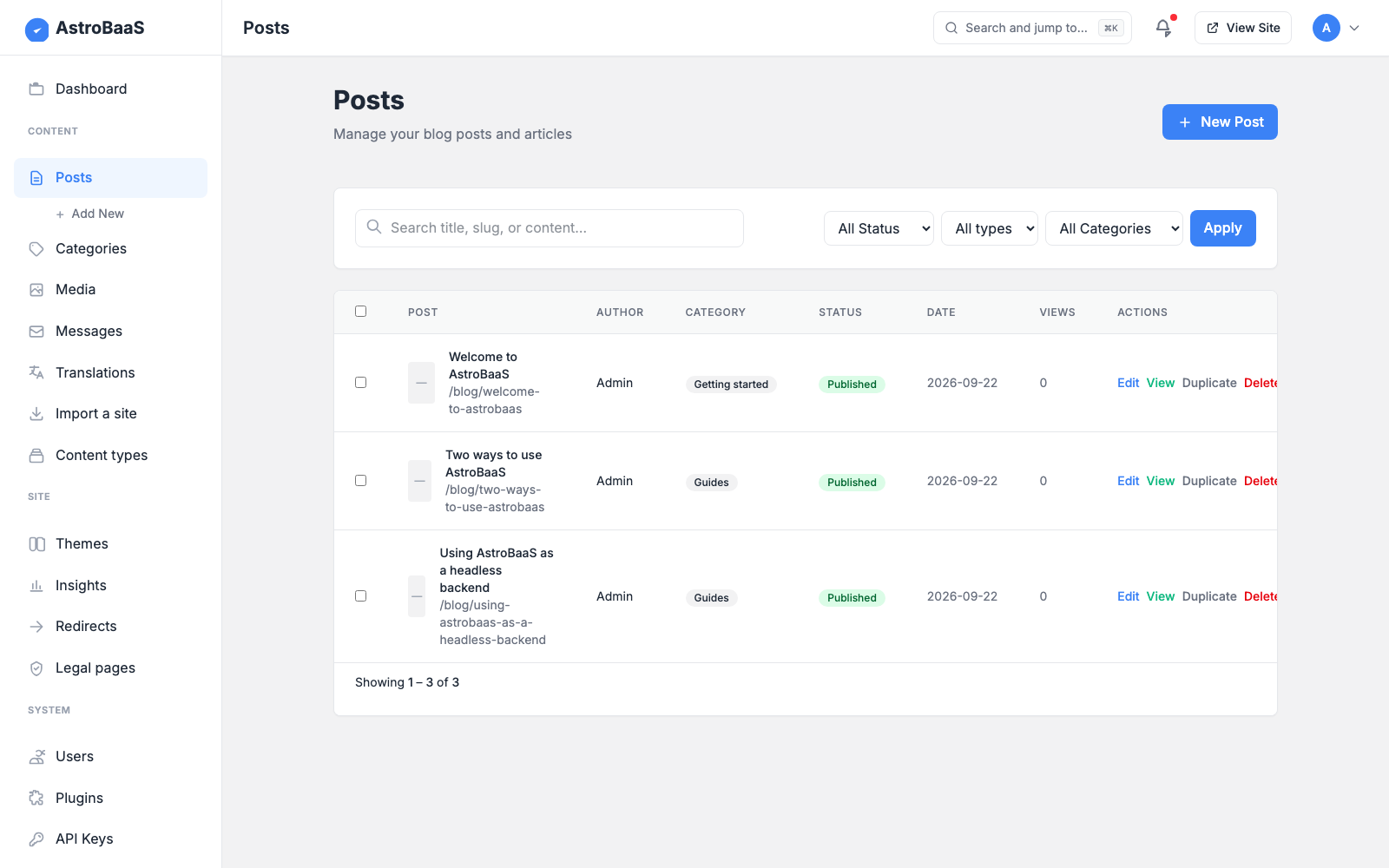
- As a CMS. The public site is server-rendered HTML with almost no client
JavaScript; the admin at
/adminis ordinary HTML forms. There is no build step between writing a post and serving it — publishing is a write, not a deploy. - As a headless backend. Point any frontend at the REST API with a bearer
API key and configurable CORS. There is a typed SDK, a CLI, an MCP server so
AI agents can drive it, signed webhooks, and a machine-readable contract at
/llms.txtand/openapi.json.
Status: pre-alpha. The feature list below is what works today and What's not done yet is the honest other half. Read SECURITY.md before putting it on the internet.
To run the CMS, start a project with
npx astrobaas create my-site(or clone the repository — the same code). Installing the npm package on its own,npm install astrobaas@alpha, is for usingastrobaas/client,astrobaas/coreandastrobaas/pluginsfrom your own project, and for the CLI; it does not give you a running site. The MCP server is its own zero-dependency package,npx -y astrobaas-mcp. PUBLISHING.md explains thealphatag.
Why AstroBaaS
| You want… | AstroBaaS gives you |
|---|---|
| A site you can self-host on a small VPS | One Node process. db.json plus an uploads directory are the entire data layer. |
| Static-site speed without rebuilding to publish | Astro SSR — the database is read through an in-process cache, so a post is live the moment it is saved. |
| Content you can get back out | Importers for WordPress WXR and plain markdown; the whole site backs up as one JSON file. |
| A backend an AI agent can drive | /llms.txt, a drift-tested /openapi.json, a typed client and a 33-tool MCP server. |
| Software that doesn't oversell itself | The changelog and the gaps list say exactly what works and what doesn't. |
It is not a WordPress replacement at scale, and it is not multi-tenant: one install serves one site.
Quick start
Requires Node 22.12 or newer (see .nvmrc). Check with node -v. On
Node 20, npx prints a screen of EBADENGINE Unsupported engine warnings and
create stops with a one-line message; nvm install 22 && nvm use 22, or the
installer from nodejs.org, fixes both.
npx astrobaas create my-site   # downloads this release into ./my-site, writes .env
cd my-site
npm install
npm run dev                    # http://localhost:4321
create fetches the tagged release that matches the CLI's version from GitHub
(--ref main for the latest code), needs tar but not git, and writes a .env
with a fresh AUTH_SECRET. To work on AstroBaaS itself, clone instead:
git clone https://github.com/operator888/astrobaas.git
cd astrobaas
npx astrobaas init         # optional in dev; AUTH_SECRET is required in production
npm install
npm run dev
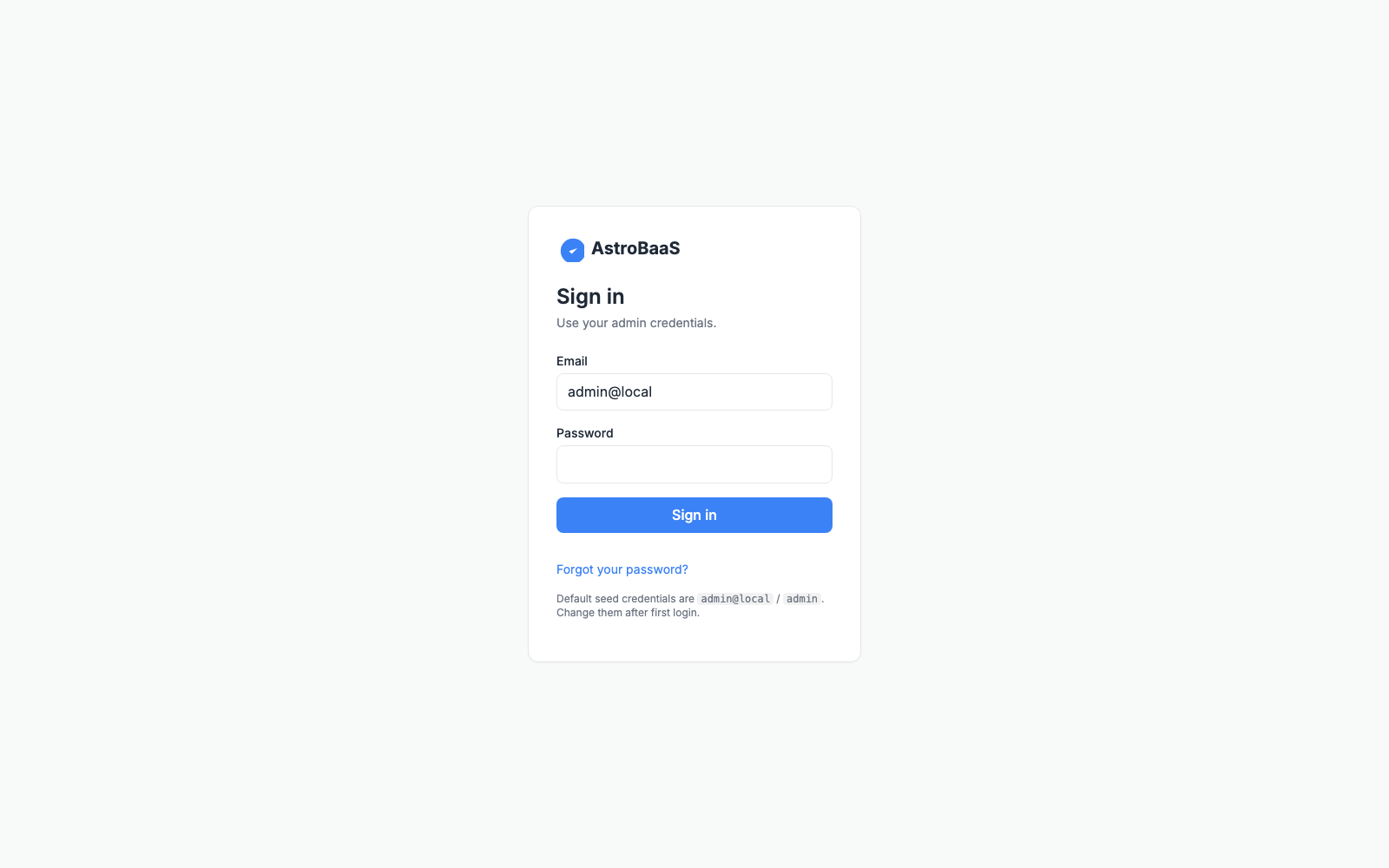
Sign in at http://localhost:4321/login with admin@local / admin, and
change that password immediately — the dashboard says so until you do, and in
production the published default is refused outright.
Deploying
- Docker, Coolify, or anything that builds a Dockerfile: point it at the
repository and use the bundled
Dockerfile. - A Linux server you own (nginx or Caddy, systemd, zero-downtime releases):
deploy/README.mdwalks the whole setup anddeploy.shships a release.
Set AUTH_SECRET (openssl rand -hex 32) and mount a volume at /app/data so
the database and uploads survive a redeploy. A production build refuses a
missing, short, or .env.example placeholder secret.
To run a production build by hand, note that npm start does not read .env:
npm run build
node --env-file=.env ./dist/server/entry.mjs   # plain http://localhost: add COOKIE_SECURE=0 to .env
npm run lists everything else: the production build and start, the importers,
npm run setup to create an admin, and the test suites.
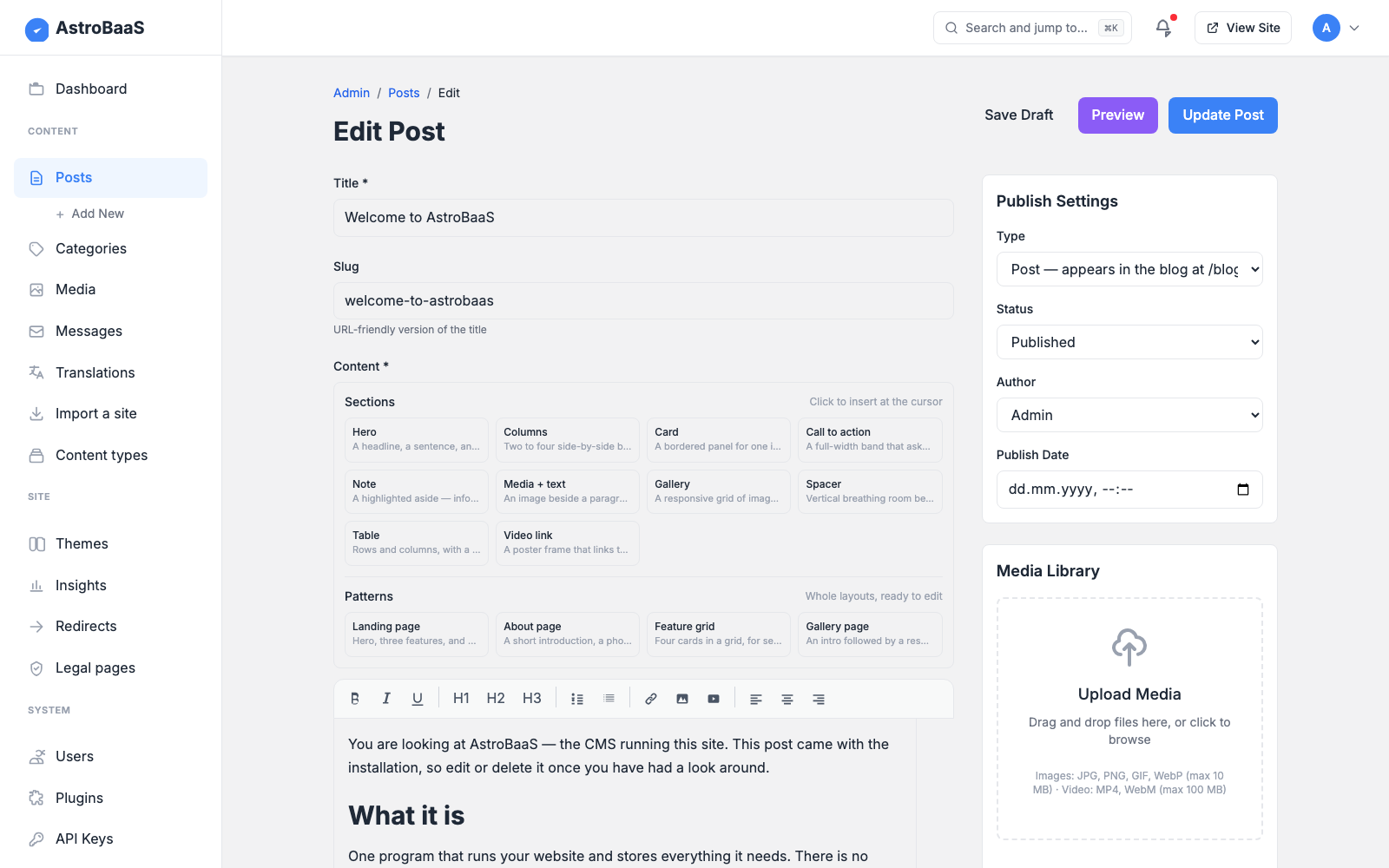
| The editor | Signing in |
|---|---|
 |
 |
What you get
Security. Signed-cookie sessions, PBKDF2 password hashing, double-submit
CSRF, per-IP rate limiting (in-process, or shared across replicas on libSQL),
and a hash-based CSP with no 'unsafe-inline'. Optional TOTP two-factor with
backup codes. Every public endpoint returns an explicit allow-list rather than
whatever it happens to hold.
Content. Posts, standalone pages, categories, users and media, with a
draft → review → scheduled → published → trashed workflow, revisions, autosave,
custom taxonomies and moderated comments. Stored HTML is sanitised against an
allow-list on save. Headings get stable anchors, body images carry their own
dimensions, and an optional table of contents renders above long articles. What
content_rendered returns is byte for byte what the CMS renders itself — all
four renderers call one function.
Custom content types. Register a type and get CRUD at
/api/content/<type> with the same auth, validation and admin screens as the
built-in types.
Search you can teach. Ranked, accent- and case-folding, weighted by field,
with a synonym table you maintain — entering sofa, couch, settee makes all
three find each other.
Editor sections and patterns. A palette of pre-designed blocks (hero,
columns, card, CTA, note, media, gallery, table, video) and whole-page patterns,
inserted as allow-listed CSS classes rather than a parallel block tree — so
content stays the HTML string every downstream consumer already reads, and
themes restyle sections through design tokens.
Media a decoupled frontend can use. Every upload records its dimensions and
generates a fixed set of WebP derivatives (400/800/1600, never upscaled), so a
storefront builds a srcset instead of running its own image pipeline. The API
publishes absolute URLs so a frontend on another host resolves images against
the CMS.
Commerce, in the core and off by default. Products, brands, categories, orders and customers, with categories nested up to five levels (browsing a category includes its subcategories), server-side pricing in integer cents and atomic stock reservation, so concurrent checkouts cannot oversell the last unit. A fresh install is not a shop: the master switch starts off and the admin has no Shop section until you turn it on. See COMMERCE.md.
Payments — free, in the core. Stripe, PayPal and Klarna ship in the GPL core at no cost, alongside bank transfer and cash on delivery; none of them is a paid add-on. Hosted checkout only, so card data never touches your server and a self-hosted install stays outside PCI scope. The buyer gets a receipt at a signed URL, as a page and as a downloadable PDF. Webhooks are signature- or fetch-back-verified with no bypass, and a verified event still has to match the order's amount before it can mark anything paid. See PAYMENTS.md.
Email. Your own SMTP server, a webhook to any provider, or the bundled SMTP2GO connector, with retries for transient failures only — never after the message has gone. See Email and docs/EMAIL.md.
Themes. Switch theme and customise colours, typography and CSS in the admin
(served from /theme.css, so it applies on first paint under the strict CSP). A
theme can also replace templates — Header, Footer, Home, PostCard,
PostArticle, PageArticle, Sidebar, Breadcrumbs, TableOfContents — and
inherits the default for every slot it doesn't override, so adding a slot never
breaks an existing theme. The site menu is edited in the admin (Site →
Navigation), with one level of submenu and a label per language, and every
theme's header renders it. See THEME_DEVELOPMENT.md.
Accessibility, checked on every build. The end-to-end suite runs axe-core against WCAG 2.1 A and AA on the public pages and the main admin screens, and a serious or critical finding fails the build. Every page opens with a skip-to-content link, the menus work by keyboard and mark the current page, and the default palette passes AA contrast. Automated checks find some failures and not others — they cannot judge whether alt text is accurate or a flow makes sense with a screen reader — so this is a floor that stops regressions, not a conformance claim. If your shop falls under the European Accessibility Act, your own theme, content and an audit are still yours to do.
Plugins. 23 filter and action hooks across content, commerce, search,
crawler policy and payments, with persisted activation, error isolation, a
namespaced store and a typed API from astrobaas/core. See
PLUGIN_DEVELOPMENT.md.
Internationalisation. Set SITE_LOCALES=en,de,fr and posts carry a locale,
the admin gains a language picker, /de/blog serves German from the same
templates, and the API takes ?locale=. Every link carries the locale and a
crawlable language switcher appears in the header. Unset means single-language,
with identical URLs to before.
Storage you can change later. lowdb JSON for zero-config local dev, or
SQLite/libSQL (Turso) for durable multi-host deploys — one Storage interface,
selected by DATABASE_URL, with the whole HTTP suite run against all three
drivers in CI. See STORAGE.md.
Operations. /healthz for orchestrators and /api/health/deep, which
exercises rather than introspects — it encodes an image, writes a probe file,
counts on the real rate-limit store and writes to the database, and answers 503
when anything essential is broken, so a deploy script can assert it with
curl -fsS. Optional Prometheus metrics and structured request logs.
Roles. admin, editor, author, manager (shop staff) and viewer, with the admin navigation filtered by role so nobody sees a menu item that bounces them back.
Extensibility model
Two tiers. Data installs at runtime; code is compiled in. The dividing line is not plugins versus themes — both come in both tiers. It is whether an extension needs to run or merely to describe.
| Declarative (manifest) | Compiled-in (code) | |
|---|---|---|
| Install | Paste JSON in the admin, or POST it to the install endpoint. No rebuild. | Add a folder and one import, redeploy. |
| A plugin can | Register content types, contribute <meta>/<link> tags, subscribe webhooks, add editor sections with scoped CSS. |
Anything: hooks, filters, server logic, its own API routes and admin screens. |
| A theme can | Ship design tokens, a stylesheet and section patterns. | All of that, plus replace page templates. |
| Runs code? | Never. | Yes — it is your code. |
Astro compiles the server at build time, so anything that must execute on the server has to be present at build time. That is a property of the runtime, not a policy choice. What is a choice is that everything expressible as data was made installable without a rebuild.
What the split buys:
- No arbitrary-code-upload surface — the single most-exploited vector in classic CMS ecosystems. A manifest cannot execute anything; compiled-in code is code you reviewed.
- Type safety end to end for the compiled tier: a bad hook signature fails the build, not production.
- A strict CSP stays possible, because executable extensions are known at build time. Plugin and theme CSS are served from routes for the same reason.
- Manifests are validated, not trusted. A plugin's CSS must be scoped to its own namespace, a theme's tokens must be values the vocabulary defines, and markup the sanitiser would rewrite is refused at install with the difference shown.
What you still give up: a plugin that needs server logic, or a theme that needs to change page structure, is a code extension and needs a deploy.
Paid modules
Everything in this repository is GPL and stays that way. What is sold separately sits one level up, at the vertical — a theme and the plugins that go with it, built for one trade and the way that trade actually works:
- Optical and eyewear stores — prescription capture and validation, dioptre and PD handling, lens configuration.
- Hotels and short stays — rooms and rates, availability, bookings.
- Restaurants — menus, opening hours, table and pickup ordering.
- More trades will follow, one at a time.
Nothing of the sort is on sale yet, and none of it is in this repository — the core carries only the plugin seams such a module would load through.
Three rules hold, and they are constraints on the project rather than promises of good behaviour:
- The core behaves identically without them. A feature that only makes sense in a paid module never removes something from the core to create the gap.
- No licence check on the request path. A site's uptime must never depend on a licence server being reachable.
- Nothing here refuses to run. There is no licence check anywhere in this codebase.
Commerce is not one of these, and neither are the payment gateways. Stripe,
PayPal and Klarna ship free in the core. Commerce is core and stays core — 42 of
the 131 methods on the Storage interface are commerce, and splitting it would
buy an abstraction nobody needs. The full reasoning is in
LICENSING.md.
Use it as a backend
Full walkthrough: INTEGRATION.md — keys, CORS, SDK, webhooks, MCP, CLI.
Selling from a separate frontend? Start from
examples/storefront: a static Astro shop — catalogue
with nested categories, cart, checkout with every payment method the CMS
offers, order confirmation and blog — that needs no API key, computes no
prices, and ships with a strict Content-Security-Policy.
Mint an API key in the admin (or POST /api/keys), then from any origin:
import { createClient } from 'astrobaas/client';

const baas = createClient('https://cms.example.com', { apiKey: process.env.ASTROBAAS_KEY });

const posts = await baas.posts.list({ status: 'published', limit: 10 });
const post  = await baas.posts.get('hello-world');
await baas.posts.create({ title: 'From my frontend', status: 'draft' });
await baas.content('product').create({ name: 'Widget', price: 9 });
-
Bearer auth and CORS. Send
Authorization: Bearer <key>; bearer requests are CSRF-exempt. Start the server withCORS_ORIGINSlisting your frontend's origin. Scope your keys — a scoped key is deny-by-default and may only touch the resources it names. -
AI agents. Run the MCP server and an agent operates the backend as tools:
{ "mcpServers": { "astrobaas": {
    "command": "npx", "args": ["-y", "astrobaas-mcp"],
    "env": { "ASTROBAAS_URL": "https://cms.example.com", "ASTROBAAS_KEY": "abk_..." } } } }
The MCP server is a separate zero-dependency package, so the agent's machine needs no AstroBaaS install. Agents can also just read
/llms.txtor/openapi.json. -
Webhooks.
POST /api/webhooks { url, events }to be notified onpost.*andcontent.*events. Every delivery is signed:X-AstroBaaS-Signature: sha256=HMAC-SHA256(secret, rawBody).
Scaffolding extensions
npx astrobaas plugin new my-plugin        # code plugin  -> src/plugins/my-plugin/
npx astrobaas theme new my-theme          # theme        -> src/themes/my-theme/
npx astrobaas plugin manifest my-thing    # declarative manifest (installs at runtime)
npx astrobaas plugin validate my-thing.manifest.json
validate runs the same validator as the install endpoint, so "valid here"
means "installable there".
What's not done yet
- Runtime installation is data-only. A manifest carries settings, content types, webhooks, design tokens, stylesheets, sections and patterns — not code. Anything that runs JavaScript on the server, or replaces a page template, is a compiled-in extension and needs a rebuild.
- Editorial depth is thinner than WordPress. Revisions, autosave, custom taxonomies and moderated comments have landed, but there is a long tail behind them.
- A pasted
<iframe>is discarded. It is not on the sanitiser's allow-list and never will be — that is a large part of what keeps the strict CSP intact. Embeds work the other way round: the editor stores a provider-and-id placeholder and the page renders a consent-gated facade that makes no third-party request until the reader clicks. YouTube, Vimeo and OpenStreetMap work that way; the networks that require their own JavaScript are refused, with a reason. - No PDF of an ARTICLE, no ESP adapter, no custom role names. A receipt is
generated as a real PDF file (
/receipt.pdf?token=…), drawn directly with an embedded Unicode font — no headless browser. An article is not: laying out flowing text, headings and images on paper is what a browser does well, and the print view plus Save-as-PDF covers it. Subscriber events are emitted as webhooks so you can sync a provider yourself, but no adapter is bundled. Four of the five roles are editable capability by capability; adding a new role name is not supported, because a name the routes have never heard answers "no" everywhere. - Payment providers are not sandbox-verified. The protocol logic and every security control are implemented and adversarially tested, and the full webhook → capture chain runs in the smoke suite; what has not been done is a round trip against the providers' live sandboxes. Run yours there before taking real money.
- No independent security audit. The code has been through an adversarial self-review with regression tests (SECURITY.md), but no external pentest, fuzzing or bug bounty.
- Multi-host needs libSQL. The lowdb default does not survive replicas. For
real multi-writer traffic use the relational driver
(
DATABASE_DRIVER=relational); the default doc-blob mode is last-write-wins. Rate limiting shares counters across replicas only withRATE_LIMIT_STORE=libsql.
Configuration
Required
| Variable | Purpose | Default |
|---|---|---|
AUTH_SECRET |
HMAC key for session cookies. ≥ 16 chars. | A dev-only insecure value (warns) |
NODE_ENV |
Not needed for a deployment: a productio |