Aurakriti is a premium jewellery ecommerce platform built with Next.js 16 App Router, MongoDB, Redux, Tailwind CSS, and a set of server APIs for authentication, cart, checkout, payments, invoices, notifications, recommendations, image upload, and seller order management.
This repository contains the full customer storefront, seller dashboard, AI recommendation chatbot, cart and checkout flow, invoice generation, email notifications, and production-ready API routes.
#Important
if you fail hydration react fault just open local host in incognito mode becouse may you have extension install in browser that make you code fault ....
Tech Stack
- Next.js 16.2.2 (App Router)
- React 19
- Tailwind CSS 4
- Redux Toolkit
- MongoDB + Mongoose
- Nodemailer
- Cloudinary
- PDFKit
- Razorpay
- Framer Motion
- Zod
Core Features
- Premium jewellery storefront with category browsing
- Product detail pages with AI-assisted suggestions
- User authentication and profile flows
- Cart management and checkout flow
- COD and online payment handling
- Order history with tracking timeline
- Seller dashboard for inventory and order management
- Invoice generation and downloadable PDFs
- Email notifications for verification, password reset, order confirmation, and order status updates
- AI product recommendation chatbot
- Notification system for buyers and sellers
Project Structure
Aurakriti/
├─ public/
├─ scripts/
├─ src/
│  ├─ app/
│  │  ├─ api/
│  │  ├─ auth/
│  │  ├─ products/
│  │  ├─ seller/
│  │  ├─ user/
│  │  └─ ...
│  ├─ components/
│  ├─ hooks/
│  ├─ lib/
│  ├─ models/
│  ├─ redux/
│  ├─ services/
│  └─ utils/
├─ next.config.mjs
├─ package.json
└─ README.md
Main Modules
Frontend
- Home, shop, product detail, about, contact, login, signup
- User dashboard, cart, checkout, orders, recommendations
- Seller dashboard for products and order status management
- Floating chatbot for AI recommendations
APIs
auth/for signup, verification, login, reset-password flowscart/for cart CRUDorders/andorder/for order retrieval and confirmationpayment/for payment session, verification, and failure handlinginvoice/for invoice generationemail/for server-side email send utility endpointnotifications/for user/seller notificationsproducts/andproduct/for product listing and lookuprecommendations/for chatbot and recommendation sectionssearch/for search and image-based lookupupload/for media upload supportuser/for profile APIs
Environment Variables
Create a .env.local file in the project root.
Required
MONGODB_URI=
JWT_SECRET=
NEXT_PUBLIC_APP_URL=
Auth / App URLs
NEXTAUTH_URL=
NEXT_PUBLIC_API_URL=
SMTP_HOST=smtp.gmail.com
SMTP_PORT=587
EMAIL_USER=
EMAIL_PASS=
FROM_EMAIL=
FROM_NAME=Aurakriti
EMAIL_MAX_RETRIES=3
EMAIL_RETRY_DELAY_MS=1000
Cloudinary
CLOUDINARY_CLOUD_NAME=
CLOUDINARY_API_KEY=
CLOUDINARY_API_SECRET=
CLOUDINARY_FOLDER=aurakriti
Razorpay
RAZORPAY_KEY_ID=
RAZORPAY_KEY_SECRET=
AI / Search
HUGGINGFACE_API_KEY=
MongoDB Connection Tuning
MONGODB_CONNECT_RETRIES=3
MONGODB_RETRY_DELAY_MS=2000
Installation
npm install
Development
npm run dev
App runs locally at:
http://localhost:3000
Production Build
npm run build
npm run start
Available Scripts
npm run dev
npm run build
npm run start
npm run lint
npm run seed:products
npm run migrate:categories
Product Data Strategy
The app supports a DB-first product flow and may fall back to local JSON product data in some routes when database records are unavailable. For full ecommerce functionality in production, seed MongoDB products and use database-backed product IDs throughout the storefront.
Cart and Checkout Flow
- User browses products
- Product is added to cart via
/api/cart - Cart is stored server-side in MongoDB
- Checkout creates or finalizes order
- Payment verification confirms order
- Invoice can be generated and downloaded
- Order status updates sync to buyer views
Seller Workflow
Seller dashboard supports:
- Product creation and editing
- Inventory management
- Viewing seller-specific order items
- Updating order status from pending to delivered/cancelled
- Triggering buyer-facing sync and email notifications
Invoice System
- Invoices are generated server-side
- PDF invoices are attached to confirmation and status emails when available
- Users can download invoices from their orders page
- File naming follows
invoice_orderId.pdf
AI Recommendation System
Aurakriti includes two recommendation layers:
- Floating chatbot for natural-language jewellery queries
- Recommendation sections based on user context, orders, cart, and category affinity
Recommendations are scoped to jewellery categories supported by the app.
Email System
Email features include:
- Verification email
- Password reset email
- OTP email
- Order confirmation email
- Order status update email
If SMTP variables are missing, email sending is skipped safely instead of crashing the application.
Deployment (Vercel)
Recommended Steps
- Import the repository into Vercel
- Add all environment variables in the Vercel project settings
- Ensure MongoDB and Cloudinary credentials are valid
- Run a production build in Vercel
- Test authentication, cart, checkout, orders, and email flows
Deployment Checklist
MONGODB_URIis configuredJWT_SECRETis configuredNEXT_PUBLIC_APP_URLmatches deployed domain- SMTP credentials are valid
- Razorpay keys are valid
- Cloudinary keys are valid
Known Operational Notes
- Some flows may gracefully fall back when optional services are not configured
- Image optimization depends on configured remote domains in
next.config.mjs - Local JSON fallback should not be treated as the primary source of truth in production
Recommended Production Setup
- Seed the product catalog into MongoDB before public launch
- Use Cloudinary for uploaded assets
- Use a production SMTP provider
- Use secure cookies and HTTPS-only deployment
- Keep all secrets in Vercel environment variables
Important Files
src/lib/db.js— MongoDB connection and retry logicsrc/lib/email.js— mail transport and templatessrc/lib/invoice.js— invoice generationsrc/lib/razorpay.js— payment provider configsrc/lib/jwt.js— token utilitiessrc/models/— MongoDB schemassrc/services/— frontend API service wrappers
Testing Checklist
-
User registration and login
-
Password reset and OTP flows
-
Product browsing and detail page
-
Add to cart / remove / quantity update
-
Checkout and order placement
-
Invoice download
-
Seller order status update
-
Buyer order timeline sync
-
Chatbot recommendation response
-
Notification polling and read states
-
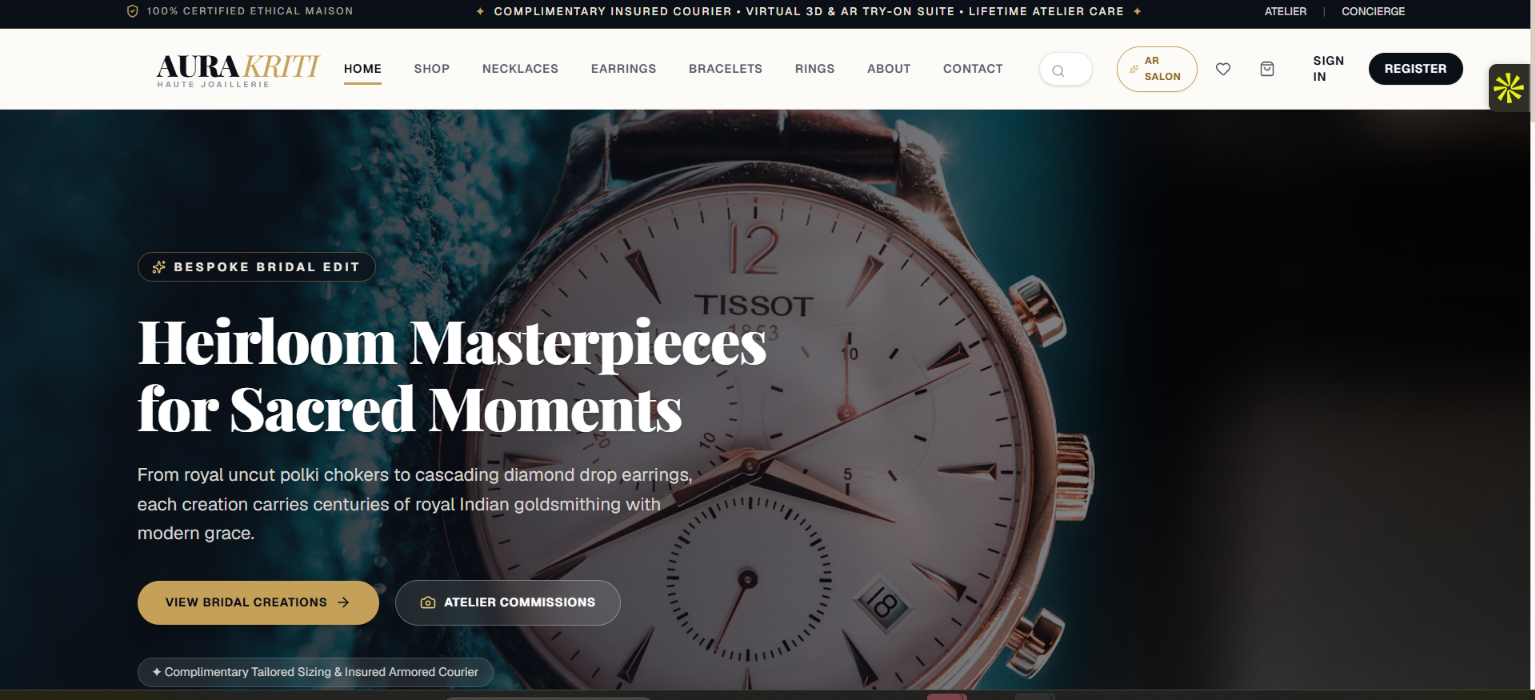
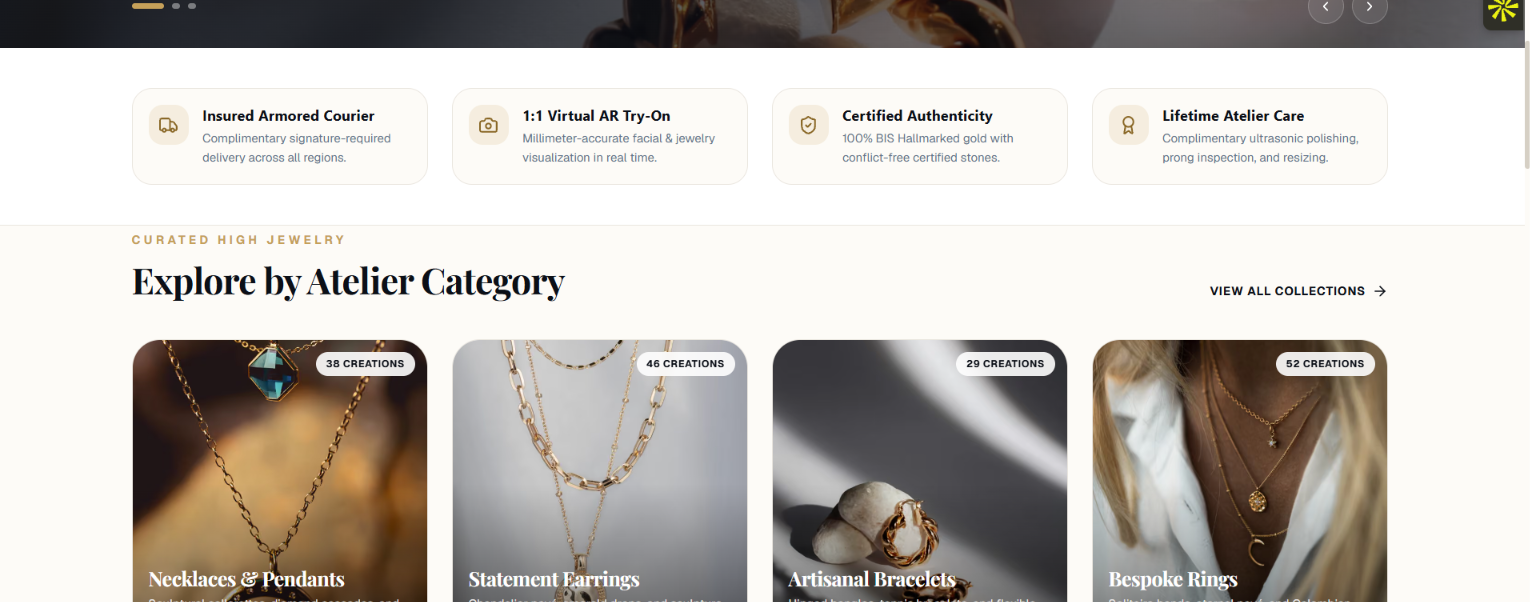
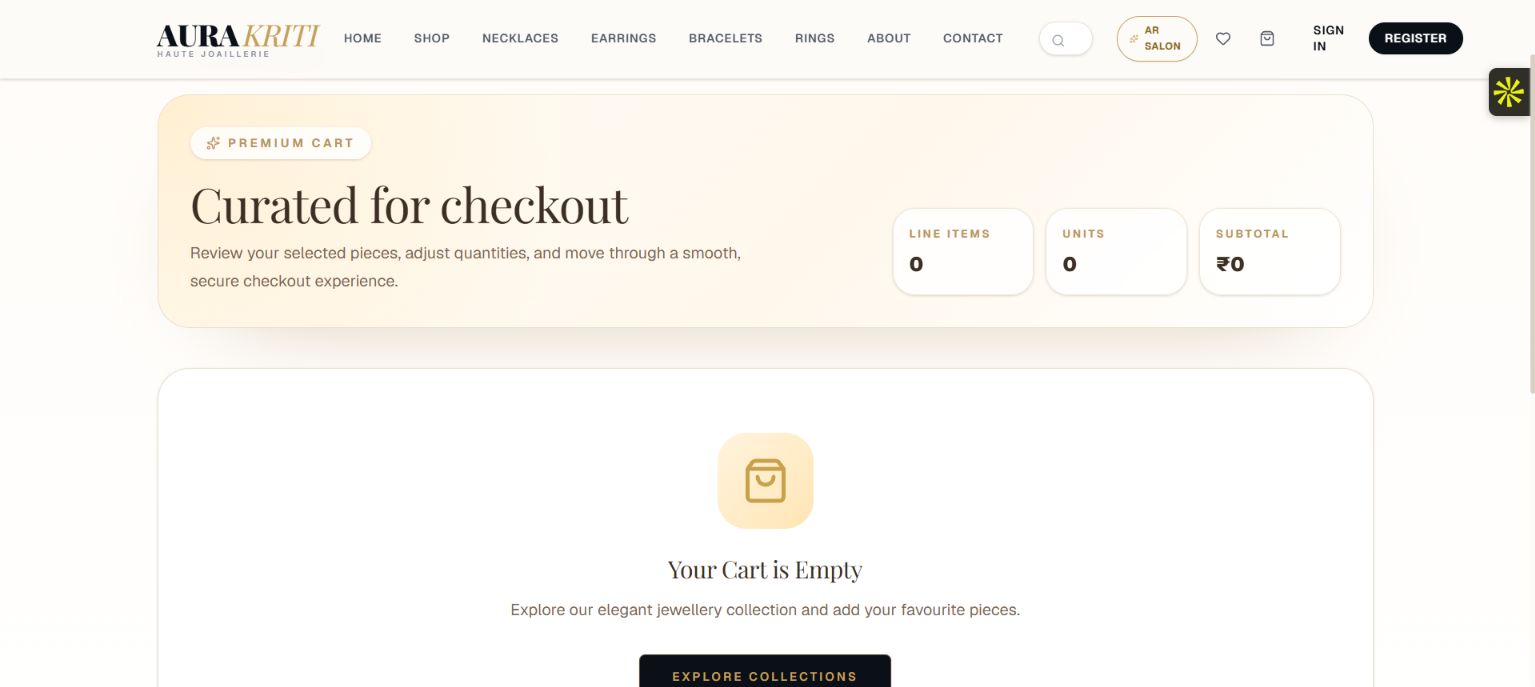
Some Video and climps of websites
-
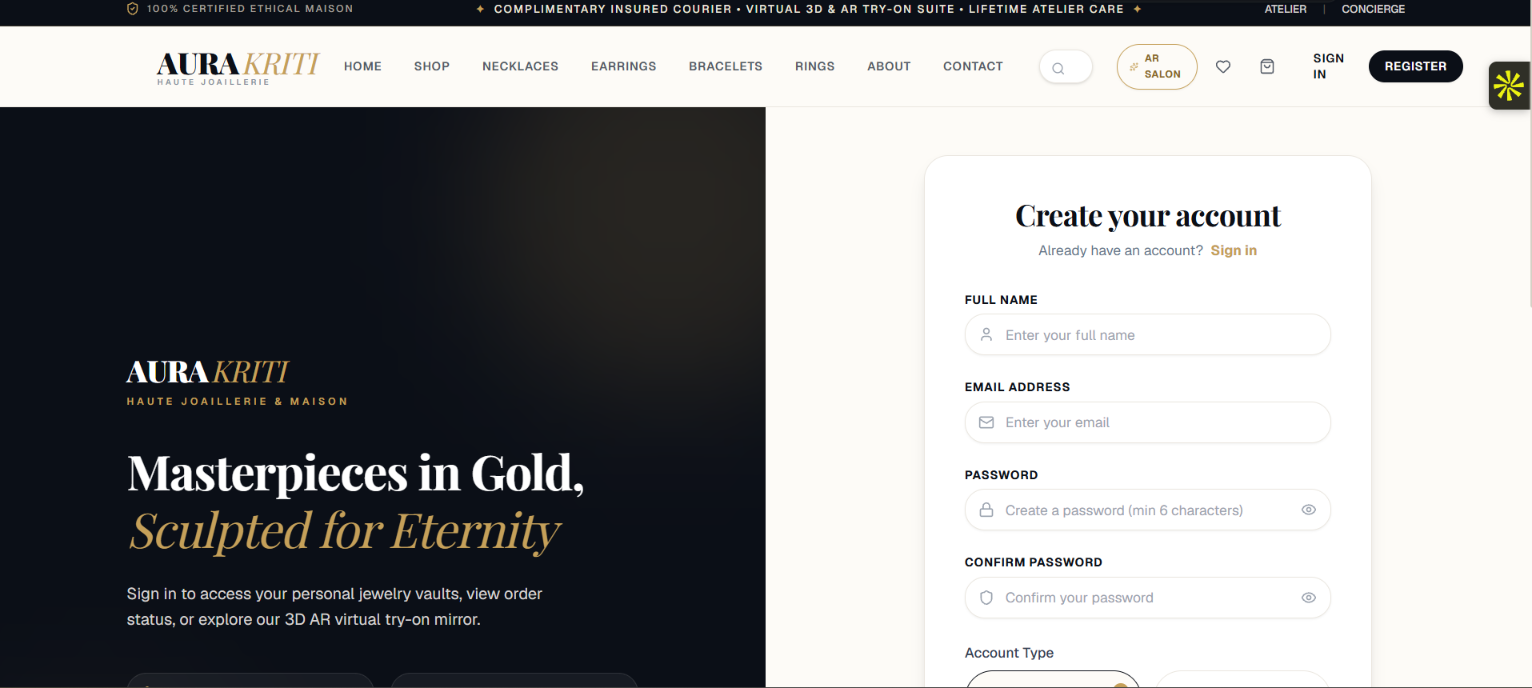
Branding
Aurakriti is designed as a premium jewellery shopping experience with a luxury visual language, gold/ivory palette, and boutique-style product presentation.
License
Private project. Internal or owner-managed usage only unless explicitly relicensed.