
bdtree is a link-in-bio page for bands, an open-source alternative to Linktree that you host yourself for free. Built with Eleventy and deployed to Firebase Hosting.
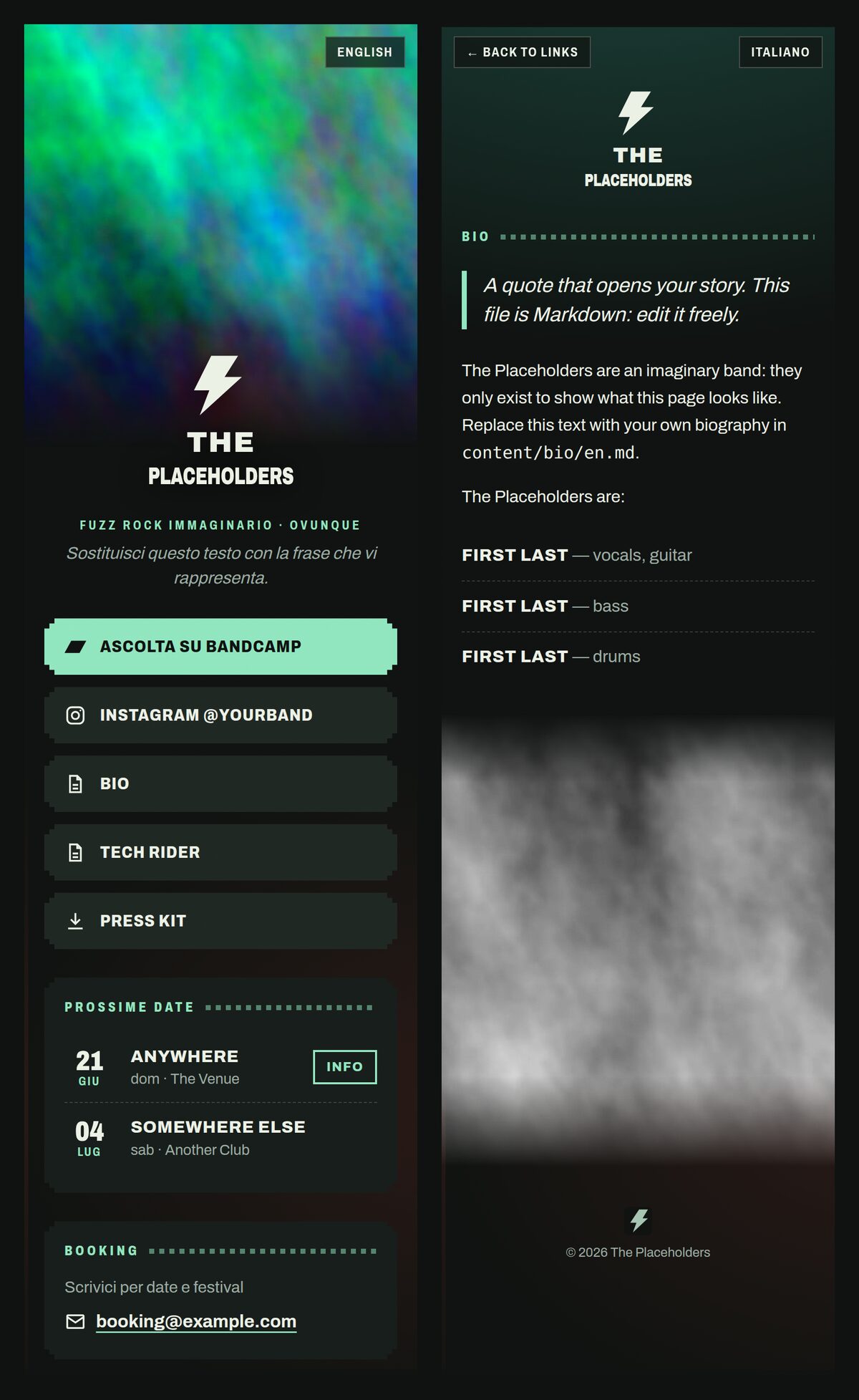
- Italian at
/, English at/en/, with a language switch on every page - Link buttons (streaming, socials, downloads), one of them highlighted
- Upcoming gigs: past dates disappear automatically at build time
- Booking contact
- Bio page written in Markdown
- Downloadable tech rider and press kit
- Share previews (Open Graph) for Instagram, WhatsApp and similar apps; no client-side JavaScript on the public pages; about 150 KB per page
- Optional
/admin/editor: bandmates sign in with Google and edit gigs, links, bio and texts with forms, each save a git commit
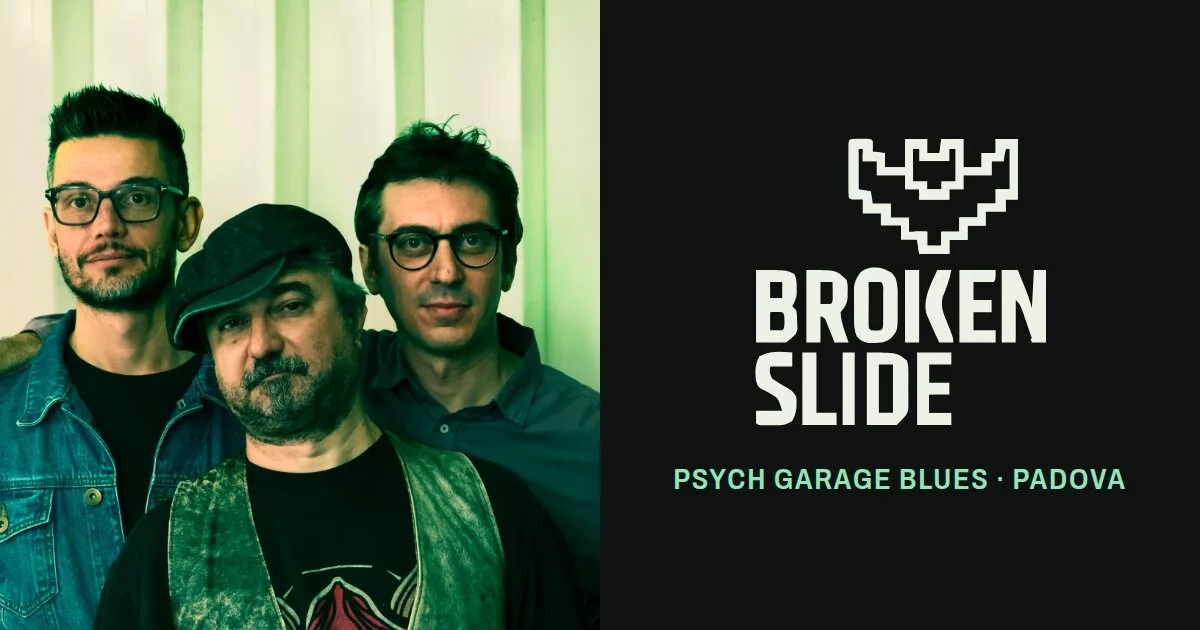
bdtree comes from a real band: it was built for BrokenSlide, a psych garage blues trio, and it runs their site every day. That's the live example; the code here is generic, and the band's own content lives in a separate private repo.
To start your own, use the template bdtree-the-placeholders: a content repo with a demo band and the GitHub Actions deploy ready.
How it works
The code and the band content are kept apart:
.
├── src/          templates, CSS (the code)
├── example/      a fictional demo band, used when there is no content/
├── content/      YOUR band (gitignored, keep it in its own private repo)
└── scripts/      deploy + press kit helpers
The build reads content from $CONTENT_DIR, else content/, else example/.
Make it yours
The recommended start is the template content repo, bdtree-the-placeholders: Use this template gives you your own (private) content repo, with the demo band and a workflow that deploys on every push. Its README walks you through the setup, Firebase and CI included.
To just try bdtree locally, copy the demo band instead:
git clone <this-repo> my-band-page
cd my-band-page
npm install
cp -r example content      # start from the demo band
npm start                  # http://localhost:8080, live reload
Then edit content/:
| File | What |
|---|---|
band.json |
name, siteUrl, firebaseProject, genre, tagline, booking email, link buttons |
gigs.json |
live dates: { "date": "YYYY-MM-DD", "city", "venue", "url" } (url is optional and opens in a new tab) |
i18n.json |
page texts in both languages |
bio/it.md, bio/en.md |
biography in Markdown: quotes (>), bold, lists, links |
img/ |
logo.svg (inlined; use fill="currentColor" so it takes the text color), favicon.svg, band.jpg/.webp (home photo), bio.jpg/.webp, og.jpg (1200×630 share image) |
press/ |
any files to link, e.g. the tech rider |
theme.css |
optional: override the colors (see the :root variables at the top of src/assets/css/style.css) |
Link buttons in band.json take label (it/en), plus url for external links or page for a page of this site (e.g. /bio/).
Optional flags: featured: true highlights the button, newTab: true opens it in a new tab.
The id picks the icon (bandcamp, instagram, presskit; anything else gets a document icon). Icons live in src/_includes/icons.njk.
To keep your content versioned without making it public, turn content/ into its own private git repository:
cd content && git init && git add . && git commit -m "Band content"
You can also keep the content repo next to the code instead of inside it, and link it:
# my-band/bdtree           ← this repo
# my-band/my-band-content  ← your private content repo
cd my-band/bdtree && ln -s ../my-band-content content
Press kit
Zip a folder of press material into content/press/<BandName>-press-kit.zip. JPEG photos are shrunk to 2400 px on the longest side:
KIT_DIR=/path/to/press/folder npm run presskit
Deploy (Firebase Hosting, free Spark plan)
First time only:
npx firebase-tools login
npx firebase-tools projects:create <project-id>     # or create one in the Firebase console
Set firebaseProject to <project-id> and siteUrl to https://<project-id>.web.app (or your custom domain) in content/band.json. Then, each time:
npm run deploy
Gigs are filtered when the site is built, so redeploy after a show to remove it from the list. To add a custom domain: Firebase console → Hosting → Add custom domain.
Admin editor (optional, needs the Blaze plan)
/admin/ is a page where you and your bandmates sign in with Google and edit gigs, links, bio and page texts with forms. Images are still changed by hand.
On save, a Cloud Function commits the changes to your content repo on GitHub. Your content repo then has to rebuild and deploy on push, e.g. with a GitHub Actions workflow that checks out this repo plus your content and runs npm run deploy.
Git stays the source of truth: every save is a normal commit, with the editor as its author.
The public pages stay JavaScript-free. Only /admin/ loads the Firebase SDK, and it reads the project config from Hosting's reserved /__/firebase/init.json.
First time only:
- Switch the Firebase project to the Blaze plan. A small band site stays in the free tier, but setting a budget alert is a good idea.
- Firebase console → Authentication → Sign-in method → enable Google.
- On GitHub, create a fine-grained personal access token with access to only your content repo and the permission Contents: read and write. Store it as a secret:
npx firebase-tools functions:secrets:set GITHUB_TOKEN --project <project-id> - Copy
example/functions.envtocontent/functions.envand set your repo and the Google accounts allowed to edit. - Deploy the functions. Run this again whenever
functions/orfunctions.envchanges:npm run deploy:functions - Deploy the site as usual (
npm run deploy, or push your content repo) to publish/admin/.
If two people save at the same time, the second one is asked to reload, so nothing is overwritten.
If the page says the GitHub token is invalid or expired, create a new one (step 3) and store it again. --force also redeploys the functions with it:
printf %s "$GITHUB_TOKEN" | npx firebase-tools functions:secrets:set GITHUB_TOKEN --data-file=- --force --project <project-id>
Piping avoids pasting into the hidden prompt, which can store a truncated value.
License
The code and the example/ demo band are licensed under MIT.
Your own content/ stays yours: it isn't part of this repository.