

Blave Agent
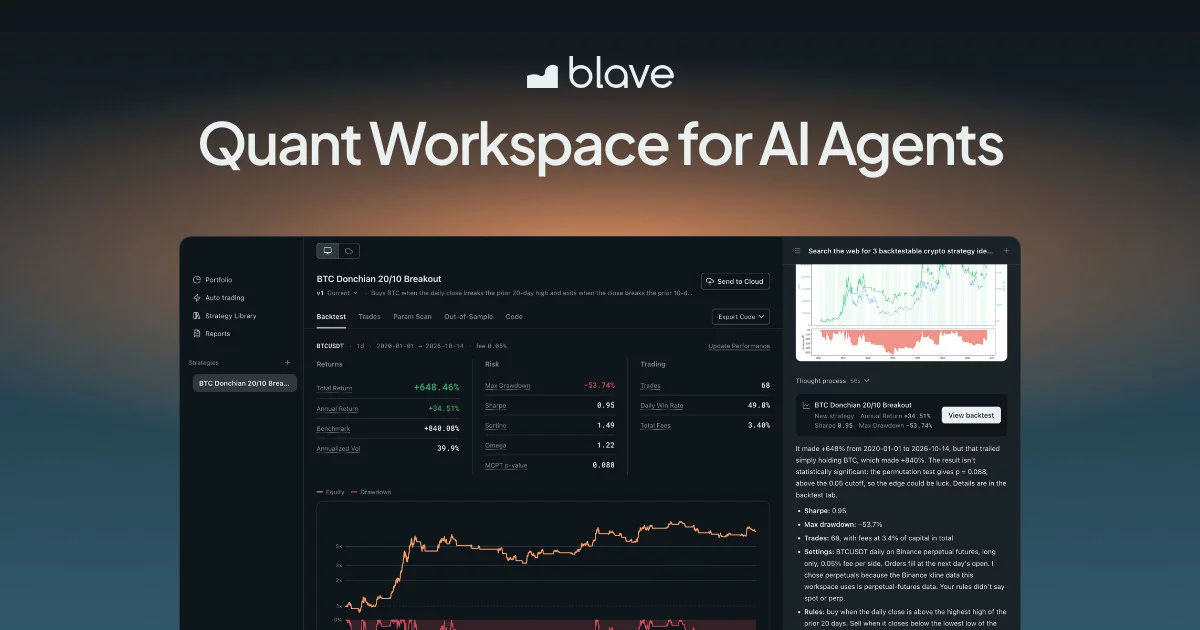
Quant Workspace for AI Agents
Build, backtest and trade strategies live with Claude Code or Codex. Free and open source.
English | 繁體中文 | 简体中文 | 日本語 | Español | Português | Tiếng Việt

https://github.com/user-attachments/assets/7b33edb7-9c65-4e19-854a-40295c6e8b74
What You Get
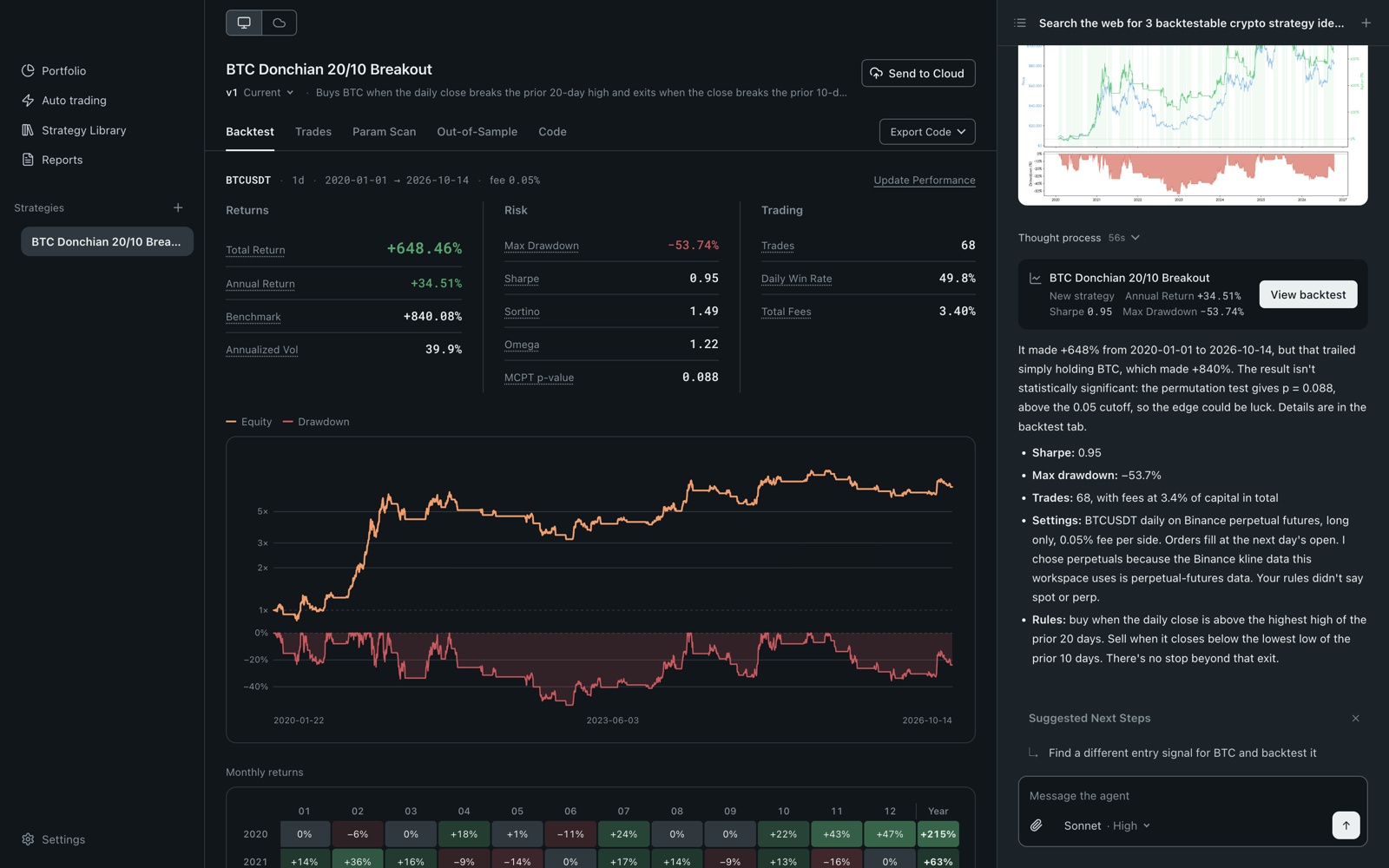
- All your strategies in one app. Backtest, trades, parameter scan and saved versions for each.
- Backtests that flag overfitting. MCPT p-value, parameter plateau and walk-forward.
- Real fees by default. A fee of 0 gets a warning.
- Auto-trading already wired up. Binance, OKX, Bybit, BingX, Gate.io, Bitget, StockCoin, plus Taiwan index futures on Windows.
- Paper trading. No keys needed.
- Ideas from the web. The agent reads a few sites and brings back three you can backtest.
- Pick your AI. Claude Code, Codex, a DeepSeek key, or Blave AI.
⭐ If this saves you a weekend of wiring, star the repo. It helps other traders find it.
Quick Start
Backtest BTCUSDT on the 4h chart: long when SMA 20 crosses above SMA 60, flat when it crosses back. 0.05% fee per side.
Platform notes
macOS 13+ (universal build) or Windows 10/11 x64. The Windows installer is not code-signed yet: choose More info › Run anyway.
Build from source
You need Node.js 22.12+ and Python 3 on your PATH.
git clone https://github.com/Blave-TW/blave-agent.git
cd blave-agent/shell
npm install
npm start
On Windows, run npm.cmd install and npm.cmd start in PowerShell.
Safety
- Only you allocate funds or resume trading. The agent can only stop it.
- Every order is checked with the exchange and logged to
state/audit.jsonl. - A backtest describes the past. Trading can lose all of your money.
Exchanges and keys: docs · Data sources: crypto, Taiwan stocks
Run It in the Cloud (Paid)
Keep strategies running with your computer off, and talk to them from the web or Telegram. Plans
News
Every version: Releases. Watch › Releases to get notified.
For Developers
Repository layout, tests, contributing
Start with AGENTS.md, then examples/README.md and references/lib.md. One test file per contract in tests/. Before a PR, run the tests that cover your change and pre-commit install.
License
Apache-2.0. The strategies you write are yours. "Blave" is a trademark: rename your fork.
Claude Code and Codex are products of their respective owners. Blave Agent is not affiliated with or endorsed by them.
Code Signing Policy
The Windows build is not code-signed yet: we have applied to the SignPath Foundation open-source program, and until it is approved the Windows installer is unsigned. Once approved: free code signing on Windows provided by SignPath.io, certificate by SignPath Foundation. Releases are built by the public GitHub Actions workflow in this repository from a tagged commit; each signing request is approved by the repository owner. Roles: Authors and Reviewers — the maintainers with write access; Approver — the repository owner. This program will not transfer any information to third parties except as described in the privacy policy. The macOS build is signed and notarized with Blave's own Apple identity.
For maintainers and existing machines
Releasing the runtime
Releasing the runtime
cd blave-agent
export BLAVE_S3_KEY=... BLAVE_S3_SECRET=... BLAVE_S3_REGION=... BLAVE_S3_BUCKET=...
python publish.py            # dry-run, no credentials needed
python publish.py publish    # real upload; the fleet picks it up within ~6 minutes
Before publishing, bump runtime/VERSION and move the Unreleased lines in runtime/CHANGELOG.md under the new version. Packaging takes the unit files declared in jobs.json from ../api/blave_agent/systemd/, so the api checkout must sit next to this repo; if it is missing, the run fails on the spot with the full path.
The history of runtime/ was merged in from the api repo as a subtree on 2026-09-18 (165 commits). Because it was a merge and not a rename, git log -- runtime/ shows only that merge; for the full history use git log HEAD^2 (files are at root paths on that line, e.g. agent_turn.py).
Fresh installs are handled automatically by the provisioning script — no manual steps needed.
Bump VERSION (date, YYYY-MM-DD, add -b/-c for same-day repushes) in the same commit as any change machines should pick up — the platform compares each machine's reported VERSION against this repo's to light the web "update available" indicator; an unbumped push is invisible to users.
Updating an existing workspace
Update steps for an existing workspace
This section is an operating contract: references/updating.md sends agents here, and the desktop app copies the same file list. Keep the heading and the list intact.
Tell your agent:
Clone https://github.com/Blave-TW/blave-agent to /tmp/oc-config and use it as reference to update this machine's live workspace —
$BLAVE_AGENT_HOME/workspace, i.e. the workspace you are running in (/root/.openclaw/workspaceon old BlaveClaw machines,/opt/blave-agent/workspaceon Blave Agent machines; resolution perreferences/deployment.md). For each file below, compare the repo version with the local version. Nothing is merged: an official file (its exact path is in the clone) that differs is replaced wholesale by the clone's version, after a backup of the local copy into.official-backup/<old VERSION>-<UTC time>/(relative path kept; older backups never overwritten). If the local copy matches no past official version of that file (git hash-objectvsgit log --rawon a--filter=blob:noneclone), it was changed on this machine: ask the user before replacing it; if they keep it, leave it and do not copyVERSION. Replace atomically (cpto a temp name, thenmv). A file whose path is not in the clone is never touched.
AGENTS.md,CLAUDE.md— replace wholesale (these are config, not user-edited)references/— replace each differing file wholesale (with the.official-backup/copy); copy in any that are missingstrategies/TEMPLATE_A.py,strategies/TEMPLATE_C.py— replace wholesalelib/— add any canonical files that are missing locally (venue_errors.pyalways); every canonical file that differs — the backtest-chain files (runner.py,param_scan.py,walk_forward.py,validation.py,analysis.py),data.py, the official broker libs and the rest — is replaced wholesale (with the.official-backup/copy), never merged. Forlib/order_*.py/lib/account_*.py, the name alone doesn't tell you if it's user-created: if that exact filename exists in the reference clone (e.g.order_bingx.py,order_sinopac.py,account_bingx.py,account_TEMPLATE.py), it is official and replaced like the rest; never touch one that does not exist in the reference clone — that's the user's own exchange integrationmanager/— replace wholesale (user edits live inportfolio_config.json, not in the scripts)examples/— replace wholesaleallocators/— replace wholesale (only files that exist in the clone; the user's own allocators are never touched)VERSION— copy verbatim, always last and only if every step above succeeded (it declares the workspace up to date; drives the web "update available" indicator)When done, remove /tmp/oc-config.