
all your coding agents, living on the board.
A personal AI on machines you own — any agent, loops that run overnight, boards, memory, and git control. Client/server split, always-on, open source end to end.
Guiding Principles
- Use the major coding agents. Frontier labs are investing heavily in coding agents and benchmarks. Jaz should reuse that work, not reinvent it.
- Bring your existing plans. Sign in with the ChatGPT, Claude, Kimi, Grok, Google, or Meta account you already have, with API keys and open-source agents alongside them.
- Unified memory that you control and can export.
- Connect core apps. Telegram, WhatsApp, Gmail, Calendar, and Slack should plug into the same owned context.
- Open source.
Features
| Category | Features |
|---|---|
| Agents | Codex, Claude Code, Kimi, Antigravity, Grok, Muse and OpenCode. Choose an agent and model per thread; connect existing subscriptions or API keys. |
| Bots | Persistent assistants with their own identity, instructions and memory. Direct messages, group chats, mentions, activity history and delegation to coding agents. |
| Automation | Scheduled bot routines and prompt loops. Run recurring work, maintain documents and continue working overnight. |
| Chat | File and image attachments, streaming responses, reasoning and tool activity alongside the conversation. |
| Canvas | Agent-editable workspace beside the chat for documents, charts, diagrams and interactive visualisations. File previews, including CAD and drawings. |
| Boards | Persistent dashboards of live artifacts, with multiple boards and windows. |
| Memory | Shared memory across conversations, searchable source material and editable Markdown files you own and can export. |
| Coding & Git | Project workspaces, isolated worktrees, inline diffs, commands, checks, commits and merges from the thread. |
| Browser | Integrated side browser with tabs and profiles. Browser Use lets agents navigate websites, read pages, fill forms and interact with web apps. |
| Computer Use | Agents operate desktop applications using screenshots, mouse clicks and keyboard input. |
| Voice | Voice conversations, dictation and a floating voice panel with a live transcript when the app is minimised. |
| Integrations & Tools | Jaz CRM for contacts, companies, deals and follow-ups. Jaz Tasks for issues, projects and cycles. Gmail, Google Calendar, Drive, Slack, Granola, WhatsApp and Telegram. Extend agents with MCP servers and skills. |
| Usage | Token usage and estimated cost tracking across agents, models and conversations. |
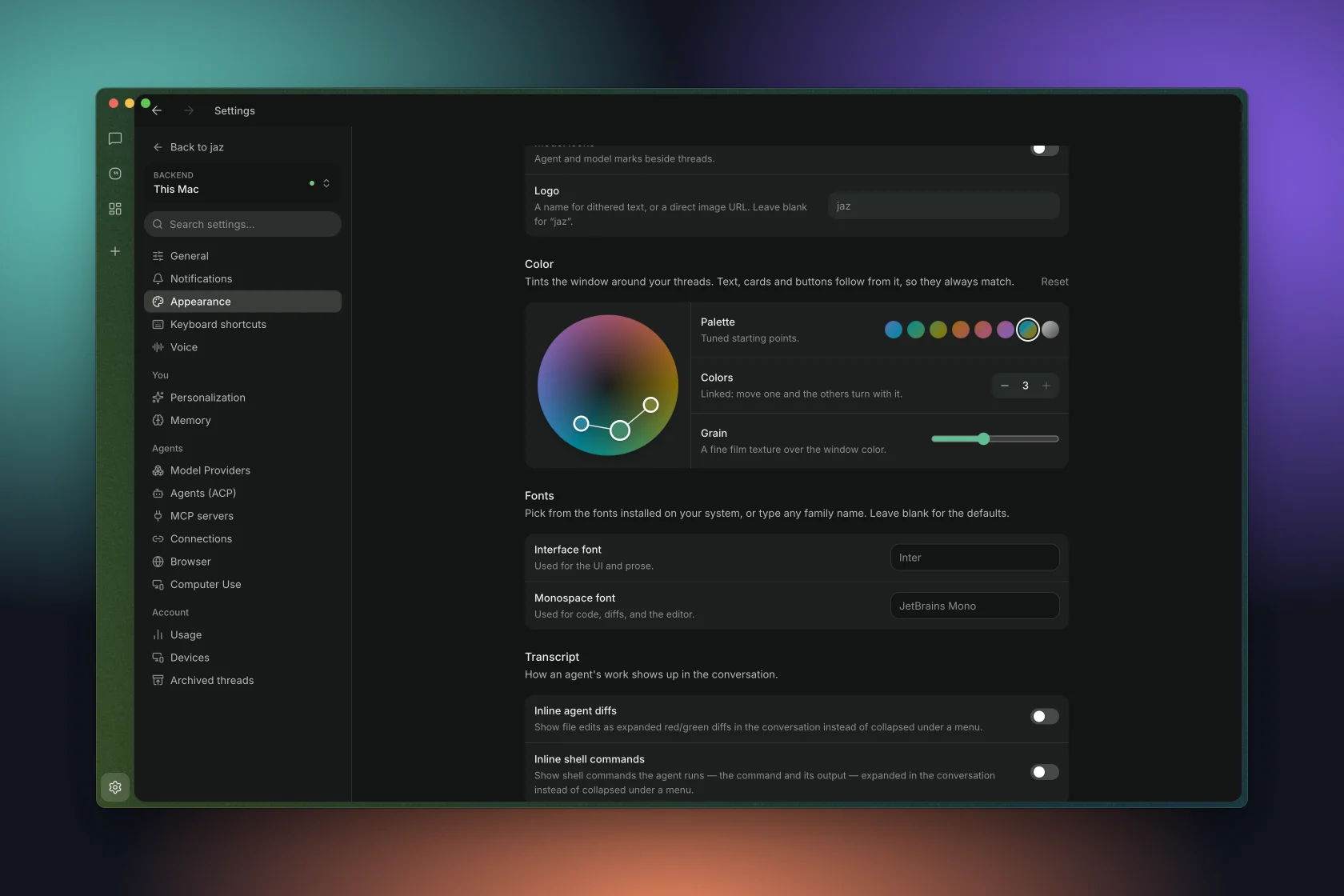
| Appearance | Light and dark modes, custom colour themes, linked hues, presets and film grain. |
| Server & Clients | The server runs agents, routines and integrations and stores your memory and workspaces. Run it on your computer or a remote machine. Connect from mobile or multiple desktops to access the same conversations and work. |
Download
Examples
Every coding agent, one composer. Codex, Claude, Kimi, Grok, OpenCode, Antigravity or Muse per thread, on the plans you already pay for.
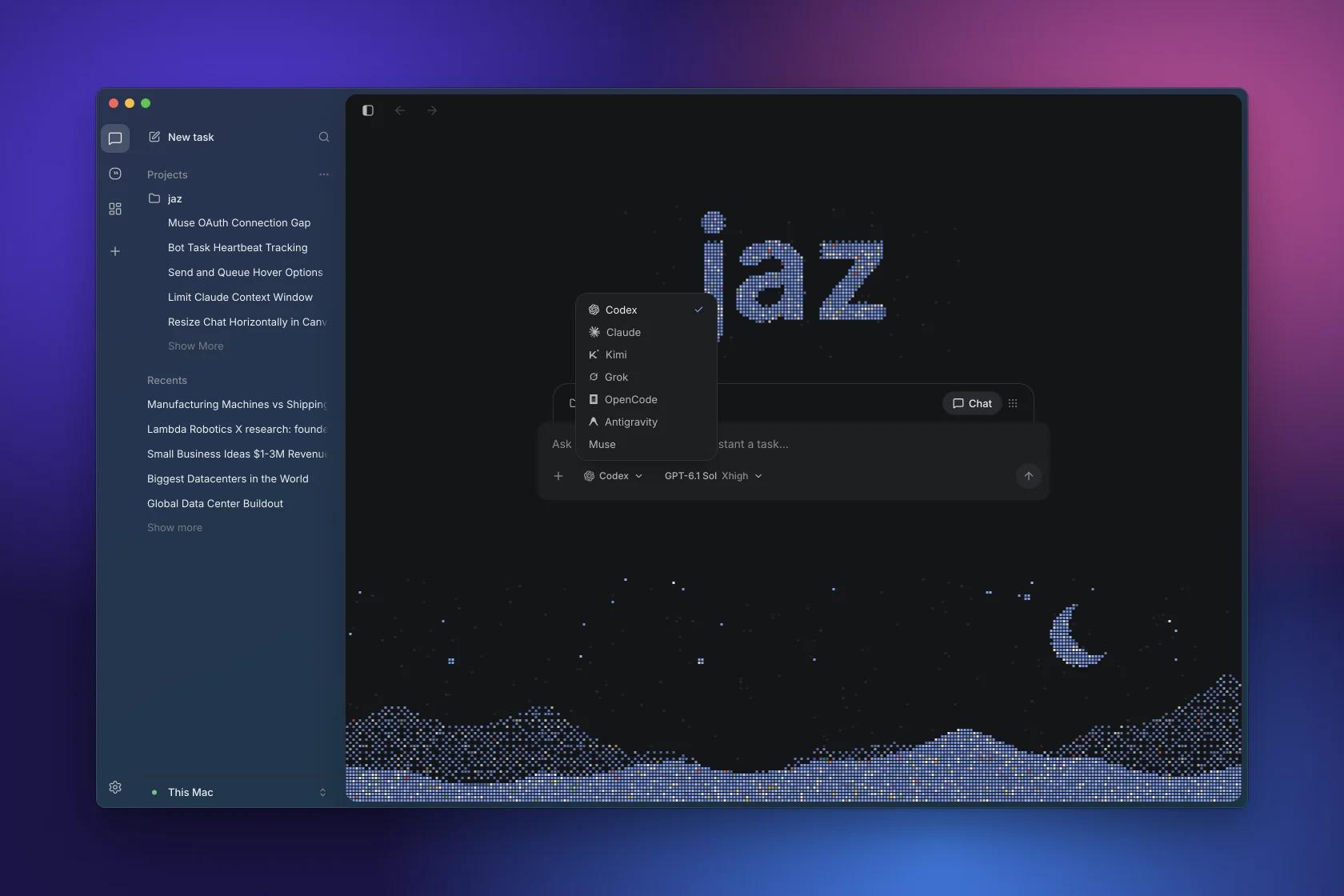
Ultrathink.
https://github.com/user-attachments/assets/16062e29-f4ae-4484-87ca-3a5977fac88b
Canvas. The agent keeps a live board of charts, tables and notes beside the chat.
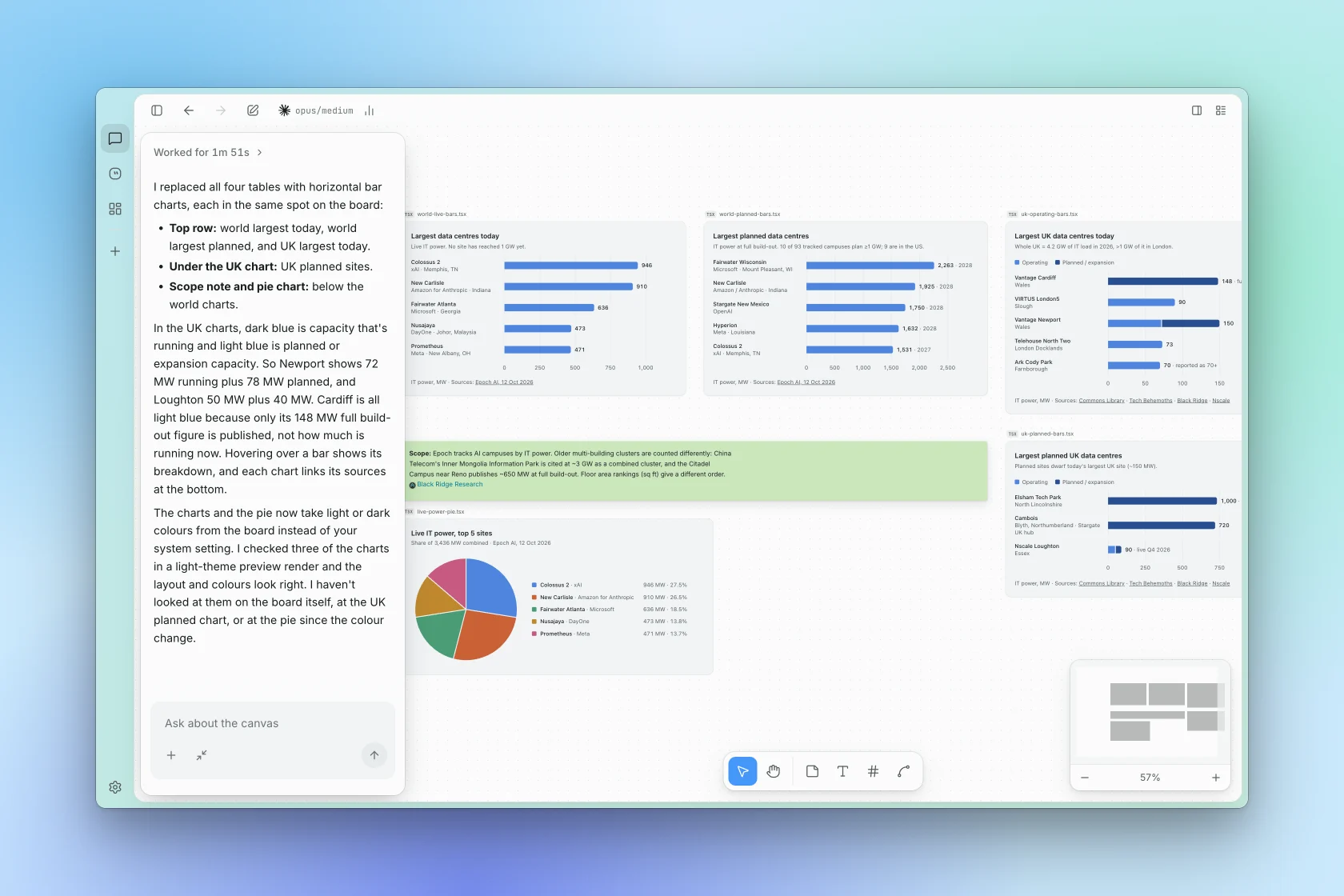
Interactive visualisations.
Talk to your bots. Voice mode in the chat, and a floating pill with a live transcript once the app is minimised.
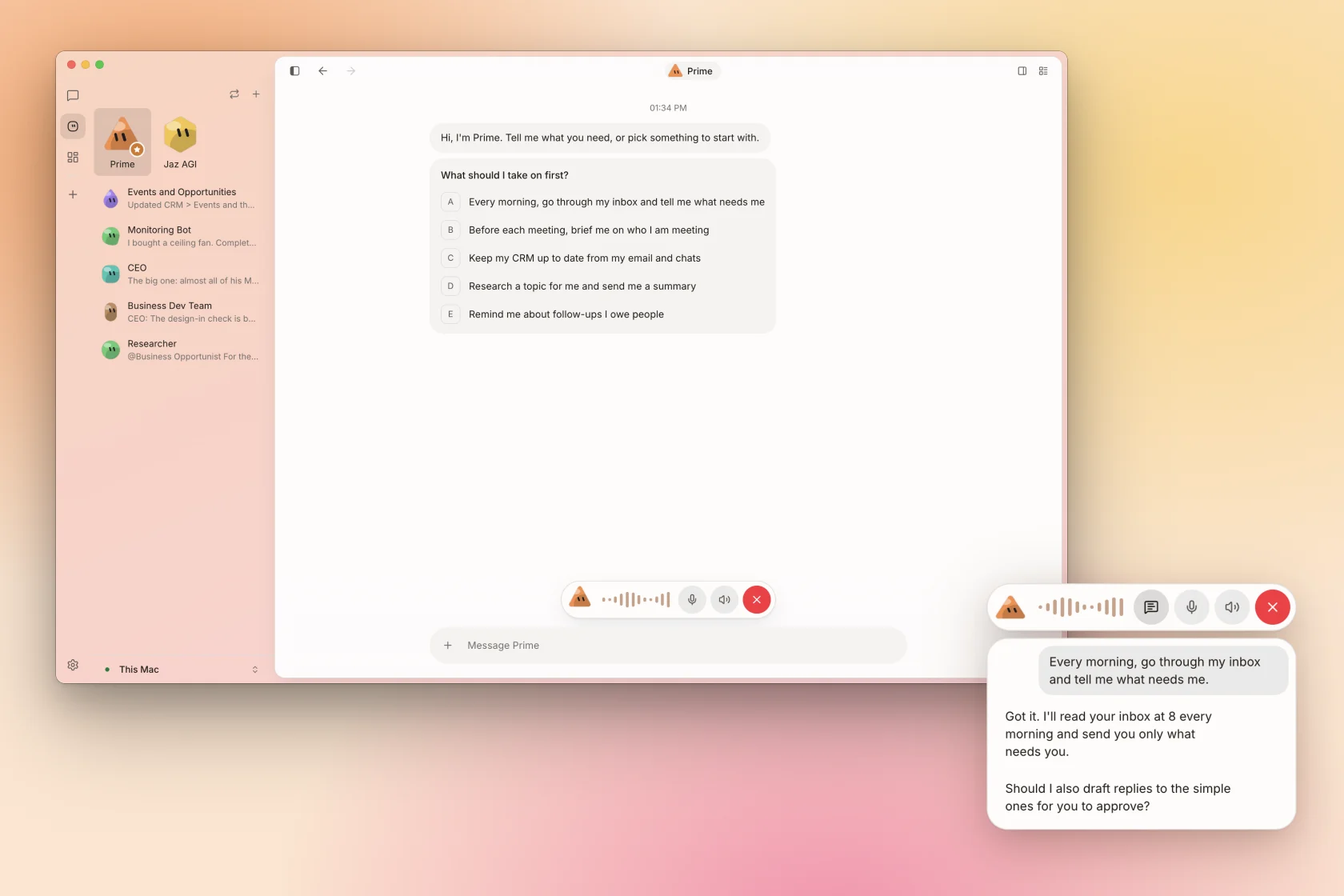
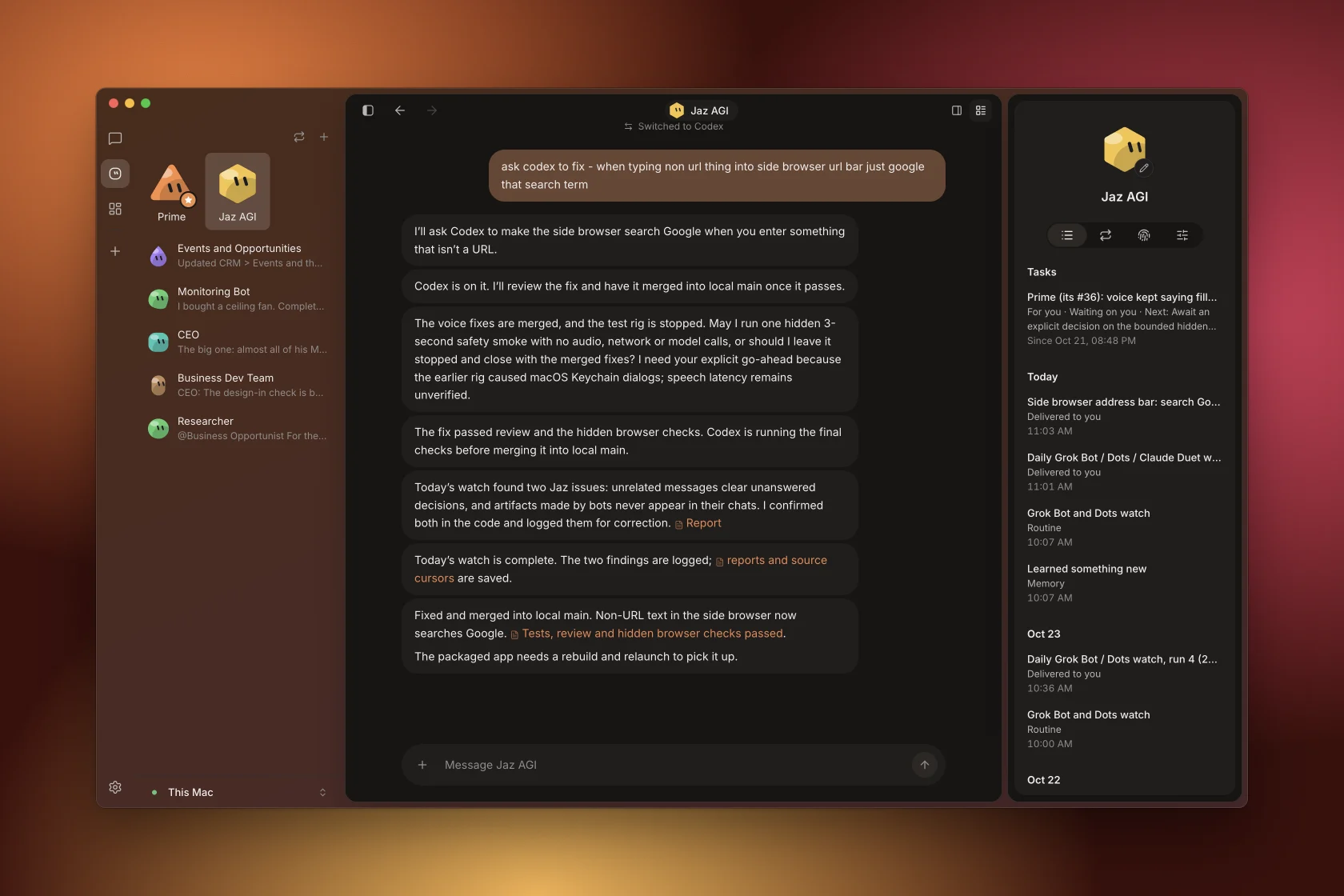
Bots hand off work. A bot delegates a fix to Codex, reviews it, merges it and reports back. Its tasks, routines and memory live in its panel.
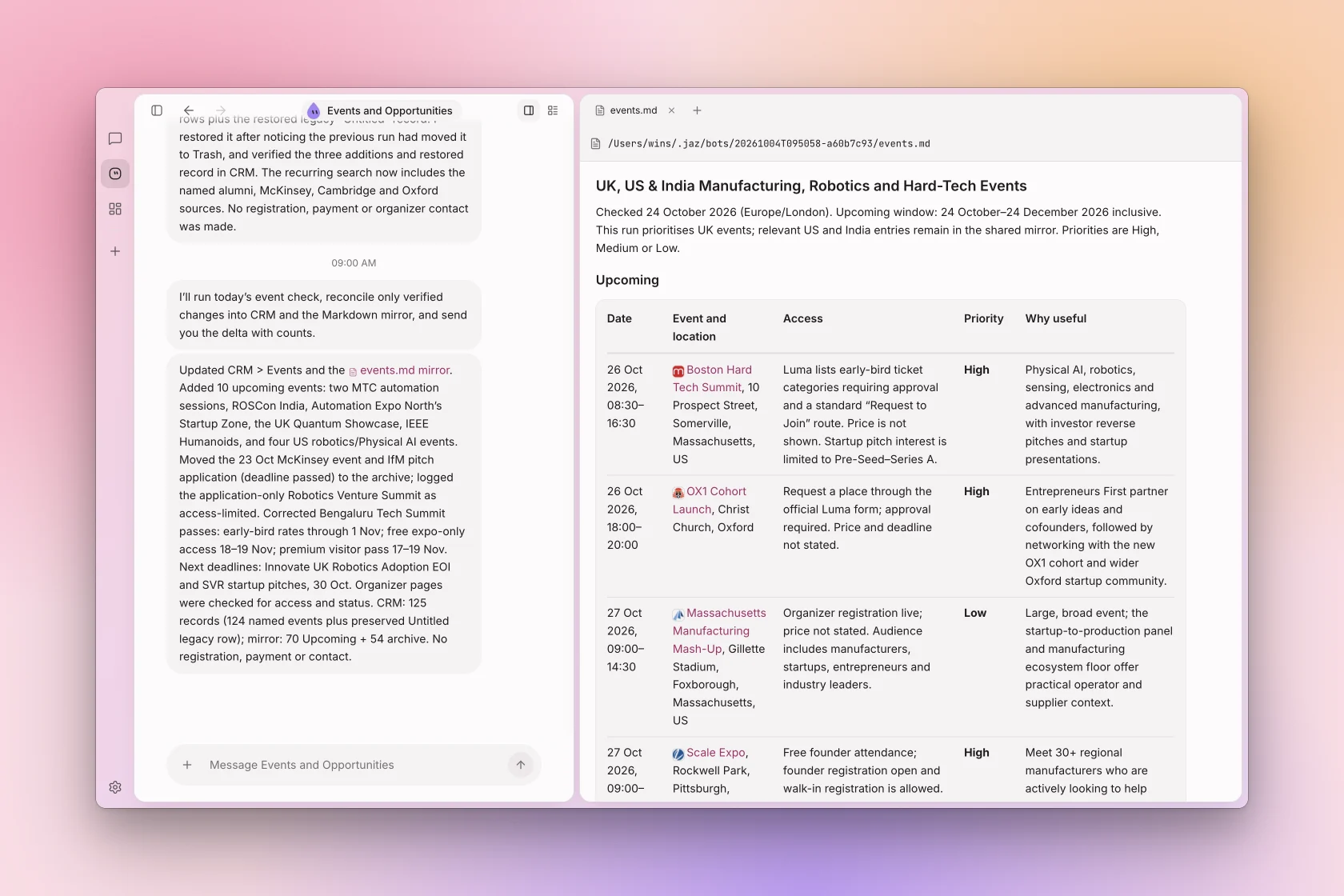
Routines with real output. A bot wakes every morning, checks sources and keeps a living document up to date.
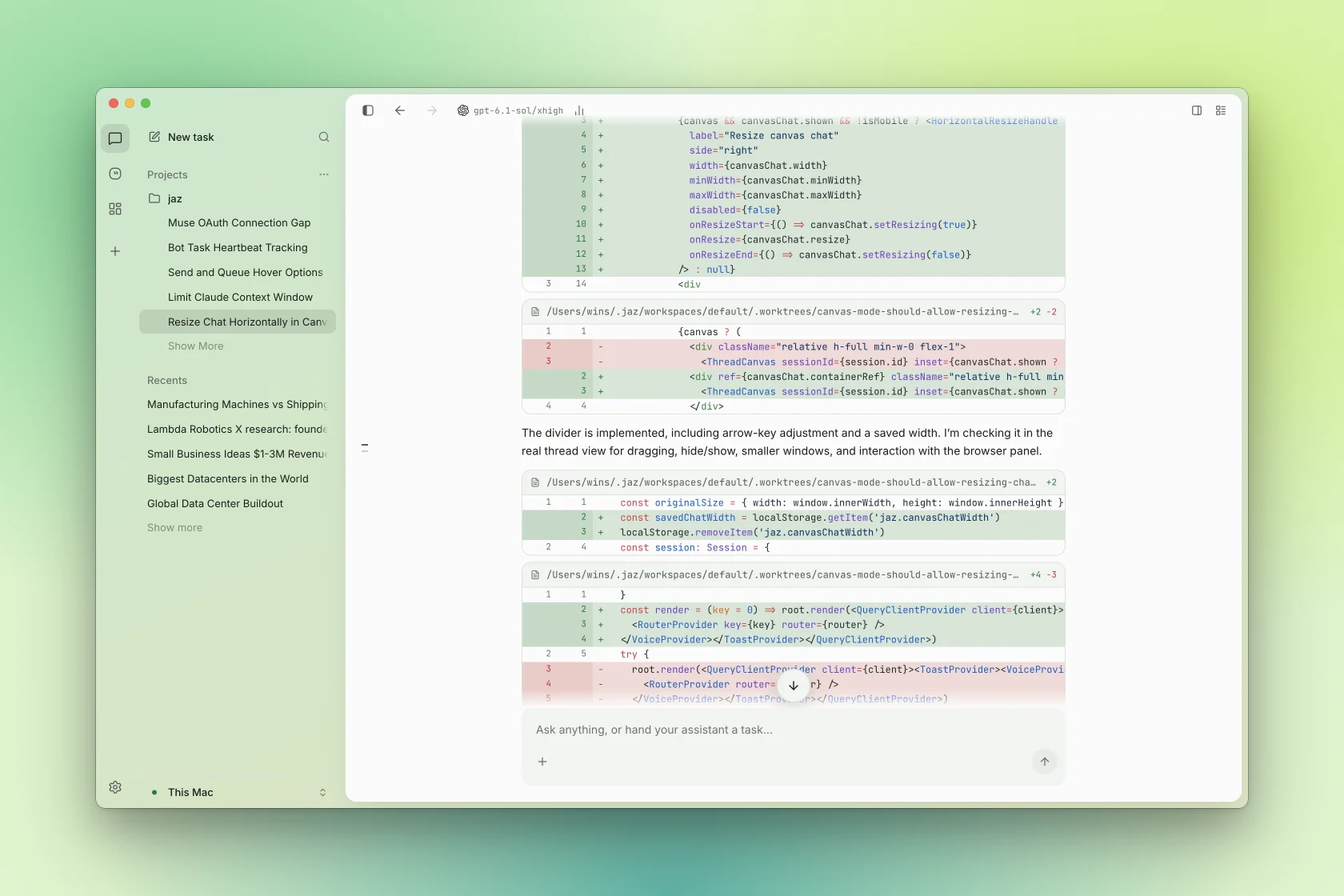
Ship from the thread. Inline diffs, commands and checks, on a worktree.
Side panel.
https://github.com/user-attachments/assets/de550dc1-75cc-43bb-aca0-f34c99573d47
Connect every coding agent. Sign in once per agent with your own account; Jaz runs them natively.
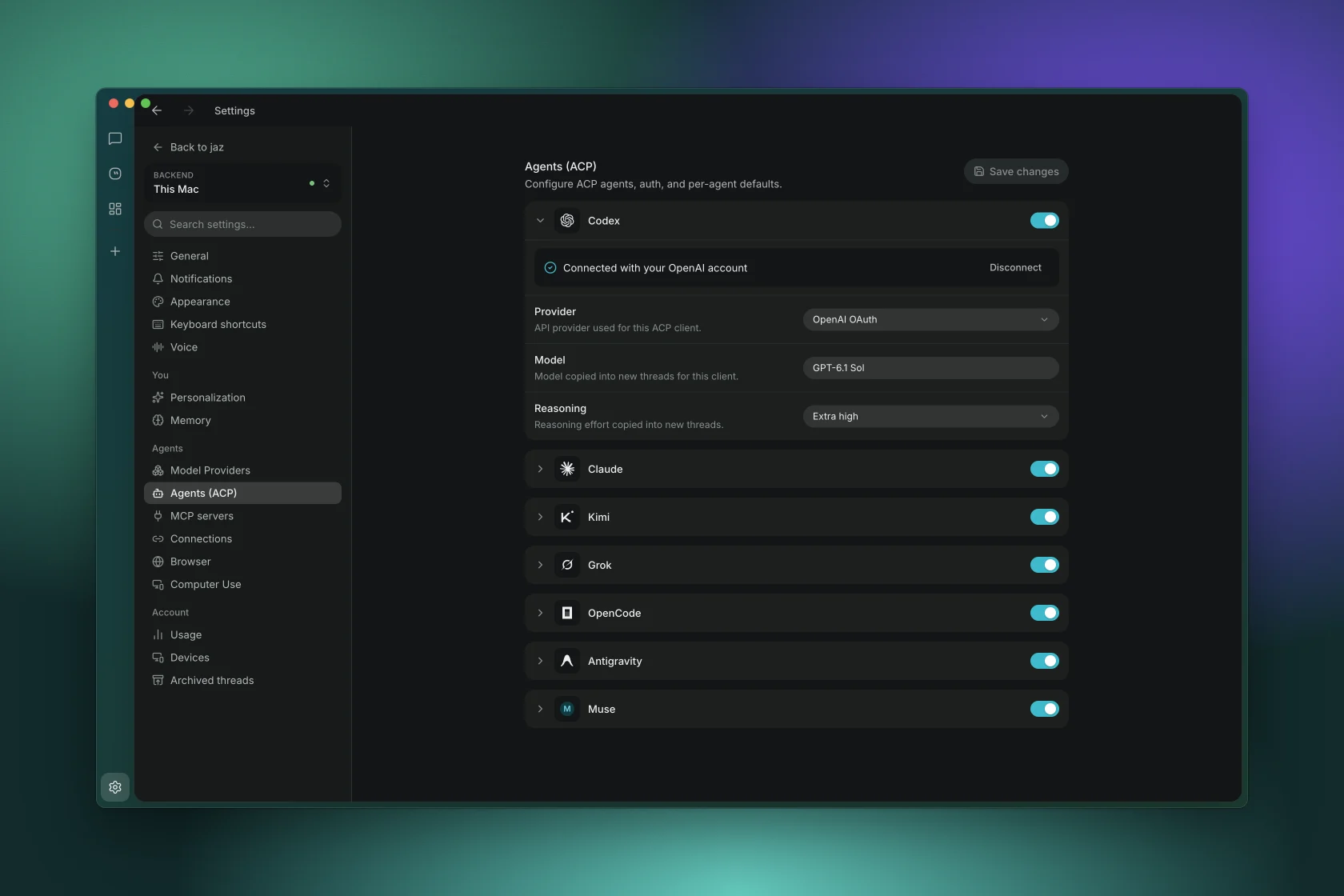
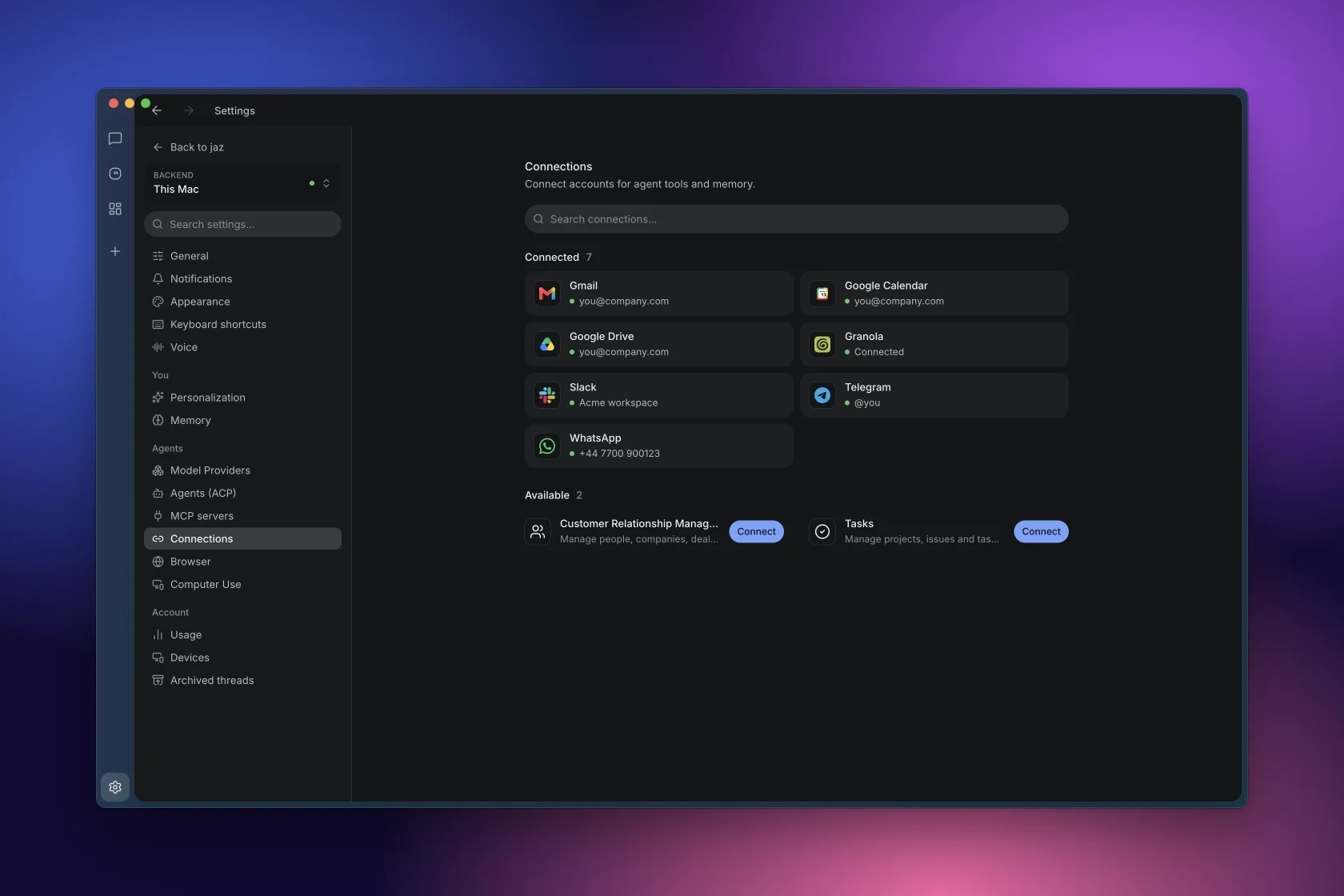
Integrations. Gmail, Calendar, Drive, Slack, Granola, WhatsApp and Telegram as agent tools and memory.
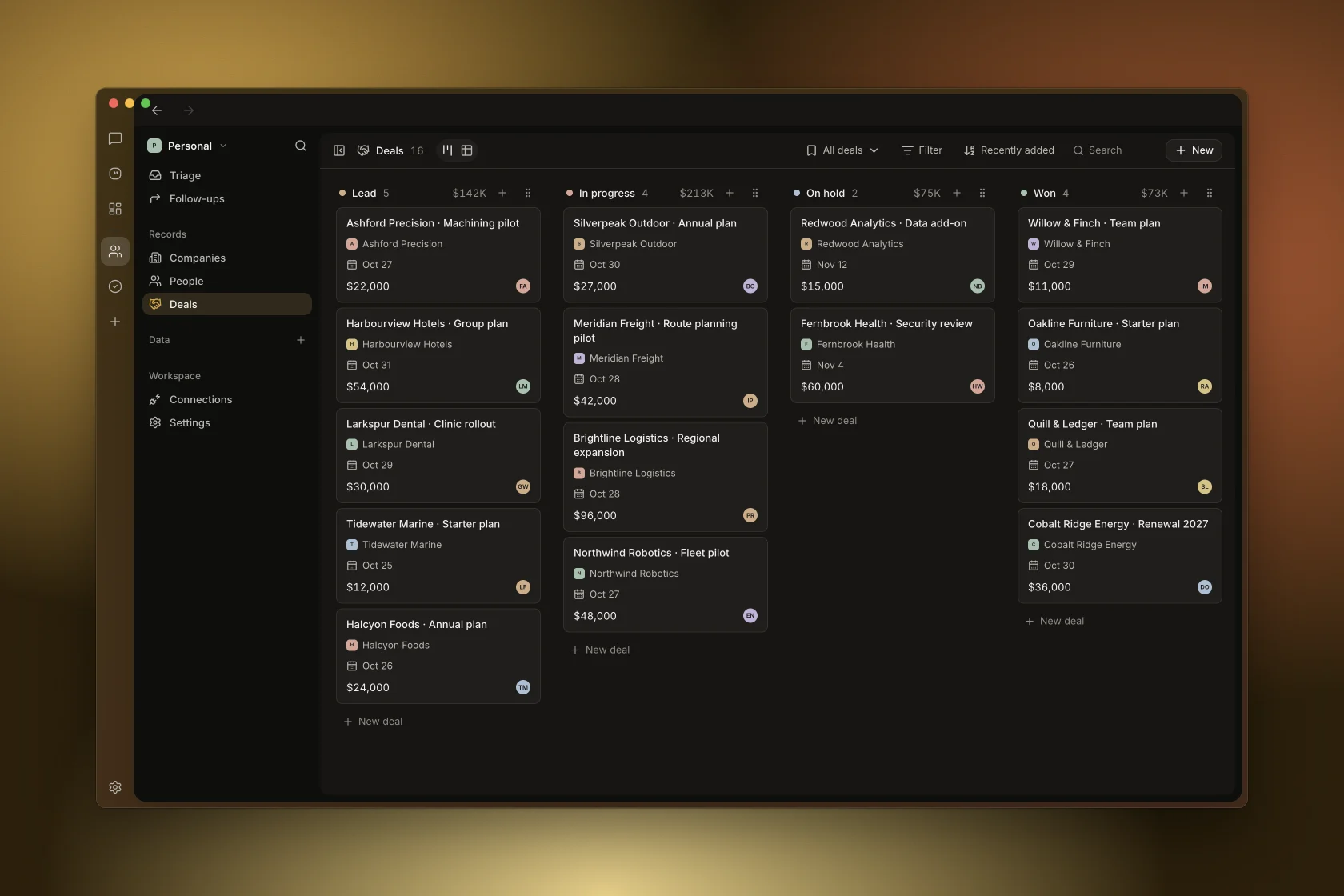
CRM, built in. Pipeline, people, companies and follow-ups that every agent can read and update.
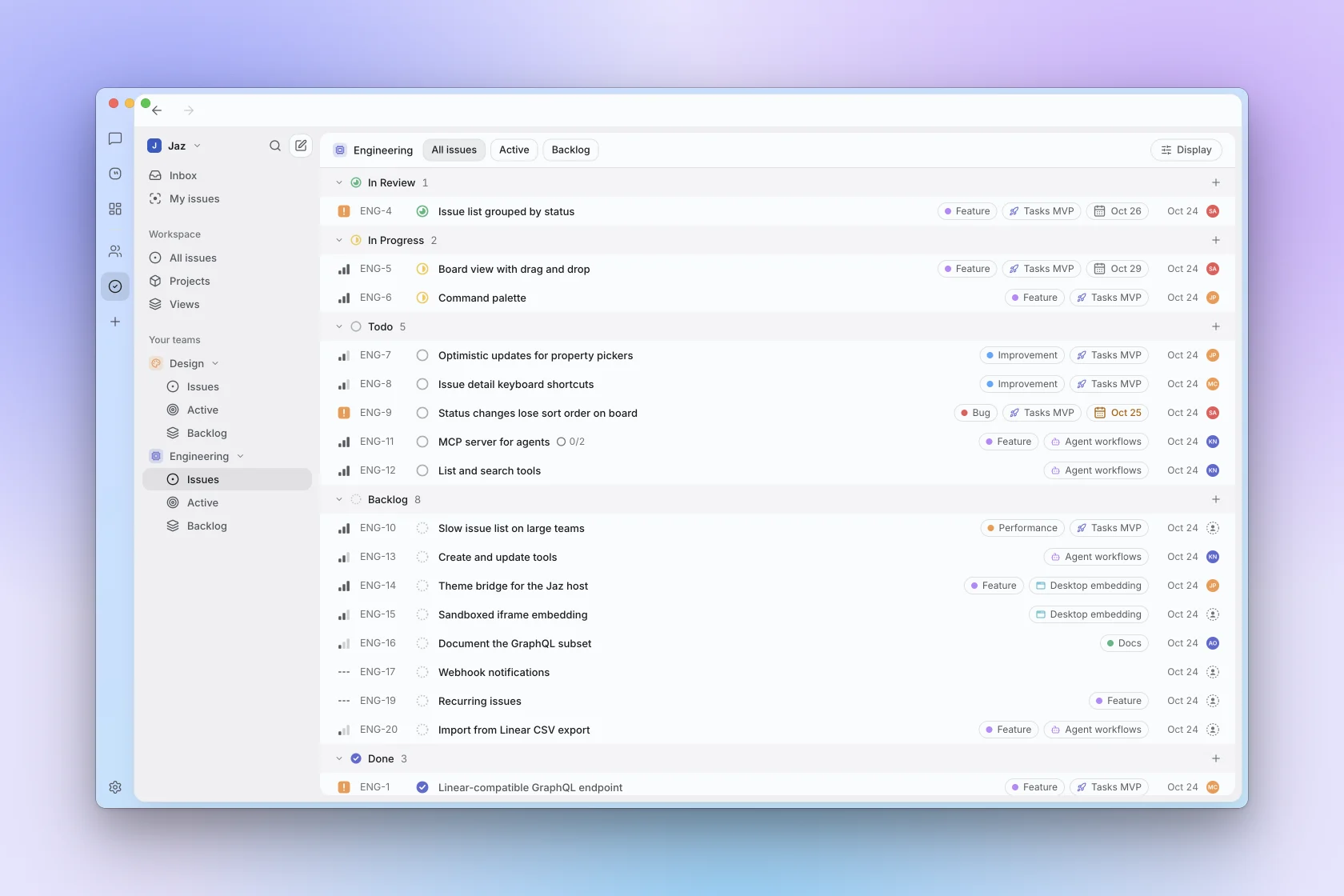
Tasks, built in. Issues, projects and cycles that every agent can plan and update.
Colour theme. Up to three linked hues on a wheel, eight presets, film grain.
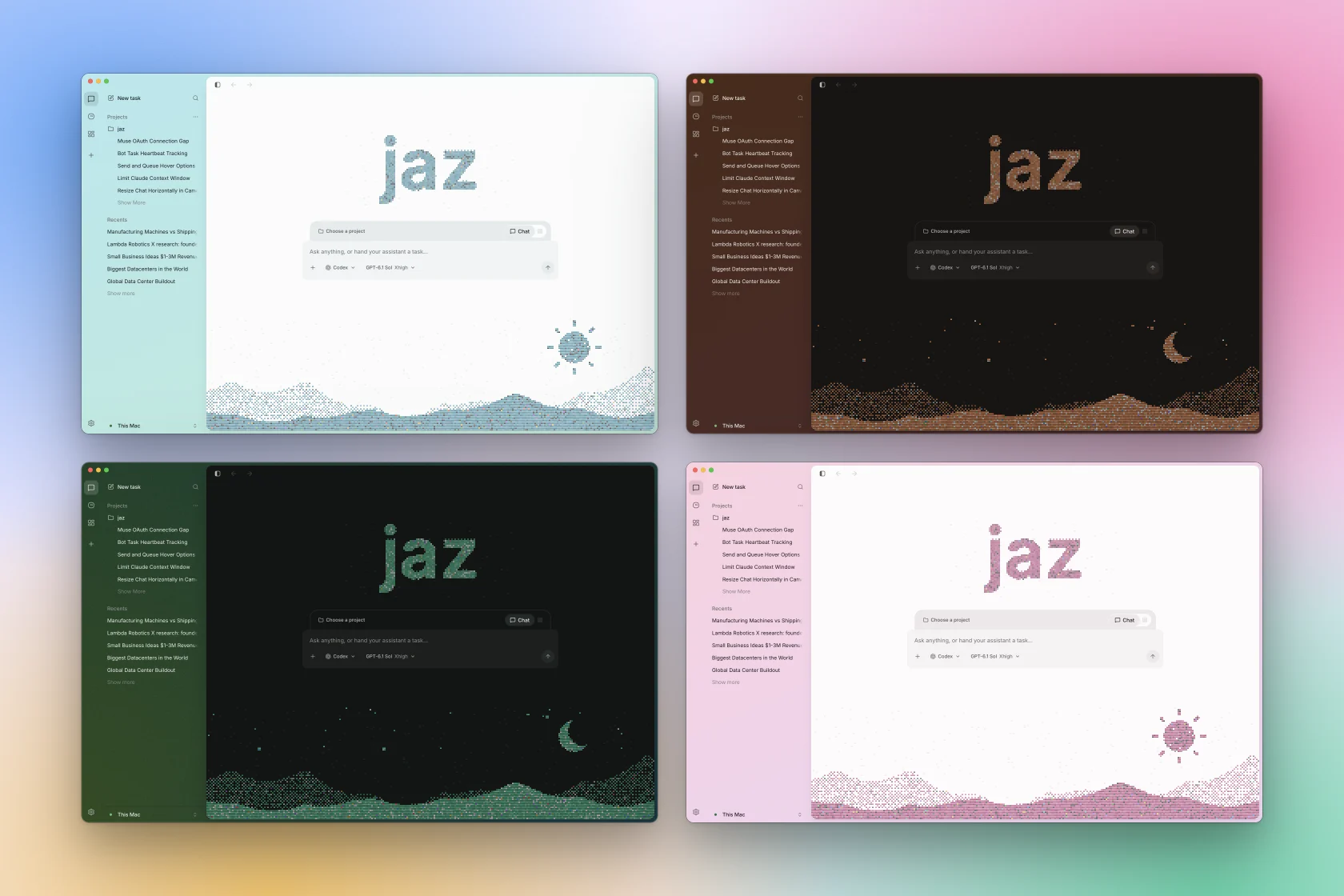
Every colour, light and dark. The window wash and the dithered home follow your hue.
Get Started
Grab the latest desktop build from Releases, or run it from source.
Jaz runs seven coding agents over ACP, and you pick one per thread:
| Agent | Provider | Sign in with |
|---|---|---|
| Codex | OpenAI | ChatGPT plan, or OpenAI or OpenRouter API key |
| Claude Code | Anthropic | Claude Pro/Max plan, or Anthropic API key |
| Kimi Code | Moonshot AI | kimi.ai account |
| Antigravity | Google account | |
| Grok | xAI | Grok account, or xAI API key |
| Muse Code | Meta | Meta account, or Meta API key |
| OpenCode | Open source | OpenRouter or OpenAI API key |
Architecture
Client/server split — the backend owns everything, clients are control surfaces. By default you run both together on your own machine; the backend can also live on a remote server you connect to over HTTP.
- Backend (
backend/, Go) — the always-on core. Runs agent sessions, loops, memory, and tools; owns your credentials and workspaces. REST + SSE; drives agents over ACP and tools over MCP. - Desktop (
frontend/, Electron + React) — the control surface. Runs the backend locally by default, or connects to a remote one over HTTP with a per-device token.
Running the backend on a server: see docs/remote-backend.md.
Development
Requirements: Go 1.26, Bun 1.3.5.
Backend:
cd backend
OPENROUTER_API_KEY=... go run ./cmd/jaz   # serves on :5299
go test ./...
Desktop app:
cd frontend
bun install
bun run dev                               # JAZ_API_URL=https://host to target a remote backend
bun run lint && bun run typecheck
bun run build                             # package the desktop app
Cutting a release: docs/RELEASE.md.
Author
Augustinas Malinauskas — @amgauge · amguage.com