

Open-source social media management for creators, agencies, and SMBs.

About BrightBean Studio
BrightBean Studio is an open-source, self-hostable social media management platform built for creators, agencies and SMBs. It does what Sendible, SocialPilot, or ContentStudio do, but free and without per-seat, per-channel, or per-workspace limits. Plan, compose, schedule, approve, publish, and monitor content across Facebook, Instagram, LinkedIn, TikTok, YouTube, Pinterest, Threads, Bluesky, Google Business Profile, Mastodon, and DEV.to from a single multi-workspace dashboard.
It's for people managing many client accounts under one roof who'd rather own their social stack than pay $100–300/month to a SaaS vendor. Every feature is available to every user. No paid tier, no feature gate, no upsell.
A free hosted version is available at brightbean.xyz/studio. You can also deploy it yourself with a one-click button on Heroku, Render, or Railway, run it on your own VPS via Docker, or run it locally. All platform integrations talk directly to the official first-party APIs using your own developer credentials, so there's no aggregator middleman, no vendor lock-in, and no third party sitting between you and your data.
Features
| Multi-workspace & teams | Unlimited orgs → workspaces → members. Granular RBAC with custom roles, invitations, and a separate Client role for external collaborators. |
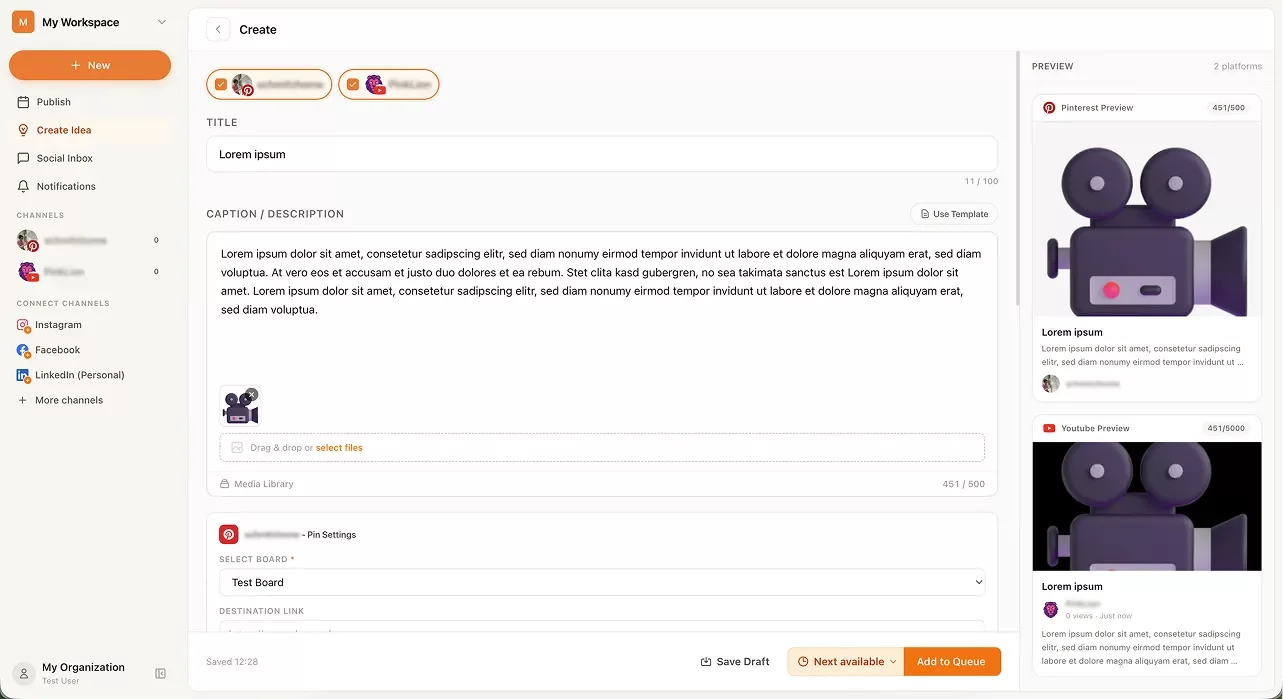
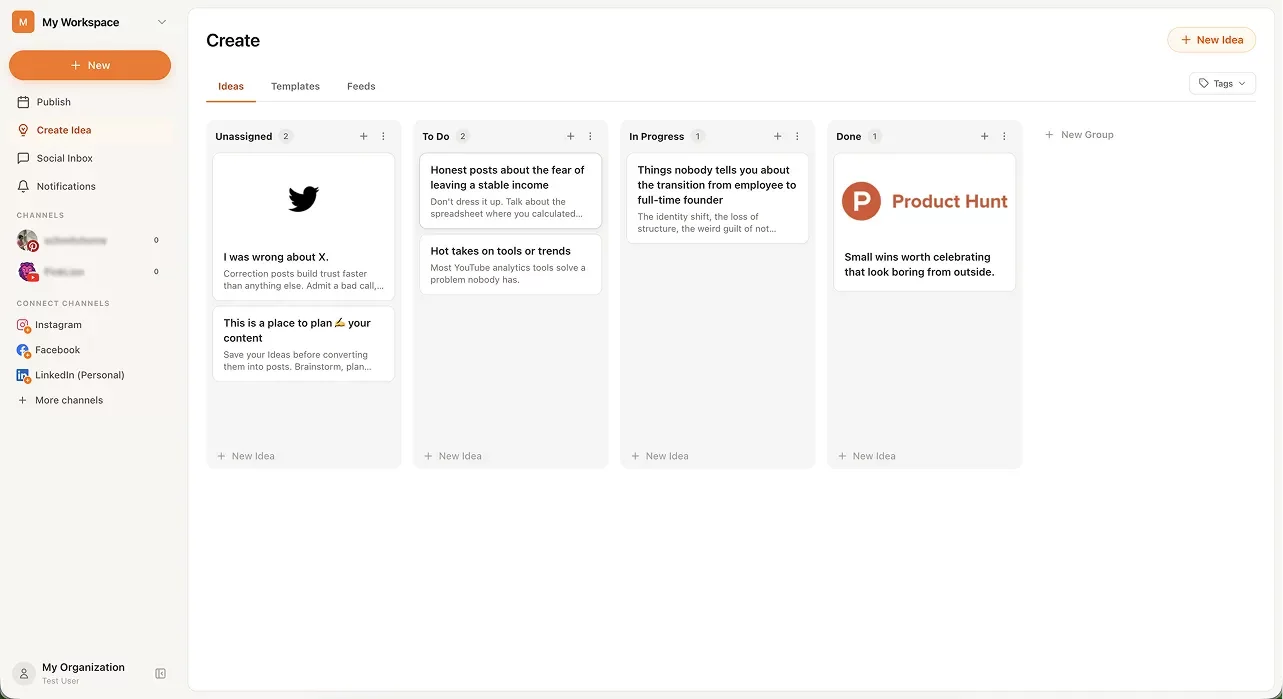
| Content composer | Rich editor with per-platform caption/media overrides, version history, reusable templates, content categories & tags, a Kanban idea board. |
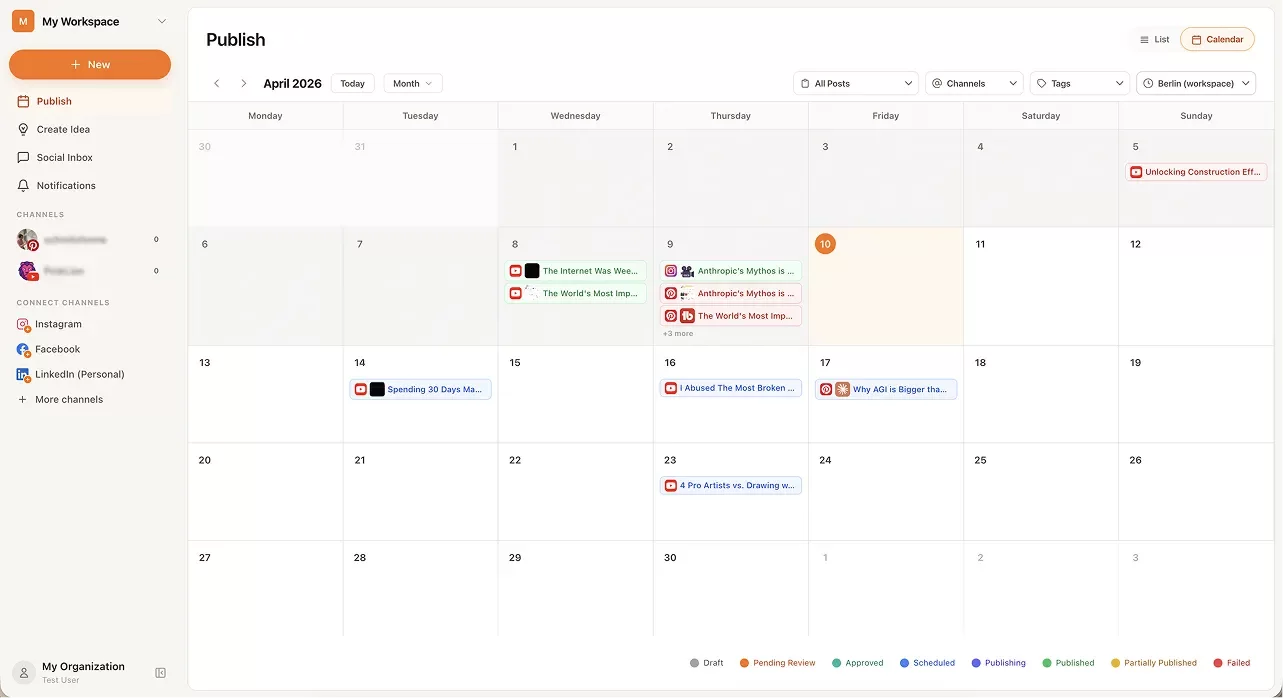
| Calendar & scheduling | Visual calendar with recurring weekly posting slots per account and named queues that auto-assign posts to the next available slot. |
| Publishing engine | Direct first-party API integrations (no aggregator), automatic retries, per-account rate-limit tracking, and a 90-day publish audit log. |
| Approval workflows | Configurable stages (none / optional / internal / internal + client), threaded internal & external comments, reminders, and a full audit trail. |
| Unified social inbox | Comments, mentions, DMs, and reviews from every connected platform in one place, with sentiment analysis, assignments, threaded replies, and historical backfill. |
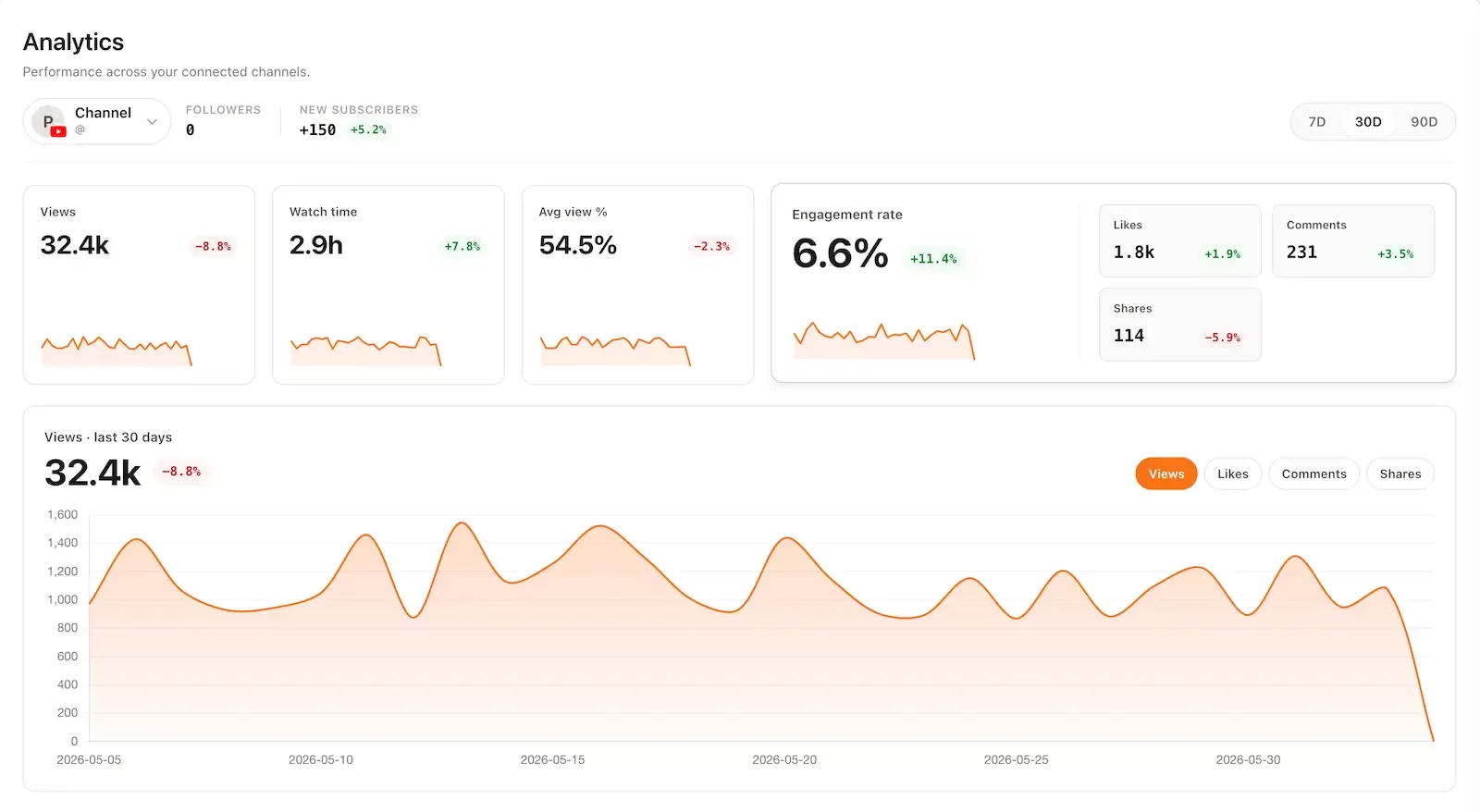
| Analytics | Per-post and channel-level performance from every connected platform's native API, with KPI cards, 7/30/90-day trend charts, and a sortable all-posts table for views, engagement, follower growth, reach, and watch time. |
| Media library | Org- and workspace-scoped libraries with nested folders, auto-generated platform-optimized variants, alt text, and built-in Unsplash stock-photo search in the composer. |
| Client portal | Passwordless 30-day magic-link access so clients can approve or reject posts without creating an account. |
| Notifications | In-app, email, and webhook delivery with per-user preferences for every event type. |
| Security & ops | Encrypted token & credential storage, Google SSO, Sentry support, and a 14-day org-deletion grace period for non-YouTube data. YouTube connections and copied API data are removed immediately when deletion is requested. 2FA (TOTP) is on the roadmap. |
| White-label friendly | Per-workspace branding (logo, colors) and workspace defaults for hashtags, first comments, and posting templates. |
A quick look
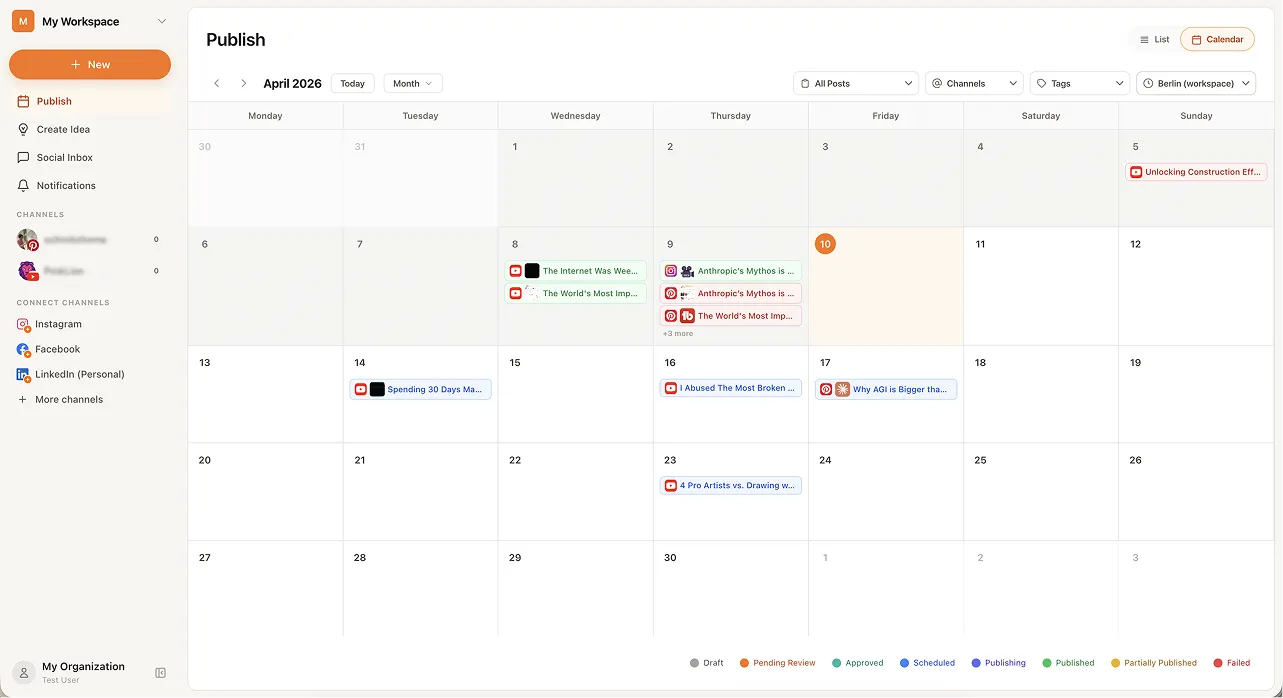 Visual calendar - drag-and-drop scheduling with recurring slots and queues. |
|
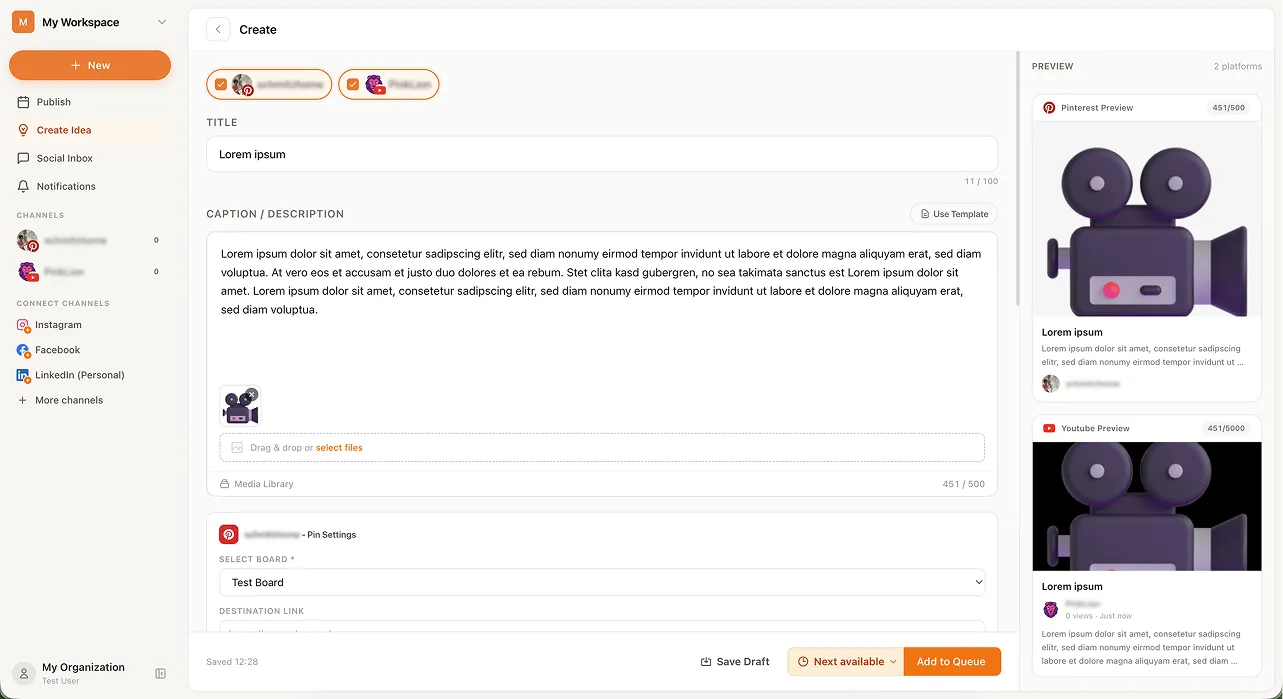 Post editor - composer with per-platform overrides and previews. |
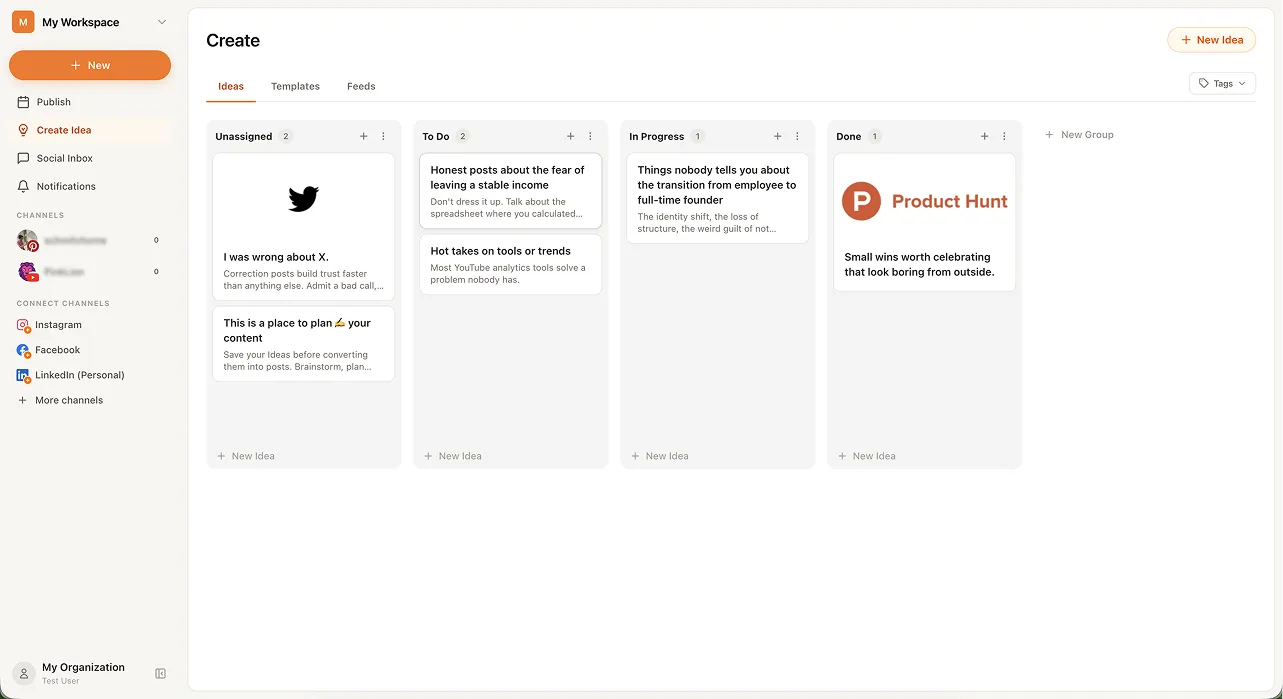 Idea board - Kanban workflow to keep track of all your post ideas. |
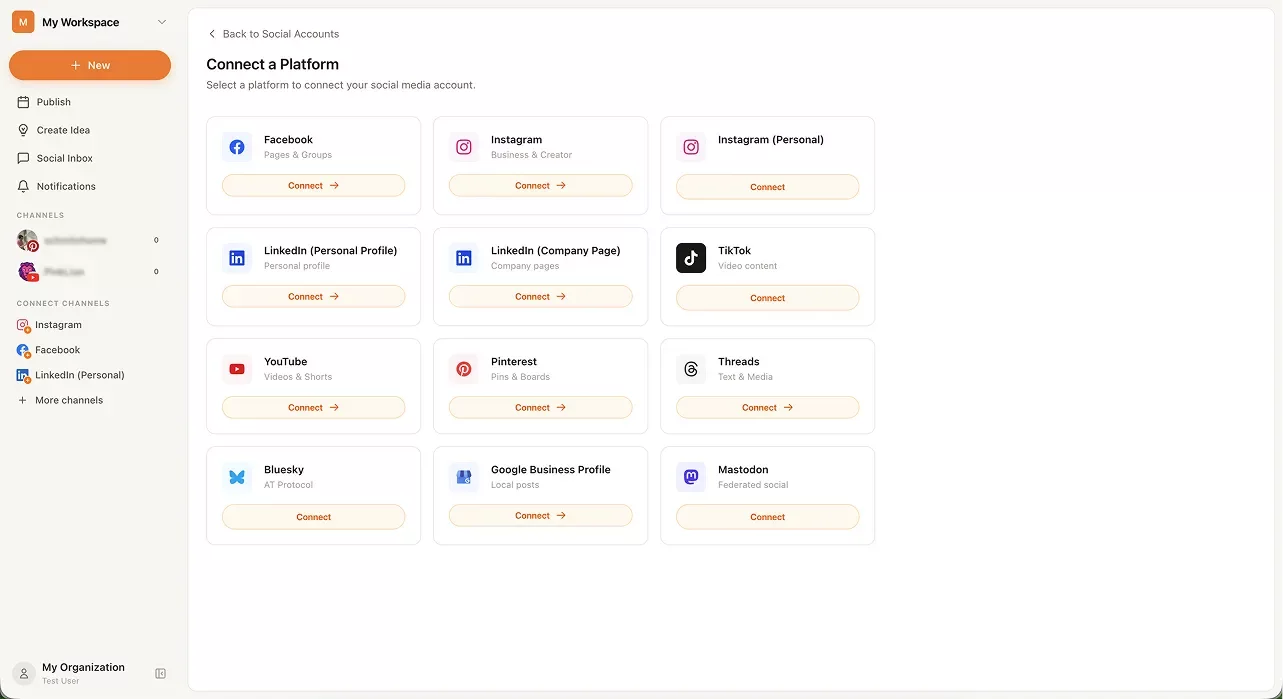
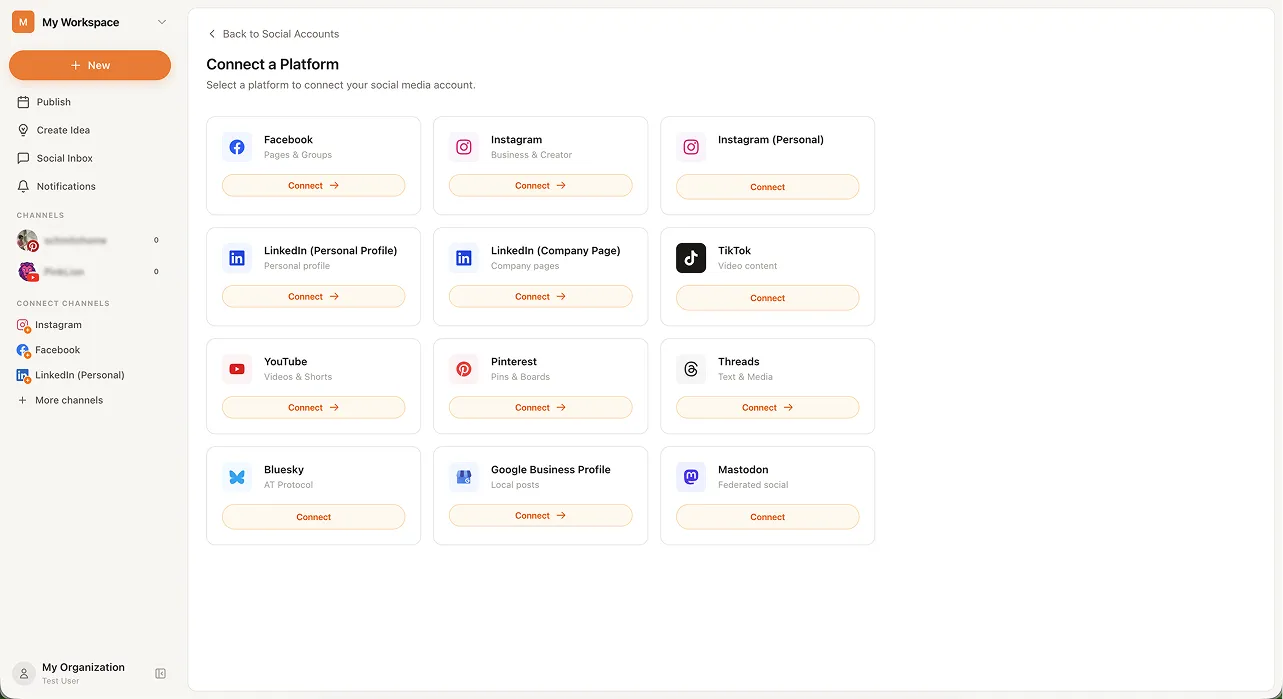 Connect anything - 10+ first-party integrations, no aggregator. |
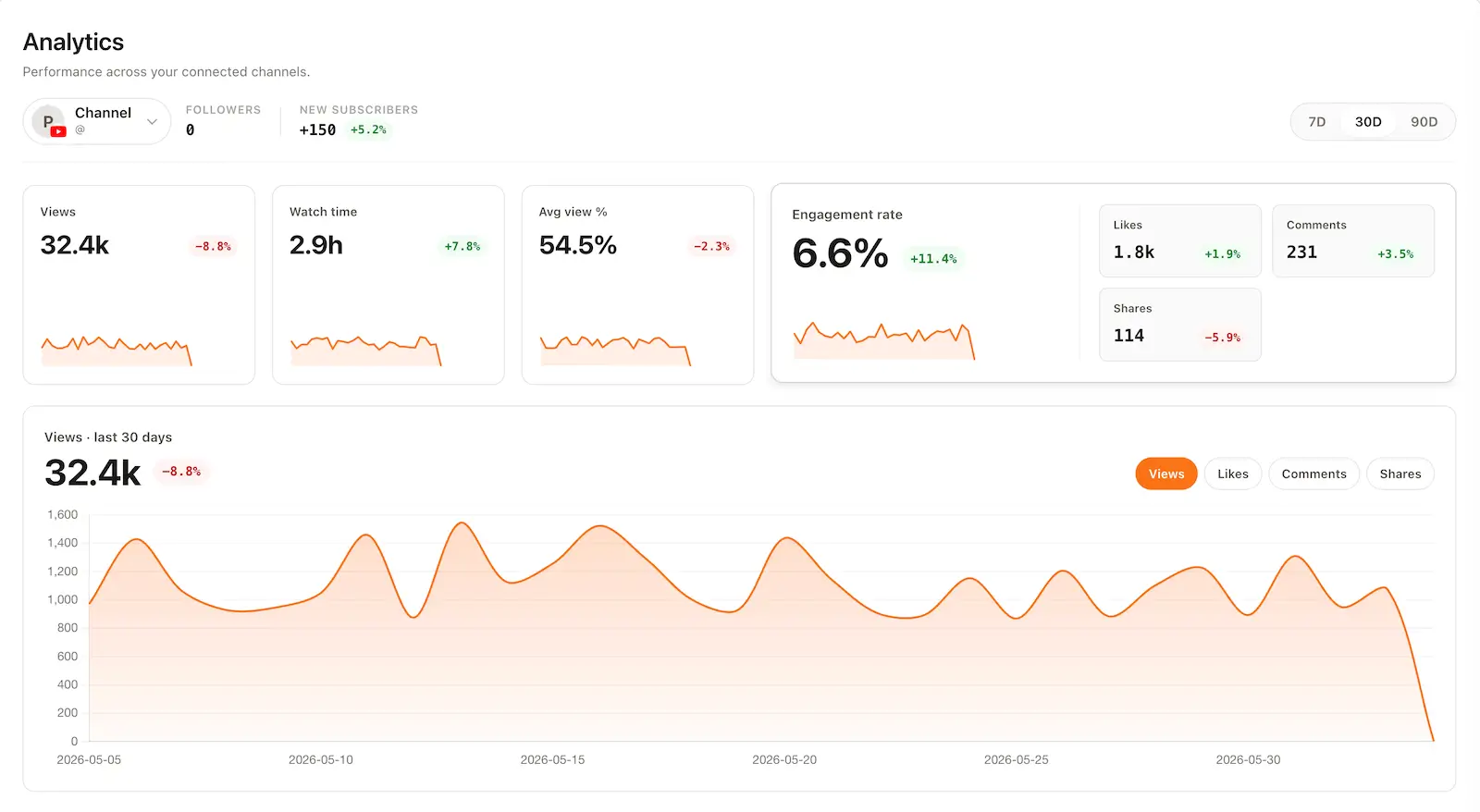 Performance analytics - per-post and channel-level metrics with KPI cards and trend charts. |
Supported Platforms
| Platform | Publish | Comments | DMs | Insights |
|---|---|---|---|---|
 Facebook |
✓ | ✓ | ✓ | ✓ |
 Instagram |
✓ | ✓ | ✓ | ✓ |
| Instagram (Direct) |
✓ | ✓ | ✓ | ✓ |
 LinkedIn (Personal) |
✓ | ✓ | — | ✓ |
| LinkedIn (Company) |
✓ | ✓ | — | ✓ |
 TikTok |
✓ | — | — | ✓ |
 YouTube |
✓ | ✓ | — | ✓ |
 Pinterest |
✓ | — | — | ✓ |
 Threads |
✓ | ✓ | — | ✓ |
 Bluesky |
✓ | ✓ | — | — |
 Google Business Profile |
✓ | — | — | ✓ |
 Mastodon |
✓ | ✓ | — | — |
 DEV.to |
✓ | — | — | — |
Hosted Version
A free hosted version of Brightbean Studio is available at brightbean.xyz/studio. It runs the same codebase as this repository, with no setup or maintenance required.
If you'd rather self-host, choose one of the options below.
One-Click Deploy
| Heroku | Render | Railway |
|---|---|---|
 |
 |
 |
After deploying, set these environment variables in your platform's dashboard:
| Variable | Required | Description |
|---|---|---|
DJANGO_SETTINGS_MODULE |
Auto-set | config.settings.production. Set if deployment config has not placed it. |
SECRET_KEY |
Auto-generated | Django secret key. Set automatically by the deploy button. |
ENCRYPTION_KEY_SALT |
Auto-generated | Encryption salt. Set automatically by the deploy button. |
DATABASE_URL |
Auto-provisioned | PostgreSQL connection string. Set automatically. |
ALLOWED_HOSTS |
Yes | Your app's domain, e.g. your-app.herokuapp.com |
APP_URL |
Yes | Full public URL, e.g. https://your-app.herokuapp.com |
STORAGE_BACKEND |
No | Set to s3 for S3/R2 storage. Default: local. Heroku, Render, and Railway have ephemeral filesystems, so uploaded files are lost on redeploy without S3. |
SERVE_MEDIA |
No | Only used with STORAGE_BACKEND=local. Default: true, so Django serves uploads at /media/. Those files are served unauthenticated — anyone with the path can fetch them. That is required in this mode: Instagram, Threads, Facebook, Pinterest, Google Business and dev.to fetch attachment URLs server-side when publishing, so /media/ must be publicly reachable. Only the media library, avatars and workspace icons are exposed this way (PUBLIC_MEDIA_PREFIXES in config/urls.py); comment attachments go through a permission-checked view. Set to false only when a reverse proxy or CDN serves those prefixes on the same public path instead. |
CADDY_MEDIA_ROOT |
No | docker-compose only. Where Caddy reads uploads from. Default: /app/media. Set to /var/empty when STORAGE_BACKEND=s3 — the media_data volume survives the switch and Caddy cannot see SERVE_MEDIA, so it would otherwise keep serving whatever uploads were left behind. |
S3_ENDPOINT_URL |
If using S3 | S3-compatible endpoint URL |
S3_ACCESS_KEY_ID |
If using S3 | S3 access key |
S3_SECRET_ACCESS_KEY |
If using S3 | S3 secret key |
S3_BUCKET_NAME |
If using S3 | S3 bucket name |
EMAIL_HOST |
No | SMTP server for sending invitations and password resets |
EMAIL_PORT |
No | SMTP port (default: 587) |
EMAIL_HOST_USER |
No | SMTP username |
EMAIL_HOST_PASSWORD |
No | SMTP password |
GOOGLE_AUTH_CLIENT_ID |
No | For Google OAuth login. Get from Google Cloud Console → Credentials. |
GOOGLE_AUTH_CLIENT_SECRET |
No | Google OAuth secret |
CUSTOM_SIGNUP_URL |
No | Where "Sign up" links point, e.g. a waitlist or marketing page: the login page's link, the email sent when someone resets the password of an address with no account, and the redirect after an owner deletes their organization. Must be an http(s):// URL or a path starting with /. Default: the built-in /accounts/signup/. With SIGNUP_MODE=open that page stays open either way (so your page can link back to it); with invite or closed, everyone who may not sign up is redirected here instead (see Restricting Sign-up). People with a pending invite are sent to the built-in signup, since only it accepts the invite (except with closed, where invites cannot create accounts). |
UNSPLASH_ACCESS_KEY |
No | Enables Unsplash stock-photo search in the composer. Create a free app at unsplash.com/developers. |
For social media API keys, see Platform Credentials. Full variable reference: .env.example.
Quick Start (Docker)
git clone https://github.com/brightbeanxyz/brightbean-studio.git
cd brightbean-studio
cp .env.example .env
Edit .env - change DATABASE_URL to point to the Docker service name:
DATABASE_URL=postgres://postgres:postgres@postgres:5432/brightbean
Then start everything:
docker compose up -d --build
docker compose exec app python manage.py createsuperuser
Database migrations run automatically via the migrate Compose service before
the app and worker services start, so there is no separate migrate step.
Tailwind compiles automatically via the tailwind Compose service. First build
takes ~60–90 seconds (running npm install in a fresh container); subsequent
starts are instant. Watch progress with docker compose logs -f tailwind.
Open http://localhost:8000 - you're running.
Fully Local Development (without Docker)
Run everything natively - no Docker, no PostgreSQL install. Uses SQLite for the database.
Prerequisites
- Python 3.12+
- Node.js 20+
Setup
1. Clone and configure
git clone https://github.com/brightbeanxyz/brightbean-studio.git
cd brightbean-studio
cp .env.example .env
2. Switch to SQLite
Open .env and replace the DATABASE_URL line:
DATABASE_URL=sqlite:///db.sqlite3
That's it - no database server to install or manage.
3. Set up Python
python3 -m venv .venv
source .venv/bin/activate
pip install -r requirements.txt
4. Set up Tailwind CSS
cd theme/static_src
npm install
cd ../..
5. Run database migrations
python manage.py migrate
6. Create your admin account
python manage.py createsuperuser
7. Start the app (3 terminal tabs)
Tab 1 - Tailwind watcher:
cd theme/static_src && npm run start
Tab 2 - Django dev server:
source .venv/bin/activate
python manage.py runserver
Tab 3 - Background worker:
source .venv/bin/activate
python manage.py run_studio_worker
Open http://localhost:8000 and log in with the superuser you created.
Daily workflow (Docker-free)
source .venv/bin/activate                # activate Python env
python manage.py runserver               # start web server
# (open another tab)
python manage.py run_studio_worker           # start worker
Note: SQLite is fine for local development and small deployments. For production or heavy concurrent usage, switch to PostgreSQL.
Running Tests
pytest
With coverage:
pytest --cov=apps --cov-report=term-missing
Linting & Type Checking
ruff check .                             # lint
ruff format --check .                    # format check
mypy apps/ config/ --ignore-missing-imports  # type check
Auto-fix lint issues:
ruff check --fix .
ruff format .
Production Deployment
Docker Compose on a VPS (recommended)
# On your server:
git clone https://github.com/brightbeanxyz/brightbean-studio.git
cd brightbean-studio
cp .env.example .env
# Edit .env:
#   SECRET_KEY=<generate a random 50+ char string>
#   DEBUG=false
#   ALLOWED_HOSTS=yourdomain.com
#   APP_URL=https://yourdomain.com
#   DATABASE_URL=postgres://postgres:<strong-password>@postgres:5432/brightbean

docker compose -f docker-compose.yml -f docker-compose.prod.yml up -d --build
docker compose exec app python manage.py createsuperuser
This starts 5 containers: app (Gunicorn), worker, PostgreSQL, Caddy (auto-HTTPS), and a one-shot migrate container that runs database migrations automatically on startup. Edit the Caddyfile with your domain.
With the default STORAGE_BACKEND=local, Caddy serves uploaded media directly from the media_data volume at /media/, so large images and video never occupy a Gunicorn worker thread and byte-range requests (video seeking) work. Django's own /media/ route stays available as the fallback for deployments without this proxy.
To update:
git pull
docker compose -f docker-compose.yml -f docker-compose.prod.yml up -d --build
Other Platforms
| Platform | Config file | Notes |
|---|---|---|
| Heroku | Procfile + app.json |
Deploy-button ready. Must use Basic+ dynos (Eco dynos break the worker). |
| Railway | railway.toml |
The one-click template provisions three services: web (Gunicorn, runs migrate on startup), worker (python manage.py run_studio_worker), and managed PostgreSQL. The web service's startup migrate fires the post_migrate hooks that register the recurring tasks, so scheduling works out of the box. |
| Render | render.yaml |
Blueprint with web, worker, PostgreSQL. Must use paid tier. |
All platforms with ephemeral filesystems require STORAGE_BACKEND=s3 - see .env.example for S3 configuration.
Memory sizing. Importing the app costs roughly 100 MB before it serves a request, and a warmed Gunicorn worker settles near 200 MB - so the shipped command runs a single threaded worker (--workers 1 --threads 4), which fits a 512 MB dyno with room for media handling. Raise --workers only when you raise the memory to match; a rule of thumb is 250 MB per worker. Do not add --max-requests: gthread stops heartbeating at the start of the request that trips the counter, so the arbiter kills the worker mid-request once --timeout (30s) passes - which drops whichever upload happened to be that request, and uploads here can be up to 1 GB. The worker process needs the same headroom: it downloads videos to disk and streams them to the platform, and if it is killed mid-publish (Heroku's R15, an OOM kill, a deploy) the affected post is failed by the confirmation sweep rather than left in limbo.
One worker, reserved publishing capacity. run_studio_worker runs one process with two task execution threads: one for publishing and publish confirmation, and one for inbox sync, analytics, health checks, media, and maintenance. It claims jobs only when their thread is available and keeps the existing database locks, retries, and repeating schedules. Task logs include dispatch delay and execution duration. The default dispatcher poll interval is one second (--sleep). With the shipped publisher and web concurrency limits, peak database demand is 17 connections, below the 20-connection PostgreSQL limit.
Why Heroku uses --duration 3600. Peak allocations can raise RSS permanently because CPython and glibc retain freed pages. Hourly recycling stops admitting general work first, while publishing continues until that job finishes; the publishing thread then drains and the process exits cleanly. SIGINT/SIGTERM stop admission on both threads and let in-flight work finish, subject to the platform's shutdown grace period. Unfinished jobs retain their locks for normal recovery. Don't go below ~1800s, where Heroku's crash cool-off starts to engage. Docker, Render, and Railway use the command without a duration, so they do not depend on a clean-exit restart policy. The legacy python manage.py process_tasks command remains available for rollback.
MALLOC_ARENA_MAX. glibc gives each thread its own arena (up to 64 MB) capped at 8 x nproc, and containers report the host's core count, so the cap is effectively unbounded. This app has real thread churn - the publisher builds a fresh pool every 15s and boto3's managed transfer adds ten threads per download - and those arenas are never returned to the OS. On Heroku this is already set to 2 by the repo's .profile, which applies to web, worker, the release phase and one-off heroku run dynos alike; it is written as a default rather than an override, so a config var still wins if you want to tune it. Deploy targets that build from the Dockerfile (Render, Railway, docker-compose) do not read .profile - set it in their own environment config if the host is memory-tight.
See architecture.md for detailed per-platform instructions and cost breakdowns.
Restricting Sign-up
A self-hosted install has to be reachable from the internet — that is where
the platforms deliver OAuth callbacks and webhooks — so by default anyone
who finds the domain can create an account. SIGNUP_MODE controls that:
| Value | Who may create an account |
|---|---|
open (default) |
Anyone. |
invite |
Only visitors who followed a valid invitation link. |
closed |
Nobody. Create accounts in the Django admin. Invitations can only be sent to people who already have an account. |
SIGNUP_MODE=invite
Applies to both the email form and