Charoite
Fully local AI meeting assistant with speaker diarization and a self-updating knowledge graph. Nothing ever leaves your Mac.
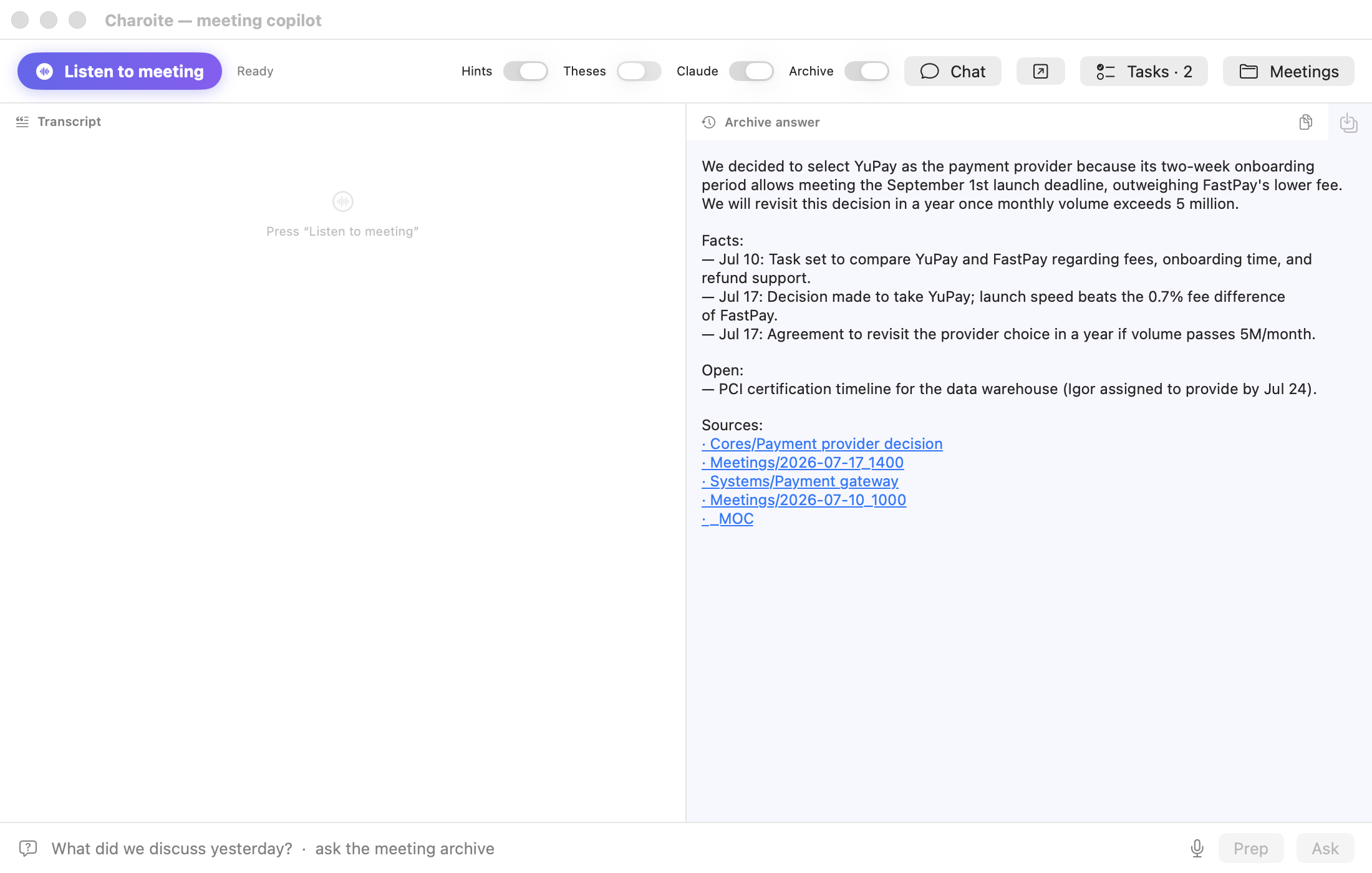
Charoite listens to your meetings (microphone + system audio, no bots joining calls), transcribes them locally, tells speakers apart, answers questions mid-meeting, and after each meeting builds an Obsidian knowledge graph that remembers people, systems, decisions and recurring topics — across all your meetings.
Русский · 中文. Charoite is Russian-first today (GigaAM STT is SOTA for Russian); English works via Parakeet/Whisper, Chinese via SenseVoice or Whisper — and Qwen, the default LLM, is native in Chinese.
Manifesto: local-first, not local-only — what months on real meetings taught us about where local models shine and why a strong model runs the knowledge graph. Numbers, boundaries, and the test that would prove us wrong.
Why Charoite
- 100% local by default. Audio, transcription, diarization, LLM summaries — all on your machine (Ollama + ONNX). No cloud, no telemetry, no accounts. The optional cloud layer is off unless you turn it on.
- Speaker diarization that ships. Live "Speaker 1/2/…" labels during the meeting, plus an offline re-pass over the full recording after the meeting for clean paragraphs per speaker. Names are assigned automatically when someone introduces themselves — never guessed.
- A knowledge graph, not a pile of notes. Meetings become episodes; people, systems and decisions become nodes; recurring topics become "Cores" with status and history. During a meeting Charoite whispers "⏮ this was discussed on Jul 15, status was …".
- Topic dossiers. At night a local model builds a summary per cross-cutting topic: current state, chronology, decisions, open questions, who is involved — each point linked to its source node. Search consults the dossier index first, so "where does this topic stand" is answered by a written summary instead of a dozen scattered fragments. Rebuilds are incremental: a dossier carries a fingerprint of its sources, and an unchanged topic never wakes the model. Hand-written additions live in the "Author edits" section and survive rebuilds.
- Cloud models — optional, at every step. All six switches are off by default and enabled one by one: post-meeting review (
cloud_enrich), a second opinion at conversation speed (cloud_live), refinement of every hint (cloud_hints), dossier review with the right to edit (cloud_edit_graph) — these run through the Claude CLI on a subscription, with no API key in the environment. The sixth,cloud_engine, moves the whole chat to an OpenAI-compatible gateway you name (its key lives in a separate file), so the laptop no longer holds a large model. What leaves for the cloud and what never does — see PRIVACY.md. - Layered output per meeting: one-minute Summary (with links to what changed since past meetings) → Minutes → Debrief → full Transcript. Read as deep as you need.
- Real-time help: the meeting thread on screen, an instant local answer when the other side asks you a question (⚡), a digest of the last minutes on demand, live draft minutes, voice notes and dictation.
- Claude Code tools. An MCP server (
src/mcp_server.py) gives Claude Code the live meeting: status, transcript, hints, minutes and a graph update. It works only with the data folder named at registration (CHAROITE_ROOT) — see Setup.
How it compares
| Cloud meeting assistants | Local transcribers | Charoite | |
|---|---|---|---|
| Audio stays on your machine | ✗ | ✓ | ✓ |
| No bot joins the call | sometimes | ✓ | ✓ |
| Speaker diarization | ✓ | rarely | ✓ |
| Live hints during the meeting | ✓ | ✗ | ✓ |
| Memory across meetings (graph) | ✗ | ✗ | ✓ |
| Works fully offline | ✗ | ✓ | ✓ |
| Open source | rarely | sometimes | ✓ |
Cloud assistants are smart but your conversations live on someone else's servers. Local transcribers keep audio private but forget each meeting the moment it ends. Charoite keeps both promises: everything stays on the Mac, and every meeting makes the next one smarter.
Requirements
- Apple Silicon Mac (M1 or newer), macOS 14+ for the app; 16 GB RAM recommended — 8 GB works with one small model, 32 and 64 GB unlock the larger sets (table below)
- Ollama — see the RAM table below for which models fit
- Python 3.11+ (only for running from sources — the app ships its own runtime)
- Call audio — through macOS itself (ScreenCaptureKit), nothing to set up: the system asks for permission once. BlackHole is only needed when that permission is denied or when you run from the terminal without the app (the ScreenCaptureKit stream is the app's)
- Speech recognition: the app's built-in runtime runs GigaAM (Russian) and SenseVoice (Chinese and four more languages; its model comes via
scripts/get_models.py --stt sensevoice); Parakeet and Whisper come with an install from source (pip install .) or a bundle built withscripts/build_embedded_python.sh --extras - Optional: Obsidian to browse the graph
Which models for your RAM
Everything runs locally. STT (~1 GB) and diarization (~0.5 GB) are constant;
the LLMs are what scale with memory. num_ctx: 8192 throughout.
Semantic search adds bge-m3 (~1.2 GB) — recommended at 16 GB+.
| RAM | Main LLM | Light LLM | Graph | Notes |
|---|---|---|---|---|
| 8 GB | qwen3.5:4b (3.2 GB) |
same | yes | One model for both roles; core revision off — it pulls in bge-m3, which does not fit alongside |
| 16 GB | qwen3.5:4b (3.2 GB) |
same | yes | The same model as on 8 GB plus semantic core revision (bge-m3 fits) |
| 32 GB | qwen3.8:27b-mlx (16.9 GB) |
qwen3.5:4b |
yes | More accurate quotes (96%); extraction is three times slower, and it runs in the background |
| 64 GB+ | qwen3.6:35b-mlx (20.4 GB) |
qwen3.5:4b |
yes | The working set: 42 decisions and 39 cores per meeting, 57 s median |
The numbers come from the 19.08 benchmark on three real meetings
(scripts/bench_extract.py, the 14.08 method). It also retired the old rule
"below 16 GB the graph is off": qwen3.5:4b parsed all three meetings
(31 decisions, 30 cores, 96% quotes) — more findings than gemma4:12b, and
three times faster. What breaks the JSON schema is not the size class but
particular models: GigaChat3.1-10B returned no parse in five parts out of
six and did not make the table. On 4 GB run STT only; llm.base_url may point at another machine you own only with an explicit llm.allow_remote: true (transcripts leave this device; refused under CHAROITE_NO_CLOUD — see docs/MODELS.md).
Phones: today they run no models — the iPhone and Android companions record and deliver the audio, and everything else happens on the Mac. On-device STT and light generation (on iOS 26+ with the built-in ~3B Foundation Models) is a plan, not a shipped feature. Full macOS tables, the phone plan and the reasoning: docs/MODELS.md.
Quick start
Option A — the macOS app (recommended). Python ships inside the app: no
git clone, no venv, no pip. All you need is the language model:
The app installs the model runtime and the models itself: on first launch it shows what is missing and offers a button — no terminal needed.
If you prefer doing it by hand:
brew install ollama && brew services start ollama
Then install either brew or Ollama.app, never both. The Ollama app starts
its own server and takes port 11434; the brew service then sits silently in
error and its upgrades never take effect — see SETUP.md.
Download Charoite.dmg from the latest release
and drag the app into Applications — the disk image window shows where.
Release builds are signed with a Developer ID certificate and notarised by
Apple, so the app opens with a plain double click. If you build the app
yourself (or a release was cut without the signing secrets — the release
notes say so), the bundle is ad-hoc signed — or signed but not notarised —
and macOS blocks the first launch: System Settings → Privacy & Security → Open Anyway (or
xattr -d com.apple.quarantine /Applications/Charoite.app). Right-click →
Open no longer works on macOS 15+.
After that the app updates itself: when a new version is out, a line with a
button appears on the Today tab. Before the swap the download must match a
manifest signed with the maintainer's own key (it never enters GitHub or CI)
and carry the project's Apple Developer ID signature — otherwise the update
is cancelled. Your old copy stays in place until the swap succeeds, and an
update will not even start while a meeting is being recorded — the restart
would cut the recording short. Charoite.app.zip sits next to the image: it
is what the app updates from, and you can unpack it by hand.
Everything else happens in the interface: the first-run wizard asks for your
name and graph folder, shows model sets sized to your machine's memory and
installs them with a button; macOS asks for microphone and system-audio
permissions itself. The app keeps its data — config, transcripts,
recordings, logs — in ~/Library/Application Support/Charoite
(Settings → Connection → Data folder changes it). The interface and meeting
documents follow sufler.language in that config — Russian out of the box;
en or zh switches both after a restart.
Live transcript and the meeting thread, hints and instant answers, questions
and briefs over the archive, a local chat with graph memory, dictation (⌥⌘D),
voice notes (⌥⌘N) and a diary (⌥⌘J). Before offering to record, the app
checks the real meeting path: python runtime,
daemon and config, dependencies, microphone and audio inputs, Ollama models
and the graph folder. A missing bge-m3 or the optional graph is shown as a
limitation, not as an indistinguishable "failure".
Option B — from source (development, custom build):
git clone https://github.com/charoiteai/Charoite_audio && cd Charoite_audio
python3 -m venv .venv && .venv/bin/pip install .
cp config/config.example.en.yaml config/config.yaml   # English preset; fill in user_name and graph_dir
CHAROITE_ROOT="$PWD" .venv/bin/python src/main.py     # live transcript + hints in the terminal
CHAROITE_ROOT names the data folder: the daemon, src/main.py, the
transcript rebuild and the importer never guess it from where the code lies —
without it they stop with a one-line recipe and exit code 5. The Russian preset is
config/config.example.yaml, the Chinese one config/config.example.zh.yaml.
To build the app with the embedded runtime yourself:
scripts/build_embedded_python.sh && app/make_app.sh.
Something not working? One command shows what is missing and how to fix it:
python3 scripts/doctor.py
No meetings yet? Point graph_dir at the bundled demo graph
(Russian), demo/graph_en (English) or demo/graph_zh (Chinese) and ask
«что решили по платёжному провайдеру?» / "what did we decide about the
payment provider?" — see the product working before recording anything.
One command validates the whole retrieval loop: .venv/bin/python scripts/memory_bench.py --demo (--demo-en, --demo-zh for the other two).
Got old recordings? One command imports a meeting file (audio/text/Zoom-subtitles) into the archive and the graph: CHAROITE_ROOT="$PWD" .venv/bin/python scripts/import_meeting.py file --date 2026-07-15. Or drop the file on the app's External recording tab, or set a watched folder (Settings → Recording import) — recordings dropped there become meetings on their own. Recordings from the stock iPhone Voice Memos app can flow in the same way (opt-in, audio.voice_memos_bridge). A replacement dictionary (sufler.vocabulary) fixes terms the STT keeps mangling, everywhere at once.
STT models download automatically on first run (GigaAM via onnx_asr). Live diarization ("Speaker 1/2/…" per voice) takes one command, which installs both models — embeddings, then segmentation (in the app — a button in the first-run wizard):
.venv/bin/python scripts/get_models.py --diar # embedding choices: --list
Without both files Charoite still works, but labels follow channels (you vs. the other side) and the daemon says so when the meeting starts. Embeddings without segmentation leave live labels in a simplified mode and skip re-labelling after the meeting. Details in docs/DIARIZATION.md.
Optional: the post-meeting pass can run on Nemotron 3 Diarization (MLX port) instead of sherpa — sufler.diarize_backend: nemotron. Its environment is installed once on your command (scripts/install_engine.py nemotron, or the Nemotron button in the app, which checks the config first); when selected it also covers microphone-only recordings. Details in docs/DIARIZATION.md.
iPhone companion (app-ios/)
The phone is the microphone on the table, the Mac stays the brain. The
SwiftUI companion (app-ios/) records meetings, voice notes
and diary entries (background-safe, with a Live Activity timer and a Stop
button in the Dynamic Island), drops files into a user-chosen iCloud Drive folder with
an on-device outbox queue — and reads the graph back: a meetings feed
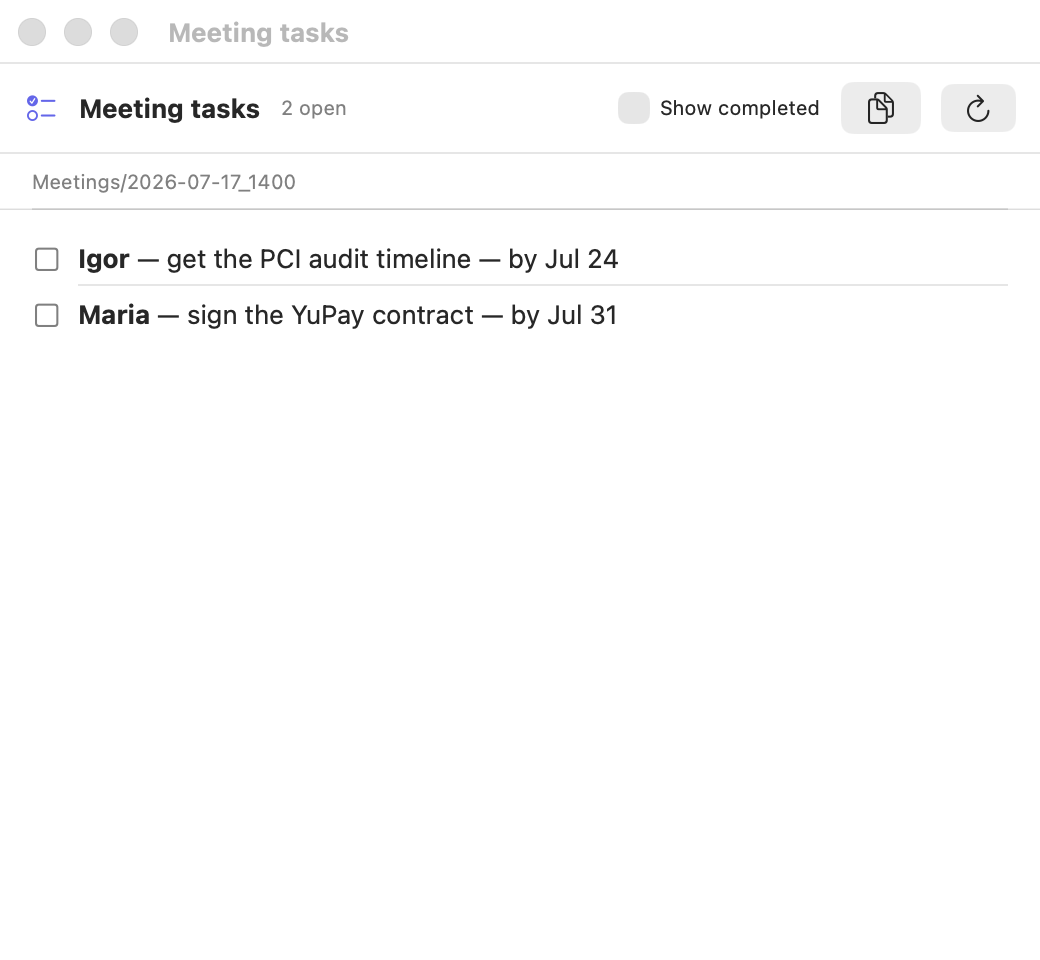
and task checkboxes straight from the same markdown files Obsidian and
the Mac app see. Build with XcodeGen: cd app-ios && xcodegen generate,
then open CharoiteiOS.xcodeproj.
Opening the app starts recording right away (a setting, on by default), and an App Intent "Start recording in Charoite" does the same from Siri, Shortcuts or the Action button. A call mid-recording is a pause, not a loss: the microphone goes to the call, and when it ends the app waits up to a minute for the input and continues the same file; if the input never comes back, the meeting continues in a new file. If the system never reports the end of the call (iOS does not guarantee it), the app checks the input itself — every half a minute after the first one — and resumes as soon as the microphone is free.
Android companion (app-android/)
The same role for a tablet or an Android phone
(app-android/): background recording through a foreground
service, an on-device queue, the meetings feed and task checkboxes from
the same markdown files. Recordings are written as 16 kHz mono WAV —
exactly what recognition needs, and a format that survives a crash —
and land in a folder you pick once; the Mac sees that folder through
Syncthing or any sync tool. The app holds no network permissions at all.
Build: cd app-android && ./gradlew assembleDebug.
Documentation
-
Manifesto — why local models run the conveyor and a strong model runs the graph
-
Setup — install, config, system audio, permissions, first run
-
Practical user guide — the complete path from readiness to a result card and retry
-
Data and recovery — storage, retention, backups and safe recovery
-
Features — everything Charoite does, live and post-meeting
-
Architecture — the daemon, two-pass diarization, graph pipeline
-
Models — why these defaults, with benchmarks; RAM presets for macOS (8/16/32/64 GB; on 4 GB — STT only) and iOS
-
Security — the threat model: what leaves the machine, prompt-injection isolation, supply chain
-
Diarization — embeddings, segmentation and tuning
-
Design — shared tokens and UI conventions for macOS and iOS
Privacy
See PRIVACY.md. Short version: no telemetry, no network calls except to your own localhost services (Ollama) — verify it yourself, it's all here. Two named exceptions outside the cloud layer: a version check against GitHub's public API (nothing about you is sent; sufler.check_updates: false turns it off) and model downloads; CHAROITE_NO_CLOUD=1 skips the version check and refuses the daemon's own on-demand download (an install you start yourself is your explicit action). Recordings auto-delete after record_keep_days. Voice embeddings live only in RAM during a meeting; no voice prints are stored.
Status
Public beta — the current version is on the Releases page. Issues and feedback welcome; questions go to Discussions. The native macOS app lives in app/ — build with app/make_app.sh; the iPhone companion is in app-ios/ and the Android one in app-android/. Roadmap in ROADMAP.md: direct Wi-Fi delivery from phones, graph-aware archive answers, the iPhone companion in the App Store and graph nodes inside the app.
If Charoite is useful to you, a ⭐ helps other people find it.
License
Apache-2.0.