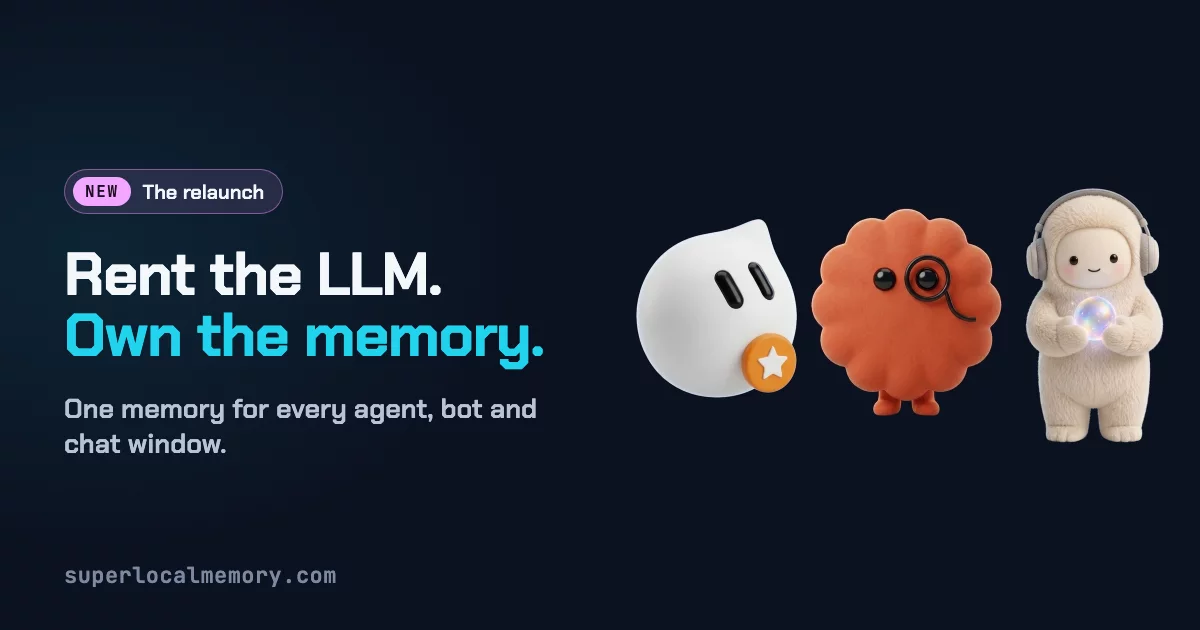



The governed memory brain for every AI agent. It lives on your machine. It never bluffs.
One memory for every agent you and your team use — Claude Code, Codex, Cursor, Copilot, Antigravity, Hermes, ChatGPT, Claude on the web, Grok Bot, Muse and any harness that speaks MCP or runs a command. Decisions, documents, screenshots and PDFs, recalled the way you ask for them, governed like company data, shared through a mesh where your local agents and web bots talk to each other, and answered honestly: when the answer isn't there, your agent hears "That isn't in SuperLocalMemory." — not a confident guess.






Install · See it work · Full demo · Every capability · Docs · Website
⭐ If SuperLocalMemory keeps your agents from guessing, star the repo. It helps other developers find it.
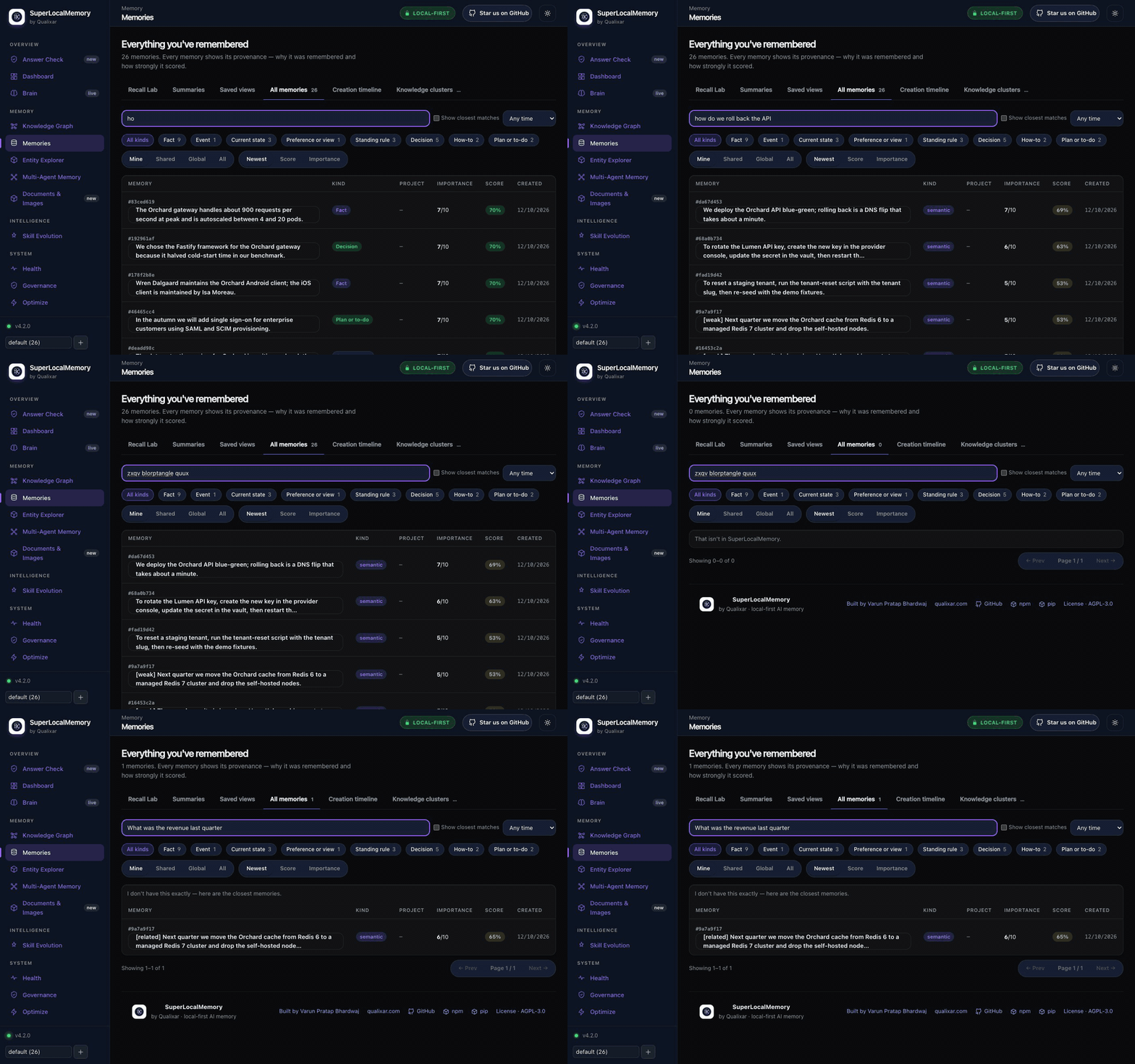
Agents forget everything between sessions. The usual fix — a vector store with a save button — makes it worse: it always returns something, even when nothing it holds answers the question, and your agent builds on it. This is a memory brain, not a bucket: it understands what was saved (who, what, when, which project), keeps it true over time, governs who may see it, and refuses to bluff. Four arXiv papers describe how it works.
In Mode A, core remember and recall make no model-provider call: no API key, no cloud account, no Docker. Anything that sends data out is a choice you make, and the docs say exactly what goes.
Install
The easiest way: let your AI agent install it. Copy the block below into Claude Code, Codex, Cursor or any agent that can run commands. It reads the setup guide, asks you one question, sets everything up and tells you what works. No terminal commands for you to learn.
Install SuperLocalMemory on this computer for me. Follow
https://github.com/qualixar/superlocalmemory/blob/main/SETUP_FOR_AGENTS.md
step by step and show me what each step printed. Ask me only one question,
before turning on anything optional: whether I also want to find my pictures,
screenshots and PDFs by describing them. Connect SuperLocalMemory to the agent
I am using. When you finish, run slm doctor and tell me in plain words what works.
No AI agent? One line in Terminal (macOS and Linux). It brings its own Python, sets everything up, connects the AI tools it finds and opens the dashboard; no Python or npm needed beforehand:
curl -fsSLo get-slm.sh https://raw.githubusercontent.com/qualixar/superlocalmemory/main/scripts/get-slm.sh && sh get-slm.sh
Add pictures and documents from the start with sh get-slm.sh --media at the end. It downloads the script first, so you can read it before it runs. Windows: use the agent prompt above, or npm or pip below.
Prefer the terminal? Both routes end in the same setup: your text memory on this machine, and, if you say yes, your pictures and documents too.
npm, the primary route (Node 18+). It installs SLM into a package-owned virtual environment:
npm install -g superlocalmemory   # add --media to also turn on pictures and documents
slm setup                         # pick Mode A to keep everything on this machine
slm connect claude-code           # or codex, cursor, windsurf, zed, claude-desktop, jetbrains, opencode ...
pip, the other primary route (Python 3.12 to 3.14), in a Python virtual environment you activate:
python3 -m venv .venv
source .venv/bin/activate         # Windows: .venv\Scripts\activate
python -m pip install superlocalmemory   # or, without a venv: pipx install superlocalmemory
slm setup
slm connect claude-code
slm media enable                  # optional: pictures and documents (about 1.5 GB; needs 16 GB of memory)
uv: uv tool install --python 3.12 superlocalmemory installs slm as an isolated tool, with nothing to activate; see Linux install.
Claude Code plugin: claude plugin marketplace add qualixar/superlocalmemory, then claude plugin install superlocalmemory@qualixar. Codex: slm connect codex, then slm codex install.
Two models, one memory. Text is searched with a small local text model (nomic). If you turn on pictures and documents, a second local model (Google's EmbeddingGemma 2) reads them, and one recall returns both. The picture model unloads after 30 minutes without use, so it holds no memory while you only work with text. Details: pictures and documents, getting started, agent setup steps.
Repository clone: ./scripts/install.sh install (macOS, Linux) or .\scripts\install.ps1 -Action Install (Windows). Runs on Windows, Linux and Apple Silicon macOS (platforms).
30-second example
$ slm remember "We deploy the API blue-green; rollback is a DNS flip." --kind decision
Queryable ✓ 1 facts
$ slm remember "Staging DB is Postgres 16 on port 5433."

$ slm recall "how do we roll back the API"
  1. [0.67] We deploy the API blue-green; rollback is a DNS flip.

$ slm recall "zxqv plorth wimble"
  That isn't in SuperLocalMemory.

$ slm remember "Staging DB moved to Postgres 17 on port 5434." --replaces <id>
Replaced ✓ 1 fact(s). To undo: slm review-correction ... rollback 1
$ slm recall "which port does staging postgres use"
  1. [0.68] Staging DB moved to Postgres 17 on port 5434.
Real output from a fresh Mode A install, trimmed. Scores rank memories; they are not probabilities.
Why SuperLocalMemory: twelve superpowers
1. It knows when it doesn't know. Every recall comes back in one of three tiers: a supported answer; the closest memories, labelled "I don't have this exactly — here are the closest memories"; or "That isn't in SuperLocalMemory." for nonsense. Just after a start it says it is still warming up and shows what it has found, so you never hear "empty" when the truth is "not ready yet". Your agent stops building on the wrong memory.
2. A second opinion that never leaves your Mac. On Apple Silicon, SLM installs Laya, a small on-device model that judges whether the memories found actually answer the question. Prefer the cloud, or not on a Mac? Jev does the same check online, only after you tick its consent.
3. Your documents and screenshots become a knowledge base you can ask. Save a photo, a screenshot or a PDF and find it weeks later by describing it — "the slide with the quarterly numbers". The picture model is  Google's EmbeddingGemma 2, running on your computer: one model reads both your words and your pictures, so a description finds the image. OCR runs locally too, every PDF page is indexed by its picture and its text, and every answer cites its file and page. No generative model ever looks at your files.
4. Karpathy's LLM-wiki idea, built in — with search kept. Andrej Karpathy's LLM-wiki pattern turns raw documents into an organised knowledge base with an index and a health check. SLM does that from the data it already stores — a document index of every file with its people, projects and dates, and a document health check that finds empty pages, unlinked documents, duplicate pages and contradicted facts — while keeping real hybrid search for the moment you need to find something.
5. It looks after itself. Memory health describes your older memories in the background — dates, names, projects, kinds — only ever by adding, never touching what you wrote. Anything that moves or deletes waits for your Fix, and Undo puts it back.
6. Governed, not just stored. Every save passes an admission check and gets a receipt. Every read respects roles, workspaces and scopes. Every erasure reaches every copy — summaries, caches, indexes, picture mirrors — and comes with a verifiable receipt. Every action lands in a hash-chained audit trail. Built for teams and for GDPR, not bolted on.
7. Memory with a sense of time. Every fact knows when it happened and when SLM learned it. Ask what was true last month, or what SLM knew before a date. Corrections replace a fact and stay undoable; unused memories fade the way human memory does.
8. It never floods your context window. Layered recall gives an agent a one-line glance, the facts, or the full surrounding context — under a hard token budget it sets. The agent digs deeper with expand only when it needs to, and cache and reversible compression stop you paying for the same output twice.
9. Many agents, one brain. Every write records which agent made it, with trust scores against memory poisoning, so ten agents can share one memory without poisoning it.
10. Your agents talk to each other — even across the internet. Through SLM-Mesh, the agents on your computer and the bots on the web finally share one conversation. Claude Code, Codex and Hermes sessions exchange messages, waits, locks and shared state, on one machine or several, so one agent can hand work to another and two never edit the same file at once. And the bots you allow — ChatGPT, Claude on the web, Grok Bot, Muse — join the same mesh: a bot in your browser can message the agent on your laptop by name and read its reply. Every message arrives labelled as data, never as instructions; a web bot reads new messages when its next turn starts.
11. It learns every day, and it can't quietly get worse. Every reported outcome teaches it: ranking learns which memories actually helped, stable habits become soft prompts for new sessions, and agent skills are measured and revised. A new ranker is promoted only on a statistically valid win and rolled back automatically if it slips. Work runs as bounded loops that end only when an independent gate passes — never on an agent's word — and multi-step pipelines run as bounded graphs with Bounded Loops, whose finished runs SLM keeps as read-only evidence.
12. Science, not vibes. Four arXiv papers back every layer: information-geometric retrieval, biologically inspired forgetting, Bayesian trust against memory poisoning, and governed memory with measured costs. The core math runs without a language model, and the published benchmarks state exactly how they were measured.
SuperLocalMemory is part of Qualixar's AI Reliability Engineering work: agent memory that is observable, bounded and honest about what it doesn't know.
Watch it work
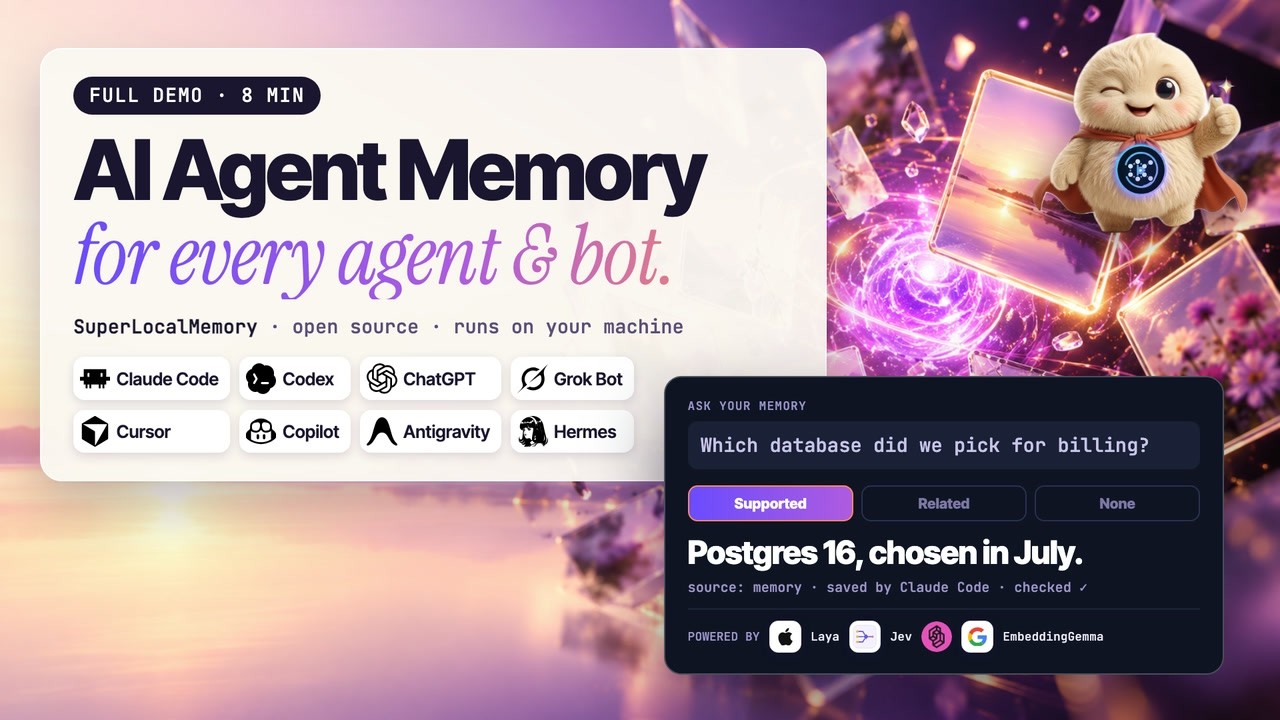
The full eight-minute demo: one memory shared by your coding agents and bots, every tab.
Add SuperLocalMemory to your app
You do not need to wait for an app store. Every app below can take SuperLocalMemory straight from this GitHub repository, qualixar/superlocalmemory, in two steps.
Step 1, once per computer. Install SuperLocalMemory: npm install -g superlocalmemory (or pipx install superlocalmemory). Your memory lives on this computer from then on.
Step 2, in each app you use:
| Your app | What to do |
|---|---|
| Claude Code (terminal and desktop app) | Type /plugin marketplace add qualixar/superlocalmemory, then /plugin install superlocalmemory@qualixar |
| Claude Desktop | Run slm connect claude-desktop, then restart Claude Desktop |
| ChatGPT, Claude on the web, Muse, Composio | Open the dashboard (slm dashboard) → Web access → turn it on, then add the link it shows as a connector in that app (step-by-step) |
| Codex (terminal and desktop app) | Run codex plugin marketplace add qualixar/superlocalmemory --ref main, then codex plugin add superlocalmemory-codex@qualixar |
| Cursor (editor and Agents window) | Run slm connect cursor, then restart Cursor |
| VS Code (Copilot chat in the editor) | Install the SuperLocalMemory extension (.vsix from the latest release: Extensions → ... → Install from VSIX) |
| VS Code Agents window, GitHub Copilot CLI | Run slm connect copilot-cli; for the skills, add qualixar/superlocalmemory in the Agents window's Plugins screen |
| Antigravity | Run agy plugin install "$(npm root -g)/superlocalmemory/antigravity-plugin" |
| Grok CLI | Run grok plugin install 'qualixar/superlocalmemory#plugin' |
| Grok Bot | In Grok's Plugins screen, add the marketplace qualixar/superlocalmemory and add superlocalmemory |
| Muse CLI | Run slm connect muse, then muse plugins install "$(npm root -g)/superlocalmemory/muse-plugin" and muse plugins approve superlocalmemory |
| Hermes (terminal and desktop app) | Run hermes plugins install 'https://github.com/qualixar/superlocalmemory.git#hermes-plugin', then slm upgrade-hosts --host hermes --apply |
| OpenClaw | Run slm connect openclaw |
| Windsurf, Zed, JetBrains, Gemini CLI, OpenCode, Continue | Run slm connect <app>, for example slm connect windsurf |
| Anything else that speaks MCP | Add a server with the command slm and the argument mcp |
Restart the app after adding SuperLocalMemory. Then ask it something like "What do you remember about this project?" The plugin guide has the details for each app, and slm doctor checks your setup.
Works with your agents
Every harness, every bot, one memory. Any harness that speaks MCP (slm mcp, or http://127.0.0.1:8765/mcp/) or can run a command (slm remember, slm recall) can use SuperLocalMemory. The packaged plugins are ready-made examples, not a limit.
| Host | Connect | You get |
|---|---|---|
| Claude Code | claude plugin install superlocalmemory@qualixar |
MCP, 16 skills, 4 agents, /slm-loop, session and recall hooks |
| Codex | slm connect codex, then slm codex install |
MCP, 16 skills, 4 agents, /slm-loop, lifecycle hooks |
| GitHub Copilot (VS Code, Visual Studio, JetBrains, CLI) | slm connect vscode-copilot --here |
MCP, agent rules, 16 prompts, 4 agents, hooks |
| Antigravity | agy plugin install the bundled plugin |
MCP, 16 skills, 4 agents, /slm-loop, hooks |
| Hermes | Native plugin, then slm upgrade-hosts --host hermes --apply to grant it the memory server |
16 skills, advisor agents, /slm <command>, recall and session hooks |
| VS Code | The SuperLocalMemory extension (.vsix on the release page) |
The memory server in the agent's tool list, nothing to edit |
| Grok CLI | slm connect grok-cli, then grok plugin install the bundled plugin |
MCP, 16 skills, 4 agents, session and recall hooks |
| VS Code Agents window, GitHub Copilot CLI | slm connect copilot-cli; skills and agents from the Plugins screen |
MCP, 16 skills, 4 agents |
| OpenClaw | slm connect openclaw |
MCP and 14 skills |
| Muse CLI | slm connect muse, then muse plugins install the bundled plugin |
MCP, 16 skills, 4 agents, /slm-loop, session and recall hooks |
| Grok Bot and Cursor-format hosts | Add the qualixar plugin marketplace |
A lean plugin built for shared bot computers (guide) |
| Cursor, Windsurf, Zed, JetBrains, Gemini CLI, Claude Desktop, OpenCode, Continue | slm connect <name> |
MCP in that tool's own config |
| ChatGPT, Claude on the web, Muse, Composio | Optional Web access from the dashboard: sign in per app, read-only or read-and-save, remove any app at once | Your local memory, from the web; the database never leaves your computer (guide) |
| LangGraph, LangChain, LlamaIndex, CrewAI, AutoGen, Semantic Kernel, Microsoft Agent Framework, Google ADK, OpenAI Agents | Framework adapters | Memory inside your own code (adapters) |
| Anything else | Paste the universal agent rules and give it the CLI or MCP | Memory discipline for any agent |
What the plugins teach your agent. Every plugin is built from one source, so every host gets the same 16 skills (recall, remember, sessions, governance, scopes and profiles, the knowledge graph, mesh, bounded loops, cache, compression, Web access, pictures, and two for bot computers) and 4 agents (a memory advisor, an optimize advisor, a governance advisor and a loop runner). Hooks run at session start, after tool use and at the end of a session, and every hook fails open: a hook problem never blocks your agent. Plugins, skills and hooks
Everything SLM does
Recall that knows when it doesn't know
| Capability | What you get | Docs |
|---|---|---|
| Three honest tiers | Supported; closest memories (up to three, labelled); or "That isn't in SuperLocalMemory." Hooks that inject memory automatically only ever inject supported answers | [Recall](https://github.com/qualixar/superlocalmemory/blob/main/docs/recall.md#when-memory-cannot-a |