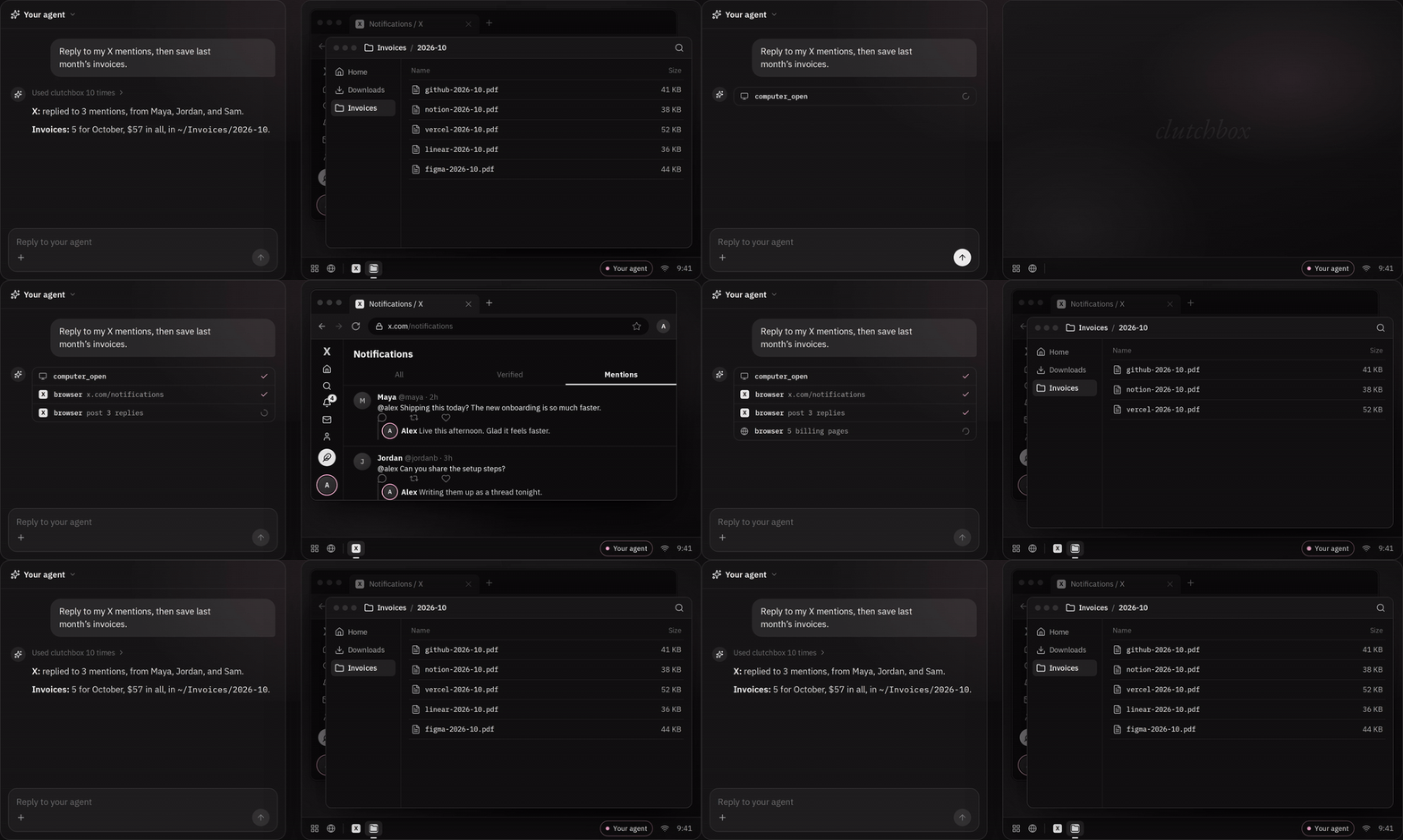
Your agents, already signed in. You choose the sites, and every agent session opens signed in as you: no passwords typed, no 2FA prompts, no cookie files going stale.
A Chrome extension keeps the sign-ins for the sites you pick in sync, one way, to where your agents run: a hosted computer with Chrome, or your own Playwright, browser-use, Stagehand, or any Chrome over CDP. All of it is open source under Apache-2.0, and you can run the whole product yourself.
Same sign-ins, two ways in
For you: your assistant, signed in as you.
- Add the extension and pick your sites.
- Connect Claude, ChatGPT, Claude Code, or Codex at clutchbox.dev.
- Ask. It starts signed in, on a fresh computer you can watch live and take over.
For your users: your app, signed in as each user.
- Your user connects once, and joining your organization is their consent.
- Open a session for them with the SDK.
- Drive it with Playwright or any CDP client.
const clutchbox = createClient({ server: 'https://www.clutchbox.dev', apiKey });
const session = await clutchbox.computers.open({ member: user.id });

const browser = await chromium.connectOverCDP(session.cdpUrl);
const page = await browser.contexts()[0].newPage();
await page.goto('https://github.com'); // signed in as them
To use your own browsers instead, read a user's latest sign-ins and apply them with a runtime adapter, in one call:
| Where the agent's browser runs | Runtime adapter |
|---|---|
| Any Chrome over CDP | @clutchbox/apply |
| Playwright, browser-use, Stagehand | @clutchbox/playwright |
| An E2B sandbox | @clutchbox/runtime-e2b |
| An Instabox sandbox | @clutchbox/runtime-instabox |
| A Boat sandbox | @clutchbox/runtime-boat |
How it works
- Capture. The extension reads cookies only for the sites you add, each behind its own Chrome permission, and uploads a new capture when one changes.
- Store. The server keeps the latest capture encrypted at rest and serves it only to the agents you connect.
- Apply. The agent's browser gets the newest sign-ins: only what changed is written, sites you signed out of are cleared, and every other site is left alone.
Security
Sync goes one way: agents work on copies, and nothing they do reaches your browser.
- Opt in, site by site. No host permissions at install; Chrome asks for each site you add.
- Cookies, not passwords. Passwords, passkeys, and 2FA secrets never leave your browser.
- Off in one click. Pause, remove a site, or disconnect, which deletes what that browser uploaded.
- Sealed at rest. AES-256-GCM, under a key kept outside the database.
Whoever runs the server and the agent's browser can use the synced sessions, and some sites tie sign-ins to your device. SECURITY.md has the full model and how to report a vulnerability.
Self-host
The web app is the whole product for one organization: sign-in, browser sync, a computer per member on your own E2B team with live view and takeover, and the MCP server agents connect to. With Docker and an E2B API key:
git clone https://github.com/clutchbox-hq/clutchbox && cd clutchbox
cat > .env <<EOF
BETTER_AUTH_SECRET=$(openssl rand -base64 32)
CAPTURE_ENCRYPTION_KEY=$(openssl rand -base64 32)
E2B_API_KEY=e2b_your_key
SMTP_URL=smtp://mailpit:1025
SMTP_FROM=agents@localhost
EOF
docker compose up --build
Then sign in at http://localhost:3000, with the link from Mailpit at http://localhost:8025. The web app's README covers connecting the extension and agents, running on a server, sign-in providers, your own computer template, and extending it without a fork.
How it compares
| Clutchbox | Cloud browser profiles (Browserbase, Kernel) | Exported cookie files | Giving the agent your password | |
|---|---|---|---|---|
| Uses the sessions you already have | ✅ | Sign in again in their browser | ✅ | Agent signs in |
| Stays current | Syncs in the background | Until the session expires | One-off snapshot | Per sign-in |
| Works across providers | Any Chrome over CDP | That provider | By hand | ✅ |
| Password reaches the agent | No | Typed into their browser | No | Yes |
| Consent and revoke | Per site, one click | Per profile | None | Change your password |
Packages
| Package | What it does |
|---|---|
apps/extension |
The Chrome extension (Manifest V3) that captures the sites you authorize and syncs them to your server. |
apps/web |
The web app for one organization: the dashboard, sign-in, the API, and MCP. Dockerfile and compose.yaml run it with Postgres. |
packages/cli |
npx clutchbox: connects Claude Code and Codex to a Clutchbox server and opens setup. |
packages/sdk |
The TypeScript SDK for the developer REST API: members' latest captures, and computer sessions driven over CDP. |
packages/playwright |
Applies a capture to a Playwright browser context, a persistent context, or a Chrome attached over CDP. |
packages/apply |
Works out what a capture changes since the last one applied, and applies it to any Chrome over CDP. |
packages/runtime-e2b, runtime-instabox, runtime-boat |
Runtime adapters: apply a member's latest capture to Chrome in your own E2B, Instabox, or Boat sandbox, through the sandbox's command API. |
packages/capture |
The capture format and sync contract: cookies with full metadata, sites, exclusions, and settings. |
packages/computer |
The interface a computer provider implements: create, pause, resume, screenshot, act, exec, and CDP. |
packages/e2b |
Computers for agents on E2B: a Linux desktop sandbox with Chrome, kept signed in. |
packages/ui |
The web app's design system: shadcn components on Base UI, the theme, and the fonts. |
packages/server |
The web app's server: accounts, browser sync, captures, computers, MCP grants, and live view, on Postgres. |
packages/api |
The web app's HTTP API, the MCP server agents connect to, and the live-view and CDP relays. |
packages/web |
The web app's product library: the dashboard, sign-in and consent pages, their route manifest, the proxy, and the Node server. |
Contributing
Issues and pull requests are welcome; see CONTRIBUTING.md.
bun install
bun run lint && bun run typecheck && bun run test
License
Apache-2.0. The Clutchbox name and logos are covered by the trademark policy: use them to say what's true, and rename a modified extension before publishing it.