

CoachAven
A coding agent your team — or your agency — runs in Slack, Microsoft Teams or a web chat. One warm sandbox per project, on hosts you own.
- Each project gets a long-running container with its repositories and a persistent Claude Code process; a chat channel (or web room) drives it.
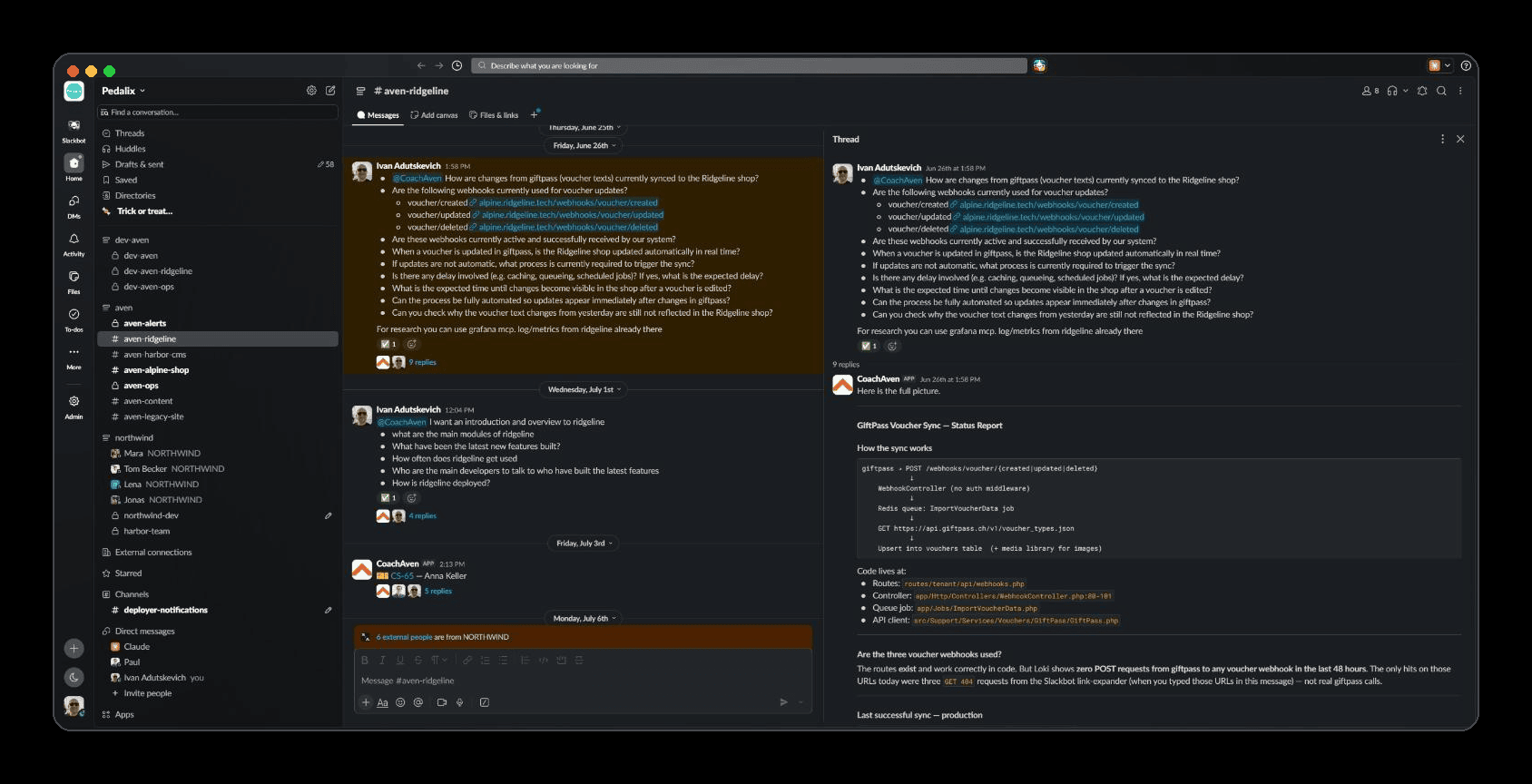
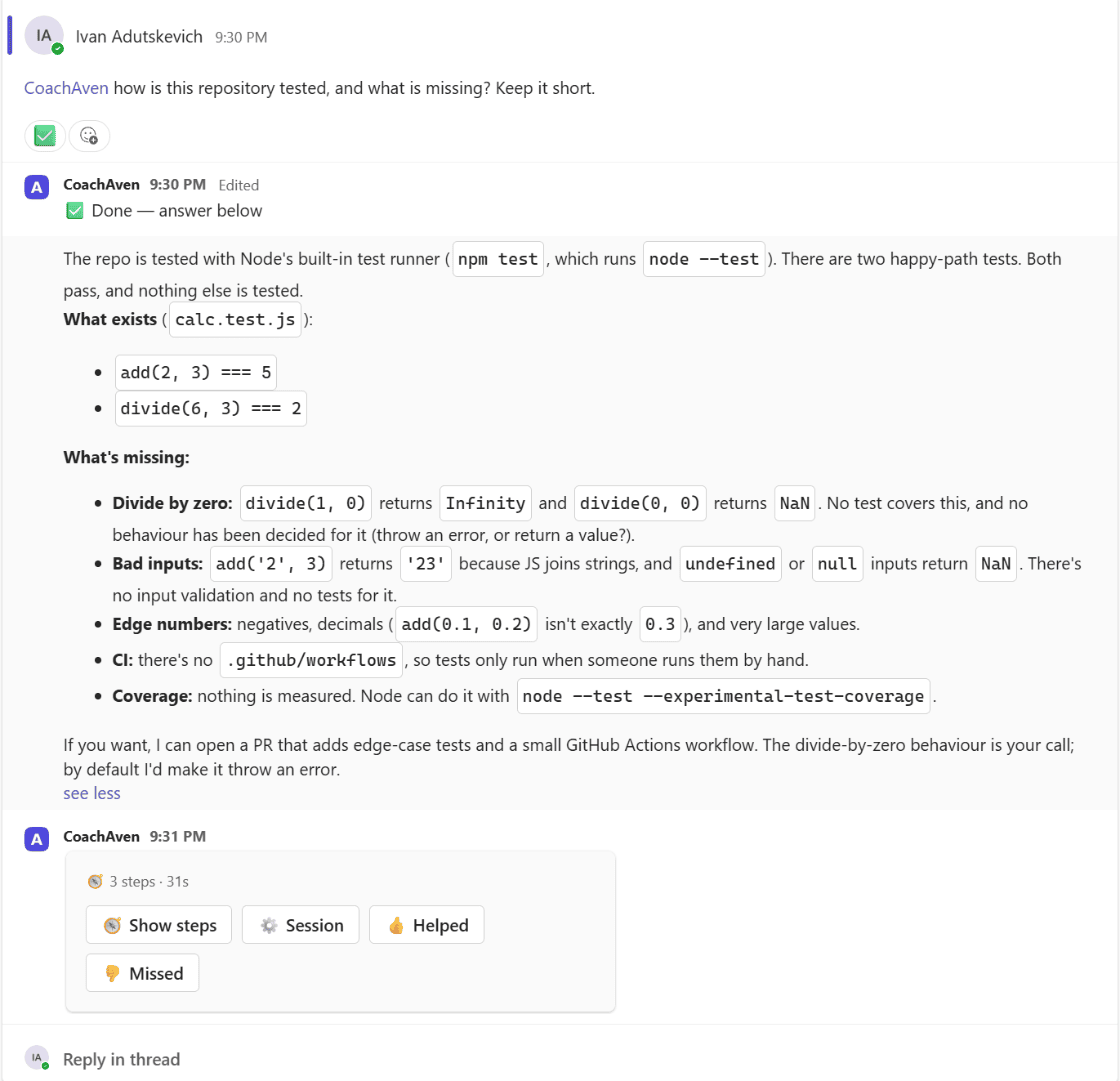
- The agent reads the code, answers questions, runs builds and tests, and opens pull requests; people review and merge.
- Per project, opt-in: it reviews pull requests as they open, runs routines on a schedule, investigates YouTrack tickets, and calls the MCP servers the project declares (Grafana, Sentry, trackers, your own).
- The bot is a small TypeScript control plane with no model calls of its own: all the thinking happens in the sandboxes, on your model credit — a Claude subscription token to try it, an Anthropic API key for a team or clients.
Try it on one machine — Docker and a Claude subscription; no GitHub token, Slack, registry or
privileged container: docs/quickstart.md. Clone, run quickstart/coach-aven up, paste a
Claude token, and the agent answers in a web chat on localhost about our demo repository — or yours, with a GitHub
token for its pull requests — in about three minutes of machine time. Slack beside it is two more tokens.
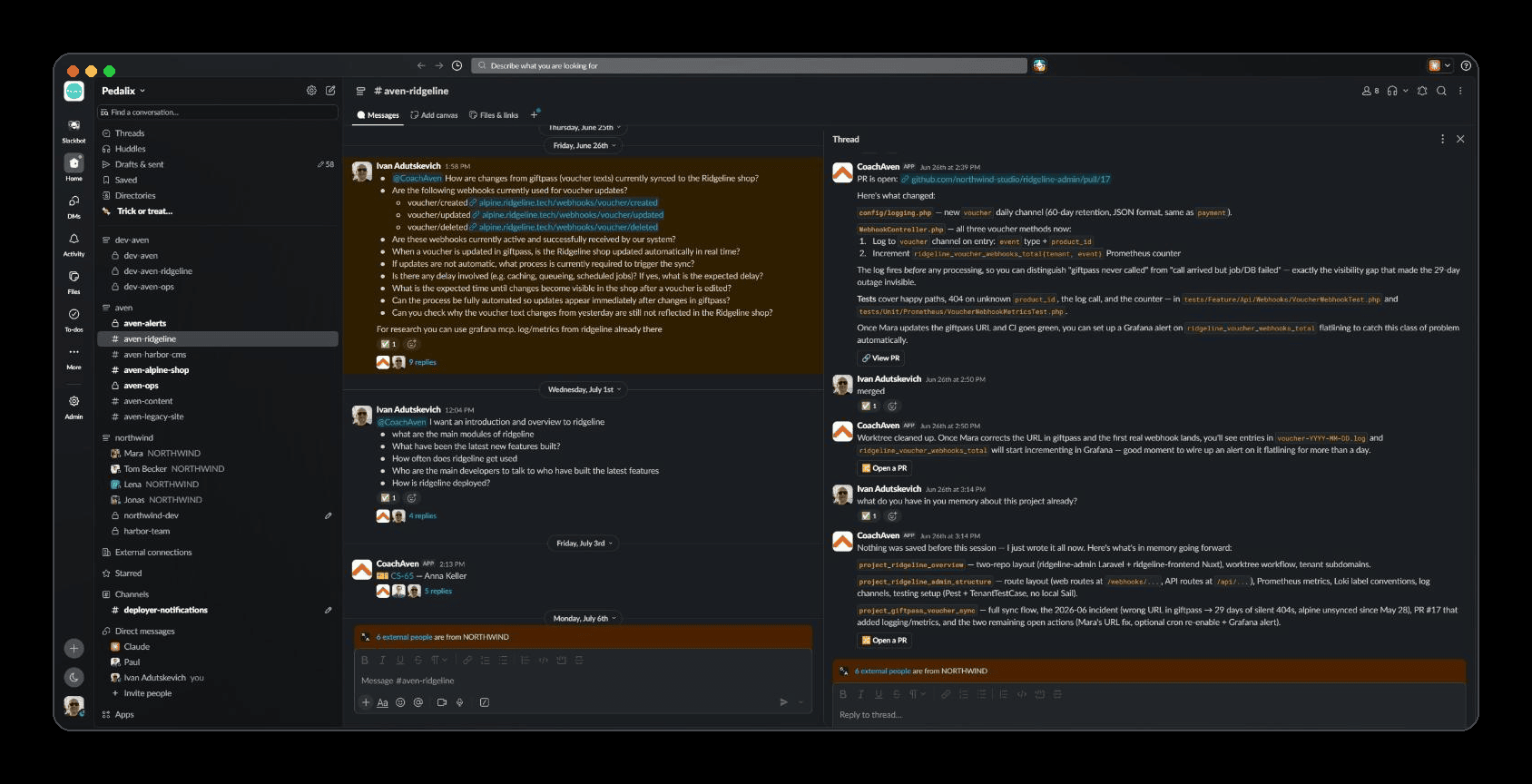
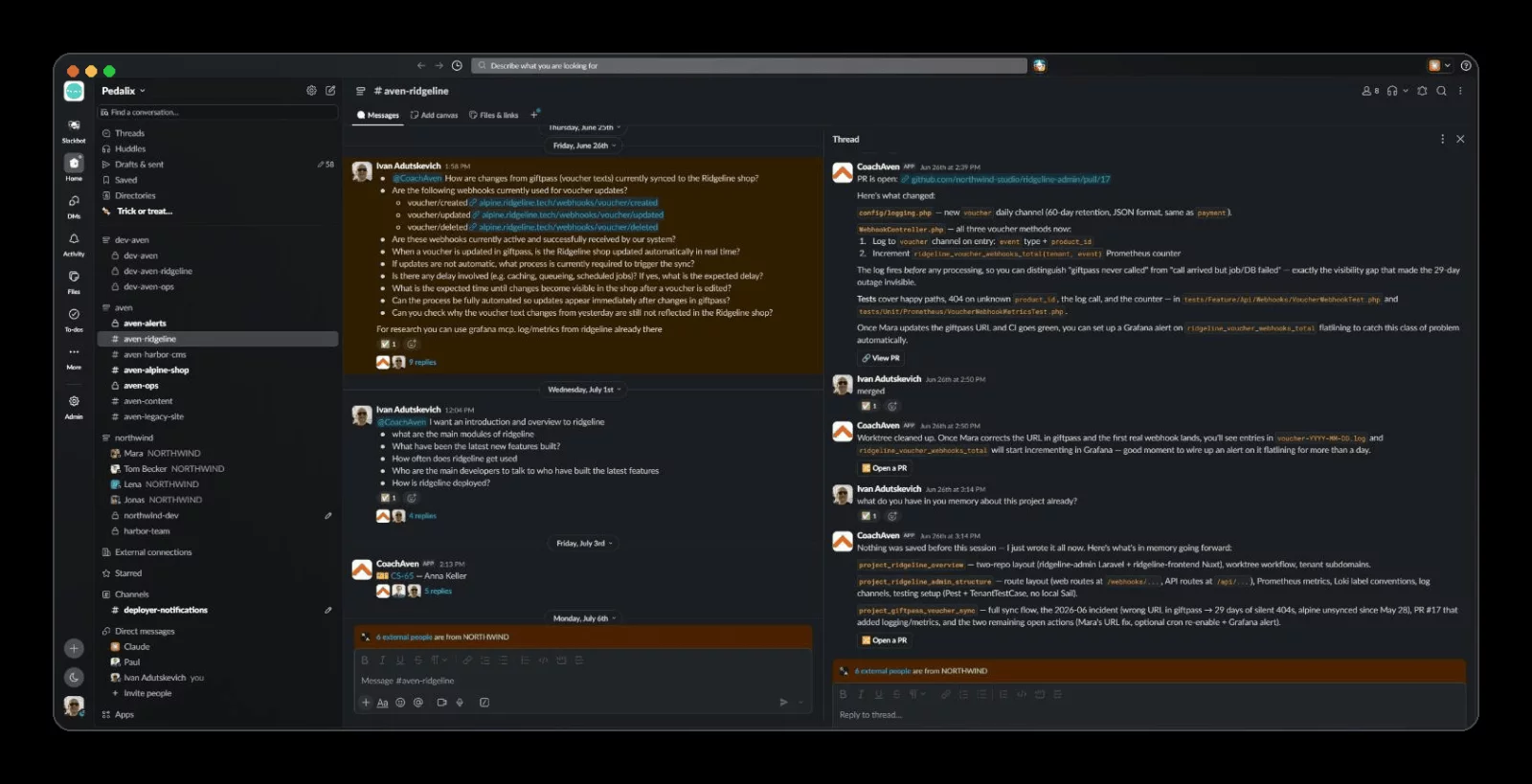
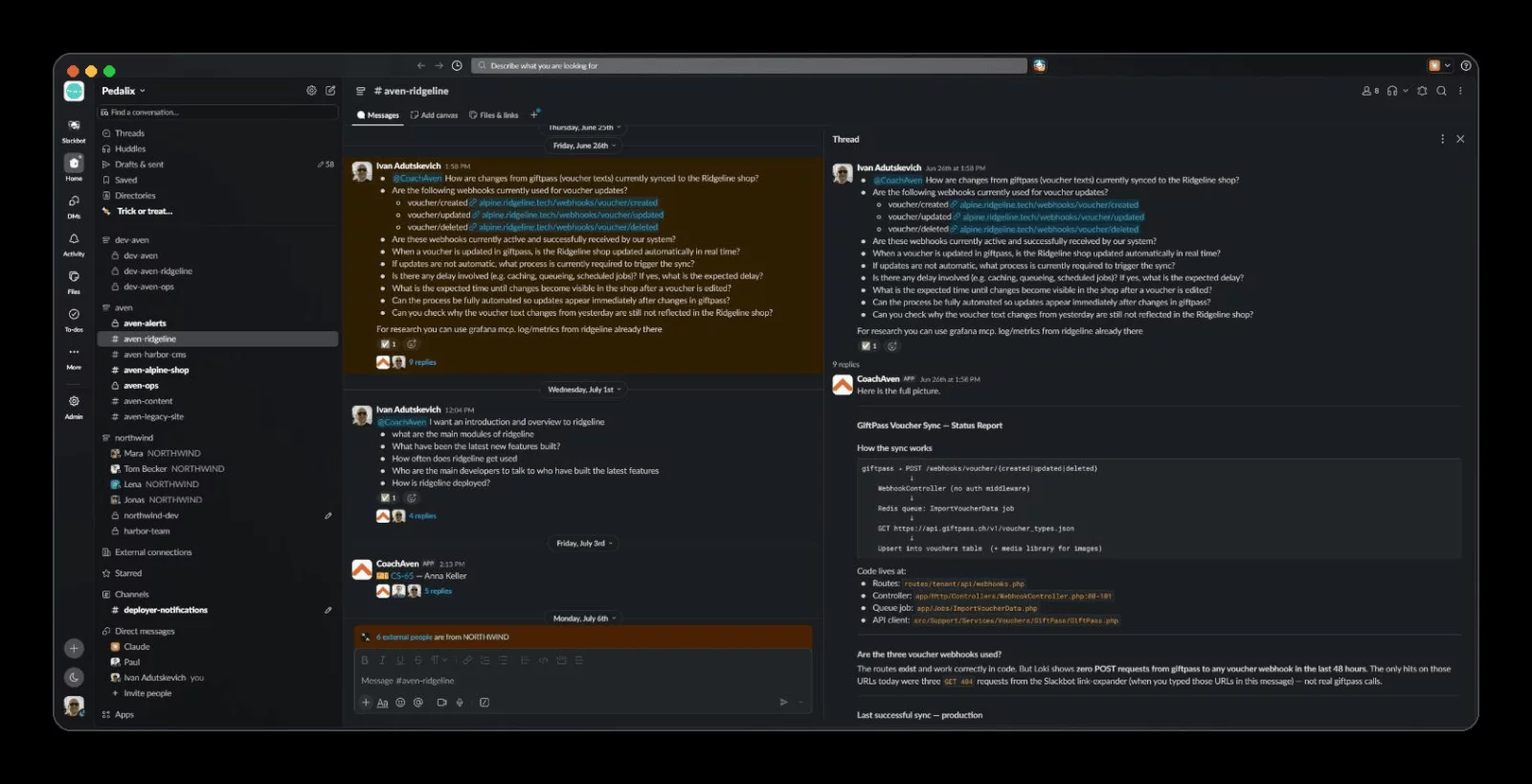
| The question and the agent's status report (Slack) | A question answered in a reply chain (Microsoft Teams) |
|---|---|
 |
 |
Built for an agency or a small team that runs many client systems: one installation, one sandbox and one set of tools per client project, each client's work billed to a credit you choose. It grew up on Laravel projects (Sail runs inside the sandbox), YouTrack and Grafana, and runs any stack whose tools fit in a container.
Why not Anthropic's own Claude Code in Slack? Their integration runs each thread in an Anthropic-hosted sandbox tied to Claude Code on the web. CoachAven keeps a warm sandbox per project on your own Docker host, with your toolchain and the MCP servers your project declares, and adds routines, PR review and ticket investigation. If all you need is thread-to-pull-request with zero operations, their path is the better choice.
| Capability | Status |
|---|---|
| Slack driver, pull requests, PR review and autofix, routines, YouTrack | production (Slack since June 2026) |
| Project sandboxes on your own Docker host | production for every project since v0.43.0 |
| Microsoft Teams driver | in releases since v0.42.0; canary on a staging installation |
| Agent messaging between installations, through a relay hub | in releases since v0.42.0; canary between three installations |
| Anthropic API key as the model credit | in v0.44.0; canary on the maintainer's installation |
Web chat (OIDC login; a sign-in link on localhost) |
canary; the quickstart runs it |
| Extensions — sources (a scrubbed store of a project's mail, chat, calendar and tickets) | opt-in; production on one installation |
| Extensions — attribution, the lab bench | opt-in, experimental, on the maintainer's own tenant |
Every change reaches the maintainer's installation from main first and production with a tag; what is staged where
is the flag ledger, docs/rollout.md.
Free and open: everything here is Apache-2.0; there is no hosted tier. Rather not run it yourself? We run and
support installations on a client's own infrastructure — coachaven.com — and that is what
funds the project. No telemetry: an installation never reports to this project. Besides the services you configure
(chat platform, GitHub, Anthropic, Docker host, MCP servers, YouTrack, sources, an error tracker or relay hub if you set
one) it reads the npm registry once a day to check the Claude Code pin, and pulls its images from ghcr.io.
What goes where and what the sandbox can reach: docs/security.md.
Versions: vX.Y.Z tags, while the project is below 1.0: a minor release (0.Y) may change configuration or
behaviour and says so in its notes, a patch (0.Y.Z) fixes. Only the latest release is supported
(SECURITY.md); main is the canary. Every release is the very image the canary ran.
Status: a single-maintainer project with installations for real users; self-hosting is documented, support is
best-effort (SUPPORT.md, CONTRIBUTING.md, SECURITY.md).
Start here:
- Why CoachAven: who it is for, what it does differently, what it is not.
- How it is built and run: invariants, specs first, canary then tag, who does what — built with Claude Code, every change specified first (OpenSpec) and canaried.
- All docs: running an installation, what the agent can do, under the hood.
How it works
 Slack ⇄ Socket Mode (the bot dials out: no public endpoint needed)
 Teams ⇄ HTTPS (Microsoft dials in: a public endpoint behind your reverse proxy)
 Web   ⇄ HTTPS (the installation serves it: OIDC login, or a sign-in link on localhost)
   │       one chat driver per installation
 orchestrator  (Node, one process; state.json; pollers for routines / PR review / tickets)
   │  sandbox driver: containers on a Docker host you own, over SSH (or this host's own Docker)
   ▼
 proj-<slug> sandbox  ── git clone of the project's repos, one worktree per task,
                         a persistent `claude` process per conversation (stream-json),
                         MCP servers the project declares (Grafana, Sentry, trackers, …)
Self-host with Slack or Teams
One installation layout from the first try to production, so you grow it instead of starting over:
- Try it — the quickstart: the web chat and local sandboxes (
docs/quickstart.md). - Add Slack — on the same installation: a Slack app from
slack-app-manifest.json(Socket Mode on), its bot token (xoxb-…) and app token (xapp-…) inquickstart/.envbesideCHAT_SURFACES=slack, thenquickstart/coach-aven up. A channel namedaven-<slug>drives the project<slug>;@mentionthe bot there, and its App Home tab lists every command and button (docs/quickstart.md). Microsoft Teams needs a public HTTPS endpoint and a bot identity from theinfra/teams/Terraform module:docs/teams.md. - Operate it on a server — the same published image under
docker composeon any Linux box, its configuration in a private ops repo checked out atinfra/<slug>/, deployed withnpm run ops -- <slug> deploy vX.Y.Z(a rollback is the same command with the earlier version):infra/README.md,infra/deploy/README.md. What changes from the trial:- GitHub: a GitHub App installed on the org/repos with Contents + Pull requests read & write, Checks read
and Metadata read (
GITHUB_APP_ID+ the private key path) instead of one repository's token. - Model credit: exactly one of
CLAUDE_CODE_OAUTH_TOKEN(claude setup-token) andANTHROPIC_API_KEY; both set stops the boot. For a team or clients, the key: the sandbox can read it, so make it a dedicated key in its own Anthropic console workspace with a monthly spend limit. - Sandboxes: on another Docker host over SSH (
SANDBOX_HOST=user@host,docs/sandbox-drivers.md). A project runs the publishedplainimage (snapshot/) unless it needs more (PHP, Sail): then an image of your own — thelaravelvariant, pushed to your registry — and"sandbox": { "image": "…", "dind": true }. - Projects:
projects.config.json(the annotatedprojects.config.example.json) and a prompt per project inprojects.d/<slug>.md(docs/runtime-config.md). Several Slack workspaces on one bot:docs/multitenancy.md.
- GitHub: a GitHub App installed on the org/repos with Contents + Pull requests read & write, Checks read
and Metadata read (
Running the bot from source (Node 24, npm install, then the orch command with slack or web) is the
contributor's path, also beside a production bot: docs/local-dev.md.
What goes where
| File | Who writes | Holds |
|---|---|---|
.env |
you | secrets + infra endpoints: sandbox driver, Slack tokens, GitHub App, Claude token, optional OAuth / MCP gateway / observability |
projects.config.json |
you | the project registry: slug, repos[], mcp[], gitFlow, youtrackProjects[], sources, optional workspaces (tenant → slugs) |
projects.d/<slug>.md |
you | the project's system prompt (wins over the JSON systemPrompt field) |
state.json |
the bot | sandboxes, tasks, thread → session bindings, installations, routines — never hand-edited |
queue.jsonl, drafts/, usage/, feedback/, facts/, memory/, data/ |
the bot | journals and derived state beside state.json (docs/) |
Rule of thumb: a secret or endpoint → .env; a description of a project →
projects.config.json + projects.d/; everything else the bot derives and you may delete.
/aven reload re-reads the project config at runtime (new sessions only).
Gotchas
- GitHub token lifetime ≈ 1h; it is minted and seeded again before every turn. A single turn longer than an hour may see a stale token — send another message.
- Branch protection: the project's token can push; the
prgit flow is a rule in the prompt, so require reviews on the default branch and let GitHub enforce "people merge". - Resources: DinD wants ≥2 vCPU / 4 GiB per warm sandbox running a Sail stack.
- State is one
state.json; single process per installation. Socket Mode delivers each event to one socket only, so a dev bot must be a separate Slack app (docs/local-dev.md).
Contributing
The rules for a PR: CONTRIBUTING.md. Commands, conventions and where things
live in src/: the contributor guide CLAUDE.md. How a change ships (main is the
canary, production runs the last tag): docs/how-we-work.md and the flag
ledger docs/rollout.md.