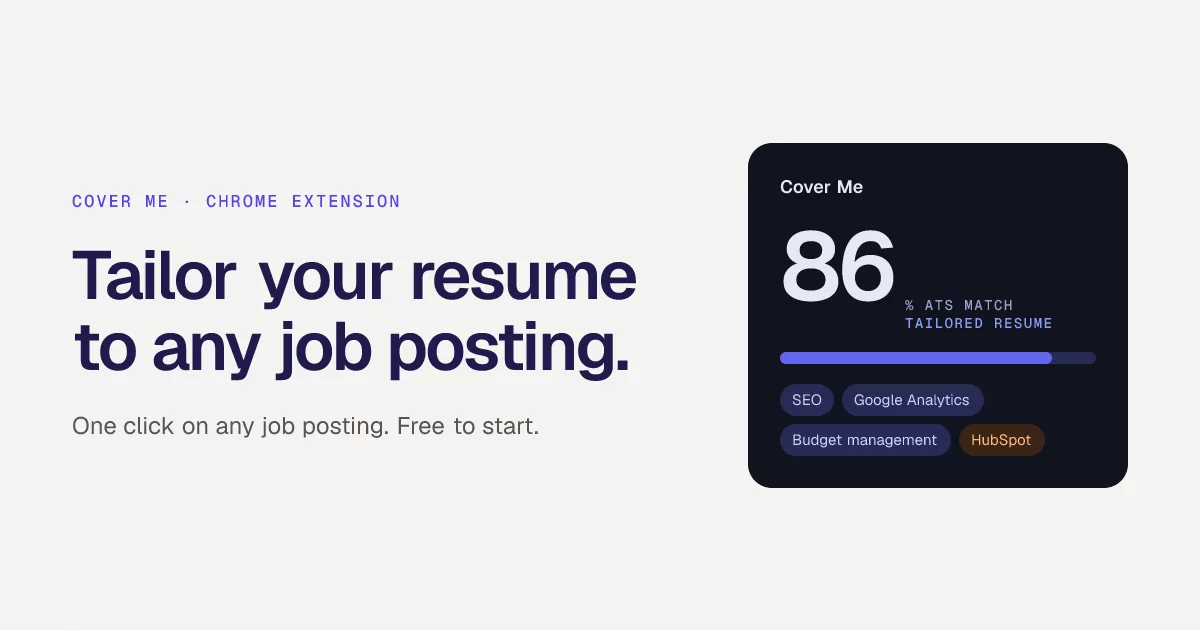

AI cover letters and ATS-tailored resumes, generated from any job posting in seconds.

Cover Me is an open-source Chrome extension that reads job descriptions and, using your stored resume, generates tailored cover letters and ATS-optimized resumes — complete with a match score and gap analysis. Bring your own API key for unlimited use, with your resume going only to your AI provider — or use the hosted tier for a no-configuration experience.
How it works
- Open any job posting (LinkedIn, Indeed, Lever, Workday, and more)
- Click the Cover Me extension icon
- Hit Generate Cover Letter — or Tailor Resume to Job
- Edit, copy, or download as PDF
The extension reads the job description from the page and combines it with your resume. Generate Cover Letter produces a tailored, human-sounding letter — no generic templates, no "I am excited to apply." Tailor Resume to Job rewrites your resume's wording and skills to match the posting's ATS keywords (without fabricating experience), shows a match score out of 100 with a gap analysis, and exports a clean PDF. Optional toggles let you compact to one page, trim irrelevant bullets, or add a tailored summary.
Tiers
| BYOK (Free) | Hosted Free | Hosted Pro | |
|---|---|---|---|
| Price | Free | Free | $15/month or $35/3 months |
| API key required | Yes (yours) | No | No |
| Generations | Unlimited | 10 to start, then 5/week | Up to 25/day |
| Resume storage | Local only | Encrypted cloud | Encrypted cloud |
| Application history (letters + tailored resumes) | Local only | Local only | Synced across devices |
| Privacy | Resume goes only to your AI provider | Resume encrypted at rest | Resume encrypted at rest |
Installation
Chrome Web Store
Install Cover Me — add it to Chrome in one click.
Load unpacked (development build)
- Clone the repo and follow the Development setup below
- Run
pnpm run build - Open
chrome://extensions - Enable Developer Mode (toggle, top right)
- Click Load unpacked and select the
extension/dist/folder
Getting started (BYOK)
1. Get an API key
Cover Me supports two AI providers:
Claude (Anthropic) — recommended
- Go to console.anthropic.com
- Create an API key
- Claude Sonnet is used for letter generation — a few cents per letter
OpenAI
- Go to platform.openai.com
- Create an API key under API Keys
- GPT-6.1 Sol writes letters and tailors resumes (about the same per-letter cost as Claude Sonnet); GPT-6 Luna parses your resume
2. Upload your resume
- Click the extension icon → Resume tab
- Upload a PDF, DOCX, or TXT file
- The extension extracts the text client-side — the raw file is never stored or transmitted
3. Generate
- Navigate to any job posting
- Click the extension icon
- Click Generate Cover Letter, or Tailor Resume to Job to produce an ATS-optimized resume with a match score
- Edit the result inline, then copy or download as PDF
If the extension can't detect the job description automatically, use "Paste it manually" to enter the details yourself.
Supported job boards
| Platform | Support |
|---|---|
| Dedicated scraper | |
| Indeed | Dedicated scraper |
| Lever | Dedicated scraper |
| Workday | Dedicated scraper |
| BambooHR | Dedicated scraper |
| Terminal | Dedicated scraper |
| Greenhouse | Generic scraper (JSON-LD + ATS selectors) |
| Ashby | Generic scraper |
| Workable | Generic scraper |
| Any careers page | Generic scraper (heuristic fallback) |
The generic scraper tries three strategies in order: JSON-LD structured data, known ATS CSS selectors, then a heuristic that finds the largest heading and text block on the page. If all else fails, use the manual paste option.
Privacy & security
Your resume is sensitive — here is exactly how it is handled:
- Text is extracted client-side on upload using pdf.js / mammoth.js. The raw file is never stored.
- In BYOK mode, extracted resume text is stored in
chrome.storage.localon your device. It's sent only to the AI provider whose key you use. - API calls go directly from the extension to Anthropic or OpenAI using your key. Cover Me's servers never see your resume, letters, or key.
- From 1.3.0, once you agree (a notice in the popup, or Settings), the extension sends the address and a copy of the job page you clicked on (most scripts, images, form fields and embedded data removed in the browser; the posting's JSON-LD is kept) to the
scrapeEdge Function, in every mode. It returns the title, company and description and keeps no copy. Until you agree, or if it can't be reached, the extension reads the page itself. - Your API key is encrypted at rest using the Web Crypto API (AES-GCM) before being written to
chrome.storage.local. It is decrypted only at call time and immediately discarded from memory. - No analytics, no telemetry, no third-party SDKs in the extension.
Permissions used:
| Permission | Why |
|---|---|
storage |
Save resume, API key (encrypted), and letter history locally |
activeTab |
Read the job posting on the current tab when you click Generate |
scripting |
Inject the job-posting reader when you click Generate or Tailor |
identity |
Continue with Google sign-in (launchWebAuthFlow only) |
https://api.anthropic.com/* |
Direct API calls for Claude (BYOK only) |
https://api.openai.com/* |
Direct API calls for OpenAI (BYOK only) |
https://<project>.supabase.co/* |
From 1.3.0, once you agree, reading the job page (every mode); account auth, resume sync, generation and Pro history (hosted mode) |
https://*.greenhouse.io/*, *.lever.co, *.myworkdayjobs.com, *.ashbyhq.com, *.bamboohr.com, *.workable.com |
Read postings that career pages embed from these services, only when you click Generate or Tailor |
From 1.3.0, no <all_urls> and no content scripts: the reader is injected only when you click. Earlier versions declared a content script on all sites.
Development
Prerequisites
- Node.js 18+
- pnpm 10+
- Chrome
Setup
git clone https://github.com/TheLinc/cover-me.git
cd cover-me/extension
pnpm install
pnpm rebuild esbuild   # required — pnpm v10 blocks esbuild's postinstall
Dev server (hot reload)
pnpm dev
pnpm dev talks to the local Supabase stack, so start it first (see Local backend). BYOK mode works without it.
Then load the extension in Chrome:
chrome://extensions→ Enable Developer Mode- Load unpacked → select the
extension/dist/folder
CRXJS handles hot module replacement. You only need to manually refresh the extension page if you change manifest.json.
Production build
pnpm run build
Output is in extension/dist/.
Local backend (Supabase in Docker)
The hosted tier runs entirely on your machine: Postgres, Auth, the REST API and the Edge Functions. This is the only dev environment. Production changes only when you run pnpm run deploy:prod.
You need Docker Desktop running. Then, from backend/:
pnpm install
pnpm start        # first run pulls the Supabase images, a few minutes
pnpm env:local    # writes local env files for the functions, extension and web app
pnpm start applies every migration and supabase/seed.sql, which creates two confirmed accounts: free@cover-me.test and pro@cover-me.test, both with password password123. pnpm status prints the local URLs, including Mailpit, which catches signup and password reset emails. Studio (the local dashboard), Realtime and Analytics are turned off in supabase/config.toml to keep the stack's memory low; set [studio] enabled = true there when you want the dashboard.
Google sign-in is off on the local stack until you add a Google OAuth client for it. Copy backend/.env.example to backend/.env and follow the comments there: a Web application client with redirect URI http://127.0.0.1:54321/auth/v1/callback, its ID and secret, and SUPABASE_AUTH_EXTERNAL_GOOGLE_ENABLED=true. Then run pnpm stop, pnpm start and pnpm env:local, which turns on the Google buttons in the local extension and web builds.
Then run the apps against it:
# backend/: add a real ANTHROPIC_API_KEY to supabase/functions/.env first (and the sandbox STRIPE_* values for local checkout)
pnpm functions:serve

# extension/: adds http://127.0.0.1:54321 to host_permissions (production builds don't)
pnpm dev

# web/: Supabase values come from .env.localdb, Stripe keys from .env.local (use test mode)
pnpm dev
# optional; the key pins the Stripe account (the CLI's active one can belong to another project),
# and the :? stops instead of falling back to that account when no key is found. Paste the whsec_ into web/.env.localdb
key=$(grep '^STRIPE_SECRET_KEY=' .env.local | cut -d= -f2- | awk '{print $1}' | tr -d '"\r')
STRIPE_API_KEY="${key:?no STRIPE_SECRET_KEY in .env.local}" stripe listen --forward-to localhost:3100/api/stripe-webhook
Tests
pnpm test             # db reset, then database tests, then integration tests
pnpm db:test          # pgTAP tests in supabase/tests/database (RLS, rate limit functions)
pnpm test:functions   # Vitest tests in tests/integration against the served functions
The integration tests never call Anthropic. test:functions serves the functions with ANTHROPIC_BASE_URL pointed at a mock server (tests/mock-anthropic.ts), so the letter, parse and streaming tailor paths all run for free. It replaces any running functions:serve, so restart that afterwards.
Changing the schema
Add a numbered file to supabase/migrations/ (next is 012_...), run pnpm db:reset to replay everything from scratch, and add or update a test in supabase/tests/database/.
Deploying
pnpm run deploy:prod
This runs pnpm test and stops on a failure. It then lists the pending migrations (a dry run), asks you to type "prod", pushes migrations, and deploys the functions. Migrations go first because new function code can depend on new columns. No database password is needed: the CLI uses your supabase login. Flags: --db-only, --functions-only, --skip-tests.
Use pnpm run, not pnpm deploy. The second is a built-in pnpm command.
Resume quality eval
extension/eval/ checks the cover letter and resume tailoring prompts against 32 synthetic resumes across 16 industries (business, finance, legal, education, trades, hospitality, retail, logistics, healthcare, engineering, design, government, nonprofit, science, technology, manufacturing). Every job posting asks for something its resume lacks, so the checks can confirm the output never claims it.
From extension/:
pnpm eval                                   # free: prompt invariants, lint self-tests, fixture integrity
pnpm eval --live --tailor --judge           # parse, tailor, integrity checks, and an industry-fit judge
pnpm eval --live --tailor --judge --industry Trades --runs 2
Live runs go through claude -p on your Claude plan unless ANTHROPIC_API_KEY is set (then --via api uses API credits). For clean outputs, put a token from claude setup-token in extension/eval/.env as CLAUDE_CODE_OAUTH_TOKEN=.... The harness then uses an empty Claude Code config, so your own CLAUDE.md, hooks and rules never reach the model. Every output is saved to eval/reports/results-*.json.
A resume fails when the parse doesn't match its answer key, when an integrity check fails (invented skills or numbers, changed titles or dates, dropped certifications, wrong bullet counts), or when the judge scores faithfulness, field fit, relevance or readability at 2/5 or lower. --baseline also fails a case whose judge scores drop by a full point against eval/baseline.json. Refresh that file with --update-baseline after an intended change.
GitHub Actions runs the free checks on every push (.github/workflows/prompt-checks.yml) and the live eval when the prompt code or eval changes, weekly, and on demand (.github/workflows/resume-eval.yml, needs a CLAUDE_CODE_OAUTH_TOKEN repository secret).
Project structure
cover-me/
├── extension/               # Chrome extension (MV3, React + TypeScript + Vite)
│   ├── src/
│   │   ├── background/      # Service worker — orchestrates generation
│   │   ├── content/         # Content scripts + per-site scrapers
│   │   │   └── scrapers/    # LinkedIn, Indeed, Lever, Workday, generic
│   │   ├── lib/             # Shared utilities
│   │   │   ├── ai/          # Cover-letter + resume-tailor prompts, Claude/OpenAI clients, resume parsing
│   │   │   ├── auth.ts      # Supabase auth + backend API helpers
│   │   │   ├── crypto.ts    # AES-GCM key encryption/decryption
│   │   │   ├── pdf/         # Cover letter and tailored resume PDFs (jsPDF); copied to web/lib/pdf by scripts/sync-pdf.mjs, so edit them here
│   │   │   ├── resume-parser.ts
│   │   │   └── storage.ts   # chrome.storage.local helpers
│   │   ├── popup/           # React UI
│   │   │   ├── pages/       # Generate, Resume, Settings, History
│   │   │   └── components/  # Nav
│   │   └── types/
│   ├── manifest.json
│   └── vite.config.ts
├── web/                     # Next.js landing page + user dashboard (Vercel)
│   ├── app/
│   │   ├── page.tsx         # Landing page
│   │   ├── dashboard/       # User dashboard (usage, upgrade, billing portal)
│   │   ├── auth/            # Sign in / sign up / password reset
│   │   ├── privacy/
│   │   ├── terms/
│   │   ├── support/
│   │   ├── about/
│   │   ├── upgraded/        # Stripe Checkout success page
│   │   └── api/             # stripe-webhook (checkout and portal live in the billing Edge Function)
│   └── lib/
└── backend/                 # Supabase Edge Functions + DB migrations
    └── supabase/
        ├── functions/
        │   ├── generate/     # Cover letter: JWT auth → rate limit → resume fetch → Claude (Sonnet)
        │   ├── tailor/       # Resume tailoring: same flow → Claude (Sonnet) → tailored resume + ATS score
        │   ├── resume/       # GET / POST / DELETE encrypted resume
        │   ├── letters/      # GET / POST / DELETE cover letter history (Pro)
        │   ├── applications/ # GET / DELETE job applications w/ nested letters + tailored resumes (Pro)
        │   ├── billing/      # Stripe Checkout and billing portal sessions for the extension and dashboard
        │   ├── scrape/       # Reads the job from page HTML; no account, rate-limited per IP (HMAC, never the IP)
        │   └── _shared/      # CORS helpers, AES-GCM encrypt/decrypt, scrapers/ (copy of the extension's)
        └── migrations/      # Postgres schema + RLS policies
Tech stack
| Layer | Choice |
|---|---|
| Extension | React 18 + TypeScript + Vite + CRXJS |
| PDF parsing | pdf.js (client-side) |
| DOCX parsing | mammoth.js (client-side) |
| PDF generation | jsPDF |
| Key encryption | Web Crypto API (AES-GCM) |
| Backend | Supabase (Auth + Postgres + Edge Functions) |
| Web dashboard | Next.js on Vercel |
| Payments | Stripe |
| AI — hosted | Claude (Anthropic) — Sonnet for cover letters and resume tailoring |
| AI — BYOK | Claude or OpenAI, user's choice |
Architecture
Job page (content script, injected on click)
  → once the user agrees, snapshots the page (open shadow roots kept, scripts other than JSON-LD and media stripped)
  → also runs the bundled scrapers, as the offline fallback
  → sends both to the service worker

Service worker
  → if the user agreed, posts the snapshots to the scrape Edge Function, which runs the same
    scrapers (copied from the extension) and returns the job; a fix to a
    board's scraper ships by deploying the function
  → falls back to the bundled result if the function can't read it or
    can't be reached
  → then generates from the job:
  ├── BYOK mode
  │     → decrypts API key from chrome.storage.local
  │     → fetches resume text from chrome.storage.local
  │     → calls Claude / OpenAI directly with user's key
  │
  └── Hosted mode
        → sends JWT + job data to Supabase Edge Function
        → Edge Function: verifies JWT, checks rate limit,
          fetches encrypted resume, decrypts, calls Claude,
          returns letter (generate) or tailored resume +
          ATS match score (tailor)
        → Pro users: result also saved to backend history

The same two paths serve both features: "Generate Cover Letter"
(generate) and "Tailor Resume to Job" (tailor).

Popup (React)
  → displays editable letter, or tailored resume + ATS score/gaps
  → copy to clipboard / download PDF
  → history page syncs from backend for Pro users
Self-hosting
The full backend is open source and self-hostable. You need a Supabase project, a Stripe account, and an Anthropic API key.
1. Fork and clone
git clone https://github.com/<your-fork>/cover-me.git
cd cover-me
2. Create a Supabase project
- Go to supabase.com and create a new project
- Note your Project URL and anon (public) key from Project Settings → API
- Note your service role key from the same page (keep this secret)
Install the Supabase CLI if you haven't already:
npm install -g supabase
Link the CLI to your project:
cd backend
supabase login
supabase link --project-ref <your-project-ref>
3. Run database migrations
supabase db push
This applies all migrations in backend/supabase/migrations/ in order, creating the users, rate_limits, resumes, and cover_letters tables with RLS policies.
Alternatively, run each .sql file manually in the Supabase SQL editor.
4. Generate an encryption key
The backend uses AES-256-GCM to encrypt resumes and cover letters at rest. Generate a 32-byte key:
node -e "console.log(require('crypto').randomBytes(32).toString('hex'))"
Save this value — you'll need it for both the Edge Function secrets and cannot change it after data is written.
5. Set Edge Function secrets
supabase secrets set SERVICE_KEY=<service-role-key>
supabase secrets set ANTHROPIC_API_KEY=<your-anthropic-key>
supabase secrets set ENCRYPTION_KEY=<64-char-hex-from-step-4>
supabase secrets set STRIPE_SECRET_KEY=sk_live_...
supabase secrets set STRIPE_PRO_PRICE_ID=price_... STRIPE_PRO_QUARTERLY_PRICE_ID=price_...
supabase secrets set SITE_URL=https://your-domain.com
SERVICE_KEY and STRIPE_* are only used in the Edge Functions and the web webhook route. They never reach the client. The billing function uses STRIPE_PRO_PRICE_ID ($15/month) and STRIPE_PRO_QUARTERLY_PRICE_ID ($35 every 3 months) for checkout and SITE_URL for Stripe's return pages.
6. Deploy Edge Functions
supabase functions deploy generate
supabase functions deploy tailor
supabase functions deploy resume
supabase functions deploy letters
supabase functions deploy applications
supabase functions deploy billing
7. Set up Stripe
- Create a Stripe account at stripe.com
- In the Stripe dashboard, create a Product (e.g. "Cover Me Pro") with two recurring prices, $15/month and $35 every 3 months
- Copy the Price ID (starts with
price_...) - Create a webhook pointing to
https://<your-web-url>/api/stripe-webhookwith these events:checkout.session.completedcustomer.subscription.createdcustomer.subscription.updatedcustomer.subscription.deleted
- Copy the webhook signing secret (starts with