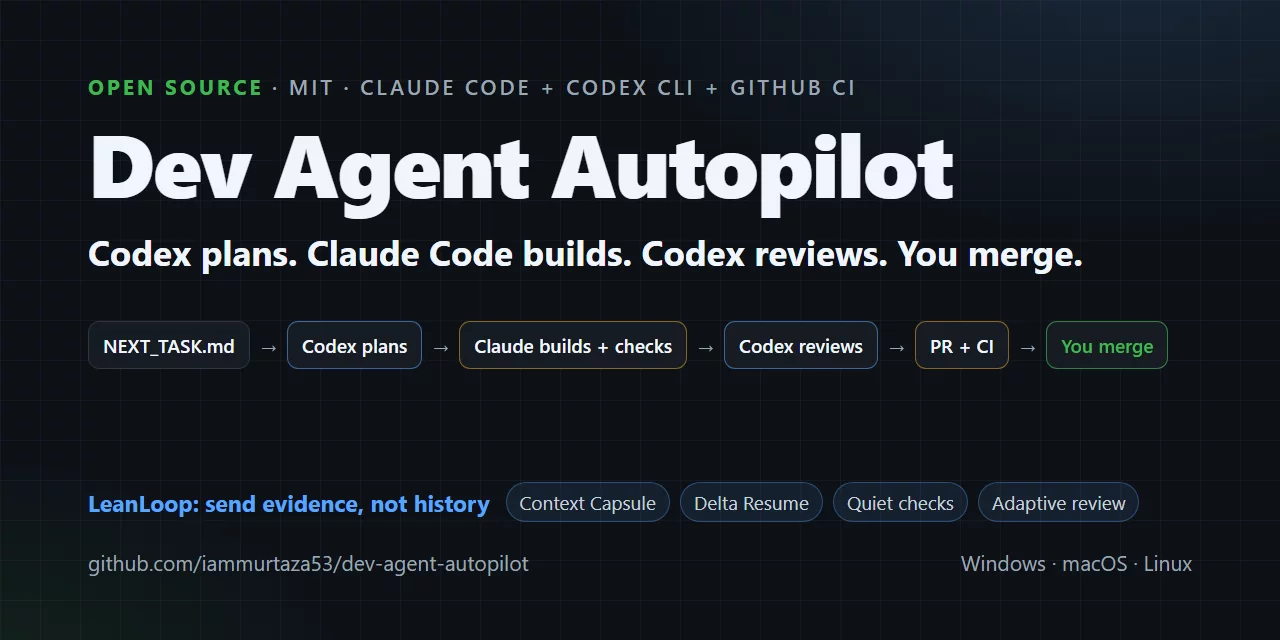
Dev Agent Autopilot
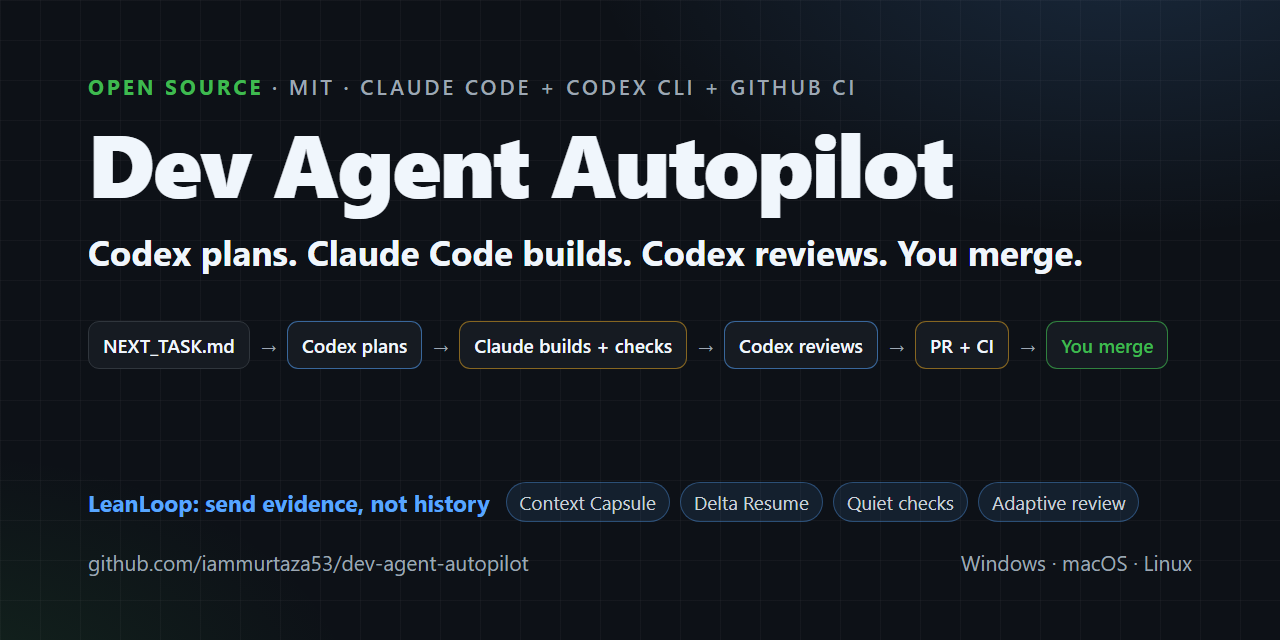
Codex plans. Claude Code builds. Codex reviews. You merge.
A project-agnostic development orchestrator for Claude Code + Codex + GitHub CI, designed to remove the manual copy/paste loop between implementation, review, testing, and pull requests.
Website · Quick start · LeanLoop · How it works · Demo project · Commands · FAQ · Related projects
Stop being the glue between your AI agents
Without Autopilot: you ask Claude Code for a feature, copy the diff into Codex for a review, paste the review back, run the tests, paste the failures, push, wait for CI, paste those failures too, and open the PR by hand. You are the message bus.
With Autopilot: write the task in NEXT_TASK.md, then run:
dev-autopilot run
That's it. The command returns immediately and the work continues in the background:
flowchart LR
    T["📝 NEXT_TASK.md"] --> P["🧭 Codex<br/>plans the architecture"]
    P --> B["🛠️ Claude Code<br/>implements + runs your checks"]
    B --> V["🔍 Codex<br/>reviews the branch"]
    V -- findings --> B
    V -- clean --> PR["🚀 Claude Code<br/>opens the PR + fixes CI"]
    PR --> H["✋ You review and merge"]
- Codex plans the task: approach, files to touch, risks and a test plan (read-only, it never edits code).
- Claude Code implements it and runs your real test/lint/build commands until they pass.
- Codex reviews the branch with a fresh pair of eyes. Claude fixes what it finds, within a review budget set by the diff: none for docs-only changes, one round for small ones, up to
reviewer.maxRounds(2 by default) for the rest. If Codex can't run, Claude stops and tells you rather than reviewing its own work. - Claude Code pushes, opens the pull request, watches GitHub CI and fixes task-related failures.
- It stops for you. Merging, deploying and anything risky stay with a human.
Why Dev Agent Autopilot
- 🌍 Works with any repository. Any language, any stack. Your checks are just shell commands.
- 🔑 Uses the logins you already have. It drives your installed
claude,codexandghCLIs. No API keys to paste, no new accounts. - 🧠 No hard-coded model IDs. Claude and Codex use whatever models you have configured, so it never goes stale when new models ship.
- ✅ Real checks, not self-reports. Your own deterministic test/lint/build commands and GitHub CI decide when the work is done, not the agent's say-so.
- 🤝 Two agents keep each other honest. One vendor's model writes the code, another's plans and reviews it.
- 🚀 Automated PRs and CI monitoring. Claude opens the pull request, watches CI and fixes failures caused by the task.
- ✋ Deliberately never auto-merges. Merges, deploys, store submissions, payments, secrets and DNS stay behind human gates.
- ♻️ Resumes where it left off. Close the terminal or reboot, run
dev-autopilot runagain, and the same session picks up with its conversation intact. It is told what changed since it last read the context, and only that. - 🧮 LeanLoop: send evidence, not history. Deterministic Context Capsules, quiet checks and an adaptive review budget cut the text Autopilot puts in front of the agents by 77% on our benchmark, without an extra model and without hiding a failure. More below.
- 🛡️ Optional trust-handoff gate. Switch on HostLatch and every check run also flags agent-written changes that could later run with your authority, such as install scripts, IDE tasks, agent hooks and CI workflows.
- 🪶 Small on purpose. A small Node launcher that starts Claude Code's native background agents and uses Codex's native CLI. No custom agent runtime to break.
Who does what
Claude Code and Codex can already work together without Autopilot. OpenAI publishes an official Codex plugin for Claude Code that adds /codex:review, /codex:adversarial-review and more. Autopilot is the opinionated layer around them: it takes one task from NEXT_TASK.md to a CI-checked pull request, and then stops for you.
| Part | Owns |
|---|---|
| Dev Agent Autopilot | The task lifecycle: launching and resuming the background session, the workflow rule Claude follows, per-session permissions, the bounded review loop, status and cleanup, and the human gates |
| Claude Code | Background sessions and their worktrees, implementation, your checks, Git, the pull request and CI fixes |
| Codex CLI | Read-only planning (codex exec --sandbox read-only) and the automated review loop (codex review --base <branch>) |
| Official Codex plugin (optional) | Reviews you start yourself inside Claude Code, such as a challenge review of Autopilot's pull request with /codex:adversarial-review --base main |
| You | The task, the review of the pull request, the merge and anything behind a human gate |
Why the automated reviewer is still the native Codex CLI. The plugin's review commands are marked disable-model-invocation: true, so only a person can run them. An unattended Autopilot session is a model, and the plugin offers no other supported interface for unattended use. Autopilot therefore keeps codex review as its reviewer and treats the plugin as a companion for your own reviews. Autopilot also switches the plugin off inside its own background sessions. That way the plugin's optional Stop-time review gate can't start a second, unbounded review loop, and Claude can't hand code changes to Codex. The details and the evidence are in docs/codex-plugin.md.
The full workflow
Autopilot takes care of the middle of the loop. You keep the product decisions and the merge button.
IDEA
  ↓
Product + architecture planning (ChatGPT, Codex or any assistant)
  ↓
Project brief, phases and decisions saved in the repo
  ↓
Create the repo and the initial codebase
  ↓
dev-autopilot init            (once per project)
  ↓
Write NEXT_TASK.md            (one phase or feature)
  ↓
dev-autopilot run
    Codex plans → Claude implements → checks → Codex reviews
    → Claude fixes → pull request → CI
  ↓
You (or ChatGPT) review the PR, then merge
  ↓
Update NEXT_TASK.md → next run
Tip: keep your brief, phases and decisions in files such as PROJECT_STATE.md, ARCHITECTURE.md and DECISIONS.md. For every task, Autopilot builds a Context Capsule from them: the task verbatim, your mandatory rules, and the sections that matter to this task.
LeanLoop: send evidence, not history
Long agent runs spend much of their context on material the agent doesn't need: every project document at the start of every task, thousands of lines of passing test output, and review rounds a docs fix never needed. LeanLoop (new in v0.4.1) trims that at the orchestration layer, before it reaches Claude or Codex. It never asks a model to summarize anything: it works with hashes, Markdown sections, git diffs and exit codes, and your repository files stay the source of truth.
- Context Capsule. One file per task in place of "read all the context files". It has the task verbatim, your instruction files and safety sections in full, and the sections that the task's paths, identifiers and references point to. Each excerpt is exact text with its path, lines and sha256. Everything else is indexed by line range so Claude can read just what it needs.
- Delta Resume. A stopped session gets a short "nothing changed, carry on" message, or a delta with only the sections that changed. It never gets the whole context again, and it never keeps stale context.
- Quiet Checks.
dev-autopilot checkkeeps full logs on disk and showsPASS npm test (6.9s) · 93 passed, or for a failure the exit code, the log path and a bounded excerpt. It also reuses a pass for an unchanged tree. - Adaptive Codex review. The git diff decides the review budget. Docs-only changes skip Codex review, small changes get one round, and security, payments, migrations, dependencies, CI, build or agent-instruction changes get the full
reviewer.maxRounds. A clean review always ends the loop. - No duplicate planning. The planner never runs when
planner.enabledis off, and never plans the same task twice. - Quota resume tickets (opt-in). When Claude or Codex reports an exhausted usage limit with a stated reset time, Autopilot can resume the session at reset + 2 minutes, after checking it is still the same task. It never guesses a reset time, buys credits or uses banked resets.
- Local efficiency report.
dev-autopilot efficiencyshows the bytes kept out of agent context. Everything stays on your machine; token figures are labelled estimates.
On the benchmark (a realistic service with 23 KB of context docs and verbose tests, compared with v0.4.0's exact prompt and rule), agent-facing text drops from 281 KB to 66 KB (77% less), and all 21 required-information checks pass. Quiet checks are the biggest part; without check output the reduction is 38%. These are orchestration-layer bytes, not provider-billed tokens.
Claude Code and Codex also compact context themselves. LeanLoop is complementary: it decides what reaches them in the first place. The full design, settings and limitations are in docs/leanloop.md.
Requirements
| Tool | Why | Check |
|---|---|---|
| Node.js 22.13+ | runs the launcher | node --version |
| Git | branches and commits | git --version |
| GitHub CLI, signed in | pull requests and CI | gh auth status |
| Claude Code with background agents (2.1.139+), signed in | the developer | claude --version, claude auth status |
| Codex CLI, signed in | the planner and reviewer | codex --version, codex login status |
| Codex plugin for Claude Code (optional) | your own /codex:review and /codex:adversarial-review runs |
dev-autopilot doctor |
Your project must be a Git repository with a GitHub remote.
Quick start
1. Install (once per computer)
git clone https://github.com/iammurtaza53/dev-agent-autopilot.git
cd dev-agent-autopilot
npm install
npm link

dev-autopilot --help
dev-autopilot install-reviewer   # checks `codex exec`, `codex review` and your Codex login, and looks for the Codex plugin
No clone needed: install a tagged release straight from GitHub (Node.js 22.13+). Autopilot isn't on the npm registry.
# Try a command once
npx --yes github:iammurtaza53/dev-agent-autopilot#v0.4.2 --help

# Install for real use; Autopilot sessions call `dev-autopilot` by name, so it must be on PATH
npm install -g github:iammurtaza53/dev-agent-autopilot#v0.4.2
Optional: install OpenAI's Codex plugin for Claude Code for reviews you start yourself. Inside Claude Code:
/plugin marketplace add openai/codex-plugin-cc
/plugin install codex@openai-codex
/reload-plugins
/codex:setup
Or run dev-autopilot install-reviewer --install-plugin in a terminal. It shows the two claude plugin commands it will run and waits for your yes. Autopilot never installs the plugin or changes its review gate on its own.
Prefer your own copy? Fork it first and clone your fork instead.
2. Onboard a project (once per project)
cd your-project
git switch main && git pull

claude              # first time only: accept the "trust this folder" prompt, then /exit
dev-autopilot init
init creates two files for you to commit:
.autopilot/config.json: your project settings..claude/rules/dev-autopilot.md: the playbook Claude follows.
It also adds .autopilot/runtime/ and .claude/worktrees/ to .gitignore. Both hold local runtime data that should never be committed. The rest of .claude/ is left alone, so the committed rule stays tracked.
Open .autopilot/config.json and list the commands that prove your code works:
"checks": ["npm run lint", "npm test", "npm run build"]
(For other stacks: ["pytest"], ["go test ./..."], ["cargo test"] and so on.)
Commit the two files and .gitignore, then check everything is ready:
dev-autopilot doctor
3. Give it a task and run
Describe the work in NEXT_TASK.md: what to build, acceptance criteria, what's out of scope. Commit it, then:
dev-autopilot run
4. Watch, then merge
dev-autopilot status    # sessions and their state
dev-autopilot agents    # Claude Code's live agent view
status marks each session as active, current (it finished the task in NEXT_TASK.md) or stale (it finished an earlier task). To attach, read logs, stop or resume, pass the session's id (such as 7c5dcf5d). The full sessionId works too.
Want a second opinion before you merge? If you installed the official Codex plugin, open Claude Code on the PR branch and run /codex:adversarial-review --base main. It's a steerable challenge review that you start yourself.
When the PR is ready, review it and merge it yourself, for example:
gh pr merge <number> --merge --repo OWNER/REPO
Skip --delete-branch here. Claude Code background sessions work in isolated Git worktrees, and one may still have the PR branch checked out, so deleting the local branch can fail even though the merge succeeds. Tidy up local branches later (see the FAQ).
Update NEXT_TASK.md and run again for the next task.
Want to see it work first? The demo project is a tiny Node app with a ready-made task. It takes about ten minutes.
Commands
Every command takes an optional project path and otherwise uses the current folder.
| Command | What it does |
|---|---|
dev-autopilot init |
Onboard a project: write the config and Claude rule |
dev-autopilot doctor |
Check Git, GitHub CLI, Claude Code, Codex, your logins, the reviewer and the optional Codex plugin |
dev-autopilot run |
Start the task in NEXT_TASK.md, or resume its existing session |
dev-autopilot status |
Show this project's background sessions as active, current or stale |
dev-autopilot agents |
Open Claude Code's native agent view |
dev-autopilot logs <id> |
Show recent output from a session |
dev-autopilot attach <id> |
Jump into a session, e.g. to answer a question |
dev-autopilot stop <id> |
Stop a session |
dev-autopilot resume <id> |
Restart a stopped or failed session with its conversation intact |
dev-autopilot cleanup [--apply] |
List finished Autopilot sessions from earlier tasks; --apply removes them with claude rm |
dev-autopilot upgrade |
Refresh the Claude rule and .gitignore after updating Autopilot |
dev-autopilot install-reviewer [--install-plugin] |
Check codex exec, codex review and your Codex login; check for the Codex plugin, or install it after you confirm |
dev-autopilot migrate-v1 |
Convert a legacy v0.1 project config |
dev-autopilot efficiency [--json] [--task] |
Local LeanLoop metrics: context, check output and review rounds kept out of agent context |
dev-autopilot capsule [--print] |
Build (or reuse) the Context Capsule for the current task and show its size |
<id> is the short id from dev-autopilot status. The full sessionId or the session name also works. stop <id> also cancels a scheduled quota resume for that session.
Autopilot sessions call these LeanLoop helpers themselves, and you can run them by hand too:
| Command | What it does |
|---|---|
dev-autopilot check [--force] [--bail] [--only <check>] |
Run the configured checks quietly: full logs on disk, PASS/FAIL lines on screen |
dev-autopilot check --log <check> |
Print the full stored log of a check's latest run |
dev-autopilot codex plan [--force] |
Ask Codex for a read-only plan once per unchanged task (only when planner.enabled is true) |
dev-autopilot codex review |
Run the native codex review --base <branch> under the adaptive review budget |
dev-autopilot review-budget [--json] |
Show how many review rounds the current diff gets, and why |
dev-autopilot state [--pr <n>] [--ci <state>] [--status <state>] [--blocker <text>] |
Show or record the task's compact orchestration state |
Configuration
.autopilot/config.json, trimmed to the parts you'll usually touch:
{
  "project": {
    "baseBranch": "main",
    "taskFile": "NEXT_TASK.md",
    "contextFiles": ["CLAUDE.md", "AGENTS.md", "PROJECT_STATE.md", "DECISIONS.md", "ARCHITECTURE.md"]
  },
  "checks": ["npm run lint", "npm test"],
  "planner": { "enabled": true, "command": "codex exec --sandbox read-only" },
  "reviewer": { "transport": "codex-cli", "command": "codex review", "maxRounds": 2, "adaptive": { "enabled": true } },
  "leanloop": { "enabled": true },
  "quota": { "autoResume": false, "graceMinutes": 2 },
  "codexPlugin": { "loadInAutopilotSessions": false },
  "claude": { "allowedTools": ["..."], "disallowedTools": ["..."] },
  "safety": { "requireCleanStart": true, "humanGates": ["..."] }
}
| Setting | Meaning |
|---|---|
project.taskFile |
The file that describes the current task |
project.contextFiles |
Docs the Context Capsule is built from (missing files are fine) |
checks |
Commands that must pass before the work counts as done. Strings, or { "name", "command" } objects |
planner.enabled |
Set to false to skip the Codex planning step, for example when the task already contains the plan or you plan elsewhere. Codex still reviews |
reviewer.transport |
The automated reviewer backend. codex-cli (native codex review) is the only one, so there is no fallback to choose. Other values are rejected with an explanation |
reviewer.maxRounds |
The strict maximum number of Codex review/fix rounds (a whole number, 1 or more) before Claude reports a blocker. New projects get 2; existing configs keep their value |
reviewer.adaptive |
The review budget from the diff (docs-only 0, small 1, other 2, high-risk maxRounds). All thresholds and extra high-risk paths/keywords are configurable; false keeps a fixed maxRounds. See docs/leanloop.md |
leanloop.enabled |
true (the default, also when missing) turns on the Context Capsule, Delta Resume and the quiet helpers. false keeps v0.4.0 behaviour exactly. Capsule and check options are in docs/leanloop.md |
quota.autoResume |
false (the default). true lets Autopilot resume a task after a usage limit resets, but only when Claude or Codex states the reset time. quota.graceMinutes (default 2) is added to it |
trustGate |
{ "enabled": false, "command": "hostlatch", "failOn": "block" } by default. enabled: true runs HostLatch on every dev-autopilot check. See [Trust handoff with HostLatch](#tru |