Django Content Studio
Django Content Studio is a modern alternative to the classic Django admin, with batteries included. Register the models you already have and manage them in a fast, modern admin, with optional fields and models for content-driven projects.
Documentation: dwarsbit.github.io/django-content-studio
Features
- Your models, as they are. Register a plain Django model, as in the classic Django admin, and it is manageable. Nothing to migrate to.
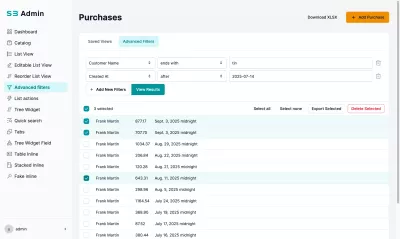
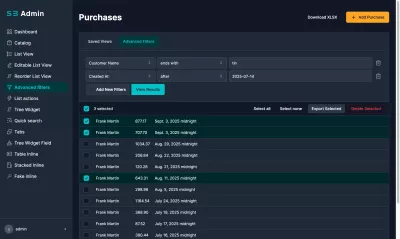
- A complete admin. List pages with search, filters and sorting, and edit pages with validation, inlines and audit stamps. Access follows the permission hooks of the classic Django admin, down to single objects.
- Dedicated widgets for dates, rich text, tags, media and structured JSON, with edit pages laid out in Python.
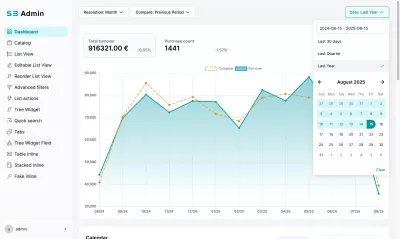
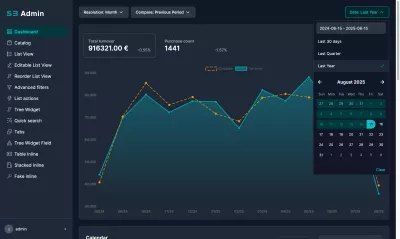
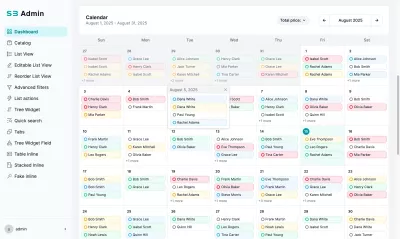
- A dashboard with statistics, content lists and recent activity.
- A media library with folders, uploads and image crops.
- Multi-tenancy: one method decides which tenants an editor may work in.
- Batteries included: optional fields such as
HTMLFieldandTagField, and base models such asContentModelandSingletonModel.
Quick start
-
Install the package:
pip install django-content-studio -
Add the apps to your settings:
# mysite/settings.py INSTALLED_APPS = [ "django.contrib.admin", "django.contrib.auth", "django.contrib.contenttypes", "django.contrib.sessions", "django.contrib.messages", "django.contrib.staticfiles", "rest_framework", "content_studio", "blog", ] -
Mount the admin:
# mysite/urls.py from django.urls import include, path urlpatterns = [ path("admin/", include("content_studio.urls")), ] -
Register a model in your app's
admin.py:# blog/admin.py from content_studio import register from content_studio.admin import ModelStudio from .models import Article @register(Article) class ArticleStudio(ModelStudio): table_display = ["title", "status", "published_at"] list_filter = ["status"] search_fields = ["title"] -
Start the development server, open
/admin/and log in with a staff account.
Continue with Getting started in the documentation.
Documentation
- Introduction: what Content Studio is, and what it is not
- How it compares: Content Studio next to admin themes and content management systems
- Getting started: installation and your first model
- Registering models: studio options, singletons and inlines
- Access control: model and object permissions
- Widgets and form sets: field editors and edit page layouts
- Dashboard: composing the start page
- Media library: models, uploads and cropping
- Authentication: logging in, sessions and password reset
- Multi-tenancy: tenants and who may work in them
- Security: what is protected, and a deployment checklist
- Settings: every
CONTENT_STUDIOsetting
See also Django Headless, if you need an API for your own clients.
Contributing and support
- Read CONTRIBUTING.md to set up the project and propose a change.
- Report bugs in GitHub Issues and ask questions in GitHub Discussions.
- Report security problems privately; see SECURITY.md.