


Émile
The video editor built for AI.
Type what film you want. The agent generates and edits every clip on a real timeline,
redoes any part you point at, and learns how you like your films.
emilefilm.com · Build from source · 简体中文


Note
Émile is still in development. There is no public build yet; things change quickly and some parts are unfinished.
What Émile is
Émile is a video editor built for AI from the ground up, for short videos and YouTube videos on the Mac. The project file is the film itself, written for an agent to read and change, and every control in the app can be driven by AI, so the agent edits your film directly instead of clicking through menus made for people.
- Generate and edit in one loop. Point at any part of the timeline and say "redo this": the agent makes it again with the clips around it as context and puts it back in place. It draws type, charts and motion in code, sharp at any size, and video models are coming.
- Not tied to one vendor. Run it on the AI you already use (Claude, Codex or Gemini) and switch whenever a better model comes out. You always see which one is working.
- No editing skills needed. Type what you want and get a film; change it by typing too. The multi-track timeline is there when you want to cut by hand.
- Light, local, yours. A native Mac app. A project is a folder on your disk, with no account and no suite subscription.
- Learns how you work (in development). Émile will remember the changes you make and the things you like, so each new film starts closer to what you want. You can see, edit or delete everything it remembers.
| 1 · Say it One sentence, or your own script. Add PDFs, docs, sheets, pictures, video or a link. |
2 · The AI makes it It researches, plans the parts and draws each clip in the style you picked, or one it picks for the subject. |
3 · Shape it Talk to it, draw on the picture, or edit the timeline. Every step can be undone. |
4 · Export MP4, WebM or MOV, 1080p or 4K, vertical 9:16 or horizontal 16:9. |
Who it's for
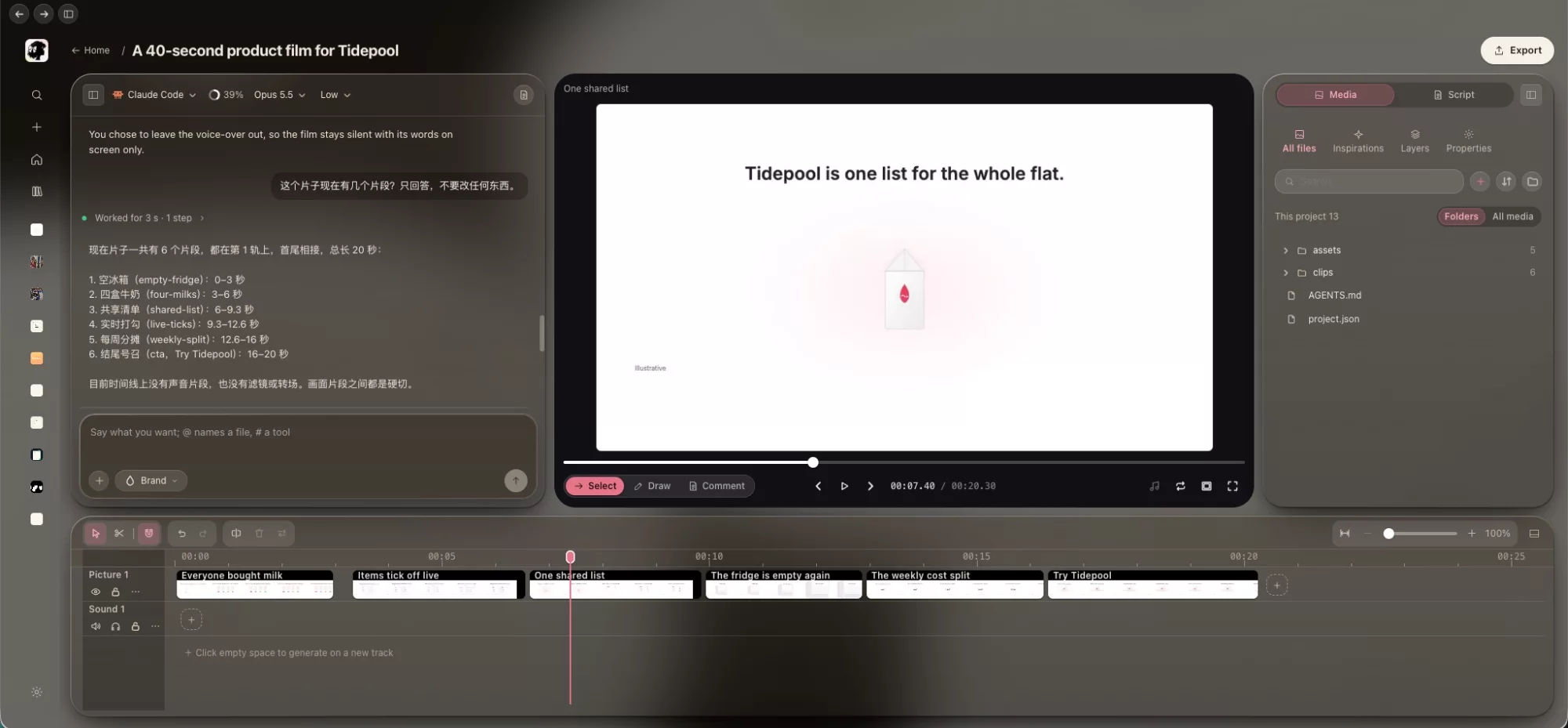
- Editors. The agent makes the first cut; you finish it on a real multi-track timeline (picture, sound and voice-over on their own tracks) with ripple delete, snapping, J/K/L and undo for every step.
- Creators of short videos and YouTube videos. Start from one line or your script. Vertical 9:16 for TikTok, YouTube Shorts, Reels, Douyin and Xiaohongshu, or wide 16:9 for YouTube and Bilibili; AI voice-over in 13 languages on your Mac, your own cloned voice, captions in nine styles.
- Explainer channels and brands. Animated charts, diagrams and type drawn in code, in your brand's logo, colours and fonts.
| What videos can it make? | Wide 16:9 and vertical 9:16. |
| Videos for TikTok, Douyin, Xiaohongshu and YouTube? | Yes. |
| Voice-over and captions? | Yes. |
What the agent does
- Every kind of clip on one timeline. It cuts your own footage, generates video and images, writes clips in code for exact type, numbers, charts and motion, and adds the voice-over, all on the same tracks.
- Your words decide. Each message is one turn:
@brings any file, clip or other project into it,#names a tool (transcribe, voice-over, generate). The agent works out what to do from what you said. - Fixes only what's wrong. It tells which layer you mean (the wording, the motion, one clip, the picture-in-picture, a cut, the whole look) and redraws just that; the rest of the film stays as it was.
- Sees what you circle. Pause on any frame, circle the area and say what's wrong. The agent gets the frame, the region, the elements inside it and a screenshot.
- Checks its own work. After drawing a clip it renders stills and runs checks in code: overflow, smallest type, contrast, and safe zones for faces, platform buttons and subtitles. If one fails, it fixes the clip itself.
- Remembers every step. Each change, the AI's or yours, is a step in the history with a snapshot. The agent reads it, and you can go back to before any step.
- Learns from other films.
@another project to follow its clips and look. A shared.emileproject carries itsAGENTS.md, so the next film starts from what the last one learned. - Says when it fails. The full error, the likely cause and the next step. No silent retries, no quiet switch to another model.
- Coming: it drives the editor. With computer use the agent will work in Émile the way you do, clicking, dragging and pressing shortcuts, with its own glass pointer on screen. Every control has a name and every drag has a key, so it can.
A tour
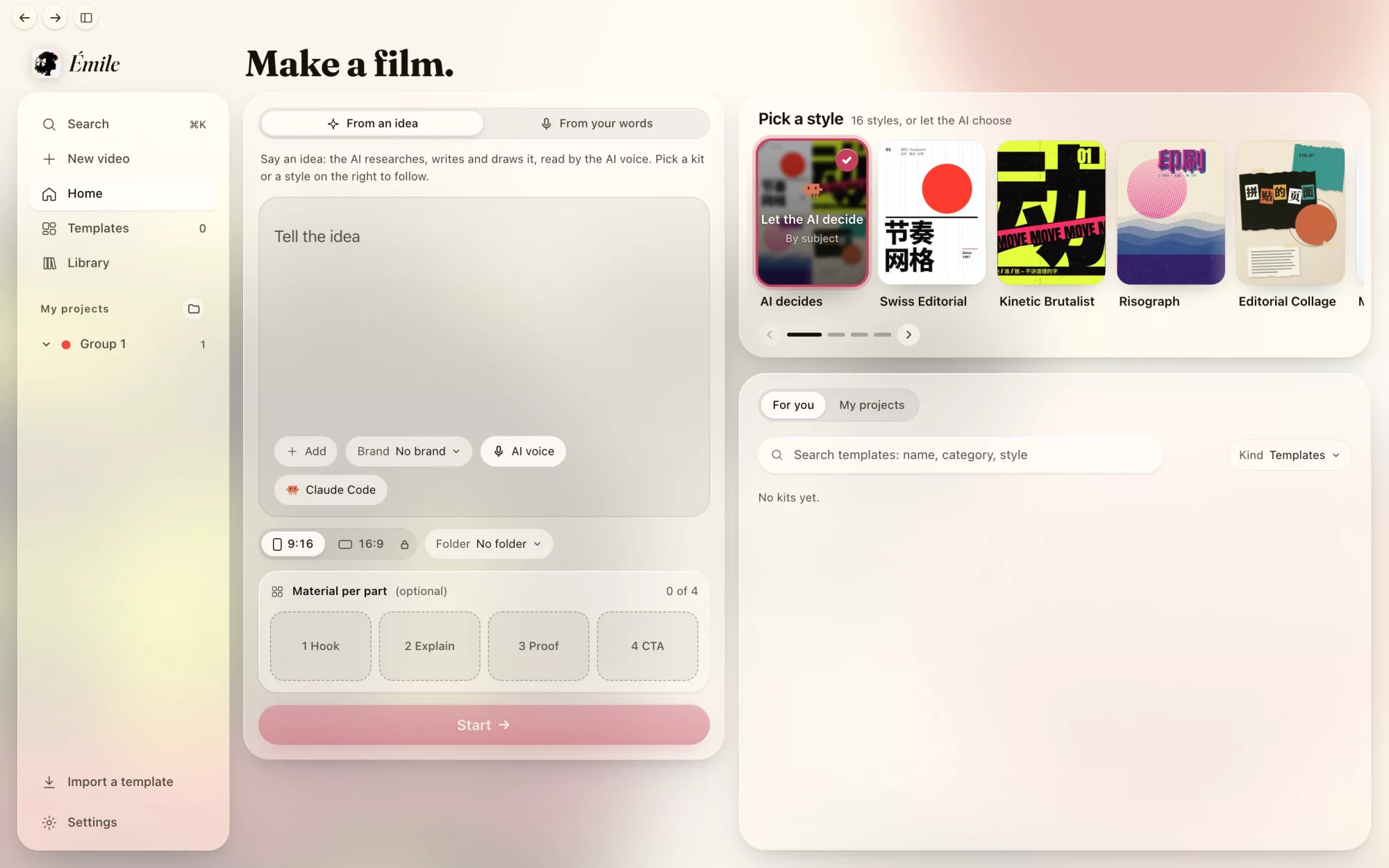
 Home: start from an idea or from your own words. Add files, a brand and an AI voice, pick 9:16 or 16:9, and a style. |
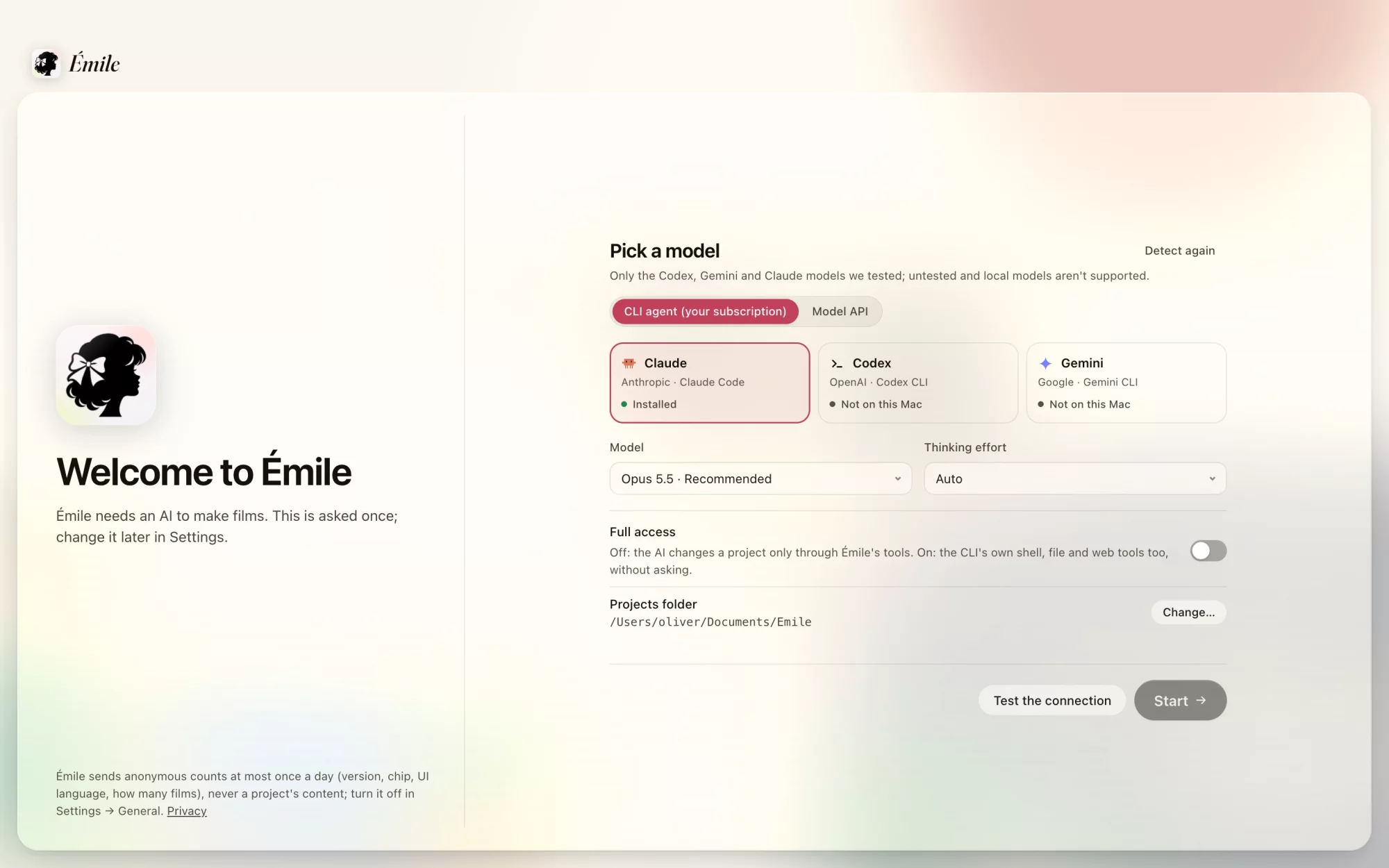
 First launch: pick the AI once. Émile finds the CLIs already on your Mac. |
What's inside
|
An editor, not a black box
|
The AI in every corner
|
|
Sound and voice
|
Your brand and your templates
|
The AI
Émile only lists AIs it has tested. Today that is three; use your subscription through the CLI, or an API key.
| CLI (your subscription) | API (your key) | |
|---|---|---|
| Claude | Claude Code | Anthropic API |
| Codex | Codex CLI | OpenAI API |
| Gemini | Gemini CLI | Gemini API |
By default the AI changes a project only through Émile's own tools. Full access (CLI only) also lets it use the CLI's shell, file and web tools.
Coming next, each added once it passes the same tests (a film from one line, a film from a script, a film made from an exported project): Grok, Antigravity, OpenCode, GitHub Copilot, Hermes Agent, OpenClaw and Qoder.
Models and tools
| Today | Coming | |
|---|---|---|
| Images | GPT Image 2.5, Nano Banana 2 | Image to image |
| Video | Seedance 2.5 and Kling 3.0; MiniMax H3 as the cheaper choice | |
| Sound effects | ElevenLabs, or synthesized in code | |
| Voice-over | Kokoro and CosyVoice 2, on your Mac | |
| Your own voice | ElevenLabs | Cloned on your Mac: VoxCPM2, CosyVoice 3 |
| Transcription | Whisper, on your Mac | |
| Editing tools | Cut a talking-head take at slips and pauses; lip sync; a picture-in-picture window that follows a moving area (tracked with macOS Vision) | |
| The editor itself | Computer use: the agent operates Émile's timeline with its own pointer |
Optional keys in Settings → Generate turn these on: OpenAI for GPT Image, Google for Nano Banana, ElevenLabs for sound effects and your own voice, and later the video models. Keys stay on your Mac, never in a project.
Download
Émile is still in development, so there is no download yet. Follow emilefilm.com for the first public build, or build it yourself below.
Émile runs on Macs with Apple silicon. Node.js and ffmpeg come inside the app. A headless Chromium is downloaded the first time a film renders, unless Chrome, Edge, Brave or Arc is already installed, and each voice model downloads the first time a film speaks its language.
Thanks
Émile stands on open-source work: Kokoro and sherpa-onnx, CosyVoice 2, Whisper, ONNX Runtime, uv, FFmpeg, three.js, Node.js, Tauri, React, the Anthropic SDK and the Model Context Protocol SDK. Settings → About lists every component with its license, and NOTICE has the details.
The design was inspired by projects that came before it, such as HyperFrames and Remotion.
The name is for Émile Reynaud, who projected the first animated films in Paris in 1892.