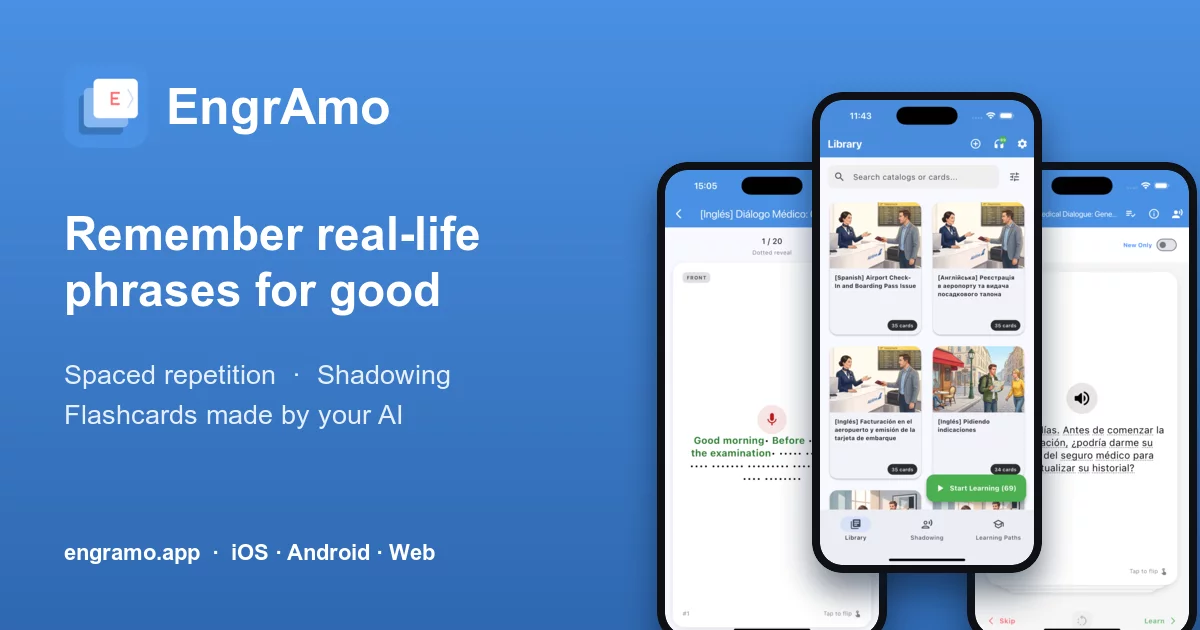

MCP server for EngrAmo, the spaced-repetition flashcard platform.
Hosted server
The hosted server at https://mcp.engramo.app/ needs no installation. It supports OAuth 2.0 with Dynamic Client
Registration: your client sends you to the EngrAmo sign-in page, you sign in with your EngrAmo email and password
and approve — no API token to paste. There is no sign-up on that page, so create your account in the EngrAmo app
first. EngrAmo is listed in the Claude Connectors Directory. Setup guides:
Claude and ChatGPT;
the public docs are at https://engramo.app/connect/. You can revoke access any time in the EngrAmo app under
Settings → Connected apps.
Set up with your AI assistant
Not a developer? An agentic AI app can do the whole setup for you, including card audio. Tested with Antigravity in auto mode; other apps that can run terminal commands and edit files (Claude Code, Codex, Cursor) should work the same way.
Prepare two keys first:
- EngrAmo API token: sign in at https://study.engramo.app, open Settings → API Tokens, and create one.
- Gemini API key (for card audio, free): create one at Google AI Studio.
Keep both somewhere you can copy them from. Never paste them into the chat; the setup asks for them in a private pop-up instead.
Then paste this prompt into your AI app:
Set up the EngrAmo MCP server for me, with card audio, following
https://github.com/engramo-developer/engramo-mcp. I'm not a developer, so do every step yourself and
tell me in plain words what you're doing.

1. Download the prebuilt engramo-mcp binary for my computer from the latest GitHub release
   (https://github.com/engramo-developer/engramo-mcp/releases/latest/download/<file>, where <file> is
   engramo-mcp-darwin-arm64, engramo-mcp-darwin-x64, engramo-mcp-linux-x64, engramo-mcp-linux-arm64
   or engramo-mcp-win32-x64.exe). Save it to ~/.engramo/bin/ and make it executable. Don't install
   Node.js or npm.
2. Add an "engramo" server to this app's MCP config file. Keep any servers already there. Use the
   binary's full path as "command" and set three env values: ENGRAMO_API_URL=https://api.engramo.app,
   ENGRAMO_API_TOKEN and ENGRAMO_TTS_GEMINI_API_KEYS.
3. For the two keys, never ask me to paste them into this chat. Ask for each key in my operating
   system's own pop-up with a hidden input field (macOS: osascript "display dialog ... with hidden
   answer"; Windows: Get-Credential in powershell.exe; Linux: zenity --password or kdialog --password),
   and write the value straight into the config file from that same command. Never print, echo or
   read back the keys. Only if no pop-up is possible, use a hidden terminal prompt instead. Use one
   method at a time, and don't make me edit the config file.
4. Tell me how to reload the MCP servers in this app, and wait until I say done.
5. Check the connection: call get_server_version and list_tts_voices. If something fails, fix it.
6. When both work, say "Ready! What cards should we make?" with the server version.
To check the setup later (after an update, or if something stops working), paste:
Check my EngrAmo connection: call get_server_version, list_tts_voices and get_subscription_usage.
Tell me in plain words the server version, whether card audio is ready (and the default voice), my
plan, and how many cards I can still create. If any call fails, explain why and how to fix it.
When it says ready, ask for cards in your own words, for example:
Create a catalog "Job interview English" with 15 cards of useful interview phrases. Put the phrase on
the front and the meaning plus an example on the back, highlight the key words, and add audio to every
card.
More ready-to-paste prompts (cover images, adding audio to a deck, turning notes into cards, study plans and more): docs/prompt-examples.md.
Prerequisites
- An EngrAmo account
- An EngrAmo API token — generate one from your account's Settings → API Tokens page. Only needed for the local
(
stdio) setups below and for remote clients without OAuth; the hosted connectors use OAuth instead.
Environments
engramo-mcp is environment-agnostic — the binary itself has no baked-in "dev" or "prod." Which server it
talks to is controlled entirely by the ENGRAMO_API_URL you set in your client config, paired with a token
minted from that same environment:
| Environment | ENGRAMO_API_URL |
MCP server URL (http transport only) |
Who it's for |
|---|---|---|---|
| Production (default in every example below) | https://api.engramo.app |
https://mcp.engramo.app |
Real accounts — use this unless you have a specific reason not to |
| Dev | https://api-engram.volmyr.com |
https://mcp-engramo.volmyr.com |
EngrAmo team / internal testing only |
Dev and prod are separate backends with separate accounts. A token minted from one will not authenticate
against the other — if you switch ENGRAMO_API_URL, you must also swap in a token generated from that same
environment's Settings → API Tokens page.
ENGRAMO_API_URL vs the MCP server URL — these are not interchangeable. ENGRAMO_API_URL is the plain
EngrAmo backend; it's never something a client connects to directly. In stdio config (Claude Desktop,
Claude Code, Codex, VS Code, Cursor, Windsurf, Gemini CLI, Antigravity stdio below), the client sets
ENGRAMO_API_URL together with ENGRAMO_API_TOKEN, since the locally-launched binary calls the backend
itself. In http/remote config (Antigravity remote, ChatGPT), the
client instead points serverUrl at the MCP server's own URL (mcp.engramo.app / mcp-engramo.volmyr.com
above) and authenticates separately per session — via OAuth by default, or a static Authorization: Bearer
header if you'd rather skip the login prompt. ENGRAMO_API_URL still matters in http mode, but only as an
env var set by whoever deploys engramo-mcp http — a client never sets it.
Installation
Install the MCP server globally so it's available as a system command:
npm install -g @engramo/mcp
Prebuilt binaries ship for macOS (arm64, x64), Linux (arm64, x64) and Windows (x64). On other platforms, build
from source with cargo build --release.
Verify the installation:
engramo-mcp --version
Alternatively, skip installation entirely and use
npx -y @engramo/mcpin your client config — npm will download the binary automatically on first use.
Choosing a client
Any MCP client works. Local text-to-speech needs a stdio
(locally launched) connection, so remote-only clients never get it.
| Client | Models | Local TTS | Setup |
|---|---|---|---|
| Claude (claude.ai, Desktop, mobile) | Claude | ❌ — hosted connector only; local TTS intentionally unavailable | Claude (hosted connector) — recommended: install from the Connectors Directory, nothing to download |
| Claude Desktop extension | Claude | ✅ | Claude Desktop — use it for card audio: one-click extension, no Node.js or config editing; the free plan supports local extensions |
| Claude Code | Claude | ✅ | Claude Code |
| Codex (CLI / IDE extension) | OpenAI models — sign in with your ChatGPT account | ✅ | Codex |
| VS Code (GitHub Copilot) | GPT / Claude / Gemini | ✅ | VS Code |
| Cursor | GPT / Claude / Gemini | ✅ | Cursor |
| Windsurf | GPT / Claude / Gemini | ✅ | Windsurf |
| Gemini CLI | Gemini | ✅ | Gemini CLI |
| Antigravity | Gemini / Claude / GPT | ✅ stdio / ❌ remote | Antigravity |
| ChatGPT | OpenAI models | ❌ — remote connector only (OAuth); local TTS intentionally unavailable | ChatGPT |
Claude Desktop
Most Claude Desktop users should add the hosted connector from the Connectors Directory instead: nothing to download, no token to paste, and it also works on claude.ai and mobile. Use the extension below when you want local card audio, which only a local server can provide.
One-click extension (for card audio)
- Download
engramo.mcpbfrom the latest release (macOS on Intel and Apple Silicon, Windows x64, Linux x64 and arm64). - Double-click it (or drag it onto Claude Desktop) and click Install. Claude Desktop shows a red warning
that the extension gets access to everything on your computer and that the developer isn't verified by
Anthropic. It shows this for every extension installed from a file — the Connectors Directory no longer lists
desktop extensions — and it's accurate: the extension runs the
engramo-mcpbinary with your user permissions. - Paste your EngrAmo API token, and optionally your Gemini API keys (comma-separated) to enable card audio. Claude Desktop stores both in the OS keychain.
No Node.js and no config file. Change the token or keys later under Settings → Extensions → EngrAmo →
Configure. The extension doesn't auto-update: install the new engramo.mcpb to upgrade. Its tools are
available in Chat conversations, not in Claude Desktop's Code mode. The bundle is built from
mcpb/manifest.json by the release workflow. Verify a download with
gh attestation verify engramo.mcpb -R engramo-developer/engramo-mcp --signer-workflow engramo-developer/engramo-mcp/.github/workflows/release.yml --source-ref refs/tags/vX.Y.Z
(substituting the release tag), or compare it with the release's
engramo.mcpb.sha256.
Manual config
Open Settings → Developer → Edit Config, or edit the file directly:
~/Library/Application Support/Claude/claude_desktop_config.json (macOS) or
%APPDATA%\Claude\claude_desktop_config.json (Windows):
Using npx (no prior installation needed):
{
  "mcpServers": {
    "engramo": {
      "command": "npx",
      "args": ["-y", "@engramo/mcp"],
      "env": {
        "ENGRAMO_API_URL": "https://api.engramo.app",
        "ENGRAMO_API_TOKEN": "your-token",
        "ENGRAMO_TTS_GEMINI_API_KEYS": "your-gemini-key"
      }
    }
  }
}
ENGRAMO_TTS_GEMINI_API_KEYS is optional — it enables list_tts_voices/generate_card_audio using your own
Gemini quota; omit the line to disable. See Text-to-speech.
Using a global install (npm install -g @engramo/mcp):
{
  "mcpServers": {
    "engramo": {
      "command": "engramo-mcp",
      "env": {
        "ENGRAMO_API_URL": "https://api.engramo.app",
        "ENGRAMO_API_TOKEN": "your-token"
      }
    }
  }
}
After editing, fully quit Claude Desktop (⌘Q on macOS — closing the window isn't enough) and reopen it.
If the server doesn't show up, check the logs at ~/Library/Logs/Claude/mcp-server-engramo.log (macOS) or
%APPDATA%\Claude\logs\ (Windows). The Gemini key is never logged.
Claude (hosted connector)
Use the hosted server from claude.ai, Claude Desktop, or Claude mobile — no install, no token:
- Open EngrAmo in the Connectors Directory (or Settings → Connectors → Browse and search for EngrAmo).
- Connect, sign in with your EngrAmo account, and approve.
It's a community connector: Anthropic ran automated reviews but hasn't verified it, so Claude shows a short notice
before you connect. Without the directory — for example, if your organization restricts it — add it by URL
instead: Settings → Connectors → Add custom connector, paste https://mcp.engramo.app/, then Connect.
All hosted tools are then available. Like every remote connection, it has no local text-to-speech; use the Claude Desktop extension for that.
Claude Code
Register the server once for all your projects (--scope user):
claude mcp add engramo --scope user \
  -e ENGRAMO_API_URL=https://api.engramo.app \
  -e ENGRAMO_API_TOKEN=your-token \
  -e ENGRAMO_TTS_GEMINI_API_KEYS=your-gemini-key \
  -- npx -y @engramo/mcp
ENGRAMO_TTS_GEMINI_API_KEYS is optional — it enables list_tts_voices/generate_card_audio using your own
Gemini quota; omit the -e ENGRAMO_TTS_GEMINI_API_KEYS=… line to disable. See
Text-to-speech.
With a global install, replace npx -y @engramo/mcp with engramo-mcp.
Codex
The OpenAI Codex CLI and the Codex IDE extension share one config file, ~/.codex/config.toml. This is the
way to use your ChatGPT account's models with local TTS (the ChatGPT app's remote connector can't have it):
Using npx (no prior installation needed):
[mcp_servers.engramo]
command = "npx"
args = ["-y", "@engramo/mcp"]
tool_timeout_sec = 300  # default 60s; a 20-card generate_card_audio batch can take longer
env = { ENGRAMO_API_URL = "https://api.engramo.app", ENGRAMO_API_TOKEN = "your-token", ENGRAMO_TTS_GEMINI_API_KEYS = "your-gemini-key" }
ENGRAMO_TTS_GEMINI_API_KEYS is optional — it enables list_tts_voices/generate_card_audio using your own
Gemini quota; omit it from env to disable. See Text-to-speech.
Using a global install (npm install -g @engramo/mcp):
[mcp_servers.engramo]
command = "engramo-mcp"
env = { ENGRAMO_API_URL = "https://api.engramo.app", ENGRAMO_API_TOKEN = "your-token" }
VS Code (GitHub Copilot agent mode)
Add to .vscode/mcp.json (workspace), or run MCP: Open User Configuration from the Command Palette for a
user-wide config. Use inputs with "password": true so VS Code prompts for the secrets and stores them
itself instead of you writing them into the file. Note the top-level key is servers (not mcpServers):
Using npx (no prior installation needed):
{
  "inputs": [
    { "type": "promptString", "id": "engramo-token", "description": "EngrAmo API token", "password": true },
    { "type": "promptString", "id": "gemini-key", "description": "Gemini API key (for TTS)", "password": true }
  ],
  "servers": {
    "engramo": {
      "type": "stdio",
      "command": "npx",
      "args": ["-y", "@engramo/mcp"],
      "env": {
        "ENGRAMO_API_URL": "https://api.engramo.app",
        "ENGRAMO_API_TOKEN": "${input:engramo-token}",
        "ENGRAMO_TTS_GEMINI_API_KEYS": "${input:gemini-key}"
      }
    }
  }
}
ENGRAMO_TTS_GEMINI_API_KEYS is optional — it enables list_tts_voices/generate_card_audio using your own
Gemini quota; omit the line (and the gemini-key input) to disable. See
Text-to-speech.
With a global install, use "command": "engramo-mcp" and drop args.
Cursor
Add to ~/.cursor/mcp.json:
Using npx (no prior installation needed):
{
  "mcpServers": {
    "engramo": {
      "command": "npx",
      "args": ["-y", "@engramo/mcp"],
      "env": {
        "ENGRAMO_API_URL": "https://api.engramo.app",
        "ENGRAMO_API_TOKEN": "your-token",
        "ENGRAMO_TTS_GEMINI_API_KEYS": "your-gemini-key"
      }
    }
  }
}
ENGRAMO_TTS_GEMINI_API_KEYS is optional — it enables list_tts_voices/generate_card_audio using your own
Gemini quota; omit the line to disable. See Text-to-speech.
Using a global install (npm install -g @engramo/mcp):
{
  "mcpServers": {
    "engramo": {
      "command": "engramo-mcp",
      "env": {
        "ENGRAMO_API_URL": "https://api.engramo.app",
        "ENGRAMO_API_TOKEN": "your-token"
      }
    }
  }
}
Windsurf
Add to ~/.codeium/windsurf/mcp_config.json:
Using npx (no prior installation needed):
{
  "mcpServers": {
    "engramo": {
      "command": "npx",
      "args": ["-y", "@engramo/mcp"],
      "env": {
        "ENGRAMO_API_URL": "https://api.engramo.app",
        "ENGRAMO_API_TOKEN": "your-token",
        "ENGRAMO_TTS_GEMINI_API_KEYS": "your-gemini-key"
      }
    }
  }
}
ENGRAMO_TTS_GEMINI_API_KEYS is optional — it enables list_tts_voices/generate_card_audio using your own
Gemini quota; omit the line to disable. See Text-to-speech.
Using a global install (npm install -g @engramo/mcp):
{
  "mcpServers": {
    "engramo": {
      "command": "engramo-mcp",
      "env": {
        "ENGRAMO_API_URL": "https://api.engramo.app",
        "ENGRAMO_API_TOKEN": "your-token"
      }
    }
  }
}
Gemini CLI
Add to ~/.gemini/settings.json:
Using npx (no prior installation needed):
{
  "mcpServers": {
    "engramo": {
      "command": "npx",
      "args": ["-y", "@engramo/mcp"],
      "env": {
        "ENGRAMO_API_URL": "https://api.engramo.app",
        "ENGRAMO_API_TOKEN": "your-token",
        "ENGRAMO_TTS_GEMINI_API_KEYS": "your-gemini-key"
      }
    }
  }
}
ENGRAMO_TTS_GEMINI_API_KEYS is optional — it enables list_tts_voices/generate_card_audio using your own
Gemini quota; omit the line to disable. See Text-to-speech.
Using a global install (npm install -g @engramo/mcp):
{
  "mcpServers": {
    "engramo": {
      "command": "engramo-mcp",
      "env": {
        "ENGRAMO_API_URL": "https://api.engramo.app",
        "ENGRAMO_API_TOKEN": "your-token"
      }
    }
  }
}
Antigravity
Antigravity supports both transports directly via its own config file — no separate remote-connector UI
needed like ChatGPT's. Add to ~/.gemini/config/mcp_config.json (global) or .agents/mcp_config.json
(workspace-local):
stdio, via npx (no prior installation needed):
{
  "mcpServers": {
    "engramo": {
      "command": "npx",
      "args": ["-y", "@engramo/mcp"],
      "env": {
        "ENGRAMO_API_URL": "https://api.engramo.app",
        "ENGRAMO_API_TOKEN": "your-token"
      }
    }
  }
}
Remote, over Streamable HTTP (point at a running engramo-mcp http deployment — see below).
engramo-mcp supports OAuth 2.1 dynamic client registration, so Antigravity can handle
authentication automatically — no token to paste or manage:
{
  "mcpServers": {
    "engramo": {
      "serverUrl": "https://mcp.engramo.app/"
    }
  }
}
If you'd rather use a static token instead (no OAuth login prompt), add headers manually:
{
  "mcpServers": {
    "engramo": {
      "serverUrl": "https://mcp.engramo.app/",
      "headers": {
        "Authorization": "Bearer your-token"
      }
    }
  }
}
Text-to-speech is unavailable over the remote transport — use the stdio config above if you want
generate_card_audio.
Use in ChatGPT (remote MCP over Streamable HTTP)
engramo-mcp also runs as a remote server, so it can be added to ChatGPT as a custom connector (developer
mode) without installing anything locally. The hosted server at https://mcp.engramo.app/ already works this way. This is the same binary — the http subcommand instead of the
default stdio — so a self-hosted deployment serves both Claude Desktop users (stdio) and ChatGPT users
(HTTP) from one codebase.
ENGRAMO_API_URL=https://api.engramo.app MCP_BIND_ADDR=0.0.0.0:8080 engramo-mcp http
This serves MCP over Streamable HTTP at POST / (root). Unlike stdio mode, there is no global
ENGRAMO_API_TOKEN — every session authenticates with its own Authorization: Bearer <token> header, so one
deployment safely serves many users at once (each session's calls