
Home is where the host is. A Windows-XP-style "family computer" that runs on a Mac in your living room. Chores become XP. XP becomes real prizes — you pick the next family dinner, $10 to your savings, one YES to any reasonable ask. And the built-in arcade quietly teaches reading, spelling, math, circuits, physics, coding and sports IQ.
No cloud. No accounts. No ads. No subscriptions. Your kids' data never leaves your house — it even works when the internet is down.
✨ See it
| Every kid gets their own sign-in card… | …and their own desktop, fresh every day |
|---|---|
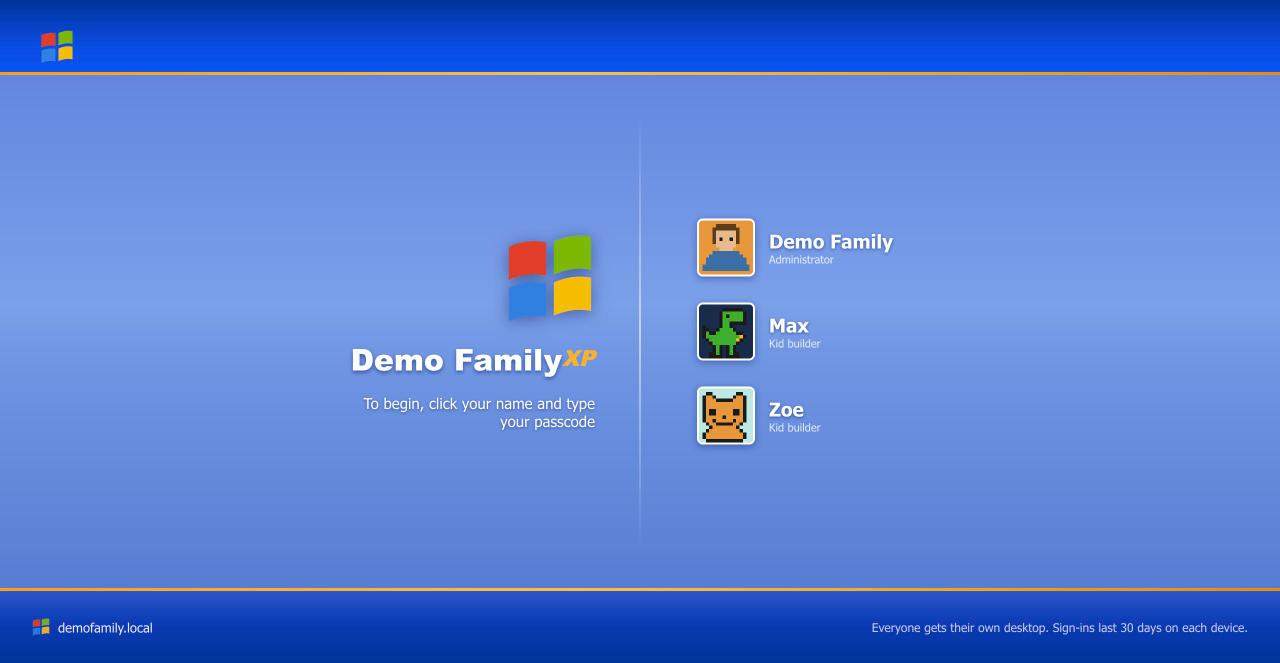 |
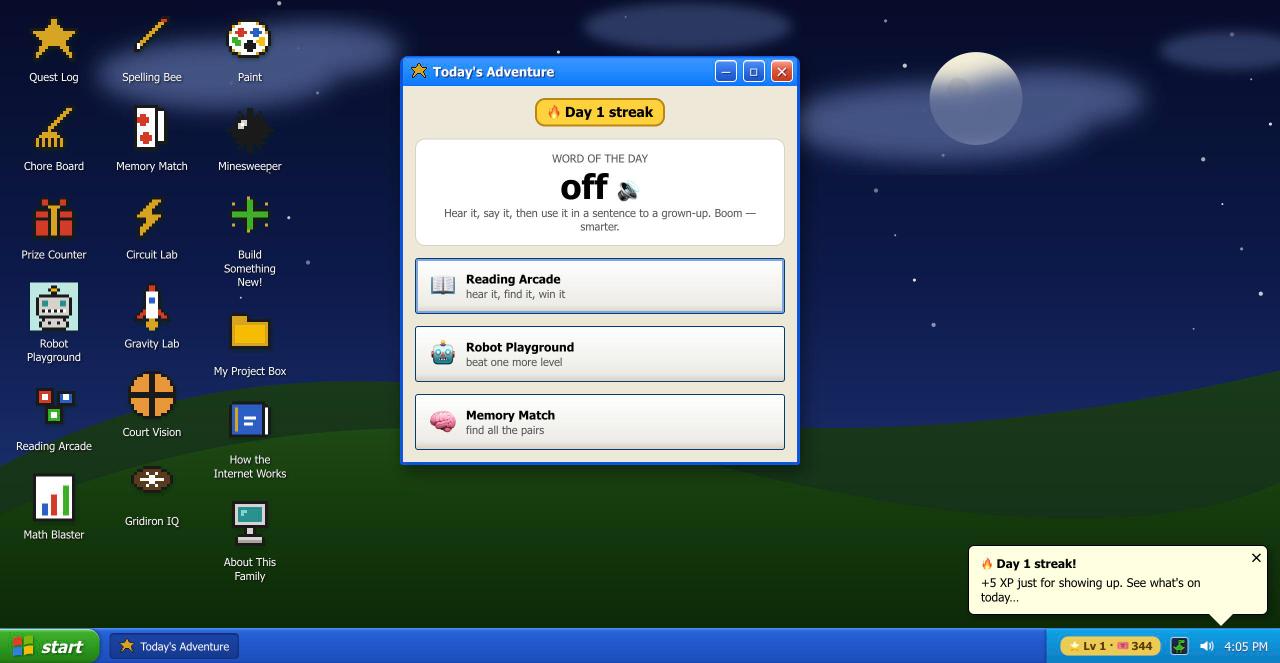 |
Each morning, Today's Adventure greets them by name, speaks a word of the day out loud, and deals three activities. Login streaks pay XP. Everything kid-facing talks — pre-readers can use all of it.
And on the living-room TV:
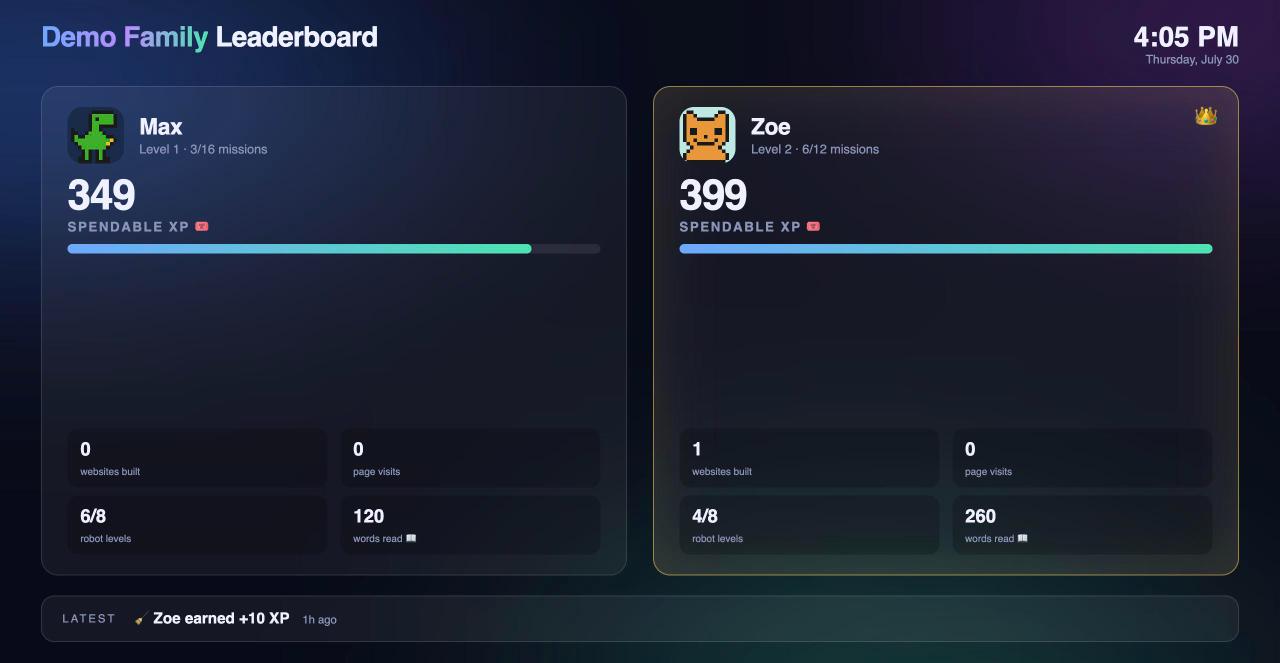
The leaderboard updates live — approve a chore from your phone and the TV erupts in confetti. The 👑 moves in real time.
🕹️ What the kids get
- Their own real websites — one tap scaffolds a page, an in-browser Code Editor shows the actual HTML, and Paint drawings publish straight onto it. Grandma can sign the guestbook.
- A Quest Log of missions mapped to real CS standards, auto-verified against the kid's actual code ("add a second button" ✓ = confetti + XP).
- A learning arcade with bottomless levels (they scale procedurally past 1000): Reading Arcade & Spelling Bee (the iPad says the word), Math Blaster (spoken questions), Memory Match, Robot Playground (sequences → loops → typed code), Circuit Lab (animated electron flow!), a real-physics slingshot lab, Court Vision (5-on-5 basketball IQ) and Gridiron IQ.
- Minesweeper, a starfield screensaver with the corner-hit you always waited for, and a helpful paperclip. You know the one.
👨👩👧👦 What parents get
- Chore Board HQ — post chores with daily/weekly cadence; kids tap "I did it!"; you approve; XP lands. The Prize Counter reserves XP until you make the prize official.
- Control Panel — up to 10 kids, rename/reset/redo-setup, one-tap ZIP export of any kid's data, XP grant/deduct with an audit ledger, quest editing, integrity checker.
- Boring-in-a-good-way plumbing: atomic writes with automatic backups, corruption quarantine + self-recovery, nightly ZIP backups, a self-healing watchdog, and a 36-test end-to-end suite run by CI.
🚀 Getting started (no tech skills needed)
🤖 Easiest way — let an AI do it. Paste this into Claude (Desktop or Code) on the Mac that will stay home:
Set up https://github.com/mutaaf/family-xp on this Mac for my family — get me started.
The repo includes an agent runbook; the AI installs everything, verifies it, and hands you your family URL + parent passcode.
Or do it yourself — you need a Mac and about 5 minutes:
- Download: click the green Code button at the top of this page →
Download ZIP → double-click the ZIP to unpack it. Drag the
family-xpfolder somewhere permanent (like your home folder). - Install: open the folder and double-click
install.command. (If macOS says it's from an unidentified developer: right-click it → Open → Open. That's Apple being careful, one time only.) - Answer one question — your family name — and you're live.
- On any phone, tablet or laptop on your home wifi, open the address it
prints (like
http://smithfamily.local/). Hand each kid their sign-in card: they pick their own name, avatar, wallpaper world and secret passcode in an XP-style setup wizard. - You sign in with the parent passcode it printed, open the Chore Board, and post your first chore. That's it.
💡 Tips: add it to kids' iPad home screens (Share → Add to Home Screen), put
/leaderboard on the TV, and download a "Premium" Siri voice in Settings →
Accessibility → Spoken Content for the softest read-aloud voice.
Comfortable with a terminal instead?
git clone https://github.com/mutaaf/family-xp && cd family-xp && ./install.sh
❓ FAQ
- Is it safe? Everything runs and stays on your Mac. Passcodes gate the portal; the trust model is "people in your house," not hostile hackers.
- Does it need the internet? No — it's designed to work with the internet down. (Voice needs a one-time iOS voice download.)
- A kid forgot their passcode? Control Panel shows it, or tap Redo setup — their XP and pages survive.
- Can I change the chores/prizes/missions? All of it, live, from the parent desktop. Prices, cadences, custom missions — yours to tune.
- Uninstall? Delete the folder and run
launchctl bootout gui/$UID/com.familyxp.portal(same formdns,backup). Your data is in the folder'skids/directory — export first!
🛠 Develop
python3 tests/test_portal.py runs the suite. CLAUDE.md is the working
agreement (pairs great with AI coding agents); docs/BACKLOG.md has the
roadmap (Linux/Raspberry Pi port, phonics mode, weekly family quests…). PRs
welcome — remember the users are children: delight and safety beat cleverness.
MIT licensed. Built with ❤️ and a lot of pixel art, by a family, for families.