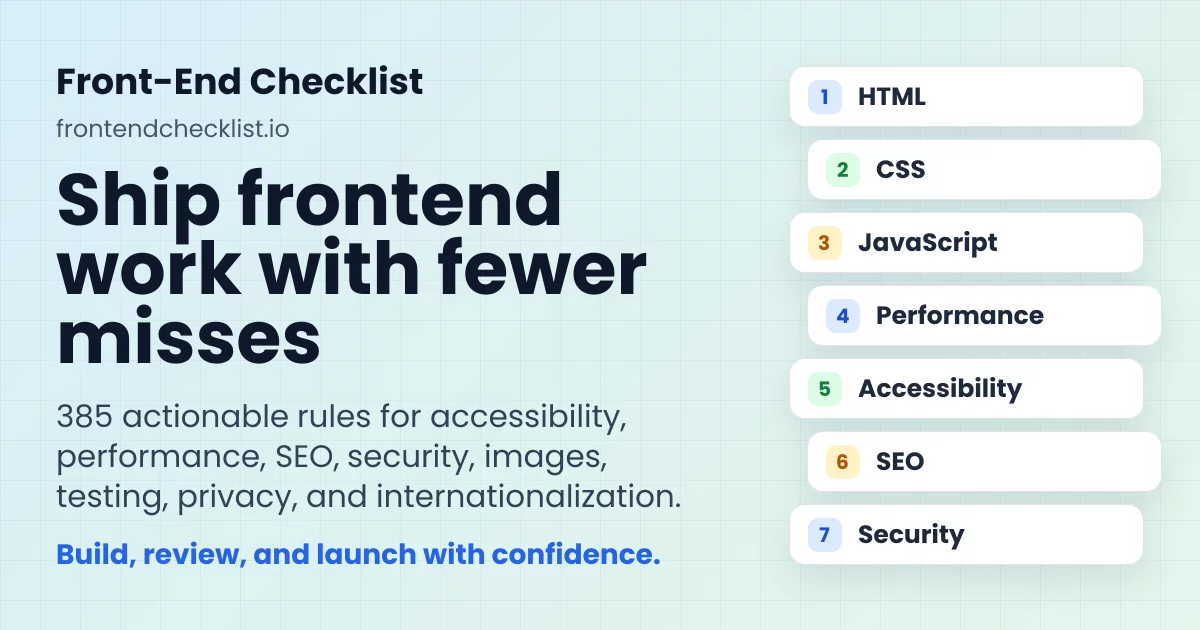

Front-End Checklist
The essential checklist for modern web development, for humans and AI agents
Front-End Checklist is the open-source front-end quality system for humans and AI agents. It turns front-end best practices into a practical review workflow you can browse on the web, run through with MCP-compatible tools, or work through directly in this README.
Introduction
- Website: frontendchecklist.io
- Rules: frontendchecklist.io/rules
- MCP server: mcp.frontendchecklist.io
Companion project: UX Patterns for Devs helps developers choose the right UI pattern before using Front-End Checklist to verify implementation quality.
Important
Use the website for browsing and filtering, the MCP server for agent workflows, and this README when you want the checklist in one place.
What you get
386English rules across11active categories11MCP tools exposed by the hosted server- Rule pages with explanations, remediation guidance, and verification steps
How to use this checklist
- Start with the category navigator below and jump straight to the part of the checklist you need.
- Work through the checkbox items that apply to your project, audit, or pull request.
- Open the linked rule pages when you need the full guidance, examples, verification steps, and AI prompts.
- Use frontendchecklist.io for interactive browsing, and mcp.frontendchecklist.io when you want agents to use the same rule corpus directly.
Priority legend
- ![Critical][critical_img] means site-breaking, compliance-sensitive, or security-sensitive issues that should be fixed first.
- ![High][high_img] means issues with major impact on user experience, accessibility, performance, or discoverability.
- ![Medium][medium_img] means strong best practices that should be part of normal frontend quality review.
- ![Low][low_img] means useful improvements that are situational or lower urgency.
Choose your workflow
Browse online
- Explore all rules at frontendchecklist.io/rules
- Use curated checklists at frontendchecklist.io/checklists
- Open a category page for focused audits and implementation guidance
Choose the right pattern first
Front-End Checklist helps you review implementation quality. If you are still deciding what interface to build, use UX Patterns for Devs to compare common UI patterns, understand tradeoffs, and find practical guidance for forms, navigation, data display, feedback states, authentication, and AI interfaces.
Contribute to the checklist
- Install dependencies:
pnpm install - Run local development:
pnpm dev - Validate structure:
pnpm validate:rule-structure - Score the corpus:
pnpm score:rules - Regenerate derived artifacts:
pnpm generate:skillsandpnpm generate:readme
Use with MCP
Connect an MCP-capable agent to Front-End Checklist for frontend code review, structured rule lookup, audits, and remediation workflows across React, Next.js, HTML, CSS, JavaScript, accessibility, performance, SEO, security, images, privacy, i18n, and testing.
Tip
Best first use: point an MCP-capable agent at a real component, page, or public URL and explicitly ask it to use the Front-End Checklist MCP for the highest-confidence frontend findings first. Some clients discover installed MCP tools lazily, so naming the server in the prompt helps.
- Public endpoint: mcp.frontendchecklist.io
- Public docs: frontendchecklist.io/mcp
- Local/editor integration: stdio server at
packages/mcp/src/cli.ts
What you can do:
- Review pasted code or file contents against the checklist
- Audit a live public URL
- Fetch a specific rule with remediation guidance
- Search rules by keyword, category, or priority
- Get a workflow or quick reference for a focused audit
Agent usage guidance:
- Use
review_codefirst for pasted HTML, CSS, JavaScript, React, or Next.js code - Use
search_rulesbefore making frontend accessibility, performance, SEO, security, or image recommendations - Use
get_workfloworget_checklist_rulesfor launch, accessibility, SEO, security, and performance audits - Use
audit_urlfor publichttps://pages
Example prompts:
Use the Front-End Checklist MCP to review this React component and report the highest-confidence findings first.Use the Front-End Checklist MCP to audit https://example.com for accessibility, performance, and SEO issues.Use the Front-End Checklist MCP to explain the canonical URL rule and suggest a fix with code examples.
Use with skills
Install Front-End Checklist skills when you want reusable audit workflows or focused rule-specific guidance in tools that support them.
Install:
npx skills add frontendchecklist/skills
npx skills add frontendchecklist/skills --skill https
Useful entry points:
- Global audit entry point:
skills/frontend-checklist-global/SKILL.md - Focused rule skill example:
skills/https/SKILL.md
Example uses:
- Run a broad frontend audit against the full Front-End Checklist corpus
- Use a focused skill like
httpsfor security review on one concern - Use rule-specific skills to explain why a rule matters and how to fix it
Checklist
Jump to a category
- HTML (25) · Open on the site
- CSS (32) · Open on the site
- JavaScript (26) · Open on the site
- Performance (44) · Open on the site
- Accessibility (95) · Open on the site
- SEO (94) · Open on the site
- Security (22) · Open on the site
- Images (25) · Open on the site
- Testing (13) · Open on the site
- Privacy (5) · Open on the site
- Internationalization (5) · Open on the site
Categories
HTML
25 rules. Semantic markup, metadata, forms, and document structure rules.
Browse HTML on frontendchecklist.io
- Add Subresource Integrity to external scripts ![High][high_img]: Use Subresource Integrity (SRI) hash attributes on external scripts and stylesheets loaded from CDNs to ensure the content hasn't been tampered with.
- Add thumbnail images to videos ![Medium][medium_img]: HTML5 video elements should have a poster attribute providing a thumbnail image displayed before the video loads or is played.
- Create a custom 404 error page ![Medium][medium_img]: A custom 404 error page is designed with helpful navigation options for lost users.
- Declare UTF-8 character encoding ![Critical][critical_img]: The charset (UTF-8) is declared correctly as the first element in the head.
- Ensure all IDs are unique ![High][high_img]: All ID attributes are unique within the document. No duplicate IDs exist on the page.
- Implement accessible breadcrumb navigation ![Medium][medium_img]: Breadcrumb navigation is implemented with proper semantic markup and ARIA attributes for accessibility.
- Implement favicons for all devices ![Medium][medium_img]: All necessary favicon formats are implemented for browsers, devices, and PWA support.
- Link a Web App Manifest for installability ![Medium][medium_img]: Include a Web App Manifest (manifest.json) linked from the HTML head to enable Progressive Web App features like home screen installation, standalone display, and splash screens.
- Load scripts with defer, async, or type=module ![High][high_img]: Prevent JavaScript from blocking HTML parsing by using defer, async, or type=module attributes on script tags so the browser can continue building the DOM while scripts download.
- Make custom elements and Web Components accessible ![Medium][medium_img]: Custom elements must implement ARIA reflection via ElementInternals, keyboard interaction, and form association so that screen readers and assistive technologies can interpret them correctly.
- Make file uploads accessible ![Medium][medium_img]: File upload components are accessible with proper labels, file type restrictions, and progress feedback.
- Make pagination accessible ![Medium][medium_img]: Pagination controls are accessible with proper ARIA labels, keyboard navigation, and current page indication.
- Make search inputs accessible ![Medium][medium_img]: Search functionality is accessible with proper input type, label, role, and autocomplete suggestions.
- Make videos accessible with captions ![High][high_img]: Videos have captions, audio descriptions, transcripts, pause controls, and avoid autoplay for users with hearing, vision, or cognitive impairments.
- Meet PWA installability criteria ![Low][low_img]: The web app satisfies the browser's minimum PWA installability requirements: a valid web app manifest, a registered service worker, HTTPS, and maskable icons.
- Provide noscript fallback content ![Medium][medium_img]: A noscript tag provides fallback content for users with JavaScript disabled.
- Remove comments and debug code in production ![Medium][medium_img]: Unnecessary code, comments, and debug elements are removed before deploying to production.
- Set text direction for RTL languages ![Medium][medium_img]: The dir attribute is used for languages that read right-to-left (RTL) or mixed content.
- Set the page lang attribute ![High][high_img]: The
- Set the responsive viewport meta tag ![Critical][critical_img]: The viewport meta tag is declared correctly for responsive design.
- Use semantic HTML elements ![High][high_img]: HTML5 Semantic Elements are used appropriately (header, section, footer, main, article, aside...).
- Use semantic input type attributes ![High][high_img]: Set the correct type attribute on input elements to trigger the right mobile keyboard, enable browser validation, and improve autofill accuracy.
- Use the HTML5 doctype ![Critical][critical_img]: The HTML5 doctype declaration must appear as the first line of every HTML document to trigger standards mode rendering in all browsers.
- Validate forms accessibly ![High][high_img]: Forms provide clear validation feedback with accessible error messages and proper ARIA attributes.
- Validate HTML against W3C standards ![High][high_img]: HTML markup is validated against W3C standards for cross-browser compatibility.
CSS
32 rules. Layout, typography, responsive design, and styling rules.
Browse CSS on frontendchecklist.io
- Apply Flexbox best practices ![Medium][medium_img]: Use Flexbox for one-dimensional layouts with the right properties, avoiding common mistakes like overusing flex:1, ignoring min-width:0, and misunderstanding flex-basis.
- Avoid embedded and inline CSS ![High][high_img]: Embedded and inline CSS are avoided except for critical CSS and performance optimization.
- Avoid intrusive interstitials ![Medium][medium_img]: Full-screen interstitials (pop-ups, overlays, cookie banners) that block the main content on mobile are a ranking penalty signal and accessibility barrier. Use non-intrusive alternatives.
- Do not disable pinch zoom ![High][high_img]: The viewport meta tag must not set user-scalable=no or maximum-scale=1 as these prevent users from zooming in to read content, violating WCAG 2.1 SC 1.4.4 (Resize Text).
- Include a print stylesheet ![Medium][medium_img]: A print stylesheet is provided and correctly optimized for printed pages.
- Inline critical CSS for faster rendering ![High][high_img]: Critical CSS (above-the-fold content) is inlined in the head for faster initial render.
- Keep CSS specificity low and flat ![High][high_img]: Write selectors at the lowest specificity that works, avoiding ID selectors and deep nesting, so styles can be overridden cleanly without resorting to !important.
- Lint CSS and SCSS files ![Medium][medium_img]: All CSS/SCSS files are linted with Stylelint to detect errors and enforce standards.
- Load CSS without blocking render ![High][high_img]: Non-critical CSS is loaded asynchronously to avoid blocking DOM rendering.
- Minify all CSS files ![High][high_img]: All CSS files are minified to reduce file size and improve page load performance.
- Optimize web font formats ![Medium][medium_img]: Web fonts use modern formats (WOFF2, WOFF) with proper fallbacks and loading strategies.
- Order CSS files correctly ![Medium][medium_img]: All CSS files are loaded before JavaScript files to prevent render blocking.
- Prevent horizontal scrolling ![Medium][medium_img]: Web pages must not require horizontal scrolling at standard viewport widths. Horizontal overflow breaks responsive layouts and makes content inaccessible to low-vision users who zoom in.
- Provide visible custom focus indicators ![High][high_img]: Ensure all interactive elements have a clearly visible focus indicator for keyboard navigation — never just remove the default outline without providing a better alternative.
- Register CSS custom properties with @property for animation and type safety ![Low][low_img]: Use @property to register CSS custom properties with a type, initial value, and inheritance control — enabling animation of custom properties and providing compile-time validation for design tokens.
- Remove unused CSS rules ![High][high_img]: Unused CSS is removed to reduce bundle size and improve performance.
- Support dark mode with prefers-color-scheme ![Medium][medium_img]: Implement dark mode using the prefers-color-scheme media query and CSS custom properties so the site automatically adapts to the user's system preference.
- Use :has() to style parent elements based on their descendants ![Low][low_img]: Use the CSS :has() relational pseudo-class to select and style an element based on what it contains, replacing JavaScript DOM manipulation for many common styling scenarios.
- Use @layer to manage CSS cascade order explicitly ![Low][low_img]: CSS Cascade Layers (@layer) are used to give the codebase explicit, predictable control over specificity and cascade order, eliminating the need to fight specificity with !important.
- Use a CSS reset or normalize stylesheet ![Medium][medium_img]: A CSS reset or normalize is used to ensure consistent styling across browsers.
- Use consistent CSS naming conventions ![Medium][medium_img]: Adopt a consistent class naming methodology (BEM, CUBE CSS, or a team-agreed pattern) to make class names self-documenting and prevent style conflicts.
- Use container queries for component-level responsiveness ![Medium][medium_img]: Use CSS container queries to make components respond to their own container's size rather than the viewport, enabling truly reusable responsive components.
- Use CSS containment to limit repaint scope ![Medium][medium_img]: Apply the contain property to components to tell the browser they are independent from the rest of the page, enabling rendering optimizations that reduce repaint and reflow scope.
- Use CSS custom properties for design tokens ![High][high_img]: Define design system values (colors, spacing, typography) as CSS custom properties on :root to enable consistent theming, dynamic updates, and dark mode support.
- Use CSS Grid for two-dimensional layouts ![Medium][medium_img]: Use CSS Grid when you need to control both rows and columns simultaneously, such as page layouts, card grids, and complex component arrangements.
- Use CSS logical properties for i18n and RTL support ![Medium][medium_img]: Use CSS logical