
GPU Finder MCP server

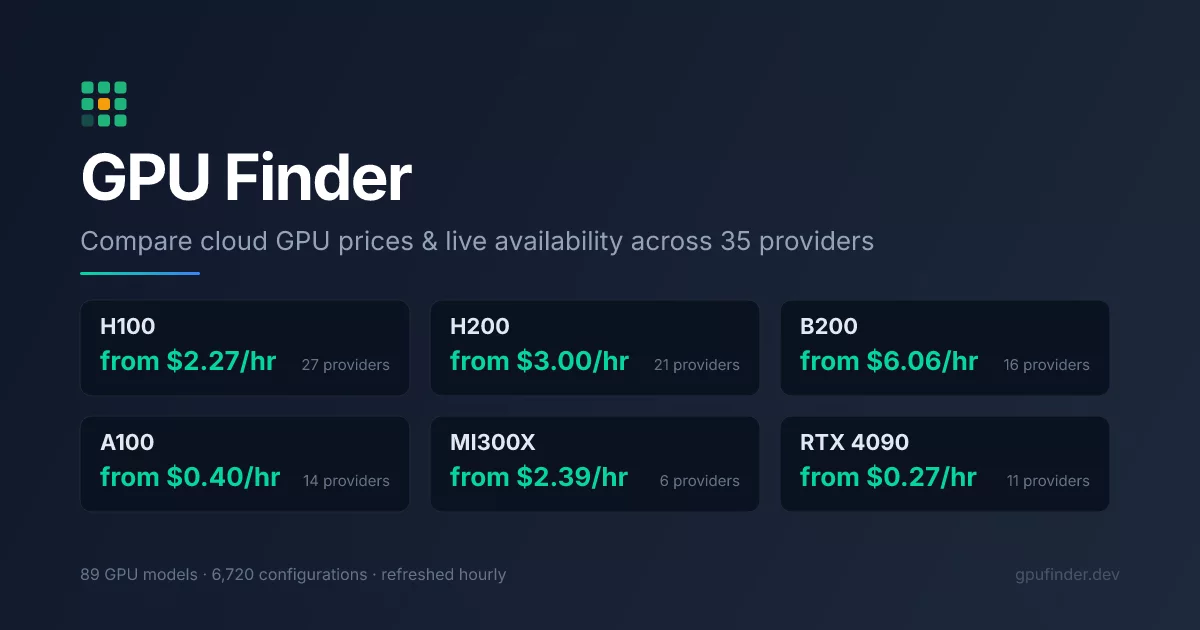
Live cloud GPU prices, stock and price history across 30+ providers (hyperscalers, neoclouds and marketplaces), for Claude, Cursor, VS Code, Cline and any MCP client.
Ask your agent things like:
- "What is the cheapest 8× H100 node in stock right now, and on which provider?"
- "Where can I rent a single RTX 5090 today, and for how much per hour?"
- "How has B200 pricing moved over the last six months?"
The data comes from GPU Finder, which re-checks stock every hour.
Get a key
Create a free API key (60 data calls a month) at https://gpufinder.dev/developers. Paid plans add more calls.
Install
npx -y gpufinder mcp runs the server over stdio. Add it to your client:
Claude Desktop / Cursor / Cline / Windsurf (claude_desktop_config.json, .cursor/mcp.json, …):
{
  "mcpServers": {
    "gpufinder": {
      "command": "npx",
      "args": ["-y", "gpufinder", "mcp"],
      "env": { "GPUFINDER_API_KEY": "YOUR_API_KEY" }
    }
  }
}
Claude Code:
claude mcp add gpufinder --env GPUFINDER_API_KEY=YOUR_API_KEY -- npx -y gpufinder mcp
VS Code (.vscode/mcp.json):
{
  "inputs": [
    { "type": "promptString", "id": "gpufinder-api-key", "description": "GPU Finder API key", "password": true }
  ],
  "servers": {
    "gpufinder": {
      "type": "stdio",
      "command": "npx",
      "args": ["-y", "gpufinder", "mcp"],
      "env": { "GPUFINDER_API_KEY": "${input:gpufinder-api-key}" }
    }
  }
}
Requires Node.js 20 or newer. Keep your key out of files you commit.
Prefer no install?
Clients that support remote MCP servers can connect straight to https://gpufinder.dev/mcp with the header
Authorization: Bearer YOUR_API_KEY. See https://gpufinder.dev/api.
Tools
All tools are read-only.
| Tool | What it returns |
|---|---|
list_gpus |
GPU models tracked, with specs and price range |
list_providers |
Providers with GPU counts and links |
get_prices |
Per-provider offers for a GPU and node size (USD per hour) |
get_market_snapshot |
Cheapest listed offer and cheapest offer observed in stock at the last check |
get_availability |
Observed stock by provider |
get_price_history |
Up to 12 months of price history |
get_data_status |
Data freshness per provider |
get_usage |
Your monthly allowance and usage (free) |
Listing tools is free. Each data call uses one unit of your monthly allowance; get_usage uses none.
Rental prompt and pricing guide
Choose find_gpu_rental in your MCP client and enter a GPU model and the number of GPUs per node. For example, enter H100 and 8 to compare the cheapest listed eight-GPU node with the cheapest one recently observed in stock.
Read gpufinder://guides/pricing-and-stock for an example of whole-node and per-GPU hourly prices and how to interpret stock observations. Opening the prompt or guide is free. Running the market snapshot uses one data unit.
Environment variables
| Variable | Purpose |
|---|---|
GPUFINDER_API_KEY |
Your API key (required for tool calls) |
GPUFINDER_MCP_URL |
Override the endpoint (default https://gpufinder.dev/mcp) |
GPUFINDER_DEBUG=1 |
Log requests to stderr; the key is never logged |
How it works
This package is a small stdio proxy with no dependencies. It forwards each MCP message to the hosted GPU Finder endpoint with your key and relays the reply, so the tool list always matches the live service.
Also listed in the official MCP Registry as dev.gpufinder/gpufinder.
License
MIT