
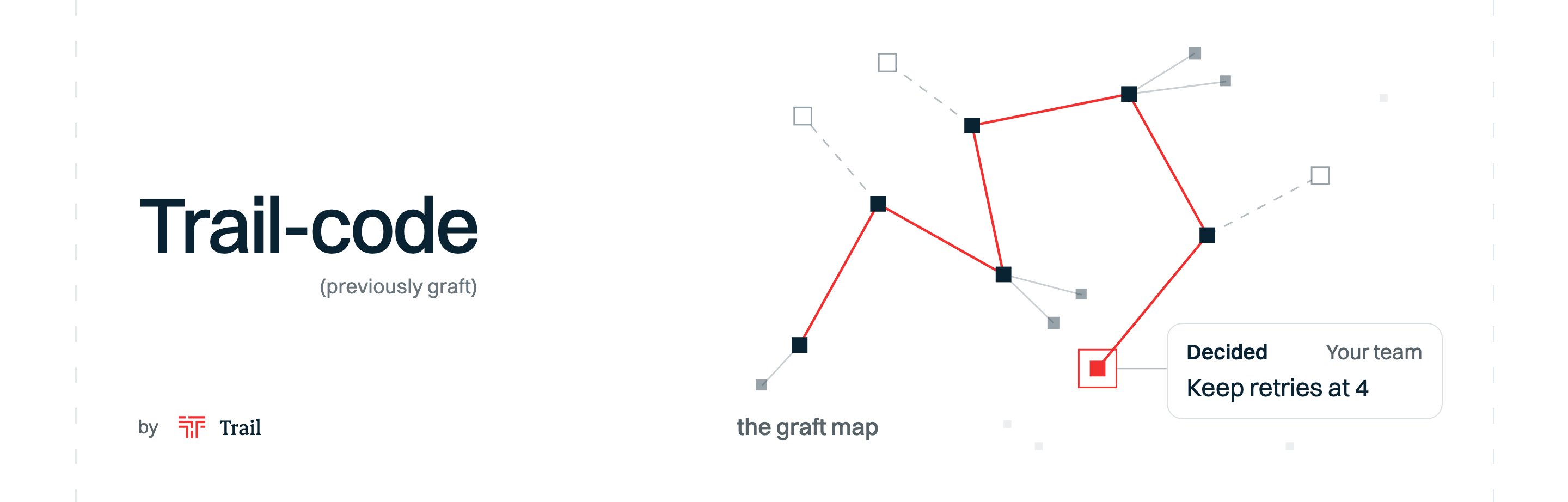
The self-learning context layer for coding agents.
Trail-code gives Claude Code, Cursor, Codex and other coding agents a map of your code, and what your team has learned about it.
| Code map (previously graft) | Learnings | |
|---|---|---|
| What is it? | An index of your code: every function and who calls it, so your agent sees what a change can break | What you, your agents and your team have learned and decided |
| What does it do for your agent? | Takes it straight to the right files | Lets it pick up where you and your team left off |
| Where does it come from? | Your code, read on your machine | Your conversations, as you work |










46% fewer tool calls, 60% less time, and more real issues solved.
| Cold agent | Agent with the graft map | |
|---|---|---|
| Tool calls, 162 runs | baseline | 46% fewer |
| Uncached input tokens, 162 runs | baseline | 42% fewer |
| Time, 162 runs | baseline | 60% less |
| SWE-bench Verified, 50 real issues | 27 solved (54%) | 33 solved (66%) |
npm install -g @trailhq/trail-code && trail init
Note
Graft is now Trail-code. Graft lives on as the graft map, and every
graftcommand still works. What's new is learnings. What changed

What changes in your agent
| Without Trail-code | With Trail-code |
|---|---|
| Greps and opens file after file to find the code it needs | Gets the right files and functions with your prompt |
| Re-explores code a teammate already figured out last week | Starts from their learning: what they decided, what they ruled out, what to watch out for |
| Undoes a teammate's decision, because it never knew about it | trail check flags it before the PR, quoting who decided it and why |
| Finds out at merge time that a teammate changed the same code | Says so right after it edits code a teammate's open branch also changes, and whether the two clash |
| Has to be told the same things every session | Starts from what you've told it before: trail init finds what you said more than once in your past sessions |
| You write and update CLAUDE.md by hand | Learnings are saved from your conversations, in files you can read |
Same model, more tasks solved. On SWE-bench Verified (real GitHub issues, graded by the maintainers' own tests), Claude Sonnet 5 solved 33 of 50 issues with the graft map and 27 of 50 without it, using 23% fewer tokens. Details
Cheaper and faster. Across 162 runs of the same agent on the same tasks: 32% lower cost, 42% fewer uncached input tokens, 60% less time, and the same share of correct answers. On PocketBase, 15 real tasks ran 21% cheaper and 14% faster. Details
Contents
- How it works
- Quick start
- Part 1: The graft map, your code
- Part 2: Learnings, what you, your agents and your team know
- Your team
- What stays on your machine
- Benchmark · SWE-bench Verified · Tested on popular repos
- FAQ
- Reference: How the graph gets built · Supported languages · What's in a node · What runs where · Agent integration · CLI · Search & orient · Monorepos · Visualize it · Development
How it works
Trail-code has two parts. Both run on your machine.
- The graft map: your code.
trail initparses your repo with tree-sitter into a map of every file, function and who calls what. No model, no API key. It refreshes itself when the code changes, uncommitted edits included. Your agent gets pointers to the matching files and functions with each prompt, and sees what depends on a file right after it edits it. - Learnings: what you, your agents and your team know. When a session works something out, or you correct how something is done, your agent saves it as a learning. The next session on that code, yours or a teammate's, starts from it instead of digging again. Learnings about the code are committed with the code; learnings about you stay on your machine. On day one,
trail initstarts you off with what you told Claude more than once in your past sessions, and what reviewers flagged on more than one of the repo's merged PRs.
The graft map tells your agent where things are. Learnings tell it why they are that way, and how the work gets done here.
Quick start
npm install -g @trailhq/trail-code   # install the CLI, once
trail init                      # in your repo: build the graft map, set up .trail/, wire your agents
That is the whole setup. trail init asks which of your coding agents to wire up, builds the graft map from your code, creates .trail/ for the repo's learnings, and adds a statusline and hooks to Claude Code. It also reads your past Claude Code sessions in the repo, once, for what you told Claude more than once, and saves those as learnings. Your own Claude Code does that reading, in about a minute. Then work the way you always do. No daemon, no server, nothing to babysit: it is all files.
Commit the setup so your teammates get it too. The graft map itself, in graft/, is a local cache like node_modules and is added to .gitignore, so it stays out of the commit:
git add .claude .mcp.json .trail .gitignore .ignore && git commit -m "set up Trail-code"
Teammates' Claude Code reads the learnings in .trail/ even before they install anything, and tells them once how to get the rest.
trail init --dry-run shows the agent wiring it would write; trail init --agents claude wires Claude Code alone.
Coming from graft?
Nothing breaks. The code map you know is now called the graft map, and it is one of Trail-code's two parts.
| Before | Now | |
|---|---|---|
| Name | graft | Trail-code |
| The code map | graft | the graft map (same thing) |
| Command | graft |
trail (graft still works) |
| Package | @nanonets/graft |
@trailhq/trail-code (the old one still works) |
| Learnings | None | New, see Part 2 |
graft and @nanonets/graft run the same code as trail, and print what they always printed.
Already have graft? graft upgrade adds the trail command next to it.
Repos that graft set up move to trail on their own: once the trail command is installed, each one moves the first time you open Claude Code in it. To move one right away, run trail init in it. Commit what changes so your teammates move too.
Part 1: The graft map
Without a map, your coding agent starts every task blind. It greps a term, opens a file, follows an import, backs out and tries again, rebuilding a picture of a codebase it mapped an hour ago and threw away. That rediscovery burns most of a run's tool calls, tokens and time. People onboard to a codebase once. Agents onboard every single time.
The graft map builds that understanding once, and keeps it current:
- Every file, function and caller. Parsed with tree-sitter into a graph of symbols and who calls what. Deterministic, no model, no network, 24 languages.
- The right code with every prompt. In Claude Code, hooks add the matching files and functions to each prompt, and show what depends on a file right after your agent edits it (the "blast radius"). Cursor, Codex and other agents get the same map through MCP tools and their instruction files.
- Always fresh. Every query checks the working tree first (a few tens of milliseconds when nothing moved) and rebuilds only what changed, so answers describe the code as it is right now, uncommitted edits included.
- Plain files you can read. Linked markdown nodes your agent opens and greps like any other file. No embeddings, no index to keep warm.
- Summaries if you want them.
trail build --deepadds plain-English summaries of each part of the system, written by the model provider you choose, under your own key.
| Cold agent | Agent with the graft map | |
|---|---|---|
| SWE-bench Verified, 50 real issues | 27 solved | 33 solved (+12 pts) |
| Our benchmark, 162 runs | baseline | 32% lower cost, 42% fewer uncached input tokens, 60% less time |
| PocketBase, 15 real tasks | baseline | 21% cheaper, 14% faster |
How it is measured: Benchmark, SWE-bench Verified and Tested on popular repos. How it is built: the reference.
Part 2: Learnings
Your agent forgets everything when a session ends. Next week, it digs through the same code again, or worse, undoes a decision it never knew was made. Your teammates' agents do the same.
Trail-code keeps what your agent works out as learnings, saved from your conversations as you work. The next session starts from what you, your agents and your team already know. You don't have to write any of it by hand.
Learnings and skills, three places
Everything Trail keeps has a place (who it is for): just you, this repo, or your team.
Three places:
| Place | What goes there | Where it lives | Who sees it |
|---|---|---|---|
| Personal | About you and your machine: your setup, your habits | ~/.trail/ |
Only you. Never committed, never uploaded |
| Repo | About the code: why it is the way it is, how work gets done in it | the repo's .trail/, committed with the change |
Everyone who clones the repo, even before they install Trail-code |
| Team | What your whole team has learned, across repos | a Trail workspace (soon) | Your team, on the team page |
Your agent picks between personal and repo: something about your own setup stays personal ("saved just for you"); something about the code goes in the repo ("added to this repo"). The team place will gather the repo learnings of every repo in your workspace, so your team sees them together.
What it keeps:
| Example | Personal | Repo | Team | |
|---|---|---|---|---|
| Learnings: what your agent follows by default; you can say otherwise in the moment | "Keep retries at 4. Ruled out 10: one call could block for over an hour." "Use pnpm, not npm." Saved when you correct your agent, and found in your past sessions by trail init. |
✅ | ✅ | soon |
| Always follow: a mark on a learning your agent won't go against, even if asked. It stops and names the learning and who added it | "Store money in integer cents." Saved with trail note --always-follow, only when you say so. |
✅ | ✅ | soon |
| Skills: how a job is done here, its steps and files, with the learnings taught on it | "Read rotation with page.Rotation(), never pdfcpu: it drops /Rotate." | soon | soon | soon |
One decision, two teammates
A real test: two people, two clones of hashicorp/go-retryablehttp, headless Claude Code sessions.
1. Maya works out why the retry count is 4. Before committing, the agent saves what it found as a learning, and commits it with the change:
✓ added to this repo · .trail/learnings/2026-10-09-keep-the-default-retry-count-at-maya.md
The reply ends with 📝 Committed · Kumar works in this part of the codebase, and their agents now get a 27k-token head start.
2. Kumar pulls and asks about the same code. Kumar's Claude reads Maya's learning before exploring, answers from it in 11 seconds for $0.10, and ends with a line saying where the answer came from, like:
📝 Started from Maya's learning · saved ~27k tokens
3. Kumar raises the retry count to 10 anyway. Before the PR, trail check compares the change with the learnings in the repo, and Kumar's own:
checking 1 changed file against 1 learning and 0 skills

✗ client.go:51
  changes defaultRetryMax from 4 to 10
  Maya · Oct 9: Keep defaultRetryMax = 4: ten retries with the
  default backoff can hold one Do() call for over an hour.

· 1 conflict · fix it, or say why in the commit message or PR description
Kumar's Claude explains the override in the commit.
4. Maya edits the same constant. Kumar's branch isn't merged yet. Right after the edit, Maya's Claude reads Kumar's change and says something like:
🔀 trail · Kumar is also changing defaultRetryMax on kumar/retry. He raises it to 10 and you're lowering it, so the two clash.
None of this needs a server. Learnings travel through git, like the code they are about.
A learning is a file
A learning is a short markdown file in .trail/learnings/, reviewed in the pull request like any other change:
---
title: Keep the default retry count at 4
author: Maya
date: 2026-10-09
cost: { tokens: 27400 }
touches:
  - client.go
---

## Decided
- Keep defaultRetryMax = 4: ten retries with the default backoff can hold one Do() call for over an hour.

## Tried and ruled out
- Raising the default to 10 for one customer: worst case, a single Do() call blocks for over an hour.

## Watch out
- RetryWaitMax caps each wait at 30s, not the total: the waits add up with every retry.
touches is how the next session on client.go finds it. A learning also records what the session spent working it out, in minutes and tokens. That is where "saved ~27k tokens" comes from: what the learning took to work out, less what it costs to read.
Where everything lives:
your-repo/
├── .trail/learnings/          learnings about this repo's code (commit them)
└── graft/                     the graft map, a local cache (gitignored)

~/.trail/                      your personal learnings, on this machine only
Your agent does the saving
Your agent uses learnings on its own, and saves one when you ask, at these moments:
- On day one, what you told Claude before.
trail initreads your own messages in the repo's past Claude Code sessions, leaving out tool output, pasted text and headless runs. It keeps only what you said in two or more sessions, and scrubs secrets. - When you ask, a learning. Say "save this as a learning" after a decision, something you ruled out, or a correction to how something is done here, and your agent saves it: what was decided, what was ruled out, what to watch out for. A summary, never a transcript, and nothing secret. It never saves one on its own, and doesn't offer to.
- Before each task, the learnings on it. Each session starts with the learnings that apply to all work in the repo. Each prompt brings in the ones earlier sessions left on that code, above the code itself. A teammate's learning says whose it is.
- Before a PR, the check. Your agent is told to run
trail checkbefore it commits, pushes or opens a pull request. - Never rewrites history. Your agent never edits an existing learning. When it goes against one, it says why in the commit, and saves a new one only when you say so.
The commands, if you want them:
trail note --title "<what it was about>"   # save a learning (the text on stdin); --personal keeps it in ~/.trail
trail check                                # check your branch against this repo's learnings and yours
trail team                                 # what the team learned this week, and where work overlaps
trail status                               # the graft map, learnings and tokens saved, on one screen
Your team
Learnings reach your teammates through git, with no server: commit .trail/, and every clone has them. Learnings on a teammate's pushed branch show up before it merges, marked "pushed and not merged yet", with only their first lines.
trail team shows the last 7 days in your terminal: what the team learned and where work overlaps.
trail team # this week's learnings and overlaps
Coming soon: a Trail workspace, for your team's view across repos. A team page will show who is learning what, how often learnings were reused, and where work overlaps.
What stays on your machine
- Your code. The graft map is built on your machine with tree-sitter. No model, no network. The optional
trail build --deepsummaries go to the model provider you choose, under your own key.