

Free, open-source battery care for Apple Silicon MacBooks. Set macOS's 80–100% charge limit, see live power flow, and watch your battery's health over months — from a small menu-bar app with no subscription, no account and no telemetry.
- Charge limit 80–100% and one-click Top Up to 100% for a trip.
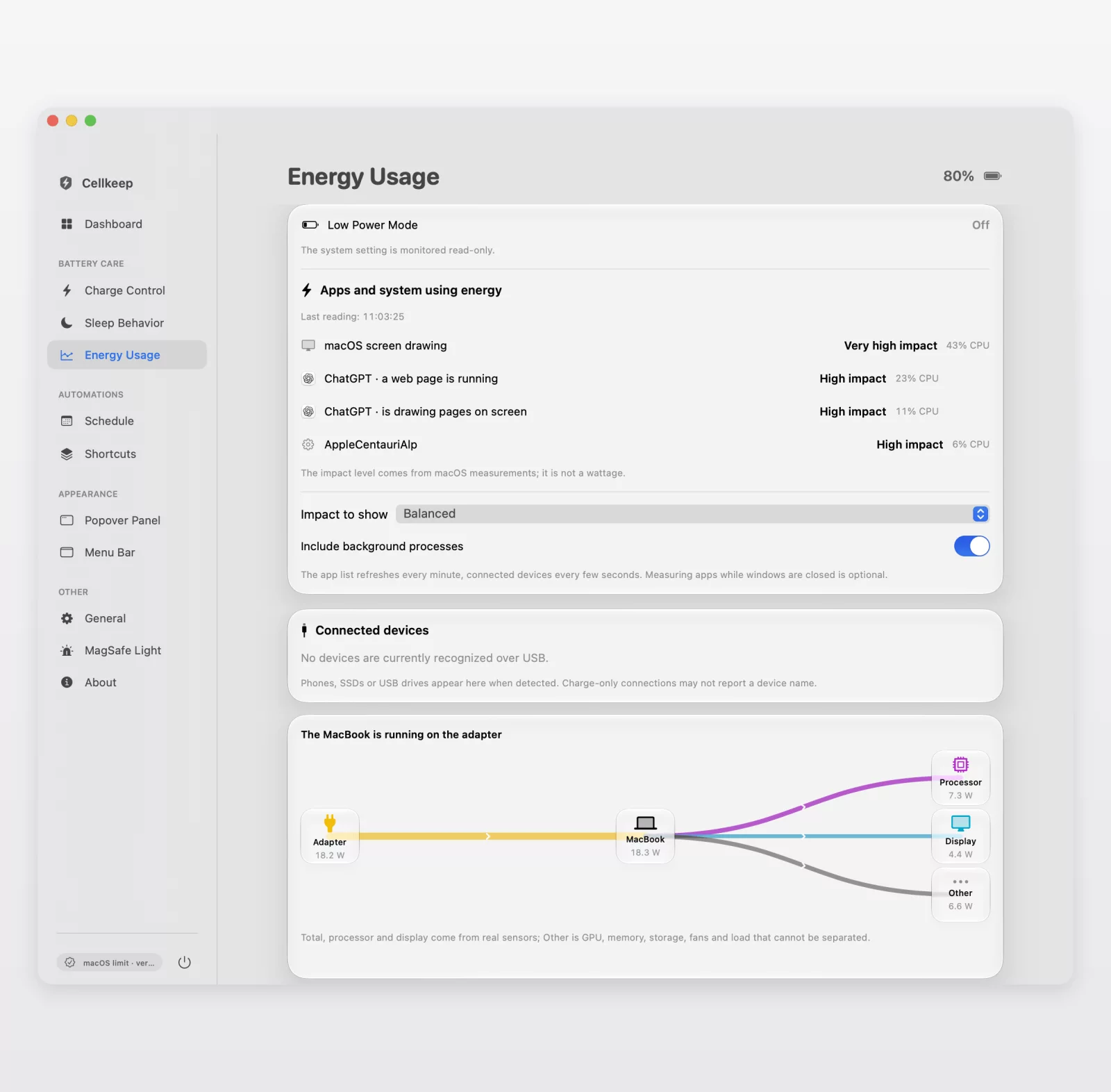
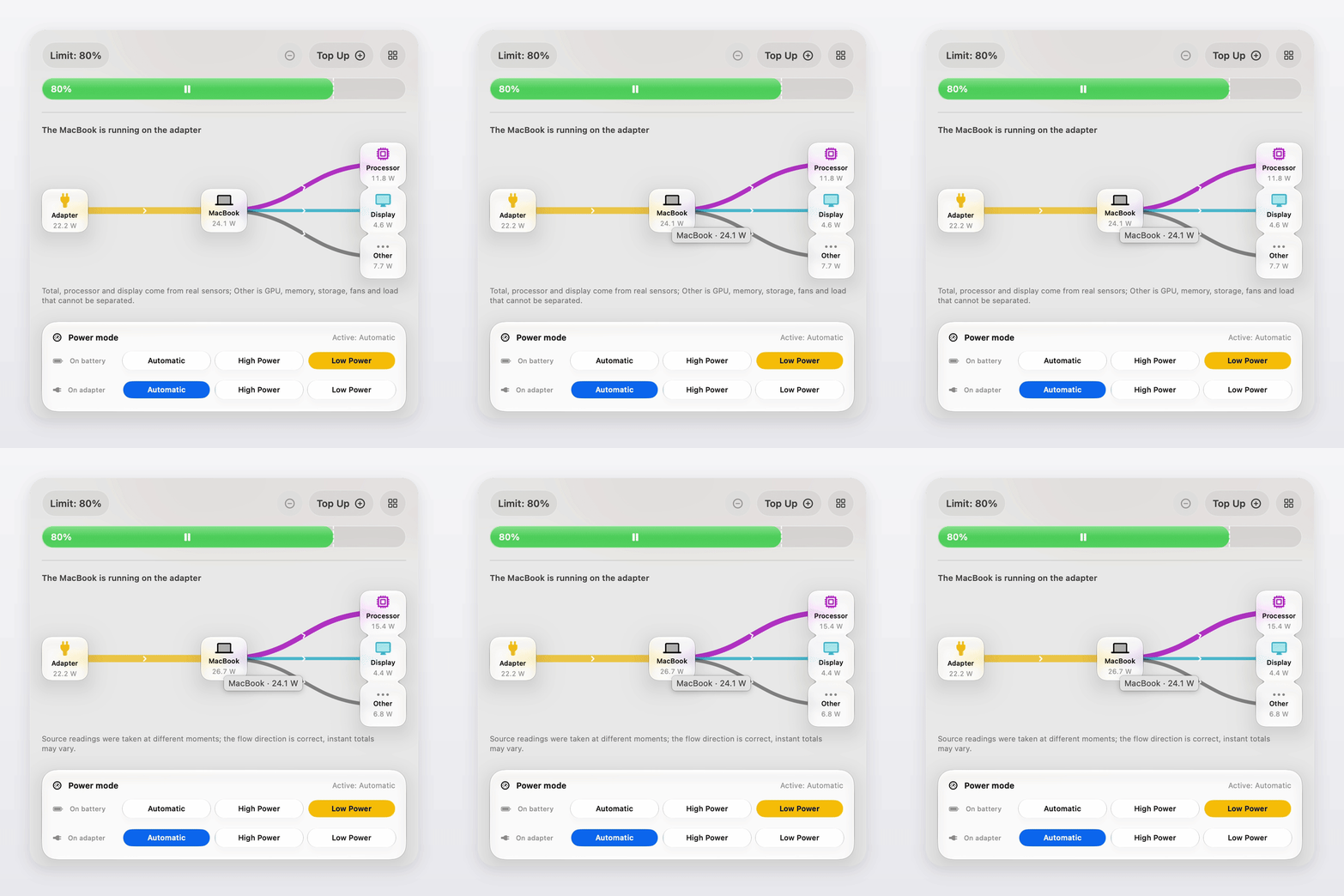
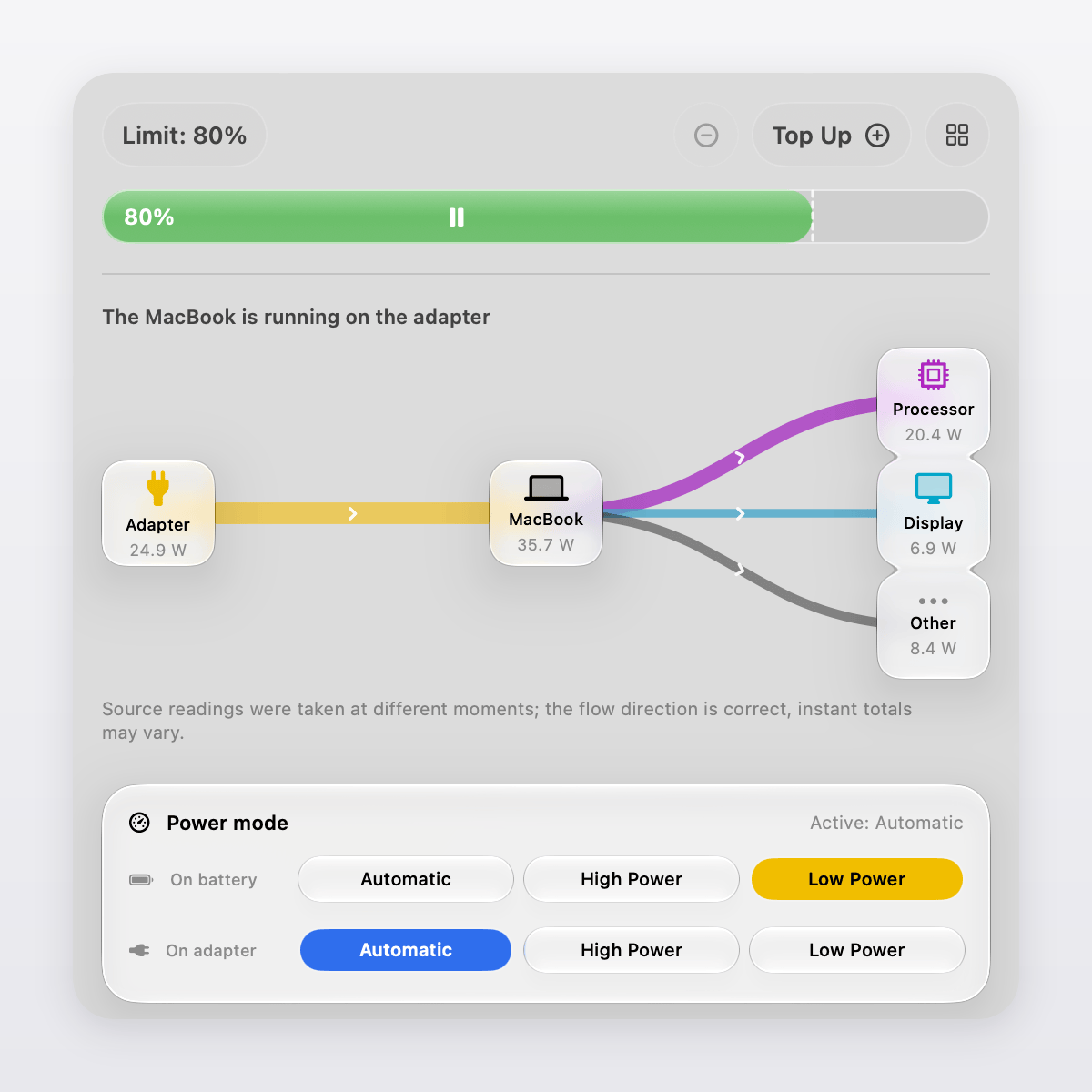
- Live power flow: adapter, battery, CPU, display — measured, never guessed.
- Long-term health: daily summaries for up to 400 days, CSV export.
- Signed and notarized by Apple, open source (MIT), data stays on your Mac (PRIVACY.md).
- English, Türkçe, Deutsch, Français, Español.
Screenshots
 |  |
 |  |
Healthy Battery was previously named Cellkeep and ChargeMate. Existing app data, helper IDs and the Homebrew cask token retain Cellkeep for compatibility.
Features
- Charge limit, 80–100%. Healthy Battery drives macOS's own native charge-limit control (the same mechanism macOS itself uses) to hold your battery at a target between 80% and 100% in 5% steps. Applying a limit is a real read/write round trip with an independent read-back check — see Limitations for what that does and does not prove.
- Top Up. Temporarily charge to 100% for a trip, then Healthy Battery restores your usual limit afterward.
- Heat protection (off by default). While the battery charges on the adapter above 35 °C, the charge limit drops to 80% and Turbo is turned off; below 32 °C, or when the adapter is unplugged, your usual limit and power mode come back. It cannot stop charging if the battery is already below 80%. Settings → Charge Control.
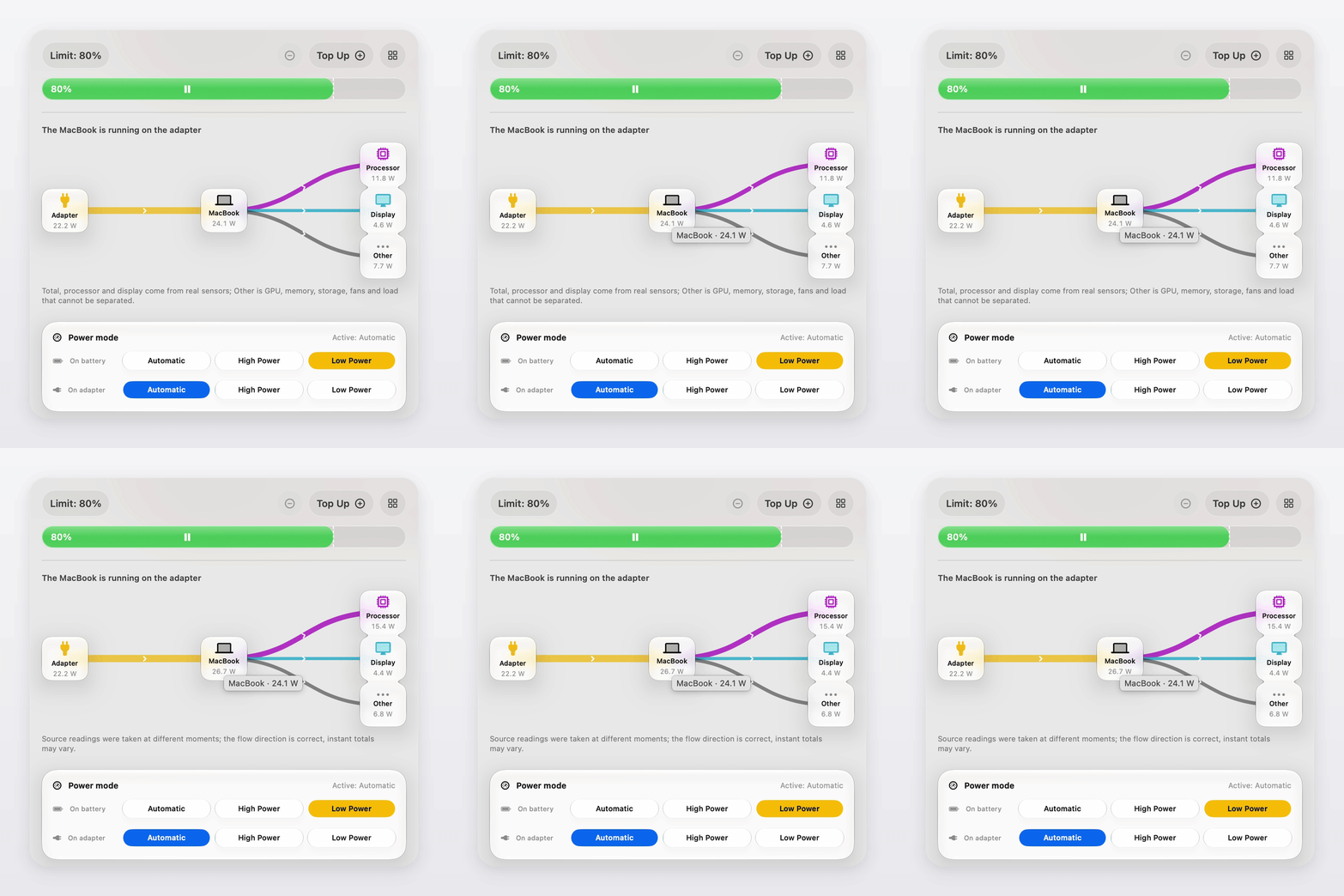
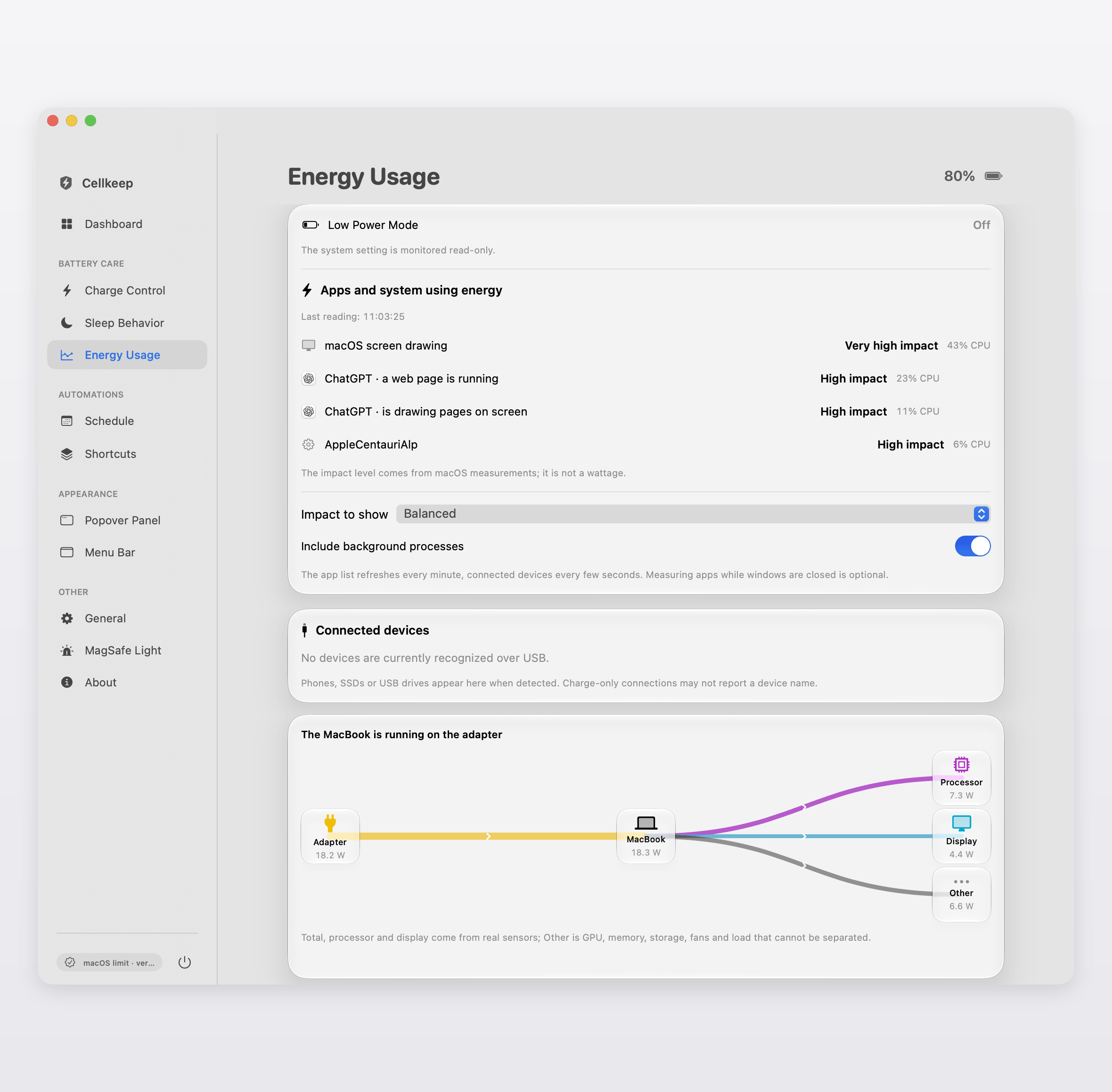
- Live power flow. A diagram of adapter, battery, CPU, display, and "other" power, in watts. CPU and display watts are read from Apple's SMC sensors; the total system draw comes from the battery controller. Nothing here is estimated or invented — if a value can't be measured, it shows as "—" instead of a guess.
- Connected device power. When exactly one USB device is drawing power on exactly one active port, Healthy Battery shows its wattage (read-only, from the battery controller's port telemetry). With more than one device or port, it shows "—" rather than a guess.
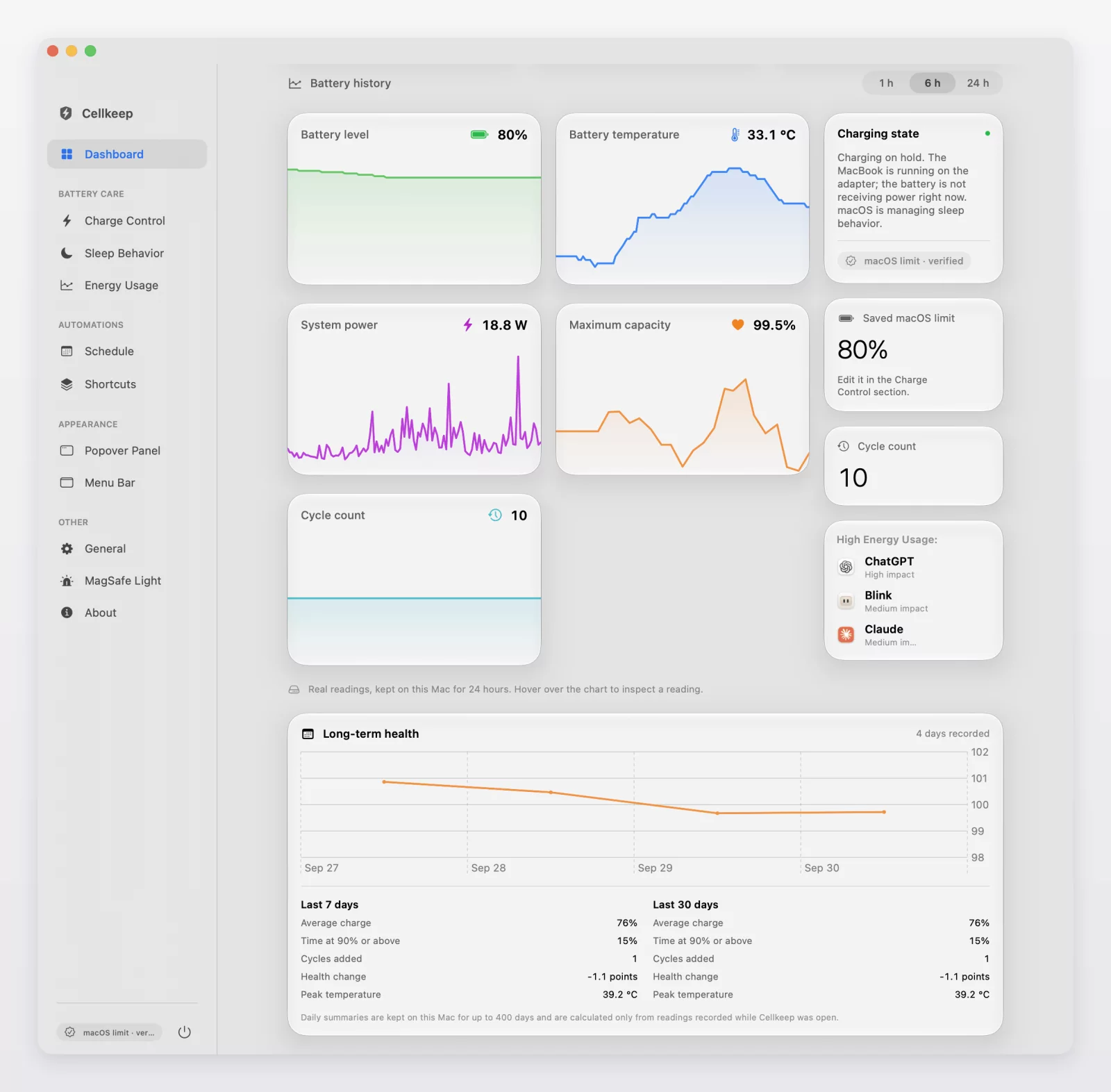
- History charts. 1 hour / 6 hour / 24 hour views of charge level, power draw, and battery health. The recorded readings can be exported as CSV from Settings → About.
- Long-term health and habits. A daily summary is kept for up to 400 days: a battery-health trend chart and, for the last 7 and 30 days, average charge, time spent at 90% or above, cycles added, health change and peak temperature. Exportable as CSV.
- Battery health. A maximum-capacity chart, smoothed to hourly medians so day-to-day sensor noise doesn't look like a real health swing.
- Power modes per source. Automatic / High Power (Turbo) / Low Power (Battery Saver), tracked separately for "on battery" and "on adapter," backed by macOS's own
pmsetpower profiles through a narrowly scoped, allowlisted helper. - Sleep behavior. Optional: while charging below your target with the adapter connected, Healthy Battery holds a public macOS idle-sleep assertion so your Mac keeps charging instead of going to sleep. It has an 8-hour safety cutoff and never touches lid-close or screen sleep. It does not pause charging by itself during sleep — see Limitations.
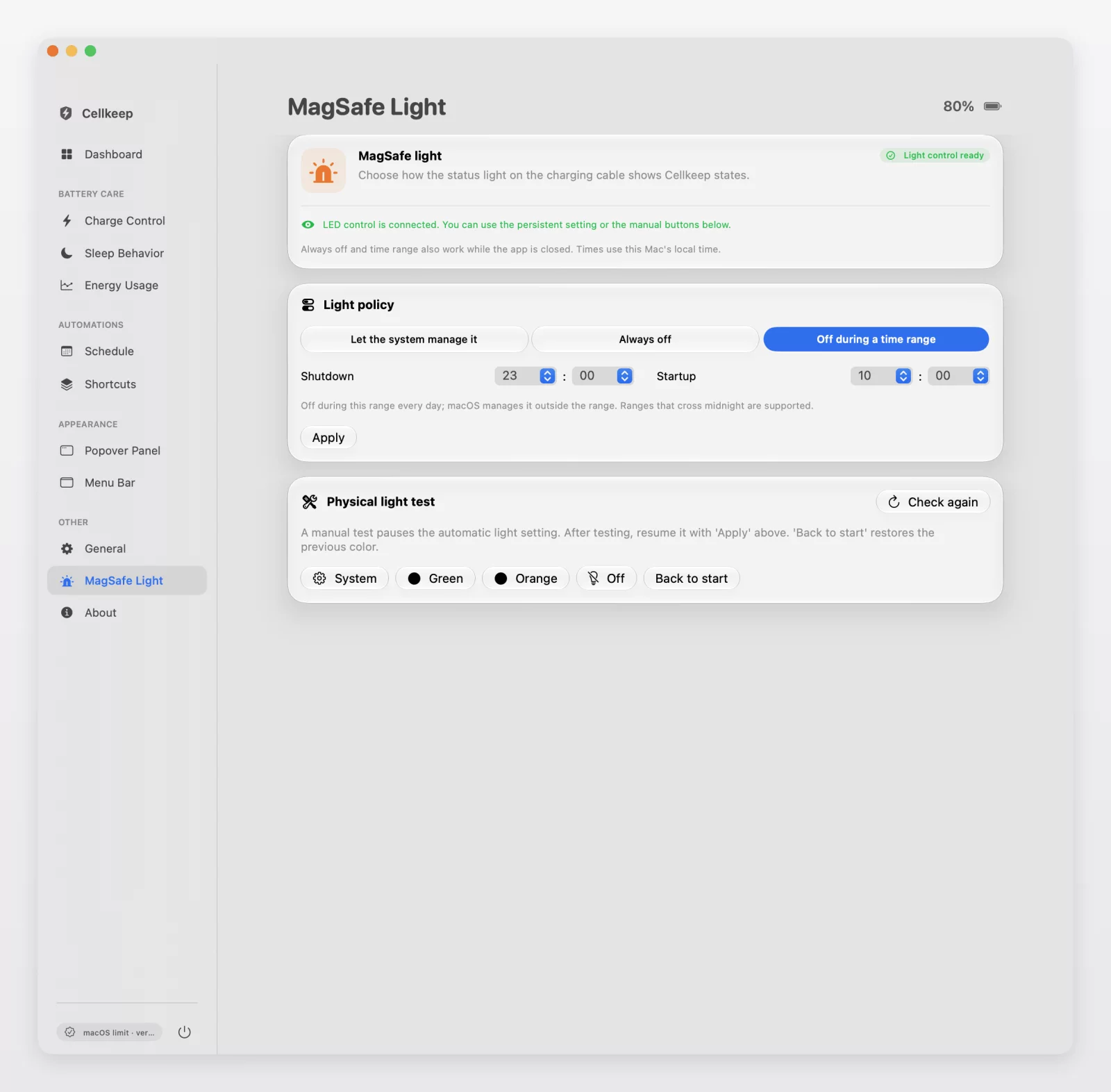
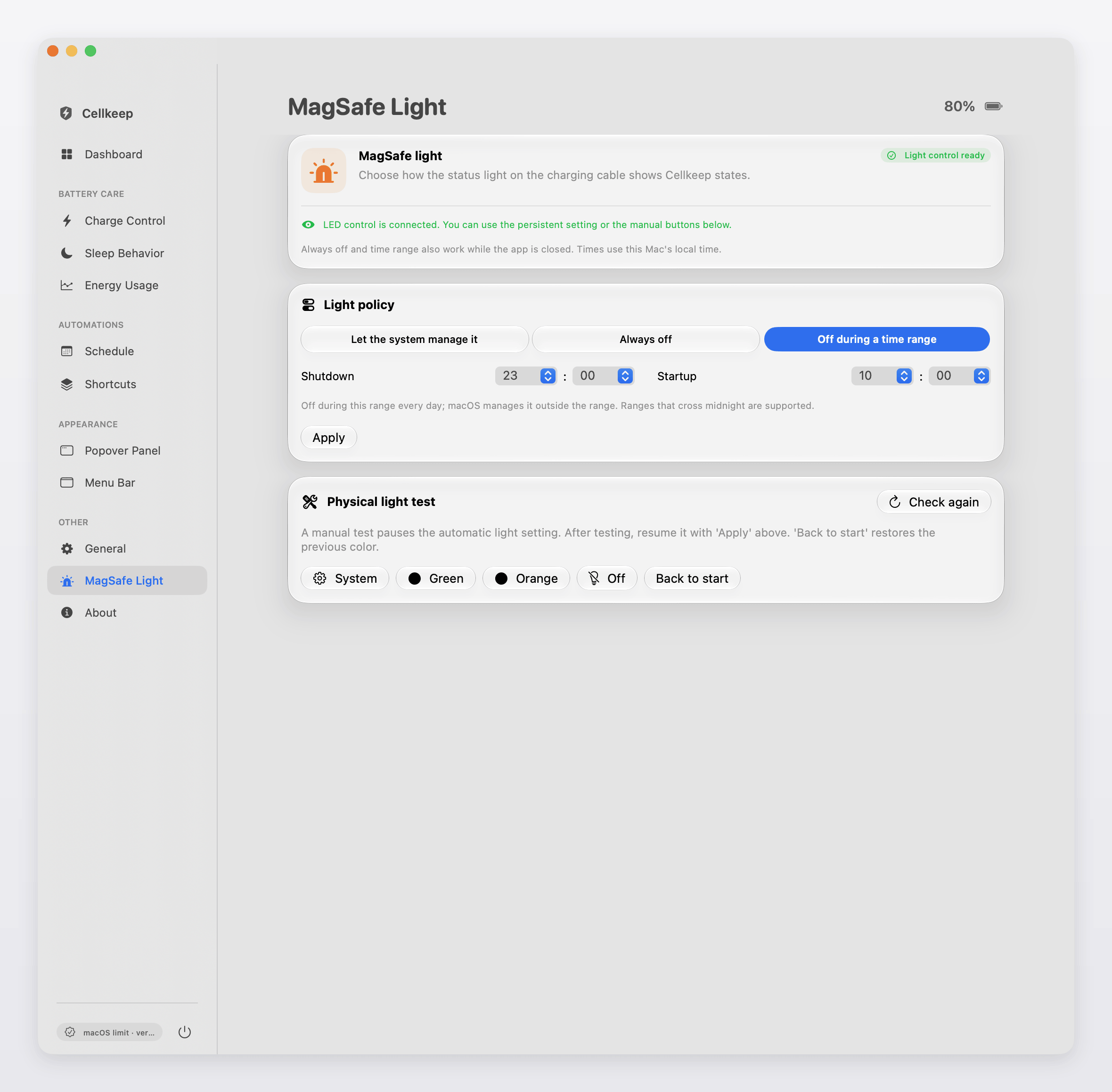
- MagSafe LED control. Manual System / Green / Orange / Off control, plus an always-off or scheduled-hours policy, via a signed, narrowly scoped privileged helper that only writes one known SMC key.
- Schedules. Recurring or one-off actions (apply a limit, start Top Up, switch power mode, discharge to a level, start a calibration) with a filterable execution history and a retry that really re-runs the action.
- Apple Shortcuts actions. Ten App Intents to read battery percentage, temperature, and status, and to apply a limit, start/cancel Top Up, start/cancel a discharge or calibration, switch power mode, or set the MagSafe LED.
- High-energy apps, with Quit. The energy list groups helper processes under their owning app, shows a real icon, and lets you quit an app straight from the list.
- Updates from inside the app. Healthy Battery asks GitHub for the latest release number at most once a day and shows one notification when a new version is out; both can be turned off in Settings → About. Press Update and it downloads that release, checks its checksum, Developer ID signature and Apple notarization, then replaces itself and relaunches. Nothing is sent; see PRIVACY.md.
- Conflict guard. When another charge-limit tool is running or installed (AlDente, Battery Toolkit, BatFi, batt, battery, bclm), Healthy Battery keeps monitoring but locks its own limit writes, so two apps never fight over the same setting.
- Global shortcut (optional). Off by default. Pick ⌃⌥⌘B or ⌃⌥⌘C in Settings → General to open or close the panel from anywhere; it needs no Accessibility permission and sees only that key combination.
- Languages. English, Türkçe, Deutsch, Français and Español; Healthy Battery follows your macOS language and falls back to English.
- Customizable panel. Long-press a card (or right-click → Edit cards) to reorder, add or remove cards, switch square/wide, and choose which rows the battery-info card shows.
Through the adapter cut (experimental)
macOS 27 does not let any app pause charging while plugged in. What still works is cutting the adapter in software, so the Mac runs from the battery with the cable in. These features use that, through a separate charge helper (one administrator prompt) that only answers Healthy Battery and restores the adapter on unplug, sleep, quit or a missed heartbeat. They unlock after an automatic adapter test passes on your Mac:
- Discharge. The minus button in the panel (or a schedule / Shortcut) runs the Mac from the battery down to the limit or a level you pick, then brings the adapter back.
- Calibration. Charge to 100% (the macOS limit is lifted with Top Up), hold an hour, discharge to 15%, charge to 100% again, then restore the limit; 24 hours at most.
- Adapter mode. Keeps a target from 20% to 100%: the adapter is cut at the target and restored 5 points lower.
- Sailing. In adapter mode, widens that band to 5–15 points so the battery charges less often.
- Heat protection in adapter mode. Above 35 °C while charging the adapter is cut until the battery is below 32 °C (never at or below 30%).
All of them work only while the Mac is awake: the adapter is restored before sleep, and Discharge and Calibration keep the Mac from idle-sleeping while they run.
Requirements
- Apple Silicon (arm64) only.
- Tested on macOS 27, on a single Mac model. Other macOS versions and other Mac models are untested — they may work, may not build, or may silently misbehave. Please file an issue with your Mac model and macOS version if you try one.
Install
- Download the latest
.dmgfrom Releases. Release builds are signed with Developer ID and notarized by Apple. - Open it and drag
Healthy Battery.appto Applications. - A build you made yourself with
./build.shis only ad-hoc signed; macOS will warn about it on first launch — open System Settings → Privacy & Security and allow it. - The first time you use a feature that needs a privileged helper (power-mode switching, MagSafe LED control or adapter mode), macOS will ask for administrator approval once for that helper. No password is stored by Healthy Battery.
With Homebrew
The Healthy Battery Homebrew tap is available:
brew install --cask berkinefeavci/healthy-battery/healthy-battery
Build from source
Requires Xcode 27.
./check.sh
./build.sh
check.sh runs the pure-logic test suite. build.sh produces .build/Cellkeep.app.
Uninstall
In-app (recommended): Settings → General → "Healthy Battery'i kaldır" (Remove Healthy Battery). After one administrator prompt it removes the helpers and launch daemons, unregisters the login item, can reset the macOS charge limit to 100% (on by default) and can delete Healthy Battery's data (off by default). Then drag Healthy Battery.app or an older Cellkeep.app to the Trash.
Manual alternative:
- Quit Healthy Battery and turn off "Start at login" in Settings first.
- Move
Healthy Battery.appor an olderCellkeep.appfrom/Applicationsto the Trash. - Remove the privileged helpers, if installed:
sudo launchctl bootout system/io.github.berkinefeavci.cellkeep.powermode 2>/dev/null sudo launchctl bootout system/io.github.berkinefeavci.cellkeep.led 2>/dev/null sudo launchctl bootout system/io.github.berkinefeavci.cellkeep.chargeinhibit 2>/dev/null sudo rm -f /Library/LaunchDaemons/io.github.berkinefeavci.cellkeep.powermode.plist sudo rm -f /Library/LaunchDaemons/io.github.berkinefeavci.cellkeep.led.plist sudo rm -f /Library/LaunchDaemons/io.github.berkinefeavci.cellkeep.chargeinhibit.plist sudo rm -f /Library/PrivilegedHelperTools/io.github.berkinefeavci.cellkeep.powermode sudo rm -f /Library/PrivilegedHelperTools/io.github.berkinefeavci.cellkeep.led sudo rm -f /Library/PrivilegedHelperTools/io.github.berkinefeavci.cellkeep.chargeinhibit - If you uninstall manually, your macOS charge limit stays as it was: it is a macOS setting. Change it in System Settings → Battery if you want to.
How it works, and limitations
Healthy Battery reads and writes through Apple's private PowerUI framework (the same subsystem macOS's own Battery settings use) and reads a small number of documented, read-only SMC keys. This is not a public, stable API: a macOS update can break it without warning, and Healthy Battery has no way to detect that in advance.
The most important limitation: applying a charge limit is a verified configuration write with an independent read-back — it is not proof that physical charge current actually stops at that percentage. Healthy Battery has confirmed that macOS accepts and reports back the requested limit; it has not run a controlled physical experiment (battery held above the target, charger connected, competing controllers closed) to confirm the current is actually cut. Treat the limit as "macOS says it's set," not as a guarantee.
Everywhere else, the same rule applies: if a number can't be measured, Healthy Battery shows "—" instead of inventing one. No measurement is fabricated or interpolated for display.
Privacy
Healthy Battery runs entirely on your Mac. There is no telemetry, no analytics, and no account. The daily release check is on unless you turn it off; see PRIVACY.md. Diagnostics you export are saved to a local file you choose and are never sent anywhere automatically.
See PRIVACY.md.
Contributing
Report bugs and suggest improvements through GitHub Issues. Attach diagnostics only if you choose to share them. Pull requests are welcome — see CONTRIBUTING.md for build/test commands and the rules around hardware-writing code.
Security
Found a vulnerability? Please see SECURITY.md — do not open a public issue.
License
MIT — see LICENSE.