
Highlights for ChatGPT
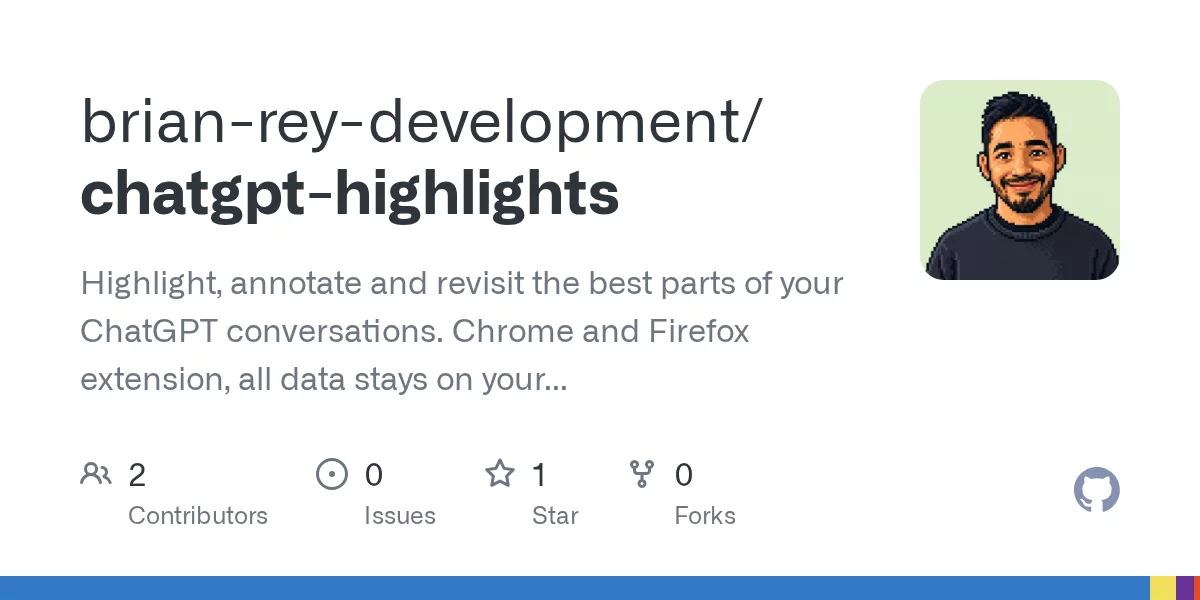
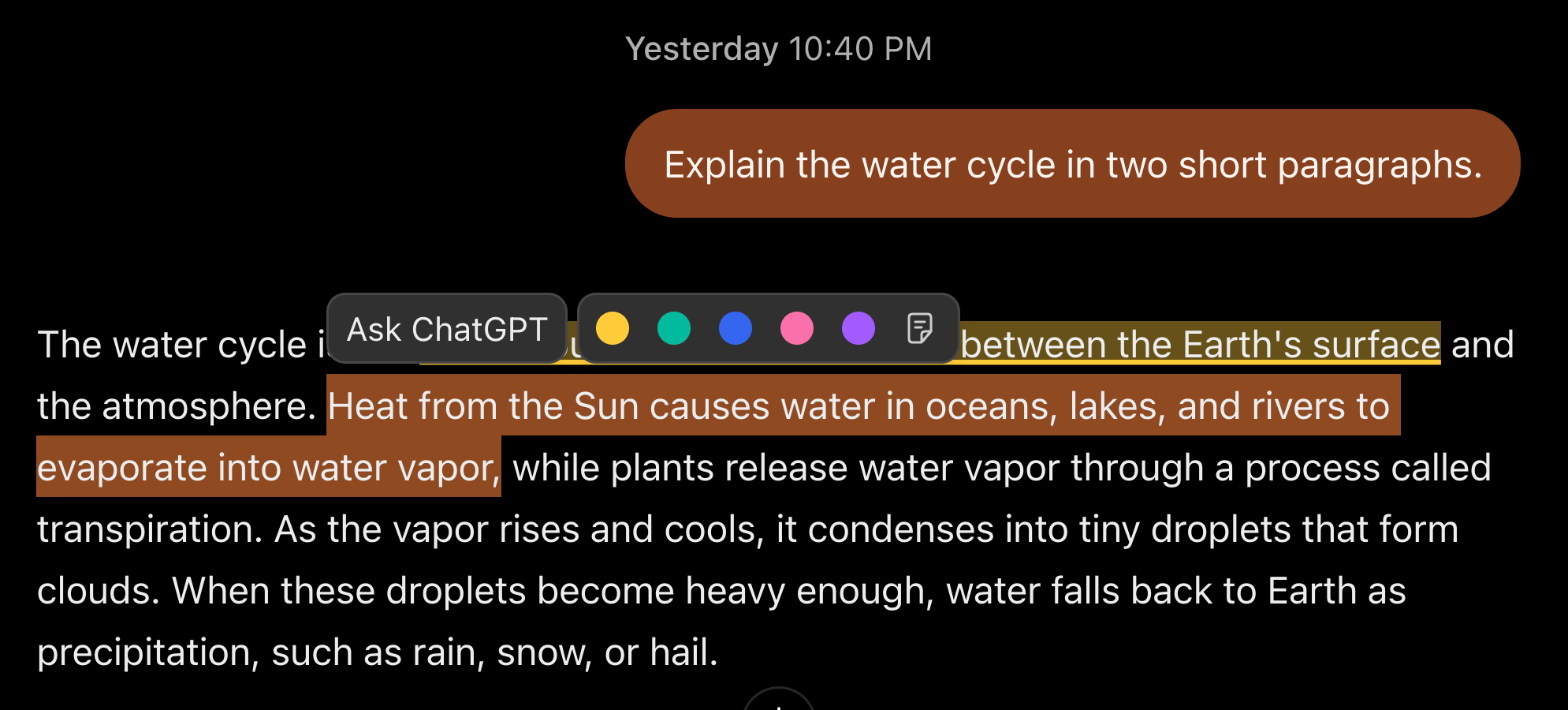
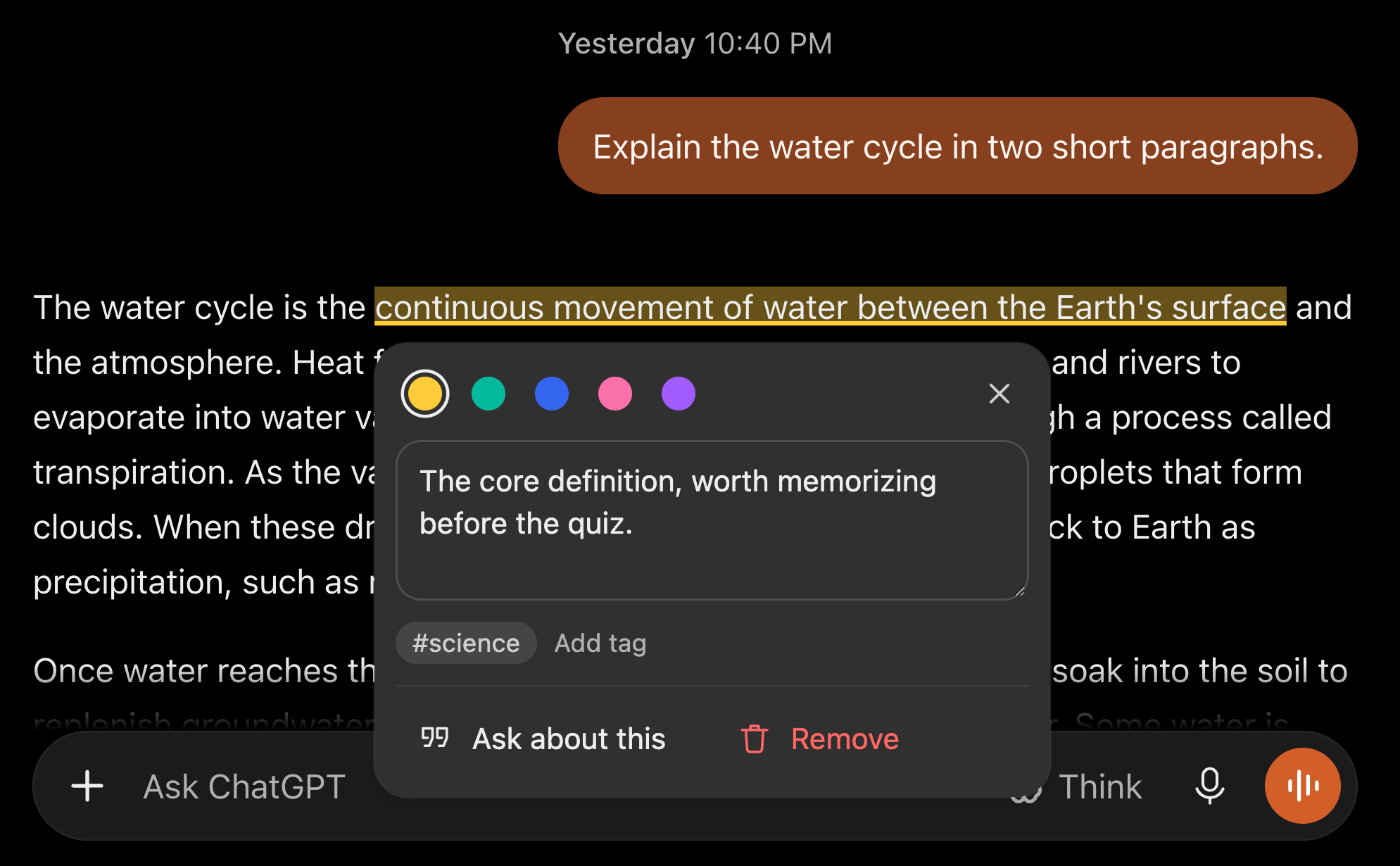
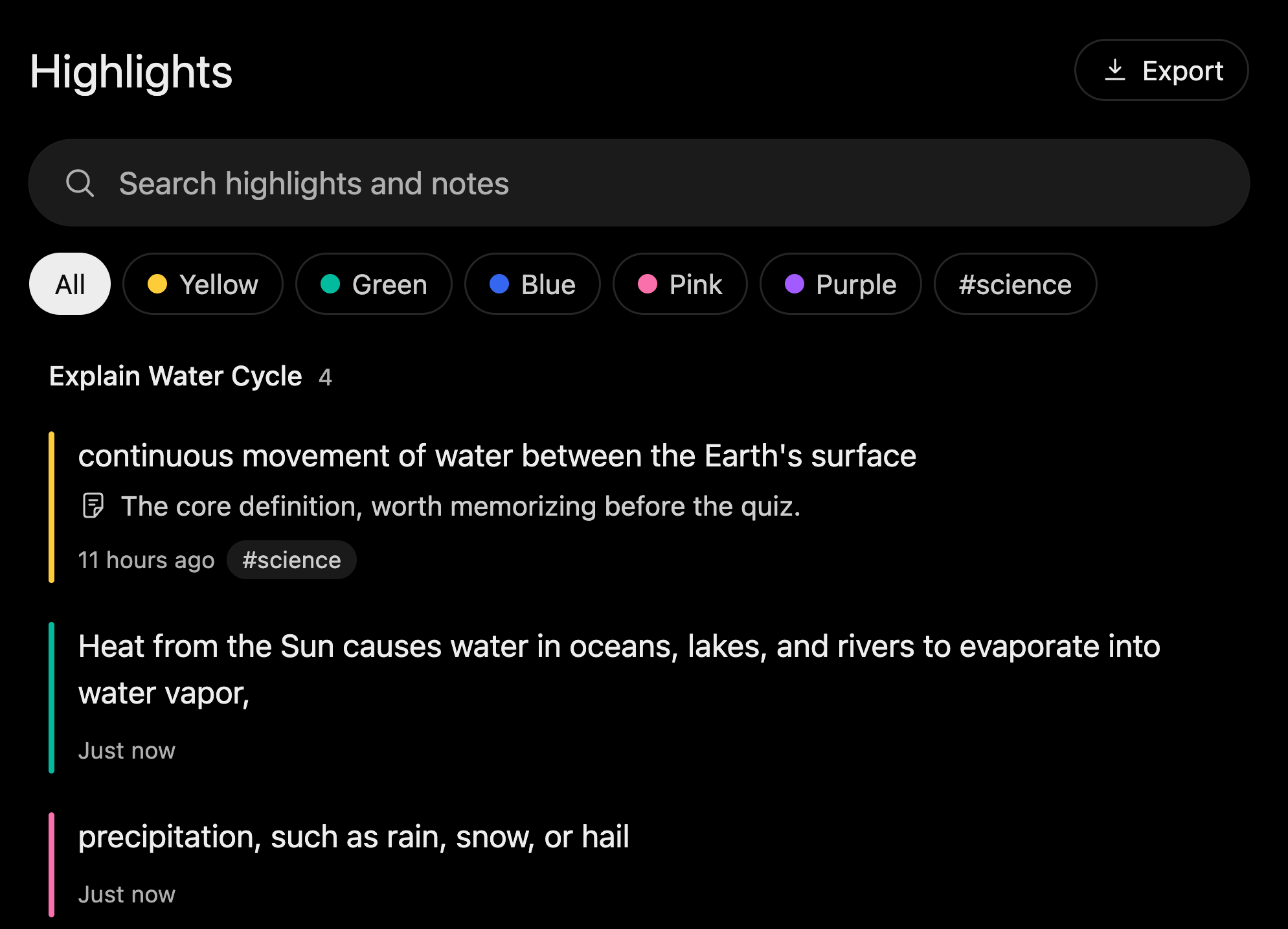
Highlights for ChatGPT is a Chrome and Firefox extension that lets you highlight passages inside ChatGPT answers, attach notes and tags, and find everything again in a Highlights view that opens inside ChatGPT itself. Highlights are painted with the CSS Custom Highlight API, so the extension never changes the markup of a conversation, and a highlight survives a reload, navigation and ChatGPT re-rendering a message. It needs Chrome 128 or later, or Firefox 140 or later.
A selection made with the keyboard gets the same pill, so Shift and the arrow keys select, Tab moves into the pill, Enter or Space picks a color or the note button, and Escape dismisses it.
Install
The extension is built from source with pnpm. It needs Node 22.22.2 or later on Node 22, Node 24.15 or later on Node 24, or Node 26 or later. Install the dependencies and build both browsers.
pnpm install
pnpm build
The build writes one unpacked extension per browser under dist. In Chrome, open chrome://extensions, turn on developer mode, choose Load unpacked and select dist/chrome-mv3. In Firefox, open about:debugging#/runtime/this-firefox, choose Load Temporary Add-on and select dist/firefox-mv3/manifest.json. A temporary Firefox add-on is removed when the browser closes. A permanent install needs the Firefox zip from pnpm zip signed through addons.mozilla.org.
Develop
pnpm dev starts WXT with hot reload in Chrome and pnpm dev:firefox does the same in Firefox. Both open a browser with the extension loaded and rebuild it when a source file changes.
Every change has to pass pnpm check, which runs the type check, Biome, the standards script and the unit tests with their coverage thresholds. pnpm bundle builds both browsers and verifies the content script budget of 28 KiB gzipped with no zod or IndexedDB code in it. pnpm e2e:firefox builds the Firefox extension and loads it into a real Firefox 140 or later through Marionette, which checks that the build installs and mounts its overlay on a chatgpt.com page. It is opt-in because it needs Firefox installed and openssl, and docs/firefox-testing.md explains why. The video folder is a separate project and stays out of the type check, Biome and the standards script. pnpm e2e builds the Chromium extension in the e2e mode and runs the Playwright specs in the light and dark themes. The e2e build is the only one whose shadow root is open, because Playwright cannot reach into a closed root, and it lands in dist/chrome-mv3-e2e so it never replaces the shipped build. The first run may need pnpm exec playwright install chromium.
The specs serve a ChatGPT-shaped page at https://chatgpt.com through request interception, built from the same HTML fixtures the unit tests use, together with a mock session endpoint and a mock conversation endpoint. The performance spec restores 100 highlights across 50 messages and reads the hl:anchor measure that the e2e build records around every anchoring pass, whether it runs when a conversation loads or in a later flush, and it stays under 8 ms.
Architecture
The extension has a background and a content script that talk through typed messages. The background is the only owner of IndexedDB, because a database created by the content script would belong to the chatgpt.com origin where the page could read it, and it validates every request with zod, applies the write and tells every ChatGPT tab which conversations changed. The content script runs in an isolated world with one MutationObserver and one requestAnimationFrame flush, and the flush anchors messages as they finish rendering, which during generation means every message except the one being written, retries a quote it could not place after 250 ms, 1 s and 4 s because ChatGPT renders some messages in stages, keeps the sidebar entry in place and resolves a pending jump to a highlight. Everything the user sees lives in one Shadow DOM host rendered with Preact, using only ChatGPT's own design tokens so that light and dark themes apply without theme code. Code is split into domain folders under src (model, anchoring, painter, chatgpt, retention, storage, messaging, ui and a few more) that may only import each other along the edges listed in EDGES in scripts/standards/config.mjs, and docs/standards.md holds the rules that pnpm check enforces.
Privacy
Everything stays in your browser. Highlighting is off in ChatGPT's temporary chats, because ChatGPT keeps those chats out of your history and the extension follows suit by saving nothing from them. ChatGPT's own page scripts can see which passages are painted and whether a passage has a note, because the CSS Custom Highlight registry is shared with the page, but they cannot read the text of notes or tags, which live only in the extension's database and its closed overlay. Highlights, notes and tags are stored in IndexedDB owned by the extension, and nothing is sent to any server of ours, because there is no server, no account and no telemetry. The only network requests are two kinds of same-origin request to chatgpt.com. One reads your existing ChatGPT session, and the other asks whether a saved conversation still exists, at most once an hour per conversation and only when the Highlights view opens. Both carry your own session exactly as the ChatGPT page itself would. The extension asks for the unlimitedStorage and alarms permissions and for host access to https://chatgpt.com/*, and the Firefox manifest declares that it collects no data. Backups are plain JSON files that you export and restore yourself from the Export menu.
Firefox and AMO review
pnpm zip writes three files to dist, the Chrome package, the Firefox package and a Firefox sources zip for the AMO source review. Reviewers can rebuild the Firefox package from the sources zip with Node 22.12 or later and pnpm 10 by running pnpm install and then pnpm build, which writes dist/firefox-mv3 byte for byte equal to the uploaded package. The sources zip is built from an allow list, which is src without its test files, public, assets, scripts, the package manifest, the lockfile, the TypeScript and WXT configs, the README and the license. The icons in public/icons and their SVG sources in assets are generated by pnpm icons from HIGHLIGHTER_ICON and the default highlight color in src/model, so a change to the icon starts there. The script needs rsvg-convert from librsvg.
pnpm lint:firefox runs web-ext lint on dist/firefox-mv3 and reports zero errors. It prints three warnings that reviewers can safely dismiss.
UNSAFE_VAR_ASSIGNMENT points at an innerHTML assignment in the content script bundle. It comes from Preact's dangerouslySetInnerHTML path, which this code never reaches, and the standards script bans dangerouslySetInnerHTML, innerHTML and the other raw HTML injection APIs in all shipped code under src.
KEY_FIREFOX_ANDROID_UNSUPPORTED_BY_MIN_VERSION says the minimum version would apply to Firefox for Android, where data_collection_permissions needs 142. The manifest declares no gecko_android key on purpose, so the extension is not offered on Android, where it has not been tested.
DANGEROUS_EVAL points at the background bundle. It comes from the feature probe in zod 4, which calls Function("") inside a try block to learn whether the browser allows string evaluation. The extension configures zod as jitless before any schema is built, so the probe never runs and the browser never sees a string evaluation, which leaves the warning as a static match on code that is present in the bundle but unreachable. The extension never evaluates a string of its own.