
HOMEMASTER – Modular, Open, Local‑First Automation
HomeMaster combines the reliability and modularity of industrial DIN‑rail automation with the openness of the ESPHome / Home Assistant ecosystem — fully open hardware and firmware, local‑first, no cloud, no vendor lock‑in.
Website: home-master.eu · Shop / Products: Products · Partner kit: partner-kit/ (reseller listing assets)
Why HomeMaster
| Strength | What you get |
|---|---|
| Fully open | Hardware under CERN‑OHL‑W v2, firmware and ESPHome configs under MIT. Schematics, PCB data, and firmware are public — repairable, reproducible, no lock‑in. You can build or modify your own boards. |
| Native ESPHome API | Controllers talk to Home Assistant over the native API — no MQTT broker, no hand‑mapped Modbus registers, no protocol converters. Devices appear as ready‑to‑use entities, low latency, fully local. |
| Local‑first / edge‑resilient | The controller does the thinking; the server only visualizes. Critical logic runs on the controller and on each module. Lighting, leak shut‑off, and alarm actions keep working if the network or Home Assistant is down. No cloud; data stays on site (GDPR‑friendly). |
| Distributed logic | Each Modbus I/O module runs onboard rules. RP2350 modules persist configuration in on‑device flash (LittleFS) across reboots and power loss. |
| Standard RS‑485 Modbus RTU | A deterministic, robust wired bus. Modules speak standard Modbus RTU and work with any Modbus master — HomeMaster controllers, third‑party PLCs, or industrial HMI / SCADA systems. Not locked to HomeMaster. |
| Driverless USB‑C WebConfig (modules) | Configure each RP2350 module in the browser (Chrome, Edge, Opera): set Modbus address, calibrate, map inputs and rules. No drivers, no software to install. |
| EU design, CE marked | Designed and placed on the market as CE marked products. Directives and the signed EU Declaration of Conformity are listed under Safety & compliance. |
| Developer‑friendly | ESPHome, Arduino, PlatformIO, MicroPython, ESP‑IDF, Pico SDK / CircuitPython, and UF2 drag‑and‑drop on RP2350 modules. |
Hardware Guide
Industrial‑grade DIN‑rail controllers and I/O modules for smart homes, labs, and professional installations:
- ESP32 controllers — MiniPLC and MicroPLC (ESPHome pre‑installed; Modbus RTU masters on RS‑485)
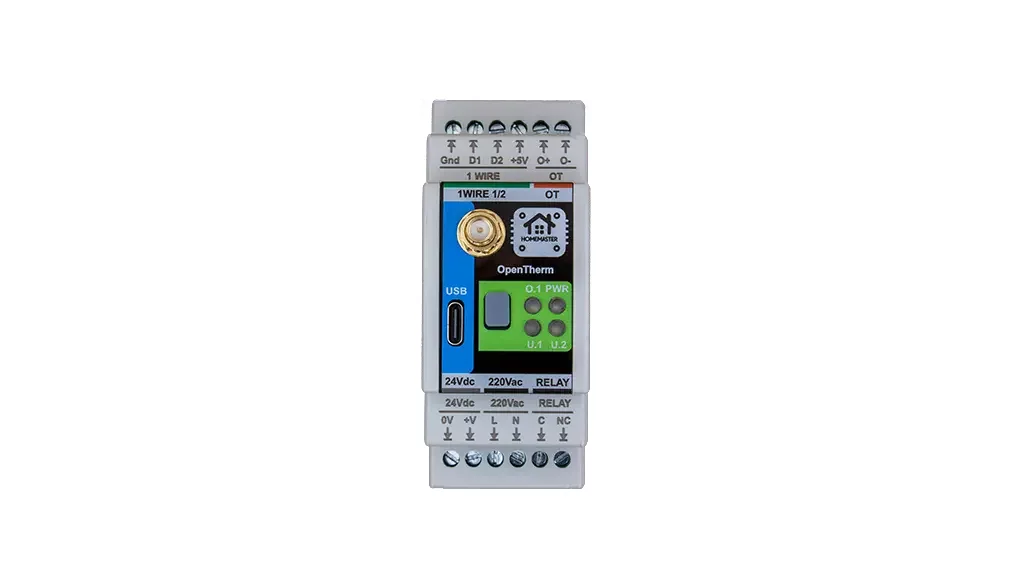
- OpenTherm Gateway — ESP32 OpenTherm master for boiler telemetry and control in Home Assistant (not a Modbus slave)
- RP2350 Modbus I/O modules — energy, lighting, analog, alarm, leak detection, and more
- RS‑485 Modbus RTU field bus and USB‑C WebConfig on every module
System Architecture
%%{init: {"flowchart":{"htmlLabels":true,"nodeSpacing":50,"rankSpacing":60}}}%%
flowchart TD
  classDef hub fill:#EDEFFB,stroke:#6B72FF,stroke-width:1.2px,color:#111,font-weight:bold;
  classDef big fill:#EDEFFB,stroke:#1F35FF,stroke-width:3px,color:#111,font-weight:bold,font-size:28px;
  classDef mod fill:#FFFffC,stroke:#E0B100,stroke-width:1.2px,color:#111,font-weight:bold,font-size:22px;
  classDef ot fill:#F0FFF4,stroke:#2F9E44,stroke-width:1.2px,color:#111,font-weight:bold,font-size:22px;
  classDef ghost fill:transparent,stroke:transparent,color:transparent;

  HA["Home Assistant<br/><br/>"]:::big --> PLC["MiniPLC / MicroPLC<br/><br/>"]:::big
  HA --> OTGW["OpenTherm Gateway<br/>boiler / HVAC"]:::ot
  PLC --> RS485[RS-485 Modbus RTU]:::hub

  subgraph Mods["<br/>"]
    ENM[ENM‑223‑R1<br>⚡ Energy + PQ]:::mod
    ALM[ALM‑173‑R1<br>🚨 Alarm I/O]:::mod
    DIM[DIM‑420‑R1<br>💡 AC Dimmer]:::mod
    AIO[AIO‑422‑R1<br>🌡️ Analog I/O]:::mod
    RGB[RGB‑621‑R1<br>🎨 LED Controller]:::mod
    DIO[DIO‑430‑R1<br>🔌 Digital I/O]:::mod
    STR[STR‑3221‑R1<br>💫 Staircase LED]:::mod
    WLD[WLD‑521‑R1<br>💧 Leak Detection]:::mod
    SP1["<br/><br/><br/><br/><br/><br/><br/><br/><br/><br/><br/><br/><br/><br/>"]:::ghost
  end
  style Mods fill:#FFFFFF,stroke:#E0B100,stroke-width:1.5px, font-weight:bold,font-size:22px

  RS485 --> ENM
  RS485 --> ALM
  RS485 --> DIM
  RS485 --> AIO
  RS485 --> RGB
  RS485 --> DIO
  RS485 --> STR
  RS485 --> WLD
OpenTherm Gateway joins Home Assistant over the native ESPHome API (same as the controllers). Modbus I/O modules sit on the RS‑485 bus behind MiniPLC / MicroPLC.
Quick module selector
- 💡 Lighting → DIM‑420‑R1, RGB‑621‑R1, STR‑3221‑R1
- ⚡ Measurement & protection → ENM‑223‑R1, WLD‑521‑R1
- 🚨 Monitoring / alarm I/O → ALM‑173‑R1 (automation module — not a certified intruder alarm)
- 🔌 General I/O → DIO‑430‑R1, AIO‑422‑R1
- 🔥 Boiler / HVAC → OpenTherm Gateway · 🛒 Product page
Controller Comparison
| Feature / Use Case | 🟢 MiniPLC 🛒 Product page  |
🔵 MicroPLC 🛒 Product page  |
🔥 OpenTherm Gateway 🛒 Product page  |
|---|---|---|---|
| Role | Flagship ESP32 Modbus master + rich onboard I/O | Compact ESP32 Modbus master — entry into the system | ESP32 OpenTherm master (not a Modbus slave) |
| Onboard I/O | 6× relays, 4× DI, 4× AI 0–10 V (16‑bit), 1× AO, 2× RTD, 2× 1‑Wire, OLED, RTC | 1× relay, 1× DI, 1‑Wire, RTC | OpenTherm interface, 1× relay, 1‑Wire |
| Connectivity | Ethernet, USB‑C, Wi‑Fi, BLE + Improv | USB‑C, Wi‑Fi, BLE + Improv | USB‑C, Wi‑Fi, BLE + Improv |
| Storage | microSD card slot | Internal flash | Internal flash |
| Ideal for | Full homes, labs, HVAC/solar, standalone offline control | Room‑level control, compact cabinets, modular expansion | Boiler telemetry & weather‑compensated heating in HA |
| Power | 85–265 V AC or 24 V DC | 24 VDC only | 85–265 V AC or 24 V DC |
| Firmware | ESPHome pre‑installed; runs standalone & offline | ESPHome pre‑installed | ESPHome pre‑installed |
OpenTherm relay note: the gateway relay must not be wired across a different mains phase or isolated mains source than the device L/N supply (PCB insulation is Basic). See the OpenTherm Gateway README.
Module Overview
| Image | Module | Inputs | Outputs | Key Features | Best For | 🛒 Product page |
|---|---|---|---|---|---|---|
 |
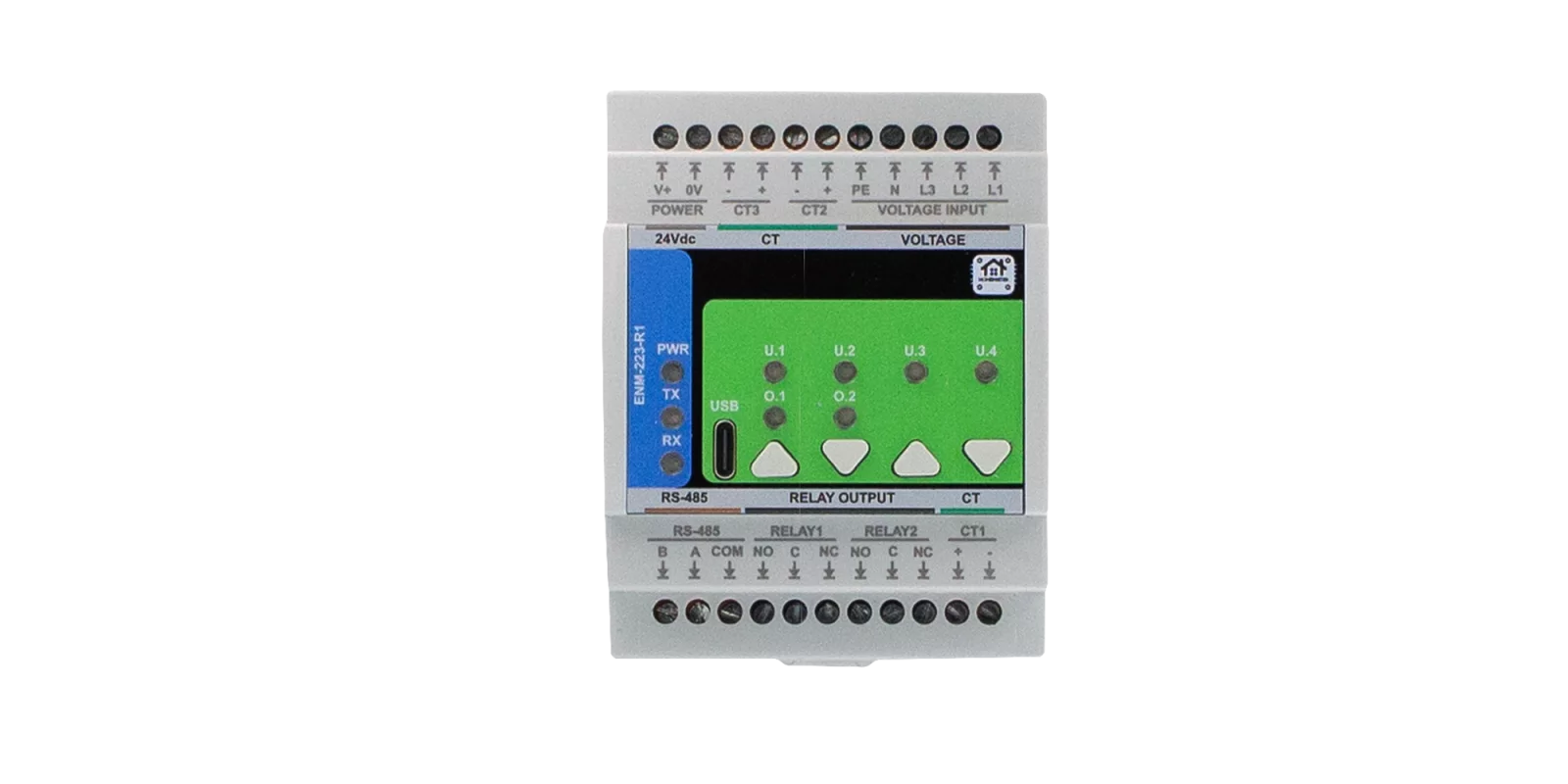
ENM‑223‑R1 | 3‑phase V + CTs | 2 relays | ATM90E32 metrology + PQ events (sag, phase‑loss, overcurrent, reverse‑phase); local alarm engine / load‑shed relays; 5 kV RMS digital isolation | Solar, grid, protect‑and‑measure | Product page |
 |
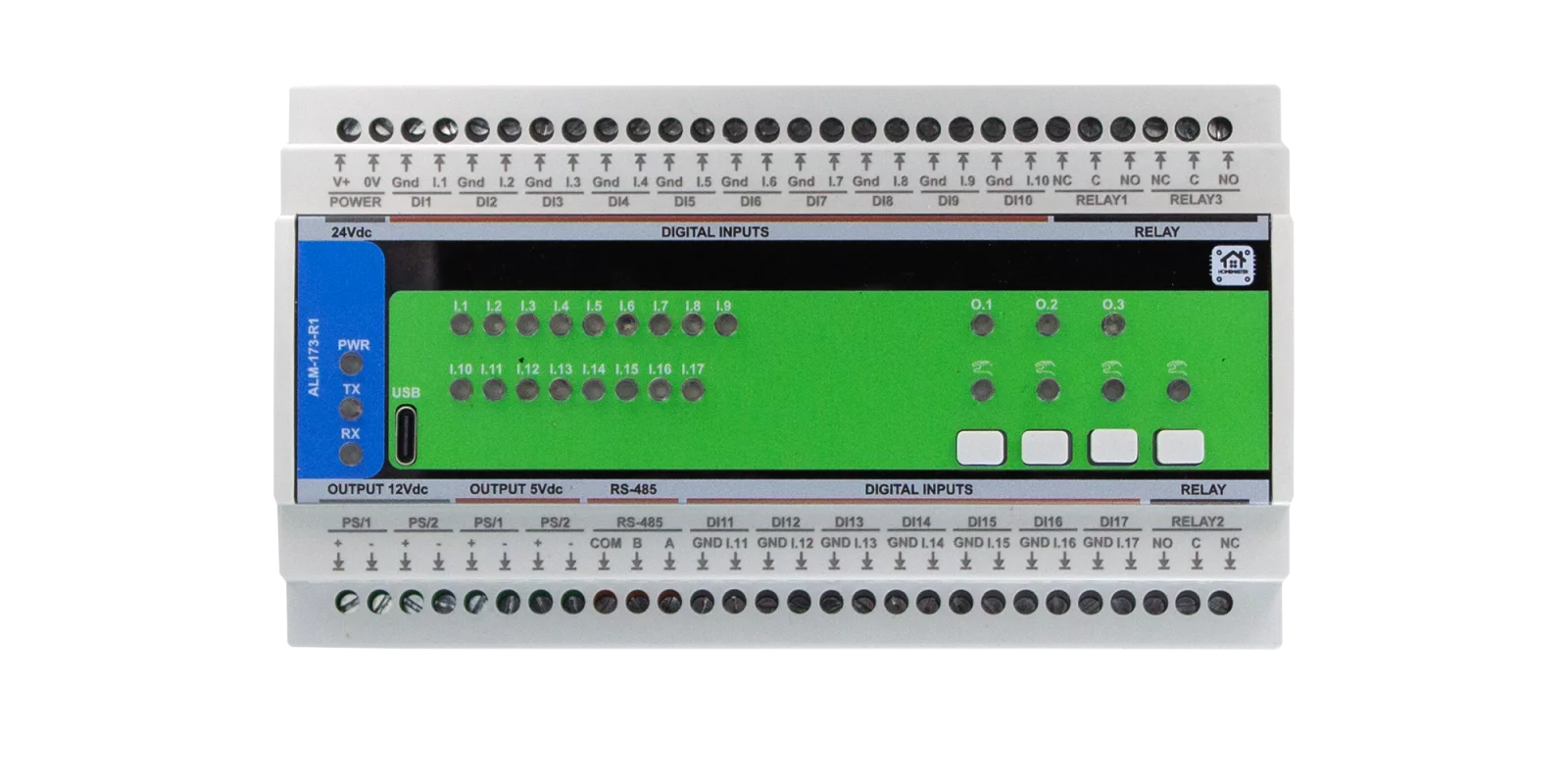
ALM‑173‑R1 | 17 DI | 3 relays | AUX loop power for detectors + local alarm logic. Automation / monitoring module — not a certified or insurance‑grade intruder alarm. | Contact / detector monitoring | Product page |
 |
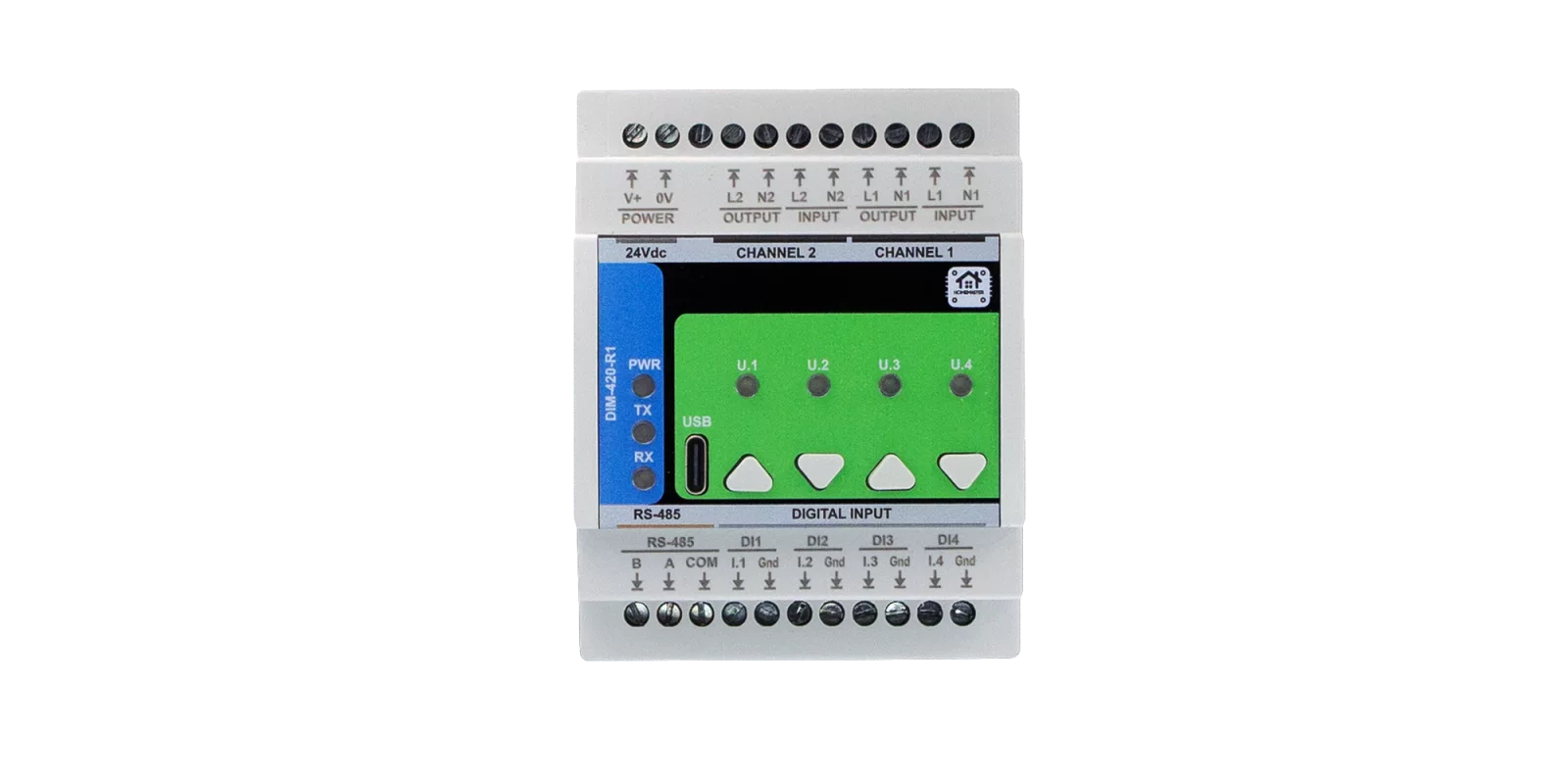
DIM‑420‑R1 | 4 DI | 2× phase‑cut AC | Leading / trailing edge dimming + local switch mapping that works offline | AC lighting | Product page |
 |
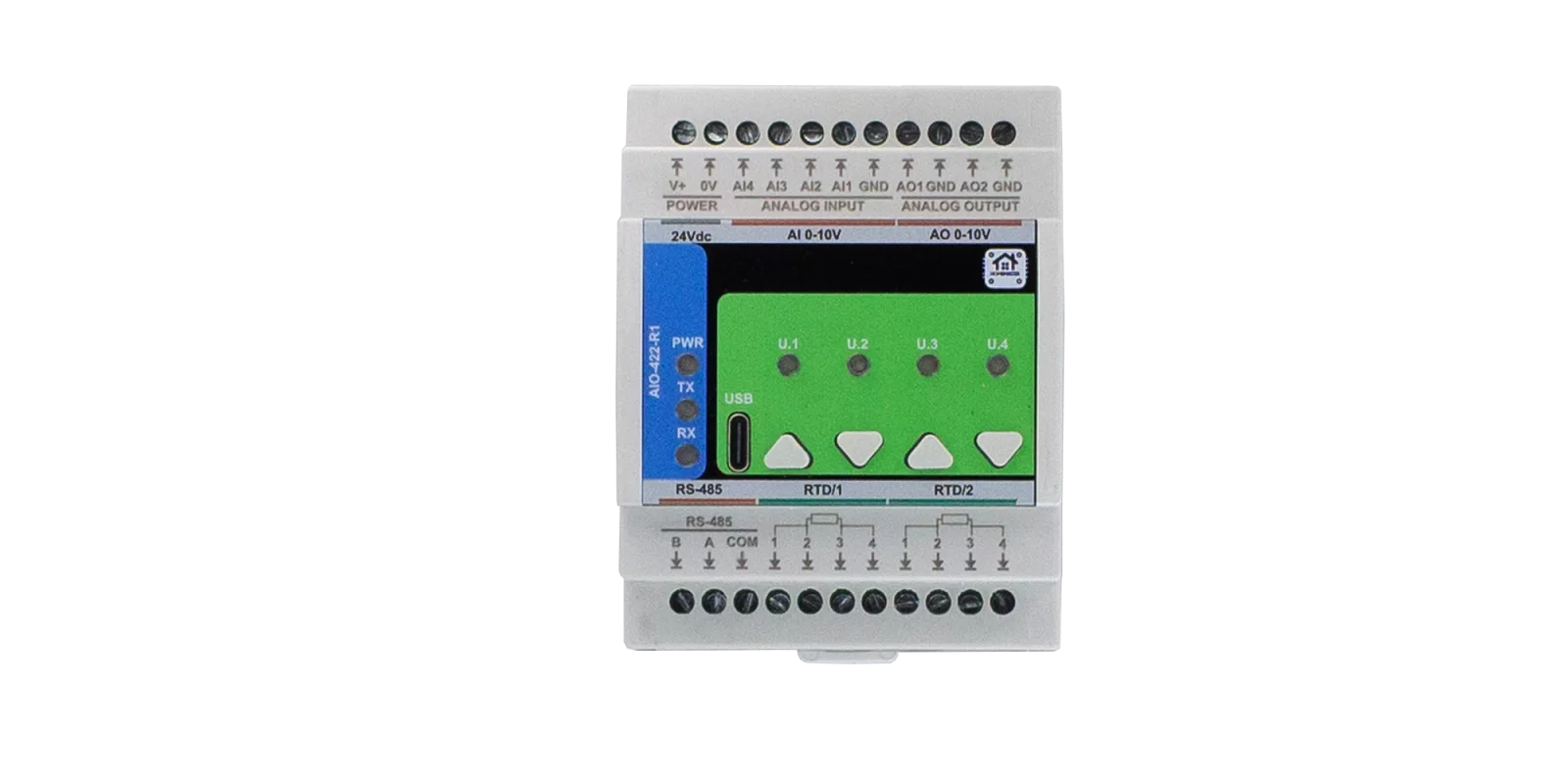
AIO‑422‑R1 | 4× AI 0–10 V + 2× RTD | 2× AO 0–10 V | HVAC / process‑grade analog + PT100/PT1000 in one module | HVAC, process sensors | Product page |
 |
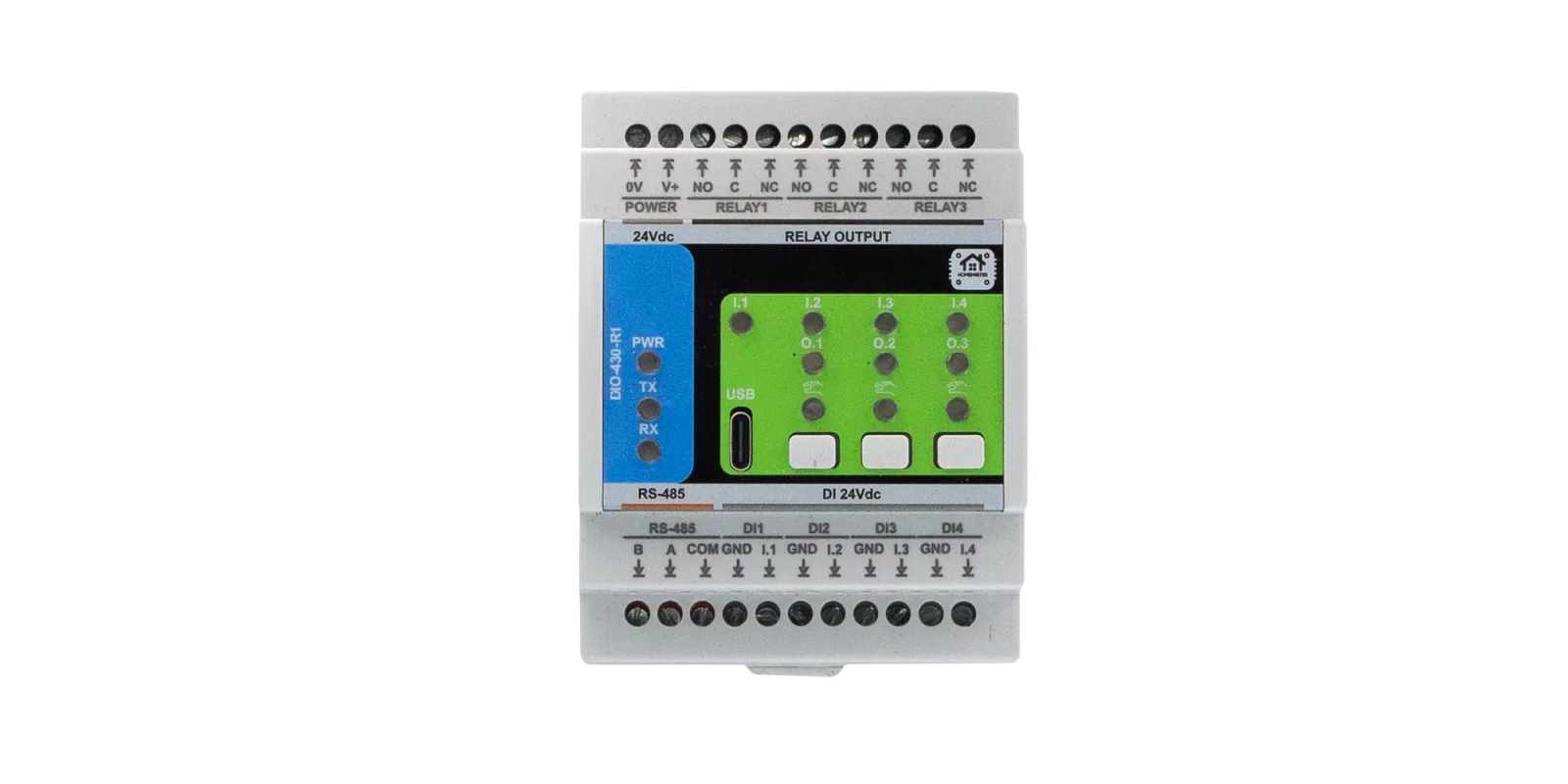
DIO‑430‑R1 | 4 DI | 3 relays | Physical override buttons + local DI→relay mapping without a server | General control | Product page |
 |
RGB‑621‑R1 | 2 DI | 5 PWM + 1 relay | RGB + tunable white (CCT); 12‑bit + gamma‑corrected smooth dimming | Color / white LED strips | Product page |
 |
STR‑3221‑R1 | 1 DI + 2 presence | 32 LED channels | Motion‑triggered staircase / architectural animations | Stair & path lighting | Product page |
 |
WLD‑521‑R1 | 5 DI + temp | 2 relays | Multi‑zone leak detection, local auto valve shut‑off, pulse water metering | Leak safety & metering | Product page |
Module highlights
- ENM‑223‑R1 — measures and protects: 3‑phase ATM90E32 metrology with power‑quality event detection and a local relay alarm engine for load‑shedding, not metering alone.
- AIO‑422‑R1 — 4× 0–10 V in, 2× 0–10 V out, and 2× RTD (PT100/PT1000) in a single DIN module.
- ALM‑173‑R1 — dense DI count with AUX detector power and onboard logic for automation monitoring (not a certified alarm panel).
- DIM‑420‑R1 — two‑channel phase‑cut AC dimmer with offline local switch mapping.
- DIO‑430‑R1 — relays, inputs, front override buttons, and DI→relay rules that survive loss of the server.
- RGB‑621‑R1 — RGB+CCT on five PWM channels with 12‑bit gamma‑corrected dimming, plus a strip power relay.
- STR‑3221‑R1 — 32‑channel staircase LED controller with presence inputs and motion‑triggered sequences.
- WLD‑521‑R1 — five leak zones, temperature, local valve shut‑off, and pulse water metering on one module.
Recommended setups
| Scenario | Core devices | What it does |
|---|---|---|
| Apartment / home electrical cabinet | MiniPLC + DIO-430-R1 + WLD-521-R1 | Wall-switch lighting and relay control, plus multi-zone leak detection with local auto valve shut-off — core automation that keeps running offline. |
| Whole-home lighting | MiniPLC + RGB-621-R1 + DIM-420-R1 + STR-3221-R1 | RGB+CCT strips (12-bit + gamma dimming), phase-cut AC dimming, and motion-triggered staircase lighting, mapped locally. |
| 3-phase energy metering & load protection | MicroPLC + ENM-223-R1 | Per-phase metrology with local power-quality alarms and relay-based load-shedding — measures and protects, not metering alone. |
| HVAC / process control | MiniPLC + AIO-422-R1 + DIO-430-R1 | 0–10 V analog in/out plus PT100/PT1000 RTD and discrete relays for valves, actuators and setpoints, with standalone controller logic. |
| Heating (boiler control) | OpenTherm Gateway (+ MiniPLC/MicroPLC for the rest of the plant) | Full OpenTherm boiler telemetry and modulating/weather-compensated heating in Home Assistant. |
| Contact & detector monitoring | MicroPLC + ALM-173-R1 | High-density digital inputs with AUX detector loop power and local alarm logic. Automation/monitoring module — not a certified intruder alarm. |
| Modular / room-level starter | MicroPLC + DIO-430-R1 + RGB-621-R1 | Compact entry setup: switch inputs, relay outputs and RGB control over one RS-485 bus, expandable later. |
Quick Start
5-minute setup
- Power the controller — ESPHome is pre-installed on MiniPLC, MicroPLC, and OpenTherm Gateway.
- Join Wi-Fi with Improv — BLE or Serial via improv-wifi.com.
- Wire RS-485 (controllers + I/O modules) — A/B differential pair; 120 Ω termination at both bus ends.
- Configure each module — USB-C → WebConfig: set the Modbus address, calibration, mapping and rules. Note the address you assign — you'll reference it in the controller config.
- Add the modules to the controller — in the controller's ESPHome YAML, include the ESPHome package for each module (see the ESPHome example below) and set each module's Modbus address to match the one you assigned in WebConfig. Upload the config to the controller.
- Open Home Assistant — add the ESPHome controller device. Each module's entities then appear in Home Assistant through the controller's packages.
Modules do not auto-discover: they are Modbus RTU devices on the RS-485 bus, exposed to Home Assistant by the controller. The Modbus address in WebConfig must match the address used in the controller package.
OpenTherm Gateway is standalone over the native ESPHome API — it does not use the Modbus steps (3–5). Wire OT+/OT− to the boiler and commission it like any ESPHome device.
Configuration
Compatibility
| Component | Home Assistant | ESPHome | Standalone / offline logic |
|---|---|---|---|
| Modbus I/O modules | ✅ via controller packages | ✅ native packages | ✅ onboard rules + LittleFS |
| MiniPLC | ✅ full | ✅ pre‑installed | ✅ full |
| MicroPLC | ✅ full | ✅ pre‑installed | ✅ basic onboard I/O |
| OpenTherm Gateway | ✅ full | ✅ pre‑installed | ✅ relay + 1‑Wire without boiler link |
Controller setup
- Power on
- Connect via improv-wifi.com (BLE or USB)
- Enter Wi‑Fi credentials
- Device appears in ESPHome Dashboard and Home Assistant
Module configuration (WebConfig)
Each Modbus module includes USB WebConfig — no drivers:
- Set Modbus address and baud rate
- Configure relay behavior and input mappings
- Perform calibration and live diagnostics
- Adjust alarm thresholds and LED modes
WebConfig requires a Chromium-based browser (Chrome, Edge, Opera). Not supported in Safari; Firefox only via Nightly with the Web Serial flag. Plug in USB-C and click Connect. Settings on RP2350 modules persist in LittleFS.
Networking
- RS‑485 Modbus:
19200 8N1(default), 120 Ω termination required — deterministic wired field bus - Wi‑Fi: controllers and OpenTherm Gateway; Improv onboarding
- Ethernet: MiniPLC (optional LAN8720)
- USB‑C: configuration and programming
Advanced
Firmware development
All HomeMaster controllers and modules support firmware customization via USB‑C.
- ESPHome YAML (pre-installed on controllers and OpenTherm Gateway)
- Arduino IDE (ESP32 and RP2040/RP2350)
- PlatformIO (cross-platform)
- MicroPython (via Thonny)
- ESP-IDF (ESP32-based controllers)
- Pico SDK / CircuitPython (RP2350-based modules)
USB‑C developer flashing
Controllers and modules support flashing and auto-reset via USB‑C, without pressing BOOT or RESET.
- ESP32 (MiniPLC, MicroPLC, OpenTherm Gateway): Arduino IDE, PlatformIO, ESP-IDF, or ESPHome Dashboard.
- RP2350 modules: drag‑and‑drop UF2 and the RP2040/RP2350 toolchain (Pico SDK, CircuitPython).
All devices ship with pre-installed firmware. Controllers and the OpenTherm Gateway are ESPHome-ready. Modules are functional out of the box and configurable via WebConfig. Flashing is only required to replace the default firmware.
Build environment (reproducible)
RP2350 module firmware is built with the arduino-pico core (Earle Philhower). Each sketch folder includes a sketch.yaml manifest.
Core & board
| Item | Value |
|---|---|
| Core | arduino-pico — platform id rp2040:rp2040 |
| Board Manager URL | https://github.com/earlephilhower/arduino-pico/releases/download/global/package_rp2040_index.json |
| Board | Generic RP2350 (generic_rp2350) |
| Base FQBN | rp2040:rp2040:generic_rp2350:flash=2097152_1048576 |
Install core (arduino-cli):
arduino-cli config add board_manager.additional_urls \
  https://github.com/earlephilhower/arduino-pico/releases/download/global/package_rp2040_index.json
arduino-cli core update-index
arduino-cli core install rp2040:rp2040@5.6.0
Arduino IDE: Boards Manager → search RP2040/RP2350 by Earle F. Philhower → install 5.6.0 → select board Generic RP2350.
Flash Size / LittleFS (required for RP2350 module sketches): In Arduino IDE → Tools → Flash Size, choose 2MB (Sketch: 1MB, FS: 1MB) — the sketches persist config in LittleFS. FQBN suffix:
:flash=2097152_1048576(already set in eachsketch.yamland CI).
Provided by the core (do not list in sketch.yaml): LittleFS, Wire, OneWire (WLD), pico/time.h, hardware/watchdog.h. Local sketch headers: hm_common.h (all modules), atm90e32.h (ENM onl