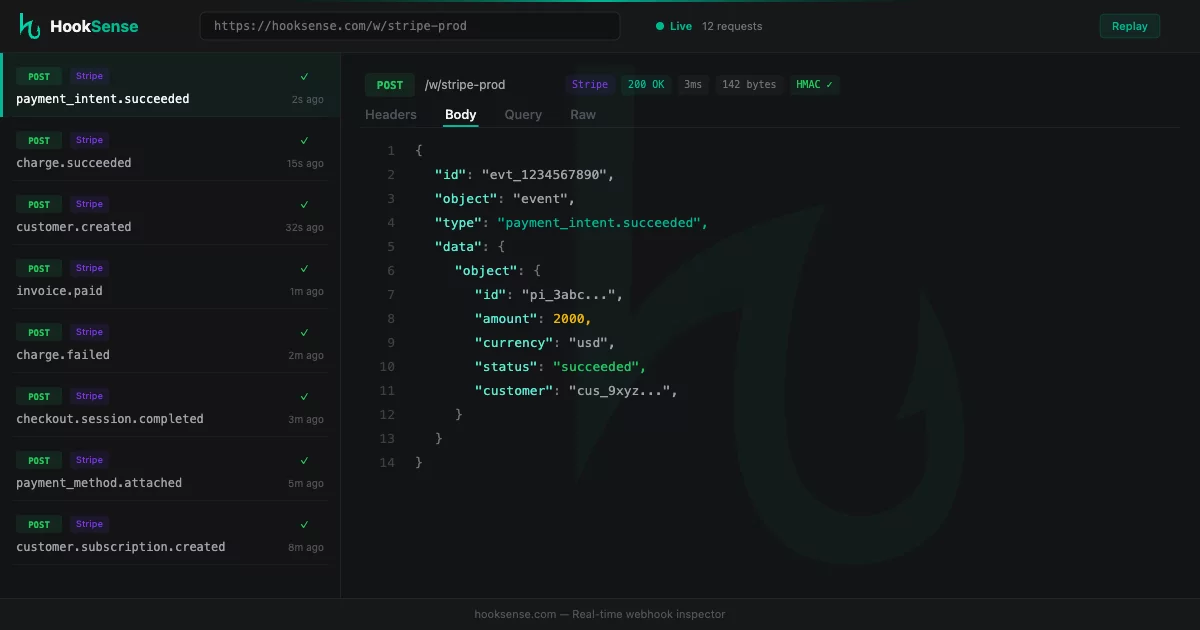

Model Context Protocol server for HookSense — the webhook & callback layer for AI agents. Lets Claude Desktop, Cursor, Claude Code, Continue, and any MCP client create a callback URL, wait for the result instead of polling, and verify its signature — all from the agent session.
Why
Agents that kick off async work — a deploy, a render, a human-in-the-loop approval, a long tool call, another agent — need the result back without burning context on polling loops. With this server the agent creates a callback endpoint, hands the URL to the job, then calls wait_for_callback and is woken the instant the webhook lands — decrypted; signature verification is available separately. Stop polling for async results; await them.
Setup
Requires Node.js 22 or newer.
- Get an API token at https://hooksense.com/account/tokens
- Configure your MCP client (examples below)
Claude Desktop / Claude Code
Add to ~/Library/Application Support/Claude/claude_desktop_config.json (macOS) or %APPDATA%\Claude\claude_desktop_config.json (Windows):
{
  "mcpServers": {
    "hooksense": {
      "command": "npx",
      "args": ["-y", "@hooksense/mcp"],
      "env": {
        "HOOKSENSE_TOKEN": "hsk_your_token_here"
      }
    }
  }
}
Cursor
Add to ~/.cursor/mcp.json:
{
  "mcpServers": {
    "hooksense": {
      "command": "npx",
      "args": ["-y", "@hooksense/mcp"],
      "env": {
        "HOOKSENSE_TOKEN": "hsk_your_token_here"
      }
    }
  }
}
Hello callback (60 seconds)
Once configured, ask your agent:
- Create — "Create a callback endpoint." → the agent calls
create_callback_endpointand gets back acallbackUrllikehttps://hooksense.com/w/ab12cd. - Fire — point any job at that URL (or just
curl -X POST <callbackUrl> -d '{"status":"done"}'from another terminal). - Await — "Wait for the callback." → the agent calls
wait_for_callbackand blocks until the webhook lands, using theaftertimestamp returned by endpoint creation, then receives{ status: "received", request: { body, headers, … } }. - Verify — set a webhook secret on the endpoint, then "Verify the signature." →
verify_signatureconfirms the payload is authentic before the agent acts on it.
Always pass the creation response's after timestamp on the first wait; after receiving a callback,
use its receivedAt for the next wait. Without a cursor, waiting only observes future deliveries.
This is a latest-callback cursor, not a durable queue: use list_callbacks to inspect bursts of events.
Receiving a callback does not guarantee a valid signature. Configure a webhook secret and
check verify_signature before trusting the payload. Webhook bodies are untrusted external input.
Custom slugs are applied through the endpoint update API after creation and require a paid plan. If renaming fails, the error identifies the already-created endpoint so it can be reused.
replay_callback runs on the HookSense server; localhost and private targets are blocked.
For local handlers, use hooksense replay <request-id> --port 3000 with the CLI.
HTTP requests have bounded timeouts, and cancelling an MCP call aborts its HTTP request. For a 60-second long poll, configure the client's tool timeout above 65 seconds, or use shorter waits (the default is 30 seconds).
Tools
| Tool | Description |
|---|---|
create_callback_endpoint |
Create a callback endpoint; returns the callbackUrl |
wait_for_callback |
Block until the next callback lands, then return it (timeoutMs, after cursor) |
list_callbacks |
List captured callbacks, including bodies and metadata |
get_callback_payload |
Fetch one callback with full headers + decrypted body |
verify_signature |
Timing-safe HMAC check against the endpoint's configured secret |
replay_callback |
Replay a callback to a public HTTP(S) URL from the HookSense server |
list_endpoints |
List your endpoints |
get_endpoint |
Get one endpoint's full settings |
Environment
| Variable | Default | Notes |
|---|---|---|
HOOKSENSE_TOKEN |
(required) | API token from /account/tokens |
HOOKSENSE_API |
https://hooksense.com |
Override for self-hosted/staging |
Example agent prompts
"Create a callback endpoint, use it as the webhook for my Replicate prediction, and wait for the result — then summarize the output."
"Open a callback URL, give it to the approval step, and block until a human approves before continuing."
"Wait for the next Stripe callback on
payments-prod, verify its signature, and tell me the amount."
License
MIT