

Website · Download v1.2.0 · Promo video (10 s, 1080p60) · How it works · Write-up on DEV · Contributing
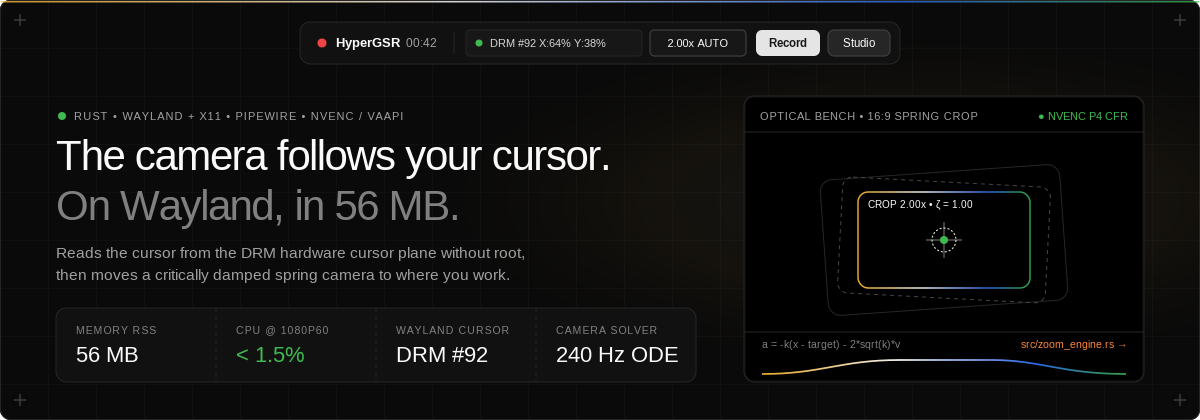
HyperGSR (gpu-recorder-rs) is a screen recorder for Linux, written in Rust. It reads the cursor straight from the GPU's hardware cursor plane, without root, and moves a critically damped spring camera to wherever you are working, the way Screen Studio does on macOS. Capture goes through PipeWire and the XDG desktop portal, and encoding runs on NVENC or VAAPI.
It runs on native Wayland (COSMIC, GNOME, KDE Plasma, Hyprland, Sway) and on X11.
Contents
- What it does
- Screenshots
- Measured footprint
- Install
- Usage
- Zoom triggers
- How it works
- Compared with other recorders
- Project layout
- Roadmap
- Contributing
What it does
- Tracks the cursor on Wayland without root. Recorders that call
XQueryPointergo blind or stall once a native Wayland window has focus. HyperGSR opens/dev/dri/card*throughlibdrmand readsCRTC_X,CRTC_YandFB_IDfrom the hardware cursor plane at 60 Hz. - Zooms like a camera operator. A critically damped spring (ζ = 1.0) integrated at 240 Hz substeps moves the crop. Pause on something and the camera settles in; move fast and it pulls back to 1.0×, so it never gets stuck zoomed in.
- Lets you take over. Bind your own zoom trigger (keys, mouse buttons, shake, double-click), lock the zoom, or dial depth from 1.0× to 3.2× with the scroll wheel.
- Records a screen, a window, or an area. Pick the source in the Studio drawer; drag out an area on a full-screen overlay to record just that rectangle.
- Records sound. Desktop audio, the microphone, or both mixed, captured on the same clock as the video.
- Frames it for presenting. Place the recording on a gradient or your own image, with padding, rounded corners and a soft shadow. Auto-zoom and the background are applied in one GPU-assisted pass after you stop.
- Never loses a take. Video time comes from the wall clock, so a recording lasts exactly as long as you recorded, even on a still screen. Captures are written as fragmented MP4, so a crash keeps everything up to the last second, and if the capture stops on its own the island says why and saves what it has.
- Stays out of the way. The controls live in a small Dynamic Island that stays above every window: through
zwlr_layer_shell_v1on COSMIC, KDE, Hyprland and Sway, and as an always-on-top X11 window on GNOME. - Asks for screen permission once. The bundled PipeWire/portal helper (
bin/hypergsr-pw-capture) stores the portalrestore_token, so later recordings skip the picker. Choose… in the drawer shows the picker again.
Screenshots
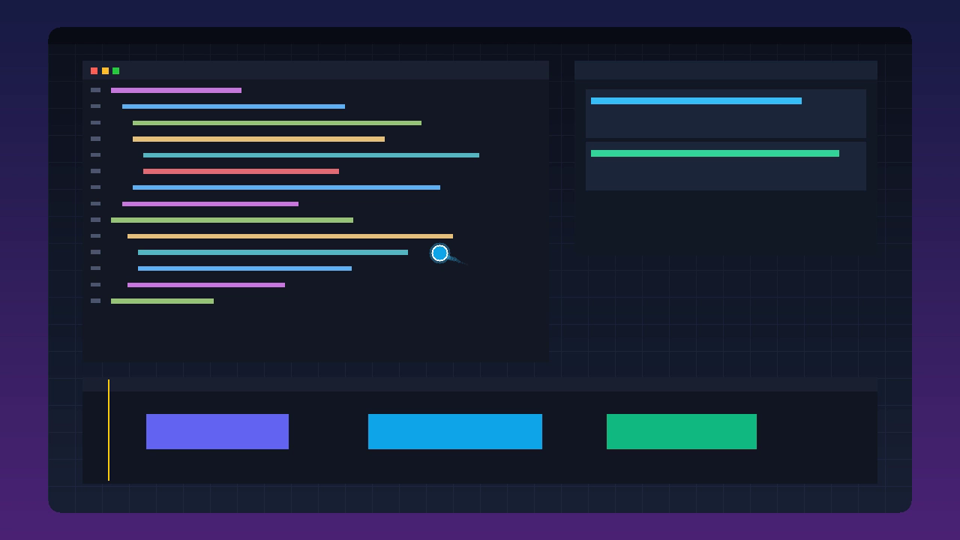
Auto-zoom, before and after
| 1.0× wide, cursor travelling | 2.0× auto, cursor resting |
|---|---|
 |
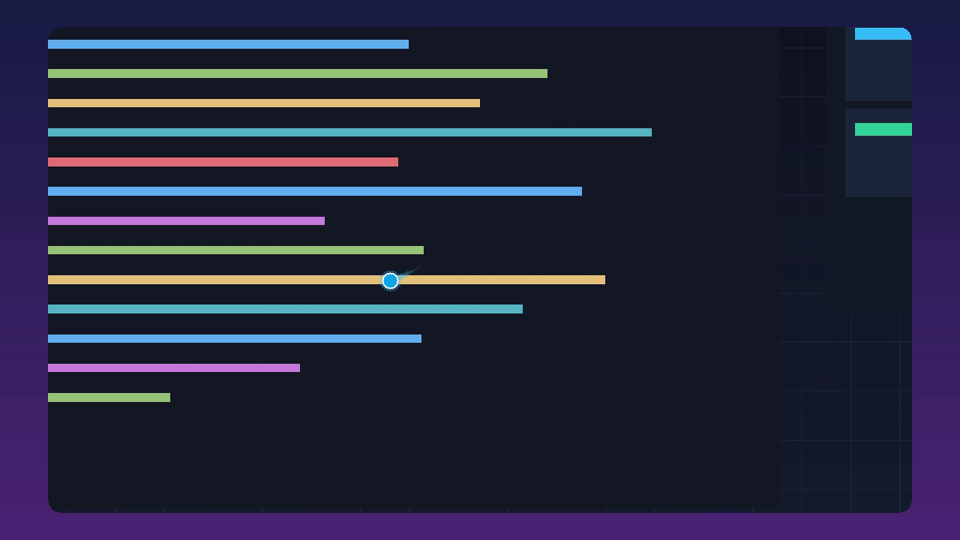 |
Both frames come from the same 60 FPS output of --export-demo.
Dynamic Island
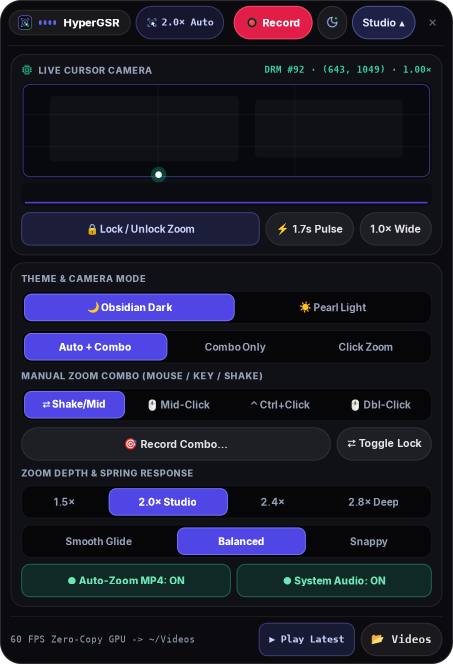
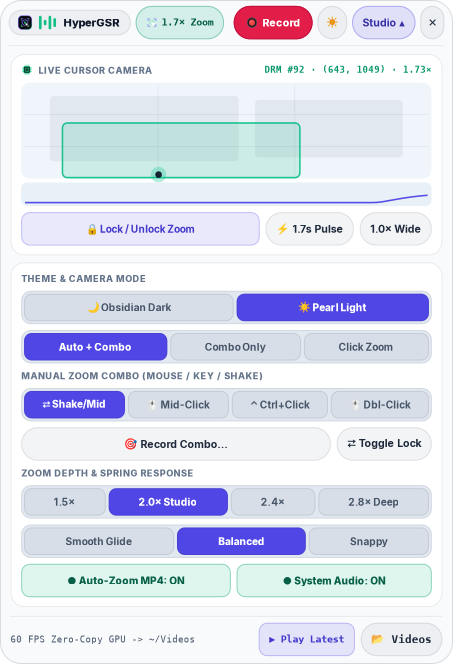
The compact bar shows the DRM cursor position, the current zoom (1.0× Wide, 2.0× Auto or Lock), the recording timer and the Studio toggle.

Click Studio to open the live cursor camera, zoom-combo recorder, zoom depth and spring presets.
| Dark | Light |
|---|---|
 |
 |
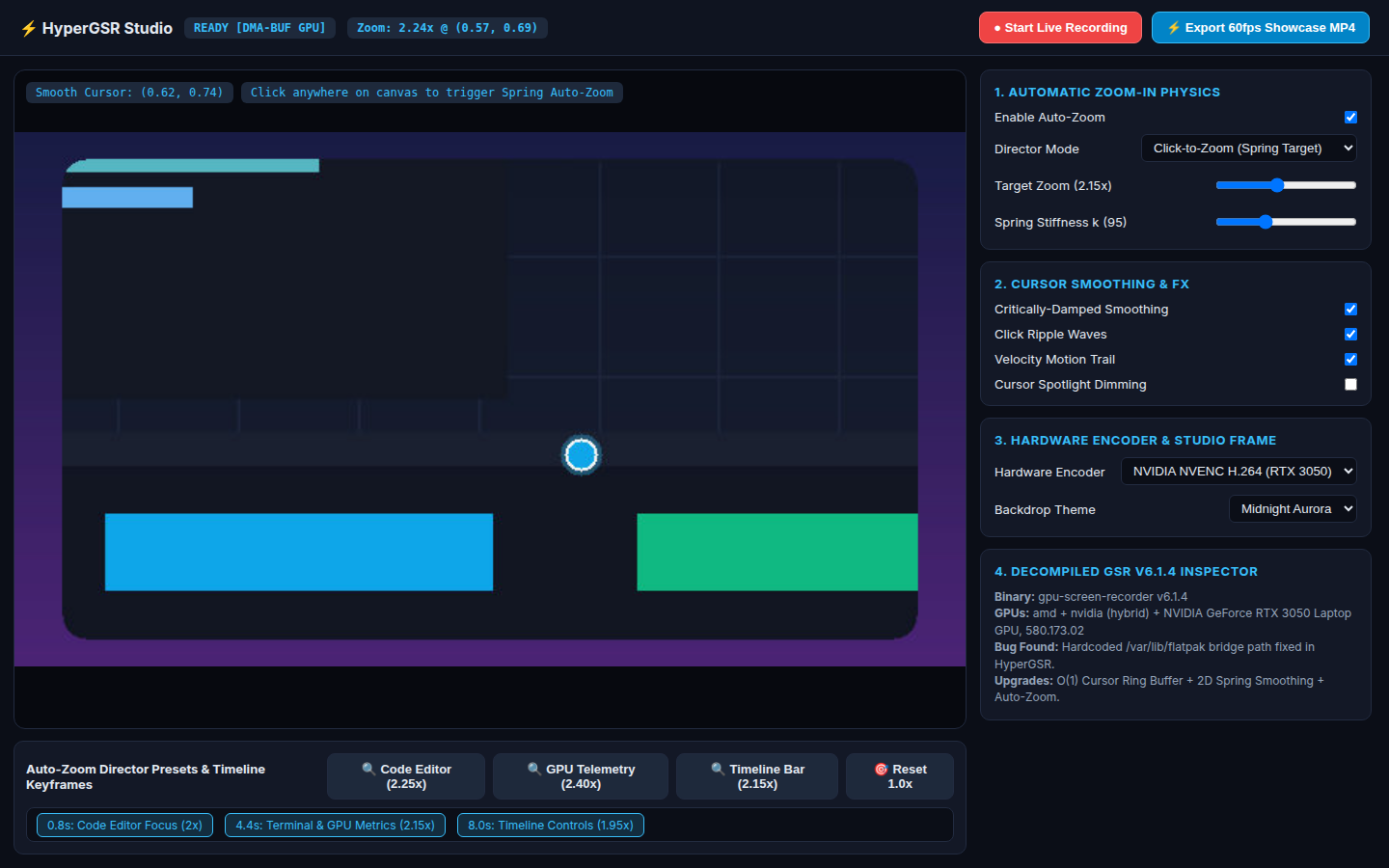
Web Studio
--web serves a browser control panel on http://127.0.0.1:7878 with the same camera, cursor effects, encoder choice and the gpu-screen-recorder inspector.
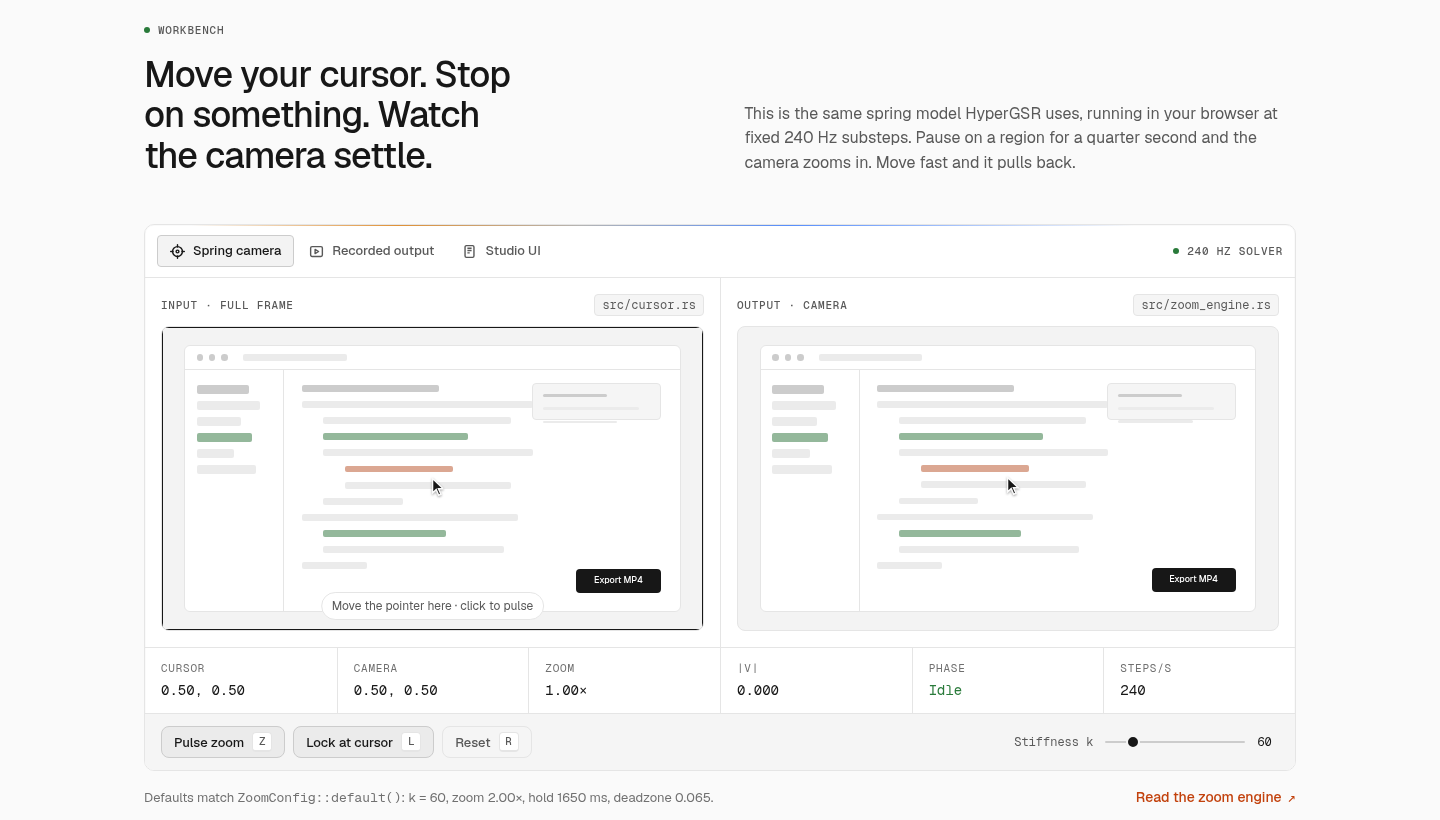
Website and in-browser workbench
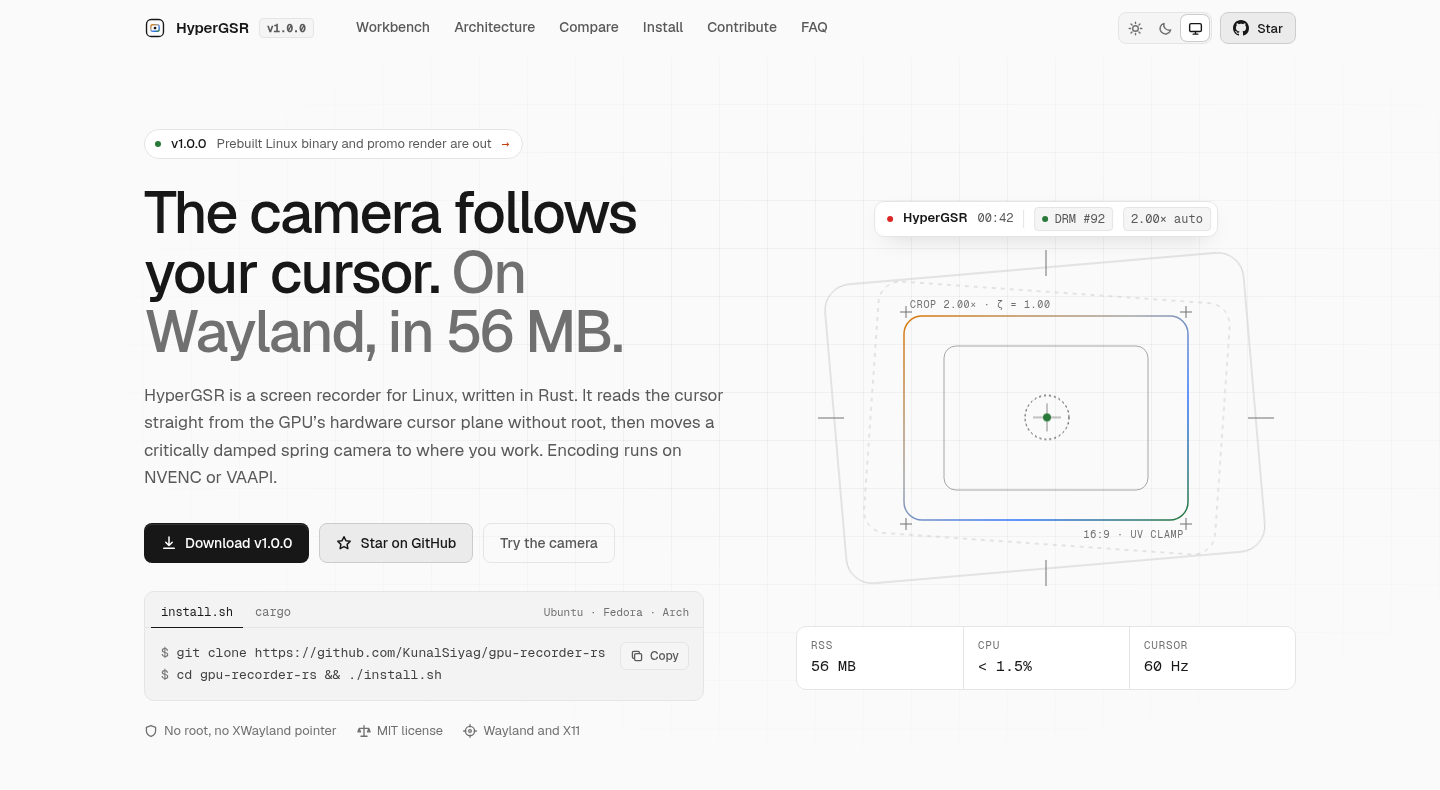
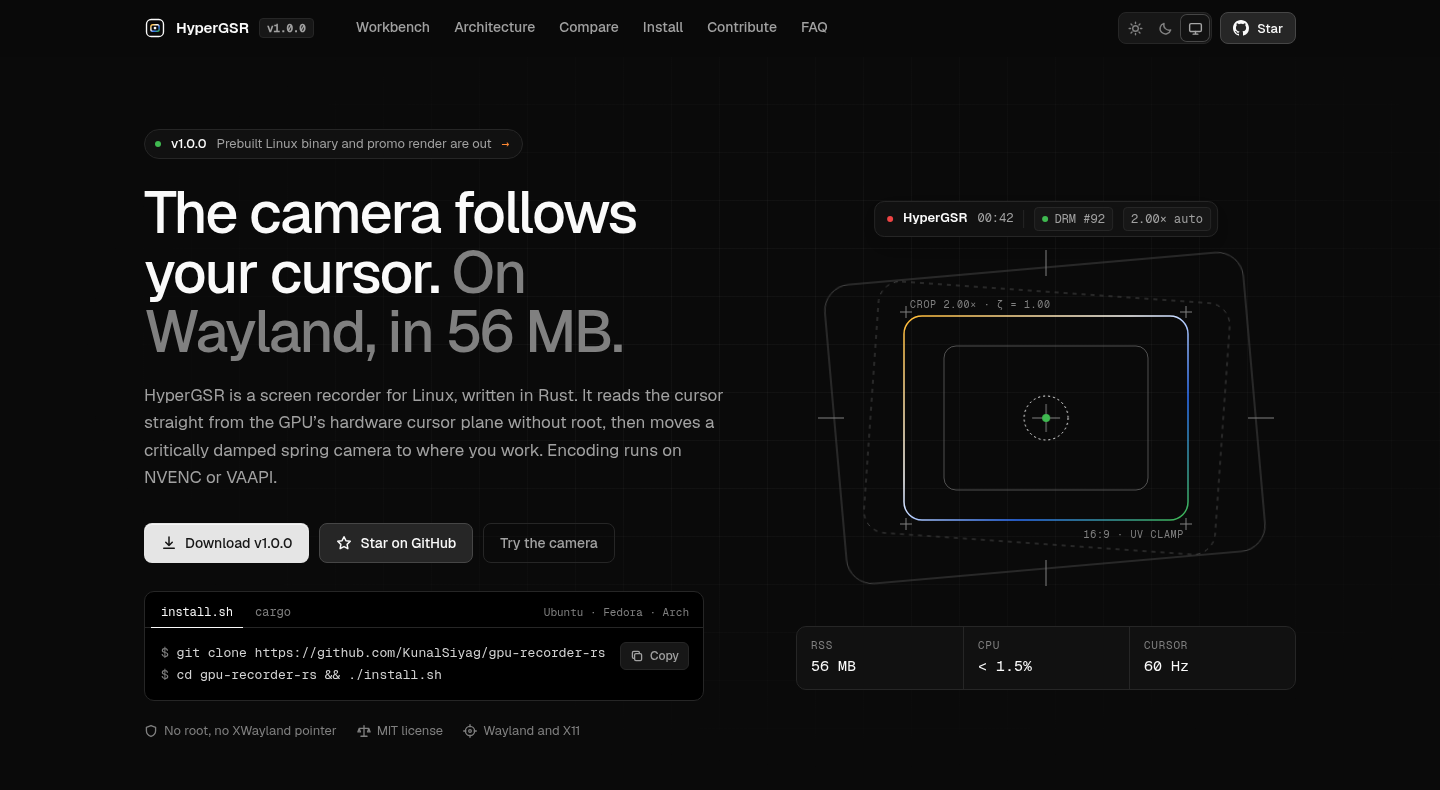
The website runs the same spring model in your browser, so you can try the camera before installing anything.
| Light | Dark |
|---|---|
 |
 |
Measured footprint
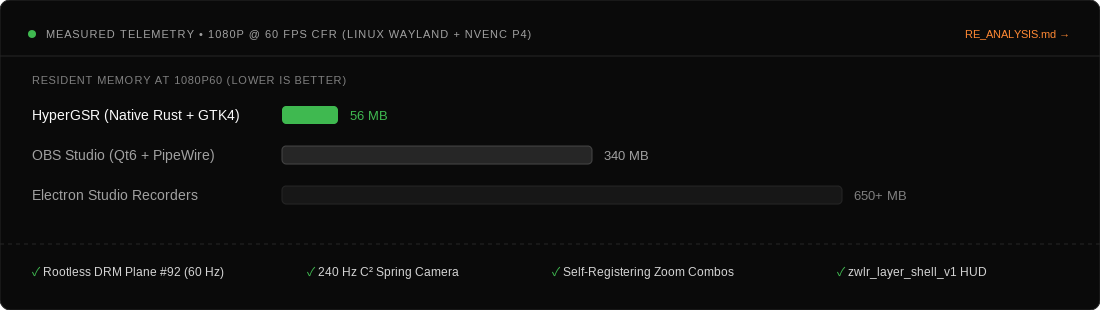
| Resident memory | CPU at 1080p60 | Cursor source | Camera solver |
|---|---|---|---|
| 56 MB | < 1.5 % | DRM plane #92 at 60 Hz |
240 Hz, ζ = 1.0 |
Measured during a 1080p60 recording on a hybrid AMD Radeon + NVIDIA RTX 3050 laptop under COSMIC, with NVENC preset P4. Your numbers will depend on GPU, compositor and resolution. Run gpu-recorder-rs --report to see the encoders and cursor planes it finds on your machine.
Install
npm / npx (Linux x86-64, glibc)
HyperGSR is published on npm as hypergsr:
npx hypergsr --report
npx hypergsr

# Or install the CLI globally
npm install -g hypergsr
hypergsr --web
To launch HyperGSR from your app menu like any other desktop app, add a menu entry and icon for your user after the global install:
hypergsr --install-desktop     # writes ~/.local/share/applications/io.github.KunalSiyag.gpu_recorder_rs.desktop
hypergsr --uninstall-desktop   # removes the entry and icon again
The entry starts the native binary inside the installed package, so it keeps working
without Node.js on the desktop's PATH. Run --install-desktop again if you reinstall
HyperGSR under a different Node.js version or npm prefix. Run --uninstall-desktop
before npm uninstall -g hypergsr.
The package bundles the native recorder, PipeWire capture helper, and UI icons. It needs Node.js 22+ and a Linux x86-64 desktop with glibc. It does not support macOS, Windows, ARM, or Alpine/musl. The bundled binaries need glibc 2.39 or newer (Ubuntu 24.04+, Fedora 40+, or similar); older distributions should use the build from source instructions below.
You still need GTK 4.10+, gtk4-layer-shell, libdrm, X11 libraries, PipeWire,
libportal, FFmpeg, and an XDG desktop portal. See the distro dependency instructions
below. npm does not install system packages, run sudo, compile Rust on the user's
machine, or download binaries from GitHub during installation.
All recorder arguments and environment variables are forwarded unchanged. Relative
paths such as hypergsr --export-demo ./demo.mp4 resolve from your current directory.
To build and try the package locally, install the native build dependencies below, then:
npm test
npm pack
npm install -g ./hypergsr-1.2.0.tgz --ignore-scripts
hypergsr --report
npm pack builds both native binaries from source using the locked Cargo dependencies,
then checks the architecture, version, helper, and icons before creating the tarball.
Only the launcher and native runtime files are shipped, alongside the package metadata,
README, and license. npm run build:native builds the bundle without packing it.
Keep the npm and Cargo versions in sync. Maintainers should use the Ubuntu 24.04 CI
artifact for distribution rather than binaries built on a newer distro.
Flatpak (self-hosted bundle)
Each GitHub release has a hypergsr.flatpak bundle that installs HyperGSR as a
sandboxed desktop app with its own menu entry. The bundle includes gtk4-layer-shell,
libportal, the capture helper, and an FFmpeg build with NVENC (NVIDIA driver 530 or
newer), VAAPI, and x264. It uses the GNOME 50 runtime from Flathub.
flatpak remote-add --if-not-exists --user flathub https://dl.flathub.org/repo/flathub.flatpakrepo
curl -LO https://github.com/KunalSiyag/gpu-recorder-rs/releases/latest/download/hypergsr.flatpak
flatpak install --user hypergsr.flatpak
flatpak run io.github.KunalSiyag.gpu_recorder_rs
HyperGSR is not on Flathub, so flatpak update will not upgrade it. Install the
newer bundle from the next release to upgrade. To reinstall a bundle of the version
you already have (for example a fresh build), add --reinstall, otherwise Flatpak
stops with "This version of io.github.KunalSiyag.gpu_recorder_rs is already installed":
flatpak install --user --reinstall hypergsr.flatpak
On COSMIC the Flatpak prints "it appears your Wayland compositor does not support the
Session Lock protocol" at startup. This warning is harmless: gtk4-layer-shell checks for
every protocol it knows, and COSMIC hides the privileged session-lock protocol from
sandboxed apps. HyperGSR never locks the screen, and the docked bar still works. The sandbox can access your GPU
devices (for the hardware cursor and encoders), your Videos folder, Wayland, and the
local network for Web Studio. Screen capture goes through the desktop portal. To
build the bundle yourself, see packaging/flatpak.
Arch Linux
The repository includes tested PKGBUILDs. Build and install the prebuilt release with:
git clone https://github.com/KunalSiyag/gpu-recorder-rs.git
cd gpu-recorder-rs/packaging/aur/hypergsr-bin
makepkg -si
Use packaging/aur/hypergsr-git instead to build the latest main from source.
Prebuilt binary (x86_64)
Download hypergsr-v1.2.0-linux-x86_64.tar.gz from the latest release, then:
tar xzf hypergsr-v1.2.0-linux-x86_64.tar.gz
./target/release/gpu-recorder-rs
You still need the runtime libraries listed below (GTK 4, gtk4-layer-shell, libdrm, PipeWire, libportal, FFmpeg).
From source
git clone https://github.com/KunalSiyag/gpu-recorder-rs.git
cd gpu-recorder-rs
./install.sh
Or install the dependencies yourself and build with Cargo:
Dependencies by distro
Ubuntu 25.10+ / Debian 13:
sudo apt update && sudo apt install -y \
  build-essential pkg-config cargo rustc clang \
  libgtk-4-dev libgtk4-layer-shell-dev libdrm-dev libx11-dev \
  libpipewire-0.3-dev libportal-dev ffmpeg
Ubuntu 24.04 / 25.04 / Pop!_OS 24.04: libgtk4-layer-shell-dev isn't packaged before Ubuntu 25.10. ./install.sh builds it from source automatically. To do it by hand, install everything above except that package, then:
sudo apt install -y meson ninja-build libwayland-dev libwayland-bin wayland-protocols
git clone --depth 1 --branch v1.3.0 https://github.com/wmww/gtk4-layer-shell.git
cd gtk4-layer-shell
meson setup build -Dexamples=false -Ddocs=false -Dtests=false -Dintrospection=false -Dvapi=false
ninja -C build && sudo ninja -C build install && sudo ldconfig
Fedora:
sudo dnf install -y \
  cargo rust gtk4-devel gtk4-layer-shell-devel libdrm-devel \
  libX11-devel pipewire-devel libportal-devel ffmpeg
Arch Linux:
sudo pacman -S --needed \
  rust gtk4 gtk4-layer-shell libdrm libx11 pipewire libportal ffmpeg
cargo build --release
./target/release/gpu-recorder-rs
With the same dependencies installed, you can also install it from crates.io:
cargo install gpu-recorder-rs
gpu-recorder-rs
The build compiles the PipeWire capture helper into the binary. On first use it is unpacked to
~/.local/share/hypergsr/<version>/, along with the UI icons.
Usage
Running the binary with no arguments opens the Dynamic Island.
# Start in the light theme with the Studio drawer open
HYPERGSR_THEME=light HYPERGSR_EXPANDED=1 ./target/release/gpu-recorder-rs

# Start or stop recording in the running island (bind this to a key)
./target/release/gpu-recorder-rs --toggle-recording

# Record 5 seconds from the command line, with the island's saved settings
./target/release/gpu-recorder-rs --record-seconds 5

# Re-render a capture with saved cursor telemetry and the current background
./target/release/gpu-recorder-rs --render-capture capture.mp4 \
  ~/.cache/hypergsr/telemetry/HyperGSR_<time>.json out.mp4

# Render a self-contained 60 FPS auto-zoom showcase MP4
./target/release/gpu-recorder-rs --export-demo ./hypergsr_demo.mp4

# Print detected GPU encoders, DRM cursor planes and pipeline info as JSON
./target/release/gpu-recorder-rs --report

# Serve the Web Studio on http://127.0.0.1:7878
./target/release/gpu-recorder-rs --web

# Run the unit tests
cargo test
Start/stop shortcut. Wayland does not let apps grab keys globally, so the
shortcut is a desktop keybinding that runs --toggle-recording. Click Set up
in the Record tab to add Ctrl+Alt+R on COSMIC or GNOME (COSMIC's shortcut file
is backed up first); on other desktops, bind the command shown in its tooltip.
If HyperGSR is not running, the shortcut starts it and begins recording.
While recording, the island shrinks to a small pill (timer, zoom, Stop) that stays above other windows; drag it by its left end to move it out of the way.
Recordings are saved to ~/Videos; Change… next to "Save to" in the Record tab
picks another folder (the Flatpak can only write where its file chooser grants
access). The folder, source, audio, frame rate, quality and background you pick in
the Studio drawer are remembered in
~/.config/hypergsr/settings.json.
| Variable | Effect |
|---|---|
HYPERGSR_ENCODER=x264 |
Skip hardware encoders and use libx264 |
HYPERGSR_OPEN_STUDIO=1, HYPERGSR_STUDIO_TAB=record or camera |
Start with the Studio drawer open on that tab |
HYPERGSR_GDK_BACKEND=x11 or wayland |
Override the island's display backend (X11 is the default on GNOME) |
With several displays, auto-zoom follows the cursor only while it is on the recorded one and holds the wide view while it is elsewhere. Displays are told apart by resolution, so two identical screens are treated as one.
If a recording fails, the reason is shown in the island, and the capture
helper's and FFmpeg's messages are in ~/.cache/hypergsr/capture.log.
Zoom triggers
Auto-zoom handles most recordings. When you want control during a live tutorial or demo:
| Feature | How it works |
|---|---|
| Record Combo… | Click Record Combo… in the Studio drawer, then press any key, mouse button or shake gesture within 5 seconds to bind it as your zoom trigger. |
| Built-in presets | Shake / middle-click, double-click, right-click, Ctrl+Alt, Ctrl+Shift, Super+Z, Mouse4 / Mouse5 |
| Action modes | Toggle lock: press once to zoom in, again to return to 1.0×. Hold: stays zoomed while held and releases smoothly. Cycle: steps through 1×, 2× and 2.8×. |
| Scroll-wheel zoom | Scroll over the camera preview, or use Lock / Unlock Zoom, to set depth from 1.0× to 3.2×. |
How it works
HyperGSR started as a reverse-engineering pass over gpu-screen-recorder 6.1.4, to find out why cursor tracking and user-installed Flatpak bridges fail on Wayland. What it kept, what it replaced and why is written up in RE_ANALYSIS.md. For the longer story behind the cursor plane trick and the spring camera, read Cursor-following auto-zoom on Linux Wayland: reading the cursor from the GPU in Rust on DEV.
flowchart LR
    subgraph Wayland["Linux Wayland + kernel DRM"]
        PW["PipeWire ScreenCast\nXDG portal"]
        DRM["/dev/dri/card*\nDRM cursor plane\n(CRTC_X, CRTC_Y, FB_ID)"]
        LS["zwlr_layer_shell_v1\nlayer surface"]
    end

    subgraph HyperGSR["HyperGSR"]
        CAP["hypergsr-pw-capture\n+ restore token"]
        CUR["DrmCursorReader\n+ gesture detector"]
        ZOOM["240 Hz spring camera\n+ trajectory planner"]
        GUI["GTK 4 Dynamic Island"]
        ENC["NVENC / VAAPI\nauto-zoom renderer"]
    end

    PW --> CAP --> ENC
    DRM --> CUR --> ZOOM
    ZOOM --> GUI
    ZOOM --> ENC
    GUI <--> LS
-
Cursor from the GPU, not the compositor (
src/cursor.rs).DrmCursorReaderenablesDRM_CLIENT_CAP_UNIVERSAL_PLANESandDRM_CLIENT_CAP_ATOMIC, finds the cursor plane and reads its position and framebuffer at 60 Hz. The plane already holds the exact position the display controller is drawing, so no compositor protocol is needed. -
A spring with exactly enough damping (
src/zoom_engine.rs). Pan and zoom are springs with damping set to 2√k, the critical point, integrated at 240 Hz substeps. The camera reaches its target as fast as it can without overshooting:$$\ddot{\mathbf{x}} = -k(\mathbf{x} - \mathbf{x}_{\text{target}}) - 2\sqrt{k},\dot{\mathbf{x}}$$
-
Two-pass trajectory planning (
build_smooth_60fps_camera_framesinsrc/encoder.rs). After recording, the cursor telemetry is turned into bounded zoom segments (about 1.75 s per focus cluster), with pull-back to 1.0× during fast travel and smooth transitions. -
Wall-clock capture (
src/pw_portal_capture.c). The helper sends a frame to FFmpeg only when the compositor delivers a new one (plus a keepalive), and FFmpeg stamps each with the wall clock and fills gaps at a constant frame rate. Video time zero is the first captured frame, which is also