Izwi
Local-first voice AI for speech, chat, and audio workflows.
Website - Documentation - Releases - Issues
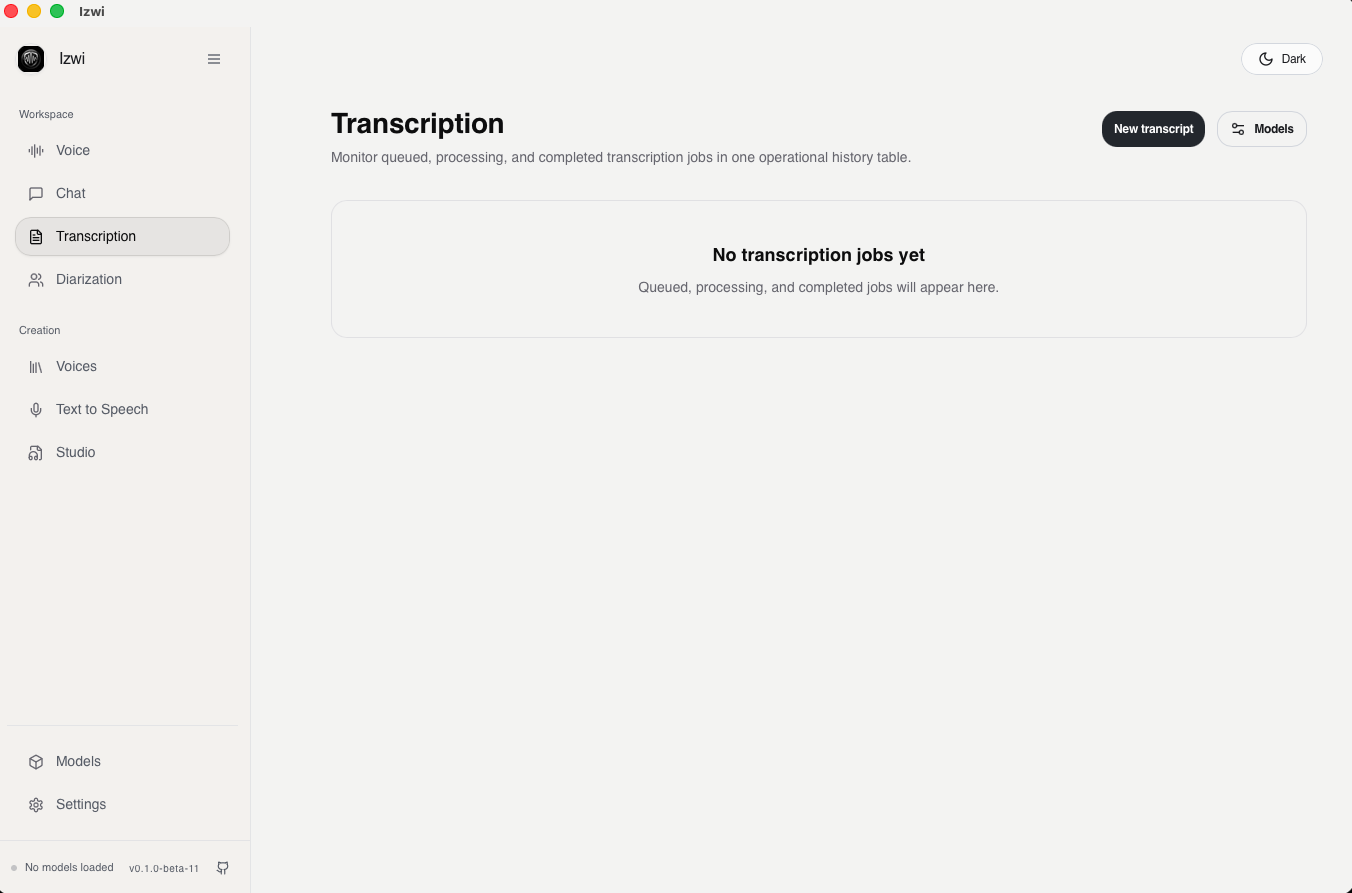
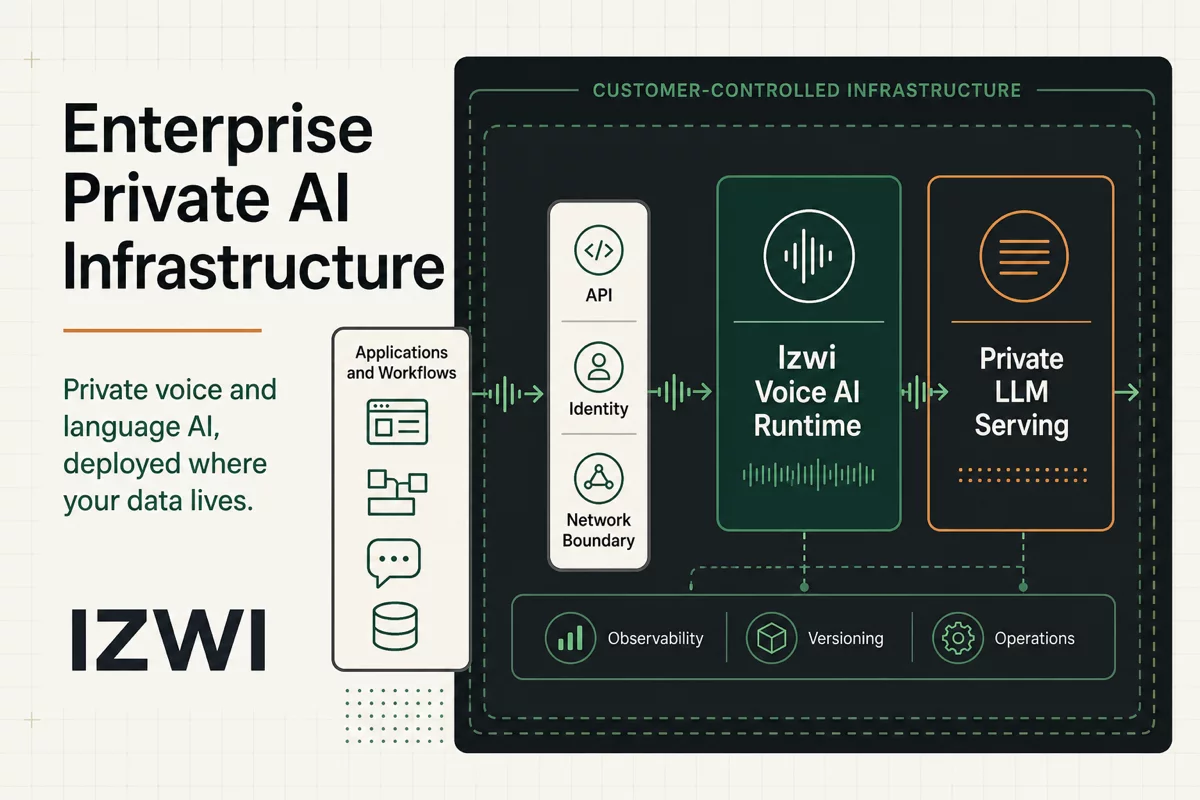
Izwi is a desktop app, web UI, CLI, and local inference server for voice AI. It runs on your machine and exposes both product workflows and OpenAI-compatible API routes without requiring cloud services or API keys.
What It Does
- Real-time voice conversations with local ASR, chat, and TTS models.
- Text-to-speech, long-form Studio projects, voice cloning, voice design, and saved voices.
- Transcription, speaker diarization, forced alignment, and realtime speech-to-text.
- Local chat, model download/load/unload/delete, history, exports, and settings.
- OpenAI-compatible
/v1APIs for models, chat completions, audio speech, audio transcriptions, and preview Responses support.
Inference data stays local. Optional anonymous desktop analytics are disabled unless a user explicitly opts in, and they do not send prompts, transcripts, audio payloads, local paths, or personal identifiers.
Install
Download the latest build from GitHub Releases.
- macOS (Apple Silicon): open
Izwi_<version>_aarch64.dmg, dragIzwi.appto Applications, then launch it. - Linux: install the
.debpackage withsudo apt install ./Izwi_*_amd64.deb, or runIzwi_<version>_amd64.AppImage. - Windows: run
Izwi_<version>_x64-setup.exe.
To use izwi in a terminal, open Settings > System > Command line tool in
the app and select Install (the .deb installs it for you).
Runtime support depends on the artifact:
- macOS Apple Silicon release builds use Metal on macOS 15+ and fall back to CPU on older macOS. The desktop app needs macOS 13.3 or later; the terminal bundle runs on macOS 12 or later.
- Linux and Windows release builds are CPU-only.
- CUDA is supported through the Docker CUDA profile or source builds on compatible NVIDIA hosts.
See the Runtime Support Matrix for the full contract.
Quick Start
Start the local server and web UI:
izwi serve --mode web
Server-only and desktop modes are also available:
izwi serve
izwi serve --mode desktop
In a second terminal, download the default speech model and generate speech
(Kokoro-82M needs espeak-ng: brew install espeak-ng or
sudo apt install espeak-ng):
izwi pull Kokoro-82M
izwi tts "Hello from Izwi." --output hello.wav
Transcribe audio:
izwi pull Parakeet-TDT-0.6B-v3
izwi transcribe audio.wav --model Parakeet-TDT-0.6B-v3
Open the app at http://localhost:8080. The local API reference is available
at http://localhost:8080/docs, and the raw OpenAPI document is available at
http://localhost:8080/openapi.json.
Model Families
Run izwi list to see the enabled catalog. Current families include:
- TTS: Qwen3-TTS, Kokoro-82M, Voxtral TTS, VibeVoice, Fish Audio S2 Pro, Chatterbox (English and multilingual), Maya1, Maya 2 Native, LFM2.5 Audio, and LFM3 Audio.
- ASR: Parakeet, Whisper, Qwen3-ASR, Nemotron 3.5 ASR, VibeVoice ASR, Granite Speech 4.1, LFM2.5 Audio, LFM3 Audio, and Voxtral Mini.
- Diarization and alignment: Sortformer and Nemotron 3 diarization, and Qwen3 ForcedAligner.
- Chat: Qwen3.5, Qwen3.6, Qwen3.8, LFM2.5, and LFM3.
Some model weights and bundled assets have their own licenses or access terms. Check the Models Guide before redistribution or commercial use of downloaded model artifacts.
Build From Source
For CLI/server installs, use the project install script:
./scripts/install-cli.sh
It needs Node.js 24.15+ or 22.22+ (it installs Rust if missing), and on Linux the Tauri system packages (see From Source).
For manual builds, scope Cargo to the binaries you need:
cargo build --release -p izwi-cli
cargo build --release -p izwi-server
CUDA source builds require the matching CUDA toolkit and Cargo features for the target host. See From Source for platform-specific setup.
Documentation
License
Izwi is licensed under the Apache License 2.0.