
KaiCalls MCP Server
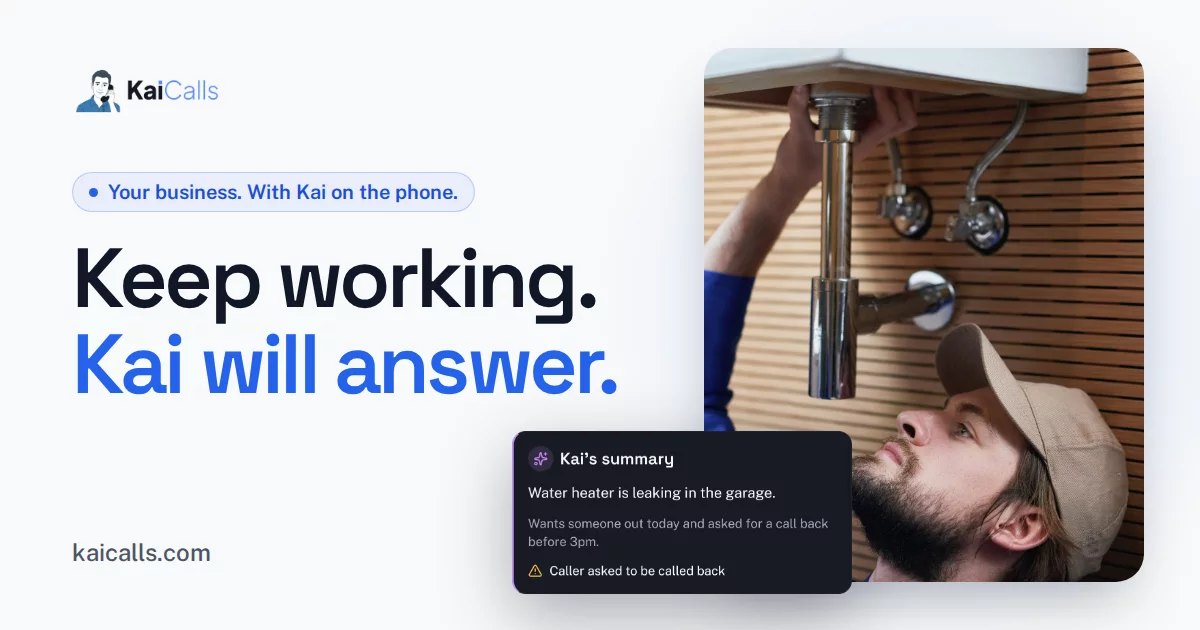
A phone number for your business or your AI agent. Kai answers it and calls businesses for you.
Get a business number (or keep yours) with Kai built in. Your phones ring first; Kai answers misses and after-hours calls, takes the details and texts you. See current plans and pricing. This repository is the public connector definition for the hosted KaiCalls MCP server — it documents the endpoint, authentication, and tool catalog so MCP clients and directories can discover and connect to it.
The KaiCalls platform itself is a hosted SaaS — there is no server to install. You connect to the live endpoint below with your KaiCalls account.
| MCP endpoint | https://www.kaicalls.com/api/mcp |
| Transport | Streamable HTTP (JSON-RPC over HTTP POST) |
| Auth | OAuth 2.1 (PKCE S256 + DCR) or kc_live_ API key as Bearer |
| Setup endpoint | https://www.kaicalls.com/api/mcp/acquisition (setup-only subset for first-time buyers) |
| Tools | 171 on the account endpoint (60 read-only, 111 write/setup); 37 on the setup endpoint |
| Homepage | KaiCalls |
| Provider | KaiCalls · connor@kaicalls.com |
| License | MIT (connector definitions and docs) |
| Status | GA — live in production |
Give your AI agent a phone number
A person can connect ChatGPT, Claude or any MCP client and get a real US number:
- Kai calls businesses for you.
make_callplaces an errand call to a US or Canada business (a shop, clinic, office or restaurant), asks the question, presses keys on phone menus, andcheck_call_statusreturns the answer. Kai says up front that it is an assistant calling for you, and it does not place AI calls to personal cell phones. - Kai answers the callback. The business calls your own number back, and Kai takes the message.
- The first call for a new connector account is free. After that, calls run on a plan: see kaicalls.com/ai-agent-phone-number.
Quick Answer
What is the KaiCalls MCP connector? It is the official hosted MCP connector for KaiCalls. Existing customers use https://www.kaicalls.com/api/mcp; a first-time buyer can use the setup-only surface at https://www.kaicalls.com/api/mcp/acquisition.
Who should use it? Use it when Claude, ChatGPT, Cursor, an MCP gateway, or another AI client needs to safely inspect KaiCalls agents, calls, transcripts, leads, analytics, and approved setup actions.
Does it require hosting your own server? No. KaiCalls hosts the MCP server. Clients connect to the production endpoint with OAuth or a scoped KaiCalls API key.
Is this the WordPress plugin? No. The approved KaiCalls AI Intake plugin captures website leads from WordPress. This repo documents the agent/MCP connector.
Is this the n8n integration? No. n8n workflows should use n8n-nodes-kaicalls.
Quick connect
Claude (web & desktop)
Add KaiCalls to Claude in one click: Claude opens its Add custom connector box with the name and URL already filled in. Press Add, then sign in. Owners of a Team or Enterprise workspace can use the admin link to add it for everyone.
ChatGPT and other clients
Add a custom connector pointing at https://www.kaicalls.com/api/mcp for an existing
account, or the acquisition endpoint for setup. Sign in with your KaiCalls account,
pick the business on the consent screen, and Allow. See
docs/quickstart.md for screenshots and per-client steps.
API-key clients / MCP gateways
Pass a KaiCalls API key directly — no OAuth round-trip needed:
Authorization: Bearer kc_live_xxxxxxxxxxxxxxxxxxxx
(X-KaiCalls-API-Key: kc_live_... is also accepted.) Generate keys in the KaiCalls
dashboard under Settings → API Keys. See docs/authentication.md.
Cline / remote MCP clients
KaiCalls is a remote server — there is nothing to clone or install. Add it to your
MCP client config as a Streamable HTTP server and authenticate with a kc_live_ key.
For Cline, edit cline_mcp_settings.json (or use the Remote Servers tab) and add:
{
  "kaicalls": {
    "url": "https://www.kaicalls.com/api/mcp",
    "type": "streamableHttp",
    "headers": { "Authorization": "Bearer kc_live_YOUR_KEY" }
  }
}
Replace kc_live_YOUR_KEY with a key from the KaiCalls dashboard under Settings →
API Keys. The transport type must be the camelCase string streamableHttp — using
streamable-http or omitting it makes Cline fall back to SSE and the connection fails
with a 405. Once saved, Cline lists the KaiCalls tools and is ready to use. See
llms-install.md for the full agent-driven setup walkthrough.
Gemini CLI and Antigravity
gemini extensions install https://github.com/KaiCalls/kaicalls-mcp
agy plugin install https://github.com/KaiCalls/kaicalls-mcp
Both connect to the hosted server at https://www.kaicalls.com/api/mcp and sign
you in with OAuth the first time a tool runs.
Run locally over stdio (Docker)
Most clients should connect to the hosted server at https://www.kaicalls.com/api/mcp. For stdio-only clients, this repo ships a small bridge with no dependencies:
docker build -t kaicalls-mcp .
docker run -i --rm -e KAICALLS_API_KEY=kc_live_... kaicalls-mcp
# or without Docker: KAICALLS_API_KEY=kc_live_... node stdio-proxy.mjs
initialize and tools/list work without a key. tools/call needs KAICALLS_API_KEY, which you create at https://www.kaicalls.com/dashboard/settings/api-keys.
Tools
The account endpoint exposes 171 tools: 60 read-only and 111 write/setup. Every tool carries MCP
safety annotations (readOnlyHint, destructiveHint, idempotentHint, openWorldHint).
The setup endpoint (/api/mcp/acquisition) exposes the 37 tools marked Yes in the
Setup surface column, the subset that takes a new business from signup to a working number.
The machine-readable inventory, with full descriptions, scopes and annotations, is in
mcp.json and server-card.json. In-depth notes for the core
tools are in docs/tools.md. The live tools/list response returns each tool's
input schema.
Read-only tools (60)
| Tool | Scope | Setup surface | What it does |
|---|---|---|---|
get_lsa_account_report |
calls:read |
Read the authorized advertiser's live Google Local Services aggregate account report, including actual spend, currency and charged lead totals. | |
get_lsa_setup |
calls:read |
Inspect Google LSA account selection and sync freshness, with setup steps. | |
list_lsa_leads |
calls:read |
List synced Google LSA leads, charge and credit states, source IDs and rating details. | |
get_lsa_conversations |
calls:read |
Read the latest 200 synced Google LSA conversation events for an LSA lead, including customer and advertiser messages. | |
get_lsa_report |
calls:read |
Report LSA lead counts, types, observed statuses, ratings and credit counts for an explicit UTC window (start inclusive, end exclusive). | |
agency_offer_preview |
workspaces:write |
Builds the publishable manifest and sales kit for an offer draft and returns its fingerprint and revision for publishing. | |
agency_installation_preview_route_receipt |
workspaces:write |
Returns the evidence that a real call reached the client's voice line and produced a delivered lead notification, with a fingerprint for acknowledgement. | |
agency_installation_preview_handoff |
workspaces:write |
Returns the staff handoff for an installation with a fingerprint for approval. | |
agency_installation_owner_preview |
workspaces:write |
Shows the client owner the exact intake facts and voice script prepared for their business, with the hashes needed to approve each. | |
agency_installation_export |
workspaces:write |
Returns the installation release, intake facts, approved script, staff sheet and checks for handoff or records. | |
agency_installation_preview_offboard |
workspaces:write |
Shows what offboarding would stop and what it keeps (phone number, sender, connections, billing plan and history), with a fingerprint for approval. | |
agency_care_preview_review |
workspaces:write |
Shows the exact review-request text, sender number and recipients for customers with a completed service, with a fingerprint for approval. | |
get_agency_workspace |
workspaces:read |
Read assigned installations, grouped support incidents, accepted billing evidence (also billing:read), or inventory one authorized client's saved facts and actual channel readiness. | |
get_extra_number_status |
numbers:read |
Yes | Read an owner-authorized extra-number request. |
get_setup_recovery_status |
numbers:read |
Yes | Read an owner-authorized setup recovery request by its business and idempotency key. |
check_call_status |
calls:read |
Check the status of a call by its ID | |
list_recent_calls |
calls:read |
List recent calls for the authenticated business | |
get_transcript |
calls:read |
Get the transcript and summary of a completed call | |
get_call_recording |
calls:read |
Get the real call recording URL for a call so reviewers can listen to the voice/audio instead of relying only on the transcript. | |
list_agents |
agents:read |
Yes | List the KaiCalls agents on the authenticated account. |
get_business_info |
agents:read |
Yes | Read back what a business already has: profile details, how many agents are configured, and recent call volume. |
get_operational_settings |
agents:read |
Yes | Audit the business-level operational setup required before changing a live account: staff alert recipients, SMS/email alert flags, escalation rules, textable send-link entries, and assigned agent voice/model/greeting metadata. |
get_activation_status |
agents:read |
Yes | Read current call readiness and persisted private-test proof for one accessible business. |
list_leads |
calls:read |
List leads for the authenticated business, with optional status/source/agent filters. | |
get_lead |
calls:read |
Get full details for a single lead by ID, including the latest AI lead score and explanation. | |
list_voicemails |
calls:read |
List recent voicemails for the authenticated business, including transcripts and recording URLs. | |
list_sms_messages |
sms:read |
Read SMS and WhatsApp message evidence for accessible businesses (sms:read), including provider message ID, carrier status, delivery/failure timestamps and failure code. | |
list_campaigns |
calls:read |
List outbound call campaigns for the authenticated business. | |
list_workflow_templates |
calls:read |
List the cadence/campaign workflow templates KaiCalls can run (standard, aggressive, nurture, custom), including each template's retry interval, defaults (call windows, days, attempts), and a ready-to-use cadence_config example. | |
get_analytics |
calls:read |
Get a dashboard summary (lead counts by status, conversion rate, call volume and duration, top agents, and business outcomes by type) over a recent time window. | |
get_meeting |
agents:read |
List the meetings Kai was sent into (newest first), or one meeting by id with its live status, minutes used and summary, plus the plan's remaining meeting minutes this month. | |
get_usage |
events:read |
Yes | List recent API usage events (endpoint, method, status code, cost) for the caller's account. |
list_plans |
billing:read |
Yes | Read the canonical public KaiCalls plan catalog, monthly USD prices and allowances. |
get_checkout_status |
billing:read |
Yes | Read a Stripe-verified subscription checkout receipt for a business you own. |
get_email_campaign |
emails:read |
Read a business's email campaigns: its sending addresses and their setup readiness, recent campaigns with status, revision fingerprint and outcome counts, and the customers who can be emailed (recorded consent, not on the do-not-email list). | |
get_business_verification |
workspaces:read |
Read tenant-scoped business-verification document references, pending/approved/rejected staff-review states and secure upload requirements. | |
get_text_registration |
billing:read |
Read where a business stands on its own carrier registration for business texting: saved details (never the EIN; only whether one is on file), payment, filing stage, whether sales texts are allowed, and the one next step. | |
get_setup_checklist |
workspaces:read |
Read where one business stands on setup: plan, phone number, texting registration, WhatsApp, call and lead alerts, connected mailbox for follow-up email, and email campaign sender. | |
get_whatsapp_status |
sms:read |
Check whether WhatsApp is connected on a business's KaiCalls number, read live from the carrier. | |
get_channel_status |
sms:read |
List every customer channel a business can have (phone calls, text messages, WhatsApp, website chat, email, and the ones not offered yet) with its state: ready, needs_setup, blocked or not_available. | |
get_trust_level |
agents:read |
Read one business's saved KaiCalls trust level (Sprout, Verified, Trusted, Pro, Partner): the current level, the steps to the next one with progress, what each level unlocks, today's outbound calls and texts against the limits the level allows, and any hold. focus 'ladder' explains every level; focus 'level' with level explains one. | |
get_balance |
billing:read |
Get plan terms and usage for accessible businesses. | |
list_numbers |
numbers:read |
Yes | List phone numbers assigned to the accessible business(es), with capability and compliance flags. |
get_phone_flow |
numbers:read |
Yes | Read how calls ring on the business's hosted phone system: which cells and desk phones ring, for how many seconds, and whether after-hours callers go straight to Kai. |
get_phone_system_status |
numbers:read |
Yes | Read whether the business's hosted phone system is set up: Kai's extension, the team ring group and dial plan ids (never secrets), the phone-system line, and next_step — the one line to relay to the owner. |
list_conversations |
sms:read |
List SMS conversation threads (counterparty timeline metadata) for the authenticated business, most recent first. | |
get_conversation |
sms:read |
Get a single SMS conversation thread by ID. | |
get_webhook |
webhooks:read |
List the configured outbound webhook(s) for a business, including supported event types. | |
list_evals |
evals:read |
List canned mock-conversation eval scenarios for an agent (or all accessible agents). | |
list_voices |
agents:read |
Yes | List the curated, credential-free voice catalog (id, display name, accent, language, gender, sample URL) used to configure agent voices. |
search_available_numbers |
numbers:read |
Yes | Search the carrier for phone numbers available to purchase (live number inventory). |
list_knowledge |
knowledge:read |
Yes | List agent knowledge base entries for a business. |
list_products |
products:read |
List a business's agent product catalog. | |
list_config_versions |
agents:read |
Yes | List an agent's hashed, redacted assistant config version history (rollback lineage included). |
get_change_history |
agents:read |
Yes | List an agent's recent config-change audit trail (change_type, change_source, old/new value, timestamp) from admin_change_history — the same record the admin_get_change_history voice tool reads over the phone. |
list_observability_events |
events:read |
List a business-scoped timeline of compact call-runtime events and redacted integration-delivery attempts. | |
list_tool_execution_logs |
events:read |
List per-call voice-agent tool execution traces — outcome, latency, timeout, and a redacted result preview for each routed tool call. | |
list_subscription_history |
billing:read |
List plan/price change history from subscription_change_history — the billing analogue of admin_change_history, written from the Stripe webhook and the right-size apply job. | |
list_overage_charges |
billing:read |
List the idempotent overage-minutes ledger from billing_overage_charges (legacy per-minute-overage tiers only — 2026 plans carry no overage). | |
list_rightsize_recommendations |
billing:read |
List per-period auto-right-size decisions from plan_rightsize_recommendations, including the dry_run -> notified -> (kept | applied | superseded) lifecycle. |
Write and setup tools (111)
| Tool | Scope | Setup surface | Hints | What it does |
|---|---|---|---|---|
sync_lsa |
agents:write |
destructive · open-world | Sync an explicitly selected connected LSA advertiser. | |
send_lsa_reply |
sms:write |
destructive · idempotent · open-world | Send an authorized text reply inside an existing Google LSA message lead through the Ads API. | |
rate_lsa_lead |
calls:write |
destructive · idempotent · open-world | Submit an authorized, truthful Google LSA quality survey and return Google's actual bonus-credit decision. | |
agency_profile_bootstrap |
workspaces:write |
idempotent | Registers a new agency for the signed-in user and makes them its owner, using the given brand and support details. | |
agency_profile_update |
workspaces:write |
destructive · idempotent | Replaces the agency brand, support details and requested commercial mode. | |
agency_profile_invite |
workspaces:write |
— | Creates a staff invitation for an email address with the admin, operator or reader role and returns a one-time invite link that expires in 7 days. | |
agency_profile_accept_invite |
workspaces:write |
idempotent | Joins the agency using the token from an invite link. | |
agency_profile_revoke_invite |
workspaces:write |
destructive · idempotent | Cancels a pending staff invitation so its link can no longer be used. | |
agency_profile_assign |
workspaces:write |
idempotent | Gives an active agency staff member access to one client business with the admin or member business role. | |
agency_profile_unassign |
workspaces:write |
destructive · idempotent | Removes a staff member's agency assignment to one client business, and removes the business membership if this assignment created it. | |
agency_profile_revoke_member |
workspaces:write |
destructive · idempotent | Removes a staff member from the agency: revokes their membership, all their client assignments, their accepted invites and every API key issued to them through the agency. | |
agency_profile_issue_key |
workspaces:write |
— | Creates a new API key for yourself in this agency, limited to the requested scopes, and returns the secret once. |