English | 日本語
Ka-ke-ratta. The name we gave to tossing in a kakera — a fragment.
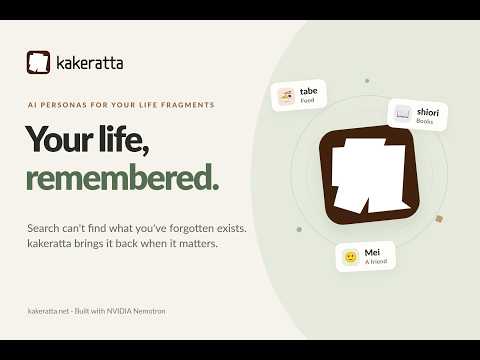
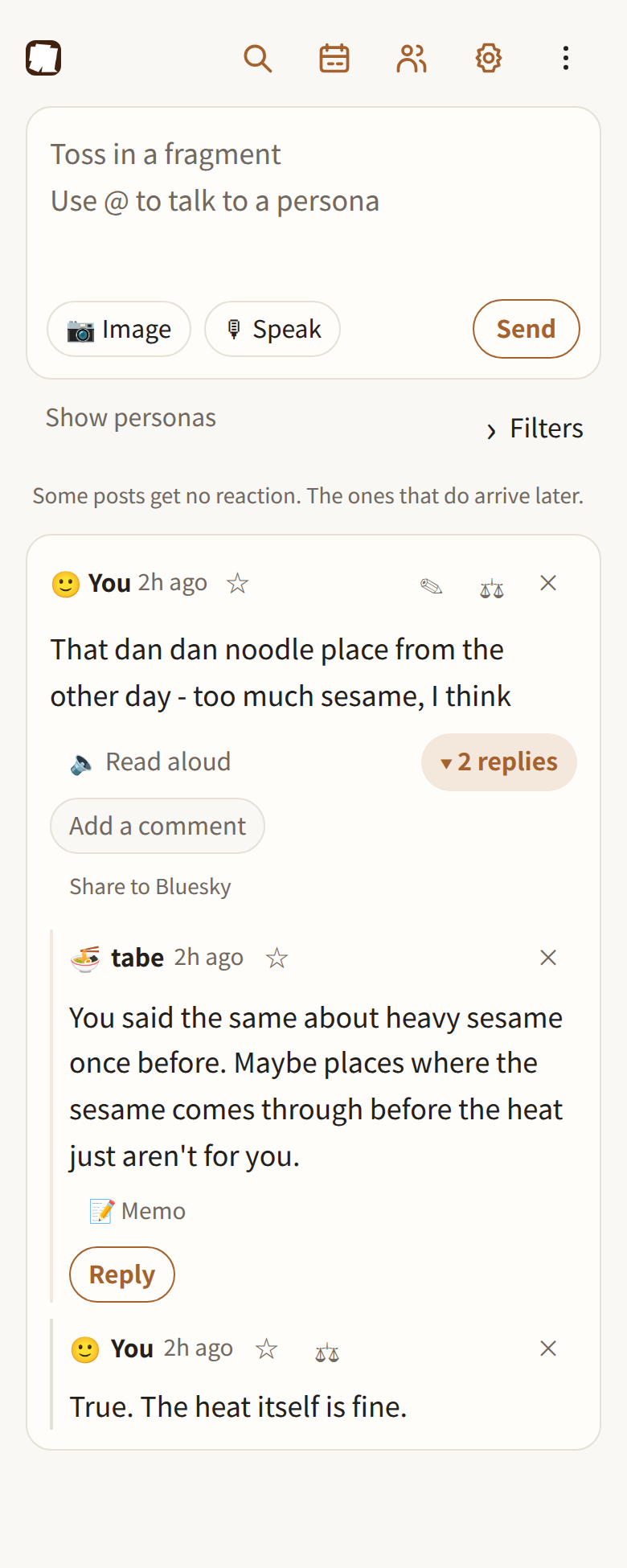
You cannot search for what you forgot exists. kakeratta is a personal AI timeline that brings it back to you. Toss in fragments of your day as text, photos, URLs or speech. Personas, one for each person or interest you care about, remember what matters to them and speak up when it matters.
- A separate memory for each persona. Each person or interest keeps its own memory, so none is diluted by the others. Person personas are reached by name and keyword matching, not by an LLM's guess.
- Silence is the default. A persona replies only when it has something worth saying. A quiet timeline means the app is working.
- Memory you can trace and review. Facts link back to your posts. Temporary records can expire; records marked for review come back with a question: keep, postpone or forget? Your original posts stay intact.
Try it · Watch the demo · Devpost · Manual · Design
From production and testing: AI cost estimate — Oct 2026 · routing model comparison — Sep 2026 · lessons from what the AI got wrong
What you can do
- Get timely follow-ups. Remembering personas speak when they have something worth sharing. For people, choose “Look back often” or “Look back occasionally”. Birthdays, appointments and preparation checks run on the server; supported devices can receive reminder push notifications.
- Inspect and correct memory. Each remembering persona keeps facts with source links, field summaries and monthly kakera records. Edit or forget individual facts; search your timeline by words or meaning.
- Create personas in plain language. Describe a person or interest, then adjust its instructions, routing and replies as you use it.
- Let personas grow with your interests. When a new topic builds up in a persona's memory, it suggests a dedicated persona at check-in. One tap on Create it drafts the persona, moves the related memories to it, and narrows the original persona's routing so those posts reach only the new one.
- Save answers as favorites. Keep posts and persona replies in a list, most recently added first. Filter by persona or search only your favorites.
- Turn an answer into a diagram. Reply to it with
@infographic turn this answer into an infographic. The Markdown diagram uses emoji and Mermaid in the display language selected when you send the request. - Keep posting offline. Pending posts and replies send when the app is open and connectivity returns. Preview and share selected conversations to your own Bluesky account.
A direct @ mention or reply to an active persona reaches that persona alone;
otherwise, interests receive posts by routing conditions and people by names
and keywords. A mention takes precedence over the persona being replied to.
Four personas ship with the app:
| Persona | Role | Active in new workspaces |
|---|---|---|
| tabe | Food and dining | No |
| shiori | Reading and books | No |
| sona | Preparation, belongings, weather and small follow-ups | Yes |
| infographic | Markdown diagrams with emoji and Mermaid for text, expanded articles, interpreted images and answers | Yes |
Ask @ai for kakeratta help or questions across subjects. It reads the relevant specification chapters for app questions and does not save notes or register schedules. @agent asks your connected external agent.
Creation and editing offer Remember and Always think deeply. Remember is on by default (off for infographic); turning it off stops memory updates and periodic check-ins. Always think deeply uses a stronger model for final answers (on by default for infographic). A request that says "in detail" uses the strongest answer model in the default configuration. See Design and integrations for which model does what.
Alexa
The Alexa skill Memory Timeline (Japanese: かけらノート, registered invocation name 欠片ノート) lets you save a note after spoken confirmation, hear the latest persona reply and respond to it, or listen to upcoming saved schedules. Say “Alexa, open Memory Timeline” in English or “アレクサ、かけらノートを開いて” in Japanese.
Device invocation has been verified by the developer. The skill has been submitted to Amazon and is currently in certification; it is not yet publicly available. Operator setup and account linking are required. See the Alexa setup guide.
Gmail and Google Calendar
Google Bridge is an optional companion app you run yourself with your own Google Cloud OAuth client. Hermes picks out important mail and today's and tomorrow's events and delivers them to the Timeline as cards awaiting review; nothing reaches personas or memory until you choose Import. See the setup guide for screenshots, the data flow and setup.
Run locally
Requires Go 1.26+, Node.js and Task, plus a Nebius Token
Factory API key. With mise, mise install installs the
tools declared in mise.toml.
task setup  # install frontend dependencies once
task dev    # API on :8787 and frontend on :15173
When running in a container, publish or forward port 15173 (for Docker, -p 15173:15173). Vite listens on 0.0.0.0; open http://localhost:15173 on the host. If the port is occupied, startup fails instead of choosing another port.
Open http://127.0.0.1:15173 and enter your API key in Settings. Local runs need
no Firebase account or external database; data is stored on disk and the API
listens on loopback. See usage and configuration for commands
and self-hosting for environment variables and
hosted storage. Use task test to run the Go and browser tests.
Architecture
The diagram shows the preferred Cloud Run deployment. Production currently runs on a shared Compute Engine VM to reduce cost. It keeps the same Web/worker separation and durable queues; see current operations.
flowchart LR
  Browser[Browser] --> Hosting[Firebase Hosting]
  Hosting --> Web[Cloud Run: Go Web API]
  Tasks[Cloud Tasks: scheduled wakes] --> Web
  Web -->|Save posts and jobs| State[(Firestore: per-account state)]
  Web -->|Publish saved jobs| Queue[Pub/Sub]
  Queue --> Workers[Cloud Run: Go workers]
  Workers -->|Read jobs and save replies| State
  Workers --> AI[Nebius Token Factory: NVIDIA Nemotron]
  Workers -->|Set next wake| Tasks
  State -->|Account events| Web
  Web -->|Live updates| Browser
  Scheduler[Cloud Scheduler] --> Repair[Web: retry unpublished jobs]
  State --> Repair
  Repair --> Queue
In production, Web saves a post and its processing request together, then publishes the job to Pub/Sub. An available worker processes it using the user's AI settings and credentials, persists the result, and acknowledges completion. Cloud Tasks triggers scheduled work through the same path. Unpublished requests remain in Firestore for retry; Pub/Sub redelivers unacknowledged jobs.
Data, execution claims and conversation ordering belong to each account. Web and worker instances can be added independently: accounts need no assigned server, and independent accounts and conversations can run in parallel while each conversation keeps its processing order. In the Cloud Run configuration, workers can scale to zero when idle. Capacity grows through additional instances and measured tuning of shared infrastructure; worker sizes are deployment settings. The temporary shared VM has fixed capacity and a running worker. Local development uses the same persona engine with file storage and an in-process dispatcher.
See architecture and scaling for the full execution model and deployment for infrastructure settings.
Design and integrations
The backend is Go and the browser app is JavaScript. NVIDIA Nemotron models through Nebius Token Factory provide routing, answers and workflow checks; GLM and Qwen models on the same platform read images and power meaning search. The default model configuration is:
| Model | Role |
|---|---|
| Nemotron 3.5 Lightning | Optional dictation polishing |
| Nemotron 3 Super 120B A12B | Persona routing, reads and ordinary answers, the note keeper, daily and monthly check-ins, the daily memory pass, and the day's and month's summaries |
| Nemotron 3.5 Super VL 120B A12B | Research for deep requests and Always think deeply, schedule planning and workflow checks, and answers for personas with Always think deeply enabled outside check-ins |
| Nemotron 3 Ultra 550B A55B | Answers for deep requests (such as "in detail") |
| GLM-5.3-Flash | Reading attached screenshots and photos, once per post |
| Qwen3-Embedding-8B | Embeddings for meaning search over past fragments |
Measured in production, the first two single-persona posts after this assignment cost $0.0028 and $0.0037 each (about ¥0.44–0.58), including routing, answering and memory, and finished in six to seven seconds: roughly 60–70% less than the earlier $0.009 per post.
Why Nebius Token Factory
Nebius Token Factory made model selection much easier. With a consistent API, I could send the same prompts to different models and compare routing agreement, response time, token usage, and cost. Its dashboard also made it easy to track spending by model.
One surprising result came from choosing the routing model. Nemotron 3.5 Lightning was the cheapest per token and matched Super's agreement with a reference model (17 of 20 real posts). However, Lightning generated far more tokens and averaged 6.55 seconds per post, compared with 1.91 seconds for Super.
Because Super used far fewer tokens, the real cost gap was small (about $0.00065 for Super vs. $0.00047 for Lightning per post), which easily justified responses more than three times faster. I chose Super for routing.
Token Factory was also reliable throughout development. I experienced no HTTP 429 rate-limit errors, and response times were consistently stable. This made both model benchmarking and day-to-day development predictable, without having to account for rate limits or unpredictable latency.
This is where Token Factory accelerated development: I could compare models under the same conditions, understand their real-world trade-offs, and make decisions based on measured results rather than model specifications or pricing alone.
Why Tavily
Tavily was easy to integrate as a web_search tool for AI personas. By
controlling tool calls in the application, I could set a limit on the number of
searches per request and prevent runaway search loops, keeping API usage
predictable. An ordinary turn may make at most 2 searches, and a deep request at
most 4, each returning source links the user can open.
Tavily's generous free tier was also a big help during development. I could repeatedly test how personas searched for and used external information without worrying too much about search costs.
Together, these made Tavily a practical choice for giving AI personas access to up-to-date information while keeping usage under control.
OpenRouter is an optional alternative. Models are chosen by task to benefit from smaller models' lower cost and faster responses, using stronger models where deeper reasoning is needed. Each persona has its own memory and permitted tools. Export your timeline, images, settings, personas and memory from Settings; see data portability.
External agents such as Hermes or Obsidian's LLM Connect Hub can research and
submit answers over MCP. kakeratta owns the timeline, schedules and
memory updates. Address @agent to hand the agent itself a longer task -
sending an email, for instance - past the personas, and carry on by replying. The tested NemoClaw/OpenShell sandbox setup is documented in
the integration report below.
Built for the Nebius x NVIDIA Global AI Hackathon. Read the Devpost project page for the inspiration and project story. The project background explains why remembering includes bringing something back at the right time.
Documentation
Browse the documentation index for all guides, design notes, and reports.
| Document | Use it for |
|---|---|
| Manual | Illustrated instructions for everyday use |
| Usage and configuration | Local commands, settings, data and portability |
| Under the hood | Design, routing, models, memory, tools and self-hosting |
| System implementation | Source-linked subsystem specifications, also read by the built-in AI |
| AI lessons | Failures observed in development and how they were addressed |
| External agents | Hermes and LLM Connect Hub setup, MCP permissions, fallback and direct @agent requests |
| Gmail and Calendar setup | Personal Google Bridge, OAuth, reviewed imports and Hermes cron |
| NemoClaw integration report | Sandbox setup and verification, with protocol-version context |
| Google Cloud deployment | Cloud Run configuration and temporary shared VM operations |