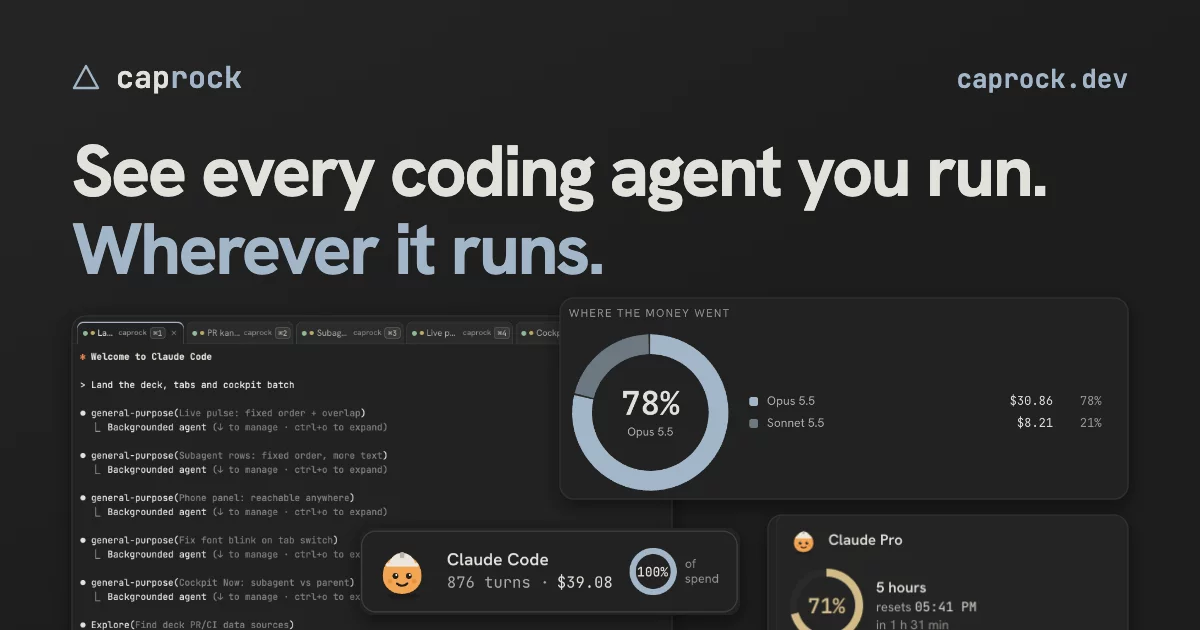

See every coding agent you run, wherever it runs: who is waiting on you, who is stuck, how close the limit is, and every pull request to release with what it cost.
A desktop app for macOS, Windows and Linux. Nothing leaves your machine: open source, no account, no telemetry.
brew install --cask dspv/tap/caprock-app

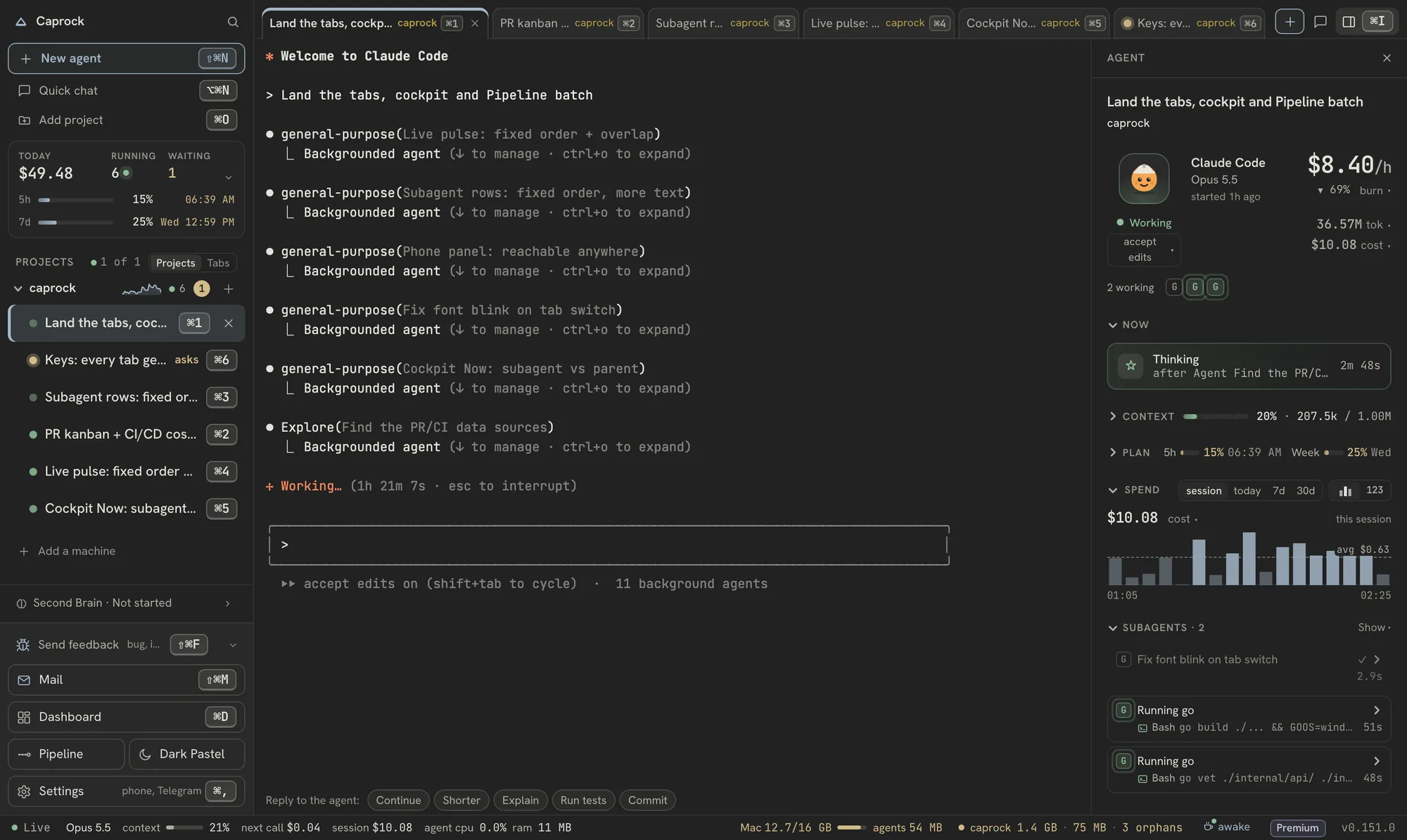
A real Caprock work session in this repository, replayed on a demo stand. Example figures.
Other downloads: macOS .dmg · Windows · .AppImage · .deb · .rpm · the daemon on its own

I want to contribute to Caprock. Run `gh repo fork dspv/caprock --clone`,
then read docs/contributing-with-ai.md in the clone and follow the prompt
under "The prompt" in it, step by step. Work on the smallest open issue
labelled "good first issue" unless I name another, and tell me which.
Paste it into Claude Code, Codex or any coding agent, in an empty folder. It runs every check on your machine and opens the pull request; how it works.
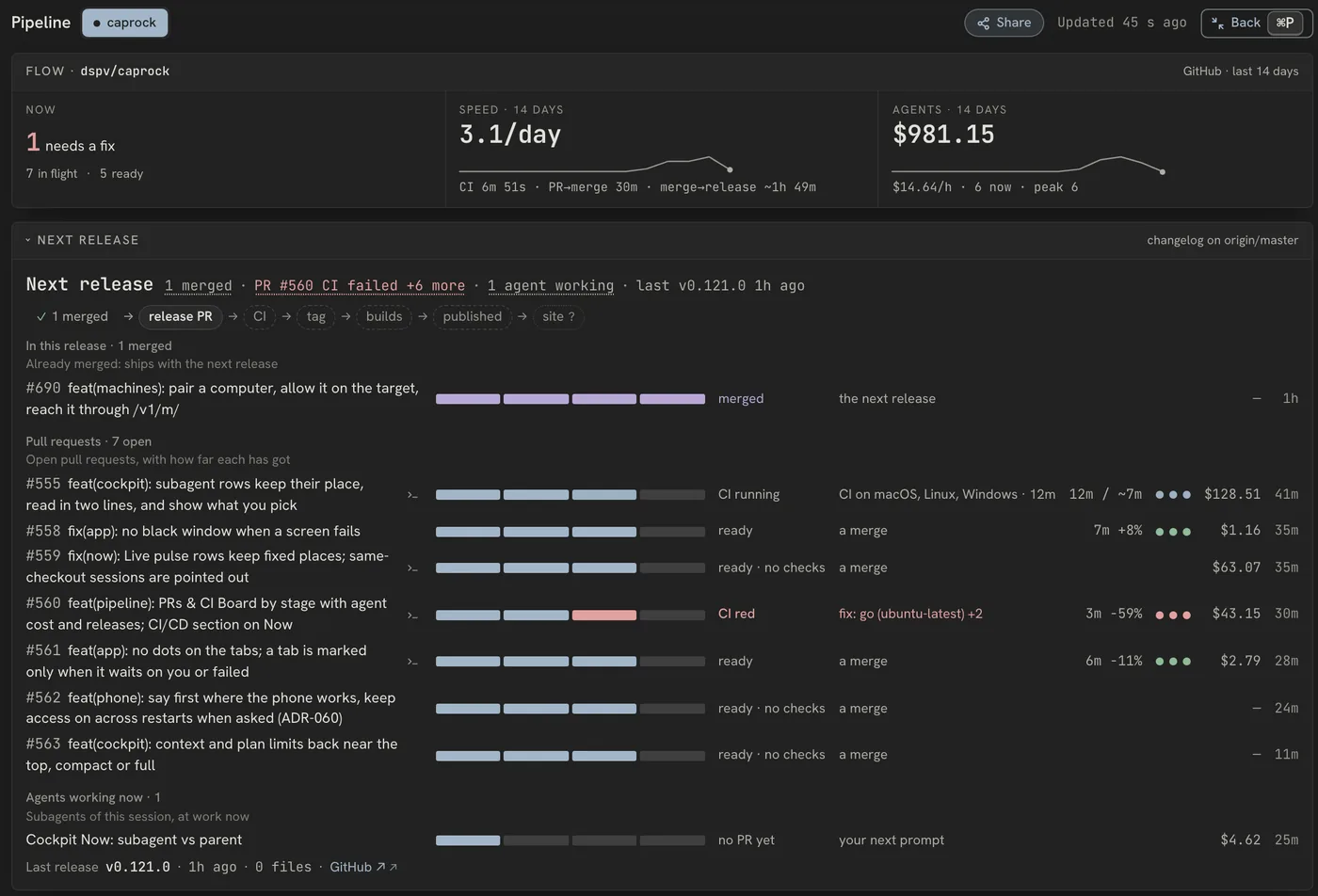
Every pull request, from agent to release
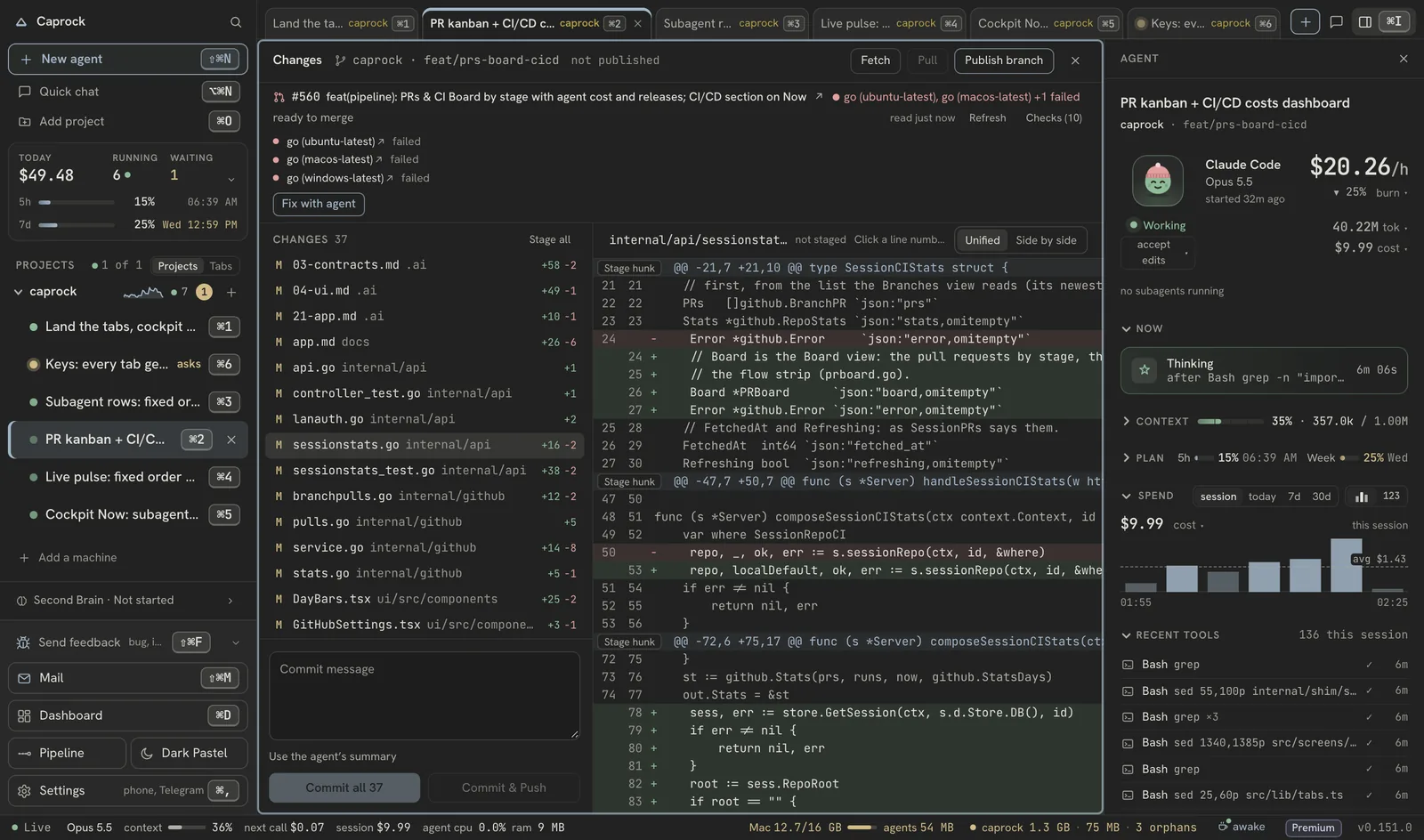
The Pipeline shows the repository's pull requests with every check per job and OS, how long they took and what the agents spent on them. A red run, a conflict or a branch behind master gets Fix CI with agent, Fix conflict with agent or Update branch from the pull request, or from its row beside the agent; the Changes view stages, commits and pushes without leaving the window.
Nothing waits on you unseen
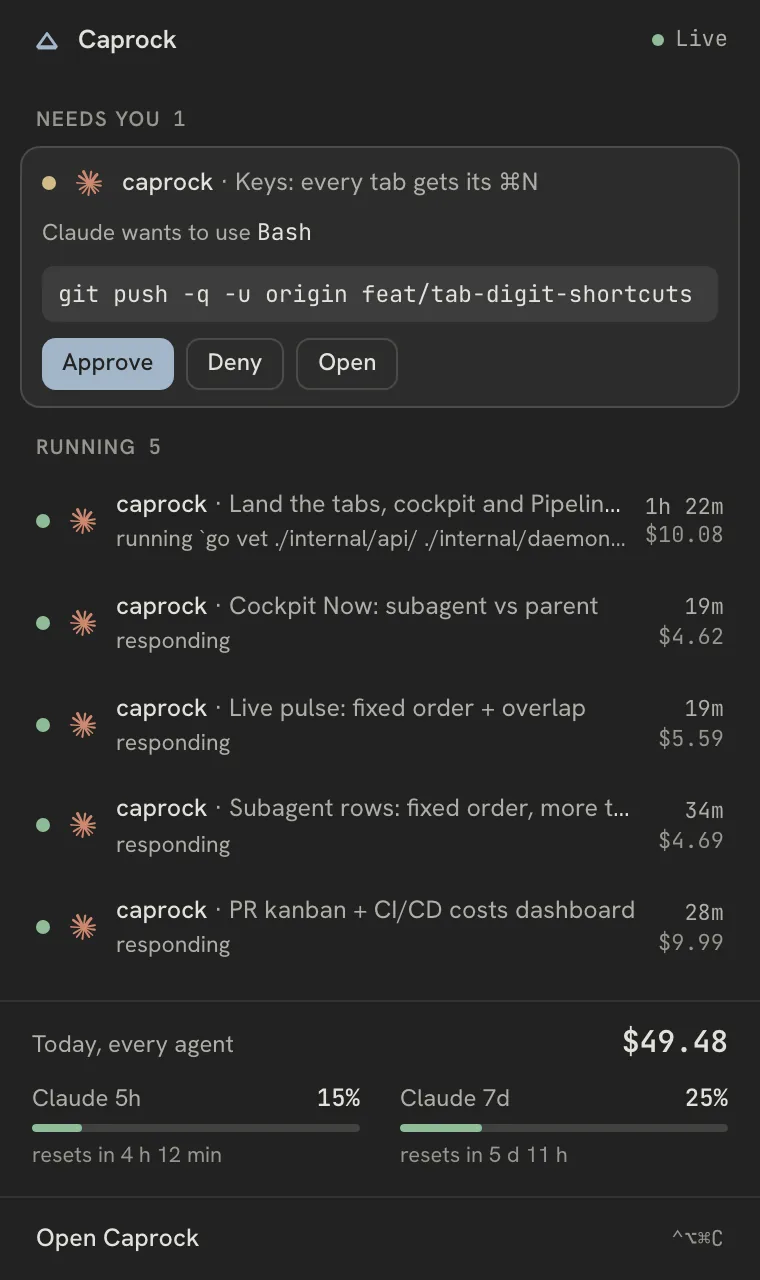
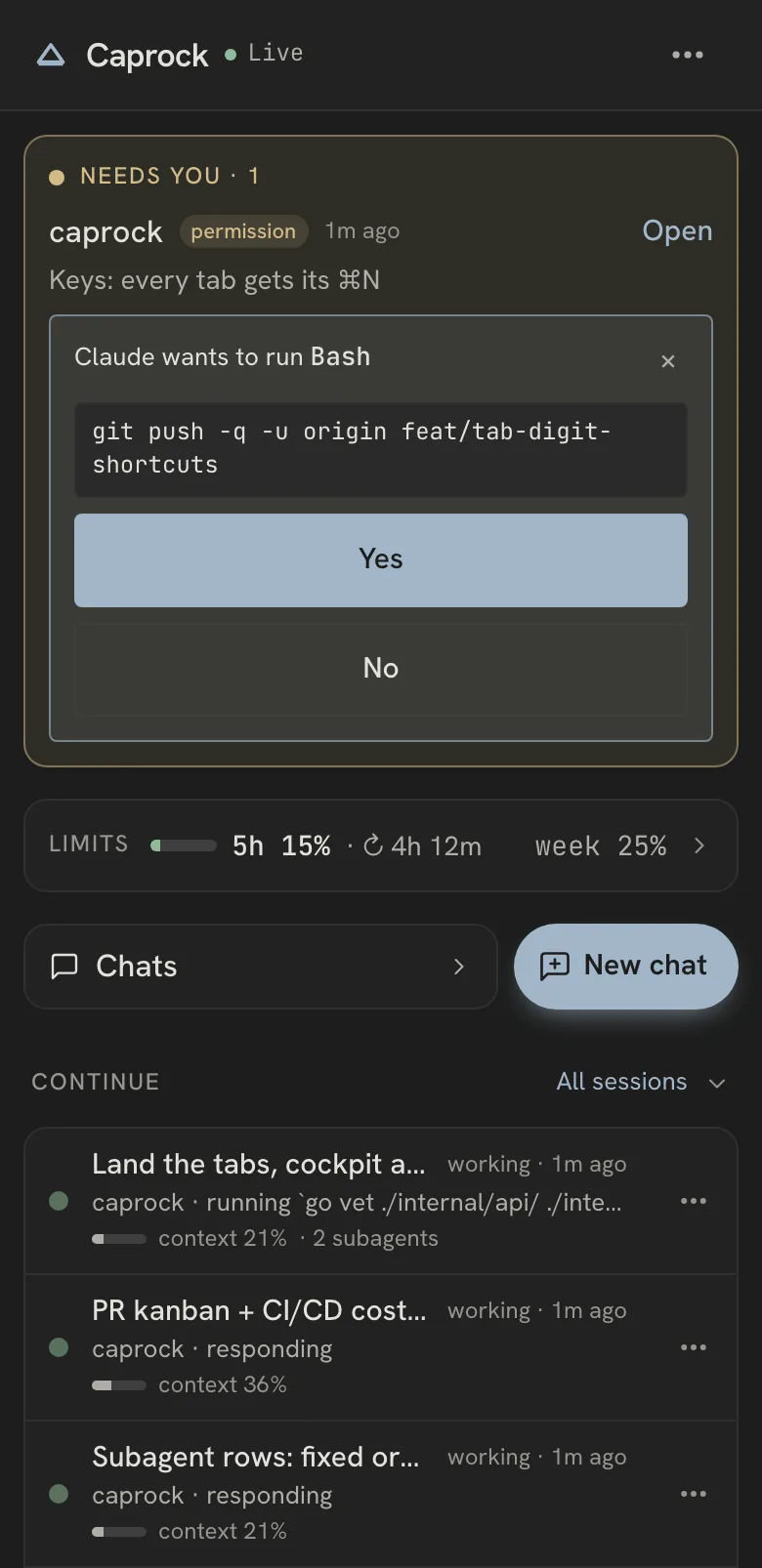
Sessions stuck on a permission prompt come first. For the ones Caprock started, answer Yes or No from the card, a notification, the menu bar or your phone. A notification carries Approve only when it shows the whole request, so you never answer a command you have not read.
Every agent in a real terminal tab
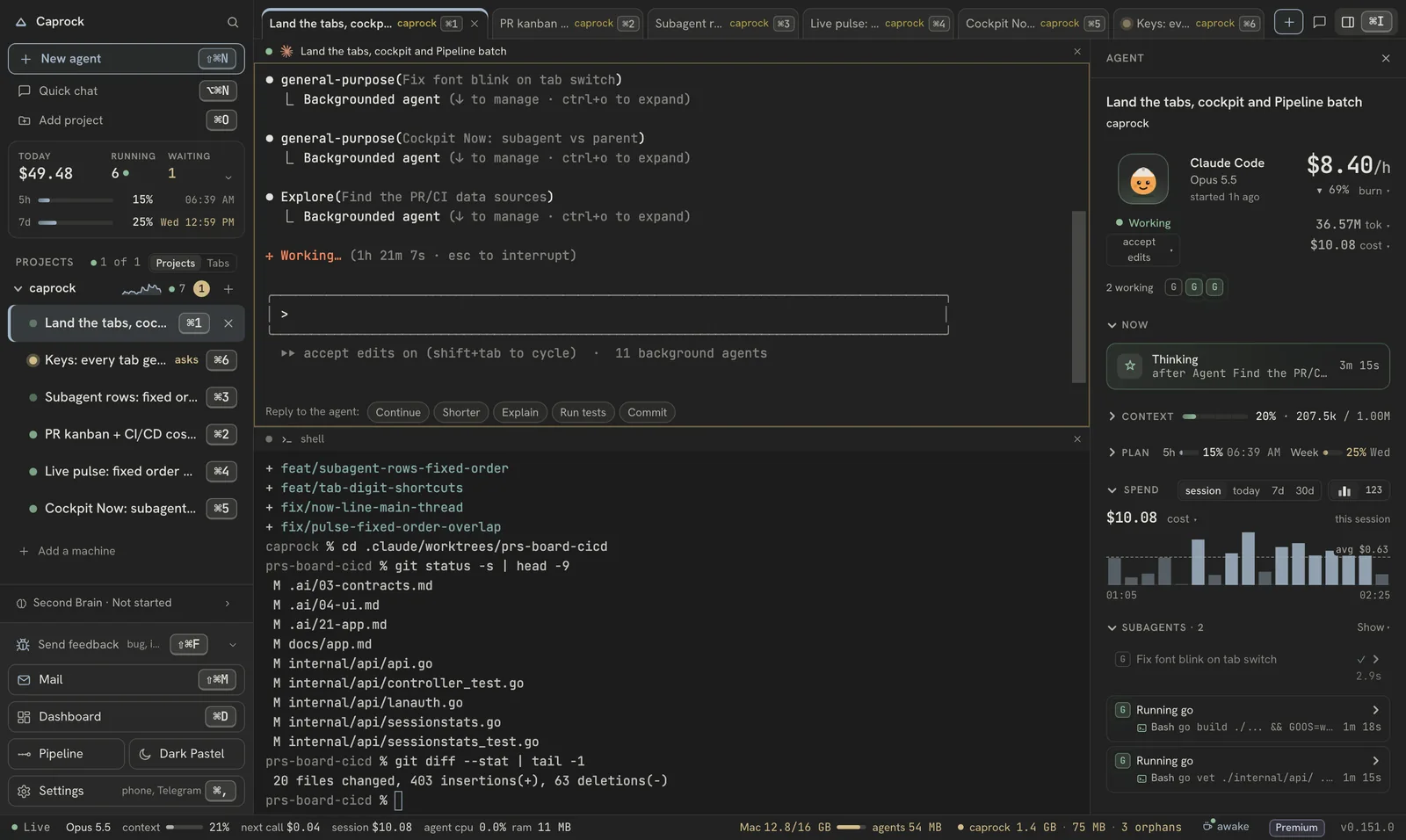
Claude Code, Codex, OpenCode and Gemini CLI in tabs and split panes, per project and per git worktree, with a shell beside them. The sessions you start in your own terminal show up too. Keep a work and a personal Claude Code or Codex account side by side and pick which one each new session runs on; three per agent are free.
What each repository costs, and how close the limit is
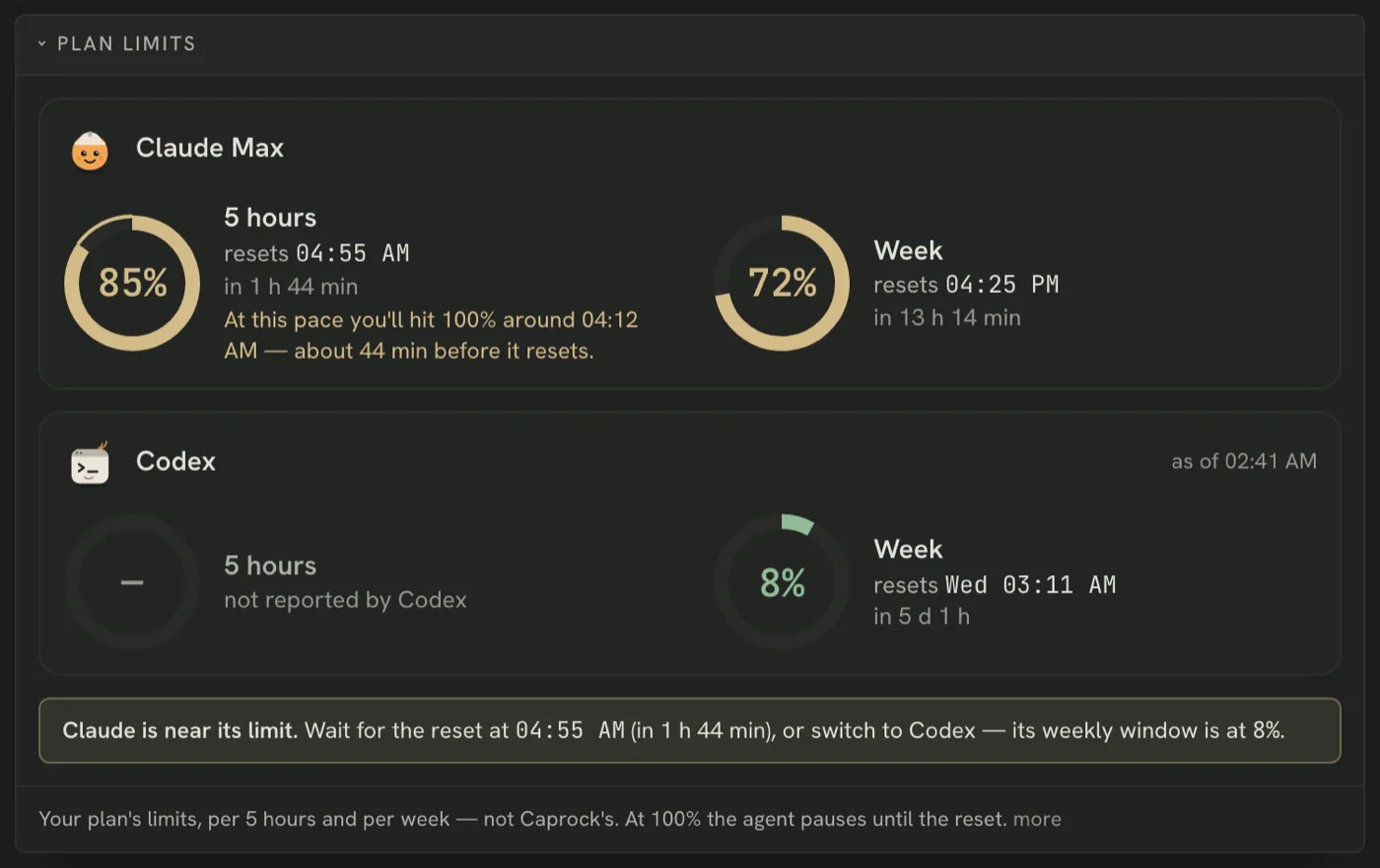
Every turn priced at API list prices, per repository and per service in a monorepo — an estimate of what the same work would cost through the API, not a bill. Your Claude and Codex plan windows sit beside it, with a warning before you hit the limit.
And the rest
- Your history, kept. Every session stays searchable after Claude Code's 30-day cleanup deletes the transcript — including what the agent wrote.
- Runaway agents caught. Loop alerts on repeated tool calls, and an opt-in task runner for Claude Code that calls a task done only when your own test commands pass.
- One card after
/clear. A/clearor a fork starts a new session id; Caprock links it to the one before, so the conversation stays one card with its earlier parts a click away. Claude itself starts that part with an empty context (details). - Bring your Obsidian notes. Import a vault into Second Brain without changing its files. Links and tags join the graph; letting agents use the notes is a separate choice, off by default (guide).
- Your agents can ask it.
caprock mcplets Claude Code, Codex or any MCP client read Second Brain, past sessions and what they wrote, cost and CI — read-only (details). - On your phone, from anywhere. Pair once with a QR code; an encrypted relay carries only ciphertext (details).
- Local. One SQLite file on your disk, loopback only. No account, no cloud, no telemetry.
In August the author ran $5,898 of Claude Code on a $200 Max plan — 29× at API list prices, and found out only because Caprock counted it.
Install
Caprock is a desktop app; under it runs a local daemon that also serves a browser dashboard, and the app bundles it.
The desktop app — macOS first, with Windows and Linux builds:
brew install --cask dspv/tap/caprock-app # macOS (universal)
Or download the newest build directly: macOS .dmg, Windows installer, Linux .AppImage, .deb or .rpm — every version is on Releases. The Mac app is signed with a Developer ID and notarized; the Windows installer is not code-signed yet, and docs/install-app.md has SmartScreen's one-time "Run anyway". What is in the window, the shortcuts and the phone: docs/app.md.
Or the daemon and its browser dashboard on their own:
# macOS / Linux
brew install dspv/tap/caprock

# Windows
scoop bucket add dspv https://github.com/dspv/scoop-bucket
scoop install caprock
# winget too, once Microsoft has merged the manifest for a release:
#   winget install dspv.caprock

caprock up        # opens localhost:22776; offers to set up hooks + plan-limit status line
Have Go? go install github.com/dspv/caprock/cmd/caprock@latest — the dashboard
is embedded, so it works with no Node build. No package manager? Grab a binary
from Releases.
Or let your coding agent install it — paste one short prompt as a new message.
The agent runs the same install script as the button on caprock.dev and leaves Claude Code's settings alone: the app asks you itself whether to connect it. What the script does, where things live and how to remove them is in docs/install-agent.md, on master, beside the code it describes. Judged by five fresh agents with no other context (2026-10-16, two Sonnet, two Haiku, one Opus; none ran anything): four would go ahead and one would ask first, all rating it 1–2 of 10 for looking like an injection, as the longer prompt it replaces did. Each said it would read the script before running it, which the prompt invites.
Install the Caprock desktop app for me. It is open source (Apache-2.0), a local
app for my Claude Code sessions: https://github.com/dspv/caprock

What the install does and how to remove it:
https://github.com/dspv/caprock/blob/master/docs/install-agent.md

I'm on macOS, so it's `curl -fsSL https://caprock.dev/mac.sh | sh` — read the
script before you run it if you like. Leave my Claude Code settings alone; the
app asks me itself. Tell me when it's open.
On Windows the command is irm https://caprock.dev/win.ps1 | iex, on Linux
curl -fsSL https://caprock.dev/linux.sh | sh.
Coming from the old Python caprock? Remove it first.
There was an earlier, unrelated Caprock on PyPI — a command-line stats tool that
read Claude Code usage from a proxy. This one is a Go binary with a dashboard and
shares nothing with it: different data, different install, same name. Remove the
old one so the two caprock commands don't shadow each other:
pipx uninstall caprock || pip uninstall -y caprock   # whichever you used
rm -rf ~/.caprock                                    # its old data
which caprock                                        # should now print nothing
Then install as above. Nothing is lost: this version reads the transcripts
Claude Code already writes, so your whole history appears on first run — no
migration, no import. (Only ~/.caprock/savings.jsonl from the old tool is
dropped; copy it elsewhere first if you want to keep those numbers.)
Run OpenCode, Codex, DeepSeek Harness, Hermes Agent or Gemini CLI too? All are shown on the same screens — OpenCode and Hermes Agent from their own databases, Codex and DeepSeek Harness from the transcripts they write, Gemini through the telemetry it writes when Caprock starts it. See OpenCode, Codex and DeepSeek Harness and Hermes Agent for what that covers and what it does not.
Caprock starts Codex, OpenCode (1 or 2, whichever opencode --version
says is installed), Gemini CLI and Hermes Agent sessions too: whichever of them
is installed appears next to Claude Code in the New Session dialog — same
terminal, same directory picker, its own filter chip — and the dialog remembers
the one you picked last. A Codex or OpenCode session started here shows its
cost and answers on the same page as its terminal, and one that has ended can
be continued with "continue here". "Continue in…" on any session starts a new
one in the agent of your choice with a summary you read first — what the agent
last said, what changed in the folder, the PRs it opened. For Gemini, install
the CLI
(npm install -g @google/gemini-cli).
With a Gemini key set (see Premium for where), Caprock passes it to
the child process. Gemini has no hooks, and the session history it keeps
for itself is not something Caprock reads; it does write OpenTelemetry, and
Caprock asks it to write that to a file it then reads
(GEMINI_TELEMETRY_OUTFILE);
what you ask it is kept there too, so the Memory screen can find a Gemini
session by your question. Starting and watching Gemini sessions is free, like
every other agent.
The desktop app
The app opens on your terminals, not on charts. The sidebar starts with today's spend and what is running and waiting; each project in it opens to its agent sessions and shells, with a dot for what every session is doing, and whatever is waiting on you sits at the top. ⌘T opens a shell, ⇧⌘N an agent, ⌘O adds, creates or clones a project. Tabs come back when you reopen it. Closing an agent's tab ends it if it is idle, its conversation kept, and asks first if it is working. An agent's tab switches between its terminal and a chat view of the same conversation.
Outside the window: the menu bar shows your plan limits, today's spend and the sessions waiting for approval; the Dock badge counts them; ⌃⌥⌘C brings the window up from anywhere. When an agent stops on a permission prompt, a macOS notification carries Approve and Deny — Approve only when the notification shows the whole request, so you never answer a command you have not read. Every dashboard screen below is inside it too.
The whole tour is in docs/app.md. Voice mode says "No audio detected from microphone"? See Voice mode and the microphone.
Your numbers, ready to publish
caprock report prints what your captured usage comes to at API list prices,
in a form you can paste somewhere. When the total includes Codex, Gemini or
DeepSeek turns, the caveat names every vendor whose list was used and the
headline stops calling it all Claude Code:
caprock report              # a block for a post
caprock report --markdown   # the same facts as a table
caprock report --json       # machine-readable
$9,704 of Claude Code at API list prices on a $200/month plan — 41.6× the fee.
Priced from captured tokens at Anthropic list prices — what the same work would
have cost through the API. Not a bill, not a discount received, and not money
back: without the plan I would not have run this much.

2026-07-19 → 2026-08-22 · 33 active days
paid $233.33 over that window · same usage at API list $9,704
59,578 turns · 57 sessions · 26 projects
99% cache hit · 89% of input cost cut by cache
15,701,665,082 tokens read from cache · 128,597 fresh input
The caveat is part of the output, on every shape, because the number is not a
bill and not money saved — it is what the same work would have cost through the
API, and it is quotable enough to be worth making hard to quote without that.
The multiple compares your usage against the plan fee for the window that was
measured, so the report also prints the fee it divided by, with cents, so the
division checks out on sight. The raw token counts sit under the cache
percentages: they are what those percentages are computed from, and they are the
half of the cache story a reader can picture. Set your plan in
the dashboard header first; with no plan stated, caprock report says so and
shows no multiple rather than guessing one.
It reads from the running daemon and only issues GETs. Numbers move as you work, so re-running it is the point — a figure you pasted last month is a figure about last month.
Is it Caprock?
caprock doctor prints what Caprock itself costs your machine — memory and
CPU of the daemon, the app and its window, and the terminal holders; the data
directory on disk; the daemon's own disk reads and writes — and flags a second
daemon, a second app, orphaned terminals and an oversized database. It works
with no daemon running and exits 1 when something is flagged. Orphaned idle
terminals and an oversized write-ahead log are cleaned up on their own, and the
report says when. Details: docs/doctor.md.
Take the record out
Every agent Caprock reads — Claude Code, Codex, OpenCode, Gemini CLI, DeepSeek, Hermes —
lands in the same tables with the same columns. caprock export writes one of
them out, for a spreadsheet, a notebook or your own warehouse:
caprock export --since 30d > events.tsv           # one row per turn and tool call
caprock export sessions --format csv --out s.csv  # one row per session
caprock export --agent codex --format jsonl       # one agent, as JSON lines
It reads the database read-only, so it works with the daemon stopped. The
columns, what each agent's source maps to, and what is deliberately left out are
in docs/schema.md. The record also outlives the agents' own:
Claude Code removes its transcripts after 30 days by default, and Caprock
keeps what it read from them.
A session you do not want counted — a test run, say — comes out with Remove
from Caprock on its page, or in bulk from the terminal. It lists first and
removes only with --yes; a removed session is never read back in:
caprock sessions rm --cwd-prefix /private/tmp/scratch        # what would go, and its cost
caprock sessions rm --cwd-prefix /private/tmp/scratch --yes  # remove them
Ask Caprock from your agents
caprock mcp is a read-only MCP server, so
the agent you are working with can look things up instead of you pasting them:
"did we decide this before?", "which session explained the SSO change?", "what
has this repository cost this week?", "is CI green?".
claude mcp add caprock -- caprock mcp      # Claude Code
codex mcp add caprock -- caproc