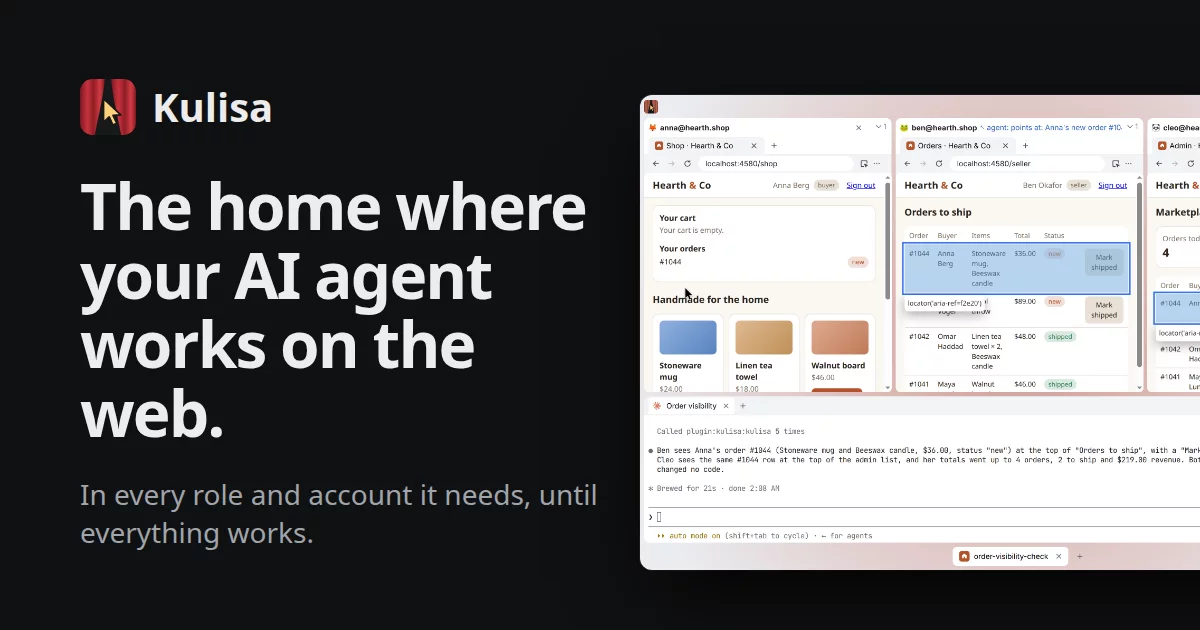
Kulisa is the home where your AI agent works on the web. In every role and account it needs, until everything works. Watch every step, or take a break.
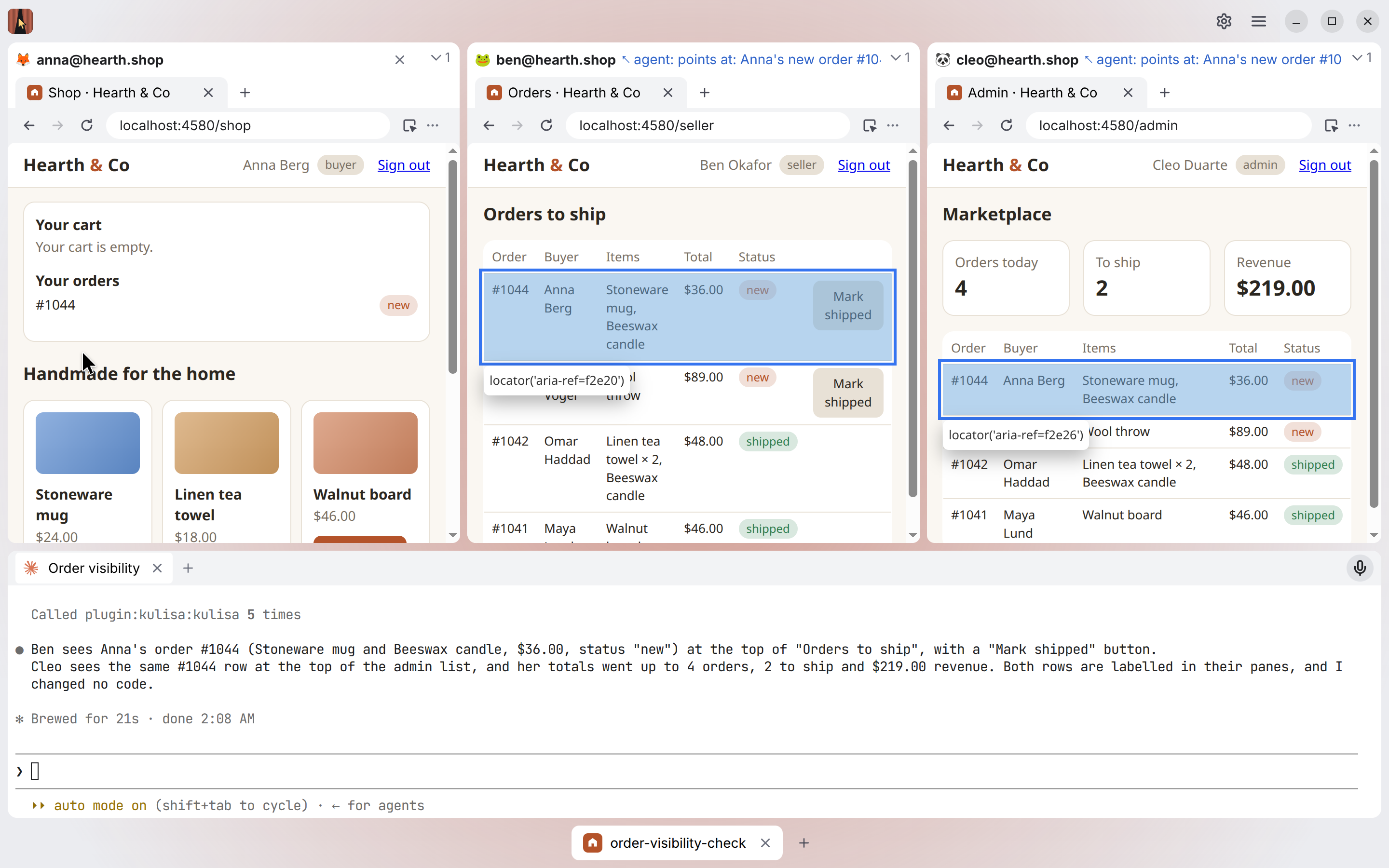
A free desktop app for Windows and Linux (macOS is coming). The AI agent you choose (Claude Code or Codex) works in your signed-in browser profiles side by side, as every user of your app: it builds, checks the result as the buyer, the seller and the admin, fixes, and goes again until it works. Made first for developing web apps with several users at once, and good for any work in web apps: several clients' accounts, admin and support work.
- A profile for each person. Each profile is a browser of its own, as in Chrome: its sign-ins, cookies and tabs. You sign in once, by hand, never the agent; every task has that sign-in, and it lasts across restarts.
- An agent you can watch. It runs in a terminal inside the window and drives the profiles through Kulisa's MCP server. Every click and keystroke it makes is marked on the page.
- Point and tell. Click Pick, then the thing on the page: an exact reference to it lands in the agent's prompt, and you write the rest.
- Several tasks at once. Each task is one piece of work: its own agent, its own branch of the code, and the project's profiles, still signed in.
- Yours, on your computer. No account and no cloud of Kulisa's own.
Download · Website · User guide
Why
A web developer builds an app where several people interact: a shop (buyer, seller, admin), a chat (Sam sends, Elon receives), any SaaS with roles. A coding agent writes the code and checks it in browsers. Without Kulisa that is a terminal, several Chrome windows (one per person, each signed in, often through corporate SSO: Microsoft Entra, Okta, GoDaddy), a mailbox for invitation emails and DevTools; the developer keeps switching windows and holds the connections in their head.
Kulisa grew out of cast, the author's Claude Code plugin with a persistent Chrome profile per person, driven through Playwright MCP: it solved the sign-ins and the control, but every person was still a window of its own. Kulisa puts them side by side in one window, the agent under them. It is not a bot and not a tool for many accounts: the human's own accounts, signed in by hand, with no getting past bot detection.
The name is the Russian кулиса, the wings of a theatre stage: the agent directs from the wings, the profiles are the actors, the panes the stage, and the developer watches from the audience and stops the scene when something is wrong.
Documentation
- Using Kulisa: the user guide on the website, also here as docs/guide.md: the systems it runs on, projects, tasks, agents, profiles, signing in, the window, keys.
- For developers:
- docs/profiles.md, docs/tasks.md, docs/window.md, docs/transcripts.md, docs/ui.md: how it works and why it is built so;
- docs/packages.md: Kulisa packages, parts of Kulisa in folders of their own (the terminal);
- what is planned and the open bugs: GitHub issues;
- docs/testing.md and CONTRIBUTING.md: the tests, contributing.
Run
Requirements: Node 24.12+ (the code runs from source by its type stripping), npm 11, git. Linux: a compiler
(npm install builds node-pty for Electron; macOS and Windows load its prebuilt binary), sudo apt install xvfb openbox for the tests on a screen of their own, rpm for the .rpm. Windows: the Microsoft Visual C++
Redistributable (winget install Microsoft.VCRedist.2015+.x64), which Electron's download and knip load. npm 11 runs
a dependency's install script only when allowScripts in package.json lists it (npm install-scripts approve <pkg>);
approving node-pty builds it for Node: npm run postinstall after that builds it for Electron.
npm install           # the dependencies; node-pty built for Electron on Linux (scripts/postinstall.ts)
npm start             # builds the window, then opens the windows and tasks open last; at first start the welcome, then New Project
npm run build         # type checks (tsc), then the window built by Vite into dist/renderer
npm run watch         # the window built again on every change; reload it (Ctrl+R in its DevTools) or restart
npm test              # unit tests, knip, ESLint, actionlint (when installed), then the e2e tests on Playwright Test,
                      # the real app against a local test site (docs/testing.md)
npm run test:unit     # the unit tests alone, plain Node, a few seconds
npm run test:visible  # the e2e tests on your screen, to watch them
npm run lint          # ESLint (docs/testing.md, Lint), then npm run deps
npm run deps          # dependency-cruiser: no import against the layers, no cycle (docs/testing.md, Layers)
npm run knip          # no file, export or dependency that nothing uses (docs/testing.md, Dead code)
npm run package       # the app for this platform, in out/
npm run make          # installers for this platform, in out/make/ (.deb and .rpm, .exe, .dmg and .zip)
npm run publish       # the same, into a draft release on GitHub (GITHUB_TOKEN); the CI does it on a merge into main
npm run icons         # after changing assets/icon.svg: icon.png, .ico, .icns next to it (committed)
npm version <patch|minor> --no-git-tag-version   # a release's version (AGENTS.md, Releases); the plugin manifest's follows (scripts/version.ts)
Kulisa's tests run on Ubuntu, Windows and macOS at every pull request; macOS is for development so far (from source,
or built unsigned on one's own Mac); Windows is less tried by hand (#194). Installers are built by
Electron Forge (forge.config.ts), each on its own platform (releases.md). On Linux npm start
and npm test run Electron with --no-sandbox (chrome-sandbox in node_modules is not setuid); the .deb installs
it setuid, so the installed app is sandboxed.
Kulisa keeps its data (projects, profiles with their sign-ins, settings) in ~/.config/Kulisa on Linux,
~/Library/Application Support/Kulisa on macOS, %APPDATA%\Kulisa on Windows (docs/tasks.md, What is on the
computer).
| Variable | Effect |
|---|---|
KULISA_PROJECT |
The project in this folder (added if new): its task shown last opened, or a new one |
KULISA_AGENT |
One agent command for every task, without asking (e.g. a CLI Kulisa does not know). It gets no Claude Code plugin; its environment has its task's MCP URL as KULISA_MCP_URL, with KULISA_URL and KULISA_TASK |
KULISA_SIGNIN_HOSTS |
More sign-in hosts for the automatic sign-in pause, comma-separated |
KULISA_DATA |
Data folder instead of the one above (e.g. to try a build next to your real one: one Kulisa runs per data folder, a second on the same one shows the first's window) |
KULISA_MCP_PORT |
MCP server port (default 4450; 0 picks a free one) |
KULISA_QUIT |
Only ask the Kulisa running on the same data folder to quit, its tabs and sign-ins saved as at SIGINT, which Windows does not have (npm start's Ctrl+C there; run-kulisa's kulisa.sh stop) |
KULISA_SCREENSHOTS |
The folder the human's screenshots go to, instead of the OS's own folder of screenshots (the tests' own) |
KULISA_GITHUB |
GitHub's address instead of github.com, its API under /api (the tests' own: their fake GitHub; src/github) |
KULISA_SHOT |
Save a screenshot of the whole window to this PNG file ~4 s after start (KULISA_SHOT_DELAY, ms) |
Developing with an agent
Start with AGENTS.md: the shared rules for Codex and Claude Code, including worktrees and pull requests.
Each directory's AGENTS.md holds its local rules; CLAUDE.md imports the adjacent file for Claude Code.
Development skills live in .agents/skills/, with Claude Code entrypoints in .claude/skills/.
Testing covers completion checks, code analysis and Claude Code's optional LSP setup and Stop hook.
Code
| Folder | What |
|---|---|
src/main/ |
the Electron main process: profiles, tasks, agents, the MCP server, the windows; index.ts starts it |
src/renderer/ |
the window's UI: React and shadcn/ui (Radix, Tailwind) in TypeScript, built by Vite (vite.config.mts) into dist/renderer (not in git) |
src/preload/ |
the window's bridge to the main process |
src/shared/ |
what the main process and the window both import: the shapes and channels they send, names, Result |
src/agent/ |
what Kulisa gives the agents: the profiles skill, Claude Code's plugin |
src/terminal/ |
the terminal, a Kulisa package: both its halves, its channels, its doc (docs/packages.md) |
src/github/ |
the GitHub accounts, a Kulisa package (docs/packages.md) |
src/activity-monitor/ |
what Kulisa takes on the computer, a Kulisa package (docs/packages.md) |
src/dictation/ |
speaking to the agent instead of typing, a Kulisa package (docs/packages.md) |
src/screenshots/ |
a picture of a profile's page, a Kulisa package (docs/packages.md) |
test/ |
unit tests, the e2e tests (test/e2e/), the test site (docs/testing.md) |
scripts/ |
electron.ts (npm start: Electron, --no-sandbox on Linux only), postinstall.ts (node-pty for Electron), icons.ts (npm run icons), version.ts (Claude Code's plugin manifest's version from package.json's, at npm version) |
assets/ |
the app icon: icon.svg and what each OS needs, rendered from it |
docs/ |
how it works and why (Documentation, above) |
.agents/ |
shared development skills for running and debugging Kulisa |
.claude/ |
Claude Code entrypoints to the shared skills, the Stop hook and the kulisa-dev plugin |
.github/workflows/ |
the CI: the tests at every pull request, the release on a merge into main |
At the root, the tools' configs: forge.config.ts (packaging), vite.config.mts, tsconfig.json,
eslint.config.ts, knip.jsonc, .dependency-cruiser.ts (the layers). Each part's files are in its doc: "The code",
its last section, of docs/profiles.md, docs/tasks.md, docs/window.md and docs/transcripts.md; the UI's at the top of
docs/ui.md, the tests' in docs/testing.md, a Kulisa package's in its README.md. The experiments behind the design
(E1–E8): git, commit 9fe8661.
License
Kulisa is free software: Copyright (C) 2026 Orudzhali Nagaev, licensed under the GNU General Public License, version 3 or (at your option) any later version (LICENSE). It comes with no warranty.
- Free. Kulisa is free to use, at home and at work, and the app on your computer stays free. You pay only for the agent you choose (Claude Code, Codex). Paid services may come one day, only for what costs money to run (a cloud service), never for what runs on your computer.
- Forks are welcome: you may change Kulisa, share it and even charge for copies, but whoever gets your version gets its source under the same license, free to share on. No one can close the code.
- The name and the logo are not covered by the license: a fork must be called otherwise and not look like the official Kulisa.
What the license covers and what it does not (agents, their plugins, MCP servers, services): docs/LICENSING.md. Contributing: CONTRIBUTING.md.