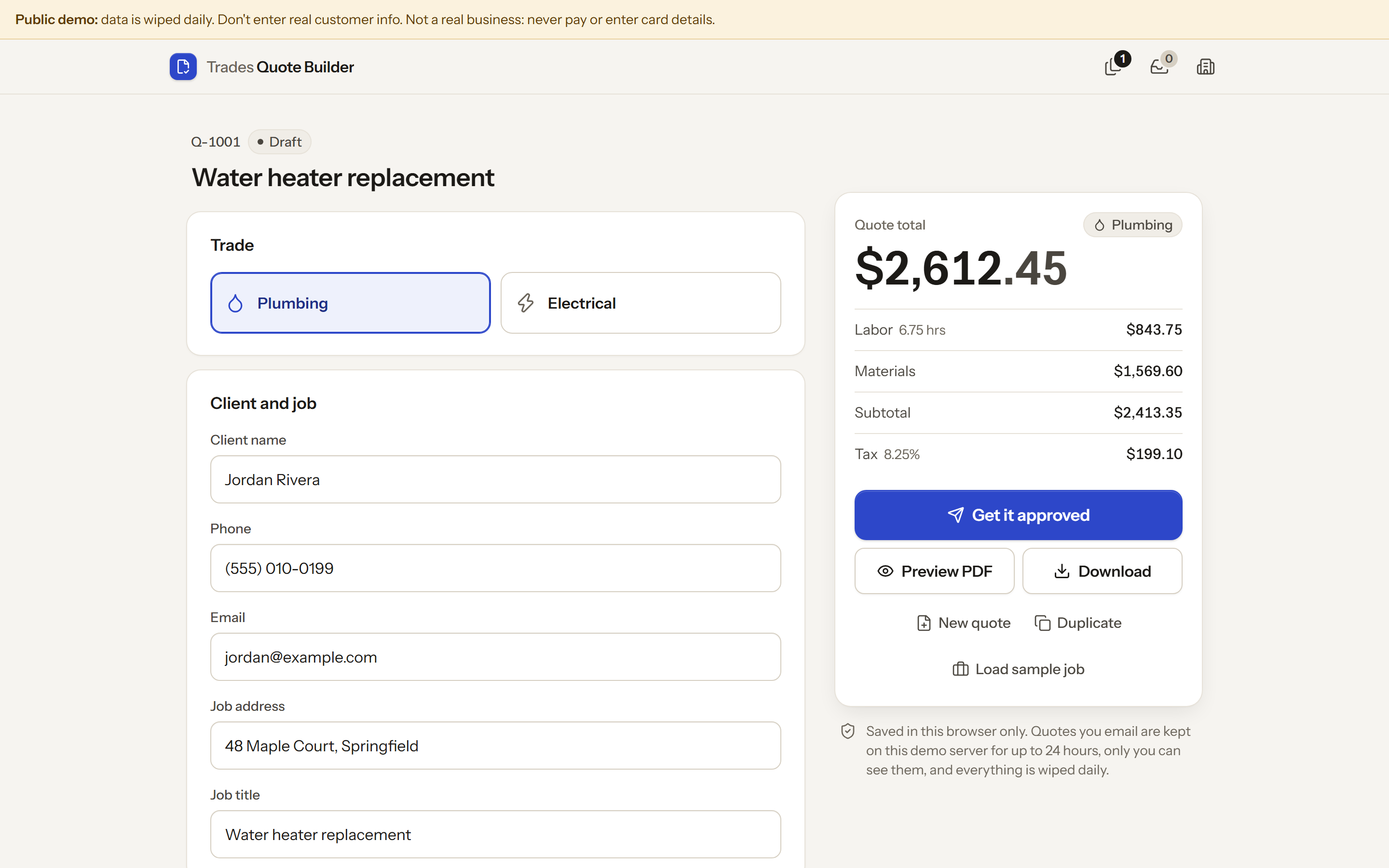
Build a professional plumbing or electrical quote in under a minute, download a branded PDF, and get it approved two ways: the customer signs on the spot, or you email it with a private "Review & approve" link and automatic follow-ups. No accounts. Quotes are saved in the browser; emailed quotes are also stored on this app's own server so the customer can open the link.
Built by a KrewBots agent. Free and open source under the MIT licence.
Run it
npm start            # http://localhost:4174   (PORT=5000 npm start to change)
npm run demo         # same, in demo mode: labelled mock Outbox + demo clock
No install step is needed to run the app (Node 20+ only). Click Load sample
job to fill in a fictional business and client for demos. Use
npm run demo to try the email flow without sending anything: emails land in
the Outbox (marked "Demo · mock, not really sent") and the Demo clock
(+1 / +2 days) moves the server's clock so follow-ups fire straight away.
No real email is sent by default. Out of the box (npm start) email is off
and the app says so. npm run demo uses the mock Outbox. Real sending needs
the environment variables below, including an allowlist of recipients.
What it does
- Job to quote. Pick Plumbing or Electrical, enter the client, then add line items from the built-in price book (46 common jobs, each with labor hours and materials cost). Edit any price in Price book > Edit prices or add custom items; edits are saved on this device. Set labor rate, materials markup, sales tax (on everything or materials only) and validity. Totals update live.
- Describe the job. Type what the customer needs ("6 can lights and a GFCI in the bathroom") and matching price-book items are suggested by local keyword matching, including quantities. No AI API is called.
- Branded PDF. Business name, uploaded logo, license number, client, line
items, totals, terms and valid-until date, generated in the browser by a
small dependency-free PDF writer (
public/lib/pdf-writer.js, standard Helvetica, US Letter). Preview PDF shows the same layout on screen. - Approve on site. Get it approved > Approve on site opens
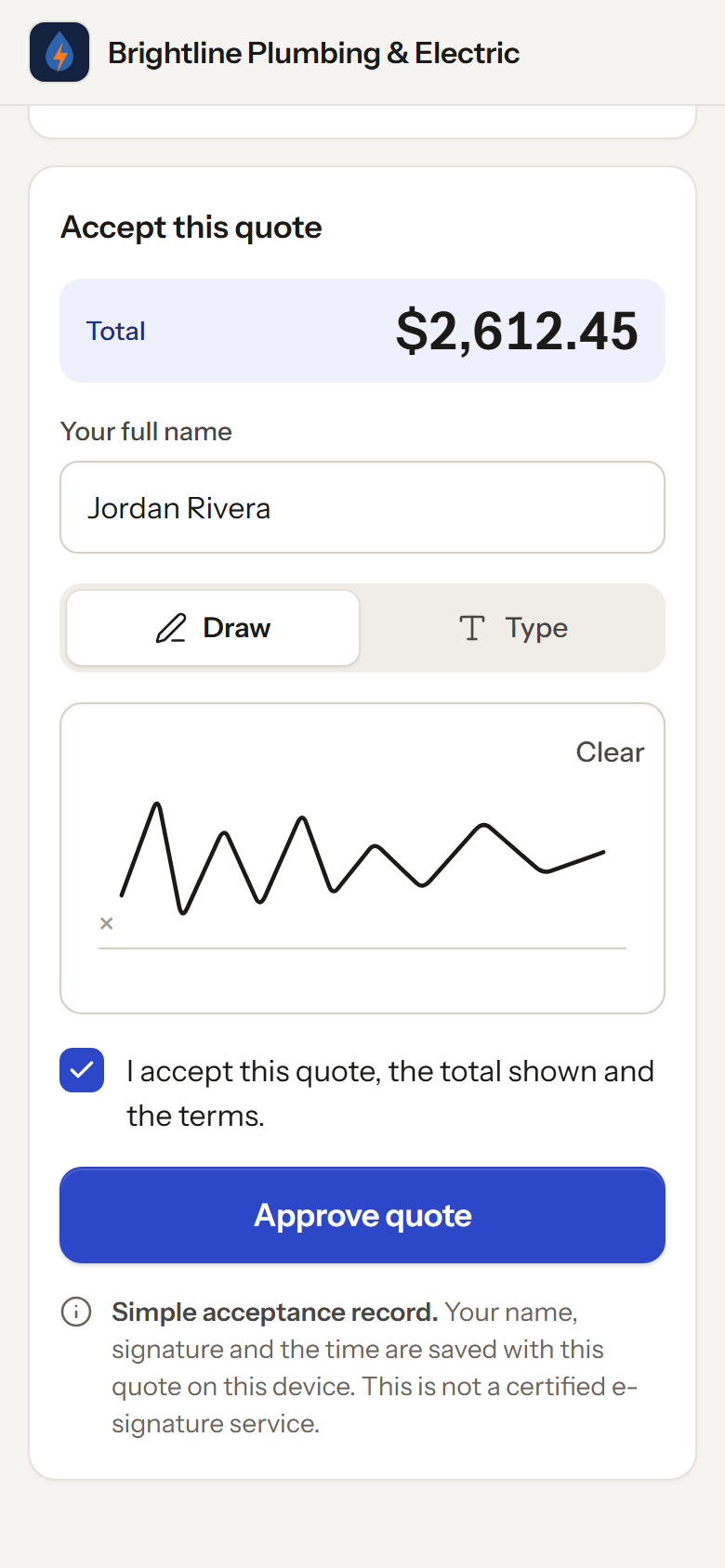
/approve/<id>on the same device: the customer reviews the quote, draws or types a signature, ticks acceptance and approves. The quote flips to Approved with a timestamp, is locked, and a signed PDF can be downloaded. The quote is read from this browser's storage, so this page only opens on the device that created it. - Email to customer. Get it approved > Email to customer sends a
branded email with the quote summary, the PDF attached and a Review &
approve button. The link is
/review/<id>/<token>on this server: a 256-bit random token (only its SHA-256 hash is stored, compared in constant time) that stops working after the quote's valid-until date. The customer can approve (draw or type a signature) or decline. The builder polls the server and flips to Approved or Declined with the timestamp. - Automatic follow-ups. Reminders at 2 and 5 days by default, editable per quote, on/off per quote. They stop immediately when the customer approves or declines, and are never scheduled past the valid-until date. If several are overdue (server was off), only the latest is sent. The quote list shows "Follow-up sent
Approvals in both modes are a simple acceptance record, not a certified e-signature service.
Email setup
With no provider configured, the email tab says "Email isn't set up" and nothing is sent or faked. Configure the server with environment variables:
| Variable | |
|---|---|
TQB_EMAIL_PROVIDER |
resend or smtp |
TQB_EMAIL_FROM |
e.g. Brightline Quotes <quotes@example.com> |
RESEND_API_KEY |
for Resend |
SMTP_HOST, SMTP_PORT, SMTP_USER, SMTP_PASS, SMTP_SECURE |
for SMTP (SMTP_SECURE=true for port 465; otherwise STARTTLS is required) |
TQB_EMAIL_ALLOWLIST |
required: comma-separated addresses real emails may go to. Any other recipient is refused. |
TQB_PUBLIC_URL |
base URL used in review links (default: the address you opened the app on) |
TQB_DATA_DIR |
where emailed quotes are stored (default data/, git-ignored) |
The allowlist guard is deliberate for this build: real sends only reach allowlisted test inboxes. Customers on other devices can only open review links if this server is reachable from their device; public hosting is out of scope.
Privacy and security
- Quotes, business details and the price book live in your browser's
localStorage(tqb.*). They never leave the device unless you email a quote. - Emailed quotes are stored on your own quote server (the machine running
server.mjs, indata/quotes.json) and nowhere else, so customers can open them: the quote snapshot, the recipient, signature and follow-up log. Review tokens and the builder's owner key are stored only as hashes. The demo Outbox keeps a copy of each mock email (demo mode only). server.mjsservespublic/with a strict CSP:default-src 'self',connect-src 'self', no inline scripts or styles, no form posts. The Outbox email preview is a separate sandboxed document with no scripts at all.- State-changing API calls reject cross-site requests; owner endpoints need the per-quote owner key the builder received when it first emailed the quote.
- Fonts (Instrument Sans, Caveat; SIL OFL, licences in
public/fonts/, see THIRD_PARTY_NOTICES.md) are bundled. Nothing loads from a CDN. No analytics or tracking. - Don't put a normal instance on the public internet. For a public demo, use the public demo mode below.
Public demo mode (DEMO_MODE=1)
For running an open demo on the internet (the Dockerfile and railway.json
set it up). On top of demo mode:
- No real email, ever. Every email setting (
TQB_EMAIL_*,RESEND_API_KEY,SMTP_*) is ignored. Mail only goes to the mock Outbox, and each visitor's Outbox only shows the emails their own browser sent (a random session cookie). - Rate limits per client IP: 240 requests/min, 20 writes/5 min, and 20
wrong review links or owner keys per 10 min (then even right ones wait). There
is also a global cap of 600 writes/hour. Over a limit, the API answers 429 (or 503 for the
global cap) with "The demo is busy right now", plus
Retry-After. The client IP comes from the header the platform's edge sets (TQB_CLIENT_IP_HEADER; on RailwayX-Real-IPautomatically, since Railway doesn't append toX-Forwarded-For). Otherwise it is the right-mostX-Forwarded-Forentry (one trusted proxy hop,TQB_TRUST_PROXY_HOPS), and entries to its left are ignored. - Caps: 1 MB request body, 1 MB logo file, JPEG images at most 400 KB and 2000 px a side, 50 line items. The store is in memory only: 300 quotes, 300 mock emails, 50 MB total, oldest deleted first.
- Data lifecycle: everything is wiped on start and daily at 04:00 UTC. Review links stop working 24 hours after sending. The demo clock goes at most 30 days ahead.
- Content: a "Public demo: data is wiped daily" banner on every page;
robots.txtdisallows all crawling, andX-Robots-Tag: noindex, nofollowplus a noindex meta tag are on every page. User text is always escaped, and the only link in an email is the server's own review link (fromTQB_PUBLIC_URLorRAILWAY_PUBLIC_DOMAIN, never the request'sHostheader). - Ops:
/health, HSTS behind HTTPS,X-Frame-Options: DENY, request/header timeouts, bounded connections, graceful shutdown on SIGTERM, and errors that never reveal details. Logs never contain user data.
DEMO_MODE=1 npm start
docker build -t trades-quote-builder . && docker run -p 8080:8080 trades-quote-builder   # runs as the non-root node user
Tests
npm ci                              # dev dependency: Playwright
npx playwright install chromium     # once
npm test             # unit: pricing math, price book, PDF, tokens, follow-ups, mailer (mocked HTTP/SMTP), API, public demo lock
npm run test:e2e     # Chromium 390px/1440px: on-site + emailed approval, follow-ups, 1080x1920 frames, public demo
npm run test:all
SCREENSHOT_DIR=/some/folder npm run test:e2e   # where screenshots and PDFs are saved (default test-results/, git-ignored)
Screenshots and PDFs are written once, after the suite finishes. If one is open in another program (for example an image viewer), it is listed in a warning instead of failing the run; close it and run again to refresh that file.
The end-to-end suite runs the sample job through quote, PDF download (checks it is a valid PDF with the expected totals), signing (drawn at 390px, typed at 1440px), Approved with timestamp and the signed PDF. It fails on any console error or any request that leaves the page's own origin.
Files
server.mjs              static server + CSP, /approve/<id> and /review/<id>/<token> routes
public/index.html       quote builder        public/app.js
public/approve.html     customer approval    public/approve.js
public/styles.css       job-site look (navy, hi-vis orange, condensed type)
public/lib/pricing.js   quote math (cents rounding)
public/lib/pricebook.js price book + keyword suggestions
public/lib/pdf-writer.js, quote-pdf.js   PDF generation
public/lib/paper.js     HTML preview of the PDF layout
public/lib/model.js, store.js, browser.js   data shapes, storage, signature pad
public/review.html      emailed review link  public/review.js
server/api.js           quote API: email, review, approve/decline, outbox, demo clock
server/store.js, tokens.js, followups.js, mailer.js, email-templates.js
server/public-demo.js   DEMO_MODE=1 lock: limits, rate limiting, visitor sessions, banner, daily wipe
Dockerfile, railway.json   public demo container (non-root, one replica, /health check)
Licence
MIT, see LICENSE. Bundled fonts are under the SIL Open Font License; see THIRD_PARTY_NOTICES.md.