
Lexicora — Capture, Structure, Retrieve Knowledge Instantly
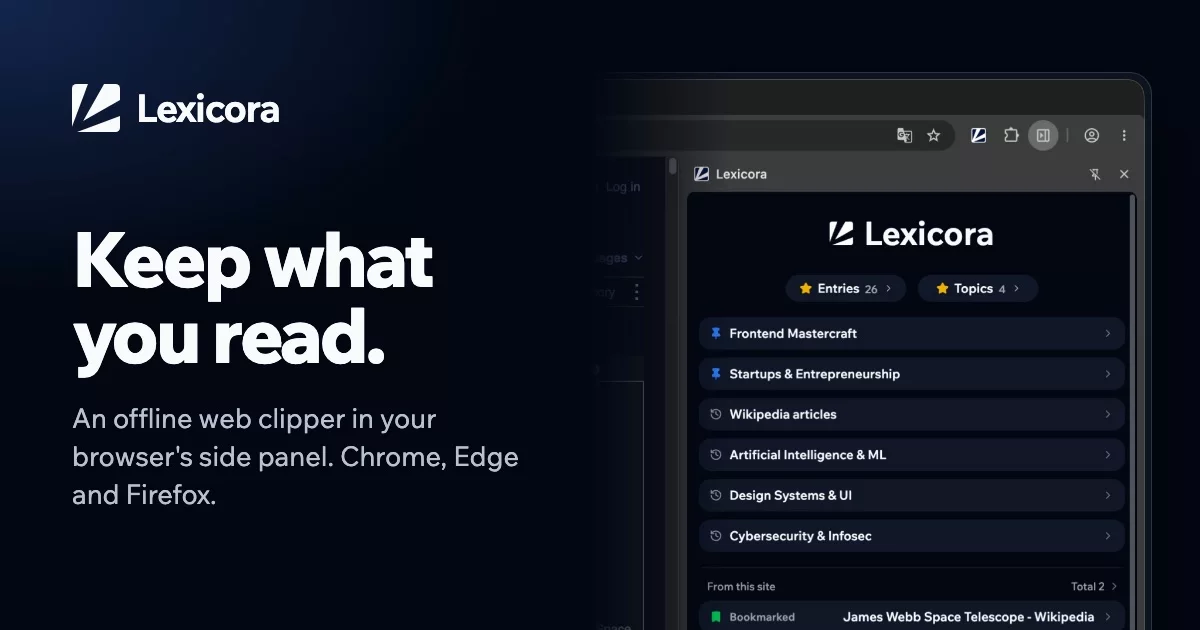
A browser-first knowledge capture and retrieval tool for developers, students, and AI-heavy users.
Lexicora is built for people who consume large amounts of information on the web. It focuses on fast capture, clear structure, and instant retrieval — without forcing users into complex workspaces, deep nesting, or heavy manual organization.
It is intentionally opinionated: not a general-purpose note-taking app, not a workspace OS, not a social platform. It is a tool — optimized for turning web content into usable, searchable knowledge with minimal friction.
Install
More about Lexicora on the website.
Screenshots
More screenshots
The Problem
Most valuable knowledge today lives in AI chat conversations, documentation sites, blogs, and Wikipedia — scattered across tabs, sessions, and tools. Once consumed, it is usually lost, buried, or extremely hard to retrieve later.
Lexicora solves this by letting users:
- capture web content directly from the browser
- clean and structure it automatically
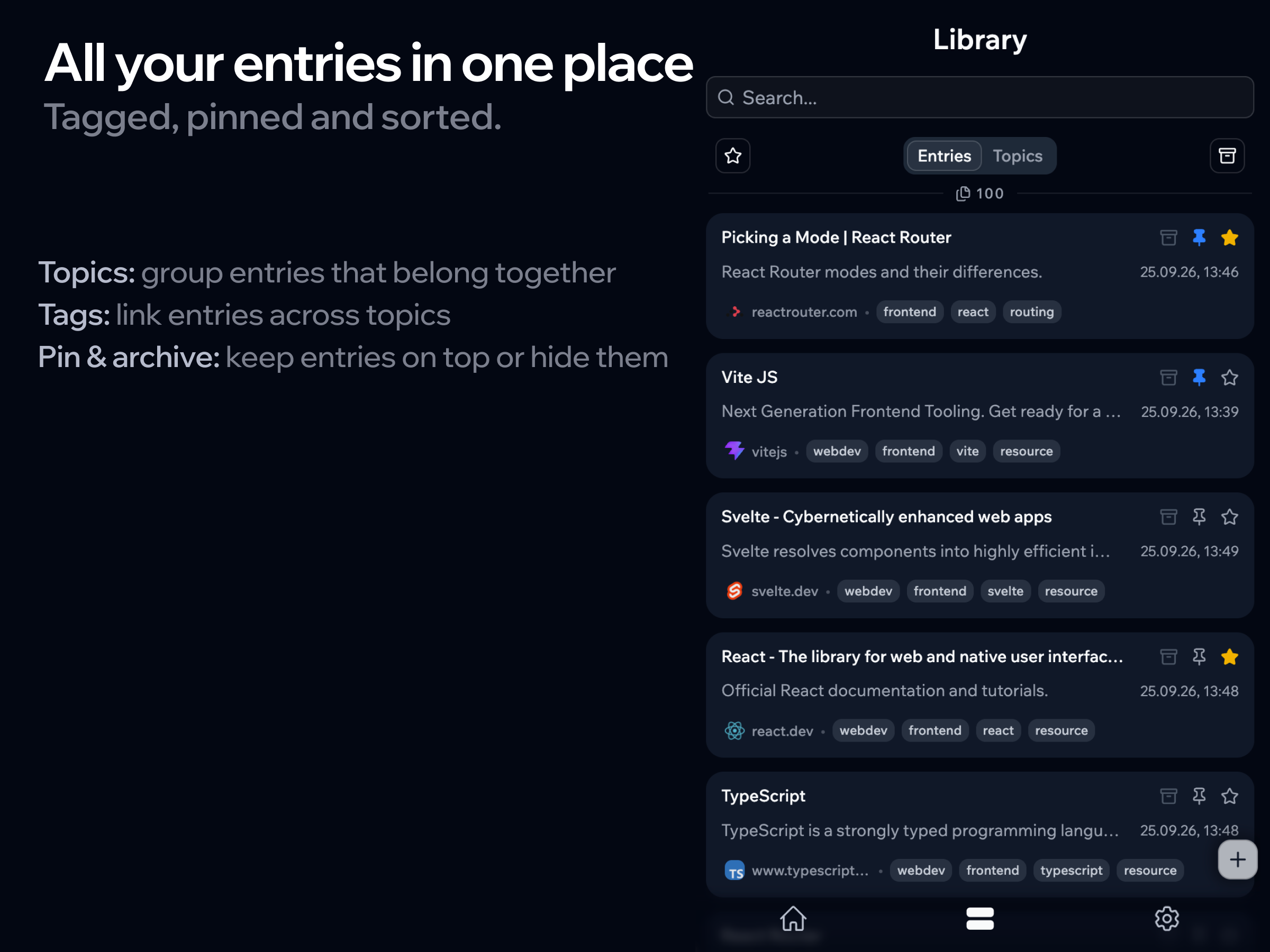
- store it in a fast, searchable local knowledge base
- retrieve it instantly when needed
All without changing how they already browse or use AI tools.
How It Works
- Browse the web — AI chats, docs, articles, wikis, anywhere
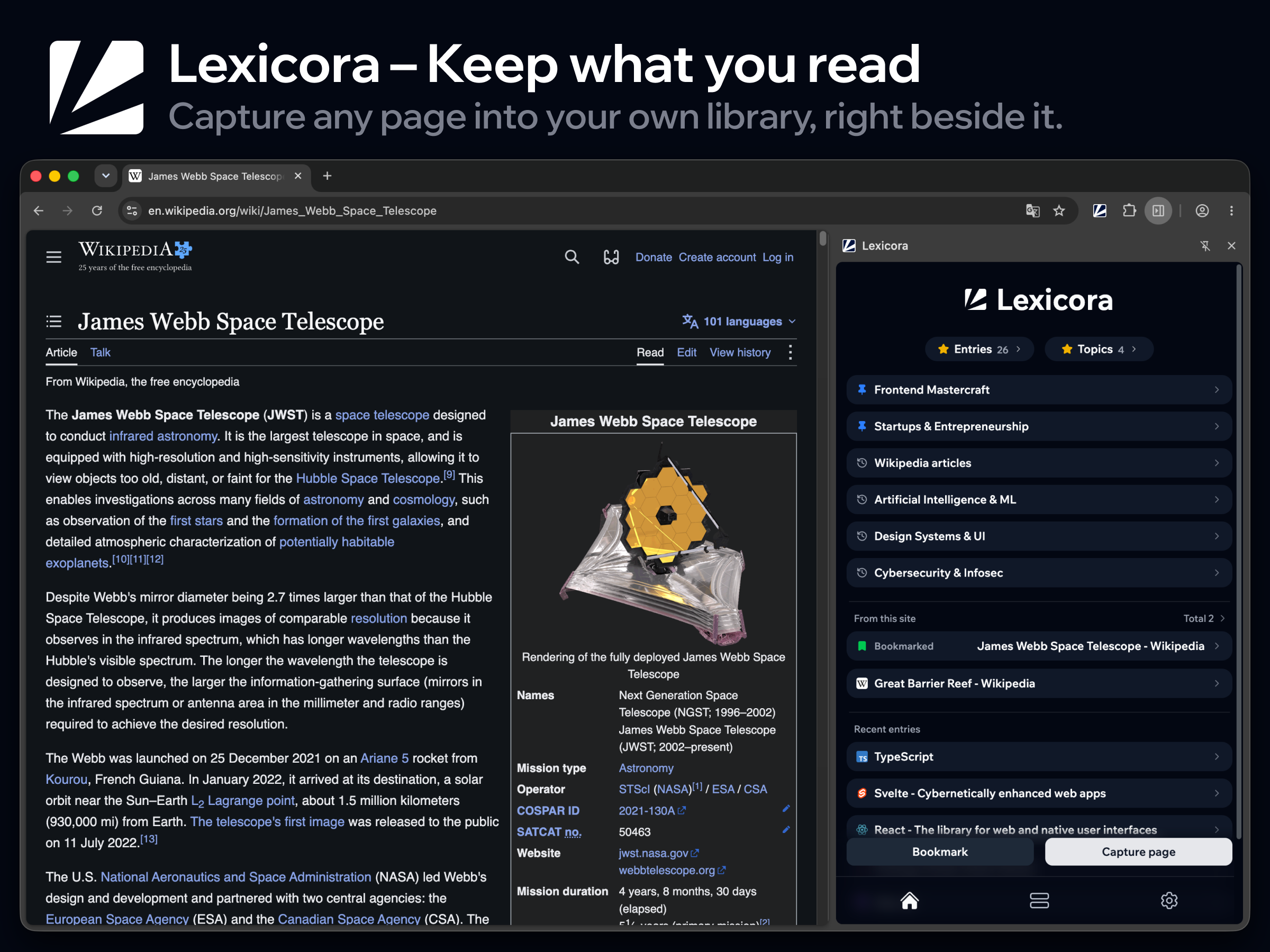
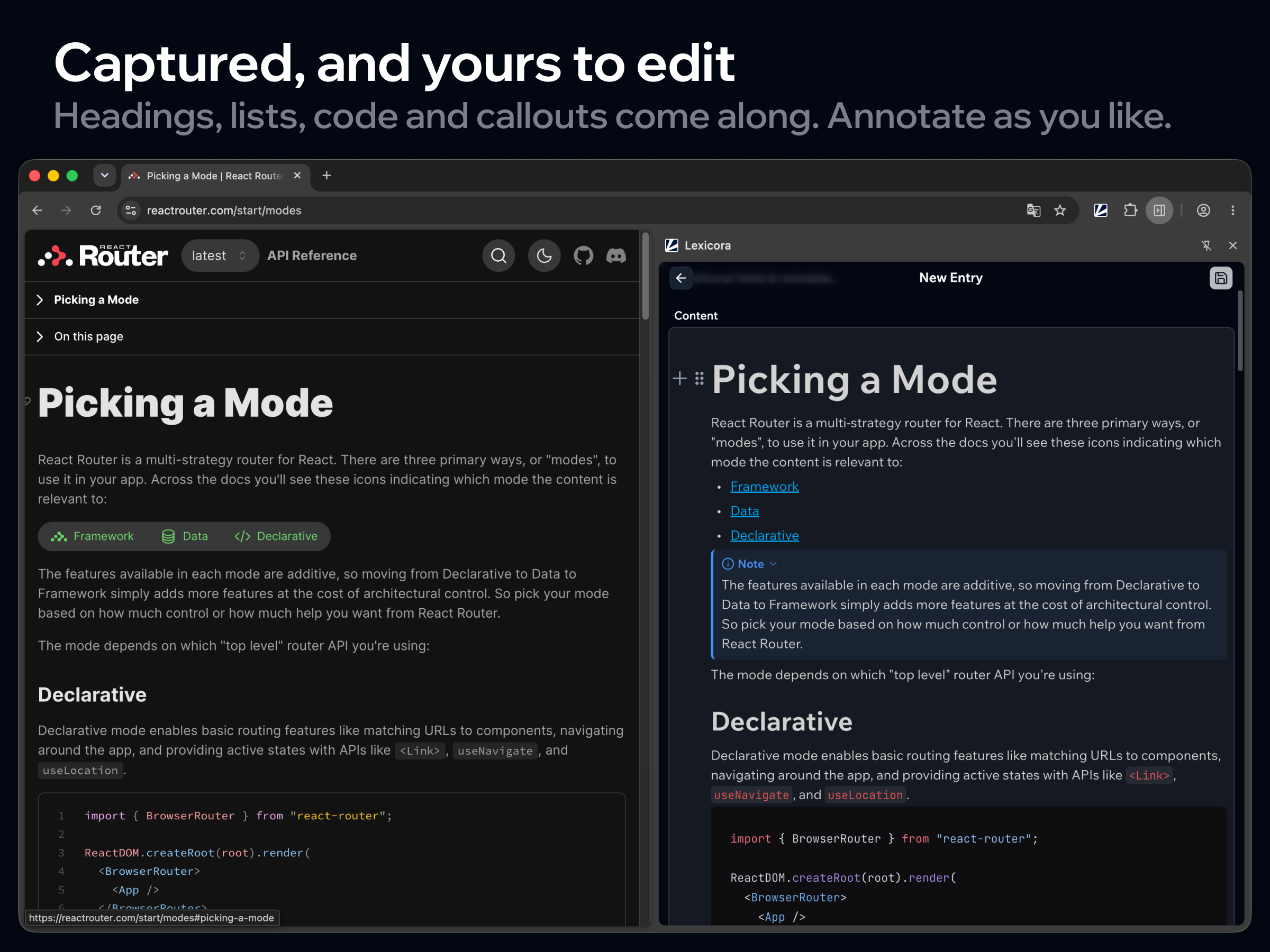
- Capture the page, just the text you selected, or a bookmark of it — from the side panel, the toolbar popup, the right-click menu or a keyboard shortcut. After a while on a page, Lexicora can also suggest capturing it, and accepting opens the side panel (Chrome and Edge)
- Lexicora keeps the content and its structure (headings, paragraphs, lists, code, tables, callouts, images) and leaves out the menus, sidebars and ads around it
- The entry lands in a topic, editable and searchable at once
- When you are back on a site, the side panel shows what you already saved from it
Most interactions happen inside the browser side panel, keeping context and flow intact.
Design Principles
- Capture-first — saving knowledge should be effortless
- Retrieval-first — finding saved knowledge must be instant
- Speed over complexity — no heavy UI, no deep nesting
- Flat structure by design — intentional limits improve clarity
- Keyboard-driven — minimal mouse usage
- Browser-native — works where knowledge is consumed
- AI-optional — useful without AI, powerful with it
- Local-first — the library lives on your device; the extension works fully offline and sends nothing anywhere (see the privacy policy)
Key Features
- Browser extension with side panel UI (Chrome, Edge, Firefox)
- Capture a page's content, or bookmark it for the link alone
- Web content cleaned by its own parser, into the blocks the editor uses — including what web components render in shadow DOM, and code from embedded editors
- Block-based structured storage with the BlockNote editor
- Capture from the panel, the toolbar popup, the right-click menu or a keyboard shortcut
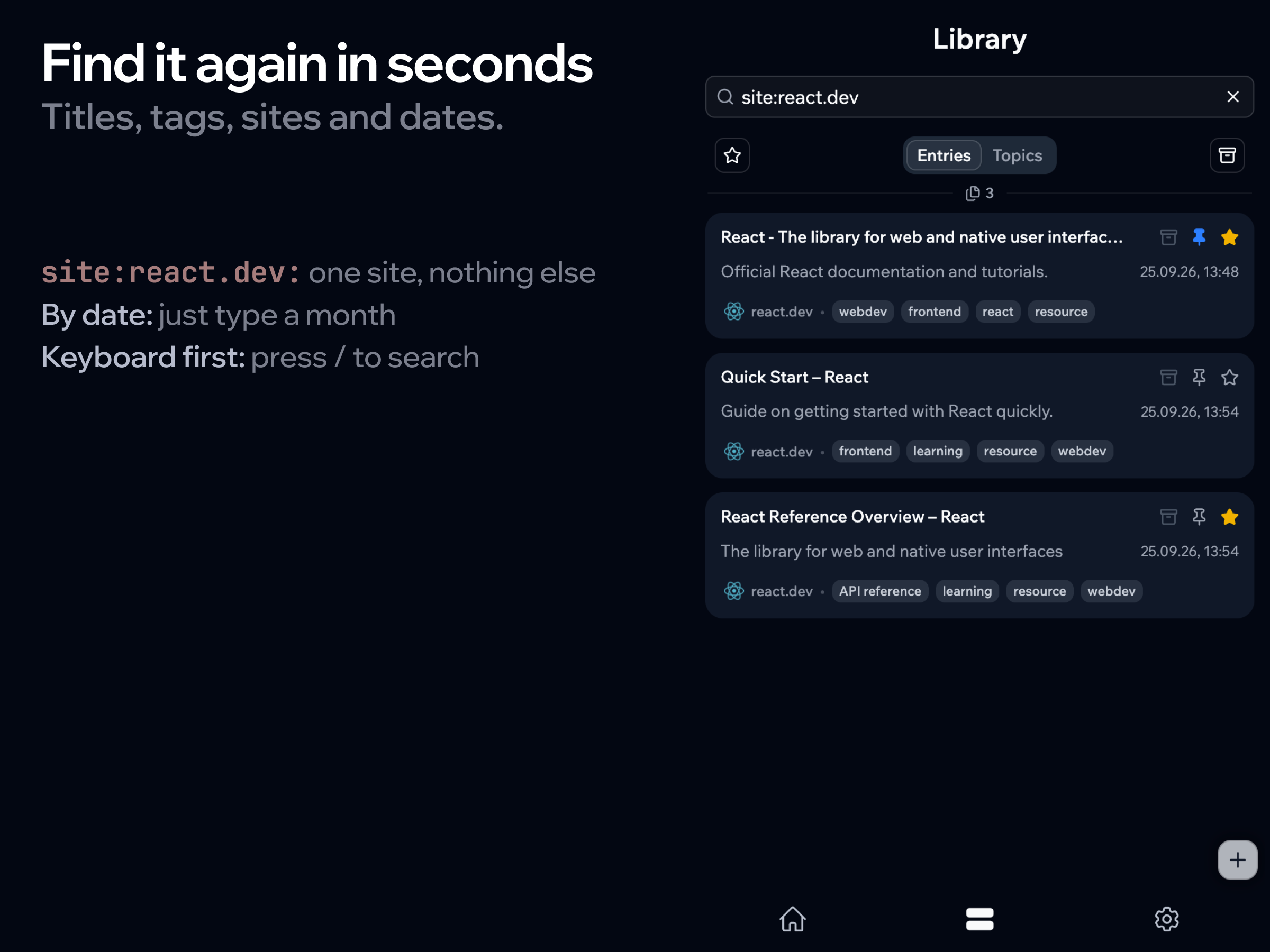
- Fast search over titles, tags, descriptions, sites and dates, with
site:andtopic:filters - A capture suggestion after a while on a page, with an adjustable delay, that opens the side panel (Chrome and Edge)
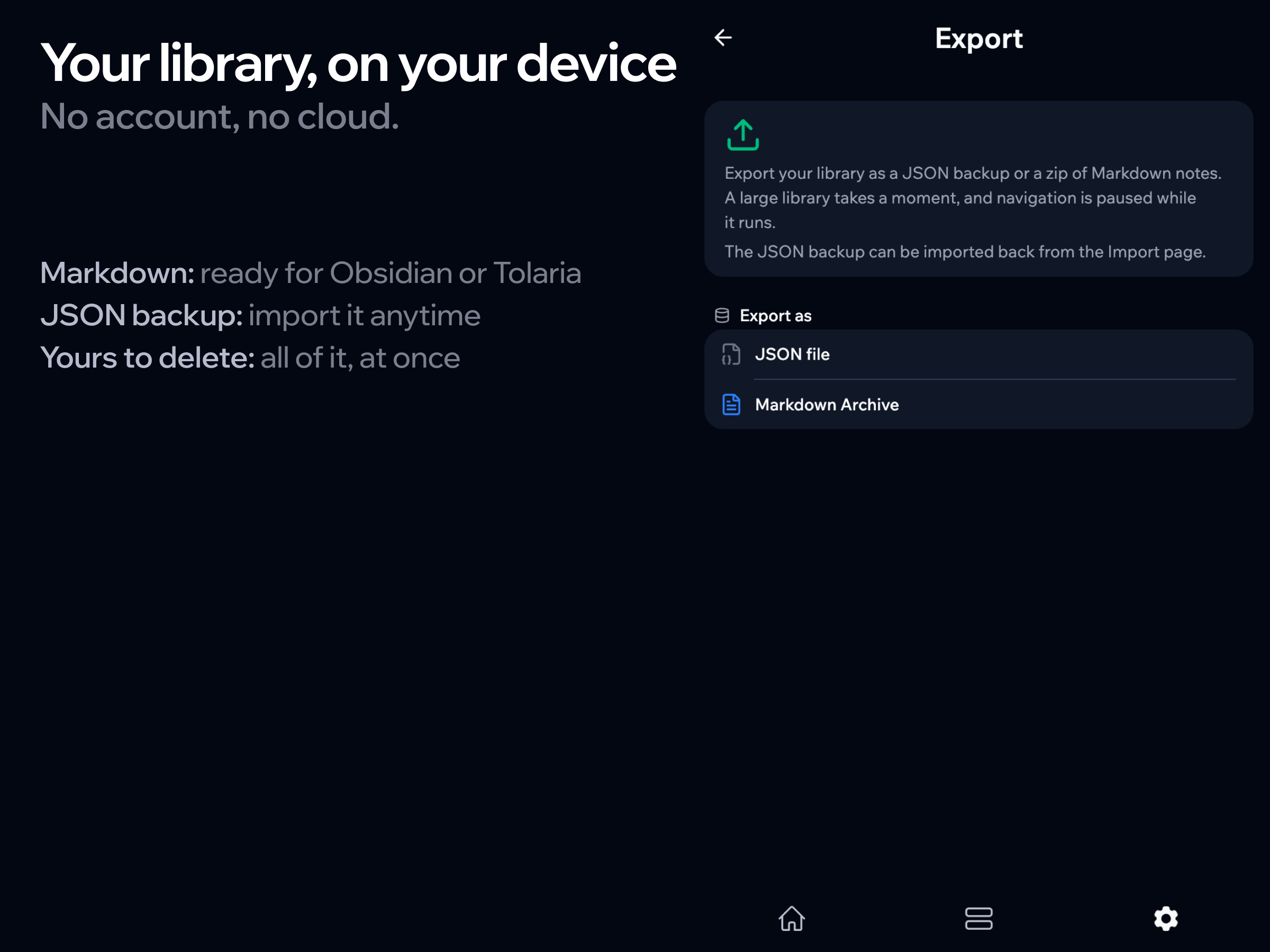
- Export as Markdown (one note, a topic, or the whole library as a zip) and a JSON backup that can be imported again
- Offline-first local database (RxDB)
- Light, dark or system theme, painted correctly from the first frame
- A getting-started page on install
- Keyboard-driven navigation, browser-wide and in the panel
Scope
The extension is offline-only: everything stays on the device and it makes no
network requests of its own. AI, accounts and the standalone window are built
but hidden behind feature flags (src/constants/features.ts). See
docs/ROADMAP.md.
Not planned for now
These were part of the original plan and are not being worked on. Some of the code exists, hidden behind the flags above; none of it is ruled out for good.
- AI-assisted summarization and refinement
- Sync across devices, and a web app for expanded views and management
- Light sharing and collaboration
- The standalone windowed app, which is built but parked
Tech Stack
| Layer | Technology |
|---|---|
| Extension framework | WXT (Chrome MV3 / Firefox MV2) |
| UI | React 19, TailwindCSS v4, shadcn-ui (built on Radix UI + Base UI) |
| Routing | React Router |
| Editor | BlockNote |
| Local database | RxDB + Dexie |
| Messaging | @webext-core/messaging |
| Content parsing | Its own DOM parser (src/lib/utils/document-parser.ts) + DOMPurify |
| Export | fflate for zip archives |
| Forms | React Hook Form + Zod |
| Testing | Vitest + WXT's fakeBrowser |
| Language | TypeScript |
| Package manager | Bun |
Development
Prerequisites
- Bun installed
- Chrome, Edge, or Firefox (for loading the extension)
Install Dependencies
bun install
Development
bun run dev              # Chrome (MV3) with hot module replacement
bun run dev:edge         # Edge dev server
bun run dev:firefox      # Firefox (MV2) dev server
Each command starts the dev server and opens a browser with the extension already installed, in a profile of its own — your everyday profile, and its extensions, are left alone. Edits rebuild and reload as you save.
To point a command at a browser that is not where WXT expects it (Edge, or
Firefox Developer Edition), copy web-ext.config.example.mac.ts or
web-ext.config.example.windows.ts to web-ext.config.ts and set the paths.
That file is git-ignored, so everyone can keep their own.
Build
bun run build            # Production build for Chrome
bun run build:firefox    # Production build for Firefox
bun run zip              # Package for Chrome Web Store
bun run zip:firefox      # Package for AMO (Firefox Add-ons)
To try a production build rather than the dev server, load it by hand: open
chrome://extensions, turn on Developer mode, choose Load unpacked
and select .output/chrome-mv3. In Firefox, open about:debugging, choose
This Firefox, then Load Temporary Add-on and select any file in
.output/firefox-mv2.
Reproducing a store build
The store builds are reproducible: building the same source the same way gives byte-identical zips. This is what Firefox Add-ons reviewers check, and it needs:
- Bun 1.4.2, which installs the dependencies and runs the scripts
- Node.js 24, which the build itself runs on (tested
with 24.14.0 and 24.21.0). Not Bun's own runtime:
bun --bungives a different build.
bun install --frozen-lockfile
bun run zip:firefox      # or bun run zip, for Chrome and Edge
The zip is written to .output/lexicora-extension-<version>-firefox.zip, and
the same files unpacked to .output/firefox-mv2/.
Type-Check and Lint
bun run compile          # TypeScript type-check only (no emit)
bun check                # TypeScript type-check only (faster than `bun run compile`; built into Bun 1.4.3+)
bun run lint             # oxlint, including type-aware rules
ESLint is not used: typescript-eslint does not support TypeScript 7, while
oxlint's type-aware rules run on it. The config is .oxlintrc.json.
Tests
bun run test             # Single-pass unit tests
bun run test:watch       # Watch mode
bun run test:coverage    # With V8 coverage report
Tests use Vitest with WXT's WxtVitest() plugin and fakeBrowser for in-memory extension API stubs — no real browser required. Test files live in __tests__/ directories co-located with the code they test.
Architecture Overview
Entrypoints
| Entrypoint | Context | Purpose |
|---|---|---|
background/ |
Service worker | Orchestrates messaging, context menus, port tracking |
content/ |
Web pages (http, https, file) | Injects capture-suggestion toast; relays page data |
sidepanel/ |
Side panel | Full React app — primary user-facing UI |
popup/ |
Browser toolbar | Minimal React app (currently a home page only) |
onboarding/ |
Tab (unlisted page) | Getting-started page, opened once on install and from Settings → Help |
Data Layer
src/db/ holds the local-first RxDB database. Three collections:
- topics — top-level grouping containers
- entries — web captures with metadata (
url,faviconUrl,isPinned,isArchived, etc.) - blocks — rich text blocks (BlockNote) attached to entries
A searchBlob field on topics and entries is a denormalized lowercase string for full-text search, auto-populated by RxDB middleware — never set it manually.
Settings & Storage
Stored via WXT's storage API:
sync:prefix — synced across devices (theme, capture settings)session:prefix — transient RAM, cleared on browser close (sidepanel state)
The theme is also copied to localStorage, which public/theme-init.js reads
in each page's <head> to paint the right colors before the app loads;
sync: storage stays the source of truth.
Use the useAppStorage hook for reactive access in React components.
Status
Lexicora is complete. It is out in the stores and development has ended: no
new features are planned. For now it is maintained only — bug fixes and
keeping it working as browsers change. Some dependencies are deliberately held
on their current versions rather than upgraded (the BlockNote editor on 0.52,
React Router on 8; see docs/DEPENDENCY_UPDATES.md).
The core vision remains intentionally narrow: turning ephemeral web knowledge into permanent, accessible understanding.
What Lexicora Is Not
Lexicora intentionally avoids becoming a full project management tool, a generic note-taking app, a deeply nested workspace, or a social platform. Those problems are already solved elsewhere — often at the cost of speed and clarity.
License
Source and builds alike are covered by the Lexicora Extension License: free to use, modify and redistribute for non-commercial purposes, with attribution and share-alike; commercial use needs permission. It is not an OSI-approved open source license — the non-commercial restriction is what makes it a source-available license instead.