A self-hosted URL shortener that also shares text, files and groups of links. It runs as one Docker container with a
SQLite database, and everything it stores lives in a single data/ folder.
Try it: lnksnp.ch is a public instance (links made without an account expire). Run your own: one container and one SQLite file, see Quick start.
Features
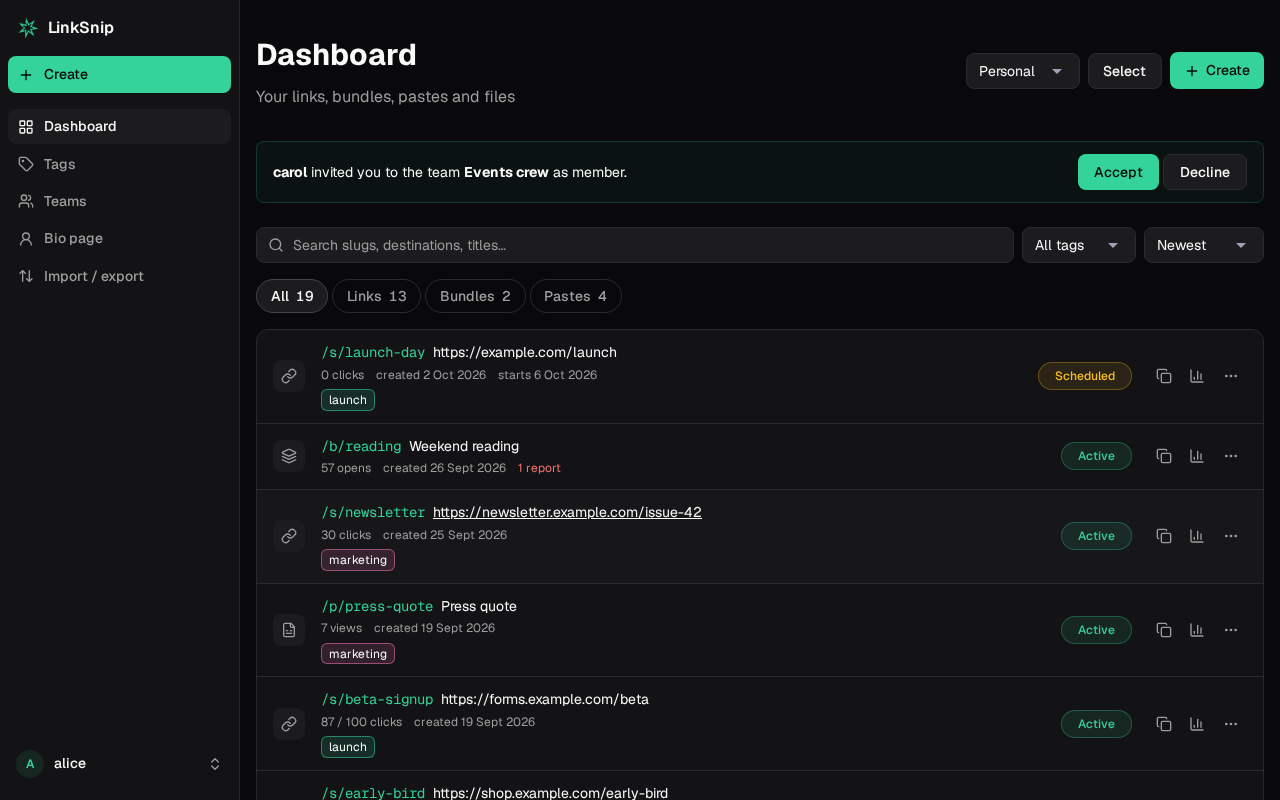
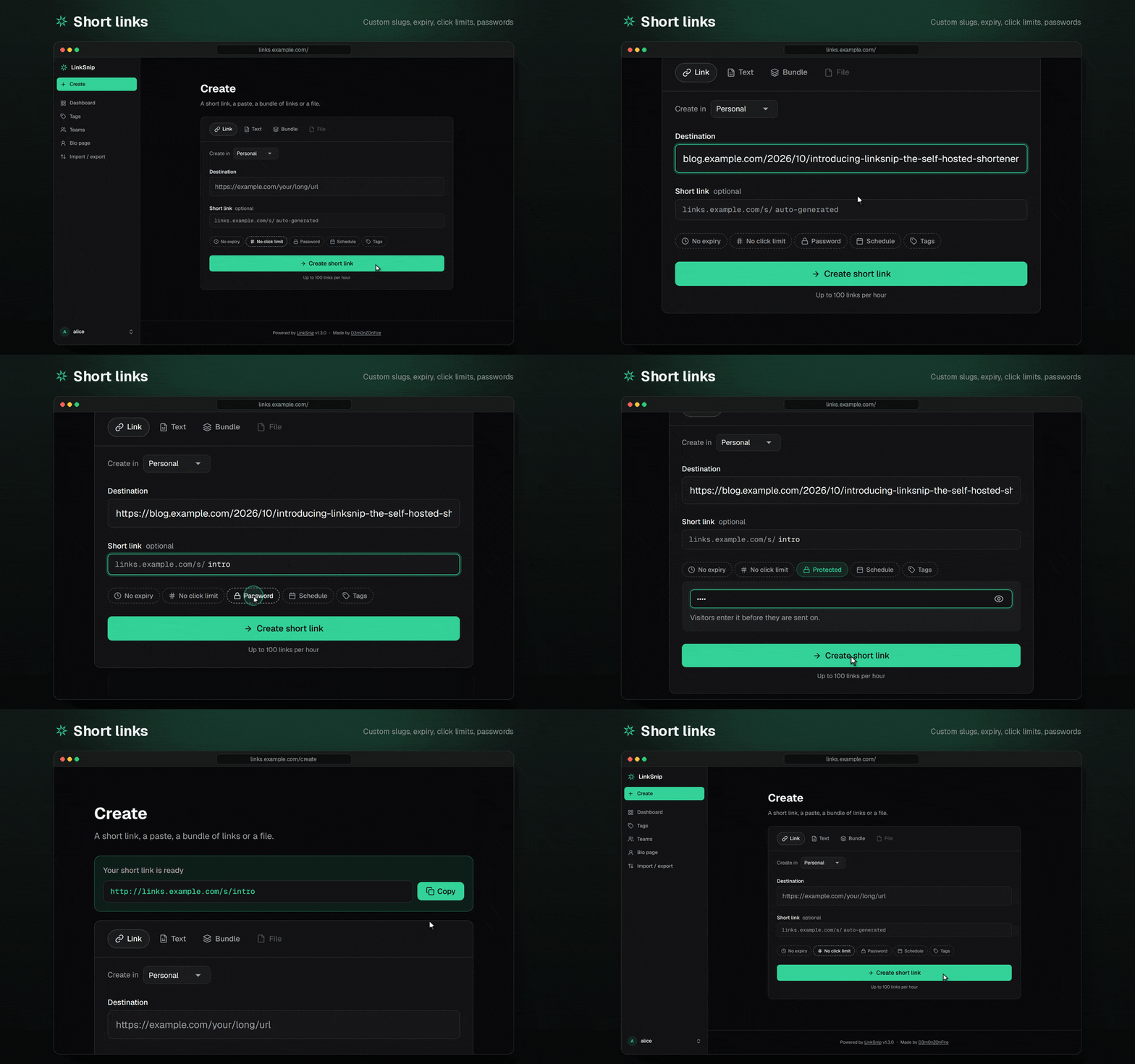
- Short links with custom slugs, expiry, click limits, passwords and activation/deactivation times
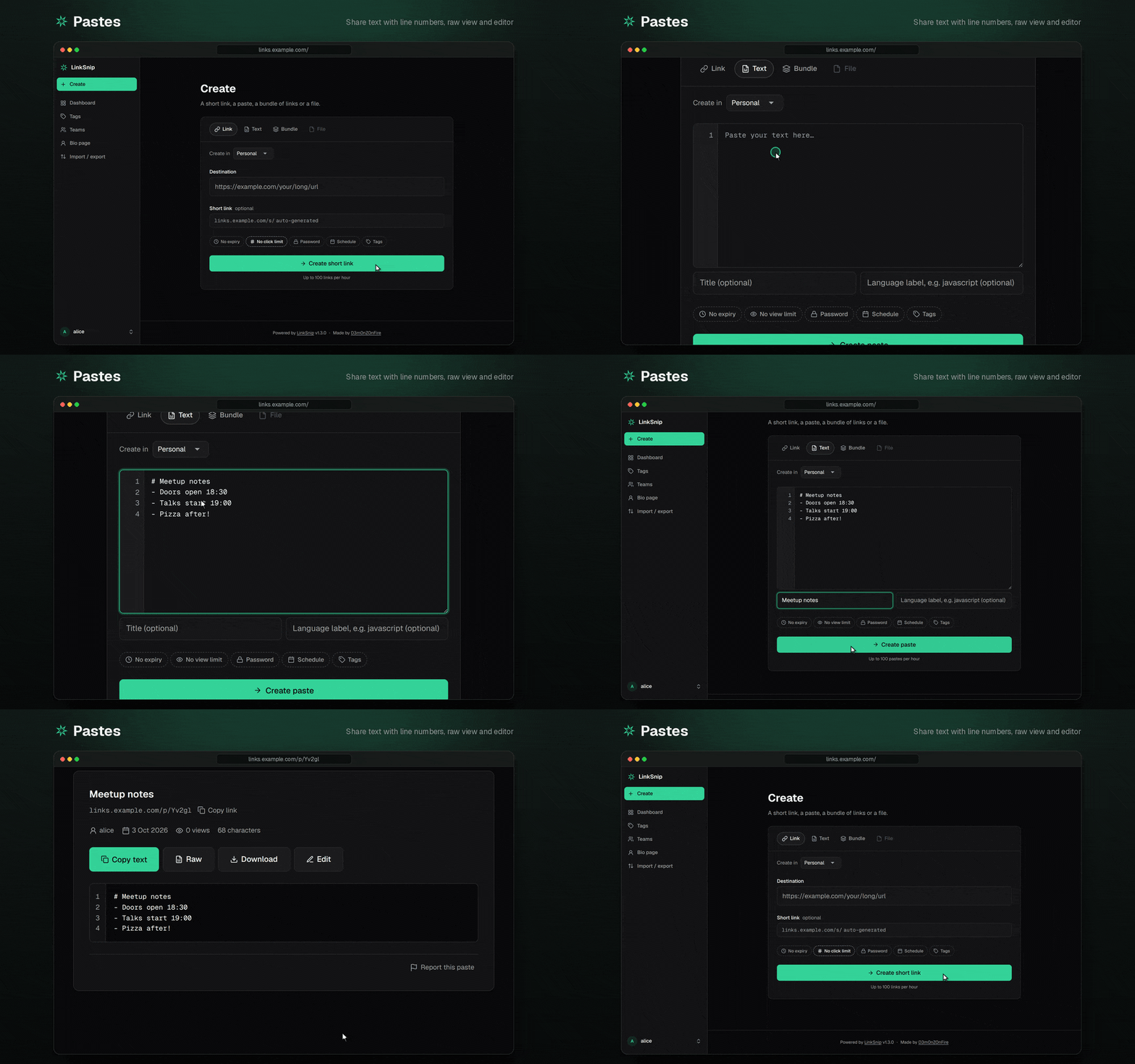
- Pastes: share text at
/p/…, with line numbers, raw view and an editor - Files: share uploads at
/f/…, with per-role size limits and storage quotas - Bundles: one link that opens several links at once
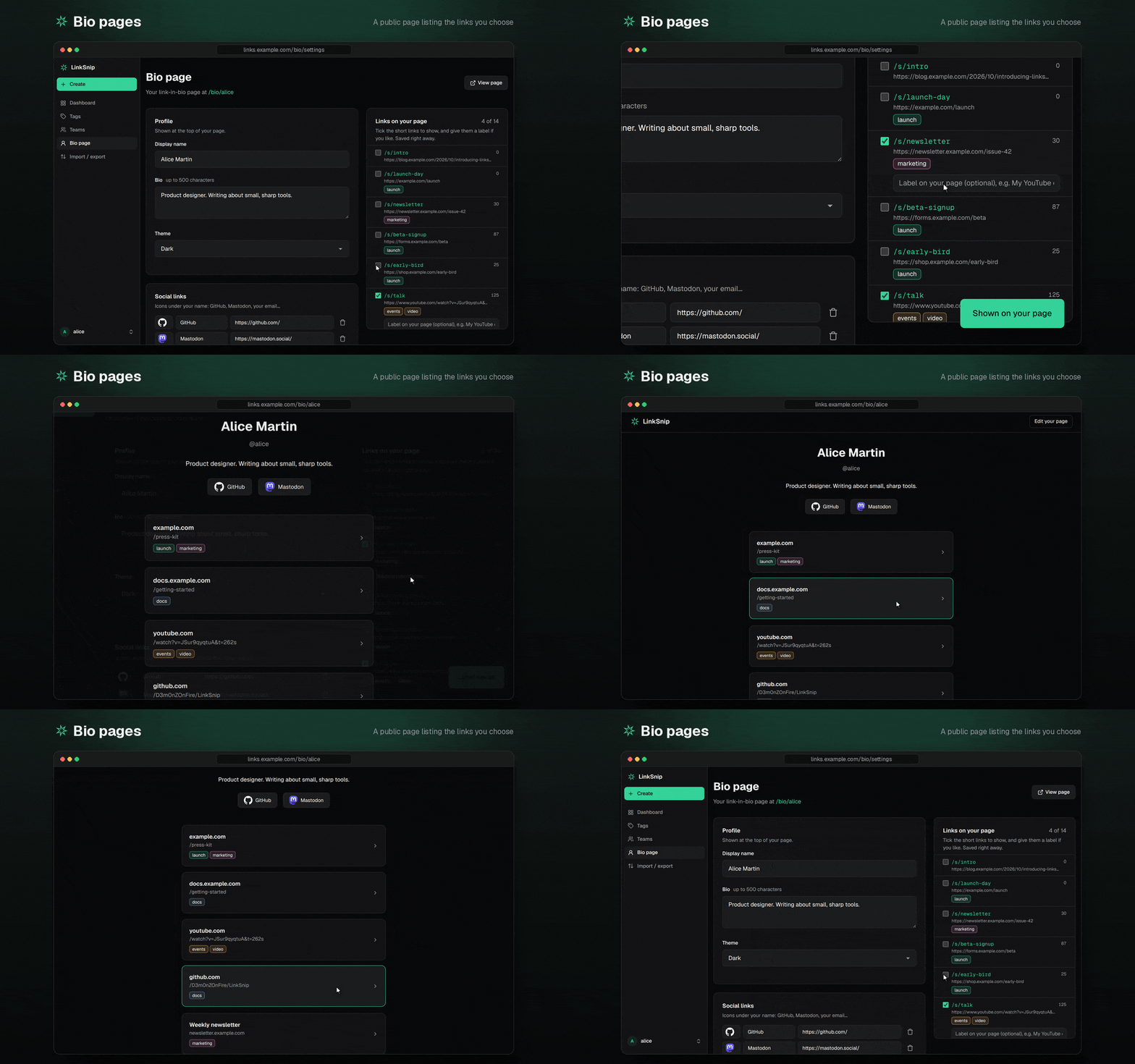
- Bio pages: a public page listing a user's chosen links
- Analytics: clicks over time, referrers, countries, devices, browsers and operating systems. Visitor IPs are only stored as keyed hashes. Can be switched off (
features.analytics). - Analytics share links: read-only, revocable
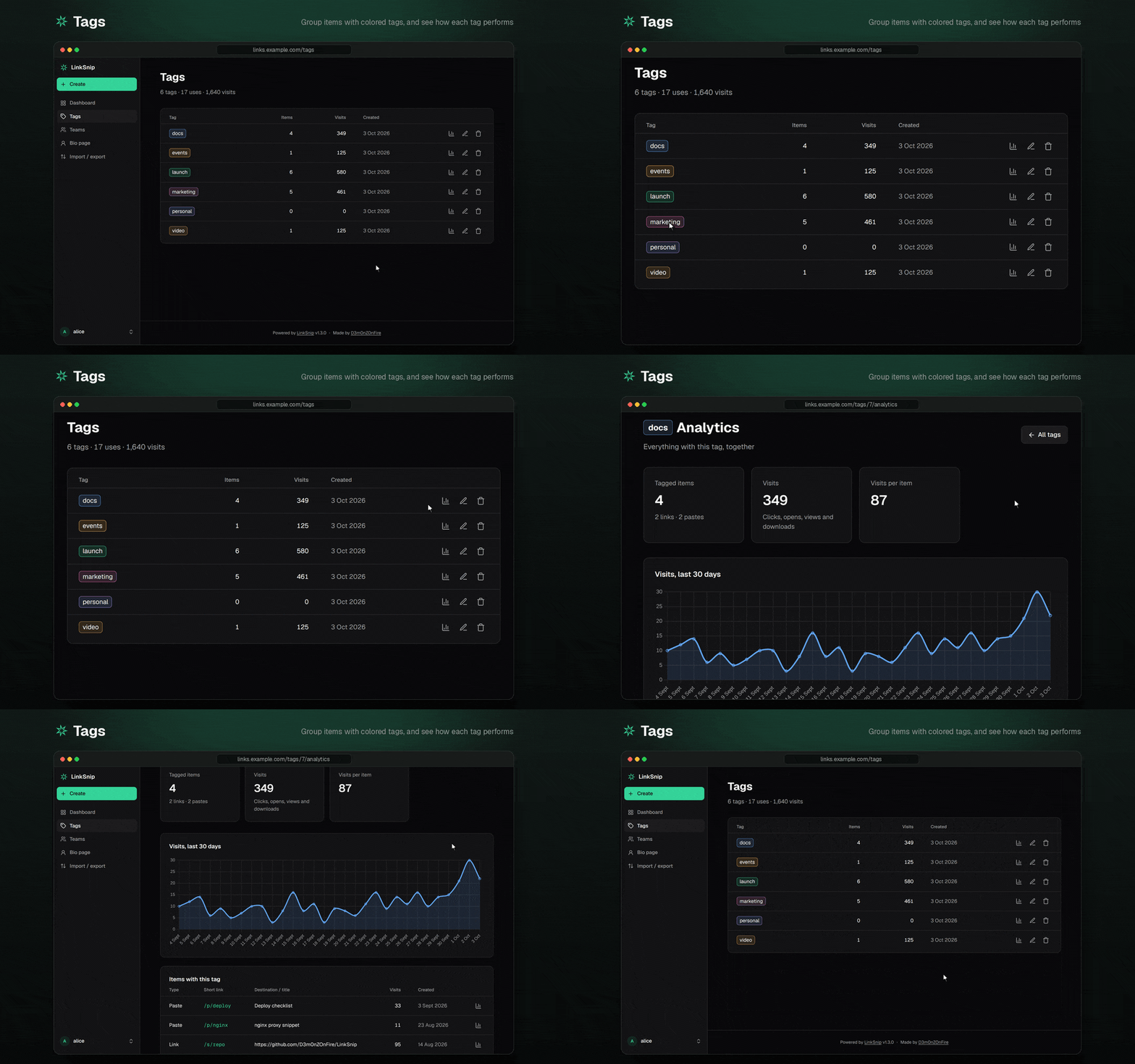
/stats/…links for people without an account - QR codes, tags, and bulk import/export (CSV, JSON, plain text)
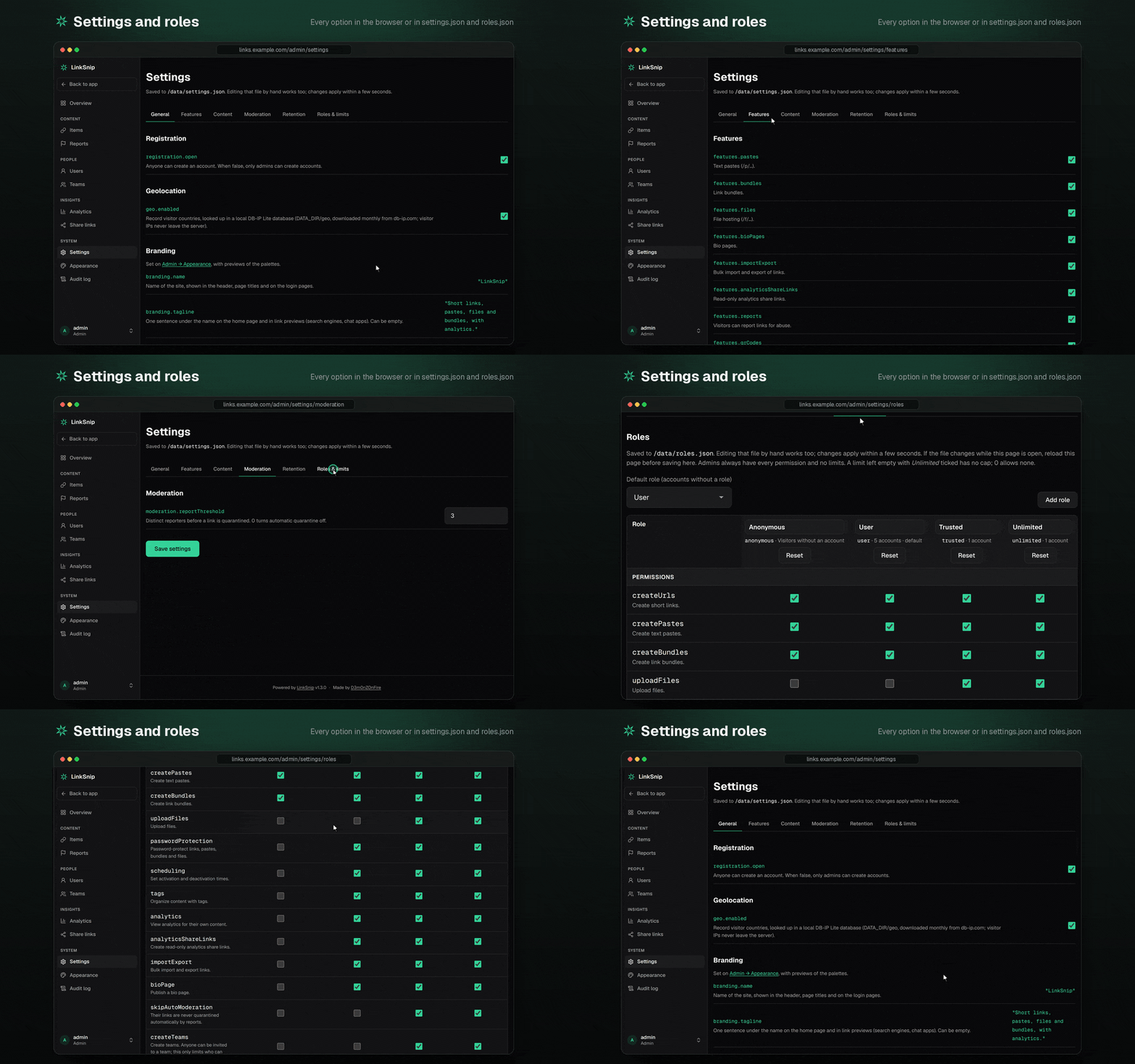
- Roles: you decide what each kind of account, and visitors without one, may do and how much, in the file or in the admin panel
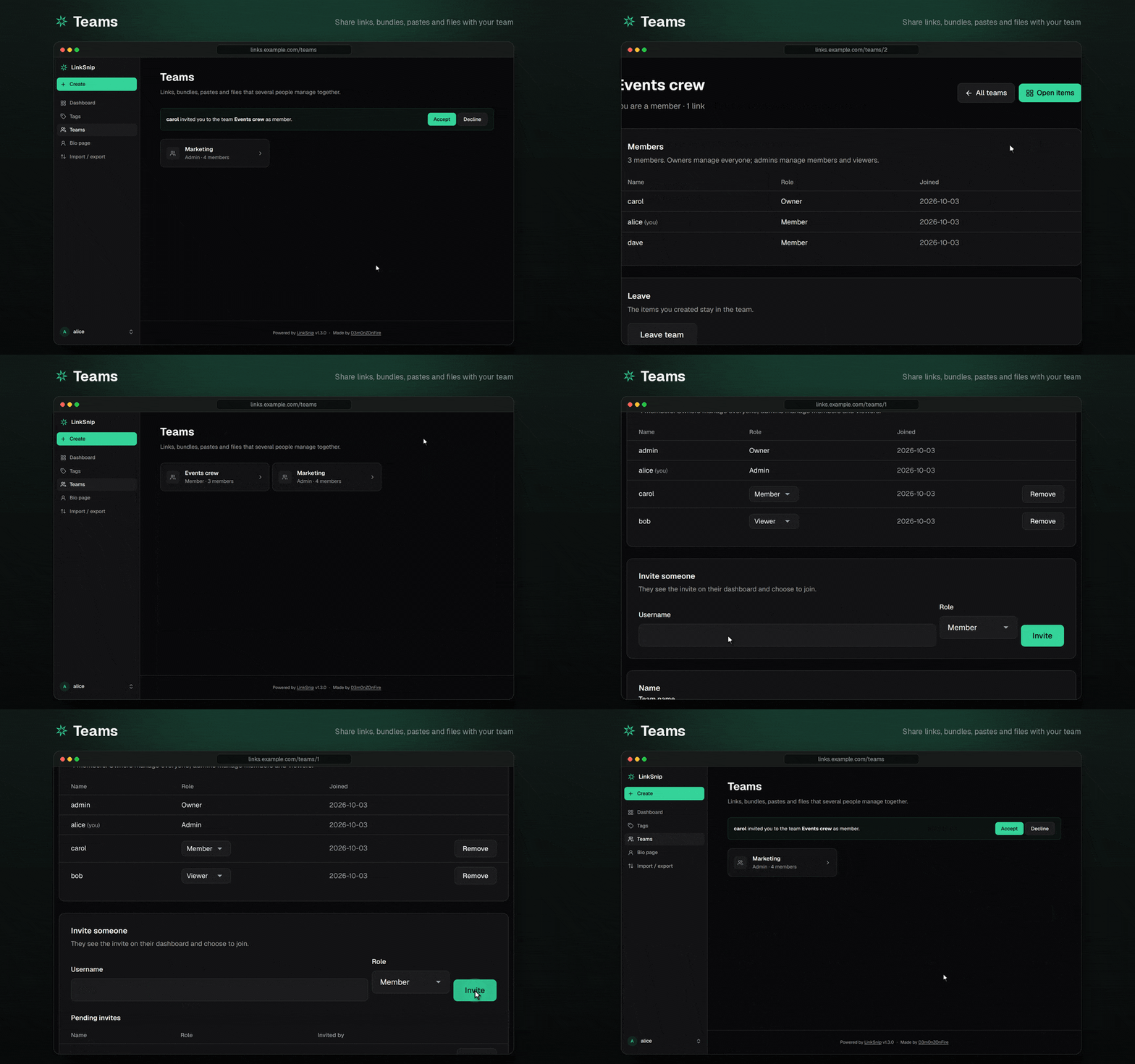
- Teams: links, bundles, pastes and files shared by several people, with owner, admin, member and viewer roles
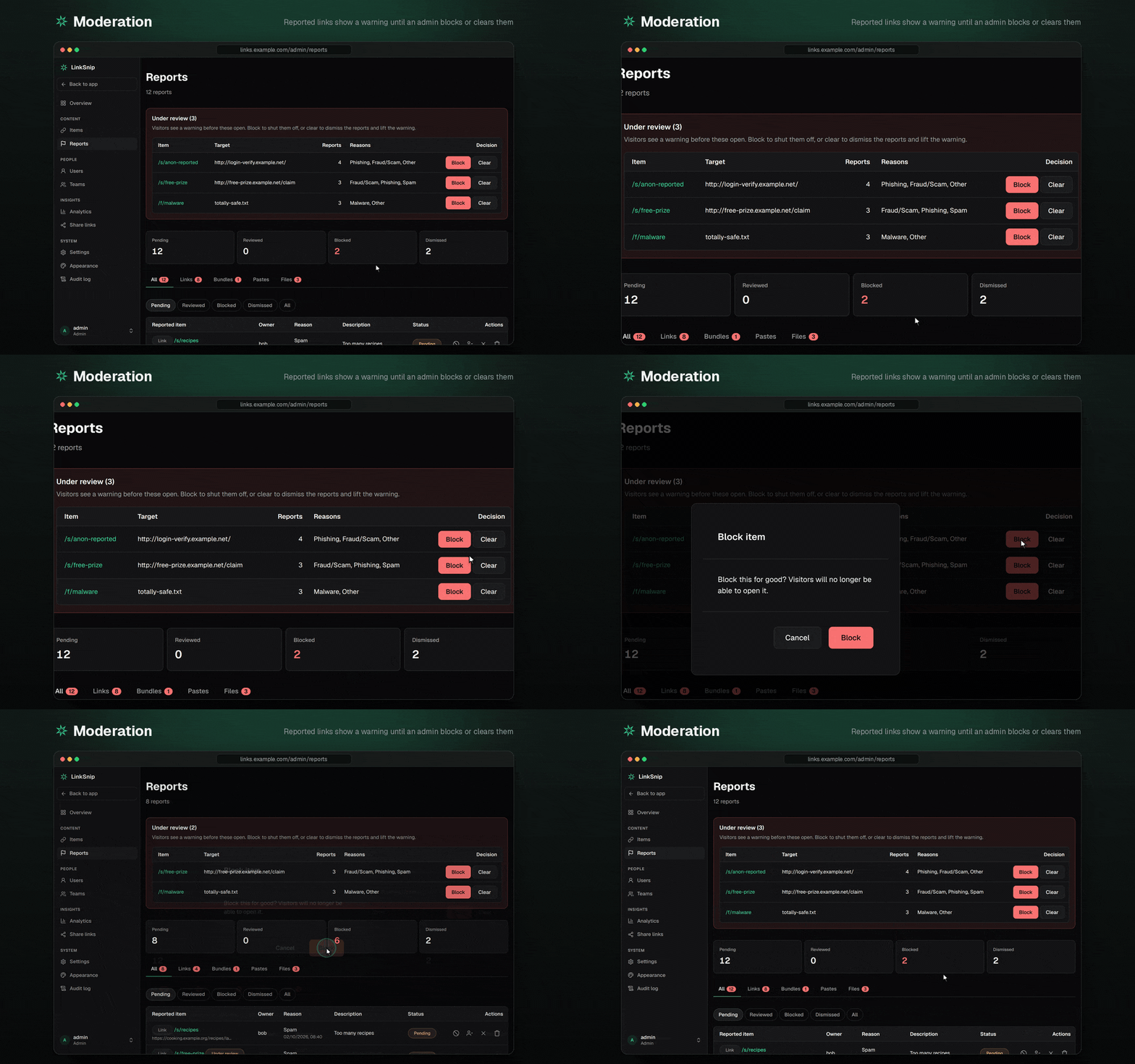
- Moderation: visitors can report links, bundles, pastes and files; reported items show a warning page until an admin blocks or clears them
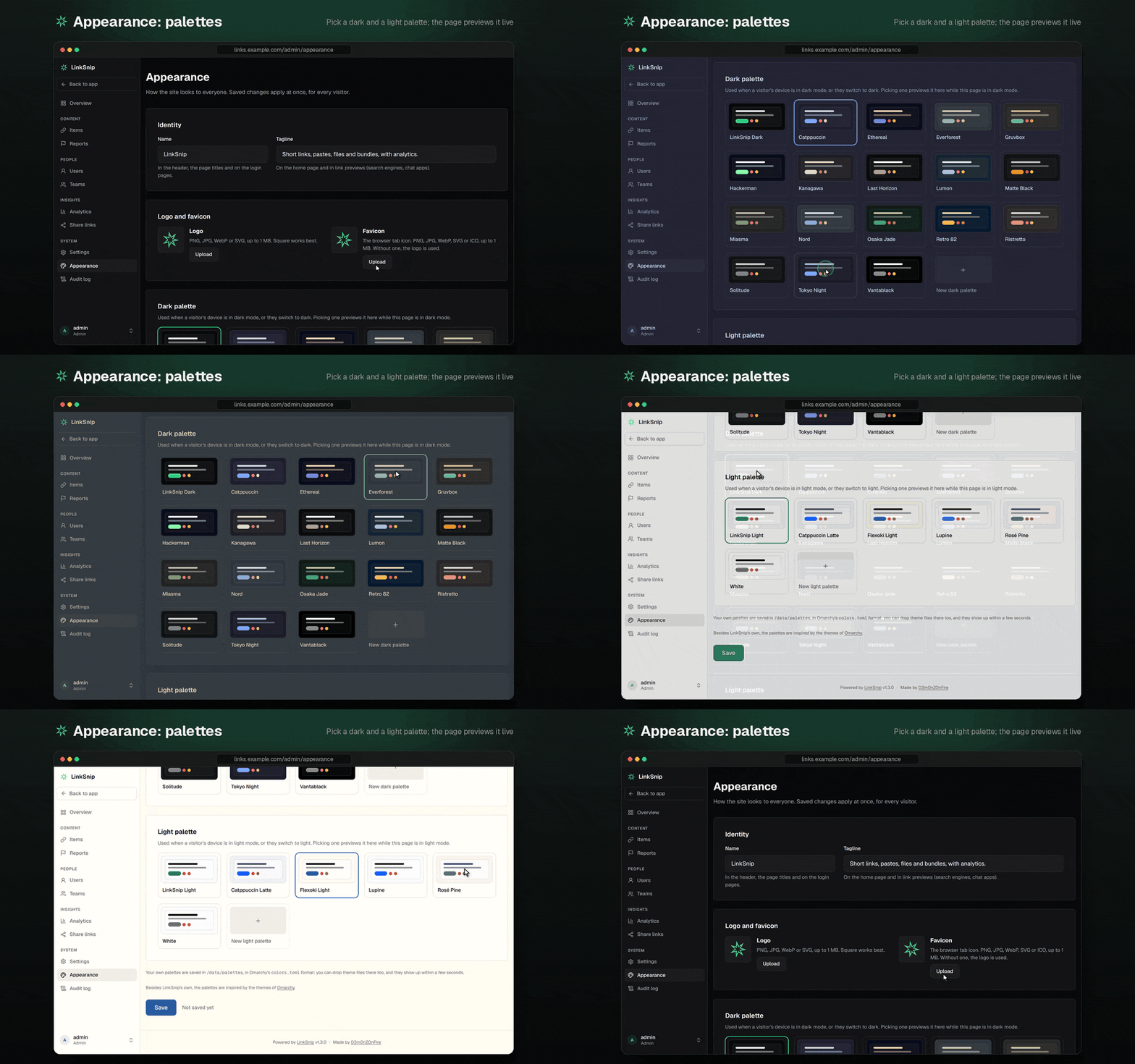
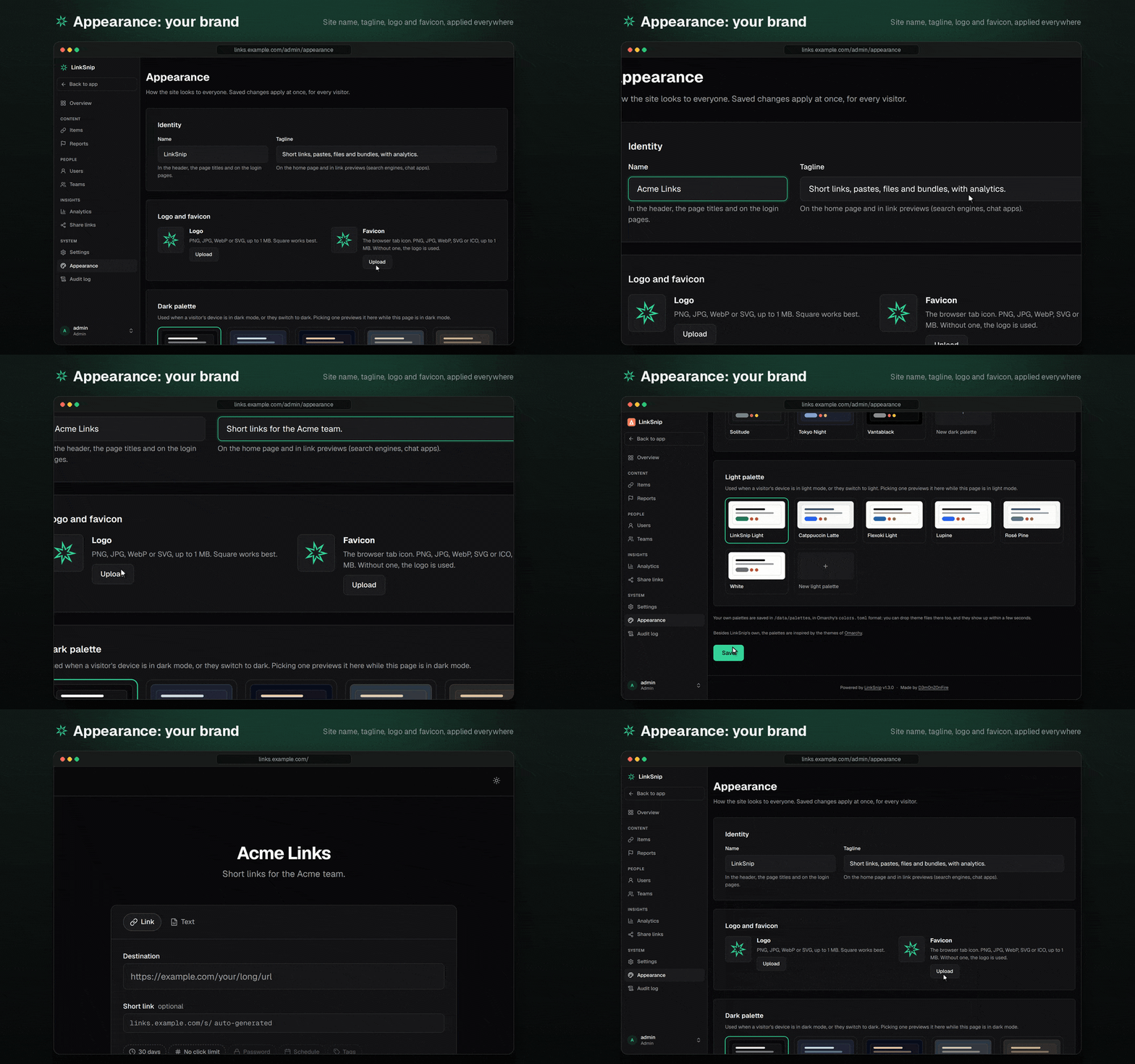
- Your own look: site name, tagline, logo and favicon, and a dark and a light color palette, from the built-in ones or your own
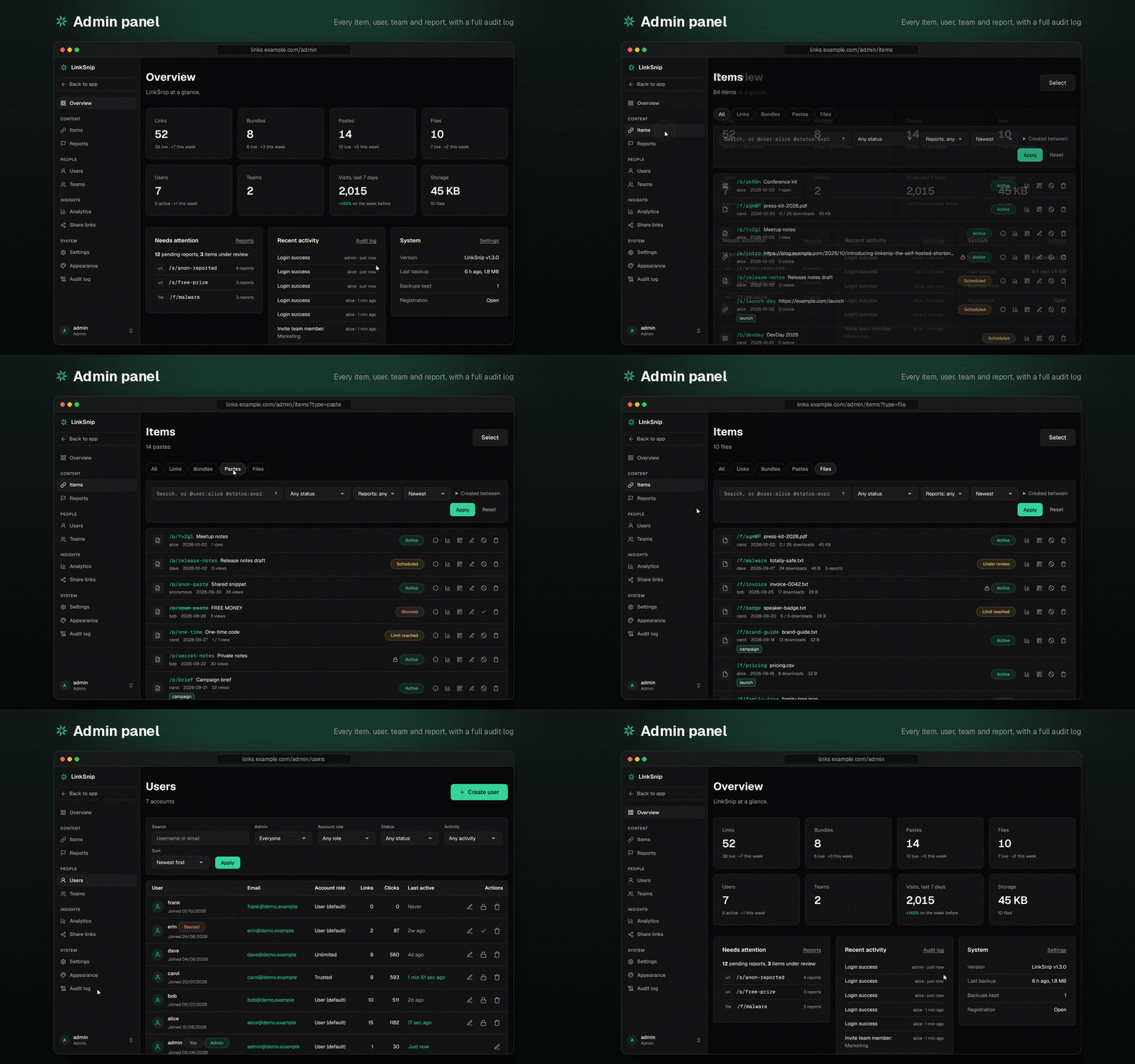
- Admin panel: an overview, every item in one searchable list, users, teams, reports, settings, roles and appearance, and a full audit log
- Private instance: one setting (
access.loginRequired) and everything needs an account, short links included - Privacy and terms pages for your visitors, built from your settings (
/privacy,/terms;/abuselinks to where to report abuse) - Operations: nightly online backups and cleanup of expired content
See it in action
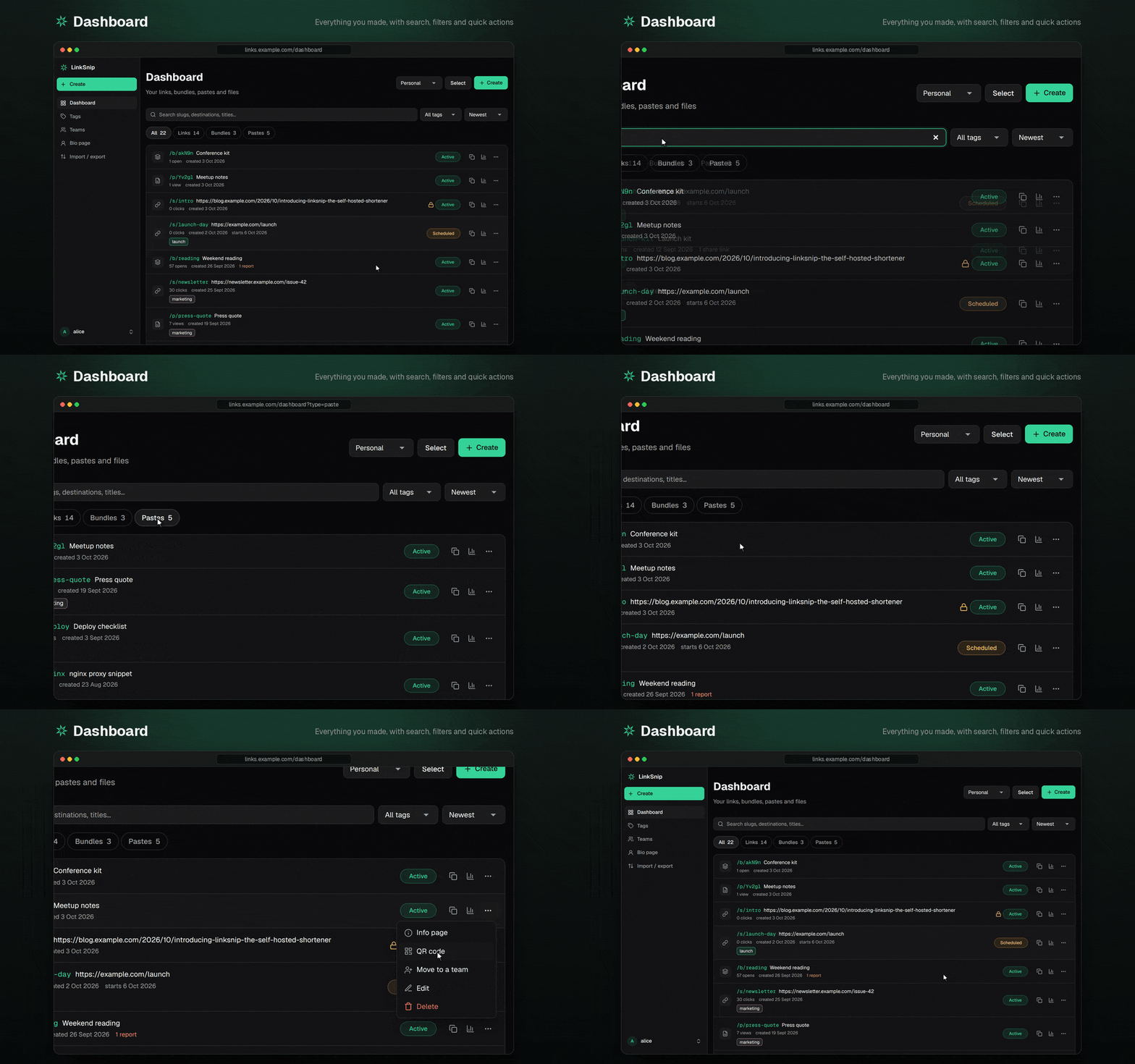
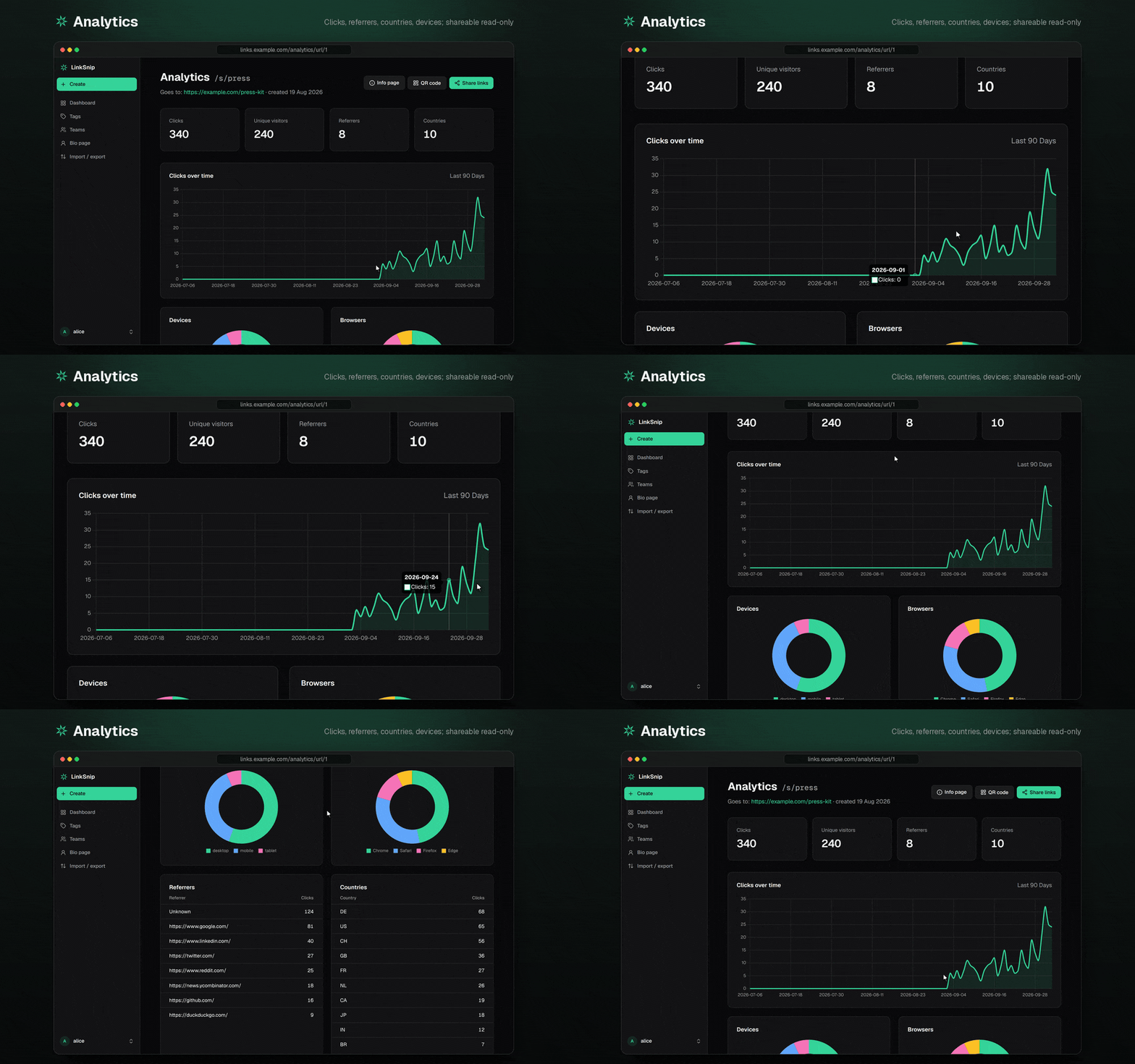
More: files, bundles, teams, tags, bio pages and the admin panel
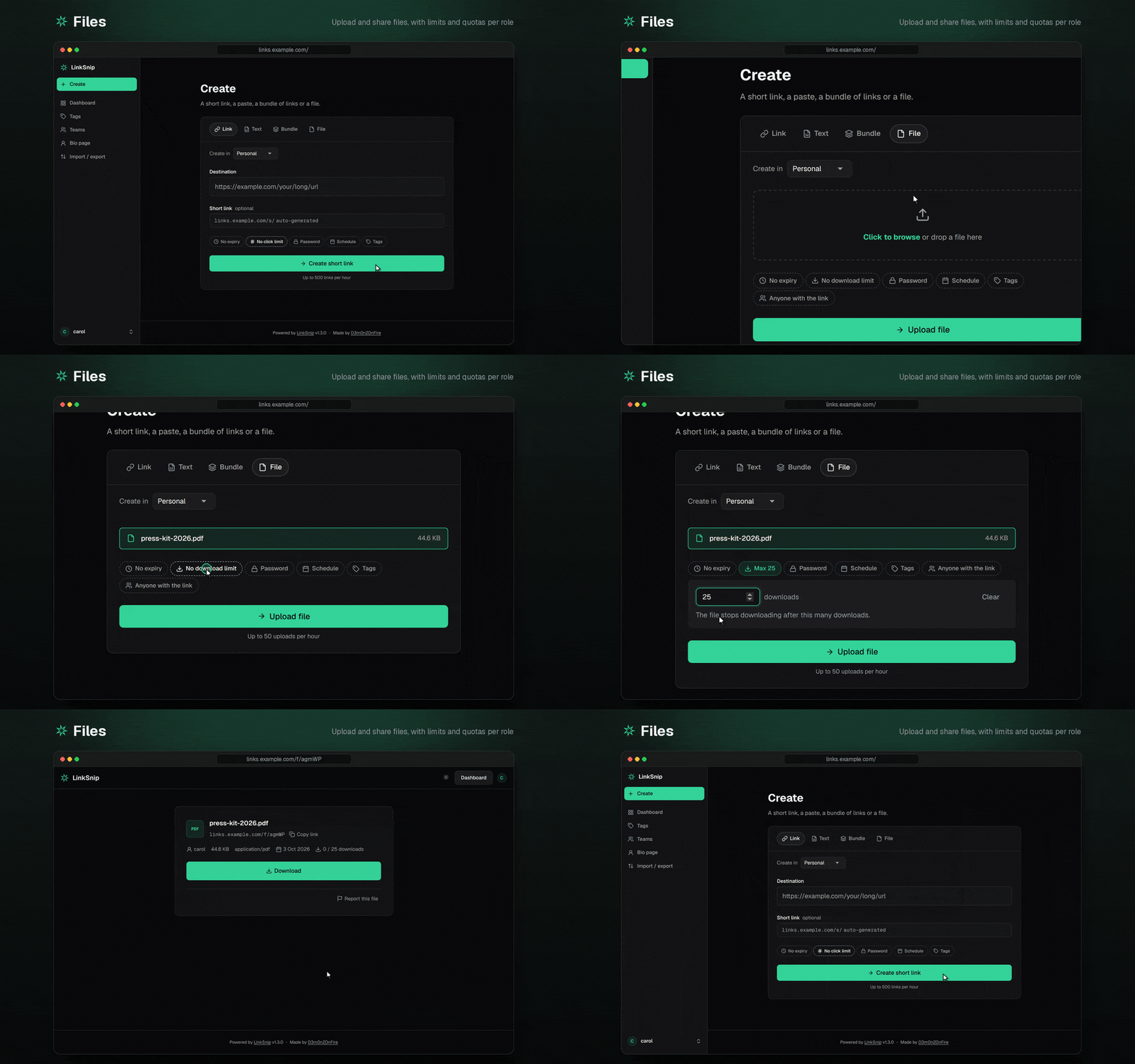
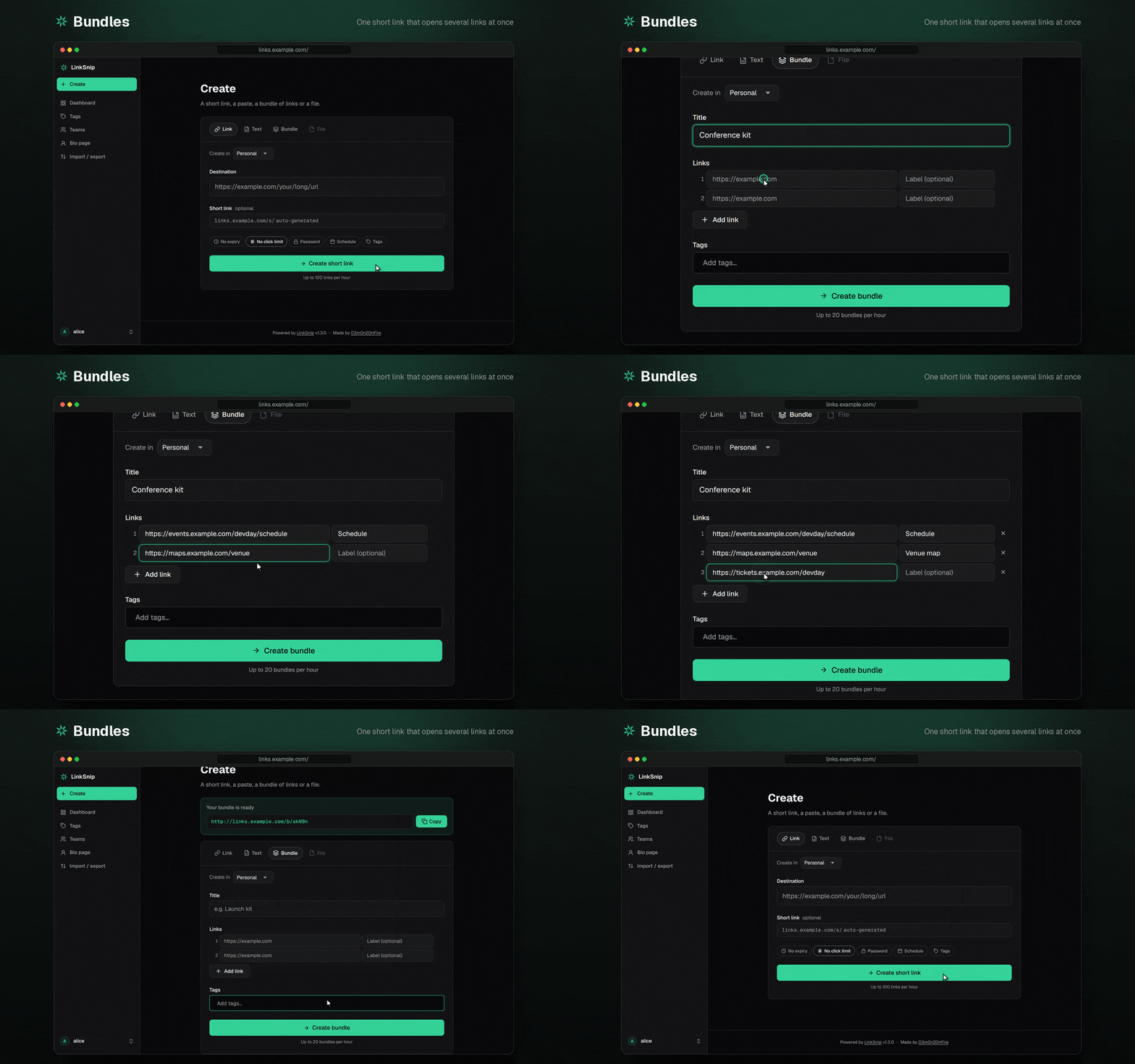

Quick start (Docker)
You need Docker with Compose.
git clone https://github.com/D3m0nZOnFire/LinkSnip.git
cd LinkSnip

cp .env.example .env
sed -i "s/^SESSION_SECRET=.*/SESSION_SECRET=$(openssl rand -hex 32)/" .env
sed -i "s/^IP_HASH_SECRET=.*/IP_HASH_SECRET=$(openssl rand -hex 32)/" .env
mkdir -p data          # must be writable by uid 1000; see "Troubleshooting"

docker compose up -d
LinkSnip now listens on http://127.0.0.1:8081, reachable only from this machine.
Create the first admin
On first start LinkSnip prints a one-time setup code:
docker compose logs linksnip | grep "setup code"
Open http://127.0.0.1:8081, which redirects to /setup, and enter the code with a username and password for the
admin account. Once an admin exists, /setup is gone for good.
To manage admin accounts from the command line (create, promote a user, reset a password):
docker compose exec linksnip node scripts/admin.js
HTTPS
To have the bundled Caddy get a certificate and serve LinkSnip on your domain, point the domain's DNS at the server, open ports 80 and 443, and run:
DOMAIN=links.example.com docker compose --profile caddy up -d
You can also put DOMAIN=links.example.com in .env. To use a reverse proxy you already run instead, see
docs/DEPLOYMENT.md.
Configuration
| Where | What |
|---|---|
.env |
Infrastructure only: SESSION_SECRET, IP_HASH_SECRET, DATA_DIR, PORT, NODE_ENV, TRUST_PROXY |
data/settings.json |
Private instance, registration, feature switches, moderation, anonymous limits, retention, … Also editable in Admin → Settings |
data/roles.json |
Roles: what each kind of account (and anonymous visitors) may do, and their limits |
Both JSON files are created with every option on first start. Edits apply within a few seconds, without a restart. An invalid edit is logged and the previous configuration stays in use.
The built-in roles are anonymous, user (the default for new accounts), trusted (higher limits, file uploads) and
unlimited. Admins have every permission and no limits. Set a user's role in Admin → Users.
Every option is listed in docs/CONFIGURATION.md.
Country lookup is local: LinkSnip downloads the free DB-IP Lite country database (CC BY 4.0) into
data/geo/and refreshes it monthly. Visitor IPs never leave your server. Setgeo.enabledtofalseinsettings.jsonto record no countries at all.
Backups and restoring
Everything LinkSnip stores is in data/: the database, uploaded files, backups, settings.json and roles.json.
- A consistent copy of the database is saved to
data/backups/every night at 3:00 and kept for 30 days. Admins can also start one from Admin → Audit Logs. - Uploaded files are not in the database. Back up
data/uploads/too, or simply the wholedata/folder.
To restore a database backup:
docker compose down
sqlite3 data/backups/database-backup-<date>.sqlite "PRAGMA integrity_check"   # should print "ok"
rm -f data/database.db-wal data/database.db-shm
cp data/backups/database-backup-<date>.sqlite data/database.db
docker compose up -d
Database migrations run automatically on start, so a backup from an older version is brought up to date.
Updating
Read the changelog first: its Upgrading section says if anything needs doing. Then either pull the published image or build from the checkout:
docker compose pull && docker compose up -d     # the image: ghcr.io/d3m0nzonfire/linksnip:1
git pull && docker compose up -d --build        # or: build from the source
:1 follows every 1.x release and never jumps to 2.0. To stay on one version, set LINKSNIP_VERSION=1.4.0 (or 1.4
for its fixes only) in .env. Every release is also tagged :latest.
Troubleshooting
- "SESSION_SECRET is not set" or "IP_HASH_SECRET is not set": create
.envas shown in the quick start. - "The data directory /data is not writable": the container runs as uid 1000. Fix it with
sudo chown -R 1000:1000 ./data. - Lost the setup code: restart the container (
docker compose restart linksnip) to print a new one, or usedocker compose exec linksnip node scripts/admin.js. - Health:
curl http://127.0.0.1:8081/healthzanswers{"status":"ok"}when the app and database respond.
Development
Requires Node.js 22.
npm ci
cp .env.example .env    # then set SESSION_SECRET and IP_HASH_SECRET
npm run dev             # http://localhost:8081, reloads on changes
npm test
Without DATA_DIR, data is stored in the project folder. See CONTRIBUTING.md before opening a
pull request.
To try every page with realistic data (accounts of every kind, links, bundles, pastes and files in every status, teams, reports, a month of visits), fill a separate demo instance:
npm run seed:demo                      # into ./demo-data (--reset to start over)
DATA_DIR=./demo-data npm run dev       # log in as admin / demo-password
How this was built
LinkSnip was built with AI. Most of the code was written by Claude Code, working from my requirements and under my review. This is how I worked with it:
- I wrote the spec. I wrote the requirements: what each feature does, who may use it, and which limits apply.
- Design was a conversation. Claude proposed parts of the design and I approved or rejected each one. When it wrote something I didn't understand, or asked a question I couldn't answer yet, I had it explain until I did, before going on. The decisions and their trade-offs are in docs/ARCHITECTURE.md.
- Tests first. For each change, the tests are written first and must fail for the right reason. The code comes after, until they pass. If a test fails, the code gets fixed, not the test.
- CLAUDE.md is the brief. It records the project's rules and design decisions (where settings live, how permissions are checked, how migrations run) so every session starts from the same ground rules. It's in the repo on purpose.
- Small branches and pull requests. Every change went through a branch, a PR and CI before I merged it. Large releases were split into several PRs (v1.3 landed in seven parts).
- I review, test and ship. I read the changes, try them myself, write the releases and CHANGELOG, and run LinkSnip in production at lnksnp.ch.
The history before 1.0 was squashed into the "Initial public release" commit.
Documentation
- docs/ARCHITECTURE.md: how it's built and why (design decisions and trade-offs)
- docs/DEPLOYMENT.md: Docker with Caddy, behind an existing proxy, or bare Node
- docs/CONFIGURATION.md: every setting, permission and limit
- docs/PRIVACY.md: what is stored about users and visitors, for how long, and how to keep less
- CHANGELOG.md: every release, and what to do when upgrading
- CONTRIBUTING.md: development setup and pull requests
- SECURITY.md: reporting a vulnerability
License
MIT. Made by D3m0nZOnFire.
The color palettes are inspired by the themes of Omarchy.