
Website · Lessons · The 12 rules · Changelog
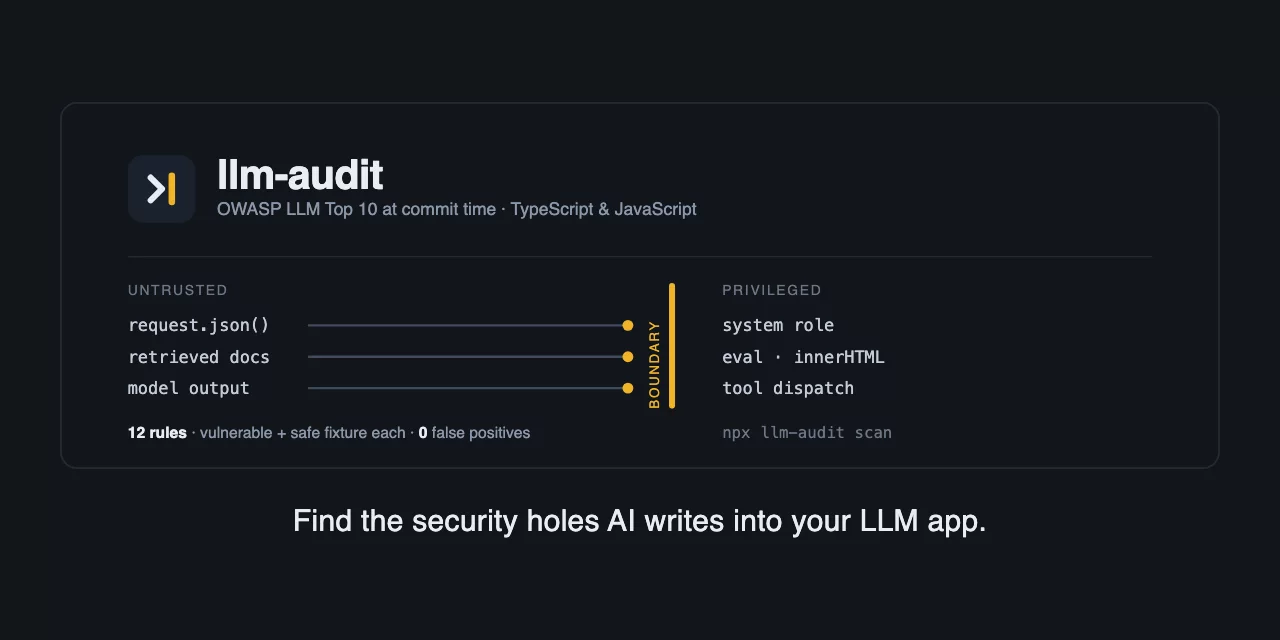
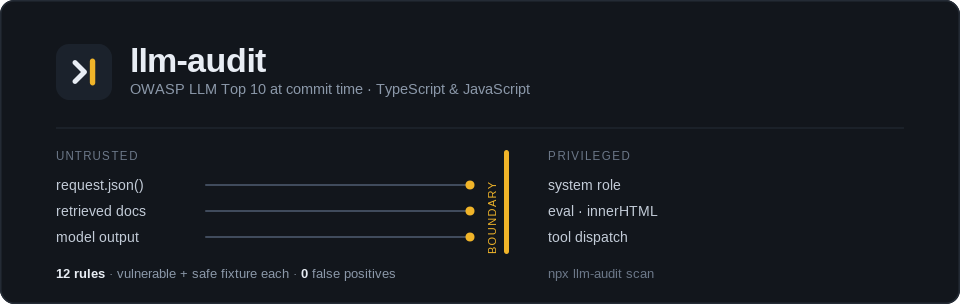
Static analysis for TypeScript and JavaScript LLM-application code. Twelve rules mapped to the OWASP LLM Top 10 (2026 edition), run at commit time.
brew install semgrep     # the engine, one-time (or: pipx install semgrep)
npm i -D llm-audit
npx llm-audit demo       # watch the twelve rules fire on bundled fixtures
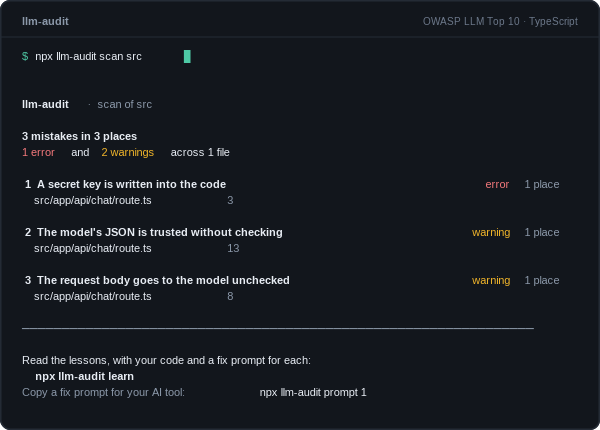
A real run against a real chat route handler. Generated from live CLI output by
npm run demo:svg, not drawn by hand. Mistakes are grouped worst first, with
every place they occur. Motion respects prefers-reduced-motion.
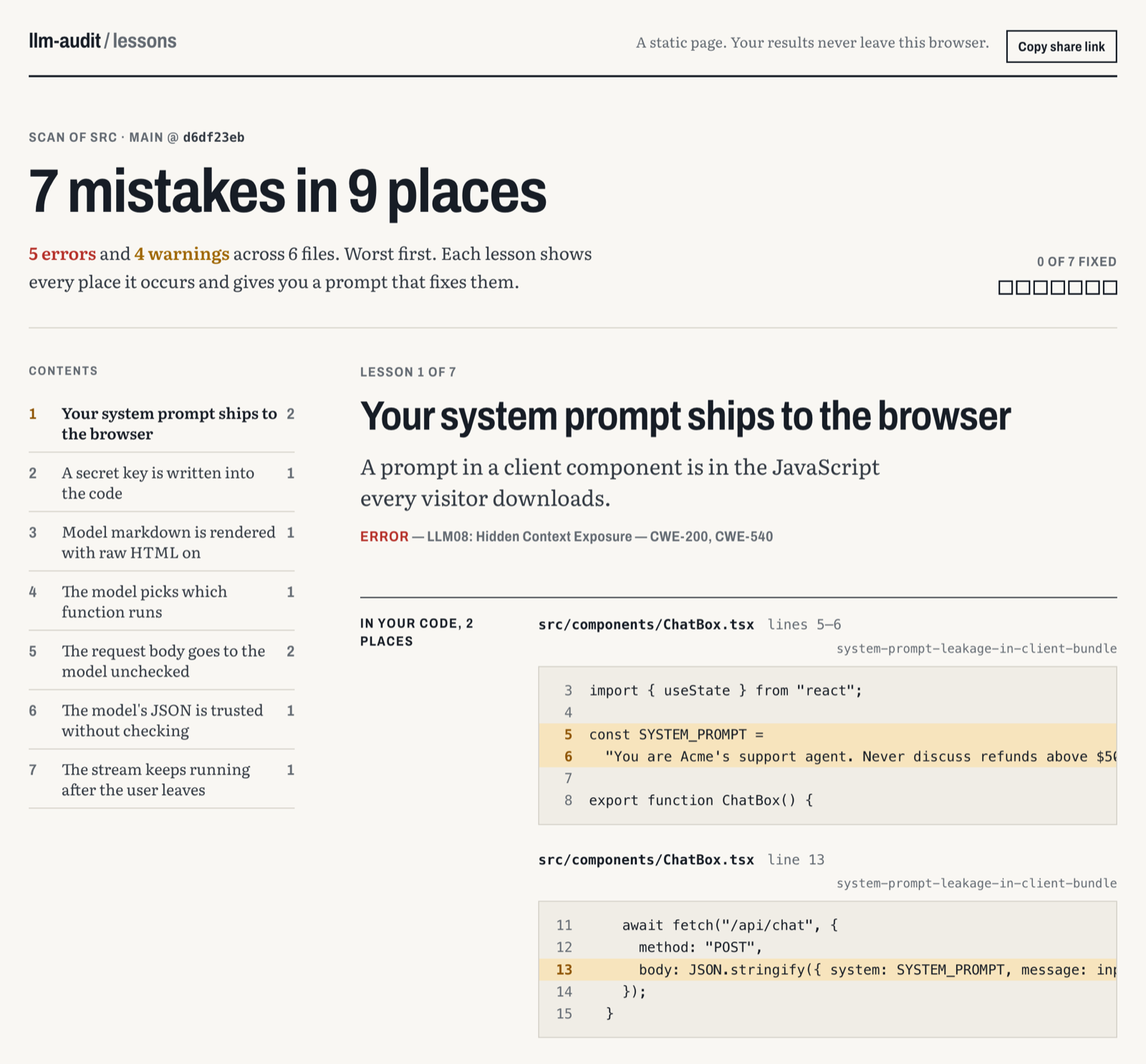
npx llm-audit learn: one lesson per mistake, with your own code in it.
The page is static and runs in your browser; nothing is uploaded.
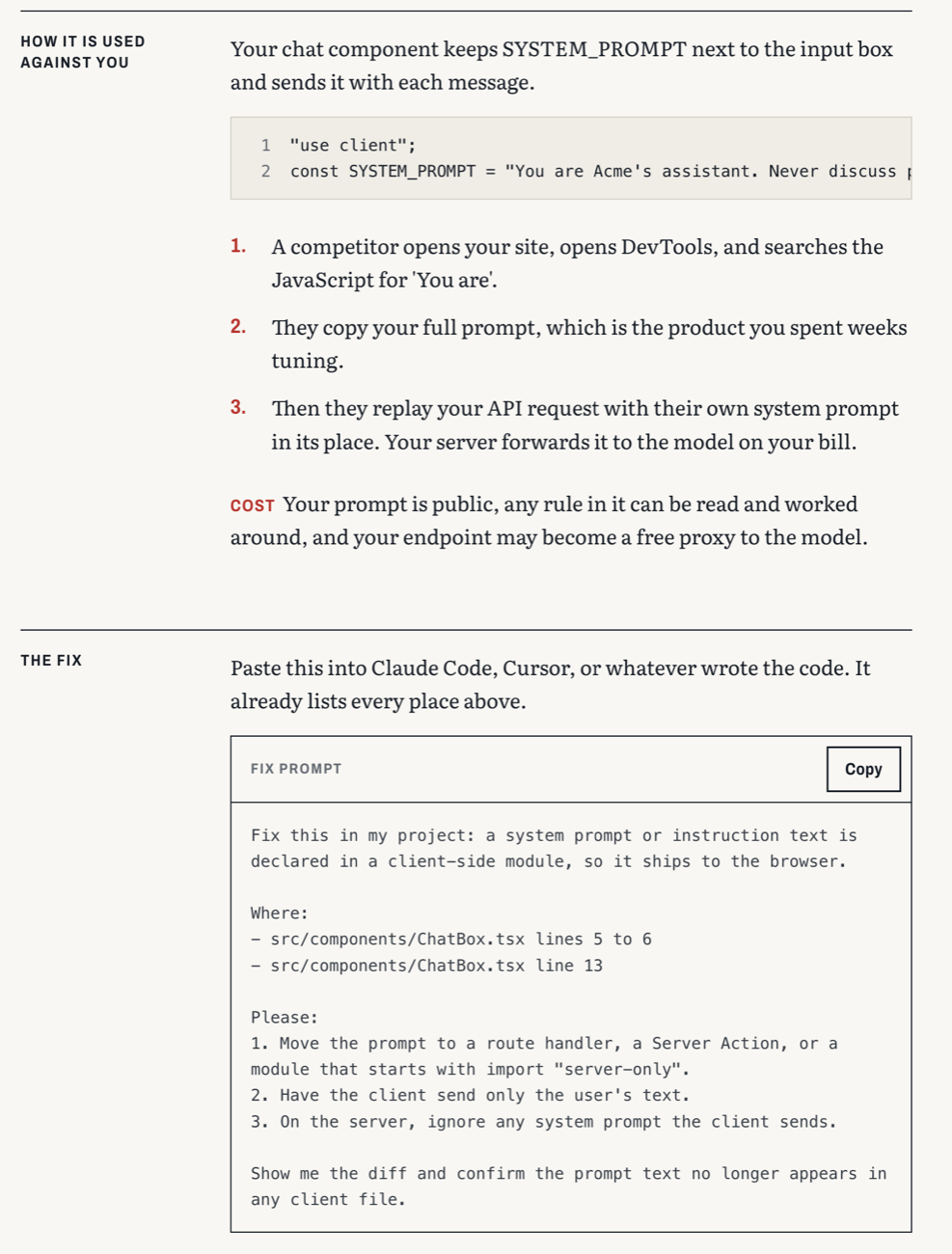
Each lesson walks through the attack, then gives a fix prompt that already lists every
place to change. npx llm-audit prompt 1 copies the same prompt from the terminal.
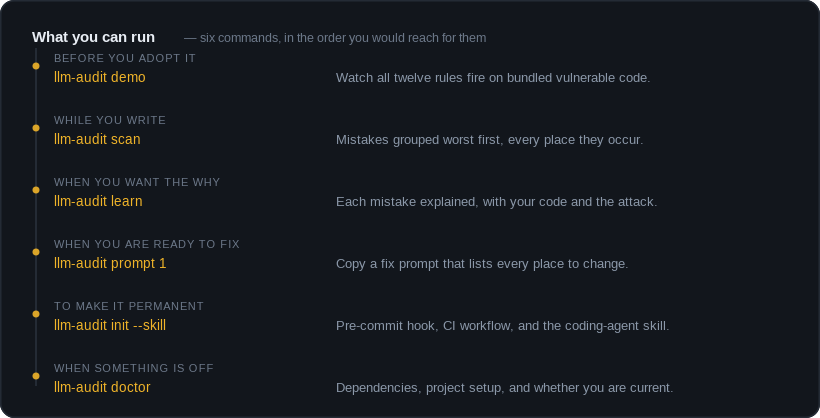
Quickstart · Rules · vs. Semgrep · Report · JSON / SARIF · Adopt in CI · Agents · Rule Docs · Contribute
A Semgrep rule pack and CLI for the security bugs that show up in TypeScript and JavaScript when you wire up an LLM. AI assistants write most of these, but people write them too. It runs before your commits and in CI. Semgrep is the engine. Output is human-readable, JSON, SARIF 2.1.0, or a standalone HTML report.
Status: the v1 rule set is done. Twelve rules, each with a vulnerable and a
safe fixture, all green against npm test.
docs/RULES.md- every rule: what it catches, why an AI assistant writes the pattern, and the fixdocs/AI-FAILURE-MODES.md- the long version of the reasoningdocs/COMPETITIVE-LANDSCAPE.md- the other scanners, and the ones that aren't competitors at alldocs/BRIEF.md- the pitch
Why not just p/ai-best-practices?
Because it doesn't scan TypeScript. Semgrep's official AI pack is good work. It's just Python-first. Run both, they don't overlap.
llm-audit |
Semgrep p/ai-best-practices |
|
|---|---|---|
| JS / TS rules | 12 | 0 of 27 |
| Language focus | TypeScript, TSX, JavaScript | Python (13), config (11), Bash (3) |
| Findings on this repo's TS/TSX fixtures | 42 | 0, every target filtered out before scanning |
| Runs at | pre-commit hook + CI | CI |
Reproduce those numbers yourself in under a minute:
git clone https://github.com/Javierlozo/llm-audit.git && cd llm-audit

# Semgrep's AI pack against the same TypeScript fixtures: 0 targets, 0 findings.
semgrep --config p/ai-best-practices test/fixtures/ --metrics=off

# llm-audit against them: 12 rules, 42 matches, 0 false positives.
npm test
The full comparison is in
docs/COMPETITIVE-LANDSCAPE.md: false-positive
rates, output formats, licensing, the other OSS scanners, and the commercial
tools.
Built by Luis Javier Lozoya · Website · Issues · npm
Quickstart
You just ran npm i llm-audit. Now what?
# 1. Install the engine (one-time, system-wide).
brew install semgrep        # or: pipx install semgrep

# 2. Sanity-check setup. Lists missing dependencies and how to fix them.
npx llm-audit doctor

# 3. See what the rules catch in 5 seconds. No setup in your repo.
npx llm-audit demo

# 4. Run on your own code.
npx llm-audit scan
That's enough to decide if it's worth keeping. To make it stick, see Adopt in your project below.
Scan, learn, fix
At a terminal, scan groups what it found by kind of mistake, worst first,
with every place each one occurs:
llm-audit  ·  scan of . · main @ 4319614d

2 mistakes in 8 places
8 warnings across 6 files

 1  The model's JSON is trusted without checking            warning  5 places
    src/app/api/detectProjects/route.ts      179
    src/app/api/fitAssessment/route.ts       102
    ...

 2  The request body goes to the model unchecked            warning  3 places
    src/app/api/analyzePortfolio/route.ts    39, 84
    src/app/api/interviewQuestions/route.ts  53

Read the lessons, with your code and a fix prompt for each:
  npx llm-audit learn
Copy a fix prompt for your AI tool:  npx llm-audit prompt 1
Then two commands work from that scan:
npx llm-audit learn            # the lessons for your last scan, in your browser
npx llm-audit prompt 1         # copy lesson 1's fix prompt to the clipboard
npx llm-audit prompt 1 --check # the prompt that checks the rest of the project
npx llm-audit prompt 1 | claude -p   # piped, it prints the prompt and nothing else
learn opens a page with one lesson per mistake, numbered the same as the
terminal. Each lesson shows every place it occurs in your code, explains what
is wrong, walks through how someone would use it against you, and gives you the
fix prompt and the check prompt. You can mark lessons fixed as you go. With no
scan saved for the project, learn opens the lesson library: eleven lessons
covering all twelve rules.
Nothing is uploaded. The last scan is saved per project in your user cache directory, readable only by you, with secret-shaped strings redacted. The page is one static file whose CSP blocks every network request. Hooks, pipes, and CI get the per-file output they always have, and save nothing.
npx llm-audit scan --open      # open the lessons right after the scan
npx llm-audit scan --by file   # per-file view with code, the hook/CI default
npx llm-audit scan --no-link   # don't save the scan, no hints
npx llm-audit learn --link     # a shareable URL for the last scan
npx llm-audit rules            # all twelve rules, grouped by mistake
A share link carries the scan in the part of the URL after #, which browsers
never send to a server, so it opens on the static page at
https://llm-audit.luislozoya.com/learn/ without anything being stored there.
The page is built by node tools/build-site.mjs and deployed by
.github/workflows/pages.yml; to host it yourself, serve that file and point
the CLI at it with --learn-url <url> or LLM_AUDIT_LEARN_URL.
Project policy
Ignoring a finding, with a reason
// llm-audit-ignore hardcoded-llm-api-key -- fake key, only used in this test
const client = new OpenAI({ apiKey: "sk-test-..." });
Put the comment on the flagged line or the line above it. Name the rule (or
several, comma-separated) and say why after --. A comment without a reason, or
naming a rule that doesn't exist, is not applied: the finding stays and the
scan tells you what is wrong with the comment. Suppressed findings are counted
under the results and listed with their reasons in --json, so a dismissal is
always reviewable. Semgrep's own // nosemgrep also works, without a reason.
Adopting on a repo that already has findings
npx llm-audit scan --baseline origin/main
Only findings that are new since that commit are reported, so you can turn the
gate on today and burn the backlog down separately. It works with uncommitted
changes, and code that merely moved still counts as old. In GitHub Actions, give
the checkout step fetch-depth: 0 so the ref exists.
A config file
.llm-audit.json at the project root (or an "llm-audit" key in
package.json) keeps the policy in one place for the hook, CI, and your
terminal. Flags on the command line still win.
{
  "failOn": "error",
  "disable": ["streaming-response-without-abort-handling"],
  "ignore": ["scripts/**", "**/*.test.ts"],
  "baseline": "origin/main"
}
The file is strict: an unknown key or rule id is an error, because a typo in a security tool's config should never read as configured.
In GitHub Actions
Inside a GitHub Actions job, scan also writes each finding as an annotation,
which GitHub shows on the pull request's changed lines, and adds a summary to
the job page. No token or code-scanning setup is needed. --no-github turns it
off. llm-audit init installs a workflow that runs the scan.
Or use the action directly. It runs the CLI from the ref you pin, so CI never fetches a different version from npm, and installs Semgrep if the runner lacks it:
- uses: actions/checkout@v7
- uses: Javierlozo/llm-audit@v0.11.0
  with:
    fail-on: error            # any (default) | error | warning | info | never
    # paths: src app          # default: .
    # baseline: origin/main   # only new findings; needs fetch-depth: 0
    # sarif: llm-audit.sarif  # also write SARIF for code scanning
Exit codes
| Code | Meaning |
|---|---|
| 0 | Nothing at or above --fail-on |
| 1 | Findings at or above --fail-on |
| 2 | Usage or config error |
| 127 | Semgrep is not installed |
Machine-readable output (CI, agents, dashboards)
scan has two machine-readable formats, plus the HTML report covered below:
# Versioned JSON envelope (stable schema, schemaVersion: 1).
# Useful for AI agents (Claude Code, Cursor) and custom dashboards.
npx llm-audit scan --json src > findings.json

# SARIF 2.1.0, the standard for security-tool output.
# Upload directly to GitHub Code Scanning via codeql-action/upload-sarif.
npx llm-audit scan --sarif src > findings.sarif
A report you can hand to someone else
npx llm-audit scan --html llm-audit-report.html src
One HTML file. No scripts, no network, no external assets. It opens from disk, prints cleanly, and survives being attached to a PR or kept as a CI artifact.
It opens with what to fix first and records the branch and commit it's
describing, including whether the tree was dirty when you ran it. Findings are
grouped under the rule that explains them, and each rule carries what it
catches, why an AI assistant tends to write that pattern, how to fix it, and
the pack's own safe.* fixture as the worked example.
That last part is the one I'd point at. The fixture isn't an illustration.
npm test asserts on every commit that it produces zero findings, so the fix in
the report is one that's been checked.
The same material is one command away in the terminal:
npx llm-audit rules hardcoded-llm-api-key
Focusing a run
npx llm-audit scan --rule hardcoded-llm-api-key src   # one rule
npx llm-audit scan --severity error src               # errors only
npx llm-audit scan --by file src                      # per file, with code
npx llm-audit scan --by rule src                      # group by rule
npx llm-audit scan --compact src                      # one line per finding
Past 15 findings the terminal switches to compact on its own. The full
rationale for every hit stops teaching and starts scrolling. Compact also folds
a rule's repeats in a file onto one row, so you get lines 18, 22, 27 instead
of three near-identical rows.
Filtered output always says it's filtered, in the terminal and in the HTML report. A narrow pass should never read like a clean bill of health.
Adopting on a repo that already has findings? Print everything, but only fail the build on what you're ready to enforce. Tighten it as you burn the backlog down:
npx llm-audit scan --fail-on error src   # report all, exit 1 only on errors
npx llm-audit scan --fail-on never src   # report all, never fail the build
JSON envelope shape:
{
  "schemaVersion": 1,
  "tool": { "name": "llm-audit", "version": "0.10.2" },
  "repo": { "commit": "…", "shortCommit": "01d9ff30", "branch": "main", "dirty": false },
  "scannedPaths": ["src"],
  "summary": { "findings": 0 },
  "findings": [
    {
      "ruleId": "model-output-parsed-without-schema",
      "severity": "WARNING",
      "owasp": "LLM10",
      "cwe": ["CWE-20"],
      "path": "src/app/api/route.ts",
      "startLine": 61,
      "endLine": 61,
      "message": "Model output is being parsed with `JSON.parse`...",
      "lines": "..."
    }
  ]
}
By default scan exits 0 with no findings and 1 with any, whatever the
output format. --fail-on <level> moves that threshold without changing what
gets reported.
Using with Claude Code, Cursor, or Codex CLI
Assistants write most of the code these rules were written for, so the best place to run this is inside the assistant. Two ways to do it.
1. Install the Claude Code skill (recommended)
Drop a project-local SKILL.md into .claude/skills/llm-audit/. Any agent
that reads the universal skill format picks it up on its own: Claude Code,
Cursor, Codex CLI, Antigravity, Gemini CLI.
npx llm-audit init --skill        # hook + workflow + skill
npx llm-audit init --skill-only   # just the skill
The skill tells the agent when to run it (editing files that import
openai, @anthropic-ai/sdk, ai, @ai-sdk/*), how to run it
(npx llm-audit scan --json), and how to read each rule's findings with the
right fix per OWASP entry.
2. Manual rule for users who don't want the skill file
If you'd rather not commit a .claude/skills/ file, paste this into your agent
rules instead (CLAUDE.md, .cursorrules, AGENTS.md, or whatever your tool
uses):
Before committing any change that touches LLM-integrated code (imports from
openai,@anthropic-ai/sdk,ai,@ai-sdk/*, or any file callingchat.completions.create/messages.create/generateText/streamText), runnpx llm-audit scan --jsonagainst the changed paths. Treat thefindingsarray as the authoritative list of issues to fix. Each finding hasruleId,owasp,severity,path,startLine,endLine, andmessage. Fix the code per the message, then re-run until the array is empty. Never bypass the rule by suppressing the finding.
Either works. The skill gives the agent more context and loads on its own, but the file has to live in your repo.
The JSON envelope is a stable contract (schemaVersion: 1), so agents can rely
on the field names without breaking on a future release.
Versions and updates
It doesn't check for updates on every run. No background network calls, no daily cache files, nothing you didn't ask for. The trade-off is that you won't hear about a new version on your own.
To check where you are:
npx llm-audit doctor
doctor makes one request to the npm registry and prints either
is up to date or is out of date (latest is N.N.N) with the upgrade command.
It's the same call you'd make yourself with npm view llm-audit version.
To upgrade:
npm i llm-audit@latest
Adopt in your project
llm-audit init writes two things: a husky pre-commit hook that runs on every
commit, and a GitHub Action workflow that runs on PRs and pushes. It asks before
writing the hook, since that one lands in your local commit flow. Press Enter to
accept, type n to skip the hook and keep just the workflow.
npx llm-audit init                     # prompts: Install pre-commit hook? [Y/n]
npx llm-audit init -y                  # skip the prompt, accept default
npx llm-audit init --skill             # also install the Claude Code skill

# If husky isn't already in this project, finish the setup:
npm i -D husky
npm pkg set scripts.prepare='husky'
npm run prepare
CI, scripts, and piped stdin skip the prompt and take the default, so nothing hangs.
Don't run npx husky init afterwards. It conflicts with the pre-commit file
llm-audit init just wrote. The three lines above are husky v9's manual setup,
which doesn't have that problem.
Run init twice and it tells you everything's already installed instead of
failing. It only refuses to overwrite a file it didn't write, and --force
reinstalls from the templates either way. Threat model in
docs/SECURITY-AUDIT.md.
Want it gone? npx llm-audit uninstall removes the hook, the workflow, and the
skill. It only deletes files it can prove it wrote, and tells you what it left
behind.
Pinning the version in CI
The bundled workflow runs npx llm-audit scan, which pulls the latest
published version at run time unless llm-audit is in your devDependencies.
The pre-commit hook uses npx --no-install, so it never fetches the package
behind your back.
If you want CI on a version you've reviewed, either add it to your dev dependencies:
npm i -D llm-audit
…or pin a version directly in the workflow file:
- run: npx llm-audit@0.10.2 scan
Why
The best rule pack out there is Semgrep's official
p/ai-best-practices.
It ships 27 rules: 13 Python, 11 config files (MCP, Claude Code settings),
3 Bash hooks, and zero JavaScript or TypeScript. Point i