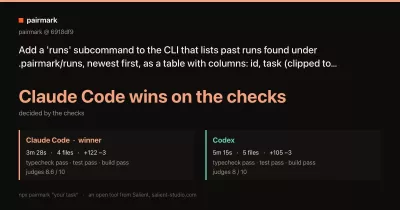

The shared-memory layer for AI dev environments. Every coding agent — Claude Code, OpenCode, Antigravity, Codex, … — keeps its own brain in its own files. Loom makes them one brain: connect your ADEs, and their memory, decisions, and context become a single shared thread that flows from one agent to the next.
Today that means Claude Code, Codex, OpenCode, Grok Code and Antigravity as full agents, each verified against a real version, plus Kiro driven through its own window — see Supported agents for exactly how far each one goes, and How memory actually reaches a model for the part most tools gloss over.
An agent doesn't have to be a CLI any more. A model agent
is an HTTP endpoint — any OpenAI-compatible provider, a model you pick from a list,
nothing to install — which means the cheap work can go somewhere cheap, and on a
provider's free tier it costs nothing at all. Pin one to a
thread and two conversations run on two models
at once; ask several and one prompt fans out to
all of them.
And because a fleet you can't see is a fleet you can't trust, every turn, handoff and route step is exported as OpenTelemetry — traces, metrics and logs — and read back into an in-app Observatory.
Loom is not another IDE. It's the thin layer between your agents — the continuity and memory they don't share on their own.
   CLAUDE.md      AGENTS.md      .antigravity/     ← each ADE's native memory
       │              │               │
       └──────────────┼───────────────┘   import
                      ▼
            ╔═══════════════════╗
            ║  ONE SHARED BRAIN ║   decisions · imported ADE memory · the thread
            ╚═════════╤═════════╝
                      │  projected on every handoff
       ┌──────────────┼───────────────┐
   Claude Code ──▶ OpenCode ──▶ Claude Code      ← baton carries the brain forward
     (plan)        (execute)      (review)
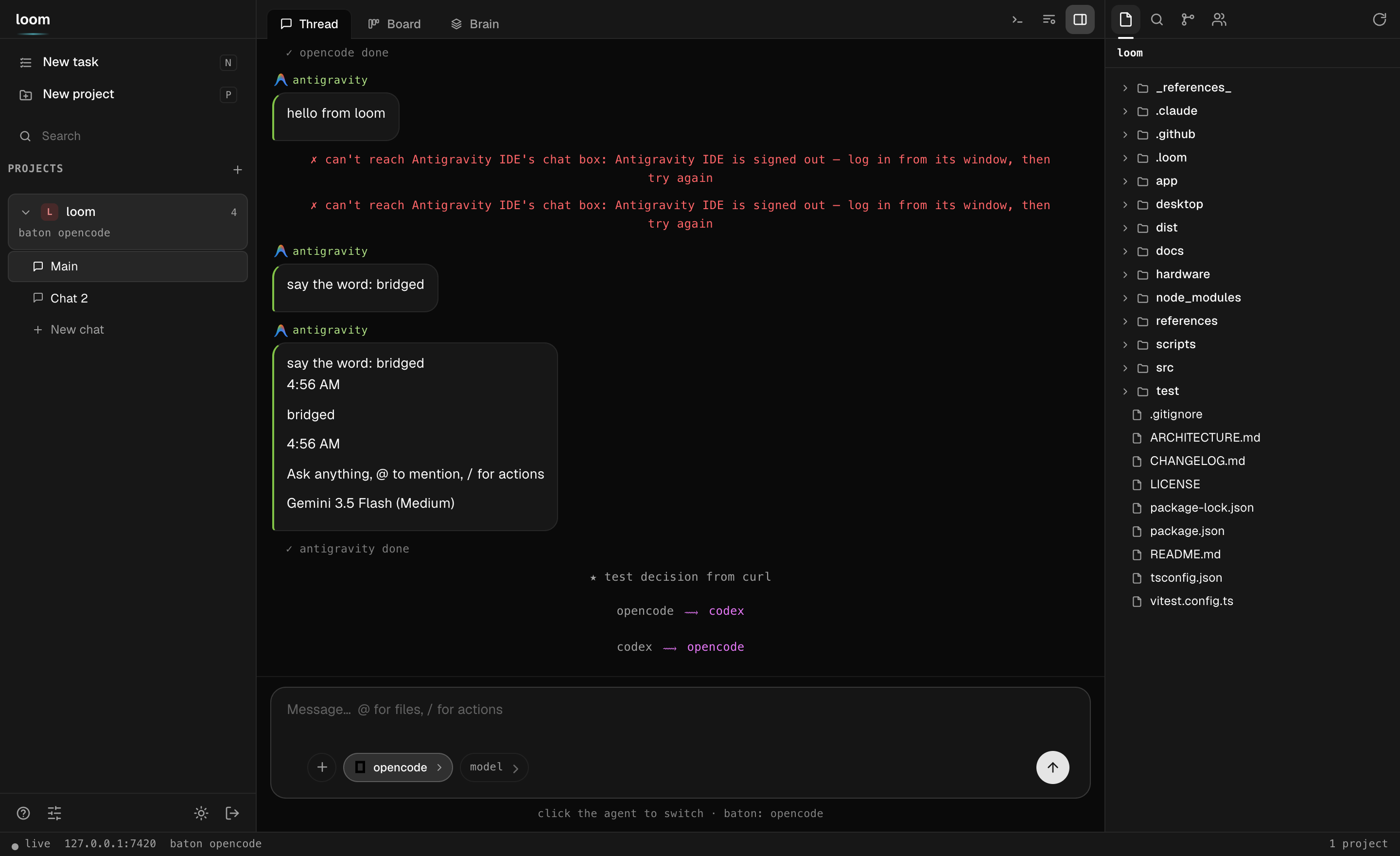
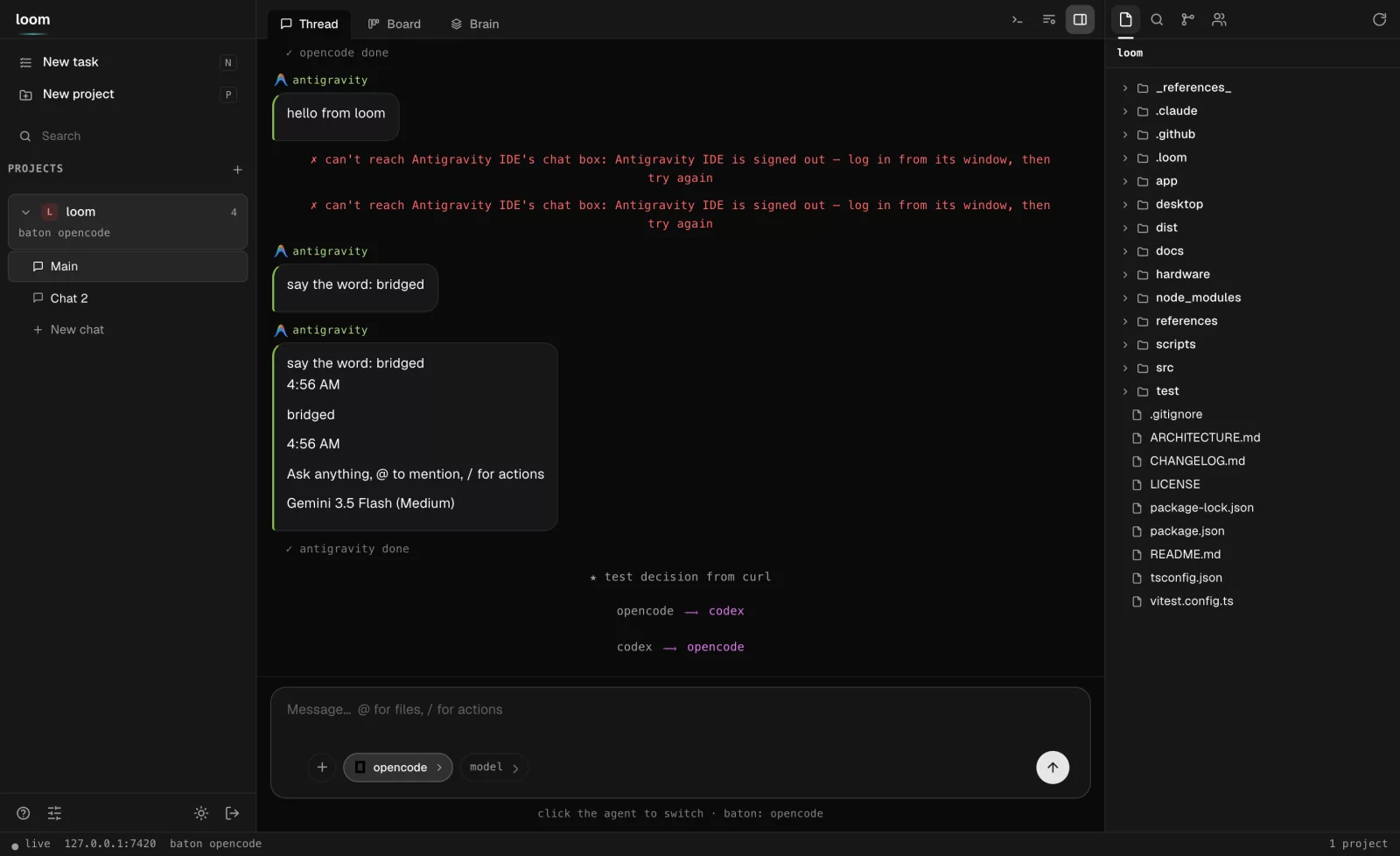
One thread over every agent — projects and chats on the left, the shared conversation in the middle, the Explorer on the right, and a composer you switch agents from without leaving the box.
One link — a teammate, their agents, your repo
Click Invite in a project, or run loom invite. Loom makes sure you're on a
team that shares this repo (it creates the team and shares the repo if you
haven't) and gives you one https link to send.
Your teammate clicks it. If they already have Loom, it opens in their Loom and one Join does the rest. If they don't, the page shows one command that installs Loom and joins:
- Sign in with GitHub.
- Join the team, and keep the team key the link carries.
- Get the repo. Loom uses a clone they already have, or clones it. For a private repo, your Loom adds them as a collaborator the moment they join, and theirs accepts GitHub's invitation.
- Open it with their agents — whichever of Codex, OpenCode, Claude Code and the rest are installed on their machine.
- Share it with the team, so you see each other's live agents, goals and files.
- Set up your crews, filled from their own agents.
loom invite                 # in a project: the link, a QR, and a message to paste
loom join '<link>'          # the same thing from a terminal
The invite is the part of the link after #. Browsers never send that part to
a server, including the join page's. A link works once and expires in a day.
It carries the team key, so send it the way you'd send a password.
Quota Relay — a limit doesn't stop the work
Hit Claude's 5-hour window halfway through a task, and the work normally stops: Claude Code parks the turn until the reset, and Codex ends it with "try again at 3:04 PM". Loom recognises the limit and responds:
- It hands the work on. It stops the parked turn and passes the baton to the next agent, with a briefing: "claude ran out of quota; its changes are in the working tree, continue from them". It re-sends the same request in the same chat.
- It routes new prompts. While an agent is out, anything sent to it goes to the agent standing in.
- It gives the chat back. When the window resets, the baton returns.
- It waits if it has to. If no other agent is free, the request is queued for the moment the limit lifts.
The thread records each step ("claude hit its usage limit — codex carries on;
claude is back around 19:00"), and your phone gets a push. By default only
your other CLI agents take over, never a metered API model. Set the order
with relay.to. relay.auto: false only reports the limit, and
relay.handBack: false keeps the stand-in. Limits are read from what Claude
and Codex report about their usage windows, and from the error text any CLI
gives ("usage limit", "rate limited", "quota exceeded", with "try again at…"
or "resets in…").
Proof — is "done" true?
Agents say "all tests pass" when three of fourteen ran, or when none did. When an agent's reply claims the tests, build, typecheck or lint pass, Loom checks the claim three ways:
- What it said. The claims in its final message, including any numbers ("all 14 tests pass").
- What it ran. The commands from that turn and their exit codes. A claim with no test run behind it, or with a failed one, doesn't hold.
- A clean re-run. Loom runs your tests again in a fresh worktree containing exactly the agent's uncommitted changes and new files. Dependency folders are linked, not reinstalled. Your working tree is never touched.
The verdict goes into the thread as a card: Verified, Didn't hold (with the reason, such as "said 14 pass; 11 did"), or Unverified. If a "done" doesn't hold, your phone gets a push. Every turn card also has Check it, to verify any turn on demand.
loom proof                   # check the newest turn (exits 1 if it didn't hold)
loom proof --test "npm run test:unit"
The test command is the one the turn itself ran and passed (a leading
cd <project> && dropped), else one detected from the project (npm test,
cargo test, go test ./..., pytest through the project's .venv or
python3, make test). Override it with proof.testCommand in
.loom/config.json; proof.auto: "off" turns off automatic checks. A re-run
that can't start (exit 126/127, "command not found") is unverified, never
"the tests fail".
Pass/fail counts are read from vitest, jest, node:test, mocha, pytest, cargo,
go test, rspec and phpunit output.
Crews — agents with roles, on one goal
A crew is a few of your agents with jobs: a lead who plans, builders, a reviewer, a tester. You give the crew a goal. The Lead turns it into cards, and you approve the plan. Each card is then built, reviewed (changes go back to the same builder), and tested, in the goal's own worktree and branch. When it's done, you apply it.
loom crew create ship       # templates: ship · fix · research · solo — seats follow your agents' roles
loom crew create ship --builders claude-code,claude-2 --reviewer codex   # or name them
loom crew goal "Add rate limiting to the public API"
loom crew approve           # or: loom crew say "smaller cards, please"
loom crew                   # cards by stage; questions a teammate asked you
loom crew apply             # merge the goal's branch into yours
The Crew tab shows the same thing. Every commit carries Loom-Crew,
Loom-Goal, Loom-Card and Loom-Teammate trailers. Phase 1 works one card
at a time; docs/proposals/agent-teams.md has
the rest of the plan.
Orchestra — one conductor, many agents, in parallel
Give Loom a goal and let one agent run the others. The orchestrator can be any agent: Claude Code, Codex (ChatGPT), Antigravity, Grok or OpenCode.
- It reads the repository and splits the goal into a task graph.
- Loom runs every ready task at the same time on the worker agents the plan names. Each task gets its own thread and its own git worktree.
- Loom merges each finished task into one integration branch.
- The orchestrator reviews the results. It can accept them, send follow-ups, spawn more tasks, or finish.
loom orchestrate "add OAuth login with tests" -o claude-code -w codex,antigravity,claude-code -p 6
                 ┌──────────── orchestrator (any agent) ────────────┐
   goal ──▶ plan │  t1 → codex        t2 → antigravity    t3 → codex │ ◀── review, follow up, done
                 └──────┬──────────────────┬────────────────┬──────┘
                        ▼                  ▼                ▼  (after t1)
                   worktree t1        worktree t2      worktree t3
                        └──────── merged into loom/orchestra/<run>/main ──▶ apply to your branch
-
Any agent can orchestrate. The orchestrator never runs shell commands. It answers in a small JSON block that Loom parses, so an agent in a sandbox or with no tools at all can still lead.
-
Many workers, mixed or the same kind. Three Codex tasks and two Antigravity tasks run side by side as separate CLI sessions, capped by
--parallel(1–12). -
Real dependencies. A task with
dependsOnstarts only after those tasks are merged, and it branches from a tip that already contains their work. -
Nothing touches your branch until you say so. All work lands on
loom/orchestra/<run>/main. You merge it withloom orchestra:apply <run>, or with the Apply button in the app. Merge conflicts go back to the orchestrator, which can ask the worker to resolve them. -
You're in the loop. When the orchestrator needs a decision it asks, and the run waits for your reply (
loom orchestra:reply <run> "…", or the app on your phone). You can steer a run mid-flight the same way. -
Everything is visible. Every step is an
orchestraevent. The web app, desktop app, phone and CLI all watch the same run live, and each task's stream sits in its own thread. The project's budgets, quarantine and shared brain apply to every worker. -
Race instead of plan.
--race(or the Race switch in Orchestrate) gives every worker the whole goal in its own worktree, with no orchestrator. The entrants finish side by side, each with its diff, and you keep one: Pick this one in the app, orloom orchestra:apply <run> --task race-<agent>. -
A restart doesn't lose the run. If Loom stops mid-run, the run says it was interrupted. Resume (or
loom orchestra:resume <run>) picks up the tasks that were running and briefs the orchestrator again.
Under the hood: src/core/orchestra.ts.
node scripts/verify-orchestra.mjs runs a real orchestra against your installed
CLIs and checks the result on disk.
Codex & GPT‑5.6
Loom is built around orchestrating OpenAI Codex as a first‑class agent — and in this
build every Codex turn runs GPT‑5.6: Codex's model, pinned in Loom's per‑project agent
config (.loom/config.json → codex → model: "gpt-5.6-terra") at high reasoning effort.
The slug is
gpt-5.6-terra, not a baregpt-5.6— that is the id Codex actually accepts, and asking forgpt-5.6is a 400 (not supported when using Codex with a ChatGPT account). Loom's model picker asks the CLI what it supports (codex debug models) rather than shipping a list that goes stale, which is exactly how this got caught.
- Codex holds the baton like any other agent. The adapter
(
src/providers/codex/adapter.ts) keeps a warmcodex app-server(JSON-RPC) per chat: it opens a thread, streams Codex's items (agentMessage/commandExecution/fileChange), its context usage and compaction, and keeps the same thread across turns (resuming it after a restart) so Codex keeps its own context between handoffs. - Codex reads and writes the shared brain. Before a Codex turn, Loom projects the
unified memory (imported ADE memory + decisions + the thread) into its briefing; its
replies and memory writes land back in the one shared store. So a handoff
Claude Code → Codex carries the full context, and the next agent inherits what Codex
learned. (Verified end‑to‑end: Codex recalled a value another agent set one turn
earlier, and its turns emit
run_complete+memory_add.) - Voice, on real hardware. The LoomPad is a physical ESP32‑S3 macropad, and the
loop is: press the Codex key to hand Codex the baton, hold the mic and speak, hear
the reply spoken back through the pad. It lives in this repo under
hardware/orchestrator-pad/— parametric CAD, printable STLs, the wiring diagram, the Arduino firmware and the voice backend — with the daemon-side proxy endpoints (/api/loompad/health,/api/loompad/connect) and the status pill that reads them. See Hardware to print and wire one. - Codex as a dev agent, too. Because Codex is a full agent, you can hand it real work
inside Loom —
loom route ship "…"routes plan → Codex executes → review, the brain flowing hop to hop.
In short: GPT‑5.6, via Codex, is one of the interchangeable minds Loom keeps in sync — start a thread in Claude Code, hand it to Codex mid‑task, and it picks up with the whole shared context intact.
Observability
Loom exports its agent activity as all three OpenTelemetry signals, and then reads them back into an in-app Observatory so you never have to leave to answer "what is the fleet doing, and what did it cost".
Backend-agnostic. Loom speaks OTLP/HTTP and nothing else — no vendor SDK, no
vendor-specific code path. Point OTEL_EXPORTER_OTLP_ENDPOINT at a Collector, Grafana,
Jaeger, SigNoz, Honeycomb, anything with a /v1/traces endpoint. An ingestion key
rides in through the standard OTEL_EXPORTER_OTLP_HEADERS, so a new destination is a
config change and never a code change.
| Signal | What Loom puts in it |
|---|---|
| Traces | every turn as gen_ai.agent.turn (model, tokens, cost, duration), tool calls, baton handoffs, route steps, memory folds — one trace per turn |
| Metrics | tokens, turn duration, turns, cost, active agents, handoffs — GenAI semantic conventions |
| Logs | every message, tool call, edit, decision and error, correlated to the span it happened inside |
The Observatory tab renders it back: a live fleet canvas, per-agent burn rate and budgets, Span Replay with a trace waterfall, a Decisions explorer, a Logs view, Time-Travel Replay that refolds the whole run from the event log, and Ask — a question about your fleet, answered from its own telemetry.
Self-heal closes the loop: point your monitoring's webhook at
POST /api/webhooks/alerts (the Alertmanager shape SigNoz, Prometheus and Grafana all
send) and a firing alert takes the named agent out of rotation until it resolves. That
is the part a dashboard can't show you — it knows the alert fired, only Loom knows the
fleet reacted.
Two rules run through all of it: nothing is estimated, and absent beats invented. Tokens and cost are what each agent's own CLI reported; an adapter that reports tokens but no dollar figure (codex) produces no cost datapoint rather than a zero, because zeros are indistinguishable from real cheap turns once summed.
Off with DO_NOT_TRACK=1. Full details, every variable, and how to verify it's flowing:
docs/observability.md.
Why
Every coding agent keeps its own brain. Claude Code's memory can't be read by OpenCode; Antigravity doesn't know what you decided with Claude an hour ago. Switch tools and you re-explain your project every time.
Other multi-agent tools answer this by keeping agents apart — each in its own worktree, run in parallel, compare and merge. Loom makes the opposite bet: keep the agents' memory together so work continues across them instead of forking.
- One brain across every ADE — Loom imports each agent's native memory
(
CLAUDE.md,AGENTS.md, …) into a unified store, merges it with your decisions and the shared thread, and hands the whole thing to whoever picks up next.loom memory. - The baton — exactly one agent may write at a time; passing it carries the context (interrupt-safe, memory projected, briefing armed). Not isolation — continuation.
- Routes — let Loom drive the chain:
loom route ship "add dark mode"runs plan → execute → review as one command, the brain flowing hop to hop; orloom route autolets an LLM pick each next agent. - Every surface, one daemon — a full-screen TUI, a web app, a desktop window, and a phone app (voice input, per-prompt diffs, push) — each a paired client of the same local daemon over your tailnet.
- Local-first & yours — one
npm i -g, no account, MIT, runs headless on a server.
Install
Requires Node ≥ 22.5 (Loom's event log uses the built-in node:sqlite).
On Windows, install Node.js and Git for Windows, then use PowerShell or Command Prompt. Bash and WSL are not required. From a source checkout:
git clone https://github.com/nickthelegend/loom.git
cd loom
npm.cmd ci
npm.cmd link
loom.cmd doctor
For a managed source installation, run scripts/install.ps1 in PowerShell
(it clones into %USERPROFILE%\.loom-src, builds, and links the CLI). Use
loom.cmd when PowerShell's execution policy blocks npm's .ps1 shim.
Install agents separately: npm.cmd i -g @openai/codex opencode-ai, then
sign in to the agents you use. Claude Code's native Windows installer is also
detected under %USERPROFILE%\.local\bin.
Normal chat, shared memory, routes, Orchestra worktrees and crews use the
standard runtime on Windows. The optional native continuity mode
(brain.continuity: true) needs verified process containment. On Windows,
every harness runs inside a Job Object, and Loom checks the containment
works on this machine before it offers the mode; if the check fails, the
agent says why and stays on the standard runtime. Leave it off for Orchestra
and crews, which also run outside native continuity on other OSes.
npm install -g @loompad/cli # → `loom` on your PATH
Other paths:
# one-liner from source (clones ~/.loom-src, builds, links; re-run to update)
curl -fsSL https://raw.githubusercontent.com/nickthelegend/loom/main/scripts/install.sh | bash

# straight from git
npm install -g github:nickthelegend/loom

# hackable checkout
git clone https://github.com/nickthelegend/loom.git && cd loom
npm install && npm run build && npm link
Then verify the setup:
loom doctor # checks node, agents, tailscale, daemon (and what it sees vs your shell), providers, and your project
Surfaces, all talking to the same daemon:
- TUI / CLI —
loom(default),loom chat,loom send, … - Desktop app (Loom Desktop) — prebuilt for
macOS, Linux, and Windows
(
.dmg·.AppImage·.exe; the macOS dmg is ad-hoc signed, so right-click → Open the first time), or build fromdesktop/:cd desktop && npm install && npm start. Either way it opens a n