Lulu Board
Structured whiteboard. A way to collaborate visually with AI.
One text protocol — the AI agent writes it, Lulu Board draws it, you work on the canvas; both stay in sync. A local loop.
| Kind | In Lulu Board | Source ID |
|---|---|---|
| Boxes | structured whiteboard text | BMD (b_…) |
| Flowchart | Mermaid flowchart | same #z: / #b: |
Why
Diagrams go stale when only one side can edit them. Lulu Board keeps one text protocol as the source of truth: the agent writes it, you refine it on the canvas (or in Source), and both stay in sync.
Quick start
Chat entry is /boxes:
/boxes
The Drawer opens on a built-in template — the onboarding diagram — so you can see the loop right away:
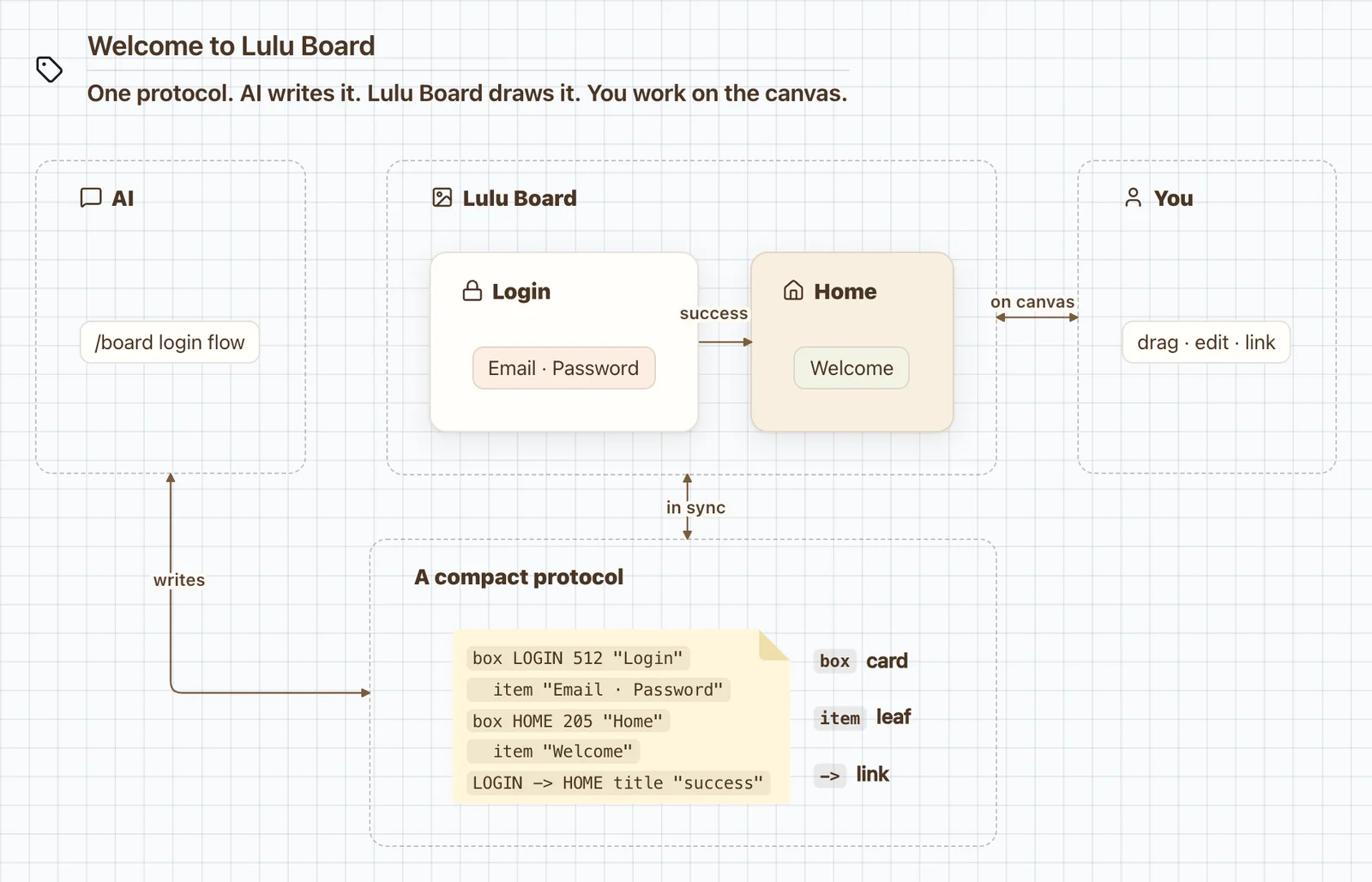
Onboarding — AI writes. Lulu Board draws. You work on the canvas.
Source (<>) → History to browse the built-in templates. New files are stored there too.
Draw from a prompt
Describe what you want after /boxes:
/boxes Draw an Android MVI architecture diagram for me.
The agent authors the source and opens the Drawer. From there you can drag and edit on the canvas, change Source by hand, or ask again — same document, shared with the agent.
A signed-in owner can share a saved cloud diagram from the Share dock. The first audience is All, with View or Edit. Anyone with the #s: link can open the current diagram; Edit lets a signed-in visitor change that same row.
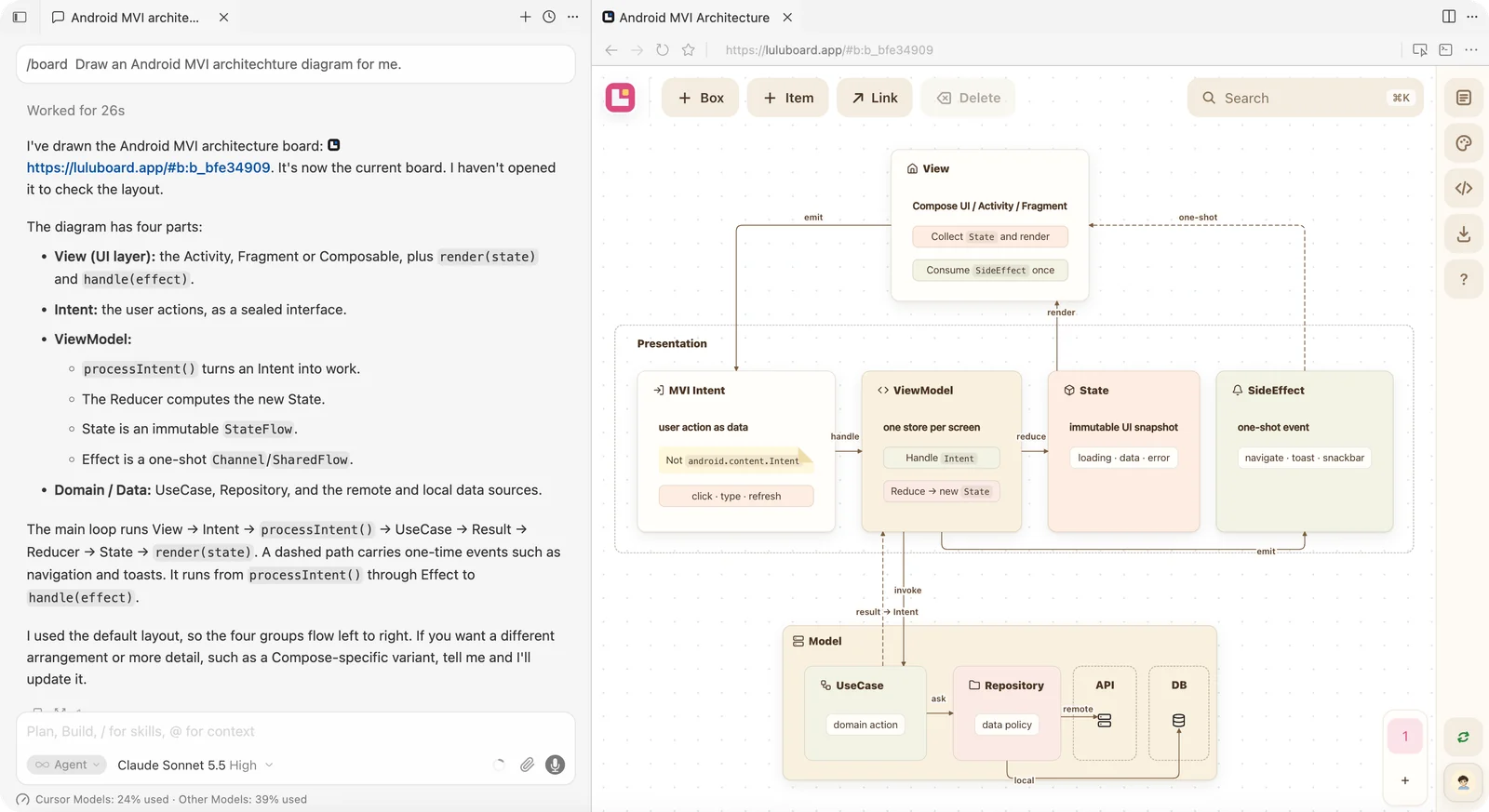
Diagram · Android MVI — ask in chat, see it in Drawer, edit on canvas or in Source
MCP configuration
/boxes works without MCP: the agent opens an unsigned #z: link. To create and update the latest cloud diagram for your account, add the hosted MCP and Connect.
{
  "mcpServers": {
    "lulu-board": {
      "url": "https://mcp.luluboard.app/mcp"
    }
  }
}
In Cursor, open Settings → Tools & MCP. Add that URL if lulu-board is not listed, then Connect and approve sign-in. After the whoami tool is listed, /boxes writes https://preview.luluboard.app/#b:… instead of #z:.
Other MCP clients use the same URL — for Claude Code: claude mcp add --transport http lulu-board https://mcp.luluboard.app/mcp. The first call opens a Lulu Board sign-in and consent page.
Examples
Click a preview to open the source.
Board
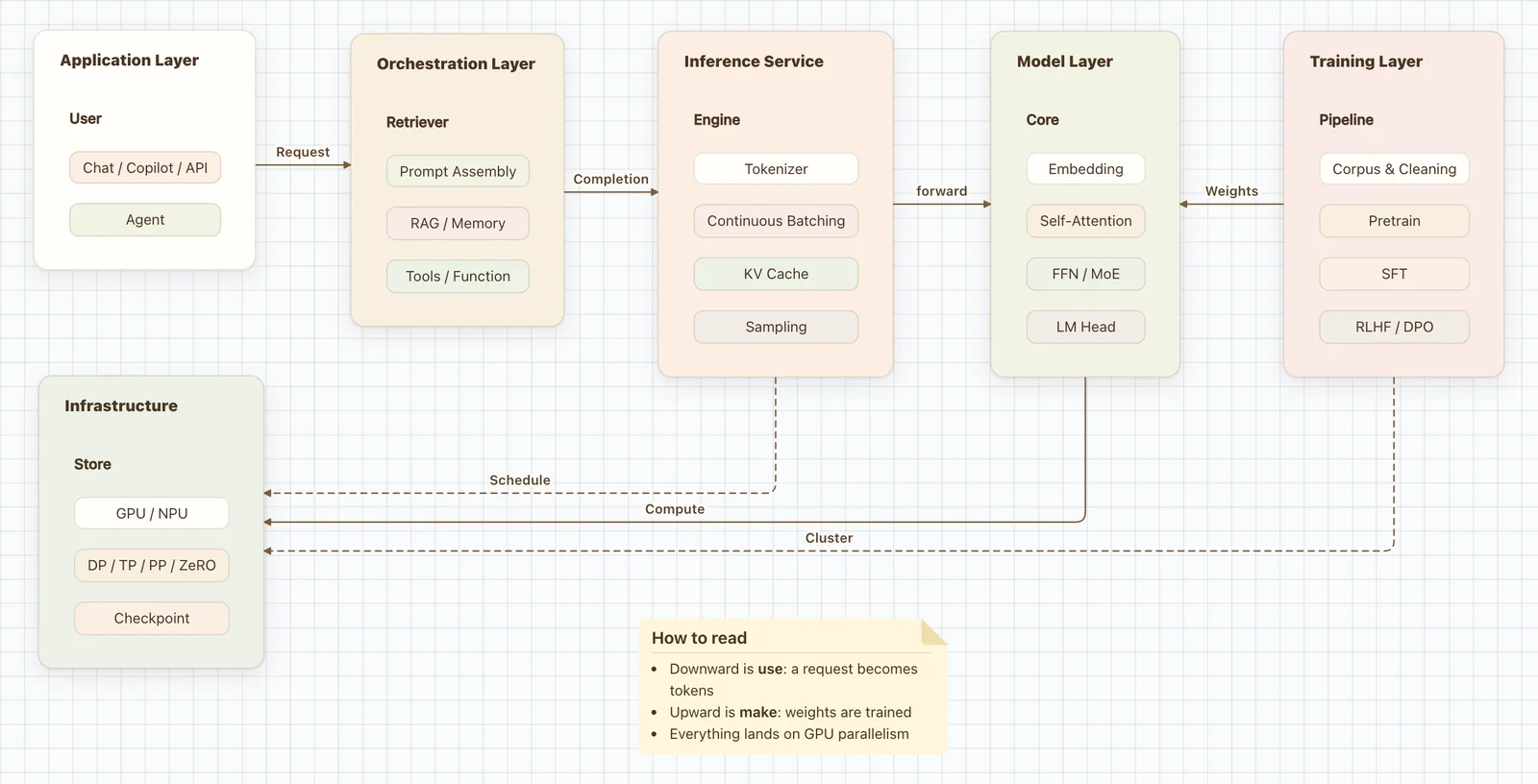
LLM Architecture |
Skill
Chat entry is /boxes.
skill/
  board/     # SKILL.md, scripts/, templates/
Develop
examples/    # README previews (source) → packed into skill/boxes/templates
packages/    # board, drawer-app, board-mcp
scripts/     # build tooling
skill/       # /boxes skill
tests/
.cache/web/  # generated public viewer
From the repo root:
npm run build
License
- Project: MIT
- Vendored: THIRD_PARTY.md