LumenCalc
A calculator for Android and the browser, built with plain HTML, CSS and JavaScript and wrapped for Android with Capacitor.
Version 0.1.3. Early release. The web app is tested in the browser; the Android build, including saving files to Documents/LumenCalc, has not been tested on a real device yet.
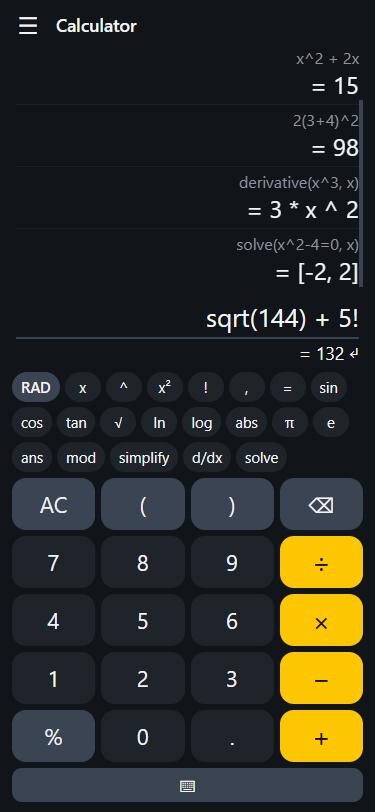
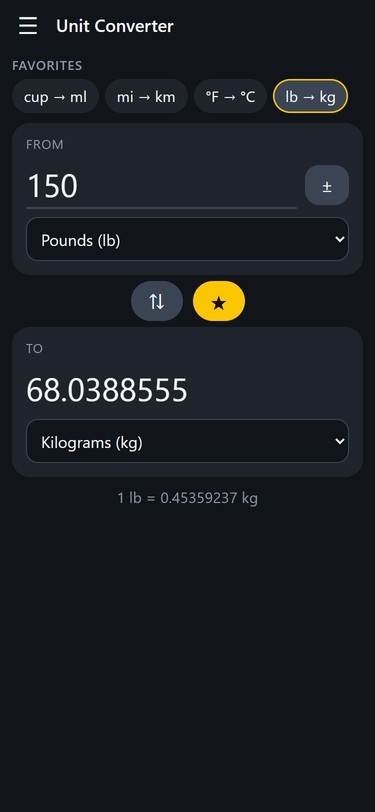
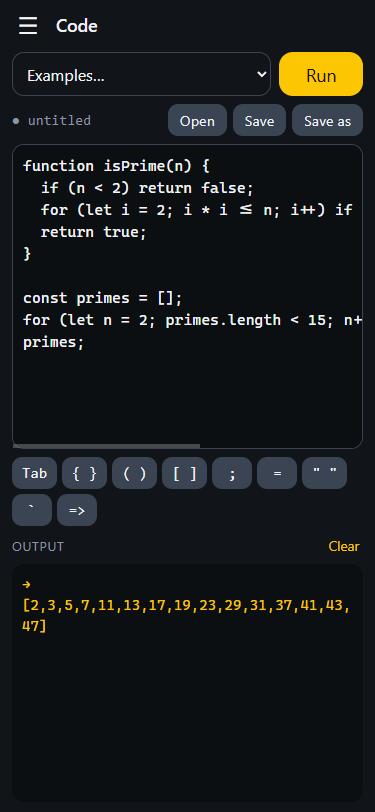
| Calculator | Unit converter | Code | Settings |
|---|---|---|---|
 |
 |
 |
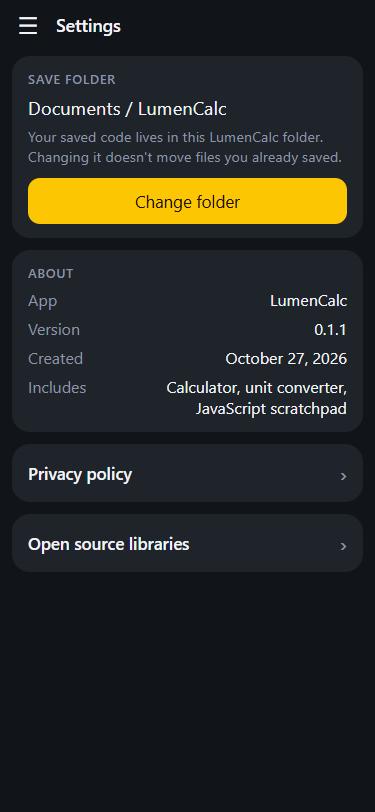 |
Screenshots are the browser build at phone size.
What it does
- Calculator. Type full expressions with parentheses:
2(3+4)^2,5!,sqrt(16),sin(pi/2). Variables (x = 5), your own functions (f(t) = t^2 + 1) andans. Algebra withsimplify(2x+3x),derivative(x^3, x)andsolve(x^2-4=0, x)(polynomials up to degree 3). Radians or degrees. - Unit converter. Length, mass, temperature, volume, area, speed, time, data, energy, power, pressure and angle. Pick a unit and the "to" list only offers compatible units. Tap the star to save a conversion to a favorites list at the top of the page.
- Inflation. What money was worth in another year, using bundled US CPI-U data for 1913-2024 (works offline), or what an amount becomes at a steady yearly rate.
- Code. A JavaScript scratchpad that runs in a sandboxed worker with a 5 second limit. Save and open files in a
LumenCalcfolder. - Settings. Choose the save folder, version info, privacy policy and open source licenses.
Everything runs on the device. There are no accounts, analytics or network requests.
Run it in the browser
npm install
npm run dev
Then open http://localhost:5173. Edits to www/ reload automatically.
Saving to a chosen folder works in Chrome and Edge. Other browsers download files instead.
Build the Android app
You need Node, JDK 17 and the Android SDK.
npm install
npm run icons          # only if you change assets/icon-source.webp
npx cap sync android
cd android
./gradlew assembleDebug
The APK lands in android/app/build/outputs/apk/debug/. On Android, saved code goes to Documents/LumenCalc (or the app's private storage if Android refuses).
Tests
npm test
Six suites, no test framework needed:
| File | Covers |
|---|---|
test.js |
Expression engine: precedence, functions, algebra, number formatting |
test-units.js |
Unit conversions, including every unit pair round-tripping |
test-inflation.js |
Inflation maths: CPI data coverage, adjusting between years, steady-rate growth |
test-files.js |
Save/open storage backends (folder, Android, download) |
test-ui.js |
The real index.html driven in jsdom: keypad, menu, converter and favorites, Code view, Save/Open and Settings on all three storage backends |
test-release.js |
Release hygiene: one version everywhere, no garbled text, every script and menu entry wired up |
The Android file API is mocked to match the real bridge, which was checked on an emulator.
Layout
| Path | What it is |
|---|---|
www/ |
The app itself (HTML, CSS, JS) |
www/calc.js |
Expression engine on top of math.js |
www/units.js |
Unit conversion |
www/files.js |
Save/open storage: folder, Android, or download |
scripts/ |
vendor.js (copies math.js and writes the license list), icons.js (builds app icons) |
android/ |
The Capacitor Android project |
License
No license has been chosen yet, so all rights are reserved for now. Third-party libraries keep their own licenses, listed in the app under Settings.