
MakeAIVideo MCP Server: AI video generation for ChatGPT, Claude, Cursor and any AI agent
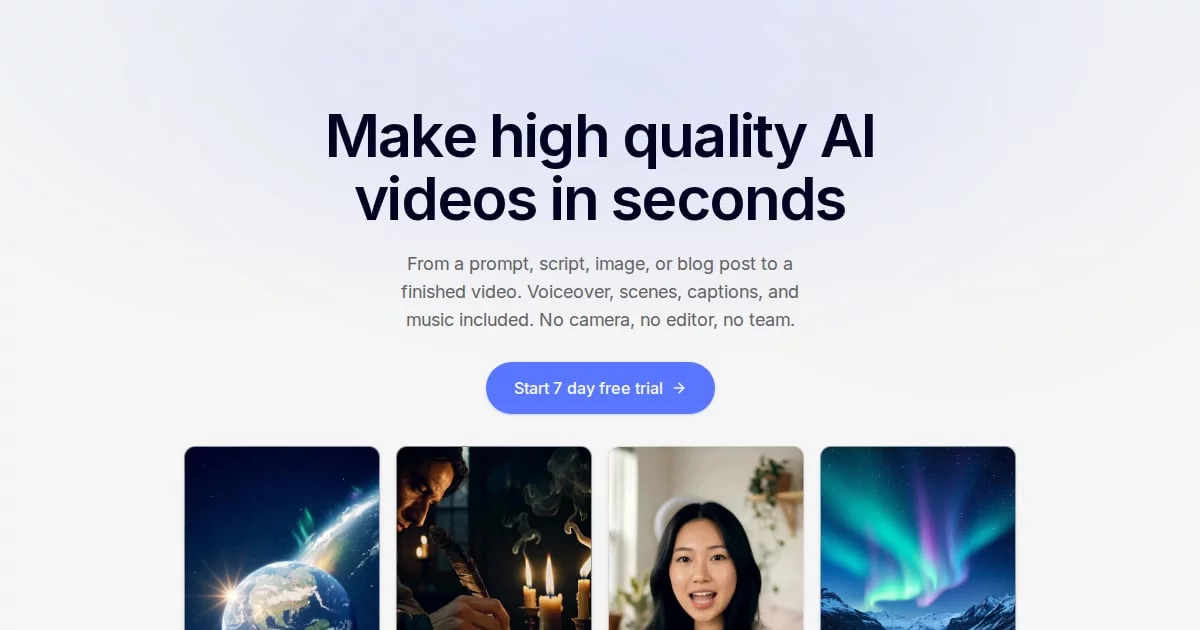
The MakeAIVideo MCP server lets ChatGPT, Claude, Cursor and any AI agent create short-form AI videos (script, AI voiceover, AI or stock scenes, captions and music) from a prompt or a script, return the finished MP4, and post or schedule it to TikTok, Instagram Reels, YouTube Shorts and other connected social accounts.
It is the official Model Context Protocol server for MakeAIVideo, an AI video generator for short-form video.
| Hosted server | https://mcp.makeaivideo.ai (Streamable HTTP, OAuth sign-in, no key to copy) |
| Local server | npx -y @makeaivideo/mcp (stdio, needs MAKEAIVIDEO_API_KEY) |
| Tools | 44: create, plan, edit, deliver and post videos |
| Works with | ChatGPT, Claude, Claude Code, Cursor, VS Code, Codex, Gemini CLI, Windsurf, Grok, Perplexity, Le Chat, Zed, Cline and any MCP client |
| Output | MP4 in 9:16, 1:1 or 16:9, with captions, in 24 languages |
| Account | A MakeAIVideo account with credits (pricing) |
| Registry name | ai.makeaivideo/video-generator |
What you can make
Ask your assistant for a video in plain words and it picks the right tool:
- TikTok, Instagram Reels and YouTube Shorts videos from one prompt: the script, voiceover, scenes, captions and music are made for you (TikTok video generator, Instagram Reels generator, AI YouTube Shorts generator).
- Videos from your own script, narrated as written (script to video), or from a blog post or article URL (blog to video).
- Explainers, list videos and story videos for faceless channels (AI explainer video, faceless YouTube channel).
- Talking avatar and presenter videos: a lip-synced presenter reads your message straight to camera (talking avatar, AI spokesperson video).
- Product demos, UGC-style ads and video ads for Meta and TikTok (AI UGC video, AI ad maker).
- Captions and music: captions on every video, captions as SRT or VTT files, AI background music made from a prompt, and your own choice of voice.
- Posting and scheduling to TikTok, Instagram, YouTube, Facebook Pages, LinkedIn, X, Threads, Pinterest, Bluesky, Telegram and Discord (auto-post).
Image to video and character swap need a file upload, so they run in the web app and the REST API, not through MCP tools. See more on the examples page.
Example prompts
- "Make a 30-second vertical explainer video about why octopuses have three hearts and give me the MP4."
- "Give me 10 video ideas for a personal finance TikTok channel, then make the best one."
- "Write a script for a UGC-style ad for my skincare serum. Show me the script before you make the video."
- "Turn the blog post at this link into a 60-second YouTube Short." (then paste the URL)
- "Make a 20-second spokesperson video announcing our new opening hours, with a calm British voice."
- "How many credits would a 45-second list video cost?"
- "When the video is ready, post it to my TikTok and YouTube tomorrow at 9am with a short caption."
Quick start
The hosted server is the easiest way in. Add https://mcp.makeaivideo.ai, sign in to MakeAIVideo in the browser window that opens, and press Approve. You do not paste a key. The steps for every app, with copy buttons, are on the AI Assistants page in the app.
After you connect, try: "How many MakeAIVideo credits do I have? Then give me three video ideas for my channel."
Claude (claude.ai and Claude Desktop)
- In Claude, open Customize → Connectors, press +, then Add custom connector.
- Name it MakeAIVideo and paste
https://mcp.makeaivideo.ai. - Press Add, then Connect. Sign in to MakeAIVideo and press Approve.
It then works in the Claude phone apps too. On Team and Enterprise plans an Owner adds connectors first, in Organization settings.
ChatGPT
- On the web, switch on Developer mode: Settings → Apps → Advanced settings. Custom connectors stay hidden until it is on.
- In Settings → Apps, choose Create. Name it MakeAIVideo and paste
https://mcp.makeaivideo.ai. - Set authentication to OAuth, press Create, then sign in to MakeAIVideo and approve.
Developer mode needs a Plus, Pro, Business, Enterprise or Education plan.
Claude Code
claude mcp add --scope user --transport http makeaivideo https://mcp.makeaivideo.ai
Then type /mcp in Claude Code, choose Authenticate, and sign in. Keep --scope user so the server works in every folder.
Cursor
Click Add to Cursor above and confirm Install, or add this to ~/.cursor/mcp.json:
{
  "mcpServers": {
    "makeaivideo": { "url": "https://mcp.makeaivideo.ai" }
  }
}
Approve the sign-in window Cursor opens.
VS Code (GitHub Copilot agent mode)
Click Install in VS Code above, or run MCP: Add Server from the Command Palette, choose HTTP and paste the address. Or add this to .vscode/mcp.json:
{
  "servers": {
    "makeaivideo": { "type": "http", "url": "https://mcp.makeaivideo.ai" }
  }
}
Sign in when VS Code asks, then open Chat in Agent mode.
Codex
codex mcp add makeaivideo --url https://mcp.makeaivideo.ai
codex mcp login makeaivideo
Editing ~/.codex/config.toml by hand? The header is [mcp_servers.makeaivideo], with an underscore.
Gemini CLI
gemini mcp add --scope user --transport http makeaivideo https://mcp.makeaivideo.ai
Start Gemini CLI, run /mcp auth makeaivideo, then sign in. Or install the MakeAIVideo extension from this repo:
gemini extensions install https://github.com/makeaivideo-ai/mcp
Windsurf
Add this to ~/.codeium/windsurf/mcp_config.json, then fully quit and reopen Windsurf and approve the sign-in:
{
  "mcpServers": {
    "makeaivideo": { "serverUrl": "https://mcp.makeaivideo.ai" }
  }
}
Other apps
| App | How to connect |
|---|---|
| Grok | grok.com → Connectors → New Connector → Custom, paste the address |
| Perplexity | Settings → Connectors → custom connector, OAuth and Streamable HTTP (Pro, Max or Enterprise) |
| Le Chat | Connectors → + Add Connector → Custom MCP Connector |
| GitHub Copilot CLI | copilot mcp add --transport http makeaivideo https://mcp.makeaivideo.ai |
| Zed | "context_servers": { "makeaivideo": { "url": "https://mcp.makeaivideo.ai" } } in ~/.config/zed/settings.json |
| Cline | Uses an API key: "type": "streamableHttp", the address, and the header Authorization: Bearer mav_... |
| n8n, Zapier, Make | Add an MCP Client with the address (n8n works best with a Bearer API key) |
| All coding agents at once | npx add-mcp https://mcp.makeaivideo.ai |
Agents that sign themselves in can follow auth.md (OAuth with PKCE, or the device code flow). Prefer an API key? Send Authorization: Bearer mav_... and create the key in the app under Developers.
Local server (npx)
For apps that only run local commands. The package is a small stdio bridge to the hosted server, so the tools are always the same as the hosted ones. Node 18 or later.
{
  "mcpServers": {
    "makeaivideo": {
      "command": "npx",
      "args": ["-y", "@makeaivideo/mcp"],
      "env": { "MAKEAIVIDEO_API_KEY": "mav_YOUR_KEY" }
    }
  }
}
Works with Claude Desktop, Cursor, Windsurf, Cline, Zed, Continue and any stdio MCP client.
With Docker (the Dockerfile in this repo):
docker build -t makeaivideo-mcp .
docker run -i --rm -e MAKEAIVIDEO_API_KEY=mav_YOUR_KEY makeaivideo-mcp
Without a key the local server still starts and lists its tools from the bundled tools.json, so clients can inspect it. Every tool call then asks for a key.
| Variable | Default | Purpose |
|---|---|---|
MAKEAIVIDEO_API_KEY |
(required for tool calls) | Your mav_ API key |
MAKEAIVIDEO_MCP_URL |
https://mcp.makeaivideo.ai |
Override the remote endpoint |
Tools (44)
Create videos
| Tool | What it does |
|---|---|
create_explainer_video |
Explainer video: one idea, explained clearly from question to payoff |
create_listicle_video |
List video: numbered tips or ranked picks, one scene per item |
create_story_video |
Story video for history, mysteries and true events |
create_ugc_video |
UGC-style ad that reads like a real recommendation |
create_demo_video |
Product demo that shows the job getting done, step by step |
create_article_video |
Turns a blog post, newsletter or other writing into a short |
create_spokesperson_video |
One lip-synced presenter, straight to camera, from a character you pick |
create_video_from_script |
Renders a video from a script you already have |
Each create tool takes the length, aspect ratio (9:16, 1:1 or 16:9), and an optional character and voice. It returns a video id at once; the render takes minutes.
Plan and write
| Tool | What it does |
|---|---|
estimate_video_cost |
Quotes the credit cost before anything is spent (no credits used) |
write_script |
Writes the script only: title, hook and scenes with narration and visuals |
structure_text |
Turns prose or a hand-written script into a scene script |
fetch_article |
Reads a public article's text so it can become a video |
generate_ideas |
Scored video ideas for a niche and audience |
enhance_prompt |
Rewrites a rough topic into a stronger brief |
Track and deliver
| Tool | What it does |
|---|---|
get_video_status |
Progress of one video, and its download link when ready |
list_my_videos |
Your videos with id, title and status |
get_download_url |
A signed MP4 link for a finished video |
get_captions |
The video's captions as SRT or VTT |
create_share_link |
A public link to the MP4 that expires (24 hours by default, up to 7 days) |
export_video |
Renders the video again after edits |
Edit and redo
| Tool | What it does |
|---|---|
update_video |
Edits the title, topic, script or caption settings |
generate_video |
Starts or re-runs generation for a draft |
regenerate_scene |
Redoes one scene, optionally with new narration |
regenerate_voice |
Re-records the voiceover with another voice |
cancel_video |
Stops a render and releases its reserved credits |
delete_video |
Deletes a video and its files |
Characters, voices and music
| Tool | What it does |
|---|---|
list_characters |
Preset and saved characters (presenters) |
generate_character_portraits |
Portrait options for a new character from a description |
generate_voice_previews |
Voice options for a new character |
create_character |
Saves a character from a chosen portrait and voice |
list_voices |
Voices, filtered by gender, accent, age and use case |
preview_voice |
Hear a voice read your text |
generate_music |
A background track (15, 30 or 60 seconds) from a prompt and mood |
list_music |
Your generated tracks |
list_templates |
The template library |
Post to social media
| Tool | What it does |
|---|---|
list_social_accounts |
Your connected social accounts and their ids |
get_connect_link |
A link a person opens in the browser to connect an account |
publish_video |
Posts a finished video now or at a scheduled time, with one caption or one per platform |
get_publish_status |
Result of a post, with the live post URLs |
list_posts |
Past and scheduled posts |
Account and automation
| Tool | What it does |
|---|---|
whoami |
Who is signed in, the plan and the credit balance |
get_credits |
The credit balance in detail |
create_webhook |
Calls your URL when a video is ready, fails, or is posted |
list_webhooks |
Your webhooks and their delivery health |
How a video gets made
- The assistant quotes the cost with
estimate_video_cost(optional, but good practice). - It calls a
create_*_videotool with your brief, orwrite_scriptfirst so you can edit the script. - It polls
get_video_status(it respectspoll_after_seconds) until the video is ready, usually a few minutes. - It returns the MP4 link from
get_download_url, or posts the video withpublish_video.
Posting to TikTok, Instagram, YouTube and more
publish_video posts a finished video to one or more connected accounts, now or at a scheduled time. Supported: TikTok, Instagram (as a Reel), YouTube (a 9:16 video posts as a Short, 16:9 as a regular video), Facebook (Pages only), LinkedIn, X (videos up to 140 seconds), Threads, Pinterest, Bluesky, Telegram and Discord.
A person connects each account once. get_connect_link returns a short-lived link that you open in a browser to approve access; the assistant cannot do this step for you. Bluesky, Telegram and Discord connect in the web app. Posts are public, so a well-behaved assistant confirms the accounts and caption with you first.
Credits and pricing
The MCP server has no separate charge. It needs a MakeAIVideo account, and videos are paid from that account's credits, the same balance the web app uses.
- New accounts start with a 7-day trial on a monthly plan. A card is required, and the trial includes trial credits.
estimate_video_costquotes the exact cost before anything is spent. Checking status, listing and quoting use no credits.- An agent cannot create an account for you. Sign up at app.makeaivideo.ai/signup, then connect.
Plans and credit costs: makeaivideo.ai/pricing.
FAQ
Is there an MCP server for AI video generation?
Yes. The MakeAIVideo MCP server at https://mcp.makeaivideo.ai gives any MCP client 44 tools to write scripts, create finished short-form AI videos with voiceover, scenes, captions and music, and post them to social media. It is listed in the official MCP Registry as ai.makeaivideo/video-generator.
How do I make AI videos with ChatGPT?
Add https://mcp.makeaivideo.ai as a custom connector in ChatGPT (Developer mode, Settings → Apps → Create, authentication OAuth), sign in to MakeAIVideo, then ask ChatGPT for the video you want, for example "make a 30-second explainer about black holes". ChatGPT creates it and gives you the MP4 link. More on the ChatGPT video generator page.
Can Claude create TikTok videos?
Yes. Connect MakeAIVideo in Claude (Customize → Connectors → Add custom connector) and ask for a vertical TikTok video. Claude writes the script, makes the video with voiceover, captions and music, and can post it to your TikTok account now or on a schedule once you have connected it.
Can Cursor, Claude Code or other coding agents make videos?
Yes. Use the one-click Cursor or VS Code buttons above, or the one-line commands for Claude Code, Codex and Gemini CLI. For shell-only agents there is also the MakeAIVideo CLI.
Can an AI agent post videos to TikTok, Instagram Reels and YouTube Shorts?
Yes. After you connect each account once in the browser, the assistant can post or schedule a finished video to TikTok, Instagram, YouTube, Facebook Pages, LinkedIn, X, Threads, Pinterest, Bluesky, Telegram and Discord.
Can it make talking avatar videos?
Yes. create_spokesperson_video makes a lip-synced presenter video from a character you pick with list_characters or create with create_character. See talking avatar.
Can it turn an image into a video, or swap the person in my video?
Not through MCP tools, because both need a file upload. Use the web app or the REST API for image to video and character swap.
Do I need an API key?
Not for the hosted server: most apps sign you in with OAuth. You need a mav_ API key only for the local npx server, Cline, unattended automations, or apps without OAuth.
How much does it cost?
MakeAIVideo is a paid product. New accounts start with a 7-day trial (card required), and videos use credits from your plan. The MCP server itself has no extra charge. estimate_video_cost quotes each video first. See pricing.
How long does a video take, and what formats do I get?
A few minutes. You get an MP4 in 9:16 (vertical), 1:1 or 16:9, with captions burned in, and SRT or VTT caption files on request. Scripts, voiceover and captions can be in 24 languages.
Is it open source?
This package, the local stdio bridge, is MIT-licensed. The video generation runs on the hosted MakeAIVideo service.
Links
- MakeAIVideo home: makeaivideo.ai
- MCP setup guide: makeaivideo.ai/docs/mcp
- Connect your AI app (in the app): app.makeaivideo.ai/ai-assistants
- Agent sign-in guide: makeaivideo.ai/auth.md
- AI agents overview: makeaivideo.ai/agents · agent guide
- Pricing: makeaivideo.ai/pricing
- Docs: makeaivideo.ai/docs · API reference · quickstart · authentication · webhooks
- Developer hub: makeaivideo.ai/developers
- Video types: prompt to video · script to video · talking avatar · image to video · character swap · AI UGC video · AI ad maker · AI spokesperson video · AI explainer video · blog to video · AI influencer generator
- Channels: TikTok · Instagram Reels · YouTube Shorts · faceless YouTube channel · auto-post
- Compare: MakeAIVideo vs HeyGen · MakeAIVideo vs Synthesia
- npm: @makeaivideo/mcp · @makeaivideo/sdk · @makeaivideo/cli
- Support: support@makeaivideo.ai or an