
Meghnaad
Taskwarrior 3 in your browser and on your phone. The Rust engine runs in the page (and natively in the Android app), a small Worker on Cloudflare keeps the secret, your existing S3 or R2 bucket is the sync store, Cloudflare Access is the login.
Meghnaad is another replica of your Taskwarrior data. The task CLI keeps syncing to R2 as it does today; this app
reads and writes the same bucket. A task added here shows up on your laptop after task sync, and the other way round.
It is console-first (type task commands) with tables, forms and charts beside it. Both use the same command engine.
It comes as a web app you deploy to Cloudflare and as an Android app with home-screen widgets that keeps the
tasks on the phone and syncs straight with your bucket.
Philosophy
- It complements Taskwarrior, it does not replace it. Same bucket, same data, same rules: your
taskCLI keeps working beside it. - It behaves exactly like
task. Where it doesn't, that is a bug: please file an issue. - Power tools for advanced users, usable by everyone. A console as capable as the CLI, with tables, forms and buttons for anyone who would rather click.
- Basic features run on Cloudflare's free tier. Workers, R2 and Access each have a free plan that is enough (limits).
What you get
- Uses your existing bucket. Same R2 bucket, same encryption secret. No migration, no new server, nothing changes for the CLI.
- Taskwarrior's behaviour, not an imitation. Filters, virtual tags, urgency, reports, recurrence, regexes, the
calendar,
summary,burndown,history,timesheet,stats,export,import,purge,duplicate,context,calcand the confirmations are ported from the source and checked against the realtask3.5.0. Settings removed before 3.5.0 are not supported. - Your
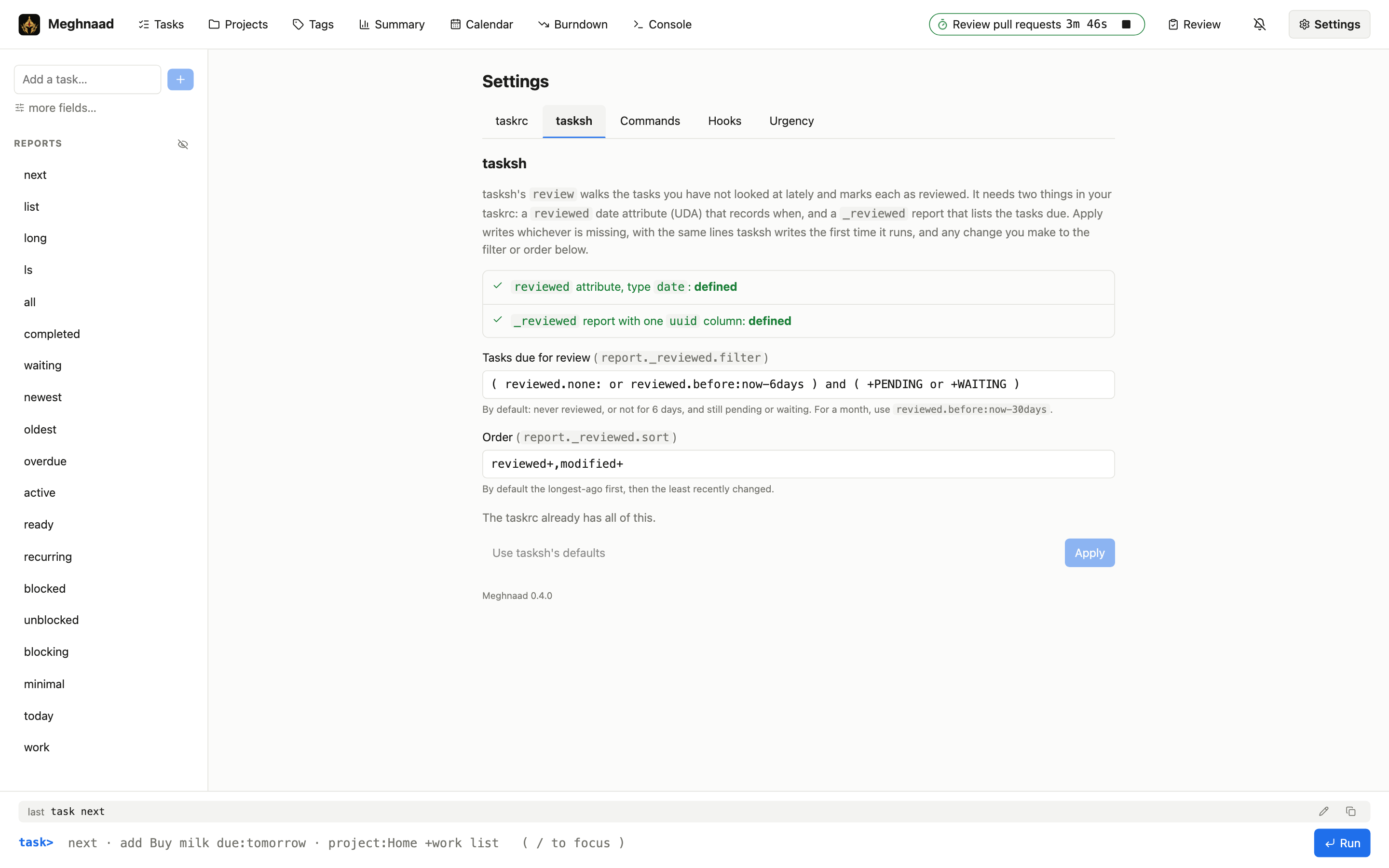
taskrc, safely. Paste it, upload it, import a whole folder of files or import it from a link (your dotfiles repository). It is kept as you wrote it,includeworks, and the files are listed in Settings to add, edit, delete and include. UDAs, reports, contexts, holidays and settings are read; a line the app can't use is commented out, and sync settings and credentials are removed (what is read). - tasksh's
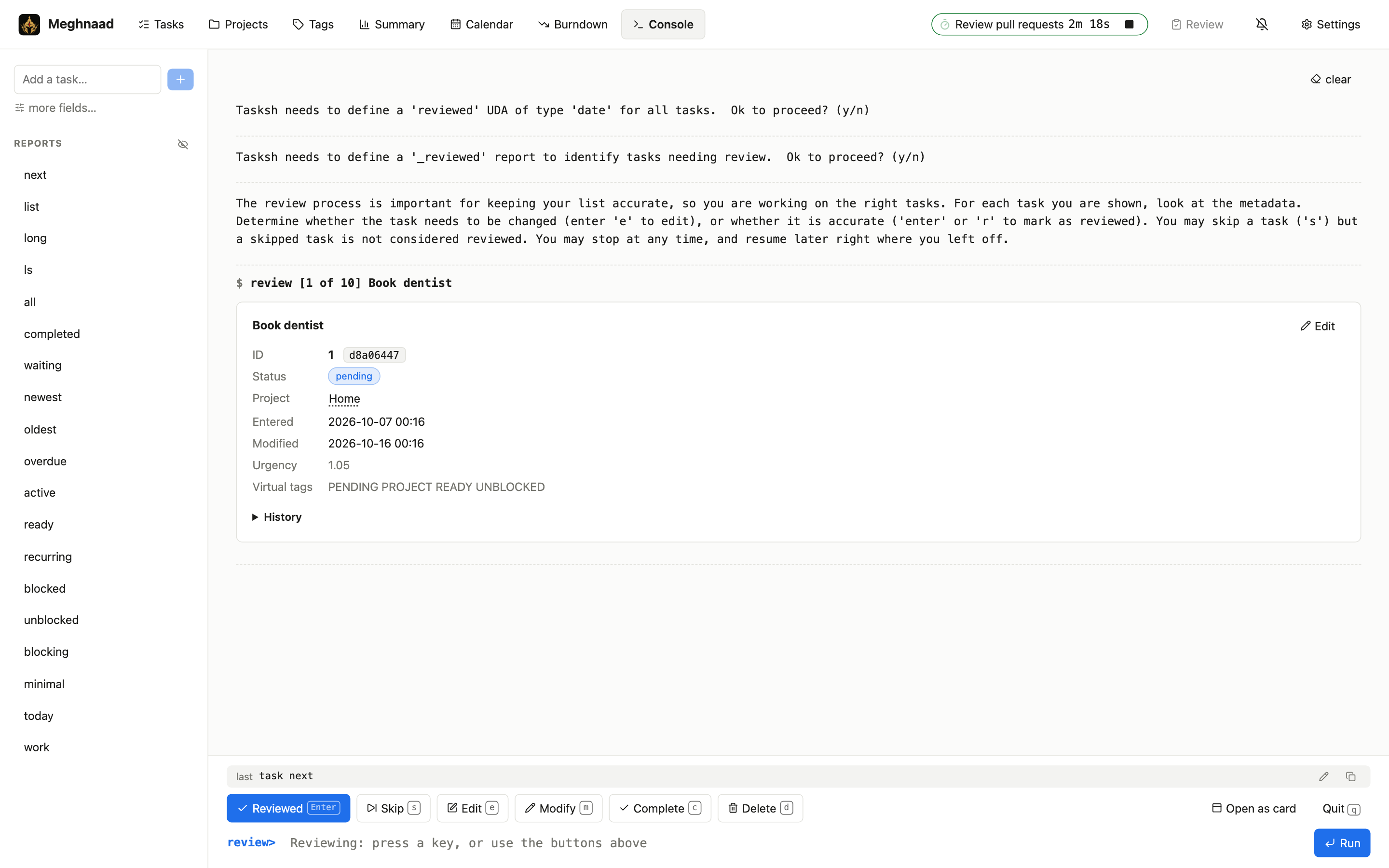
review. Walk the tasks you have not looked at lately and mark each reviewed, skip, edit, change, finish or delete it, from the top bar's Review button (a card) or the Console (review), with keys as in tasksh. It sets up thereviewedattribute and_reviewedreport itself. - Your own commands. A word for a whole command line, such as
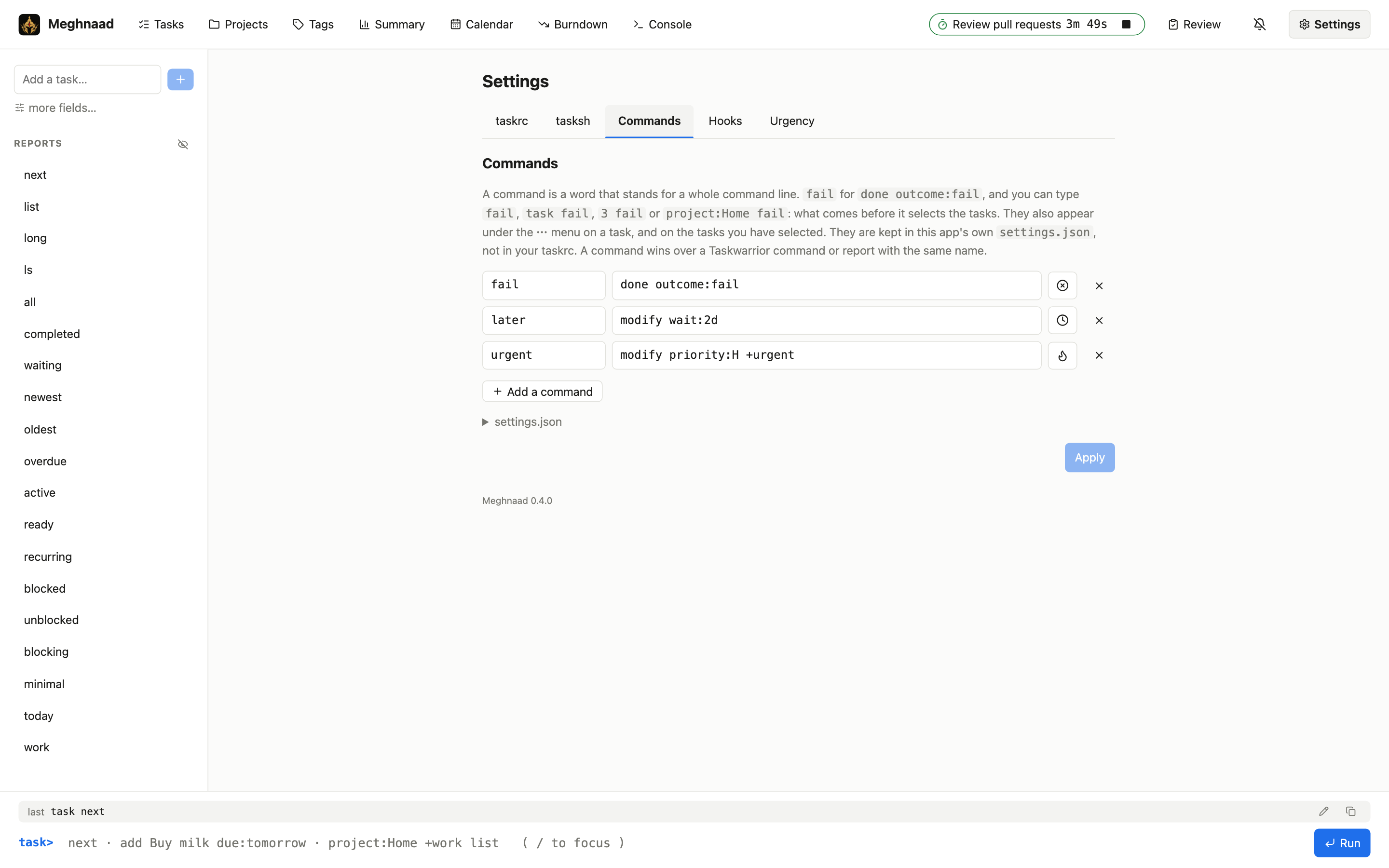
failfordone outcome:fail, with an icon from Lucide. It works typed (3 fail,project:Home fail) and from a ⋯ menu on a task and on the selected tasks. Kept in the app's ownsettings.json. - Colours as on the desktop.
color.*rules, precedence and themes, drawn softly, plus a default theme of its own. - Boards. Pages of your own made of numbers, tables and charts (bars, stacked or side by side, lines, areas, pies,
donuts, radar: a sum of estimates by project, what you finish per week, split by outcome), each with its own filter, laid out on a 12-column grid that you drag and resize, and on 4 or 6 columns on a phone (several numbers to a row, resizable there too).
Kept in the app's own
settings.json(Boards). - Hooks, as Lua.
on-add,on-modify,on-launchandon-exitbecome functions in a script you edit in Settings, kept in your bucket and run on the Worker, or on the phone in the Android app (Hooks). - Works on a phone. The layout adapts (a menu for the pages, tasks as cards with their marks, time tracking, reminders, a console with completion), and there is a native Android app.
- An Android app and widgets. The engine runs on the phone, so it works offline, syncs straight with any S3-compatible bucket or a TaskChampion sync server (no Worker, no Cloudflare Access), and has four home-screen widgets: a task list for any report, a burndown, a calendar and a card of a board (the Android app), and boards you can make and change on the phone, with a link to every page.
Status. Verified against the released
task3.5.0 on a local S3-compatible server, in both directions (tasks, UDAs, reports, recurring series, snapshots, purge, import), and in use on a real R2 bucket.
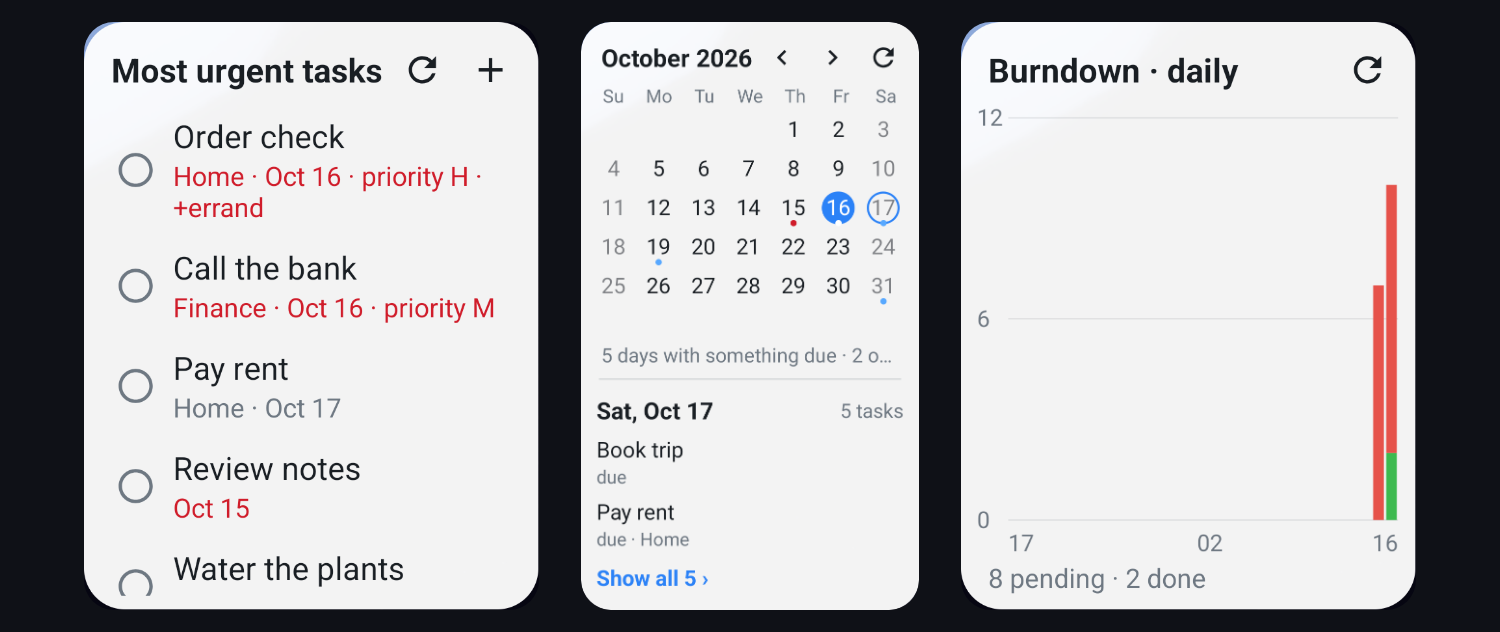
The Android app's widgets: tasks (any report, the fields you choose), a calendar (tap a day to see its tasks) and a burndown
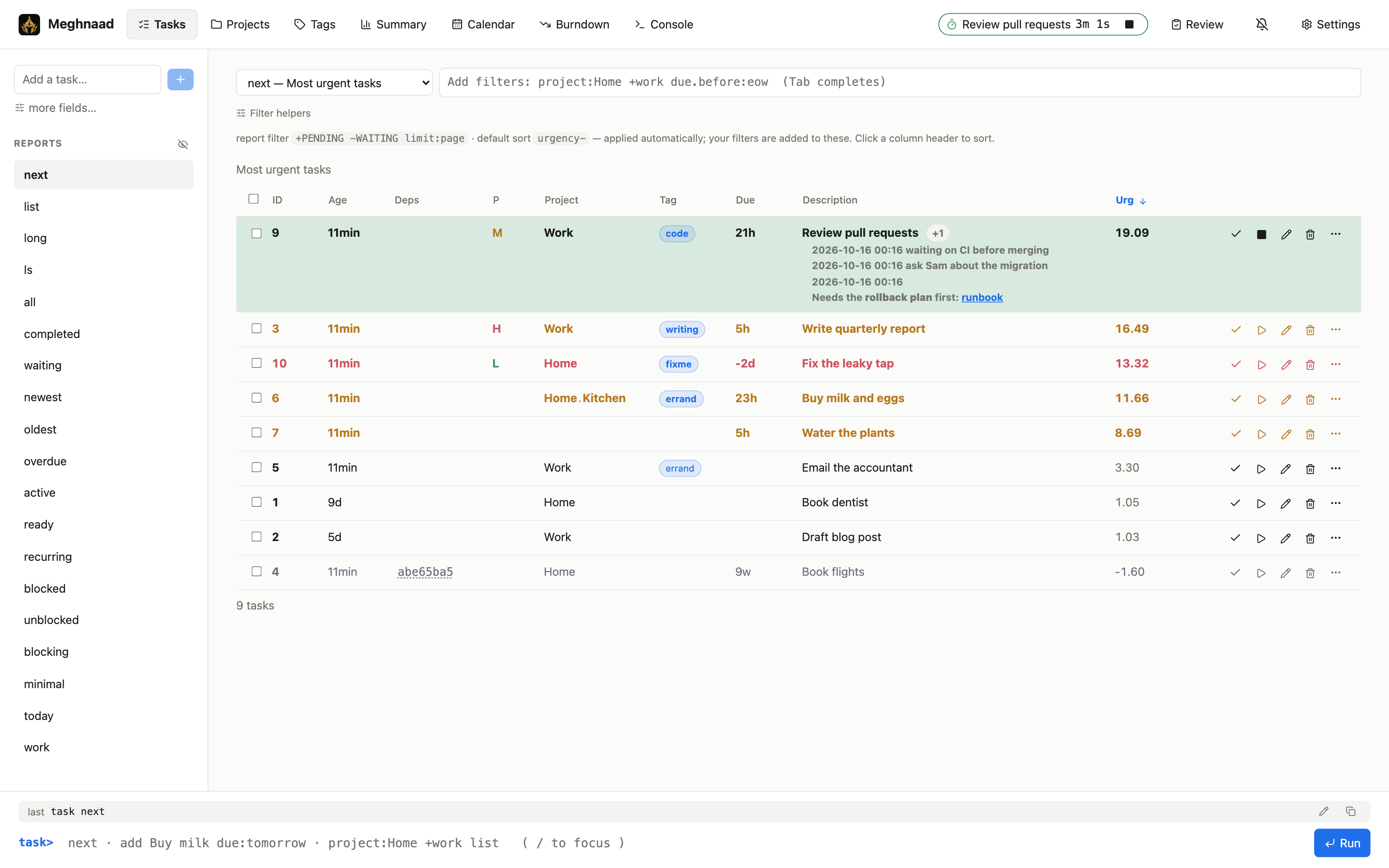
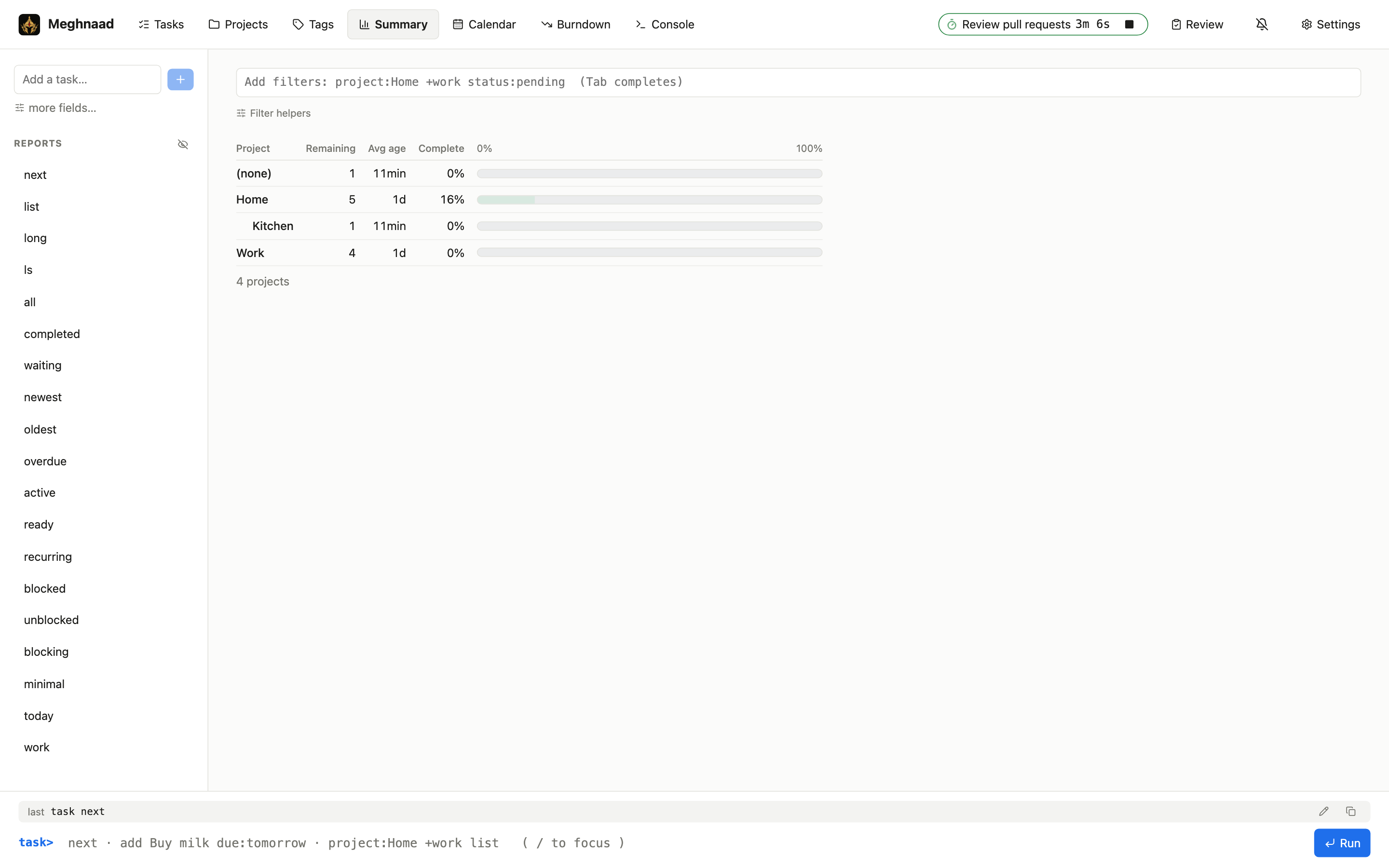 |
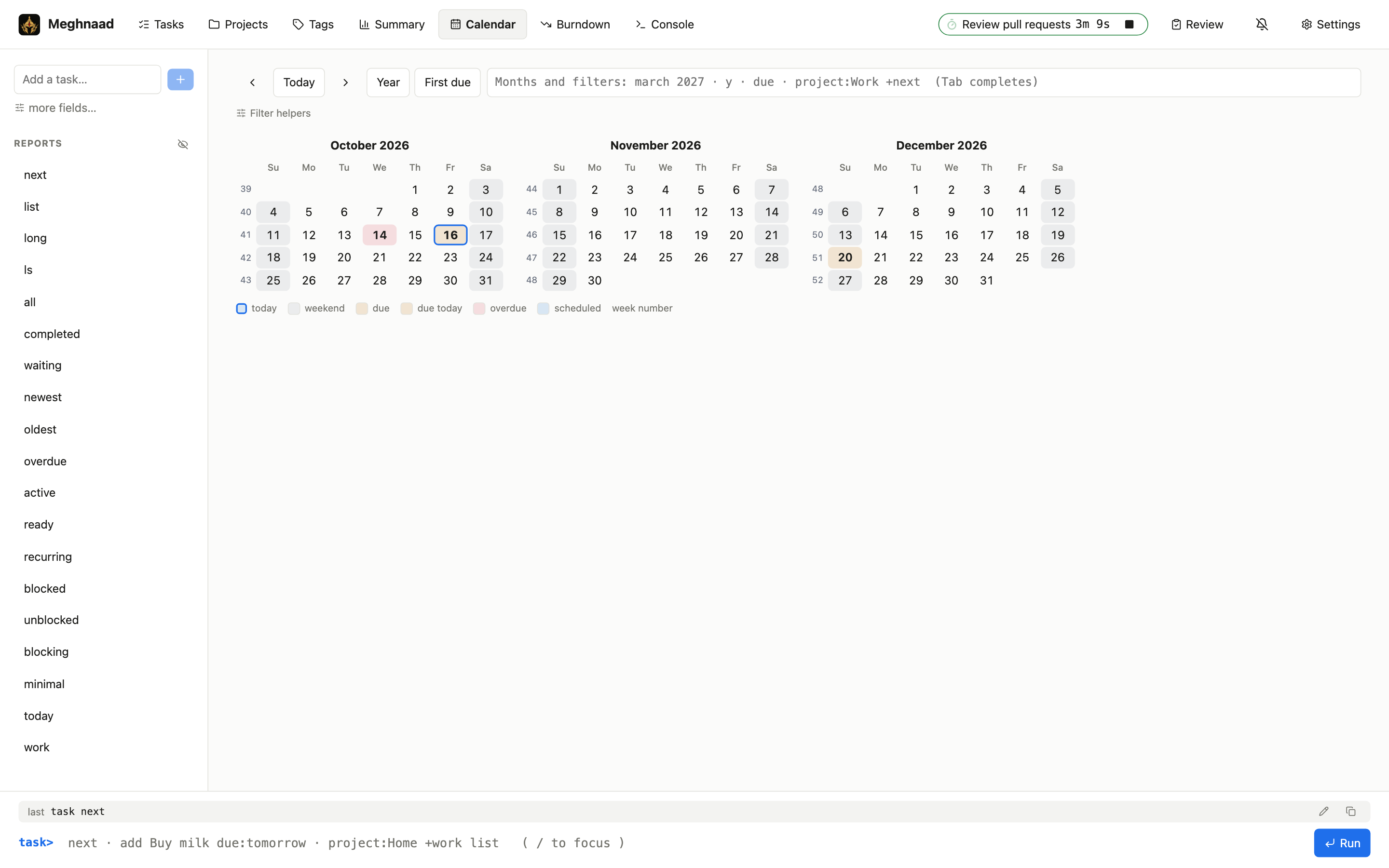 |
| Summary: how far along each project is | Calendar: click a day to see what is due |
 |
 |
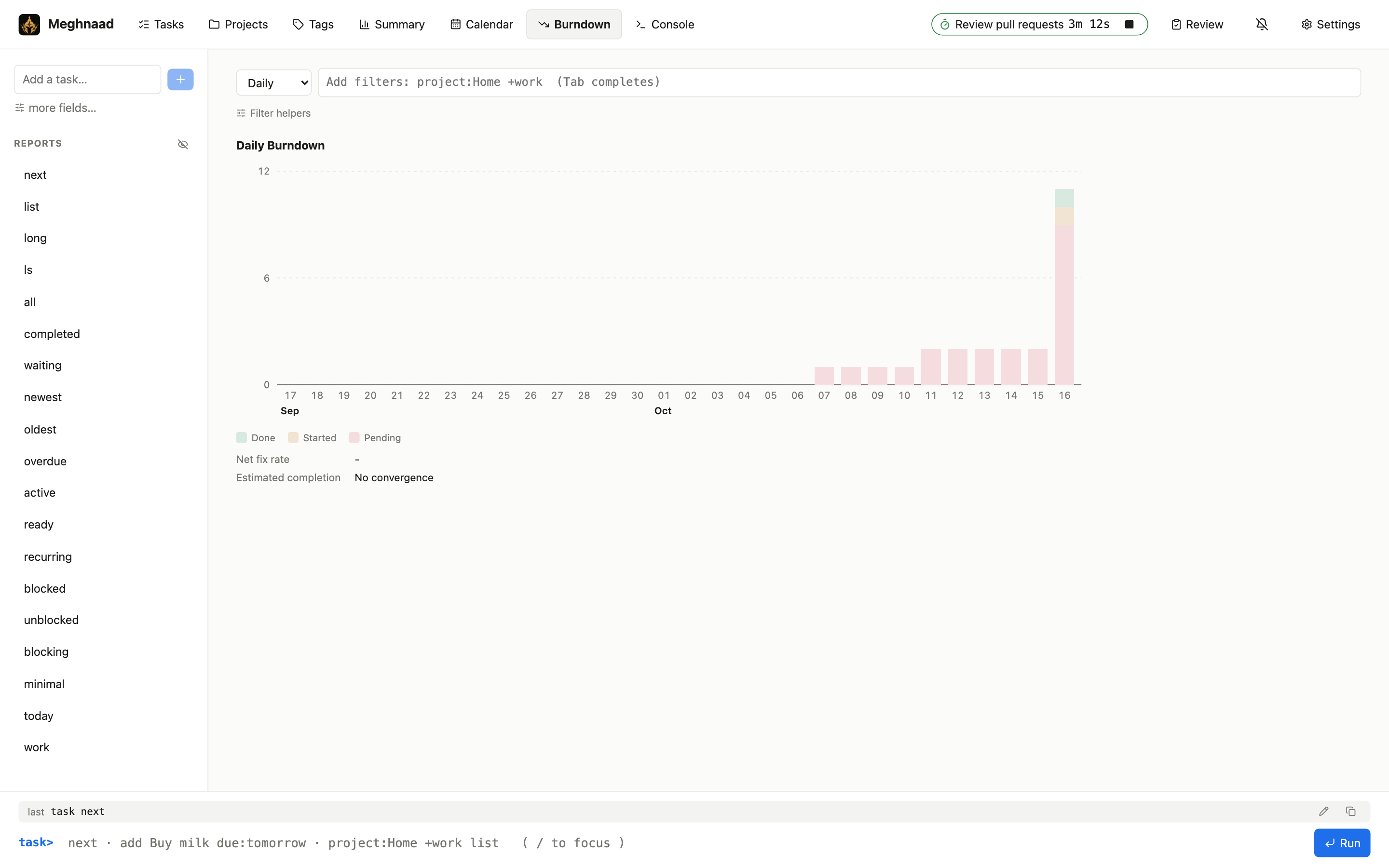
Burndown, drawn the way task burndown counts |
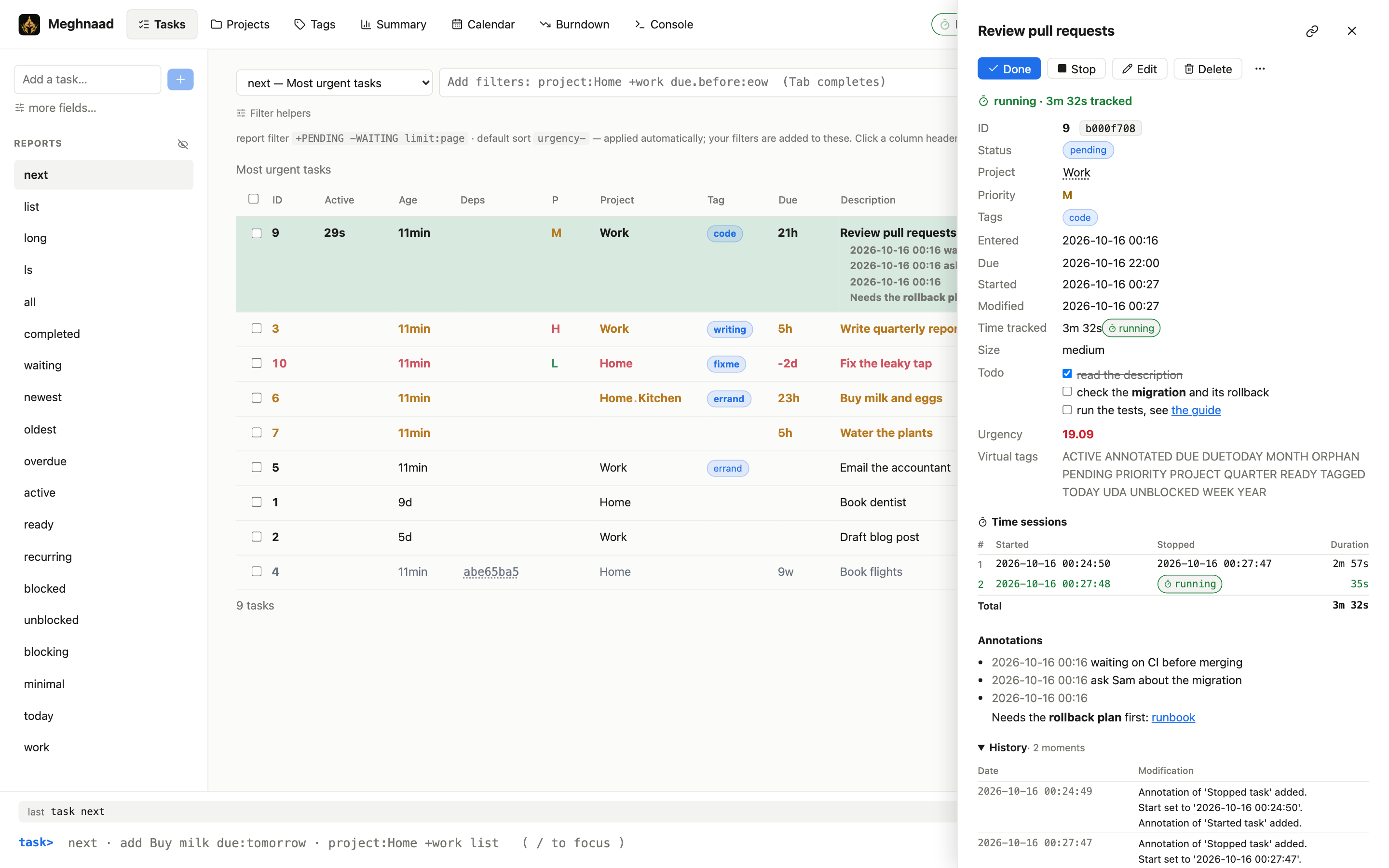
Task detail: time tracking, annotations, history |
 |
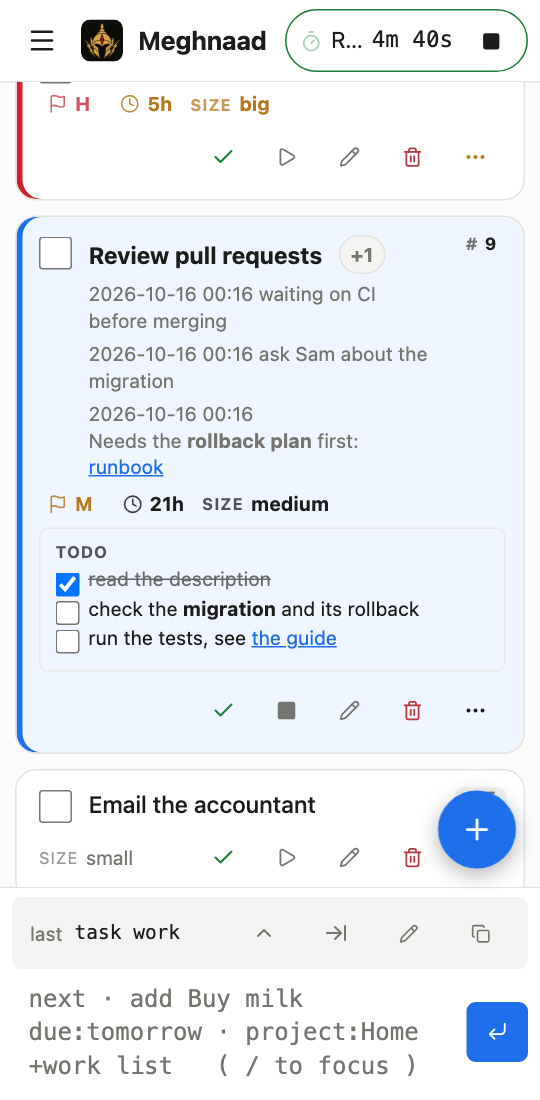 |
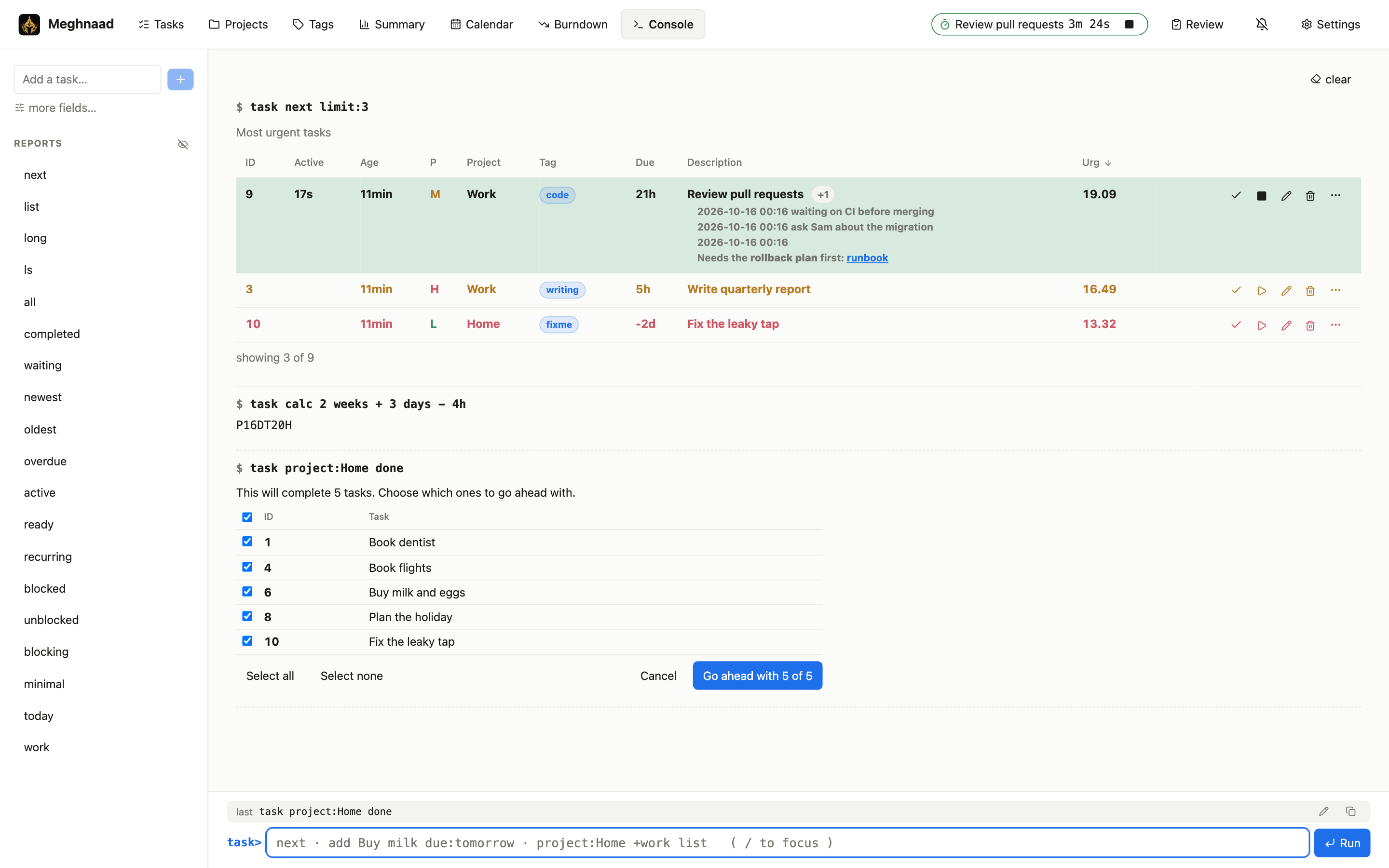
| The console. Taskwarrior's yes/no/all/quit becomes a table of ticks | On a phone |
 |
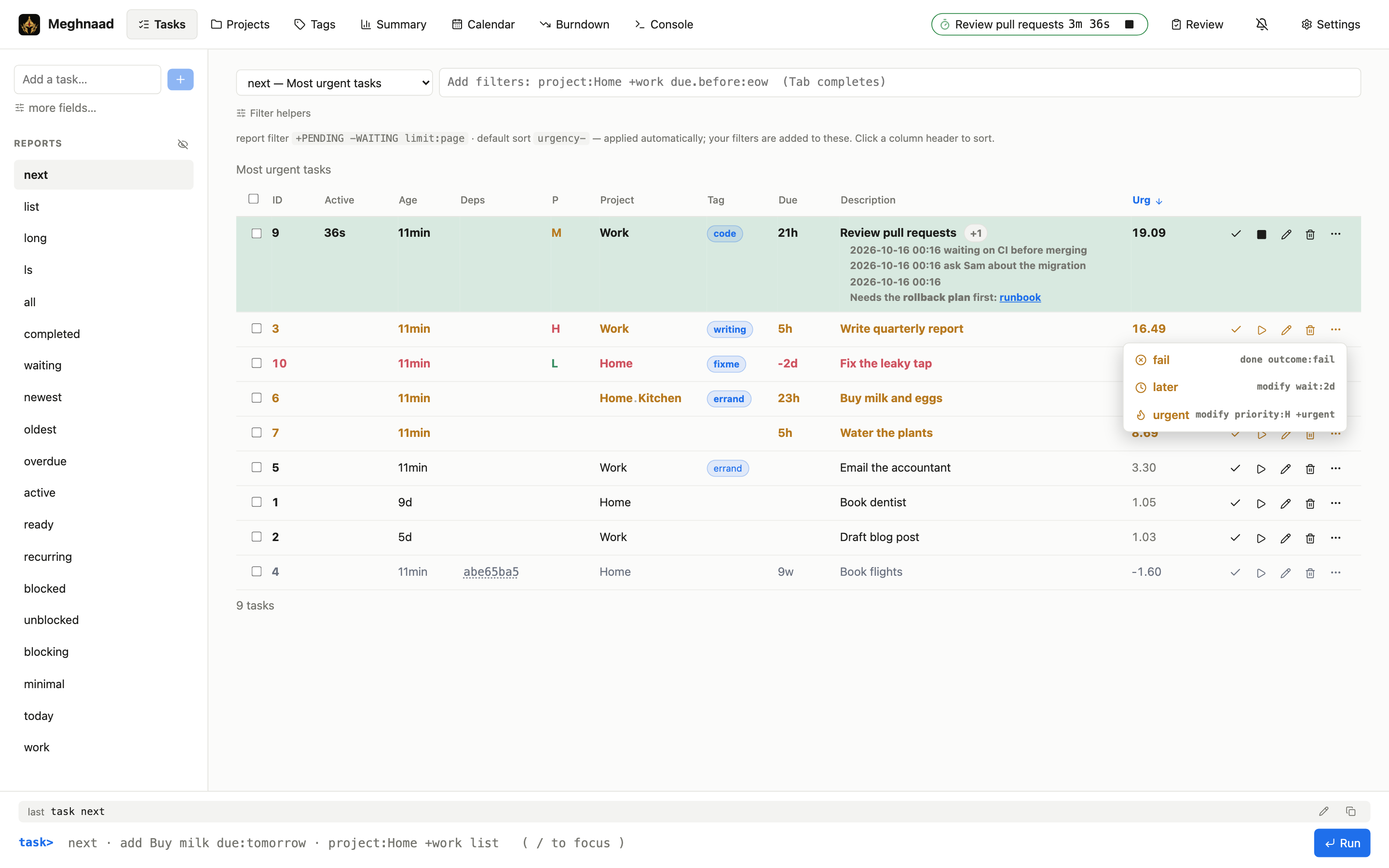 |
| Settings: your own commands, with any Lucide icon | They are on the ⋯ menu of a task, and of the selected tasks |
 |
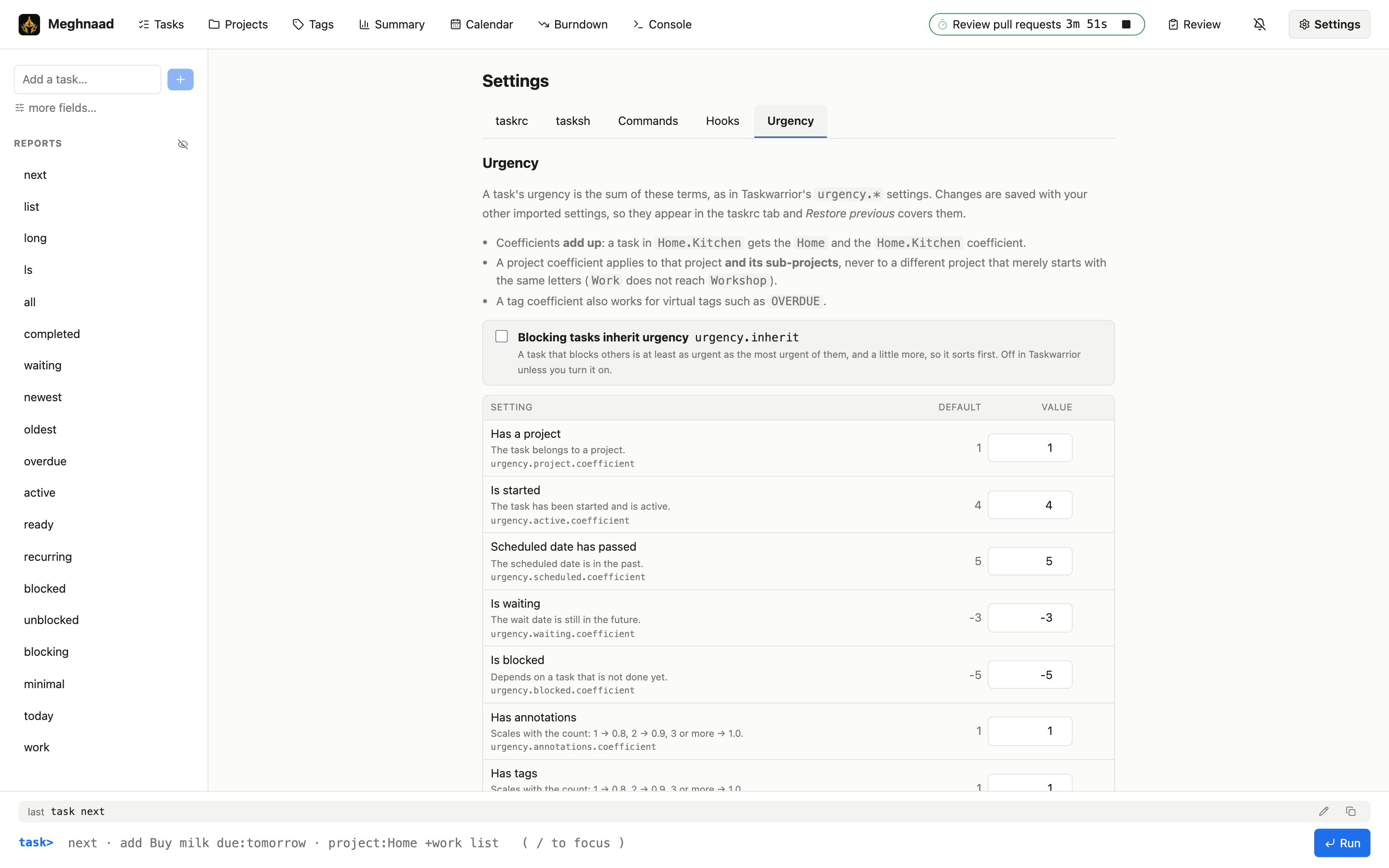 |
| Settings: the tasksh setup, with the exact lines it writes | Settings: urgency coefficients next to their defaults |
 |
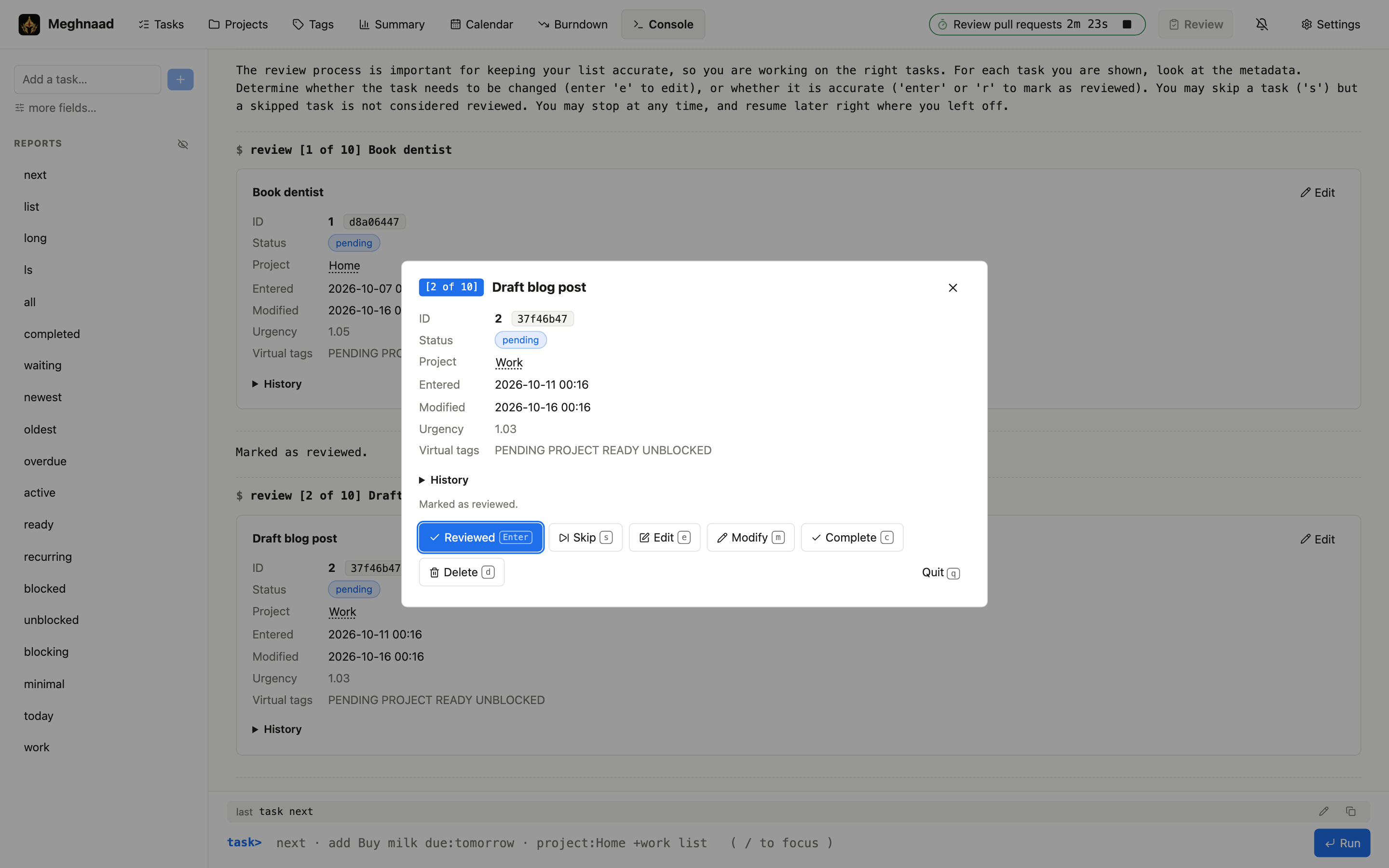 |
| tasksh's review in the console: press a key, as in tasksh | The same review as a card, with the same keys |
Documentation
| Using Meghnaad | Pages, console, confirmations, hooks, recurrence, urgency, time tracking |
| Deploying | Setup, GitHub Actions deploy, Access, connecting task, troubleshooting |
| The Android app | Install, connect (a bucket or a TaskChampion sync server, or neither), the four widgets, sharing settings and hooks, building it |
| Architecture | The engine, sync, platform limits, how correctness is kept |
| taskrc support | Every taskrc option: done, partial, not done |
How it works
flowchart TB
  subgraph desktop["Desktop: Taskwarrior 3"]
    direction TB
    sh["shell aliases<br/>alias fail='task done outcome:fail'"]
    tsh["tasksh<br/>review"]
    cli["task CLI (C++)"]
    tcd["TaskChampion (Rust)"]
    db[("SQLite replica<br/>~/.task")]
    rc["~/.taskrc"]
    sh -.-> cli
    tsh -.-> cli
    cli --> tcd --> db
    rc -.-> cli
  end

  subgraph web["Your browser: Meghnaad"]
    direction TB
    cmds["task commands<br/>(settings.json)"]
    rev["tasksh review"]
    spa["Svelte app<br/>(draws results)"]
    eng["Engine in a Web Worker (Rust → WASM)<br/>command engine in tc-core"]
    tcw["TaskChampion (Rust)"]
    mem[("Replica in memory<br/>saved copy in IndexedDB")]
    cmds -.-> spa
    rev -.-> spa
    spa -- "what you type or click" --> eng --> tcw --> mem
  end

  subgraph phone["Your phone: Meghnaad for Android"]
    direction TB
    wg["Widgets<br/>tasks · burndown · calendar"]
    app["The app<br/>Kotlin and Compose"]
    nat["Engine (Rust, native)<br/>tc-core, hooks (Lua)"]
    rep[("Replica in a file<br/>settings and keys on the phone")]
    wg --> nat
    app --> nat --> rep
  end

  subgraph edge["Cloudflare"]
    direction TB
    access{{"Cloudflare Access<br/>sign-in and token check"}}
    assets["Static assets<br/>the app and the engine (.wasm)"]
    wk["Worker (Rust → WASM)<br/>opens and seals versions<br/>runs your hooks (Lua)<br/>key in a Worker secret"]
    access --> assets
    access --> wk
  end

  bucket[("R2 bucket<br/>salt · latest<br/>v-parent-child · s-version<br/>web/config.json · web/settings.json")]

  tcd <-- "task sync (when you run it)<br/>S3 API, key on your machine" --> bucket
  nat <-- "S3 API, signed on the phone<br/>any S3-compatible store" --> bucket
  tcw <-- "after every write, when you return,<br/>every 30 s: /api/tc/*, plain versions" --> access
  spa -. "taskrc settings, settings.json<br/>/api/config, /api/settings" .-> access
  eng -. "a hook call: /api/run" .-> access
  wk <-- "R2 binding" --> bucket
  assets -. "loaded once, then cached" .-> spa

  sh <-. "counterpart" .-> cmds
  tsh <-. "counterpart" .-> rev

  classDef ext fill:transparent,stroke:#999,color:#999,stroke-dasharray:4 3
  class sh,tsh,cmds,rev ext
- Dashed grey boxes are not Taskwarrior: your own words for command lines (shell aliases on the desktop, task commands
here) and tasksh's
review(tasksh there, built in here). They only ever send ordinary commands. - The engine runs in your browser. Taskwarrior's rules live in one place,
tc-core, compiled to WebAssembly and run in a Web Worker in the page. It holds your tasks in memory, so a command costs no round trip and uses none of the Worker's CPU. Only your hooks run elsewhere, on the Worker (below). The Svelte app only draws. - The bucket holds TaskChampion's standard cloud layout, encrypted client-side. The browser's replica and your CLI are interchangeable replicas of it.
- The Worker keeps the secret. It checks Cloudflare Access, and opens and seals the versions that pass between the
bucket and your browser (
/api/tc/*), so the encryption secret never leaves it. It parses no tasks. It also runs your hooks: the engine sends it a task and gets the task back (/api/run). - The browser keeps a copy in IndexedDB, so a visit starts from where the last one ended and only pulls what is new. It syncs after every write, when you come back to the tab, and every 30 seconds while you look at it; other tabs are told when one pushes.
- Imported taskrc files are stored in the bucket (as written, less sync and credential lines), so they survive restarts and follow you between devices.
The app's own
settings.json(task commands, so far) is stored beside them; the Worker keeps its text as it is and only the browser reads it.
| Desktop Taskwarrior | Meghnaad | |
|---|---|---|
| Local state | Persistent SQLite | In the page, with a saved copy in the browser (IndexedDB) |
| Sync | When you run task sync |
After every write, when you return to the tab, every 30 s while you look at it |
| Offline | Works | Changes work and are kept; they go up when the connection is back. The page itself needs a connection to load |
| Encryption key | Only on your machine | In a Worker secret; the Worker opens and seals what passes through it |
| Task ids | Local to that replica | Computed separately, so they differ |
| Hooks | Scripts in ~/.task/hooks |
Lua functions in a script kept in the bucket, edited in Settings; they run on the Worker (or with task, through meghnaad-hook) |
More in Architecture.
Quick start (local)
Runs without a Cloudflare account; wrangler simulates R2. You need Rust 1.91+ and Node.js 20+.
git clone <this repo> && cd Meghnaad
npm install
cp .dev.vars.example .dev.vars   # local-only secret + Access bypass
npm run dev                      # builds the engine, then serves the app (hot reload) and the Worker
The first build takes a few minutes (it installs the wasm-bindgen tool once). Open http://127.0.0.1:5273: the
app with hot reload, and the Worker behind it on 8787. The engine is rebuilt when the Rust under crates/tc-core or
crates/browser changes, and the Worker when its own does. For demo data run ./scripts/seed-dev.sh. Local R2 data lives
in .wrangler/state (delete it to start over), or somewhere else with npm run dev -- --persist-to DIR; the ports
are --api-port and --web-port.
Deploy to Cloudflare
You need Workers, R2 and Access; each has a free plan.
No Rust needed: CI publishes a prebuilt release. Use the button,
or from a terminal with only Node.js 20+:
git clone --branch release --depth 1 https://github.com/uroybd/Meghnaad.git meghnaad && cd meghnaad
npm install
npm run setup        # guided: bucket, domain, secret, Access; safe to repeat
npm run deploy       # whenever you update (after pulling the release branch)
From a clone of the source (Rust needed), the same two commands build it first.
Setup asks for your sync bucket and encryption secret, deploys, and tells you what to click to connect Access. Until
then the app shows a setup page and nothing is reachable. Pointing your task CLI at R2 is in
Deploying. To deploy from GitHub instead, run the manual Deploy workflow
(setup).
Android app
The same app on your phone, with the engine on the phone. It works offline, keeps your keys in the Android Keystore, and syncs straight with your bucket over S3 (R2, AWS S3, MinIO, ...), so it needs no Worker and no Cloudflare Access.
- Download
meghnaad-<version>.apkfrom the latest release and open it (allow installing from your browser or files app when asked). It is about 4.5 MB, for 64-bit ARM phones, and later releases update it in place. - Enter your bucket's S3 endpoint, bucket, region, access key and secret, and the encryption secret (the same as your
taskrc's
sync.encryption_secret), or press Use on this phone only to start without syncing and connect later in Settings → Sync. - Long-press the home screen, Widgets → Meghnaad: Tasks (any report, a filter, the fields you tick; tick a task done, tap one to open it, + to add), Burndown and Calendar.
Settings and hooks can be kept in step with the web app's through the bucket (two switches under Settings → Sync); the secrets for hooks never are. Everything about it, including building it yourself, is in the Android app.
Using it
The header has Tasks, Projects, Tags, Summary, Calendar, Burndown, Boards and Console, and Settings (the taskrc, tasksh, your own commands, hooks and urgency). Anything you can click you can type:
project:Home +errand due.before:eow list
add Pay rent project:Home due:eom +bills
3 modify due:2026-12-25T08:30 priority:H
3 done            3 delete            undo
calc 2 days + 3 hours
history.monthly   ghistory.monthly   timesheet   export   (Console only; export downloads a file)
show weekstart     config weekstart monday   (Console only)
3 done && add Next step ; list   (Console, and task commands: && after a success, || after a failure, ; always)
A report typed in the Console prints there; elsewhere it opens in Tasks. Taskwarrior's confirmations arrive as a table of
ticks. &&, || and ; chain commands as in a shell: the page runs them one after the other. More in Using Meghnaad.
Hooks
Taskwarrior's four hooks are functions in a *