
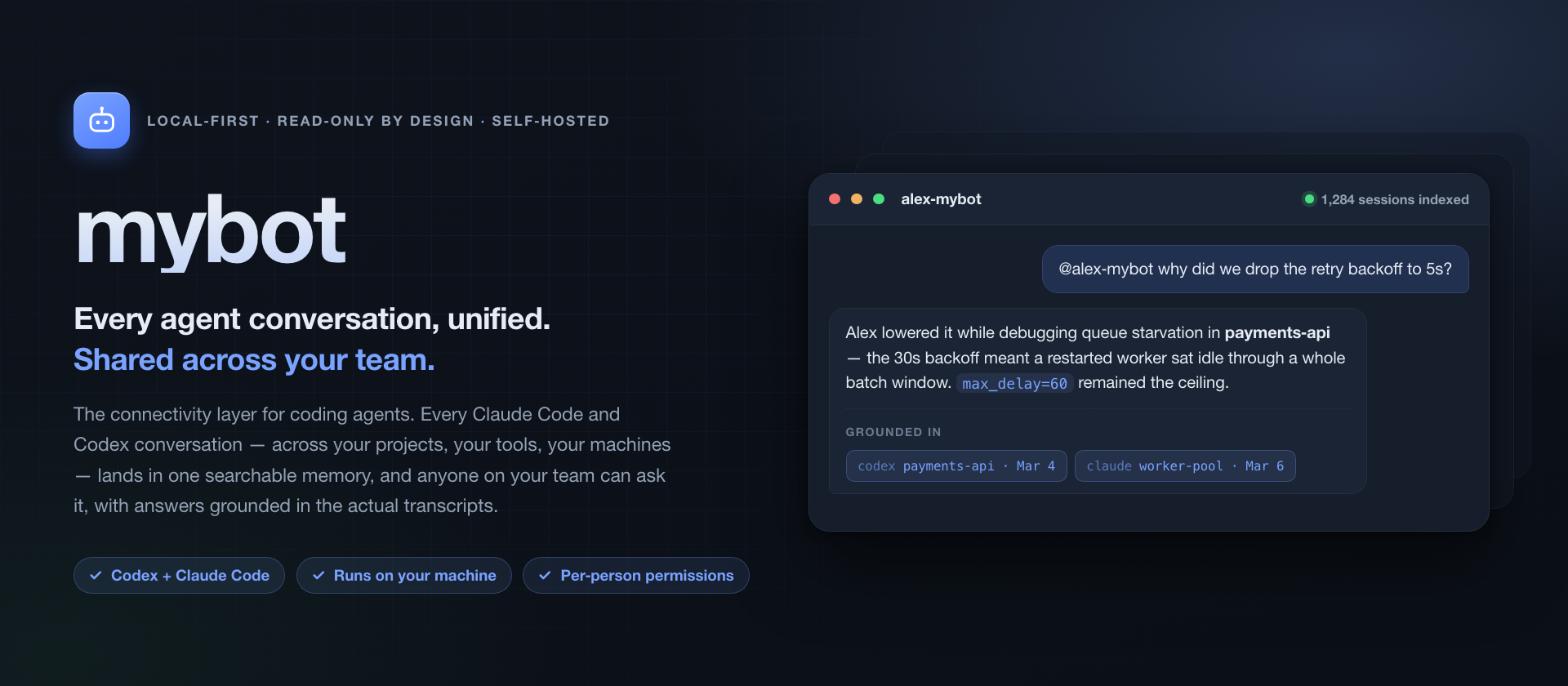
mybot is the connectivity layer for coding agents: it unifies every conversation you have with them, and shares that across your team.
Work with agents is fragmented by construction — one transcript per session, per tool, per project, per machine, per person. Claude Code and Codex each carry a little memory of their own, in per-project instruction files and the ability to resume a recent session, but nothing joins those conversations together and nothing carries them to the person sitting next to you.
mybot joins them. Every Claude Code and Codex conversation on your machine is indexed into one local, searchable memory, with an agent in front of it: ask in plain language and it searches, refines its own queries, reopens the sessions that look relevant, and answers with dates and links back to the exact transcript window it used. Nothing leaves your machine — the index, the embeddings, and the model calls to your local CLI all stay local.
Then it shares. Each person runs their own instance over their own history, and the bot answers on its owner's behalf within limits the owner sets, so a teammate asks what you decided and gets a grounded answer in seconds instead of waiting for you to be at a keyboard. The context a team normally rebuilds through standups and interruptions is already written down in everyone's transcripts — this makes it queryable, without the human latency.
Questions it is built to answer
- "Have I hit this error before?" — and what actually fixed it.
- "What was the config we settled on for the staging deploy?" — with the date.
- "Did that migration finish, or did I abandon it halfway?"
- "@alex-mybot what did Alex decide about the schema?" — asked by a teammate, answered from Alex's own sessions, without interrupting Alex.
Related projects
Built around the same conviction — that humans and agents work best in shared spaces:
| Project | What it is |
|---|---|
| nebula-notebook | An agent-native notebook — you and your AI work in the same cells |
| hop | Terminal access for humans and agents: browser terminals plus an MCP server for creating, driving, and auditing agent sessions |
| burrow | A macOS menu-bar manager for SSH tunnels and userspace VPN gateways, for reaching the machines work runs on |
Quickstart
Requires Python 3.11+, and at least one of Claude Code or Codex CLI with existing session history. The first index of a large history takes a while and lands in the hundreds of MB to a few GB — see Footprint.
git clone https://github.com/jzhoulab/mybot.git ~/Code/mybot && cd ~/Code/mybot
python3 -m venv .venv && . .venv/bin/activate
python3 -m pip install -U pip && python3 -m pip install -r requirements.txt
cp .env.example .env
Then edit .env. The three things that matter on a first run:
| Setting | What to put |
|---|---|
MODEL_BACKEND |
claude_cli, codex_cli, or openai_compatible — plus that backend's vars (details) |
MEMORY_IMPORTED_OWNER_ID |
Any stable string for solo use; your Discord/Slack user id if you run a bridge |
TRAJECTORY_ACCESS_CONFIG_PATHTRAJECTORY_INDEX_DB_PATH |
Absolute paths, so the server works when launched from anywhere |
Choose what mybot is allowed to read, then start it:
python -m client.setup_access            # interactive; --init-default to accept everything
./run_chatbot.sh                         # or: python3 standalone_agent_backbone.py --host 127.0.0.1 --port 8788
run_chatbot.sh keeps the server alive and, if you later connect Discord or
Slack, brings that bridge up alongside it. Neither is required.
The first start indexes your history and, in the background, works out who you are from your own transcripts. When it settles:
curl -s http://127.0.0.1:8788/health
open http://127.0.0.1:8788/gui          # scope, footprint, and a retrieval probe
Index refresh writes keyword search immediately and fills in embeddings gradually. To force the rest:
python scripts/mybot_admin.py maintenance --action embed # repeat until missing_embeddings is 0
The four ways to reach it
| Surface | Start it with | Good for |
|---|---|---|
| Web dashboard | already running at /gui |
Seeing what is indexed, tuning scope, probing retrieval and its scores |
| macOS menu bar | ./macapp/build.sh release && open macapp/.dist/mybot.app |
Day-to-day asking, browsing transcripts, the daily pulse, team sharing, the team channel |
| Agent skill | sh skills/mybot-memory/install.sh |
Letting your other Claude Code and Codex sessions query your history mid-task |
| Discord / Slack | python scripts/mybot_admin.py connect discord (or slack), then ./run_chatbot.sh |
Asking from your phone, and letting teammates ask |
The menu-bar app reads the index SQLite directly, so browsing and search still
work with the server stopped. Set MYBOT_HOME if your checkout is not at
~/Code/mybot. It needs macOS 14+.
The Discord and Slack bridges take !team, !ask @user, !remember,
!remember-shared, !sources, !iam, and !new. The launchers supervise:
they start the server if it is not healthy, restart the bridge with exponential
backoff, and hold a single-instance lock.
How retrieval works
flowchart LR
  A["~/.codex/sessions<br>~/.claude/projects"] -->|"incremental refresh"| B["trajectory_index.sqlite3<br>chunks + FTS5 + vectors"]
  B --> C{"agentic search"}
  C -->|"weak recall"| D["query planner<br>proposes better queries"]
  D --> C
  C -->|"good candidates"| E["reopen transcripts<br>windowed read"]
  E --> F["answer with dates<br>+ source links"]
Indexing. Transcripts are cleaned and split into ~4800-character chunks with
800 characters of overlap, stored in SQLite with an FTS5 index over title, cwd,
and text, plus float32 embeddings from a local
sentence-transformers/all-MiniLM-L6-v2. Refresh is incremental: unchanged
sessions are left alone, changed ones are re-chunked, and sessions that fall out
of your visibility rules are deleted from the index.
Search is hybrid by default. FTS5 handles phrases and identifiers, with a literal/proximity fallback for identifier-shaped queries; vectors then rerank that bounded candidate set rather than scanning everything. Scores get a recency bonus weighted much harder when the question implies "currently", and each session is capped at two chunks so one long session cannot crowd out the rest.
The agentic loop is what makes vague questions work. A first pass searches
the chunk index, semantic memory, and lexical memory. If recall looks weak,
heuristic query variants go next; if it is still weak, a cheap model tier
proposes precise queries and iterates, bounded by a hard wall-clock budget
(TRAJECTORY_SEARCH_TIME_BUDGET_SECONDS, default 25s) and an early stop once a
round stops improving the top score. Entities discovered along the way are
folded into the query used to extract evidence, which is how command output that
the original phrasing would never have matched still gets found.
Answering. The top candidates get reopened for a windowed read, budgeted to
TRAJECTORY_EVIDENCE_CHARS, and passed to the model as explicit evidence. With
AGENTIC_TOOL_ROUTING=true (default) the answering agent instead gets a
read-only retrieval CLI in an isolated runtime directory and decides for itself
when to search — every tool call carrying the same actor and scope, so it cannot
see more than the asker is allowed to see.
Pass "return_trace": true to /trajectory/search to see every stage, or use
the retrieval probe in /gui to watch ranking decisions directly.
The daily pulse
Each morning (BRIEFING_TIME, default 08:00, caught up on wake) mybot reads
what happened since the last pulse and writes a short list of ideas worth
pursuing and things that slipped. A planner groups the activity into
workstreams, analysts read the real transcripts for each (with optional web
research), a chief agent writes the pulse, and a verifier checks it against
the evidence. BRIEFING_ENGINES=claude,gpt runs one pulse per engine over the
same window. Where a picture helps, a writer draws a diagram or chart (with
matplotlib, inside its sandbox); charts may only use numbers from a cited
source or the owner's own work.
The pulse appears in the menu app's Pulse tab, as a Discord DM, and in the
hop phone app. Figures are drawn inline in the menu app and attached in
Discord; the phone shows their captions. Any item can be discussed with mybot, and a follow-up goes into
the conversation the item came from: the live hop session if it is running,
otherwise that Claude Code or Codex session resumed — never a fresh one.
Trigger one by hand with POST /briefing/run {"force": true}; the settings
are under BRIEFING_* in .env.example.
What mybot can see
This is the part worth configuring carefully, because the index is built from everything you have ever typed at a coding agent.
Visibility lives in config/access.json (gitignored — it describes your local
paths). Write it with python -m client.setup_access, or edit scope live from
/gui and the menu app. Each source root is independently:
- enabled or not — a root you never enable is never read.
- blacklist or whitelist (
visibility_mode) — allow everything except exclusions, or only what you list. - filtered by workdir (path fragments, full paths, or path components) and by
workdir class (
codex_project,codex_no_project,empty_workdir, …). - filtered by Claude entrypoint — e.g. exclude
sdk-clito drop programmatic invocations while keeping sessions you actually typed. - filtered by origin —
exclude_automated, or per-cluster viaexcluded_origin_details(subagent,sdk,exec,no-user-turns,orchestrated), so agent-launched runs do not read as your own work.
Three tiers result:
| Tier | Indexed? | Who can retrieve it |
|---|---|---|
| Excluded | No — and already-indexed chunks are purged when policy changes | Nobody |
| Visible | Yes | The owner; teammates only in projects shared with the team (below) |
Owner-private (private_workdirs, private_workdir_classes) |
Yes | Only the owner, guest access on or off |
The owner-private tier is enforced against live policy on every request rather
than a stamp from index time, so tightening config/access.json takes effect
immediately. private_workdirs matches an exact cwd — a prefix rule for your
home directory would swallow every project under it.
Two things to know before pointing a bridge at a shared channel. /trajectory/sql
is owner-only outright, because raw SQL cannot be row-filtered the way
search results can. And whoever the channel allowlist admits can read whatever
the bot can read — gate with DISCORD_ALLOWED_CHANNEL_IDS and the scope
controls, and set GUEST_OWNER_ACCESS=false if teammates should not reach your
trajectory history at all.
What teammates can reach is narrower still. With TEAM_SHARING=reviewed
(the default) a teammate's answer draws only on projects the owner has set to
team; new and unreviewed projects stay owner-only, and single sessions can be
made owner-only inside a shared project. An agent reads each project's session
titles and suggests team / only me / exclude, flagging personal sessions in
work folders, but it never decides — the owner confirms in the menu app's
Team sharing view. Session titles, index statistics and grant or funding
work stay owner-only regardless, and answers stay on projects and science
rather than the owner's personal life.
Everything binds to 127.0.0.1, and every endpoint except /health and the
two sync endpoints needs the local API key (~/.mybot/api-key, created on
first start; the bridges, menu app and dashboard send it). Answering agents
never see that key: each turn gets a grant bound to the asker's identity and
scope, so an agent talked into calling the API directly still gets only the
asker's view. They also run without the owner's connectors, MCP servers,
Claude settings or credentials, and secrets found in transcripts are masked in
every response. Do not expose the port directly — put it behind a private path
such as Tailscale, a LAN-only interface, or an SSH tunnel. The full model is in
docs/multi-user.md.
Read-only by design
mybot reads. It searches, opens transcripts, runs read-only SELECTs, and
answers. It does not edit files, commit, or run commands on your behalf, and the
answering agent's shell is sandboxed to a scratch workspace with networking
restricted to localhost.
That boundary is deliberate. Read-only with tool use is already enough to answer almost anything about your own history — the agent can search, follow a lead, reopen the exact session, and cite it — while keeping the blast radius of pointing a bot at your entire archive bounded. It is also what makes sharing the bot with a team a reasonable thing to do.
Using it as a team
This is a primary use, not an add-on. Each person runs their own instance over
their own history, and the bot acts as its owner's representative: a teammate
asks "what did Alex do with the nightly training run?" in Discord or Slack and
gets an answer grounded in Alex's actual sessions, bounded by the visibility
rules above, without Alex being online. The shared context a team normally
rebuilds through standups and interruptions is already written down in everyone's
transcripts — this makes it queryable. Bots auto-name themselves
<owner-handle>-mybot per server so a team's instances stay distinguishable.
Guests get their own private memory (!remember) and shared team notes
(!remember-shared), and mybot keeps a light person registry (display name,
first and last seen, recent topics) so it can greet a returning teammate with
context instead of starting cold. In group channels one session is shared per
channel, with each turn attributed by display name, and non-addressed messages
in explicitly listed channels are recorded without a reply so "what did Sam say
about the rollback?" is answerable later.
Instances also talk to each other in public. Connect one or more Discord or
Slack channels in the menu app's Channel tab and it works like a small
Slack: a sidebar of channels with unread counts, the conversation, and a
composer where @ autocompletes teammates' bots. Mention a bot and your bot
posts the question in the channel on your behalf; the other bot answers there,
from its owner's shared projects, for everyone to read. A short machine-readable
trailer on each message carries the request id, only asks are ever answered so
two bots can't loop, a relayed asker always gets the teammate view, and each
sending bot is rate-limited. Any bot in a connected channel can be told to stop
being answered. Teammates need a current mybot for their bots to understand
the relay.
See docs/multi-user.md for session routing, idle rollover, the relay protocol, and the per-platform actor-id caveat.
Model backends
MODEL_BACKEND picks one of three. Both CLI backends stream, which is what
drives the live tool-call pills in the menu app.
| Backend | Uses | Key vars |
|---|---|---|
claude_cli |
your local Claude Code CLI and its auth | CLAUDE_COMMAND, CLAUDE_MODEL (default opus), CLAUDE_THINKING, CLAUDE_BASH_SANDBOX |
codex_cli |
your local Codex CLI and its auth | CODEX_COMMAND, CODEX_MODEL, CODEX_REASONING_EFFORT, CODEX_PERMISSION_PROFILE |
openai_compatible |
any HTTP endpoint | MODEL_BASE_URL, MODEL_API_KEY, MODEL_NAME, MODEL_API_STYLE |
Switch backend, model, or thinking depth at runtime — the menu app writes
state/model_config.json, which the server rereads per request with no restart.
/health reports what is actually in effect.
Both CLI backends are sandboxed per invocation. mybot runs Codex with
--ignore-user-config, so your ~/.codex/config.toml does not apply and the
model and reasoning effort must be set here. The agent's own shell gets home
denied except its runtime workspace, and networking restricted to localhost, so
trajectory visibility is decided by mybot's access layer rather than by what the
agent could read off disk.
Configuration reference
Full annotated list in .env.example. The settings you are
most likely to touch:
Retrieval
| Variable | Default | Effect |
|---|---|---|
TRAJECTORY_SOURCES |
codex,claude |
Which adapters are active |
TRAJECTORY_INVESTIGATION_MODE |
auto |
auto | off | full_scan (slow comparison mode) |
TRAJECTORY_SEARCH_LIMIT |
5 |
Candidates carried forward |
TRAJECTORY_EVIDENCE_LIMIT / _CHARS |
2 / 18000 |
How many sessions get reopened, and the total character budget |
TRAJECTORY_QUERY_PLANNER |
true |
Let the model propose better queries when recall is weak |
TRAJECTORY_SEARCH_TIME_BUDGET_SECONDS |
25 |
Hard cap on one agentic search |
MYBOT_TOOL_TOTAL_BUDGET_SECONDS |
90 |
Total retrieval time across all tool calls in one turn |
TRAJECTORY_QUERY_HINTS |
— | keyword=extra terms pairs to teach retrieval your own jargon |
AGENTIC_TOOL_ROUTING |
true |
Give the answering agent a retrieval CLI instead of pre-fetching |
Index
| Variable | Default | Effect |
|---|---|---|
TRAJECTORY_INDEX_CHUNK_CHARS / _OVERLAP_CHARS |
4800 / 800 |
Chunk geometry |
TRAJECTORY_INDEX_AUTOBUILD |
true |
Refresh when raw files are newer than the index |
TRAJECTORY_INDEX_AUTOBUILD_VECTORS |
false |
Embed during refresh; leaving it off keeps refresh fast |
TRAJECTORY_INDEX_BACKGROUND_REFRESH_SECONDS |
300 |
Keep the index warm between questions |
TRAJECTORY_INDEX_PAUSE_ON_BATTERY |
true |
Skip unattended indexing on battery |
EMBEDDING_MODEL_NAME |
sentence-transformers/all-MiniLM-L6-v2 |
Local embedding model |
Sessions and context
| Variable | Default | Effect |
|---|---|---|
HISTORY_MAX_MESSAGES / SESSION_TAIL_PAIRS |
24 / 12 |
How much conversation stays verbatim |
COMPACTION_TRIGGER_MESSAGES / _CHARS |
40 / 16000 |
When a session compacts into a rolling summary |
SESSION_IDLE_ROLLOVER_SECONDS |
6h |
Idle gap before a fresh session with a carry-forward line |
GUEST_OWNER_ACCESS |
true |
Whether guests may query the owner's trajectories |
HTTP API
All POST bodies are JSON. Only /memory/import-batch and /memory/sync-status
require Authorization: Bearer <token>.
Ask
| Endpoint | Purpose |
|---|---|
POST /chat |
One turn: retrieve, assemble the prompt, answer, persist the turn and its sources |
POST /chat/stream |
Same, as SSE — streams tool activity and text, then a final done event |
/chat takes actor_id, user, session_key, message, memory_scope
(private | shared | target_user), target_user_id, and return_sources;
it returns memory_scope_used, session_summary_used, and sources.
**Sear