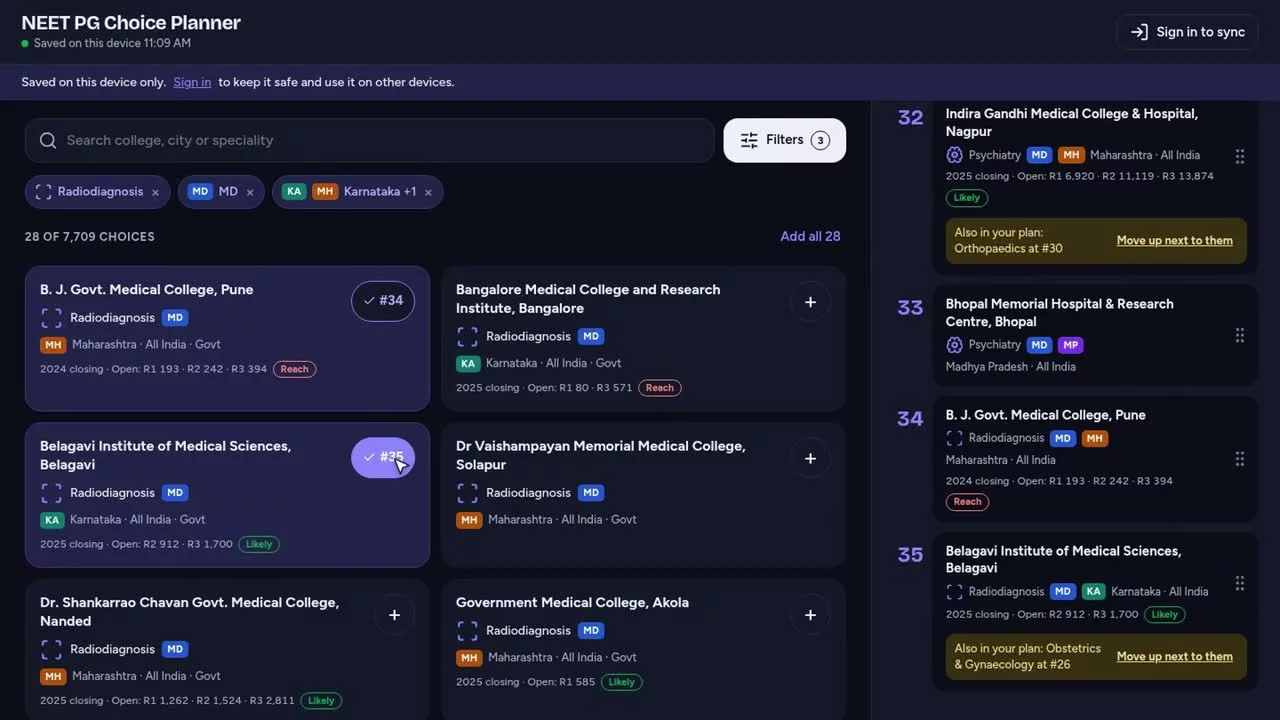

Plan your NEET PG counselling choices calmly, then copy them to the MCC portal in one click.
Live: https://neet-pg-choice-planner.fazzle.dev · free, no account needed
What it does
- Search and filter all 7,709 choices across 1,709 institutes by speciality, course, state, institute type and quota, with multi-select filters.
- Group the catalog and your plan by institute or by speciality.
- Rank by dragging or typing a position, gather a college's seats together, and keep a note on every choice.
- Works offline. Your plan saves in the browser as you go. Signing in with an emailed link syncs it across devices, with a history you can restore from.
- DNB coordinator contacts for shortlisted DNB hospitals, next to their seats.
- Browser extension for the MCC choice-filling page (below): Chrome, Edge, Brave, Opera and Firefox.
- ChatGPT and Claude connector: an MCP server at
/mcplets an assistant search choices, read DNB contacts and edit the plan after the student signs in and allows it. Setup steps are at/connect.
The extension
extension/ is the MCC Filler browser extension, on the Chrome Web Store and Firefox Add-ons. /extension links to the right store for the visitor's browser and still serves the folder as a zip for installing by hand. On the MCC choice-filling page it shows In sync or how many choices differ from your plan, with two buttons:
- Plan → MCC makes the MCC list an exact copy of your plan: adds missing choices, removes ones not in your plan, and arranges them in your order. You check it, then press Save and Continue and enter the OTP.
- MCC → Plan makes your plan a copy of what is saved on MCC, after you confirm in the planner. It can be undone.
You sign in to MCC yourself. The extension never sees your password, security pin or OTP, never saves for you, and refuses to press anything that locks choices.
Run it locally
bin/setup
bin/rails "planner:import_catalog[data/available_choices.json,NEET PG Medical Counselling 2026,neet-pg-2026]"
bin/rails "planner:admin[you@example.com]"
bin/rails server
Then open http://localhost:3000 for the landing page and /plan for the planner. Sign-in links in development land in tmp/mails/. bin/workspace.sh <slug> sets up a separate worktree with its own database and server.
Load the extension from extension/ with Load unpacked on chrome://extensions.
Deploy
kamal deploy
Rails 8.1 with SQLite, Solid Queue and importmap, deployed with Kamal. The database is replicated to object storage with Litestream. Mail goes through Brevo SMTP; its key lives in Rails credentials under smtp.password. DNB contacts are imported on boot; the catalog is imported once:
kamal app exec 'bin/rails "planner:import_catalog[data/available_choices.json,NEET PG Medical Counselling 2026,neet-pg-2026]"'
Data
data/available_choices.json is the NEET PG 2026 choice list published by the Medical Counselling Committee (mcc.nic.in). data/dnb_contacts.json lists DNB coordinator contacts taken from official hospital and NBEMS pages. Past closing ranks are calculated from MCC's published allotment results; the files are listed in docs/mcc-allotment-sources.md. Always confirm on the official portal before locking.
docs/ has the research behind the project: what students struggle with on the MCC portal, and a review of the MCC and NBEMS terms.
Not affiliated
This is an independent tool. It is not run by or connected to the Medical Counselling Committee, NBEMS or the Government of India. See the privacy page for what it stores.
License
MIT. Built by Syed Fazil Basheer.