
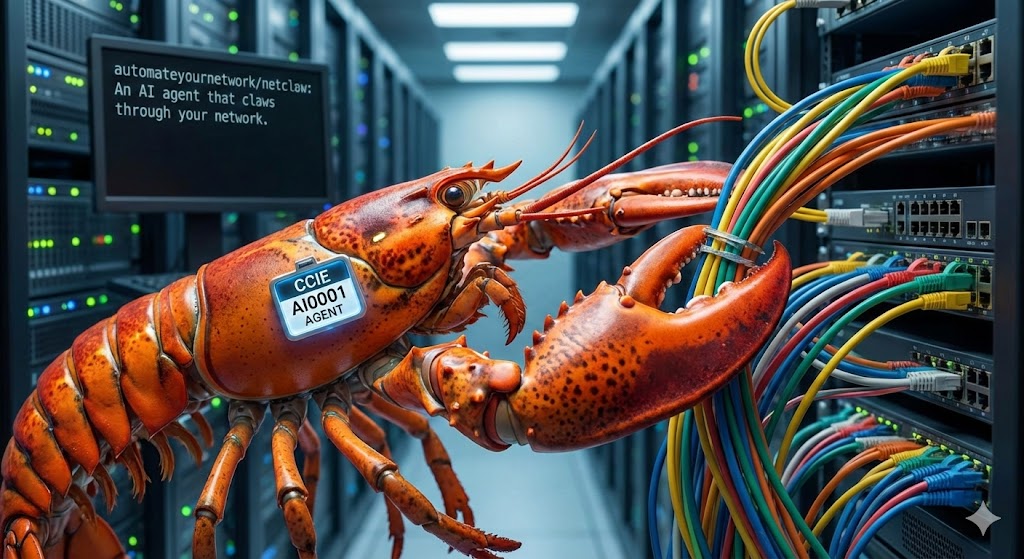
NetClaw
A CCIE-level AI network engineering coworker that runs on OpenClaw or Hermes, with 237 skills and 176 MCP integrations in its catalog. Investigate live networks, learn from your own documentation, coordinate specialist agents, and carry out approved changes with baselines, verification and an immutable audit trail. Available tools and HUD controls depend on the selected runtime and installed components.
Work from chat, the visual HUD, your phone, or a Zoom meeting. Start with one NetClaw, or build a risk of specialist NetClaws behind a single Border.
Start here: Choose a runtime · Install · Capabilities · RAG · GCF · Mobile · Zoom · VS Code · HUD · Jev
Project: Source version 1.13.0 · Release notes · Contributing — numbered specs + Spec Kit · Changelog
VS Code: Install NetClaw or explore the VS Code Extension: set up a separate NetClaw or mixed Risk from empty homes, or connect your existing installation for Chat, Canvas, RAG, Testbed management, per-MCP configuration and reviewed security controls.
Comms setup (source development): select multiple runtime-specific channels, including the distinct WhatsApp paths, or choose None. Twilio tools/voice and Zoom appear with their eligible owners and separate prerequisites. See the setup guide and current installer evidence. Discovery, saved configuration, authentication, connection and delivery are separate results.
Reference: Architecture · MCP servers · Skills · Workflows · Safety
Hermes or OpenClaw?
Choose the agent runtime during installation. Both can use the shared NetClaw HUD for Chat, branching Canvas investigations, local Avatar and browser-owned conversation history. Your choice persists across launches; an existing OpenClaw installation keeps its default.
| Choose | Why use it? | Current shared HUD behavior |
|---|---|---|
| OpenClaw (default) | You want NetClaw's established gateway workflows and its broader existing HUD controls, or already run OpenClaw. | Uses your configured gateway, with model/effort controls and installed tools subject to existing permissions and change control. |
| Hermes | You prefer the Hermes agent, CLI and skill ecosystem, or already deploy Hermes and want the same NetClaw workspace. | Uses your selected Hermes home and configured provider/model through a dedicated protected companion. The first qualified HUD tool is the read-only subnet calculator and its installed skill. |
Hermes runtime installation includes the selected NetClaw MCP servers and skills. The protected HUD companion admits only reviewed tools: installing another MCP does not automatically enable it in HUD conversations. Attachments, configuration APPLY, per-conversation model/effort overrides and hosted Avatar are unavailable in this first Hermes HUD release. Local Avatar is supported. See the Hermes setup and capability guide.
Connection: the browser on :3000 talks to the HUD API on :3001. For Hermes, the
API uses a private MCP bridge and an authenticated companion on loopback :8643;
it does not connect directly to or restart your ordinary Hermes gateway. Hermes HUD
acceptance passed on Mac and Ubuntu under Windows WSL2; native Windows uses WSL.
Spec 148 delivers the shared HUD connection. NetClaw 1.8.0 / spec149 adds Hermes iN2N/eN2N and Mobile Ask Border through protected execution. The initial qualified profile is subnet calculation; media attachments and production Hermes confinement remain unavailable. See setup, mobile versions and tested scope. Runtime installation details · Acceptance and exact tested platforms
The function-first HUD opens on standard Chat, with a Chat / Canvas interface switch, selected-runtime operations panels, Basic/Advanced presentation and detailed Jev views. OpenClaw also offers its native interface in a separate tab. Saved conversations survive refresh; runtime and usage indicators show available evidence rather than assumed values. See the HUD guide for the broader workspace.
RAG — answers grounded in your documents
Teach NetClaw your vendor guides, standards, customer designs and runbooks. Upload through Slack or the HUD RAG panel, ingest a local file, or preview a URL crawl before importing it. PDF, Markdown, HTML, text and modern Office formats are supported; legacy Office conversion uses optional LibreOffice.
Hybrid semantic and keyword search, local reranking and structure-aware chunks return cited passages with document, section and page context. Retrieval runs locally after the models are installed. NetClaw can refine a search within a bounded budget and report when the corpus cannot answer. Uploaded knowledge stays separate from the agent's experiential memory; captured network snapshots are opt-in and carry their age.
Try: “Using our uploaded design guide, explain the intended BGP policy and cite the relevant sections.” Then ask for a live device check to compare intent with current state.
Setup, formats and retrieval pipeline · Consented knowledge sharing between peers
GCF — compact network evidence
GCF gives participating MCP integrations a compact representation of structured tool results: tabular encoding for repeated records, graph encoding for topology, and optional session references and deltas for repeated queries. This reduces repetitive payload text so more useful network evidence can fit into a model's context. The serializer retains source data and falls back to JSON when encoding fails.
Choose NETCLAW_GCF_MODE=full, graph, generic or off; session/delta behavior also requires the caller to enable it. Savings depend on the payload and model. The recorded 1,000-node fixture used 98,859 graph-output characters versus 139,881 compact-JSON characters (about 29% less); serializer token counts use a characters/4 estimate, not a model tokenizer or a guaranteed billing reduction.
Optional: NETCLAW_TABULAR_FORMAT=bpp encodes flat, non-graph results (the payloads that would otherwise use the GCF generic profile) with bpp instead. It requires pip install bpp-format, is off by default, never affects graph, session or delta encoding, and falls back to GCF generic if bpp is missing or its round trip is not lossless.
Serializer and mode reference · Recorded benchmark · Reproduce the benchmark
NetClaw Mobile — your network in your pocket
The Flutter client brings the Border to iOS and Android. Enroll with a single-use QR token, ask by text or voice, scan a device QR/deep link, and receive answers with the responding claw identified. A dashboard, conversation history, feed and approvals view keep the operator connected away from the desk.
Resolve approval requests with device biometrics and attach camera/microphone captures to an investigation. The phone is an NCFED edge member with device-native capabilities; the Border handles agent reasoning. Explicit notifications can reach a connected phone, with platform push fallback when configured. Existing authorization and audit rules still apply.
Build, enroll and use Mobile · iOS release checklist · Android release checklist
Zoom — network investigations in the meeting
Bring NetClaw into an incident call through Zoom Realtime Media Streams. With listening enabled, transcript and chat context can trigger network investigations through the existing Border and specialist routing. The Zoom App side panel shows status and returned evidence, with an optional camera overlay.
Live meeting context and historical meeting search serve different purposes: RTMS supplies the current conversation; the official Zoom Meetings MCP can supply prior meeting context where configured. Historical connectivity is environment-dependent. Meeting requests retain the same device-write approval gates as other channels.
RTMS setup, tools and deployment boundaries · Meeting intelligence specification
Function-first HUD
Start with standard Chat, switch to Canvas for branching investigations, or open the native OpenClaw interface in a separate tab. The local operations workspace also provides Claw/MCP drill-downs, reported LLMs, Jev assessments, RAG uploads and retrieval, Tokenomics, service Logs, masked Configuration, Security mode/enforcement panels, and Documentation. Basic/Advanced presentation and optional Three.js views keep evidence accessible. See the HUD guide. The service remains local to the host; the new UI does not change its access controls.
VS Code Extension
Bring your existing NetClaw into Visual Studio Code. The NetClaw extension gives you a themed operations workbench alongside your code, configuration and documentation. It connects to the NetClaw you already run on OpenClaw or Hermes; available actions follow that runtime's capabilities.
Install: search Extensions for NetClaw by publisher NetClaw, or use:
code --install-extension NetClaw.netclaw
Use VS Code 1.102 or later on macOS or Linux. On Windows, open your intended WSL distribution and install the extension in WSL. Existing Remote SSH workspaces are supported; loopback addresses refer to the extension host. Browser VS Code and native Windows runtime hosting are not supported.
Start your NetClaw HUD, open the NetClaw Activity Bar, and choose Add existing NetClaw. Give the connection a friendly nickname such as My Mac lab, enter its HUD API address—normally http://127.0.0.1:3001—and review the returned installation identity. Start the updated HUD to enable full Testbed and scoped MCP editing; updating the extension alone cannot add those API routes.
| Work in the editor | What you can do |
|---|---|
| Chat, Canvas and Avatar | Talk to the selected runtime, branch investigations and use bundled local characters beside the same Chat. Select file/context content explicitly. |
| RAG knowledge | Browse collections, upload selected documents and search cited passages with source and staleness context. |
| Testbed inventory | Add, edit and remove devices through cards or advanced YAML. Import YAML, JSON or basic CSV, preview changes, review saves, export and inspect recovery copies. |
| MCP configuration | Open integration-specific fields, keep/replace/clear values, inspect shared settings and review supported setup actions. Existing secret values stay private. |
| DefenseClaw and OpenShell | Inspect status, permissions, redacted policy YAML and logs. Review supported connector tool rules or sandbox network-policy changes, with explicit acknowledgment when protection may weaken. |
| Operations and federation | Inspect reported Risk/peer state, BGP relationships, tokenomics, logs, audit evidence, mobile/edge and Science Officer observations. |
| Copilot, Claude Code and Codex | Opt into the scoped assistant interface for inspection/proposals and separately enable delegated NetClaw requests. Existing runtime authorization still applies. |
Cards, labeled forms, search and filters follow light, dark and high-contrast editor themes. The interactive 3D BGP view uses reported sessions and includes an accessible list. It does not infer physical cabling or health.
Changes retain their review boundaries: Testbed saves do not connect devices, saved MCP configuration does not prove endpoint access, and stored security policy does not prove traffic enforcement. Supported actions depend on the installed runtime and native CLI capabilities.
VS Code 1.1.0 (Spec152): the upper Connections panel now opens the six runtime workspace Markdown files for reading, reviewed edits and upload/overwrite, with no delete. It also provides reviewed Start/Stop/Restart for the selected installation’s verified owned services, offline Start and Save & Restart. This is not in Marketplace 1.0.1. See workspace controls and prerequisites and verification. Source 1.11.0 supplies the required HUD discovery and native helper. See release verification and platform limits, including WSL regular-file acceptance and intentional symlink refusal.
Extension guide and setup · Privacy · Exact 0.1.1 qualification and platform scope
Resources
- NetClaw Overview — community guide
Quick Install
New in source 1.13.0 / extension 1.3.0 (Spec155): Guided Comms setup covers the complete documented OpenClaw/Hermes inventory, independent channel selection, private settings and access, plus eligible Twilio/Zoom tools. Configuration and provider readiness remain separate. See release qualification and open WSL gates.
Underlying separate-claw setup (Spec153): VS Code wizard, CLI Claw Plans and assistant guidance now share a separate-home setup engine. A deployment Spec Kit preset stages the same native review. Existing claws are detected and preserved; each new claw has independent identity, credentials, services and connection. Extension 1.2.0 requires VS Code 1.109+. See verification and open acceptance work before real installation; the historical installer below retains its existing behavior.
git clone https://github.com/automateyournetwork/netclaw.git
cd netclaw
./scripts/install.sh          # interactive installer — pick exactly what you want
Run it as your normal user — not with
sudo. Under sudo, OpenClaw's config, your API keys, and all skills land in/root/.openclawwhere your ownopenclawcan't see them. The installer refuses to run under sudo and instead asks before each specific command that needs root.
The installer opens an interactive TUI (pure bash — no dialog/whiptail needed): pick an install profile, then optionally fine-tune the exact MCP server list in an arrow-key checklist (Space to toggle, a all, n none). Only what you select gets installed.
Install profiles:
| Profile | What you get |
|---|---|
| Recommended | Curated starter set: pyATS, NetBox, ServiceNow, GAIT audit trail, Chrome DevTools, nmap, diagrams, utilities |
| Custom | Hand-pick from every component in a categorized checklist |
| Everything | The classic full install — every component |
| Cisco | pyATS, ACI, ISE, Catalyst Center, Meraki, SD-WAN, CML, FMC, RADKit, ThousandEyes |
| Multivendor | Cisco + Juniper, Arista, Aruba, F5, NetBox, Nautobot |
| Cloud | AWS, Azure, GCP, Cloudflare, Terraform, Vault, GitHub |
| Security | ISE, FMC, Panorama, FortiManager, Check Point, Zscaler, Claroty, nmap, CVE |
| Labs | CML, ContainerLab, Batfish, protocol peering, N2N federation, SuzieQ |
| Observability | Grafana, Prometheus, Datadog, Splunk, PagerDuty, ThousandEyes, Kubeshark |
| Minimal | pyATS + audit trail + core utilities |
Scripted / non-interactive installs:
./scripts/install.sh --profile recommended        # any profile, no TUI
./scripts/install.sh --components "pyats netbox"  # exact component list
./scripts/install.sh --all                        # everything
./scripts/install.sh --list                       # see all components & profiles
The installer reports the host OS, version, architecture and component Python, then checks the selected components before installing packages or changing runtime configuration. Known unsupported components are disabled in the custom checklist; explicit selections and profiles fail with all detected blockers rather than silently dropping components. A full selection can therefore be blocked on macOS.
./scripts/install.sh --runtime hermes --preflight --components "panorama zabbix zoom-rtms"
./scripts/install.sh --preflight --all             # report all declared prerequisites; no installation
Preflight checks declared Python bounds, native SDK platforms, external commands and Docker daemon availability. It does not prove package resolution or vendor connectivity. Existing Python 3.12 is prefer