
ygc — print-ready newspapers for young readers
Run a website of automatically published papers for children: nine ready-made editions for ages 6 to 15 and up, researched, written, checked and published every morning by Claude (a daily Claude Code Routine, or the API through GitHub Actions). Parents pick a paper for their child's age, download today's PDF and print it. The youngest readers also get a one-page "Big Question" poster: one idea, pictures, something to try and questions to talk about together (docs/POSTERS.md). Setup takes about 20 minutes: docs/PUBLISHING.md.
For the children themselves: Read & Play (/play/) puts each recent issue
online for a tablet or phone: one story per screen for younger readers, read aloud
with the sentence lit up, new words to tap, bigger text and a night mode, and a
word game at the end. See docs/READ_AND_PLAY.md.
Or let parents make their own: the website's Design your own page writes instructions for the parent's own AI chatbot (ChatGPT, Claude or Gemini), then checks the chatbot's reply and builds the same PDF, all inside the browser. See docs/DESIGN_YOUR_OWN.md.
Build a real, printable newspaper for any reader: choose their age, what the paper is for, which countries and topics it covers, how many pages it runs to and how often it comes out. All of that lives in one YAML file. The engine handles layout, AI instructions and quality checks.
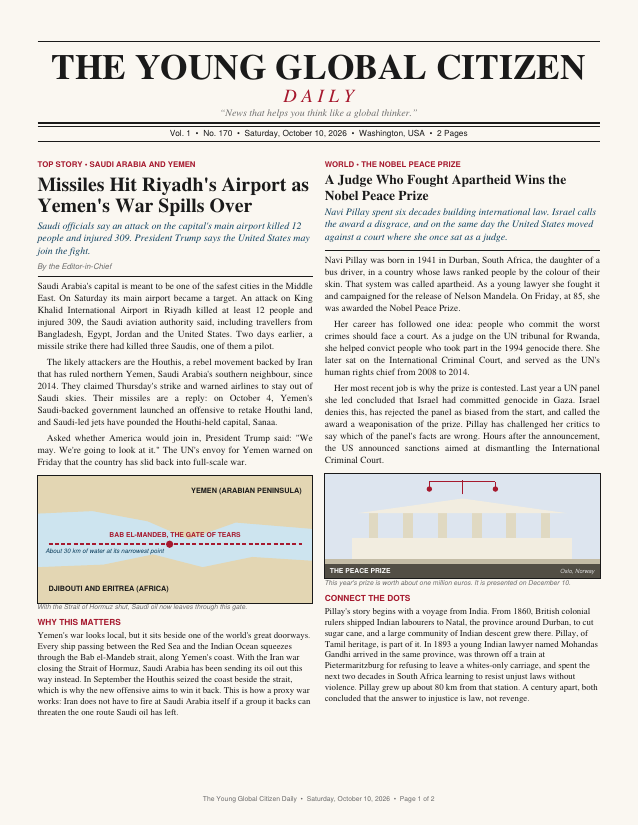
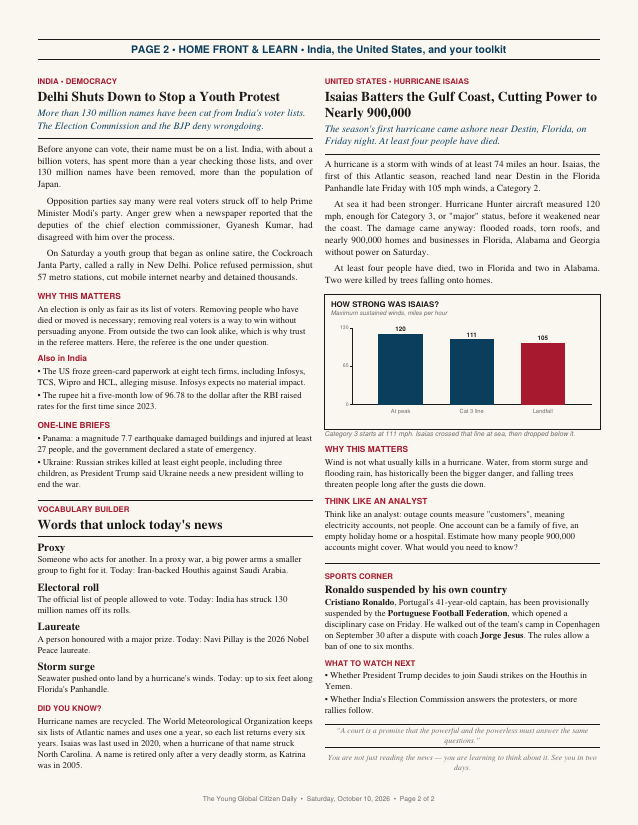
| The Young Global Citizen Daily — age 13, 2 pages, every 2 days | The Junior Explorer — age 9, 3 pages, weekly |
|---|---|
  |
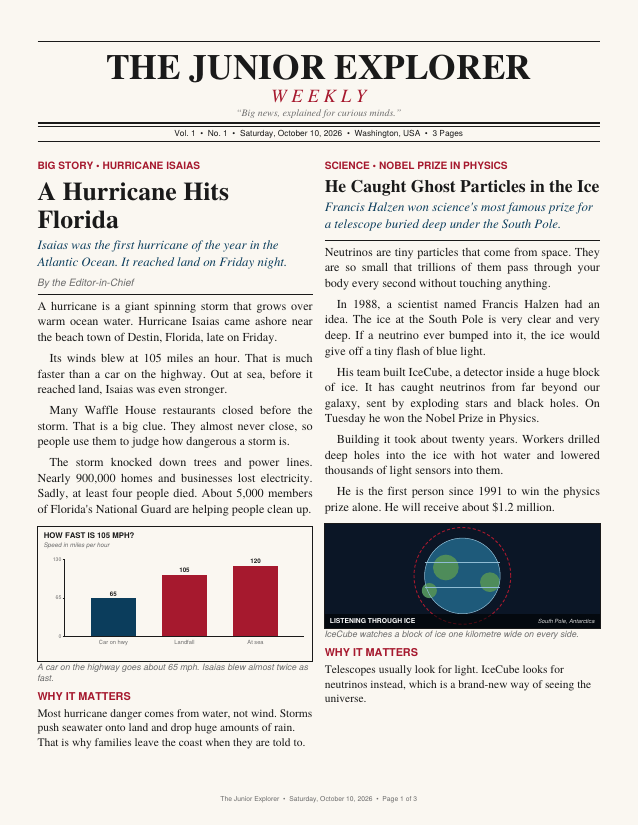 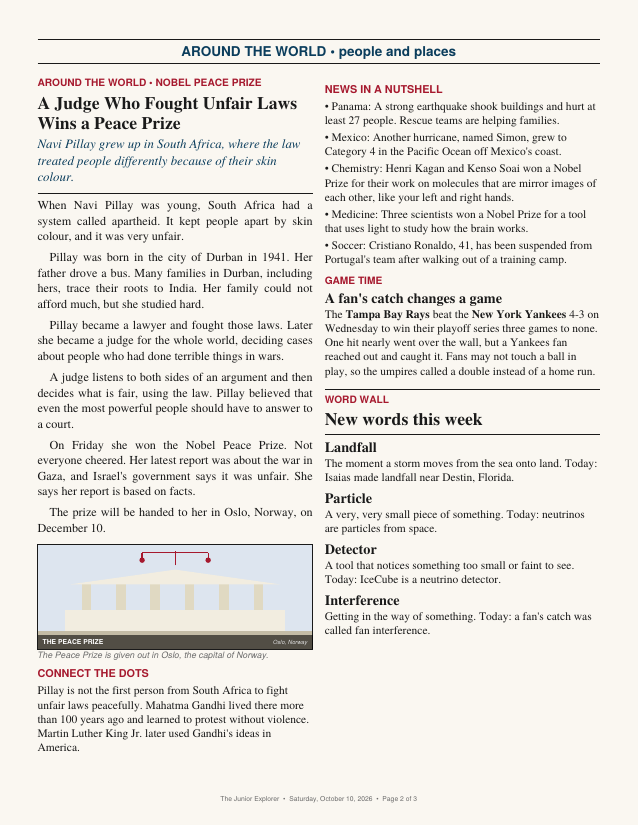 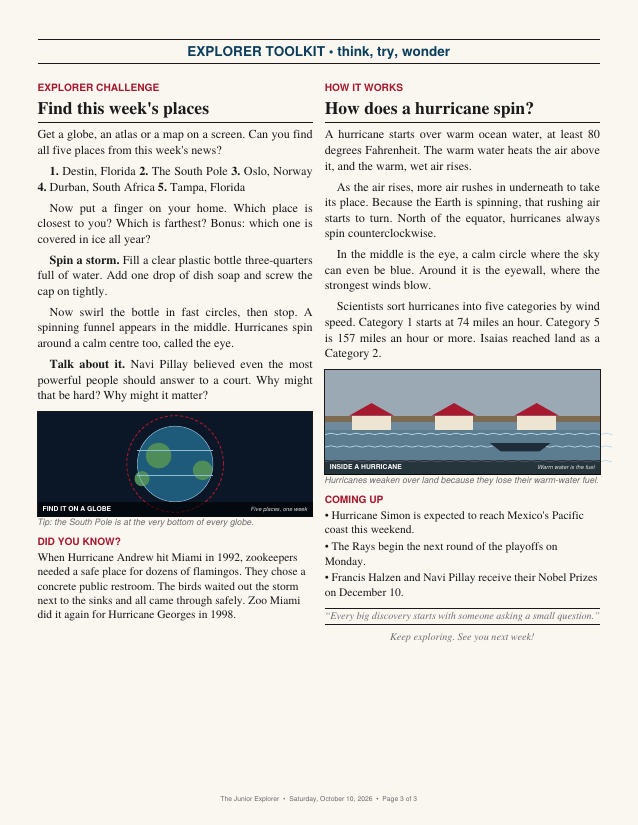 |
Same engine, same news week, two different editions. The only difference
between them is their edition.yaml.
Quick start
git clone https://github.com/devendr-ai/teen-newspaper-builder.git && cd teen-newspaper-builder
python3 -m venv .venv && source .venv/bin/activate   # Windows: py -m venv .venv, then .venv\Scripts\activate
pip install -r requirements.txt                      # optional: poppler, for page images
python -m ygc editions
python -m ygc check editions/junior-explorer/issues/2026/2026-10-10.json --archive
The PDF and page images land in build/. New here? Follow
docs/GETTING_STARTED.md: twelve tested steps from
cloning to a printed paper of your own design.
Make your own paper
The easy way: the Design your own page (tools/newspaper-builder.html,
published as builder.html). Pick the reader, the kind of paper, interests,
sections and length; it shows a proof of every page, writes instructions for
your own chatbot and prints its reply (docs/DESIGN_YOUR_OWN.md).
Under "For developers" it also gives the edition file. Everything it produces is
tested against the engine.
The hands-on way:
python -m ygc create-edition my-paper --from young-global-citizen
#   edit editions/my-paper/edition.yaml: reader, purpose, desks, pages
python -m ygc prompt my-paper              # AI instructions, generated from your YAML
python -m ygc new my-paper                 # today's empty issue, numbered and dated
python -m ygc check editions/my-paper/issues/<year>/<date>.json
docs/CUSTOMIZING.md covers every setting: age and reading level, purpose, countries and topics, sections, pages and columns, cadence and labels.
How it works
- Edition (
editions/<id>/edition.yaml): who the paper is for and what it contains. Desks set coverage; blocks set sections; the page plan places them. - Issue (
editions/<id>/issues/<year>/<date>.json): one issue's content, keyed by block. Every story carries its source URLs. python -m ygc check: validates the issue against its edition, measures every column's exact fit, builds the PDF and renders page images.PASSplus a look at the pages means it's ready to print.PROMPT.md: each edition's AI editor instructions, generated from its YAML and the shared craft rules. Paste it into any AI tool that can search the web.
The full routine is in docs/WORKFLOW.md; the internals are in docs/ARCHITECTURE.md.
Principles
- Configure, don't code. A new paper is a new YAML file.
- Fix the content, never the layout. Overflow is reported per column, in points and lines, before anything is printed.
- Every figure is traceable. Stories list their sources; they're never printed, but anyone can verify a number in thirty seconds.
- Rules carry their reasons. Every craft rule records the failure that created it.
python -m pytest -q must pass before pushing; CI runs it on every push.